Microsoft tests Windows search box with all ads and unnecessary features removed.
On July 13, 2026, local time, Microsoft announced an update to make the Windows search box faster and easier to use by removing ads and unnecessary features.
Improving Windows Search Box, with less clutter and more control | Windows Insider Blog
Microsoft tests Windows Search without all the ads and fluff | The Verge
https://www.theverge.com/tech/965090/microsoft-windows-11-search-menu-ads
Microsoft has released an updated Windows search box for 'Experimental' participants in the Windows Insider Program , a channel that allows them to be among the first to test new features. This update will be rolled out gradually based on a phased and measured approach , so it may not be available to all Experimental participants immediately.
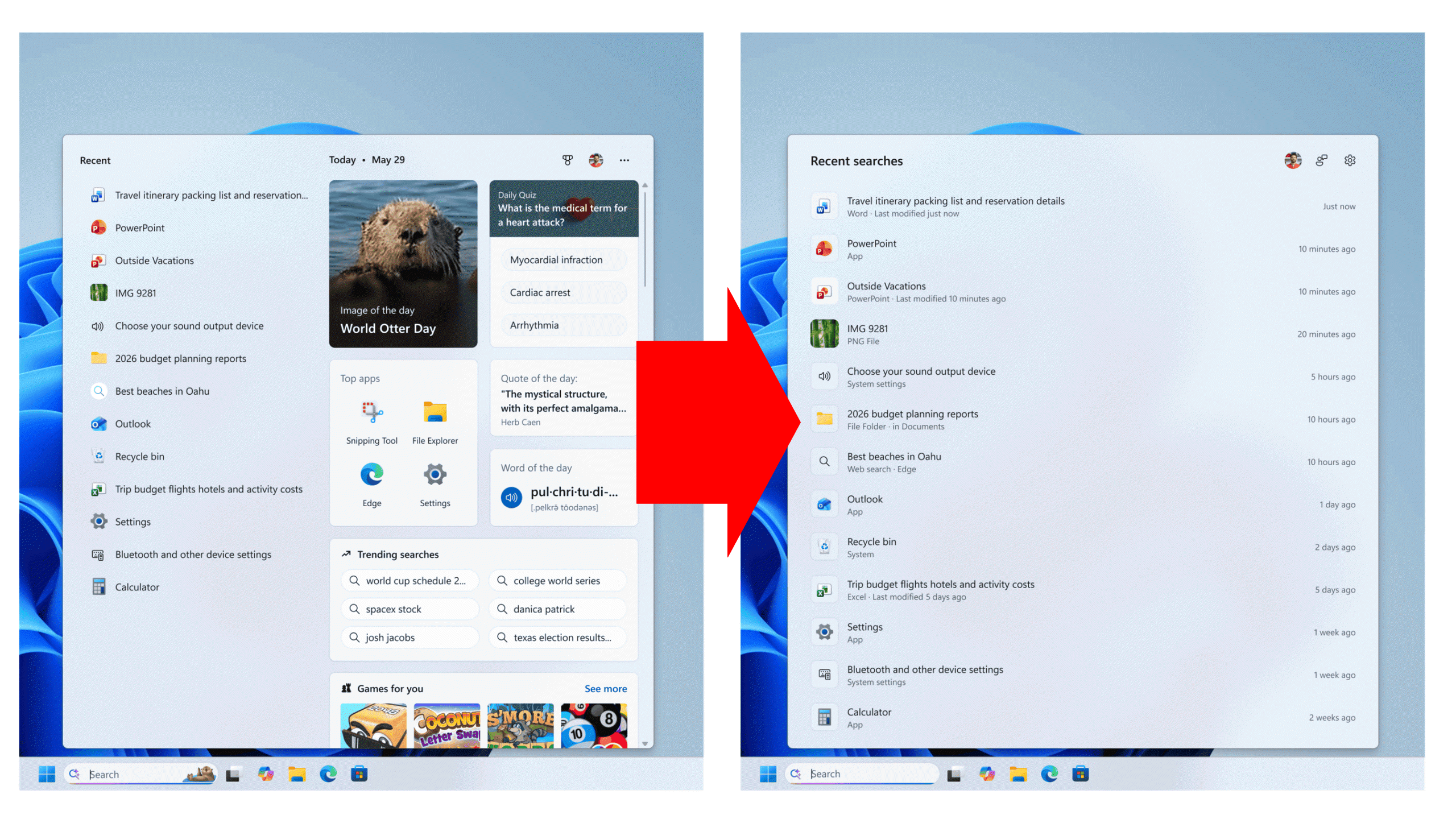
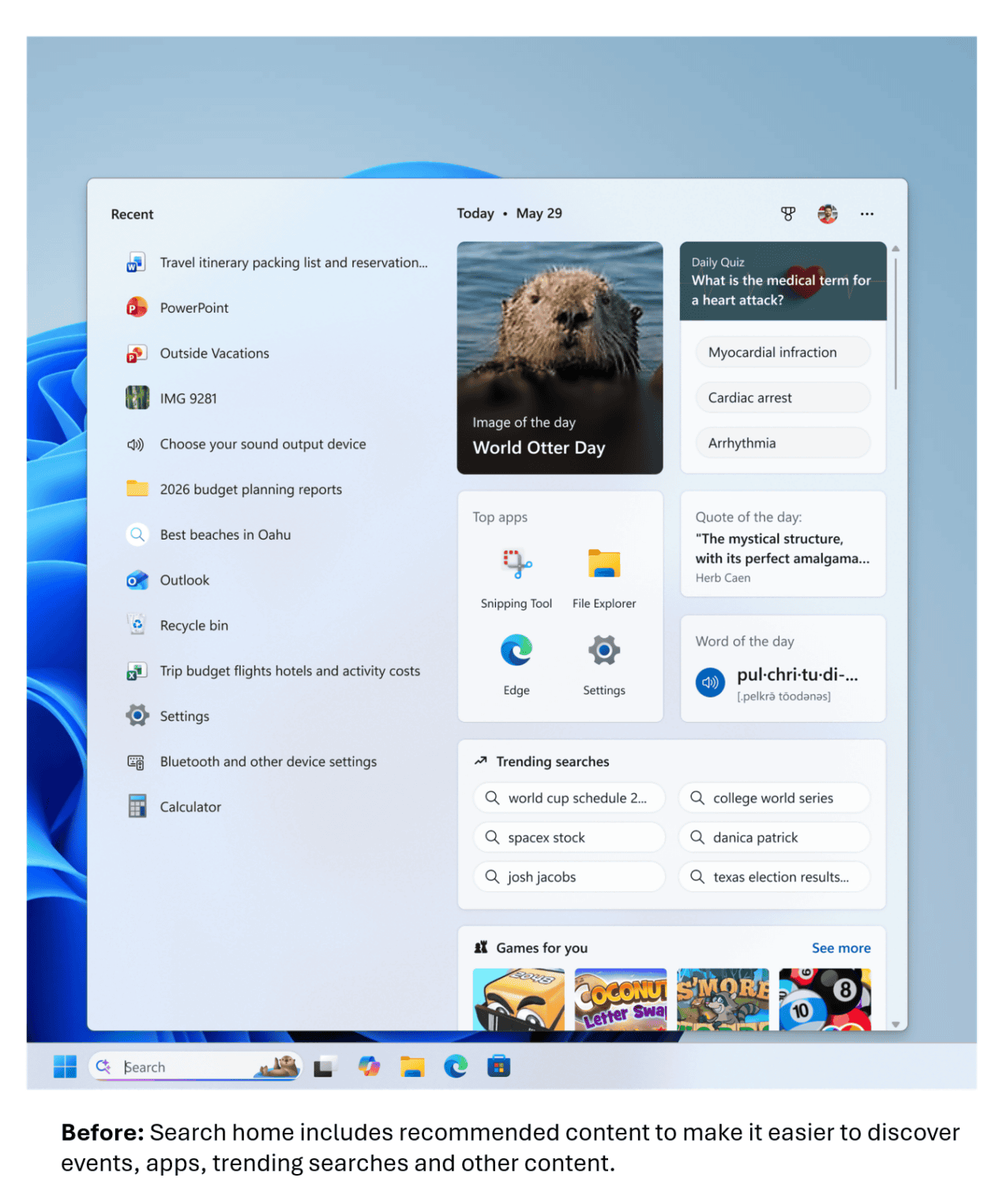
The previous Windows search box looked like this: Recently used applications were on the left, while on the right, there was a jumble of things like 'What day is it today?', 'Daily quiz', 'Word of the day', 'Frequently used apps', 'Search trends', and 'Recommended games'.
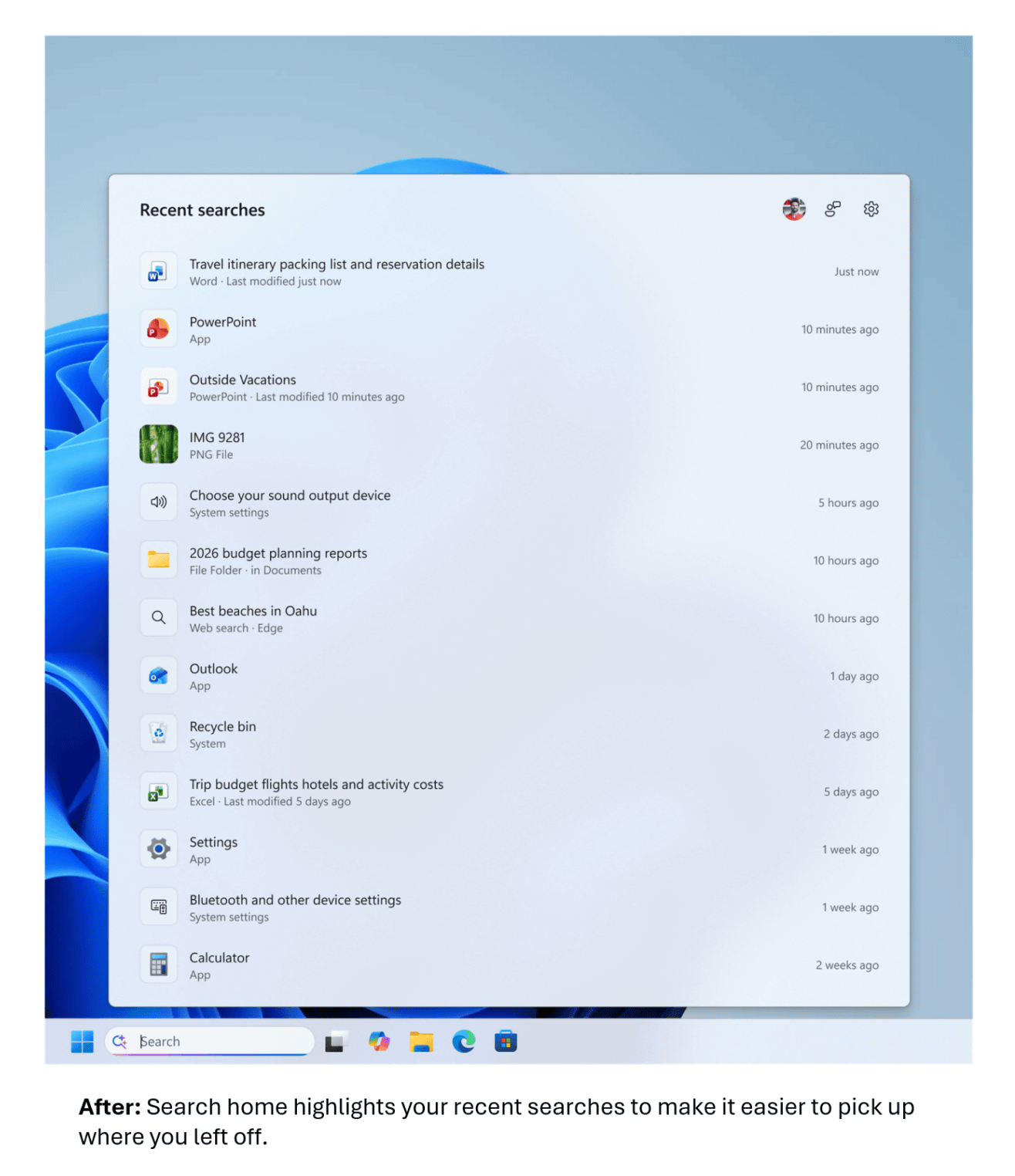
The new Windows search box looks like this: It has evolved into a very simple UI that only displays recently searched applications, files, and folders.
Furthermore, the apps, settings, files, web search results, and store recommendations displayed in the search results were previously as follows:
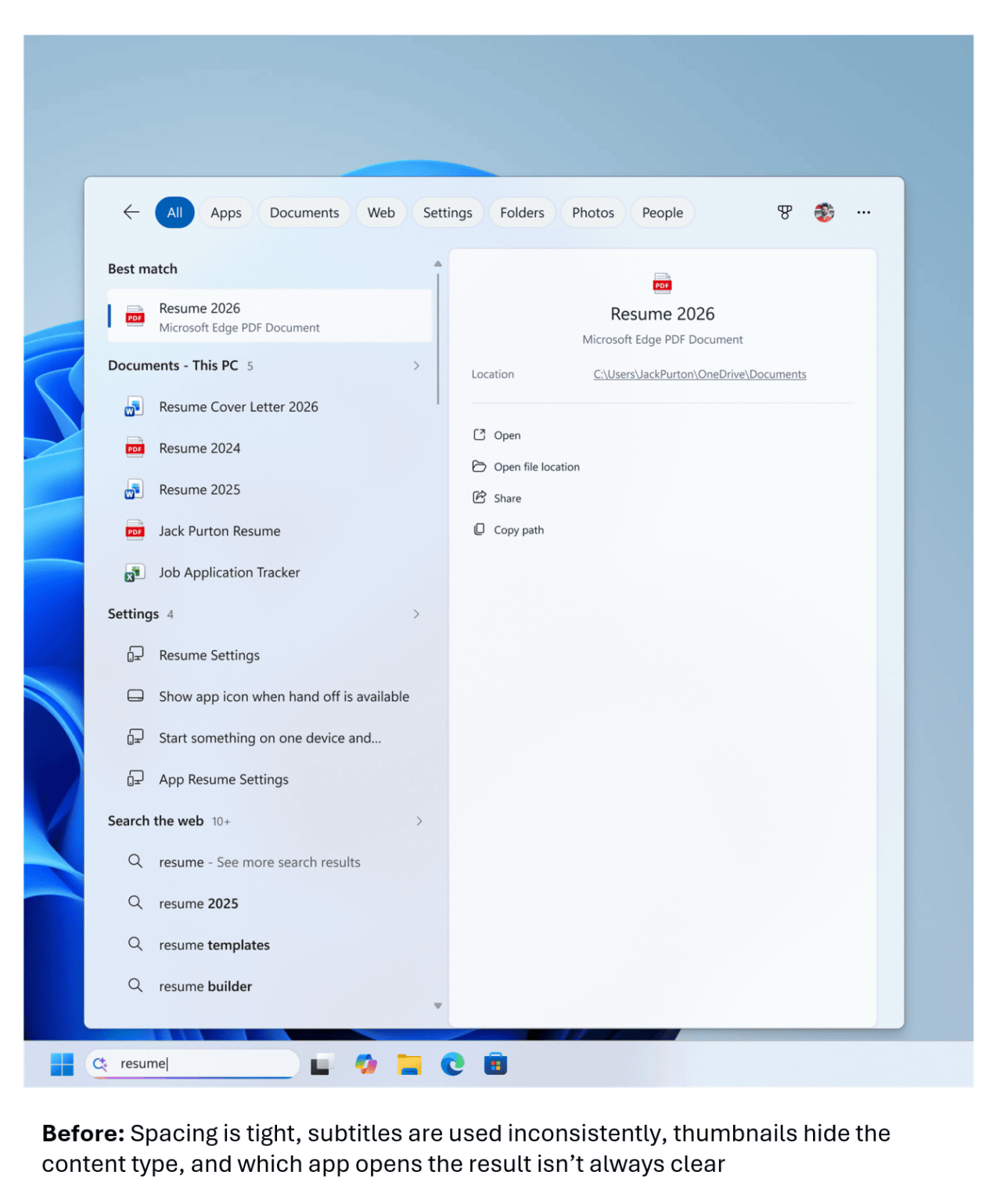
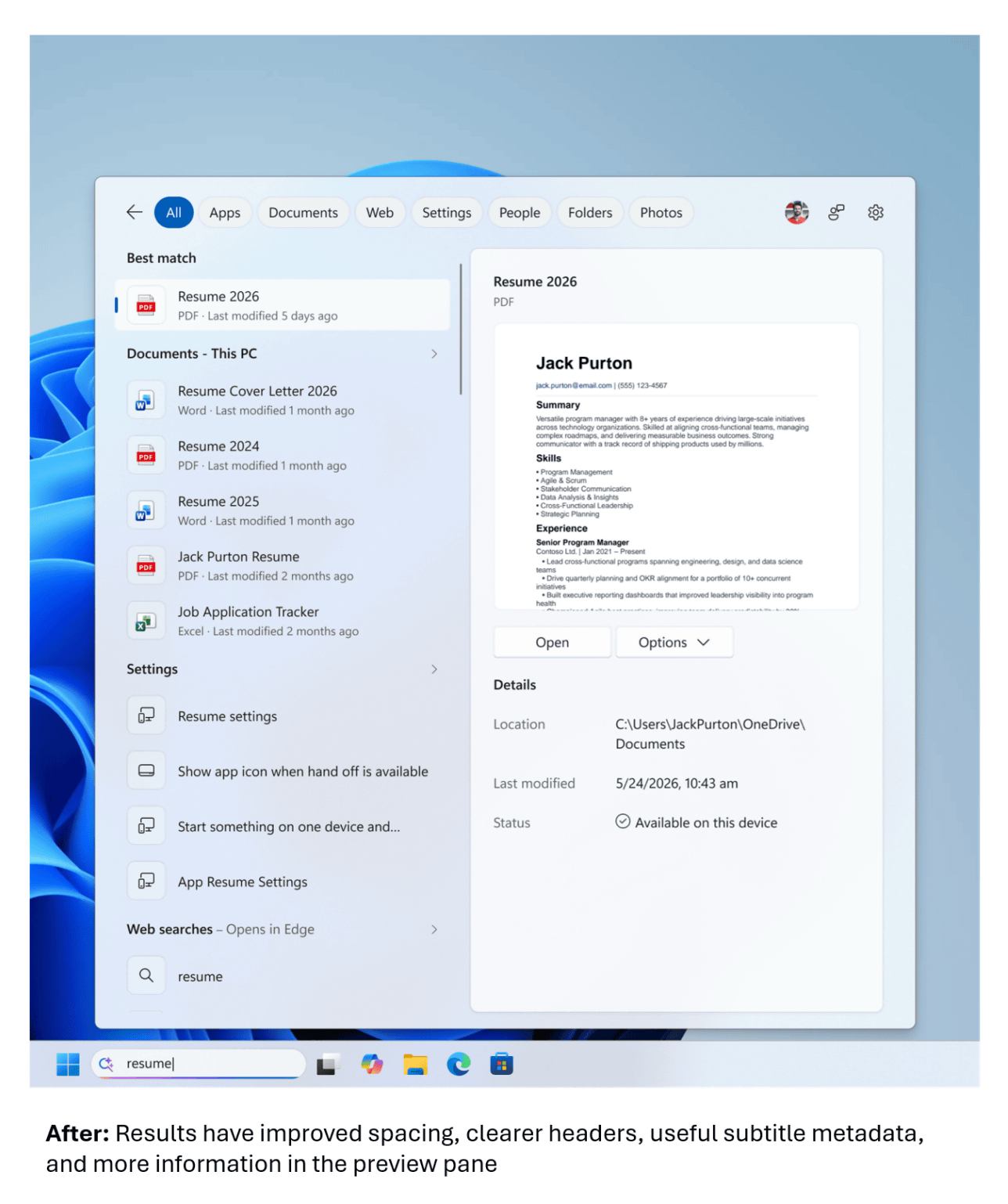
The redesigned search box now more clearly shows where the apps, settings, files, web search results, and store recommendations displayed in the search results came from. The amount of information displayed has also significantly increased.
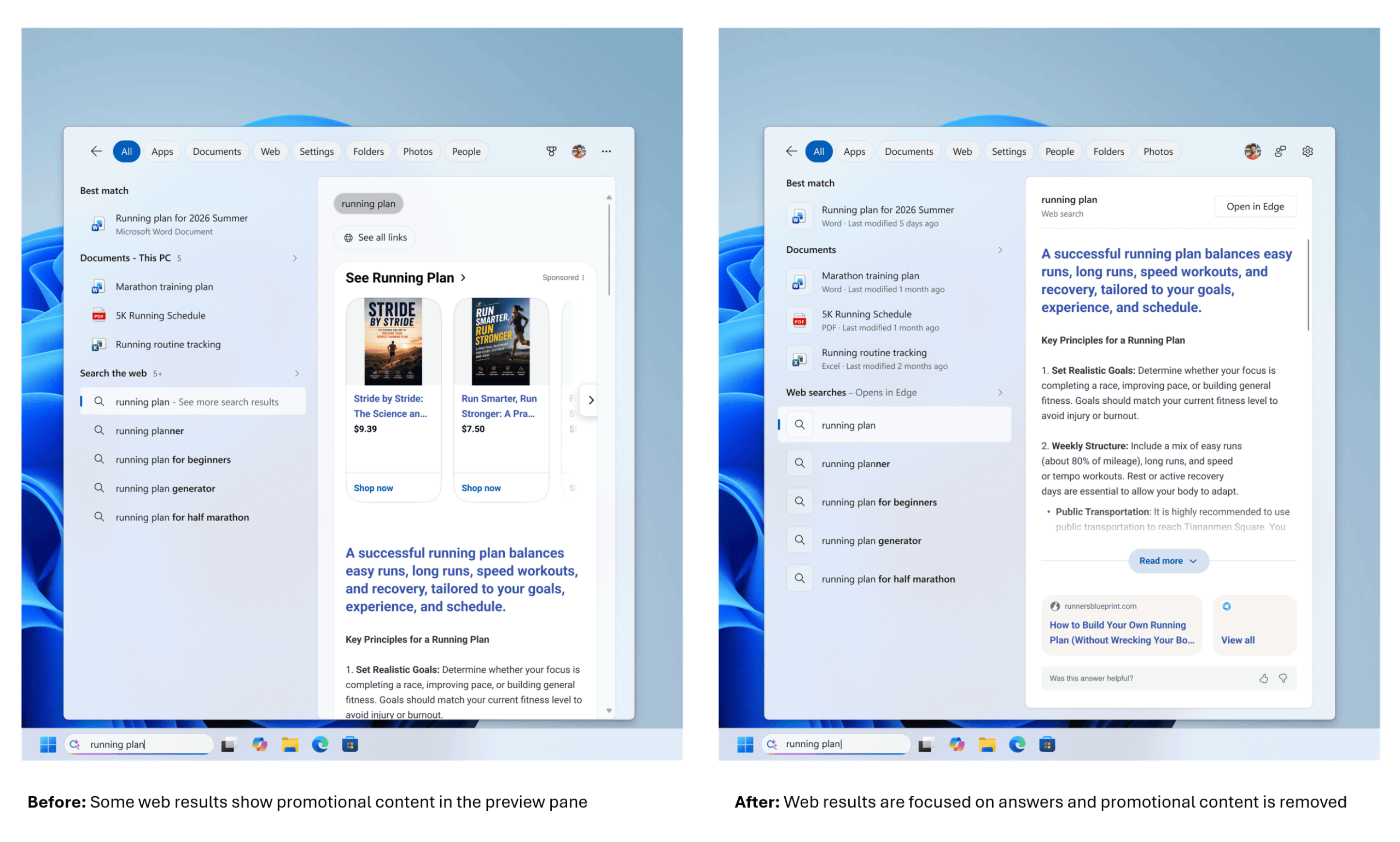
Furthermore, advertising content will be removed from the web search results displayed in the search box.
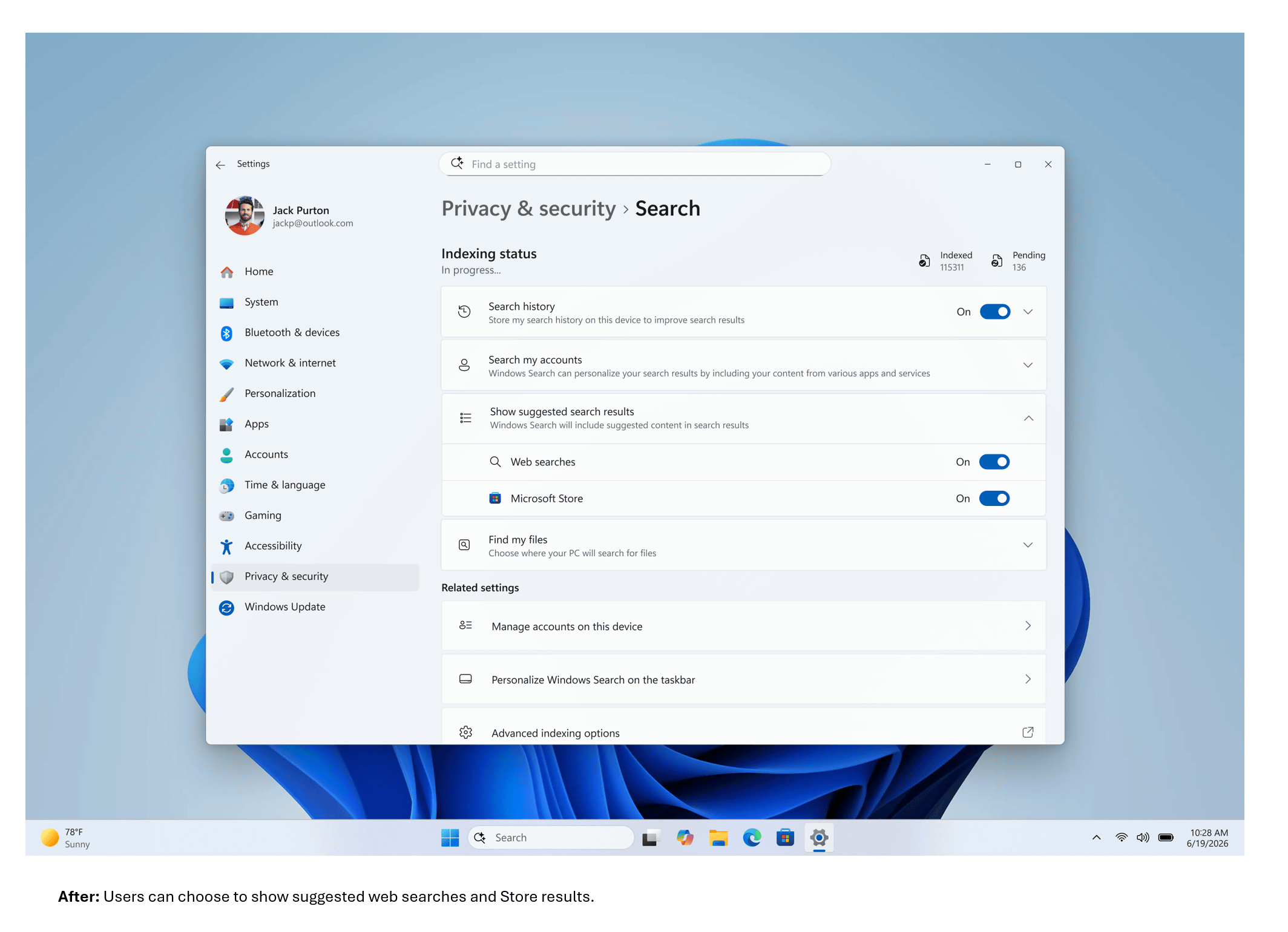
A new setting has been added to 'Settings' → 'Privacy and security' → 'Search,' allowing you to choose whether or not to display web and Microsoft Store suggestions alongside local search results.
Furthermore, local search results, which are the results of searches for apps, settings, files, etc., are displayed preferentially over web and Microsoft Store search results if they have a high degree of relevance to the search terms.
In addition, the search function in the search box can now handle 'typos,' 'missing characters,' 'extra characters,' and 'partial words' more appropriately. Even with a typo like 'utlook,' it can now find 'Outlook.'
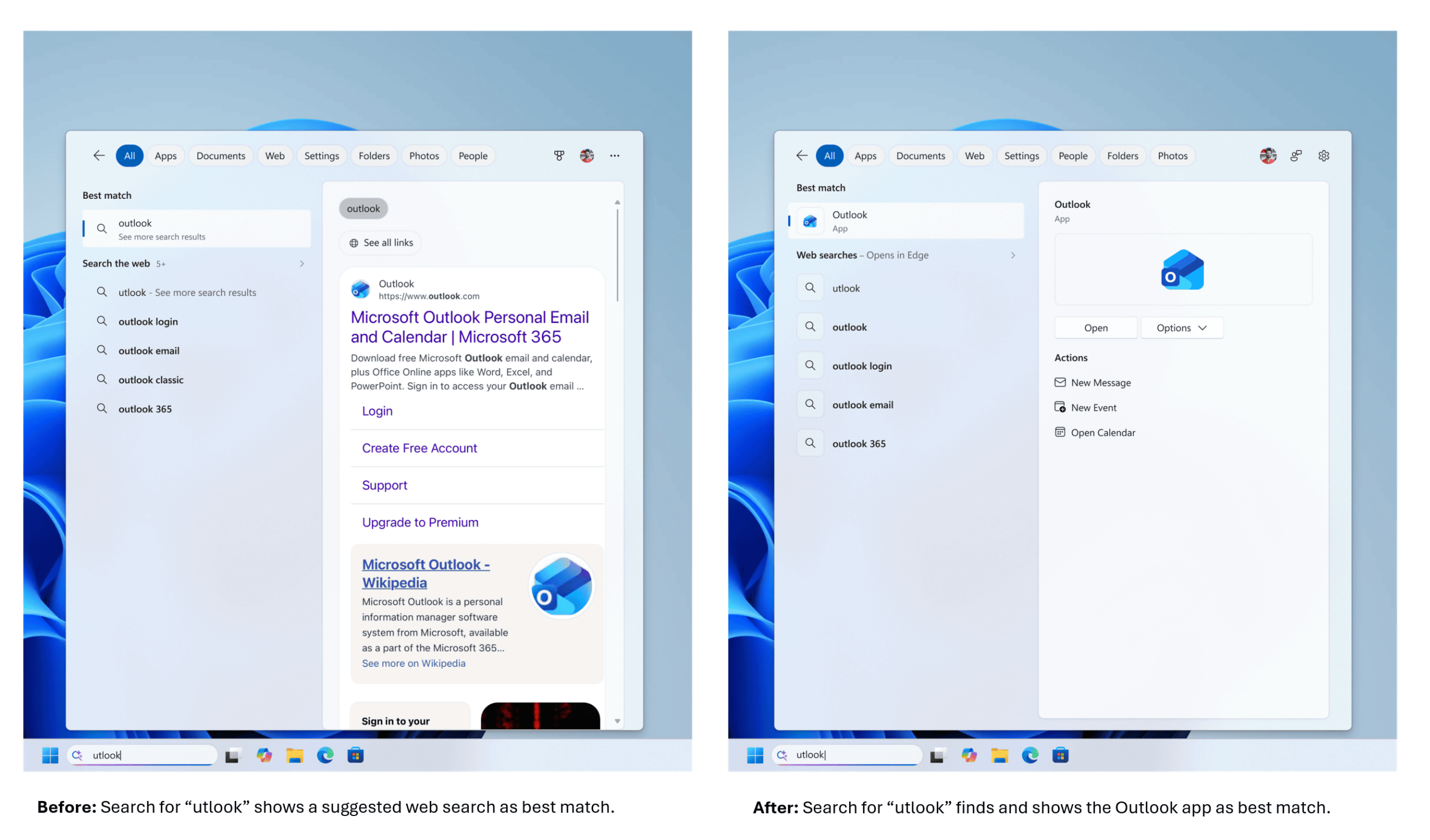
The first phase of improving search rankings has been implemented to ensure that more relevant settings appear higher in search results. Further adjustments are planned for the coming months.
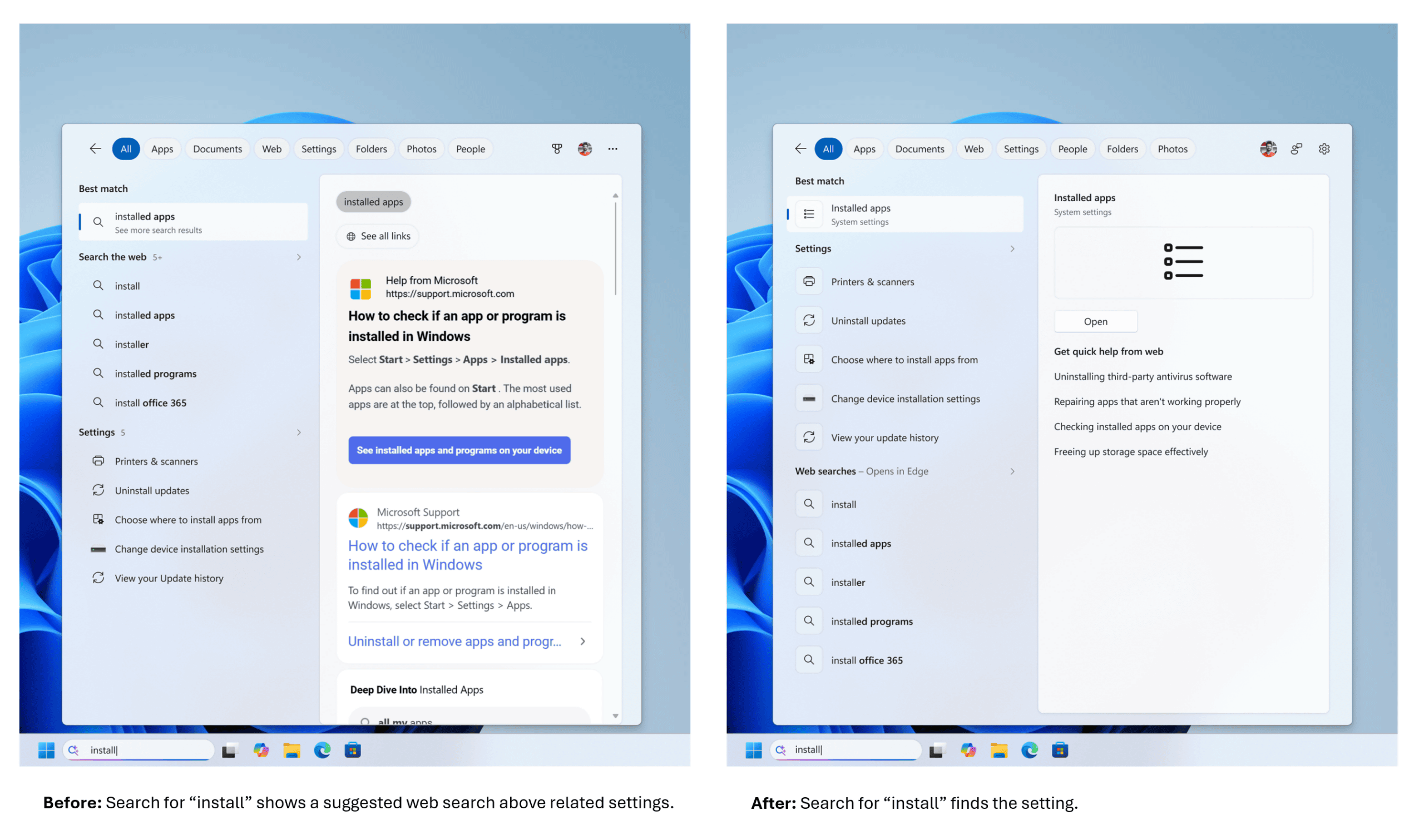
Additionally, the ability to search for two-character filenames has improved the accuracy of local file searches. Cloud files and connected files are now displayed higher in search results. These changes allow for quicker access to the files you are looking for.
Search reliability has also been improved, reducing the likelihood of crashes and loading issues.
Related Posts:





in Software, Posted by logu_ii