I ran various benchmark tests on the Dell XPS 14/16 equipped with an Intel Core Ultra X7 processor to check its specifications.
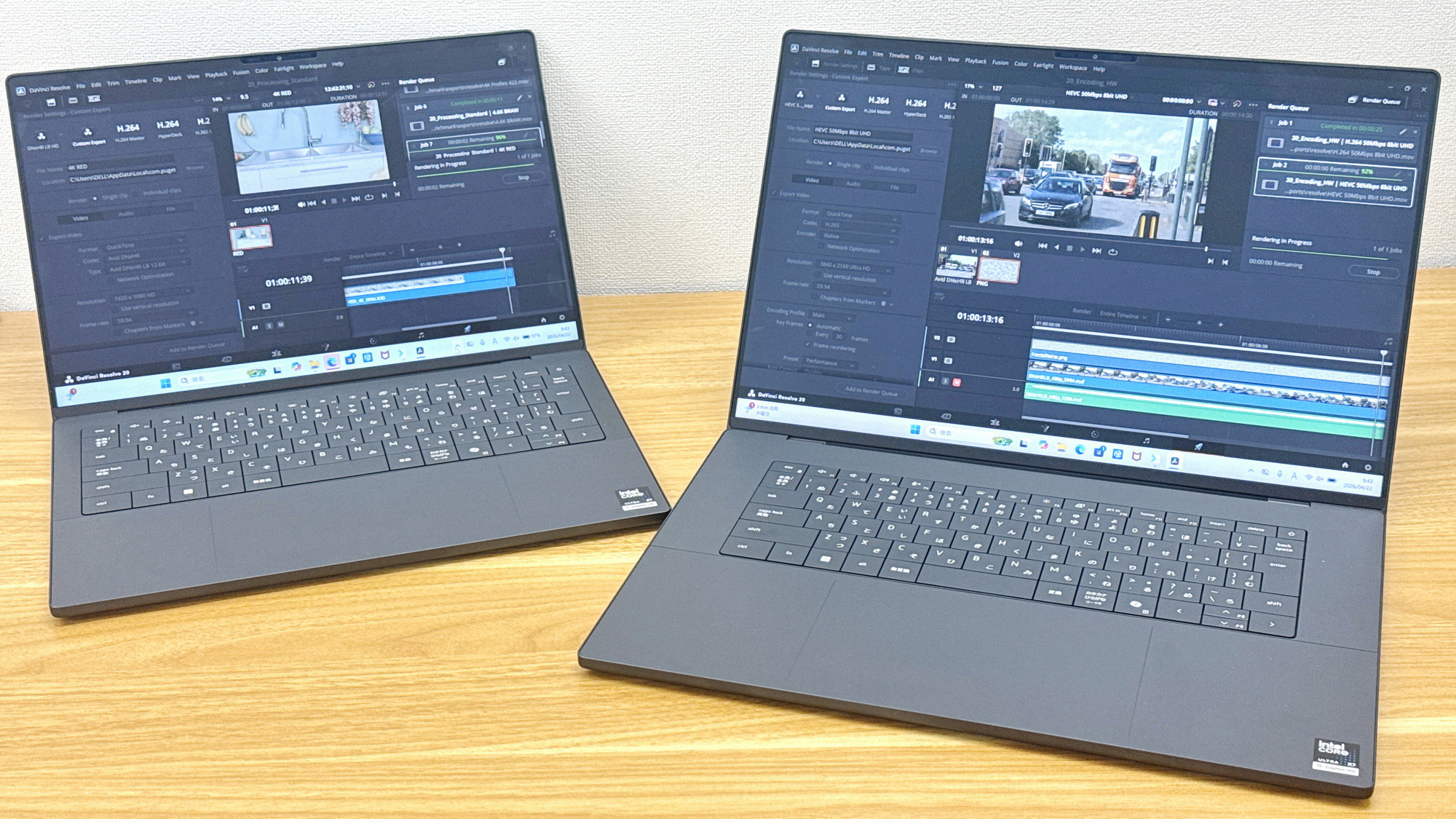
I was able to borrow the 'XPS 14' and 'XPS 16' laptops, both equipped with Intel Core Ultra X7 processors, from Dell, so following my photo review, I ran some benchmark tests.
Dell XPS 14-inch Premium Lightweight Laptop with Intel Core Ultra | Dell Japan
Dell XPS 16-inch Premium Lightweight Laptop with Intel Core Ultra | Dell Japan
https://www.dell.com/ja-jp/shop/dell-laptops/xps-16-laptop-2026/spd/xps-da16260-laptop
You can learn more about the appearance, keyboard, trackpad, and other features of the XPS 14/16 by reading the following article.
Photo review of the revival Dell XPS brand's first models: the new 'XPS 14/16' 2026 models - GIGAZINE
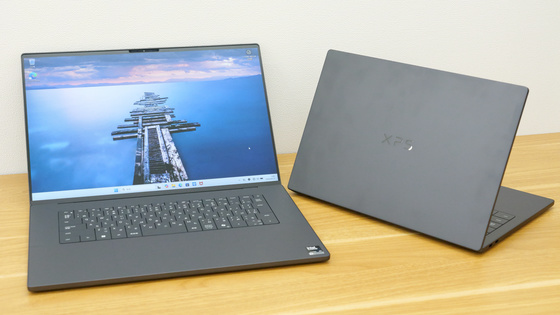
◆XPS 14
- Check the specs using CPU-Z and GPU-Z
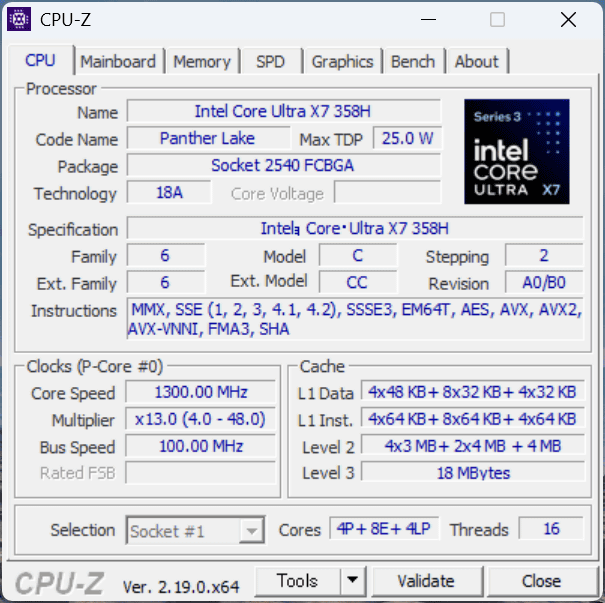
First, let's check the device specifications. According to ' CPU-Z ,' the CPU is an Intel Core Ultra X7 358H, with 16 cores and 16 threads.
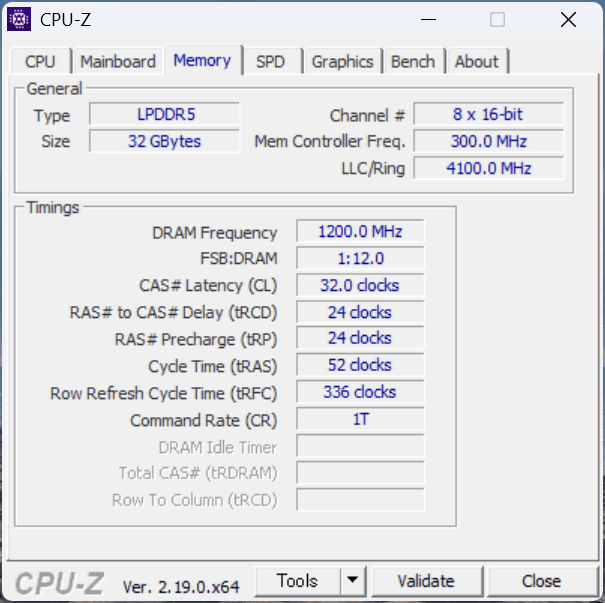
It comes with 32GB of LPDDR5 memory.
According to
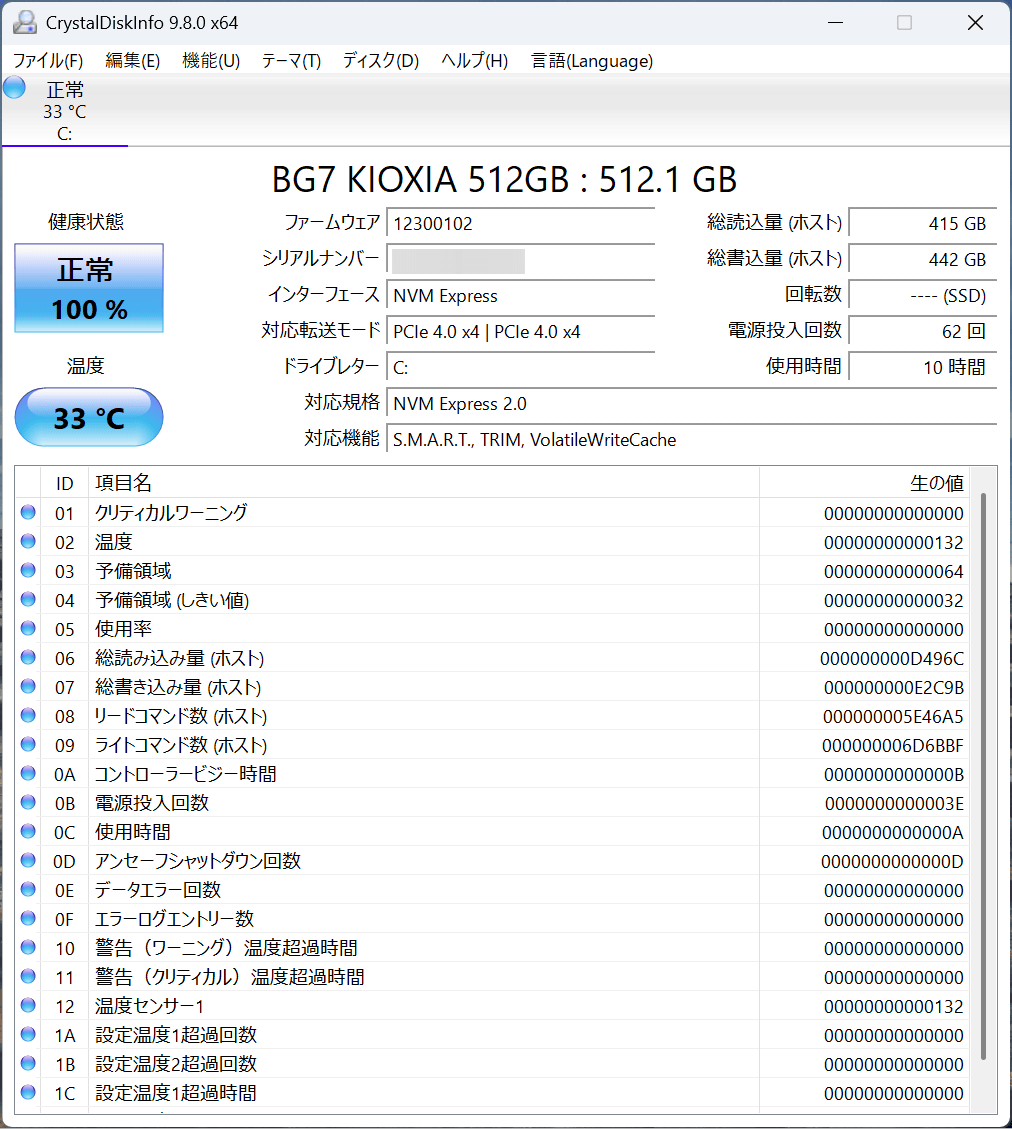
The storage is a PCI Express 4.0 x4 connected NVMe SSD with a capacity of 512GB. Checking with ' CrystalDiskInfo ,' it was found to be a Kioxia SSD.
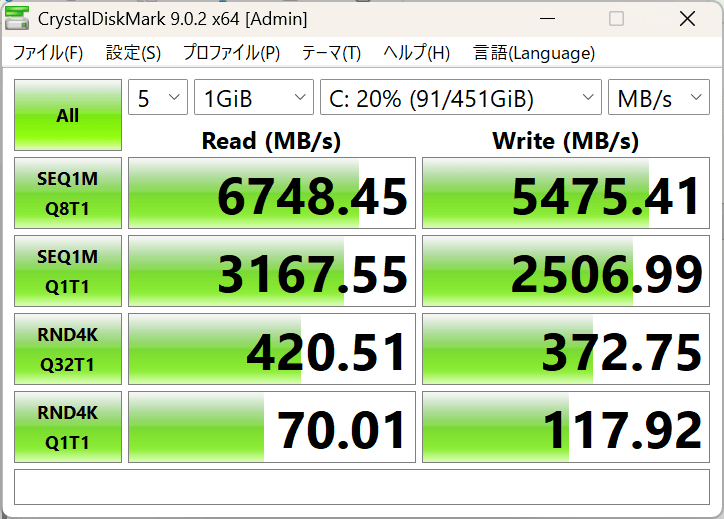
First, we measured the read and write speeds of the storage using
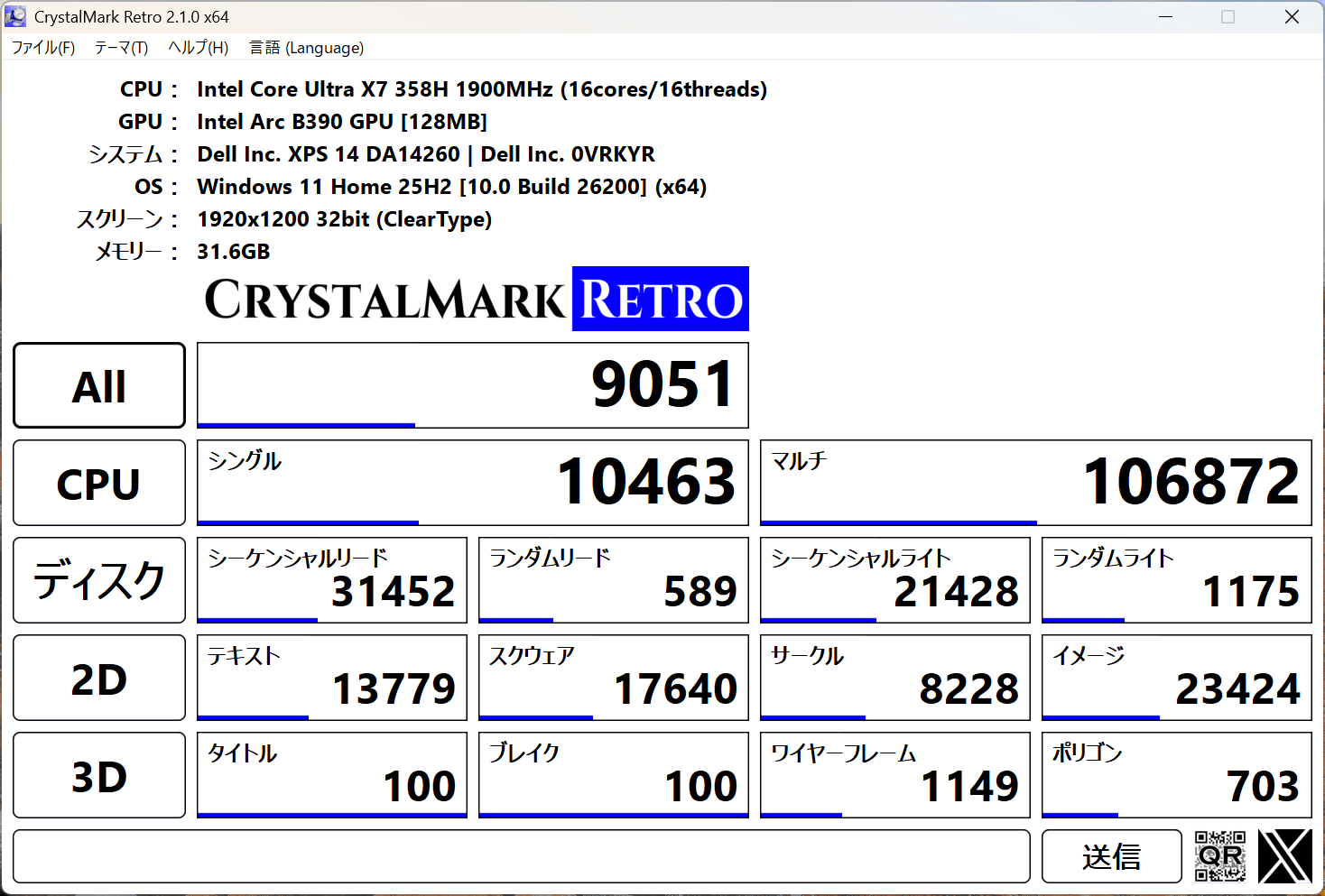
When I ran
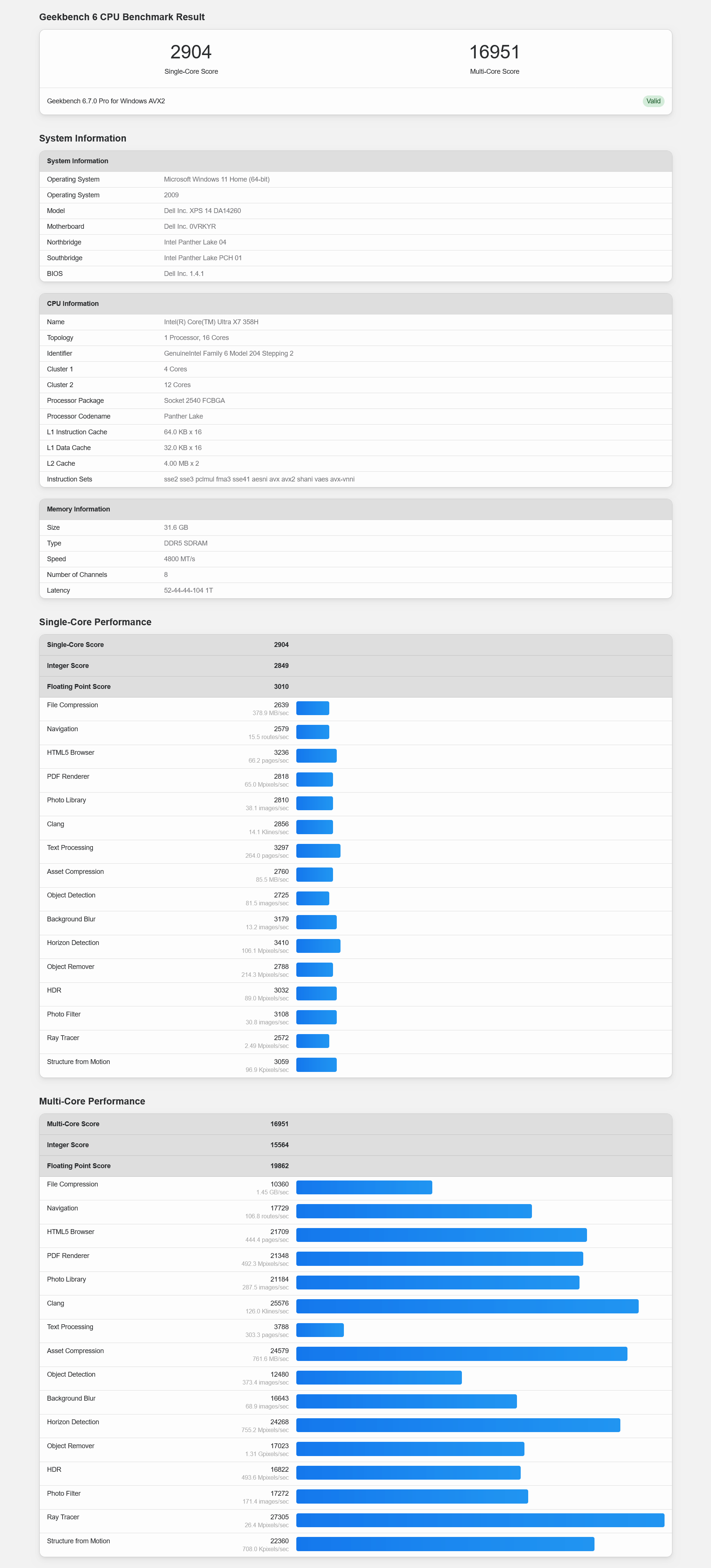
Next, I measured it using '
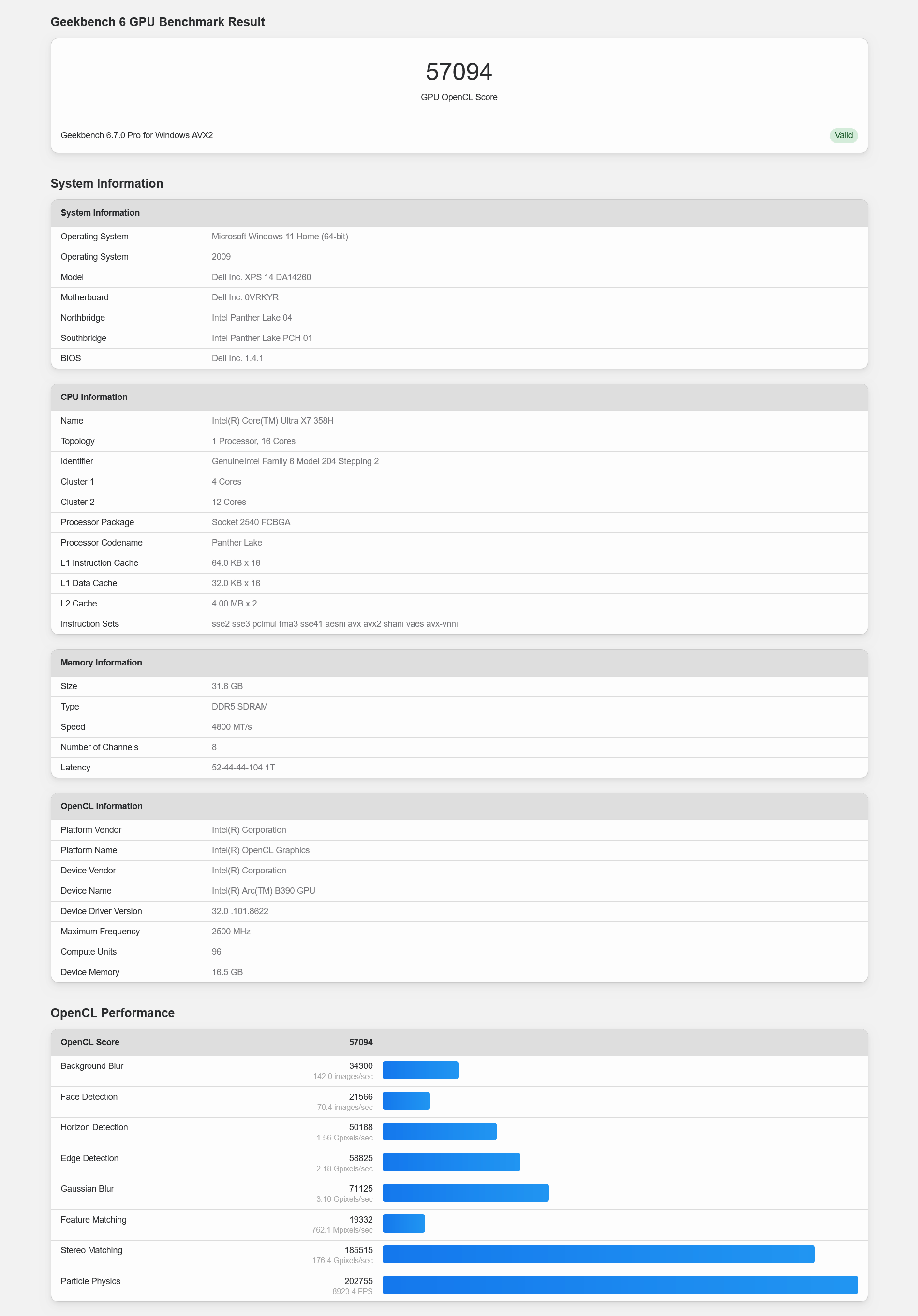
The GPU benchmark score using OpenCL was 57094.
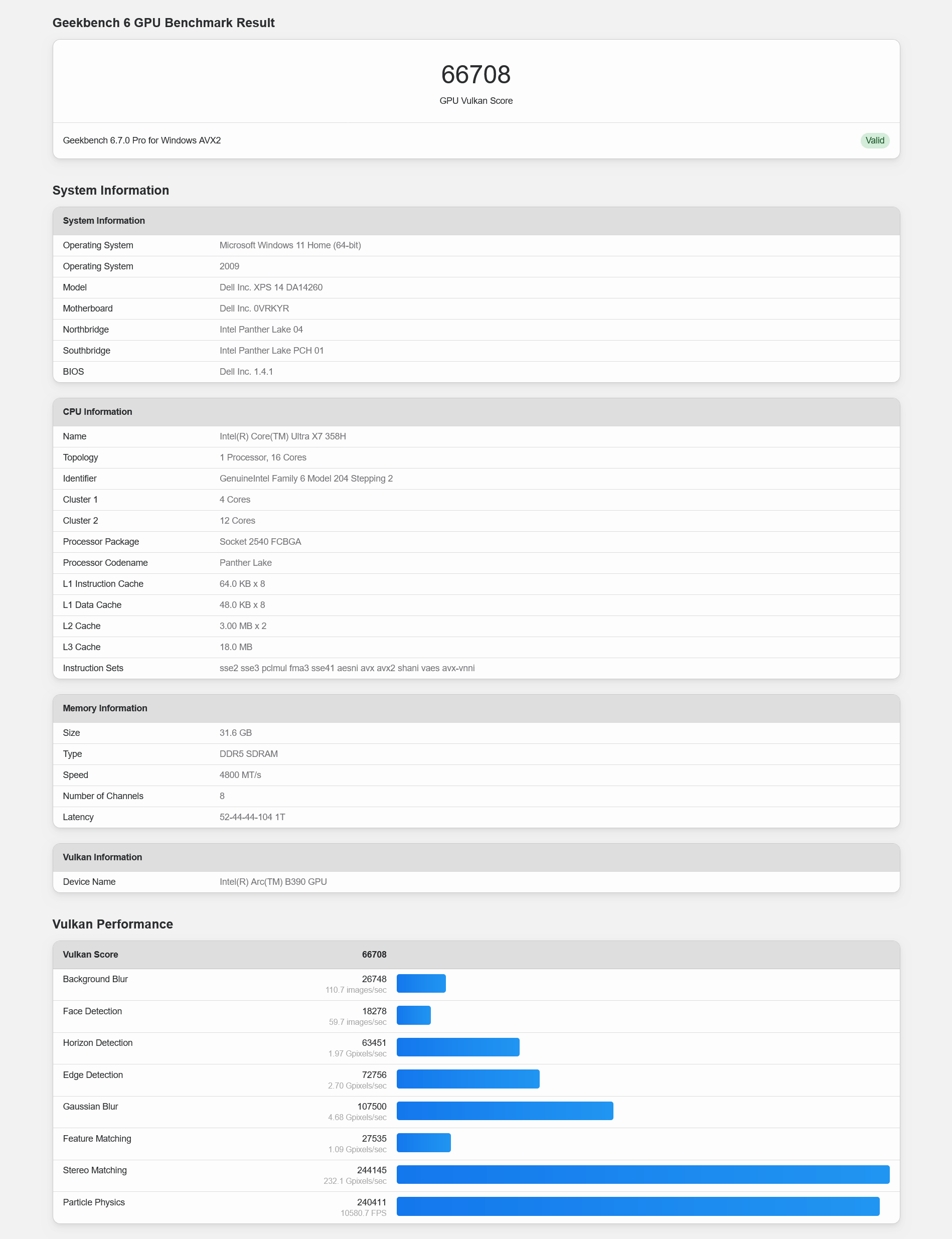
The Vulcan score was 66708.
Next, we ran '
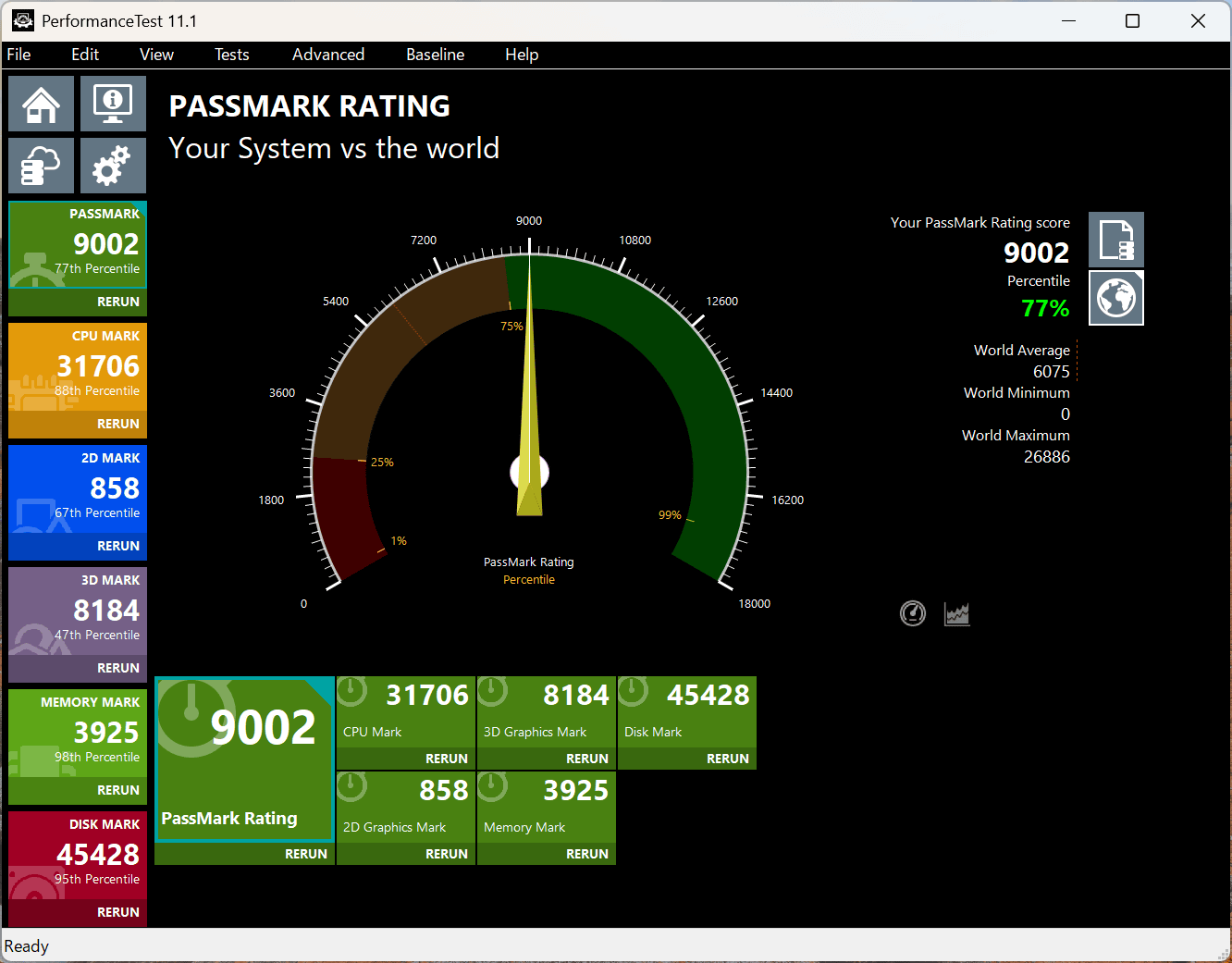
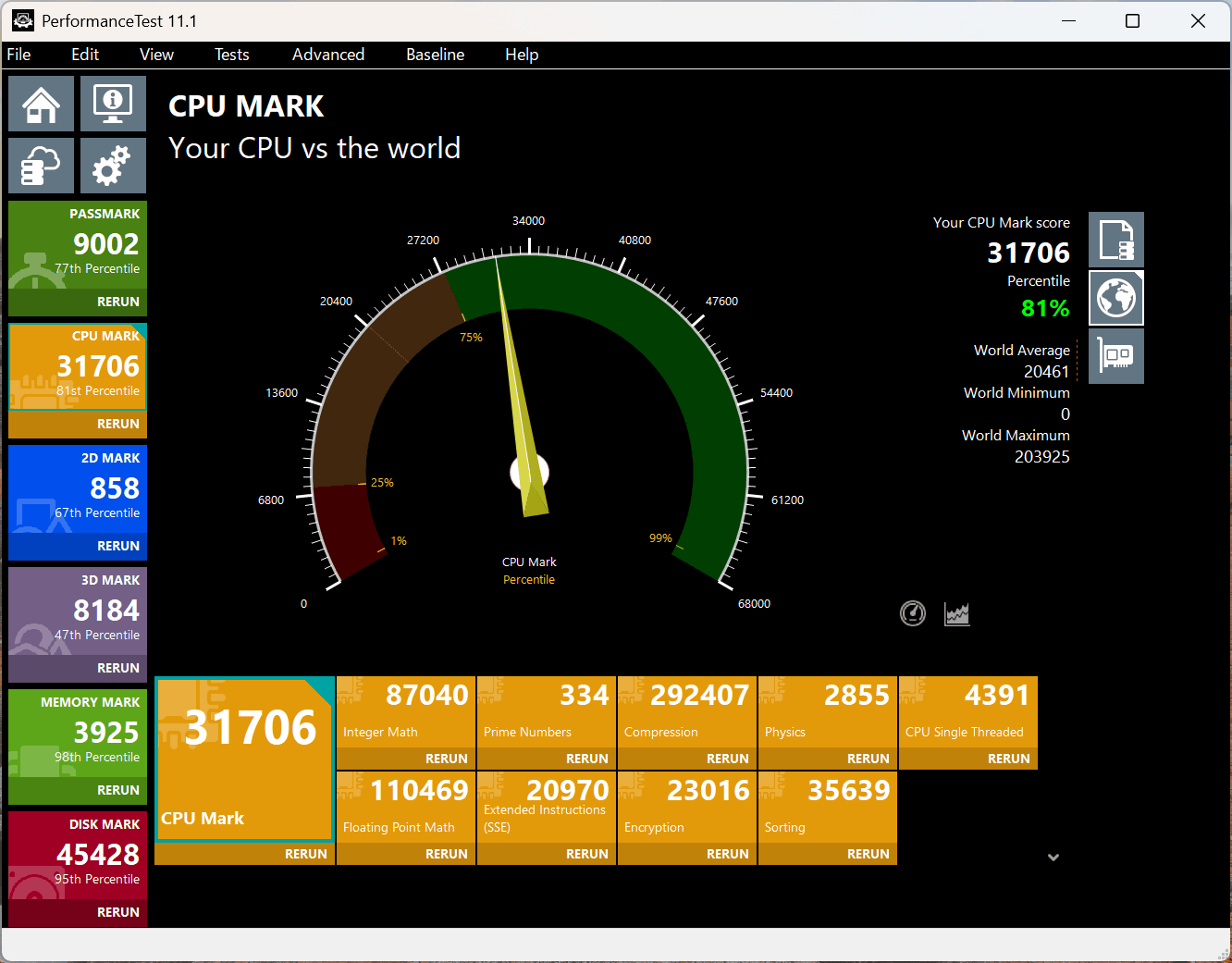
The CPU score is 31706, placing it at the 81st percentile.
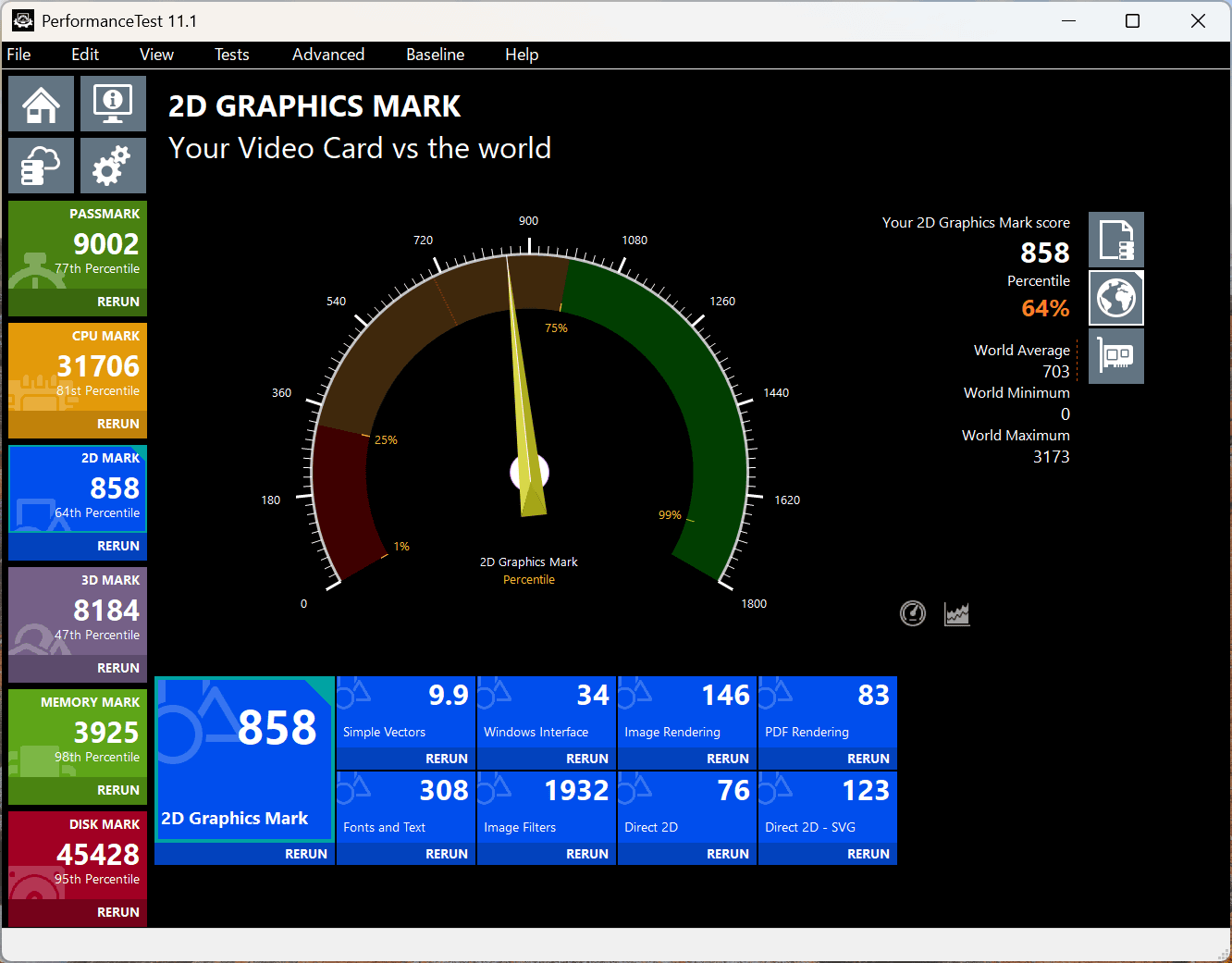
The 2D score was '858' and '64%'.
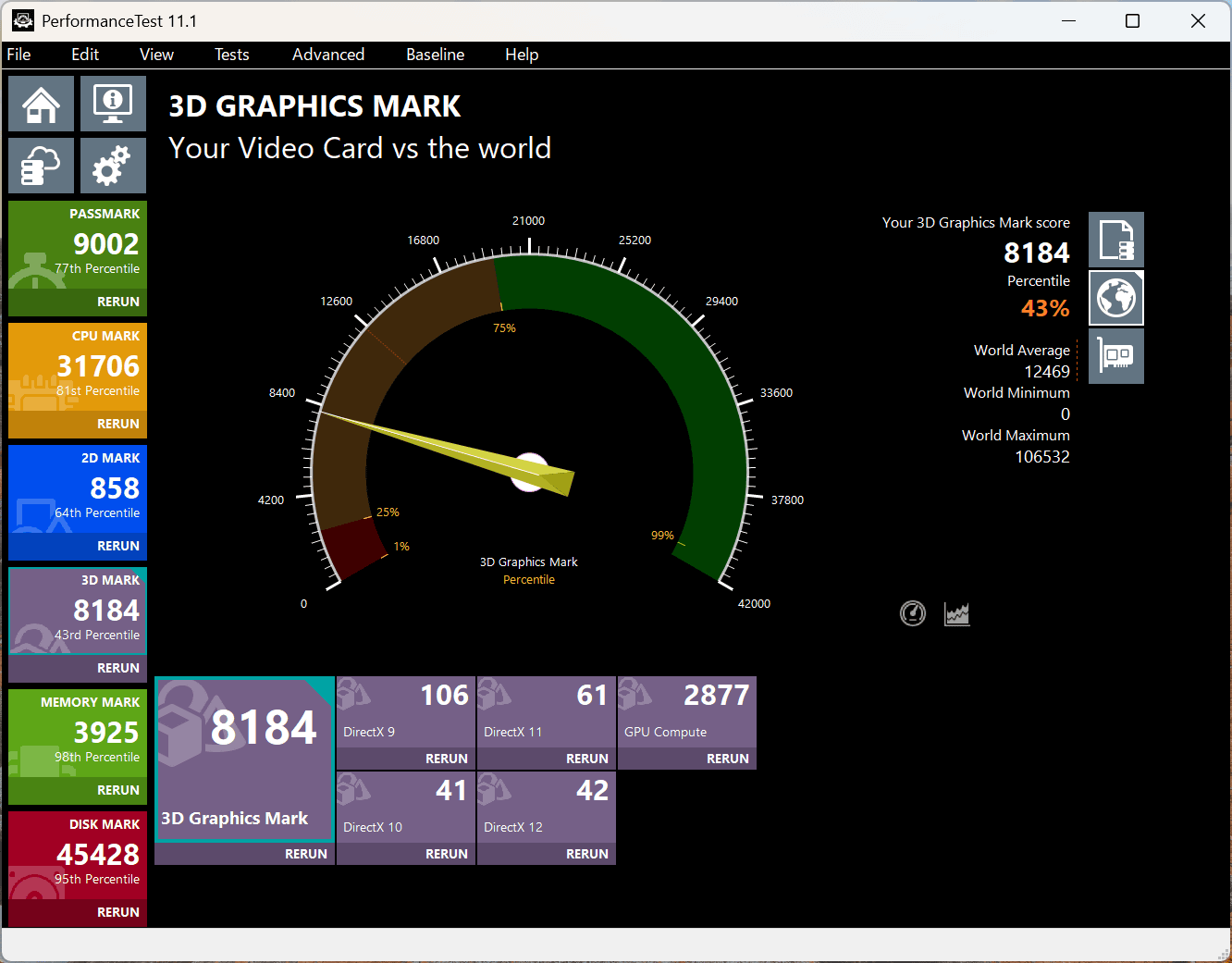
The 3D score was 3531, which is 33%, below the median.
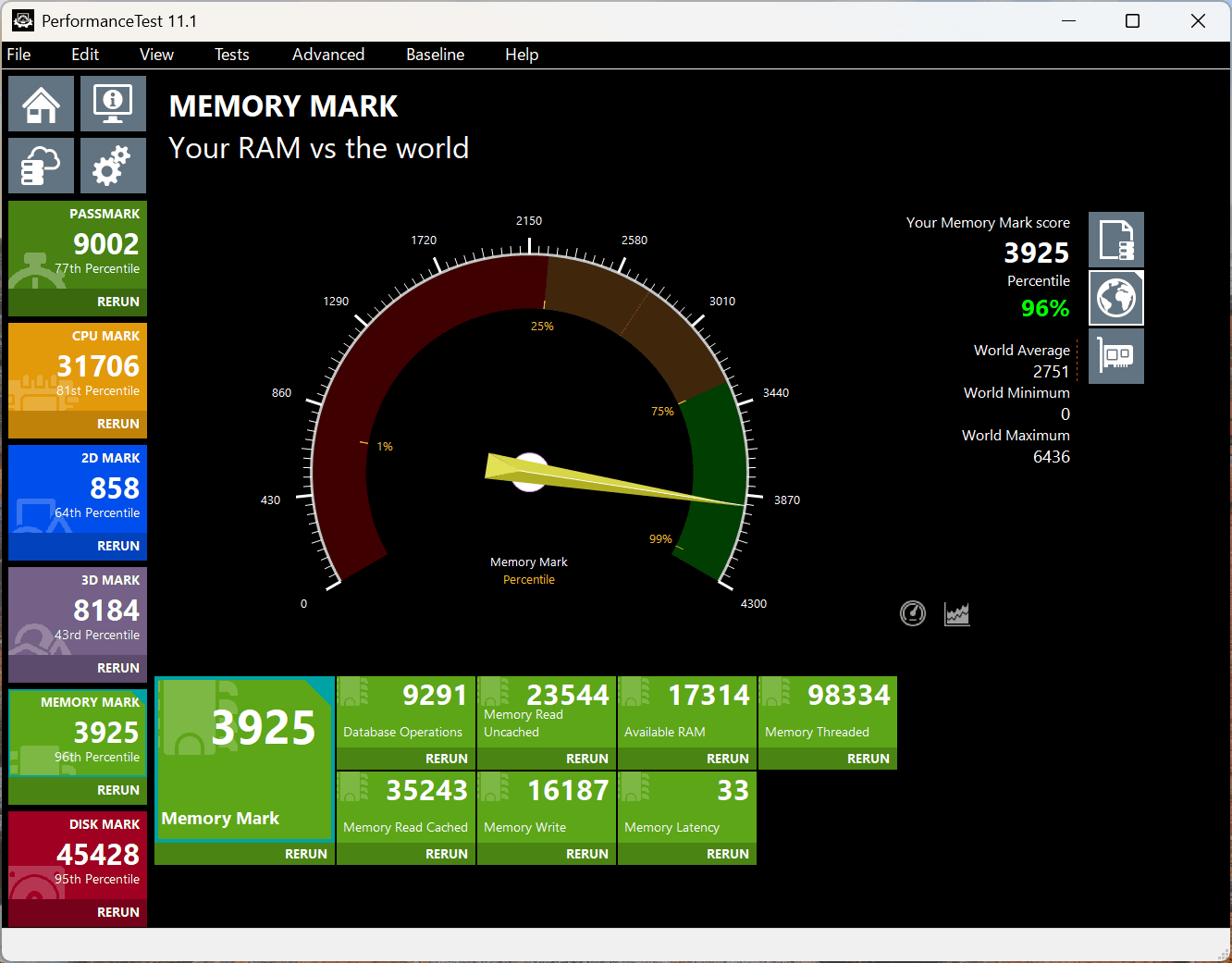
The memory score was 3925, placing it at the 96th percentile.
The disk score was 45428, which is 89%.
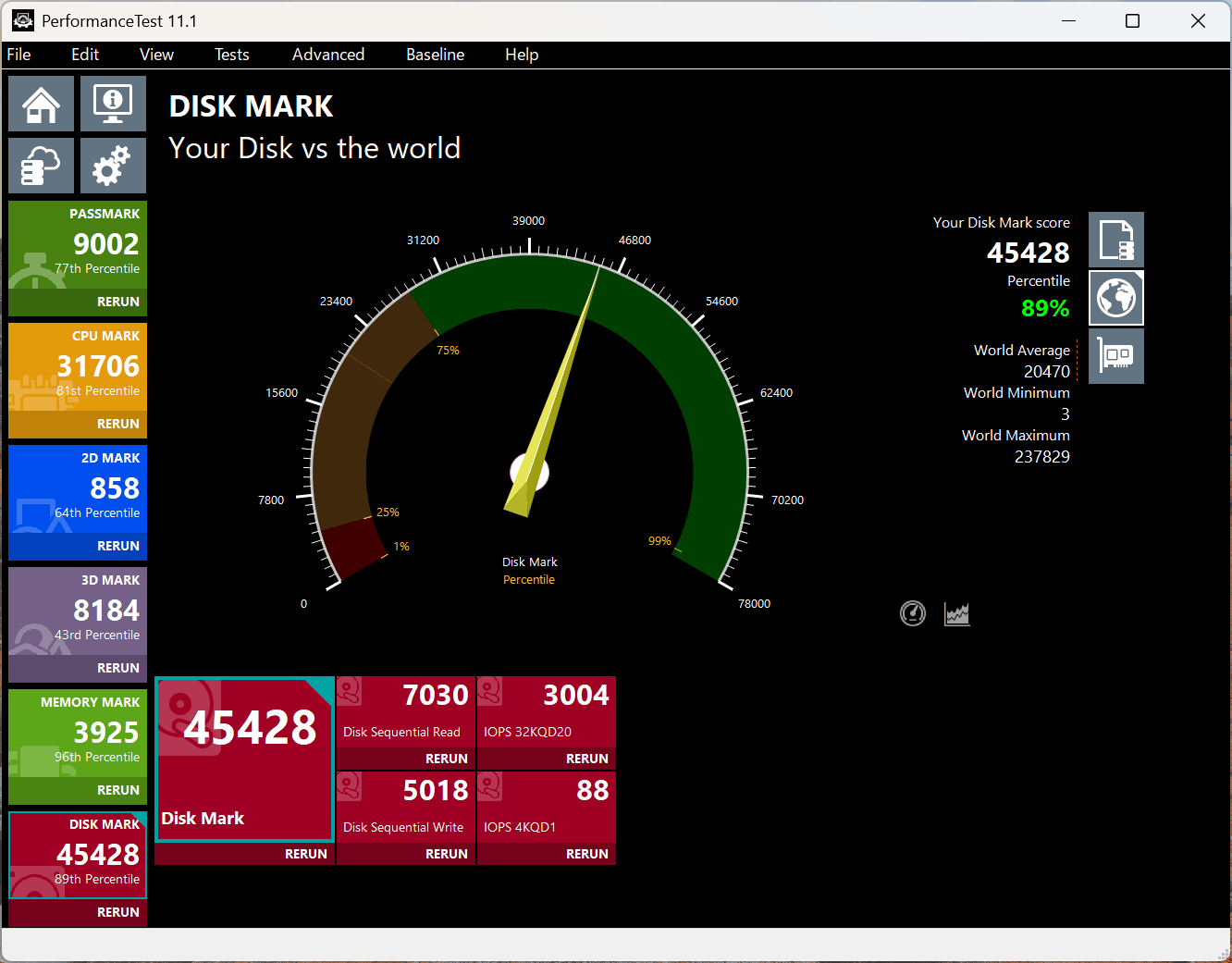
I ran
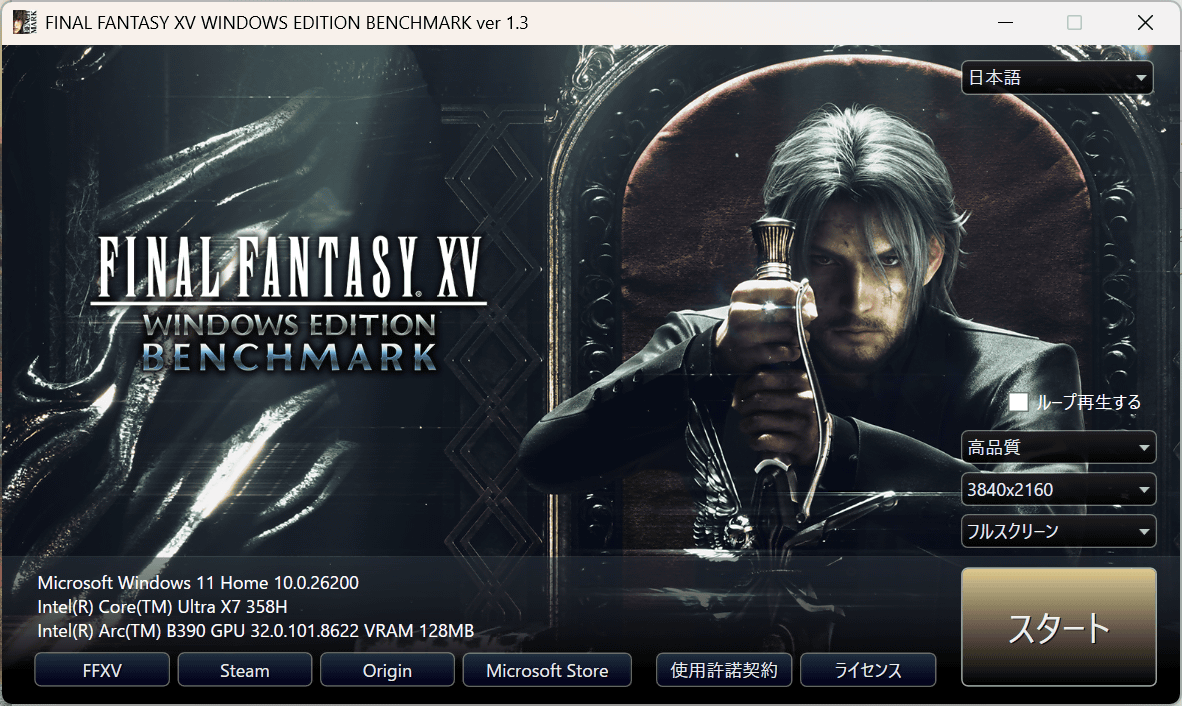
The results are as follows: At a resolution of 1920x1080, it seems possible to play even relatively high-spec AAA games.
| Lightweight quality | normal quality | high quality | |
|---|---|---|---|
| 1280×720 | 10808 (Very comfortable) | 9443 (Very comfortable) | 6392 (Comfortable) |
| 1920×1080 | 7655 (comfortable) | 5667 (Somewhat comfortable) | 5086 (Somewhat comfortable) |
| 2560×1440 | 5848 (Somewhat comfortable) | 4322 (Normal) | 3616 (Normal) |
| 3840×2160 | 3327 (Normal) | 2444 (heavy) | 2090 (heavy) |
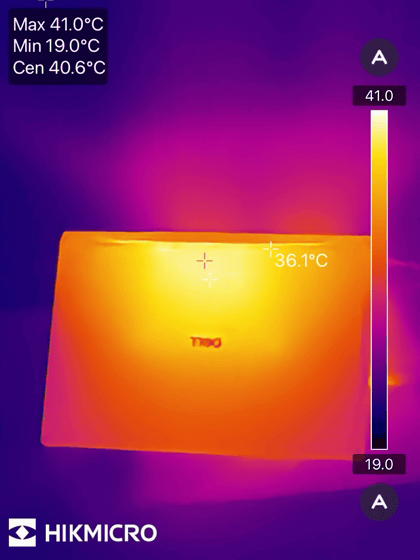
We measured the temperature of the XPS 14 using a HIKMICRO Mini2Plus V2 while continuously running the FINAL FANTASY XV WINDOWS EDITION benchmark at high quality and 1980x1080 resolution for two hours. The room temperature was 20 degrees Celsius, and the maximum temperature of the XPS 14 reached 41.7°C. The screen area was around 29.6°C, and the top of the keyboard area was slightly higher, but only 'a little warm.'
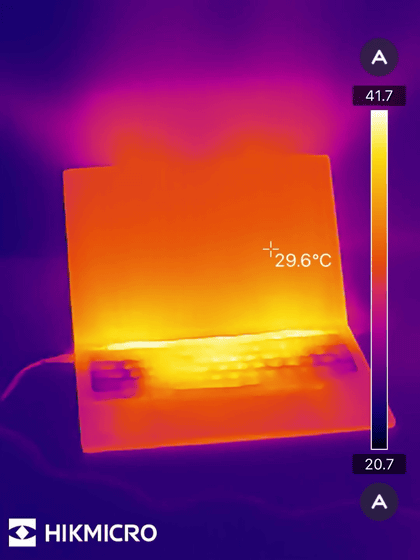
This photo was taken from the top. The temperature around the exhaust fan below the hinge reaches about 38°C, but it's not excessively hot.
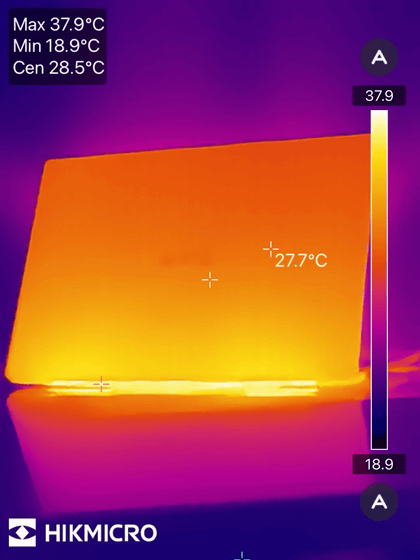
This is a photo of the underside. The maximum temperature around the hinge is 41°C, so it doesn't seem like it will get too hot even when used on your lap.
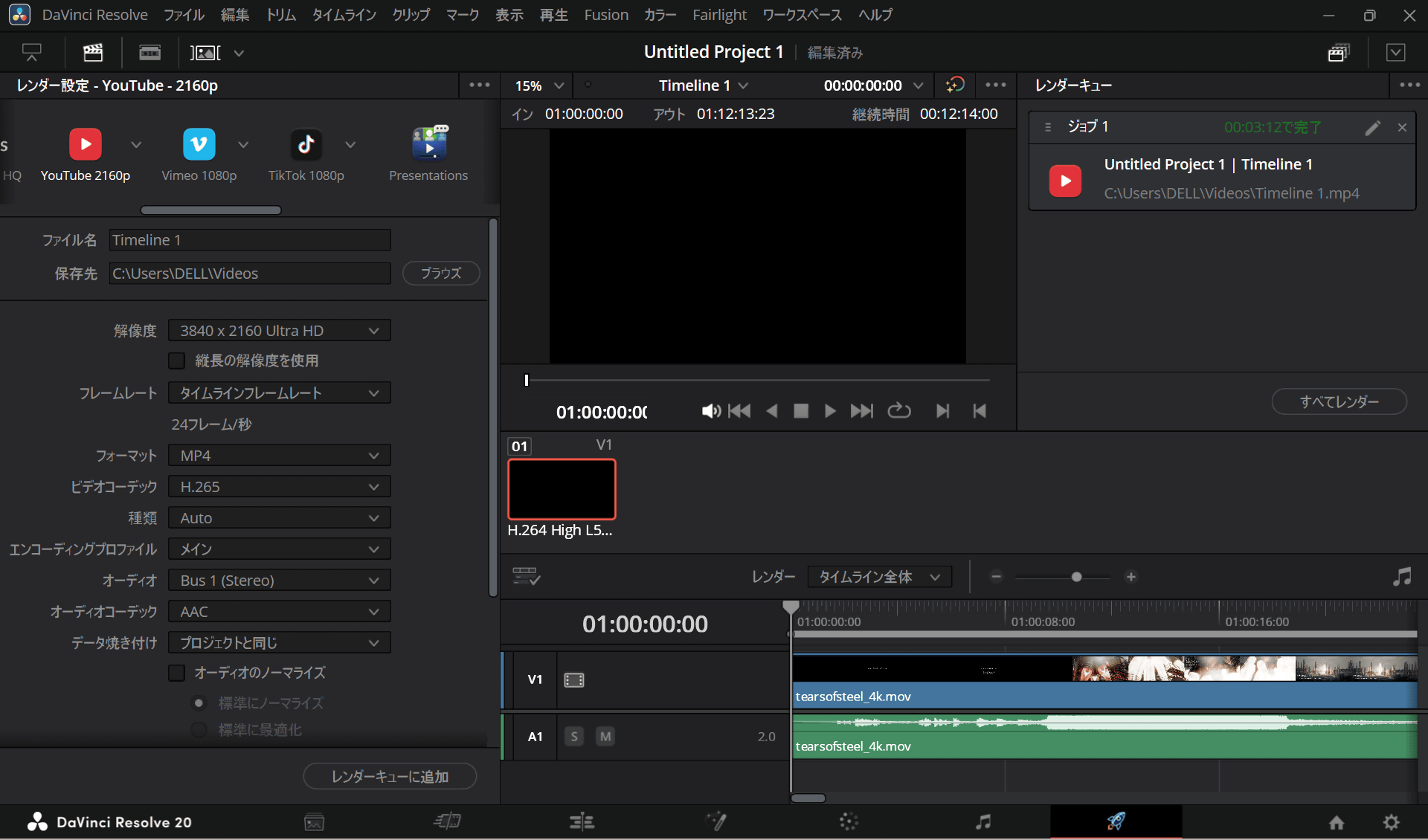
When I encoded Blender's demo movie ' Tears of Steel ' (3840×1714, 24fps, 8-bit, H.264/AVC, Apple QuickTime, 12 minutes 14 seconds playback time) in H.265 using the video editing software DaVinci Resolve, the export time was 3 minutes 12 seconds.
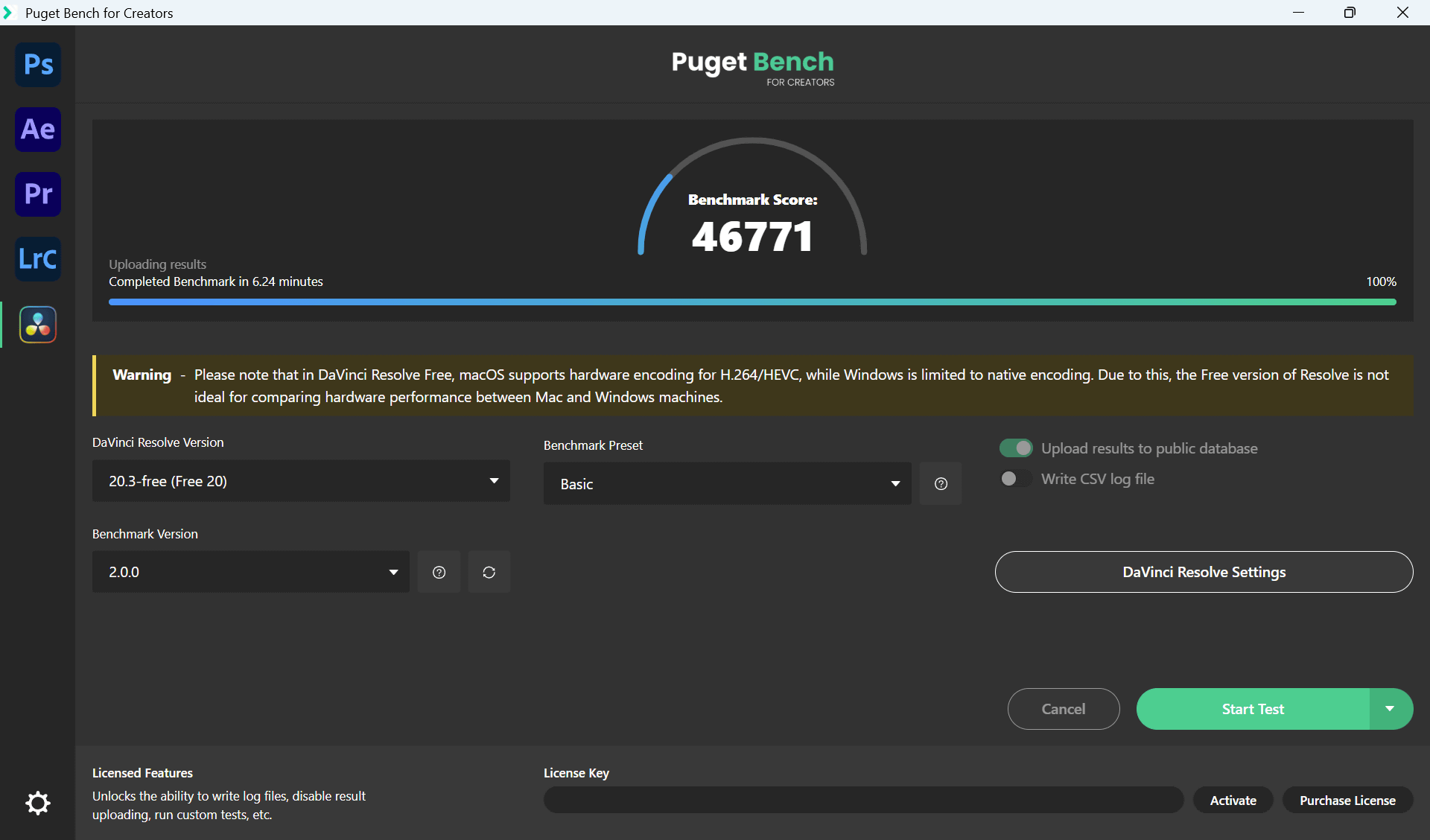
We also measured the performance using the benchmark tool '
For reference, Apple's MacBook Pro with the M3 Max chip sold for 139,583.
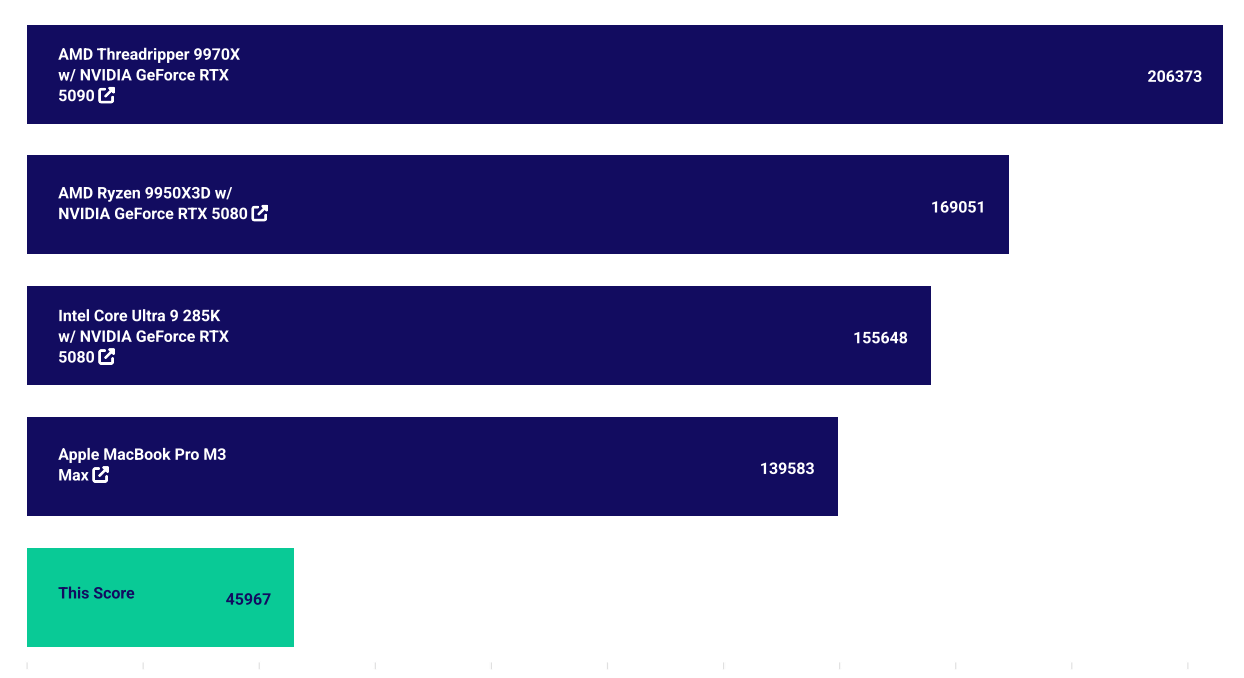
The results of each measurement are as follows.
◆XPS 16
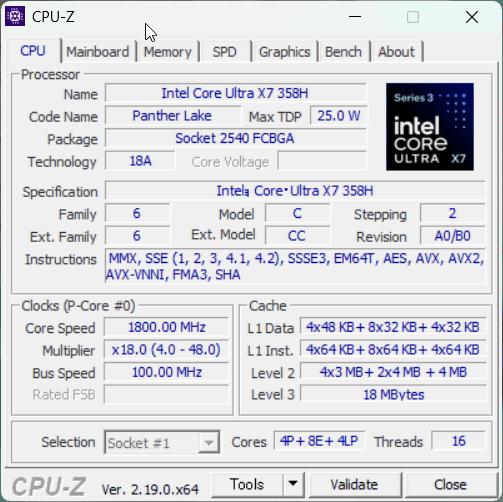
Checking the device specifications. According to 'CPU-Z,' the CPU is an Intel Core Ultra X7 358H with 16 cores and 16 threads.
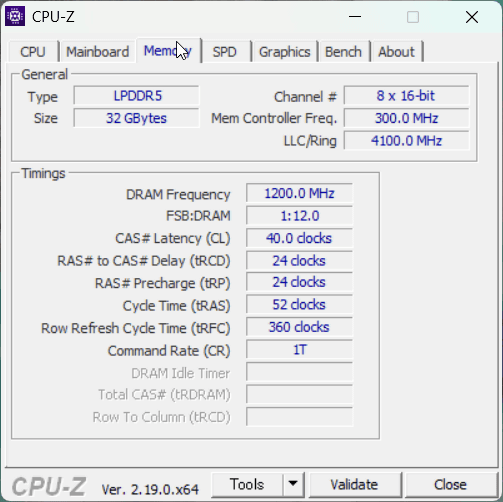
The memory is 32GB LPDDR5.
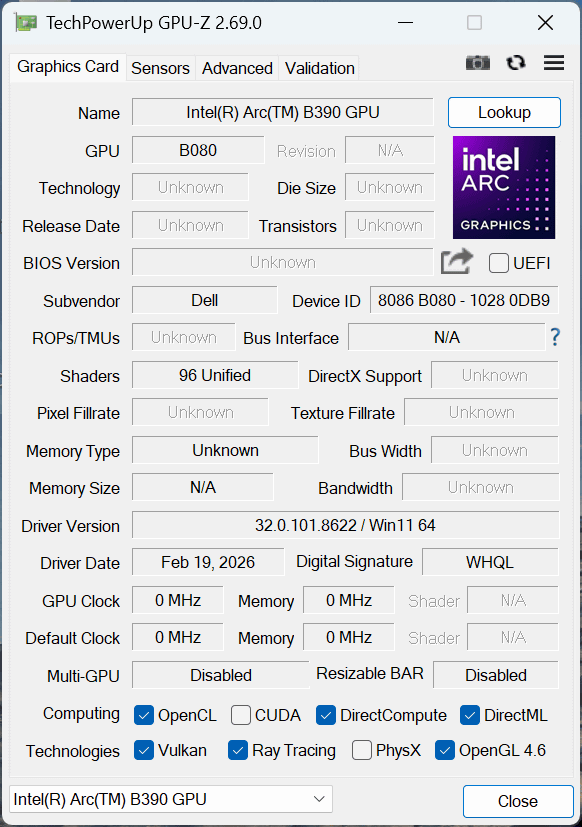
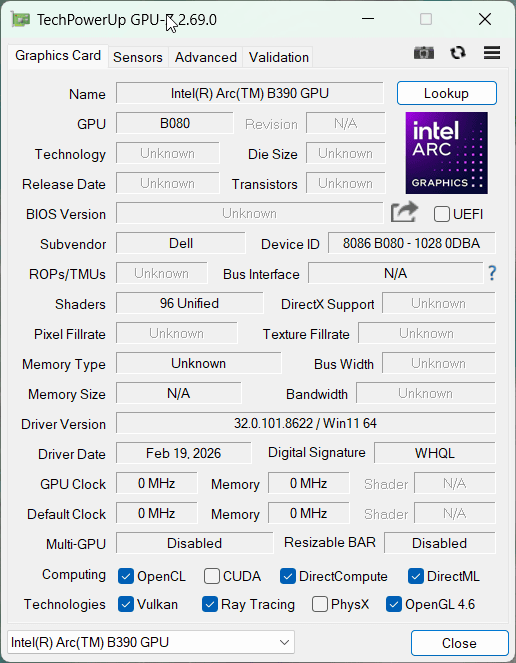
According to a check with GPU-Z 2.69.0, the graphics card is Intel Arc B390. The basic specifications are the same as the XPS 14.
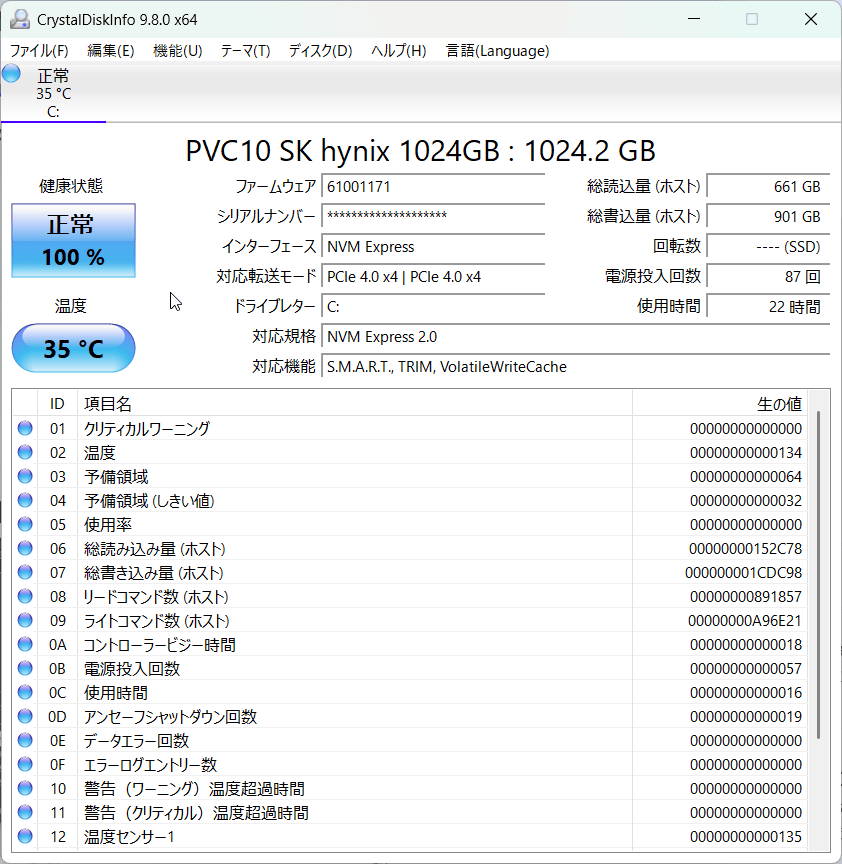
I checked the storage using CrystalDiskInfo 9.8.0. It's an 1TB NVMe SSD with a PCI Express 4.0 x4 connection, manufactured by SK Hynix.
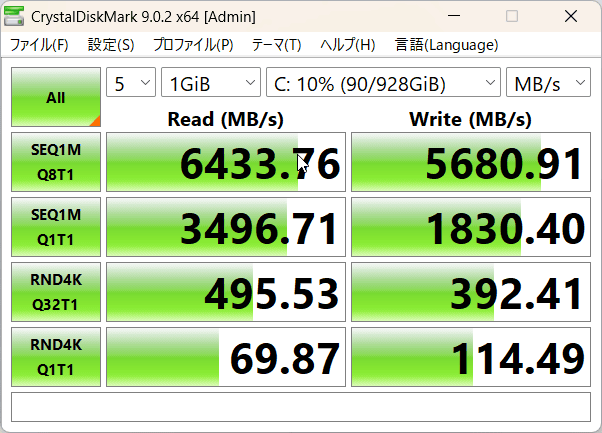
I checked the storage read and write speeds using CrystalDiskMark 9.0.2. The sequential read speed was 6433.76 MB/s, the sequential write speed was 5680.91 MB/s, the random read speed was 495.53 MB/s, and the random write speed was 392.41 MB/s.
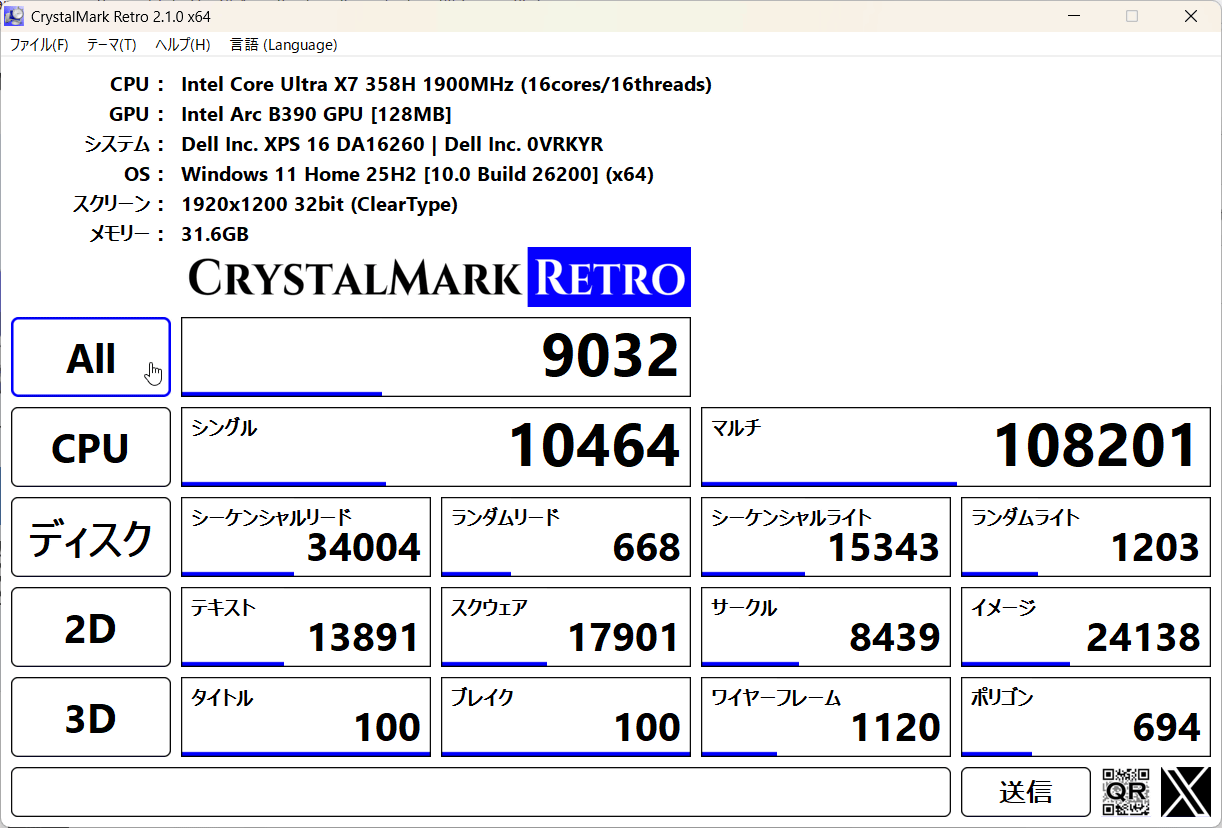
When I ran the benchmark with CrystalDiskRetro 2.1.0, the CPU single-core score was 10464 and the multi-core score was 108201.
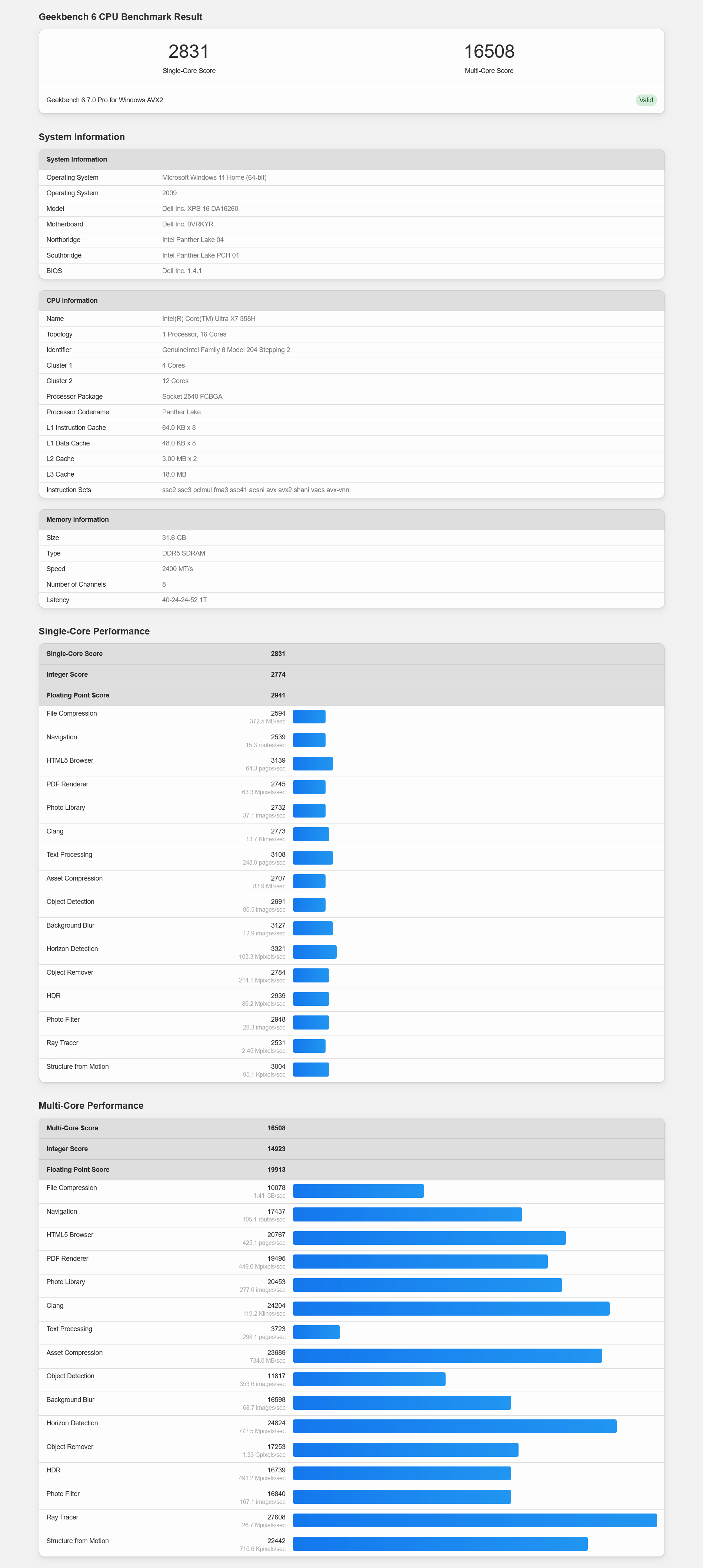
We also ran benchmark tests using Geekbench 6.7. The CPU's single-core performance score was 2831, and the multi-core performance score was 16508.
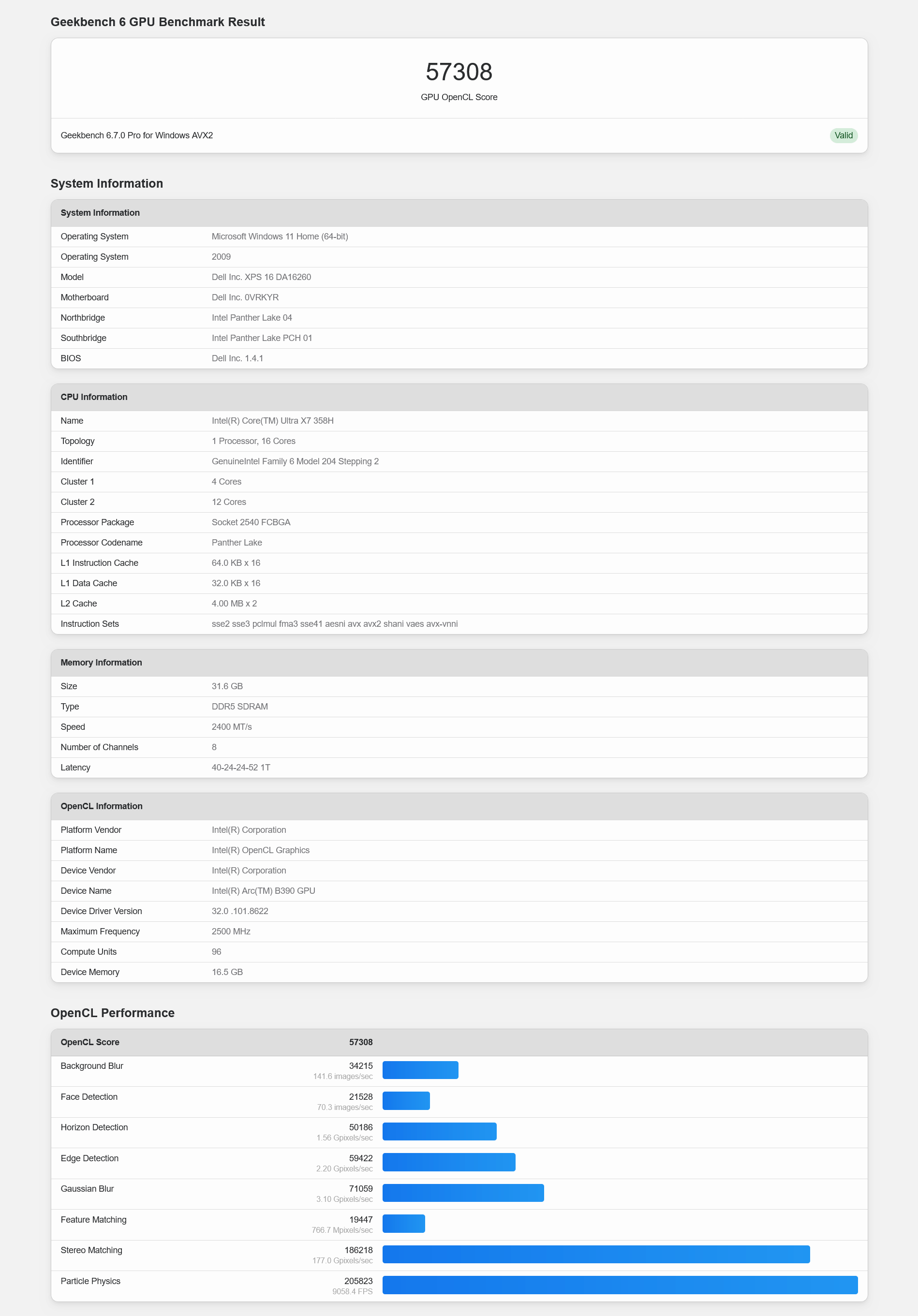
The GPU benchmark (OpenCL) score was 57308.
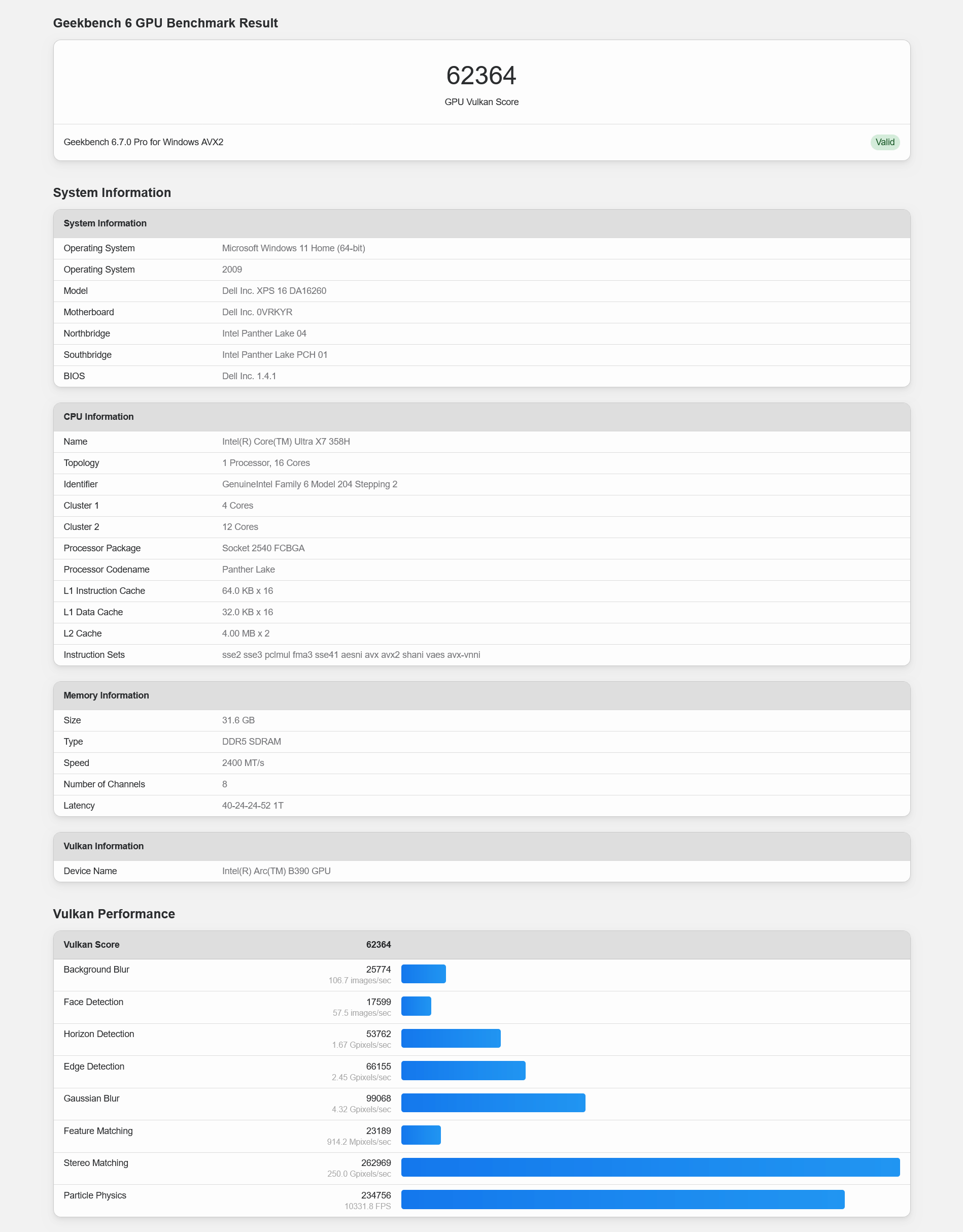
The GPU benchmark (Vulcan) score was 62364.
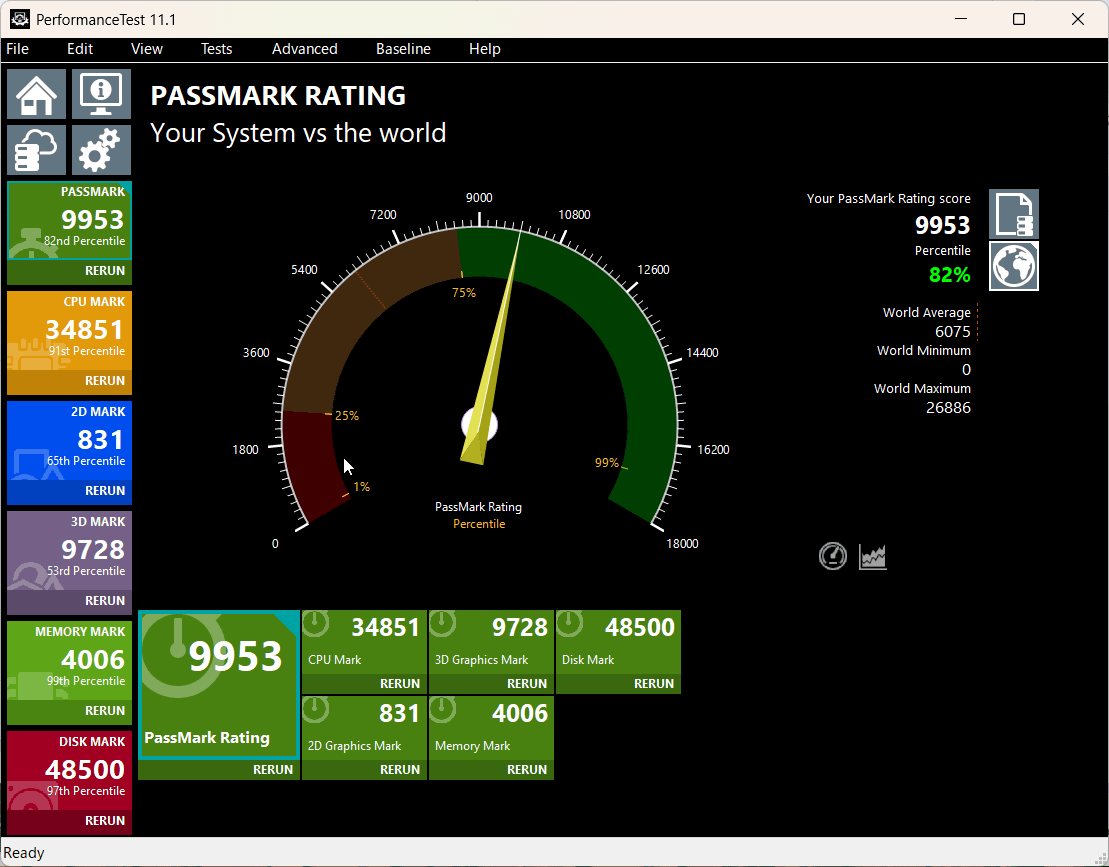
The results were measured using Passmark Performance Test 11.1. The XPS 16's overall score was '9953,' placing it in the top tier at 82% compared to benchmarks tested by users worldwide.
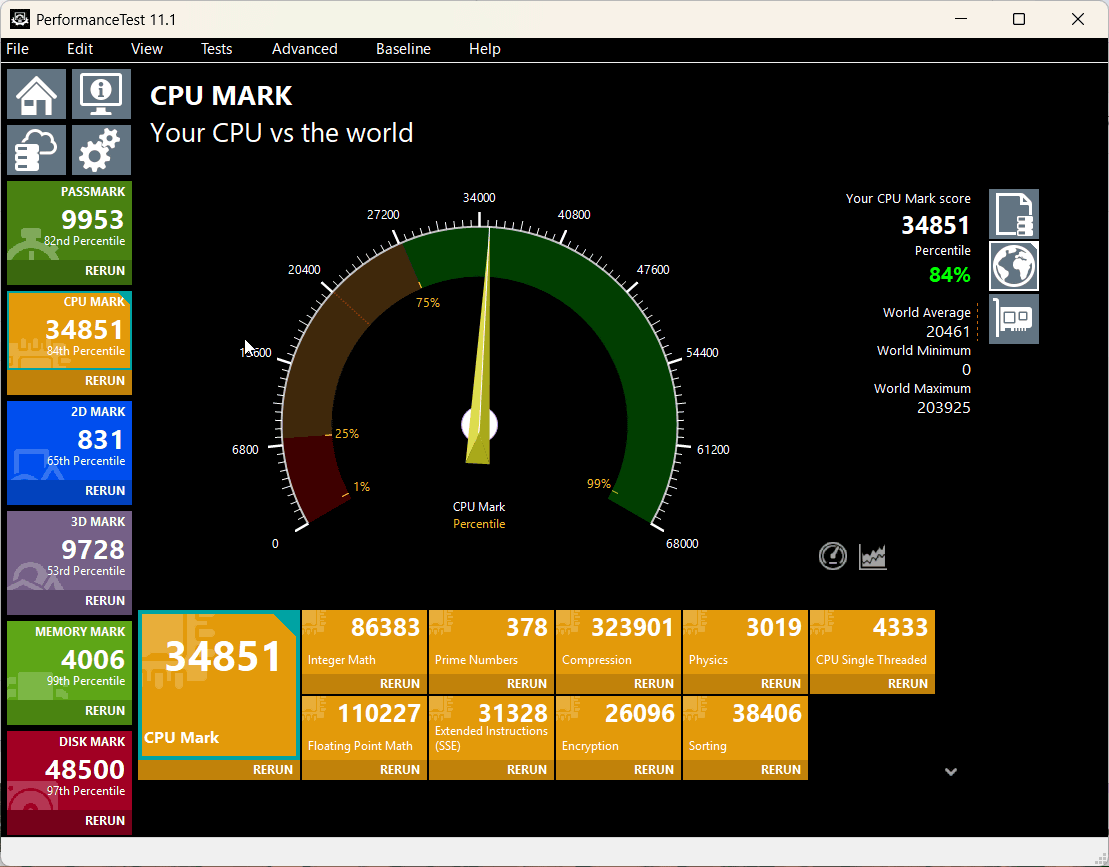
The CPU score was '34851,' placing it at the 84th percentile.
2D graphics scored '831,' placing it at the 62nd percentile.
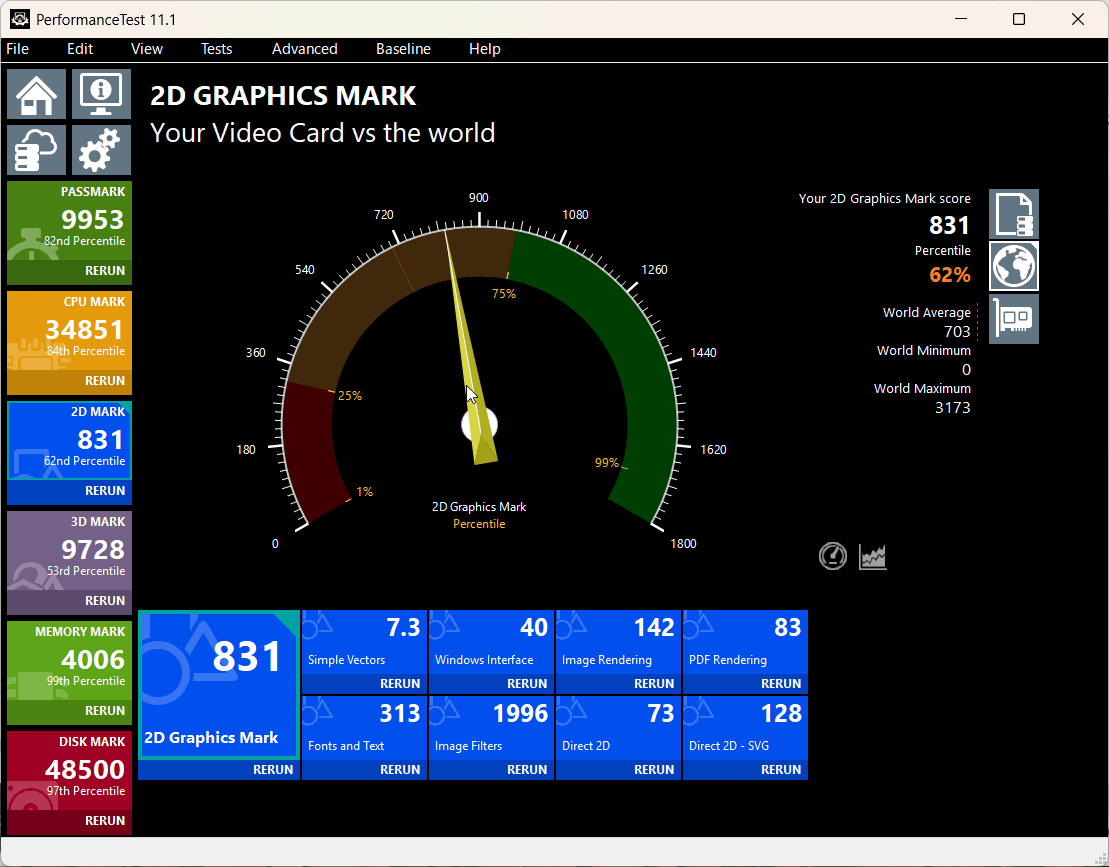
The 3D graphics score is '9728,' which is in the 49th percentile, putting it right in the middle.
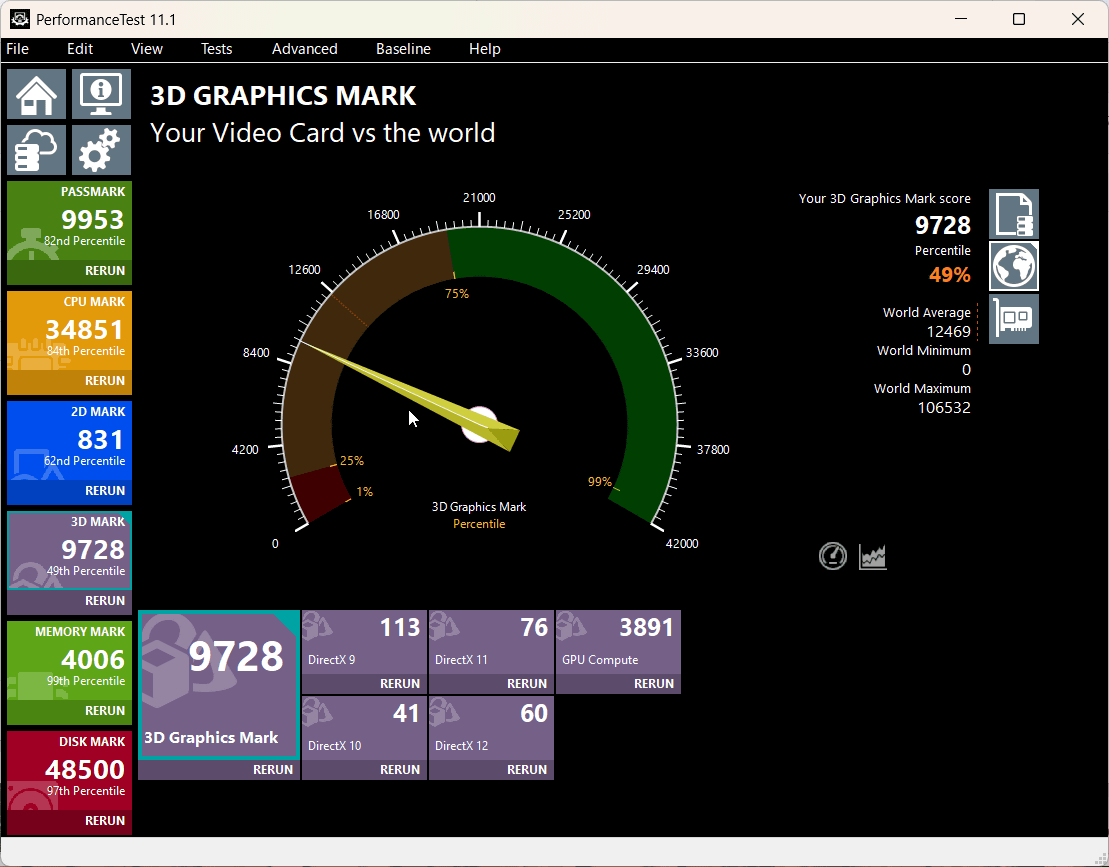
The memory score was '4006,' placing it at the 98th percentile.
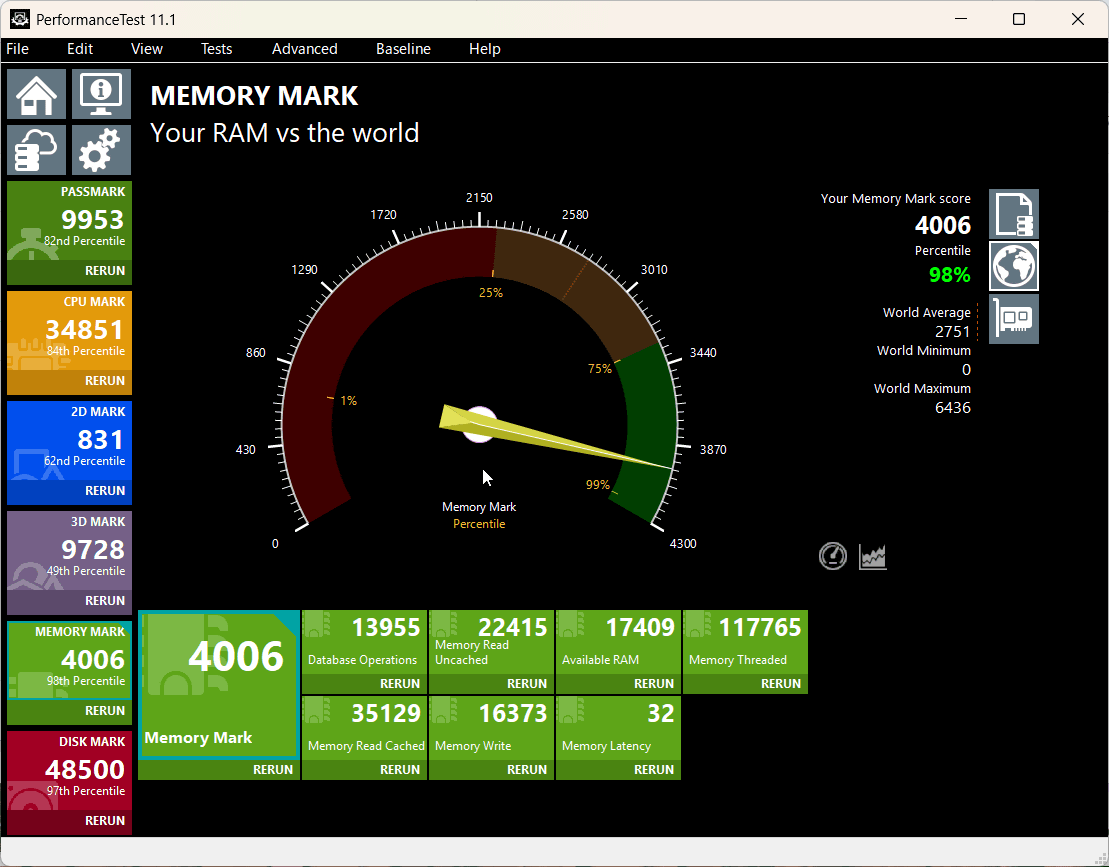
The disk score was '48500,' placing it at the 92nd percentile.
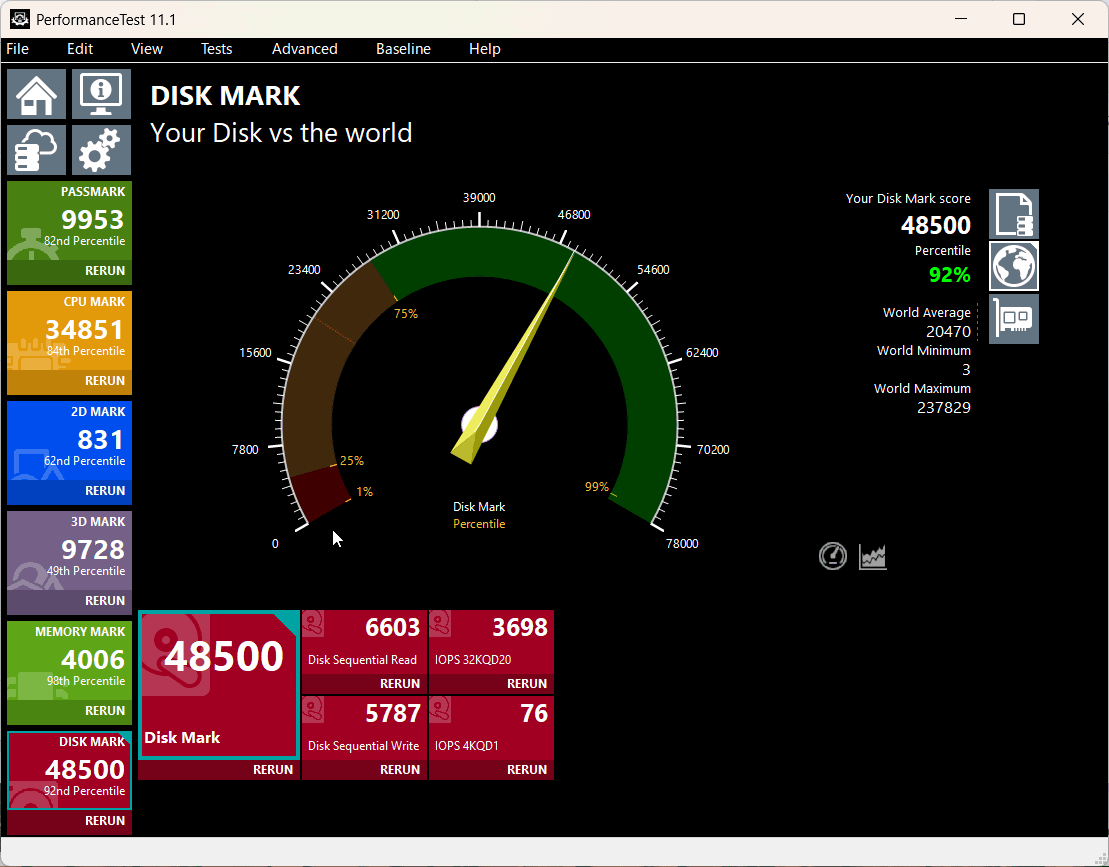
I ran the FINAL FANTASY XV WINDOWS EDITION benchmark with three settings: lightweight, normal, and high quality, and four resolutions: 1280x720, 1980x1080, 2560x1440, and 3840x2160.
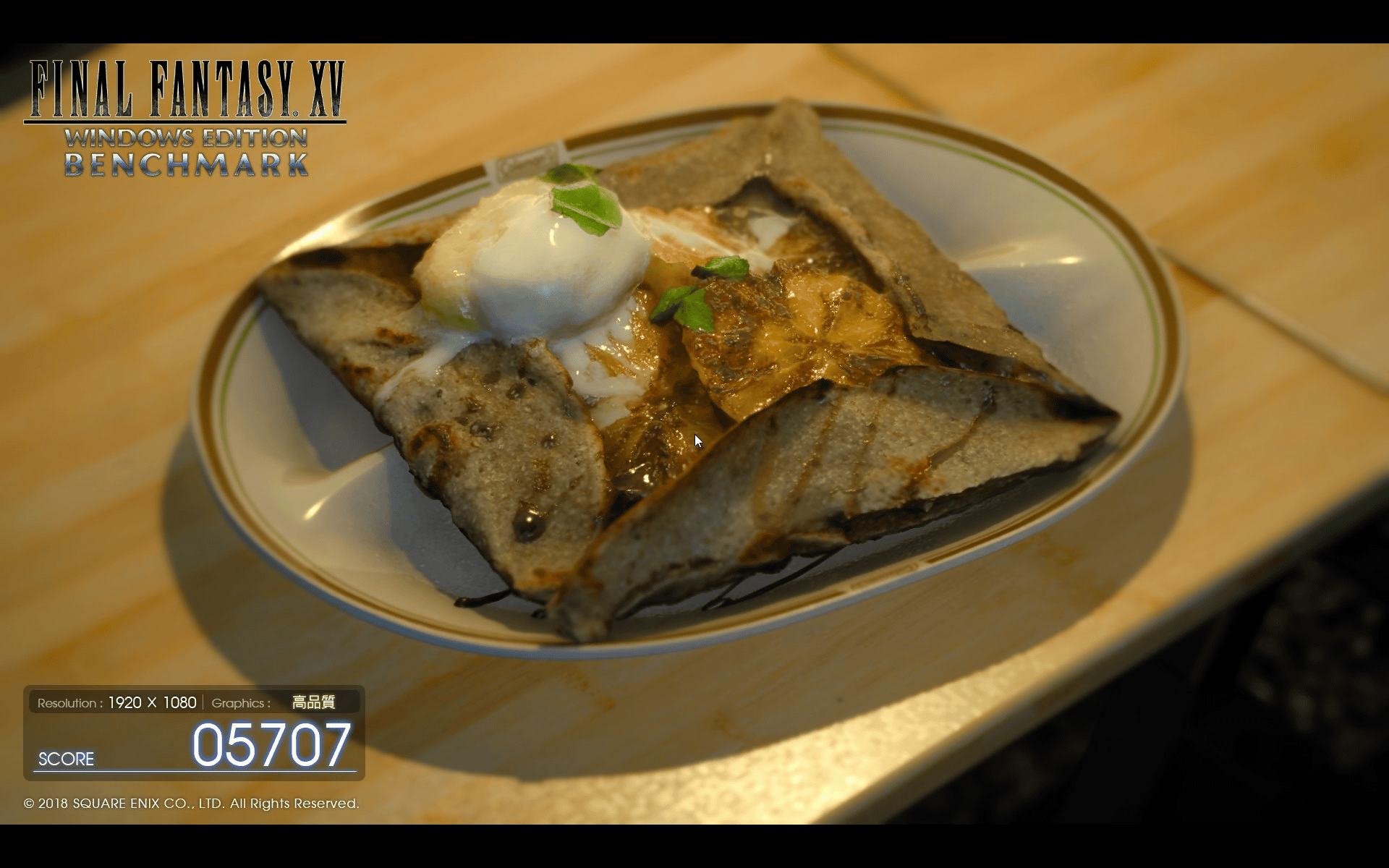
The results are as follows: At a resolution of 1920x1080, the game is playable without any problems. Naturally, the results are almost identical to those of the XPS 14.
| Lightweight quality | normal quality | high quality | |
|---|---|---|---|
| 1280×720 | 10193 (Very comfortable) | 8359 (comfortable) | 5813 (Comfortable) |
| 1920×1080 | 9169 (Very comfortable) | 7028 (Somewhat comfortable) | 5779 (Somewhat comfortable) |
| 2560×1440 | 6583 (Somewhat comfortable) | 4123 (Normal) | 4259 (Normal) |
| 3840×2160 | 3694 (Normal) | 2696 (somewhat heavy) | 2224 (heavy) |
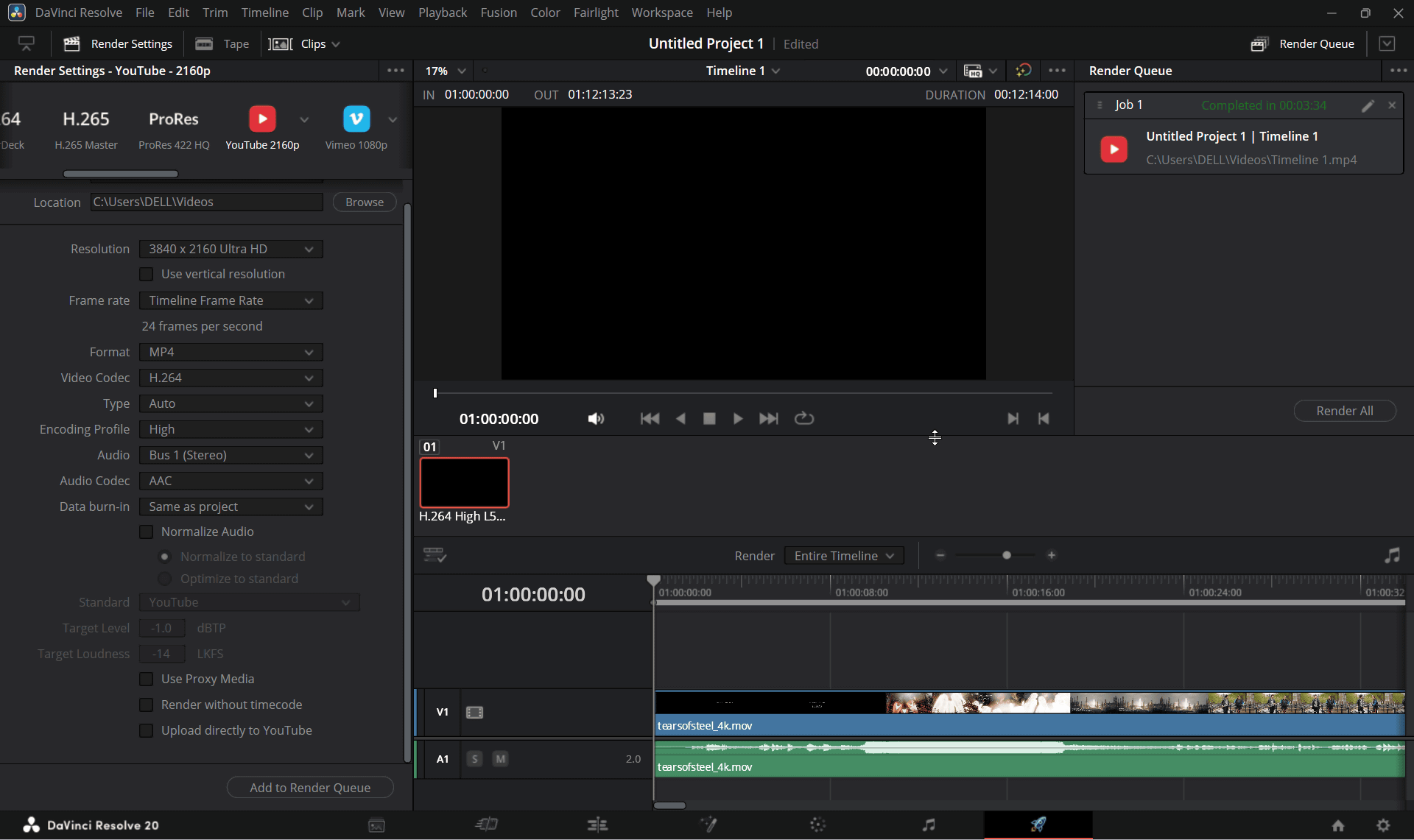
When I encoded Blender's demo movie ' Tears of Steel ' (3840×1714, 24fps, 8-bit, H.264/AVC, Apple QuickTime, 12 minutes 14 seconds playback time) in H.265 using the video editing software DaVinci Resolve, the export time was 3 minutes 34 seconds.
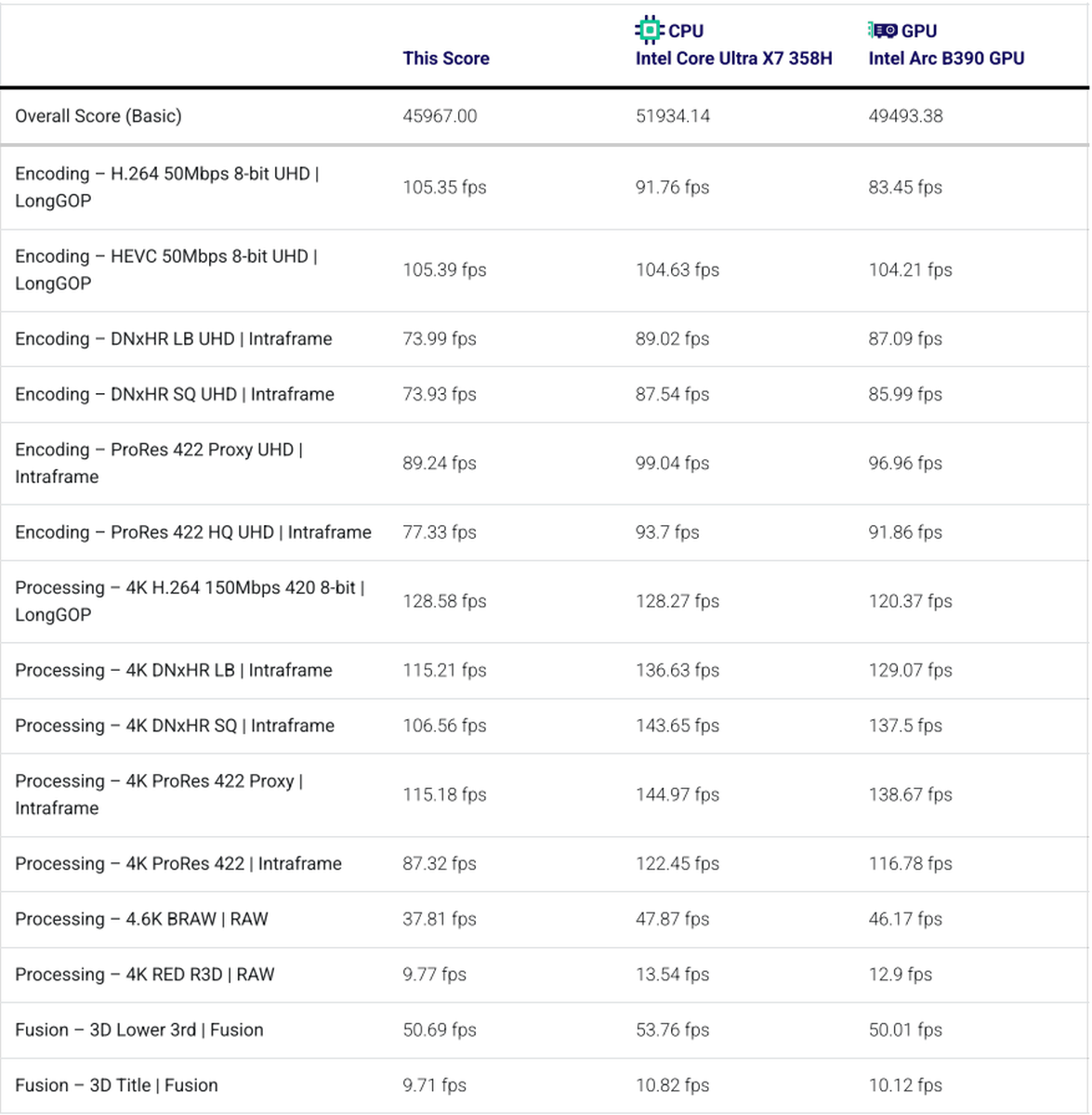
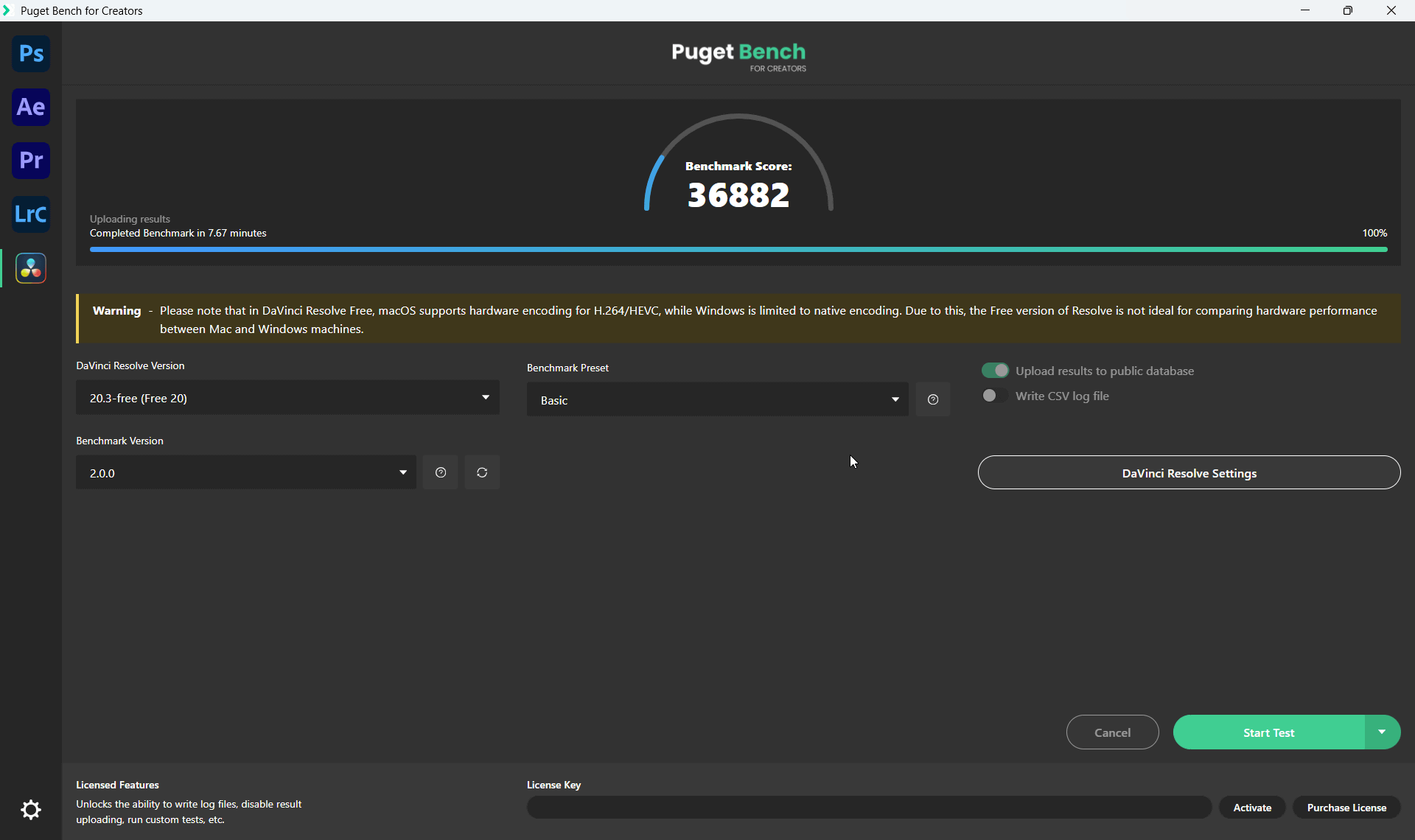
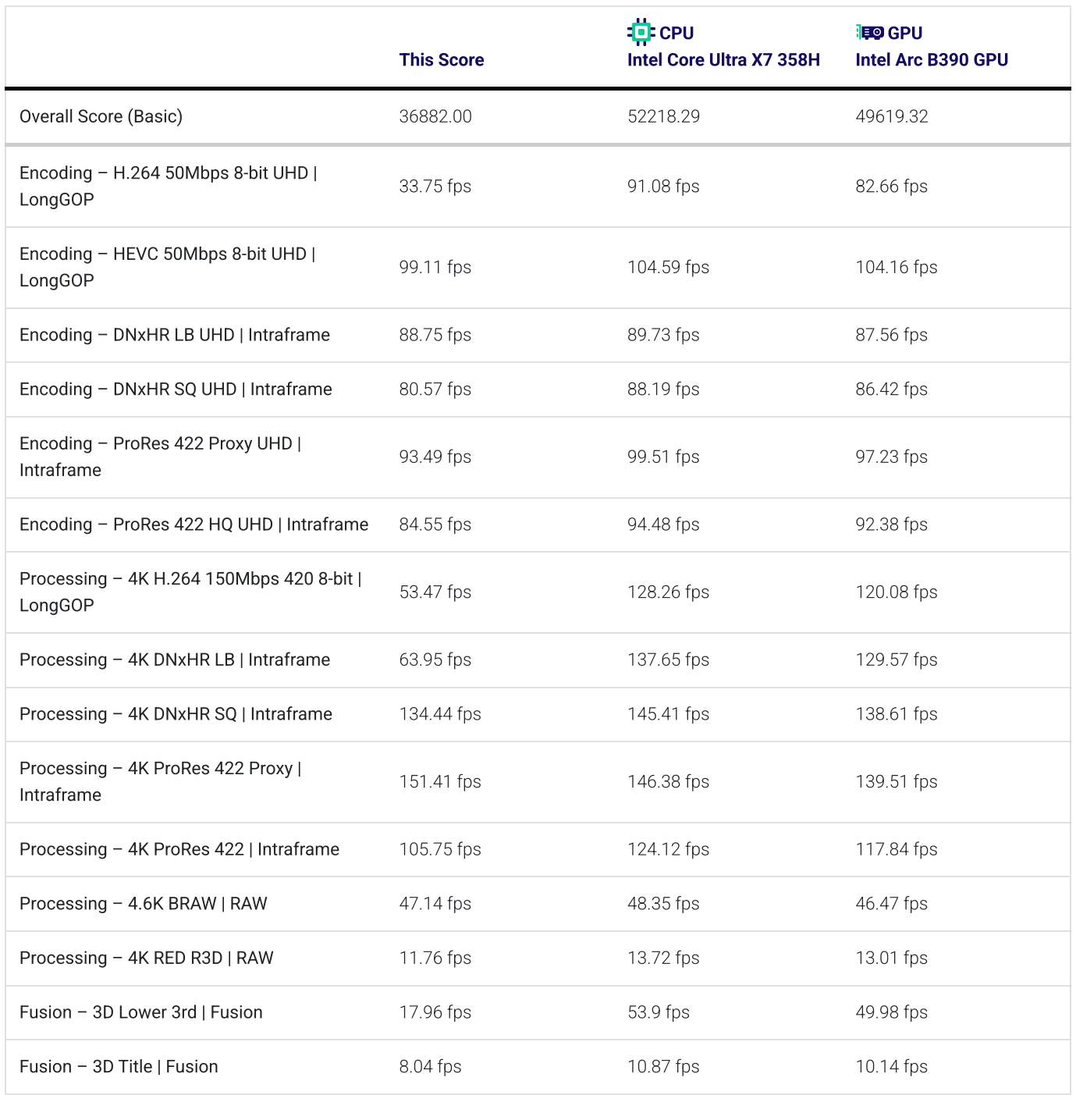
The Puget Bench 2.0 score was 36882, which was slightly lower than the XPS 14's score.
A comparison with other environments is shown below.
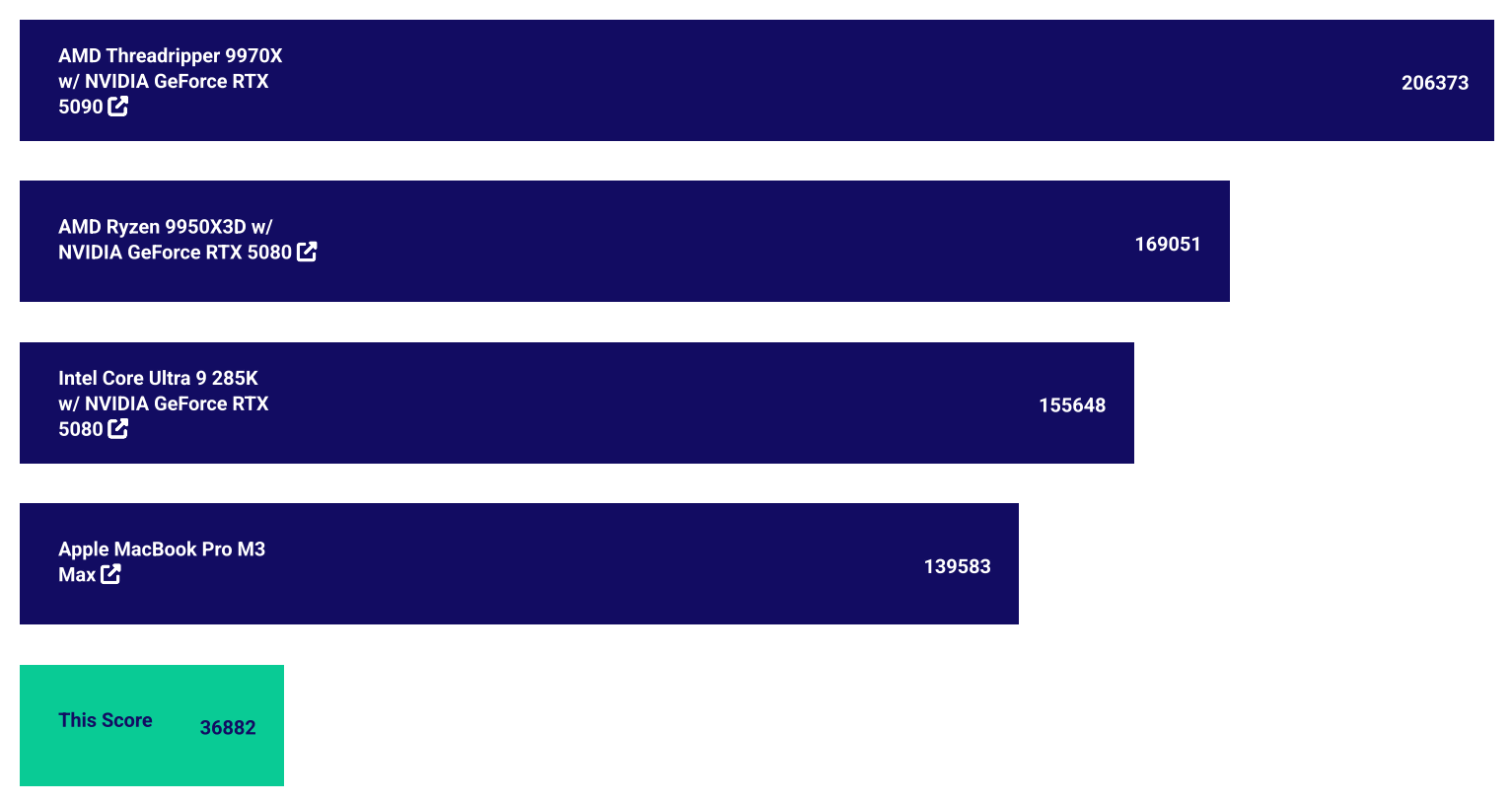
The results of each process are as follows.
The XPS 14/16, equipped with an Intel Core Ultra X7 processor, offers more than enough performance for business use. The CNC-machined aluminum body is highly rigid and elegant, while also improving power efficiency and reducing heat generation. The XPS 14, in particular, is a relatively small 14-inch model, yet it offers sufficient performance for tasks including light video editing. However, it might fall short for demanding gaming or advanced video editing that require high graphics performance. Also, since it lacks USB-A ports, a USB hub that connects to a Thunderbolt 4 port is essential.
The XPS 14 starts at ¥403,800 (tax included) for the minimum configuration, and the XPS 16 starts at ¥415,500 (tax included) for the minimum configuration. Both are available for order on Dell's official website.
Related Posts: