Transmute is a free, open-source, self-hosted file converter that allows you to convert any file type—images, videos, audio, data, documents, etc.—on your local PC. It has no file size limitations, no watermarks, and allows user-created files.
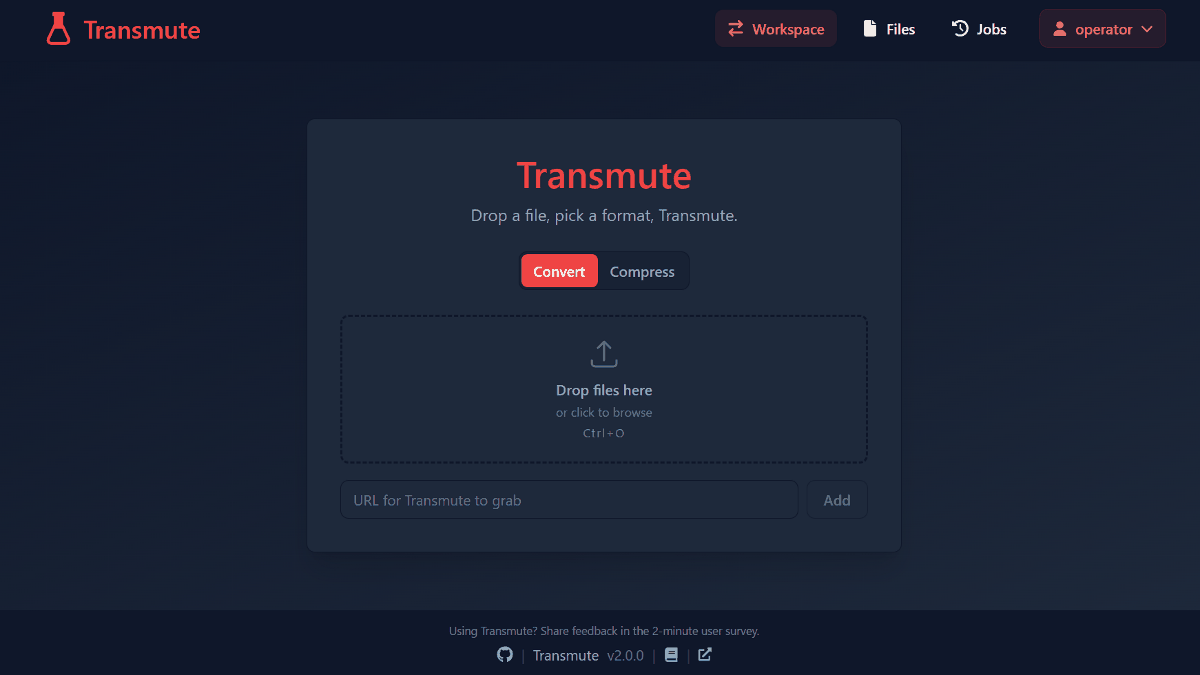
Online services for converting file formats such as images, videos, audio, and documents are easy to use, but they often have capacity limits or require sending confidential files to an external server. ' Transmute ' is an open-source, self-hosted file converter that allows you to convert and compress a wide range of file formats within your own PC or a server under your control, so it should be considerably more secure. I decided to try it out.
Self-Hosted File Converter & Compressor for Images, Video, Audio & More — Transmute
transmute-app/transmute: Self hosted file converter and compression tool for images, video, audio, json, excel and more. Supports over 3,000 conversions!
◆How to use Transmute
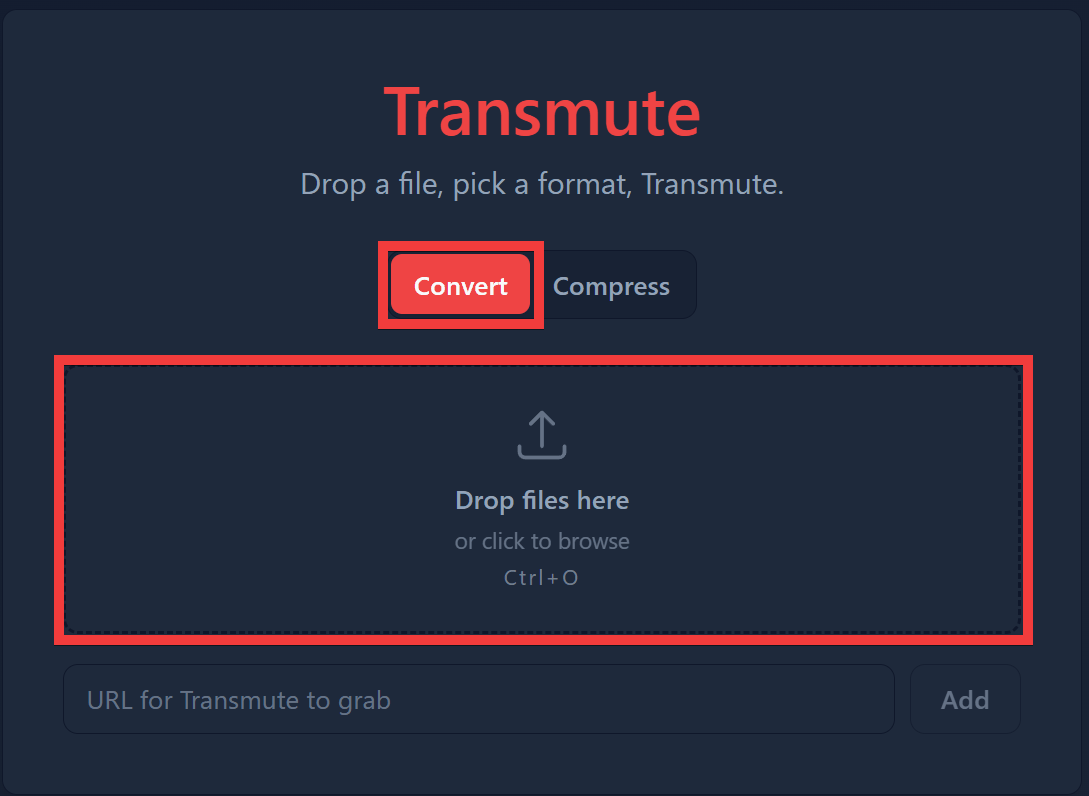
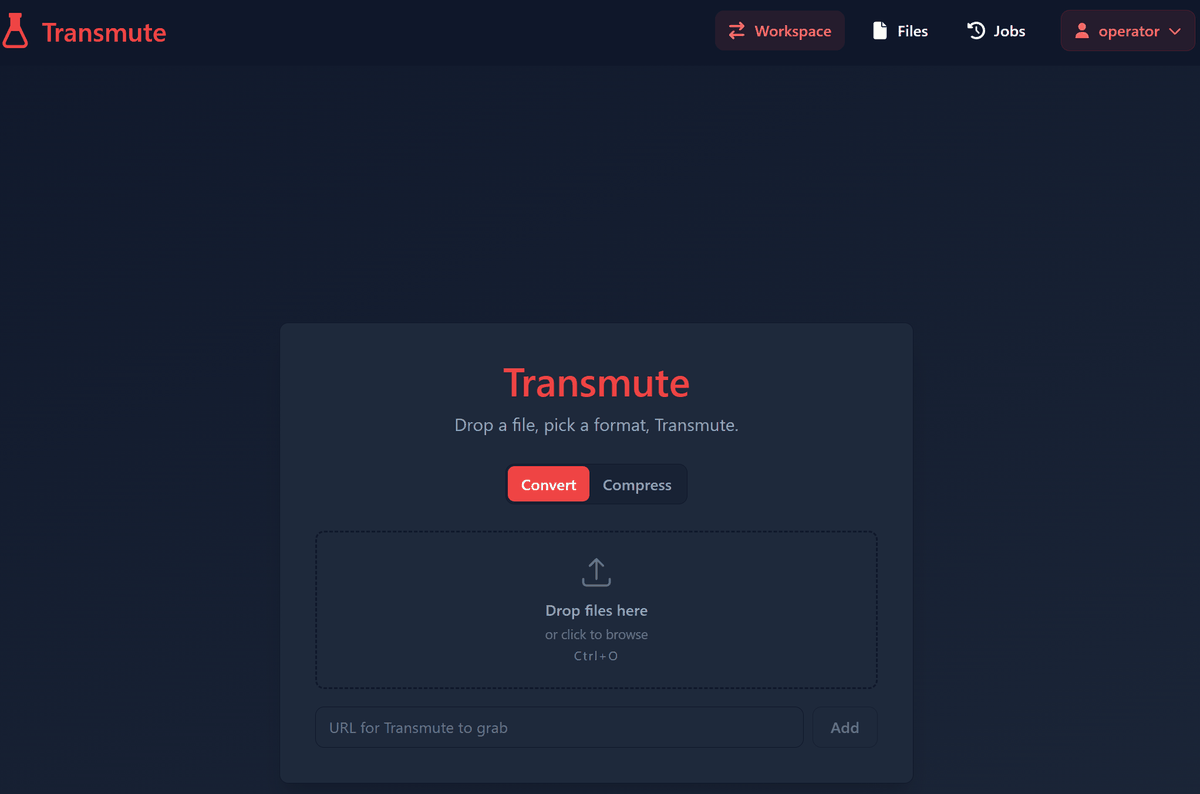
On the homepage form, make sure you are in 'Convert' mode, then drag and drop the files you want to convert into the 'Drop files here' box.
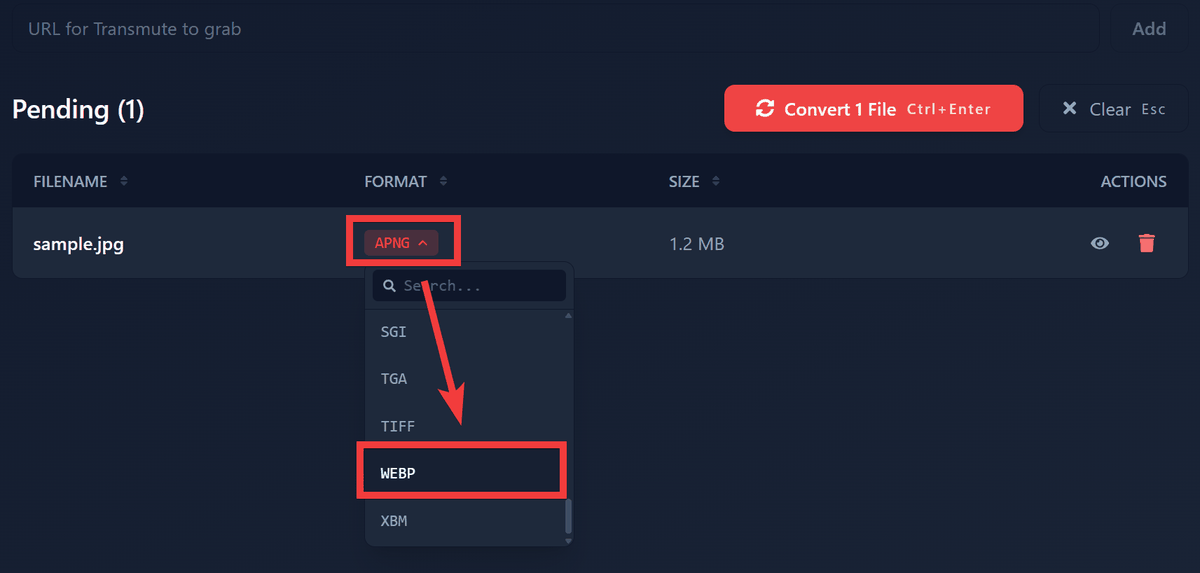
The file will be added to the Pending list, so click the dropdown list in the 'FORMAT' column and select the desired file format.
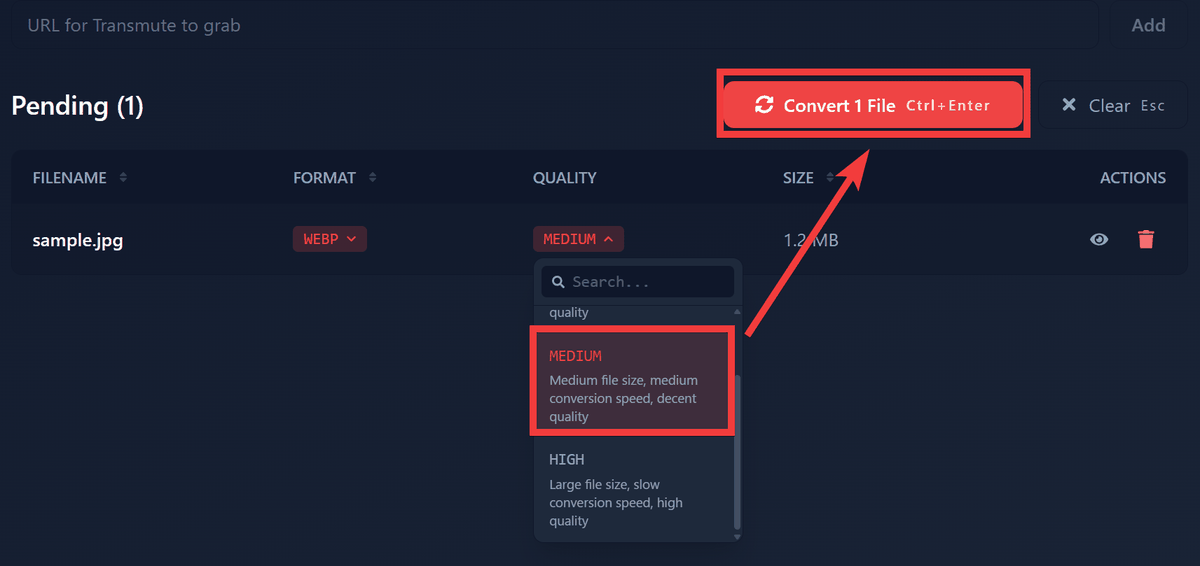
A 'QUALITY' field will appear, so select the desired quality from the drop-down list and click 'Convert 1 File'.
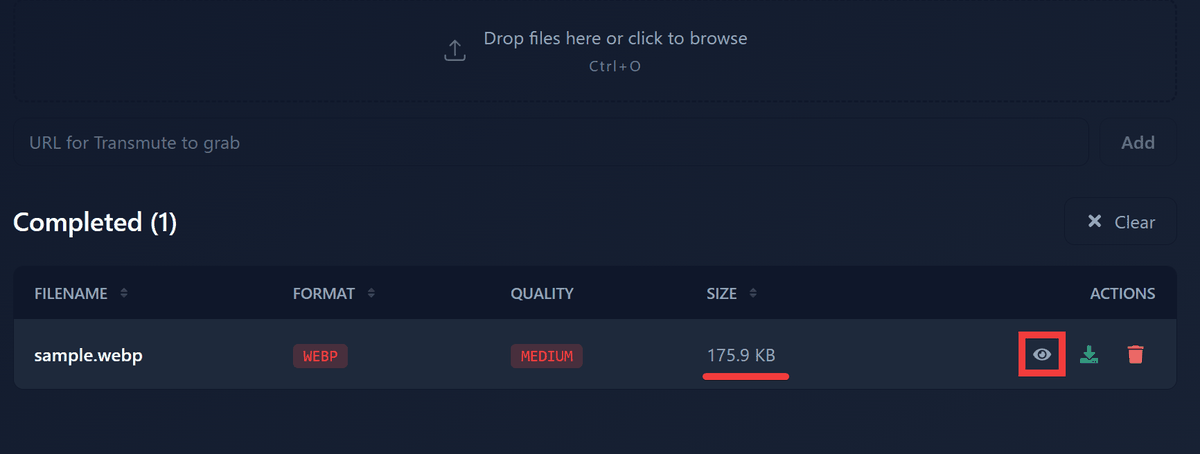
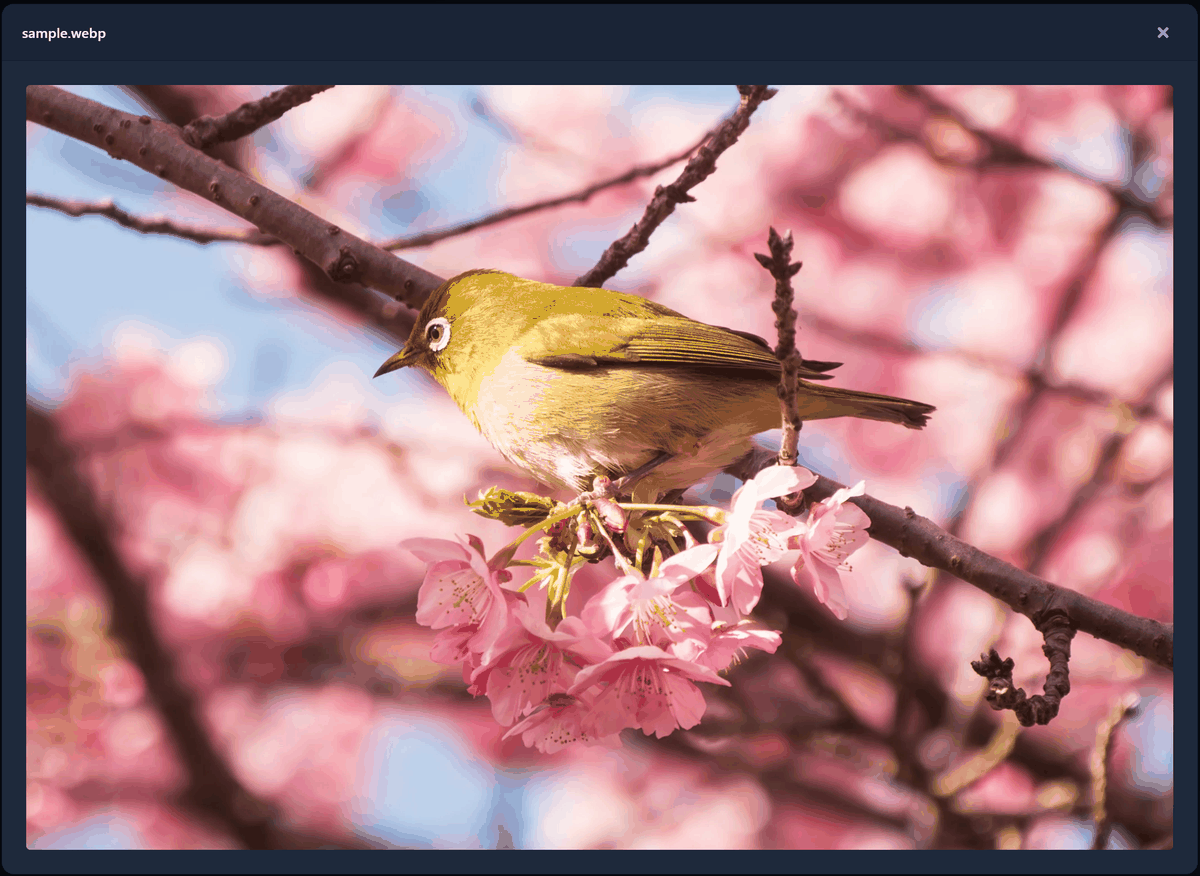
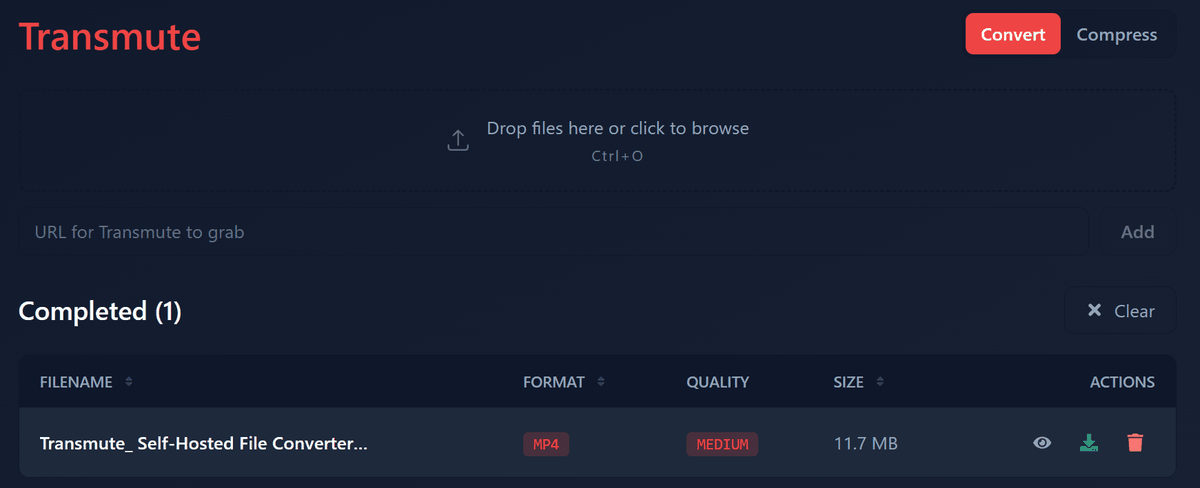
The conversion was performed, and the size changed from 1.2MB to 175.9KB. Click the 'Preview' icon.
No logos or watermarks are embedded; the original image has been converted as is.
◆ Download directly from the video site
It supports
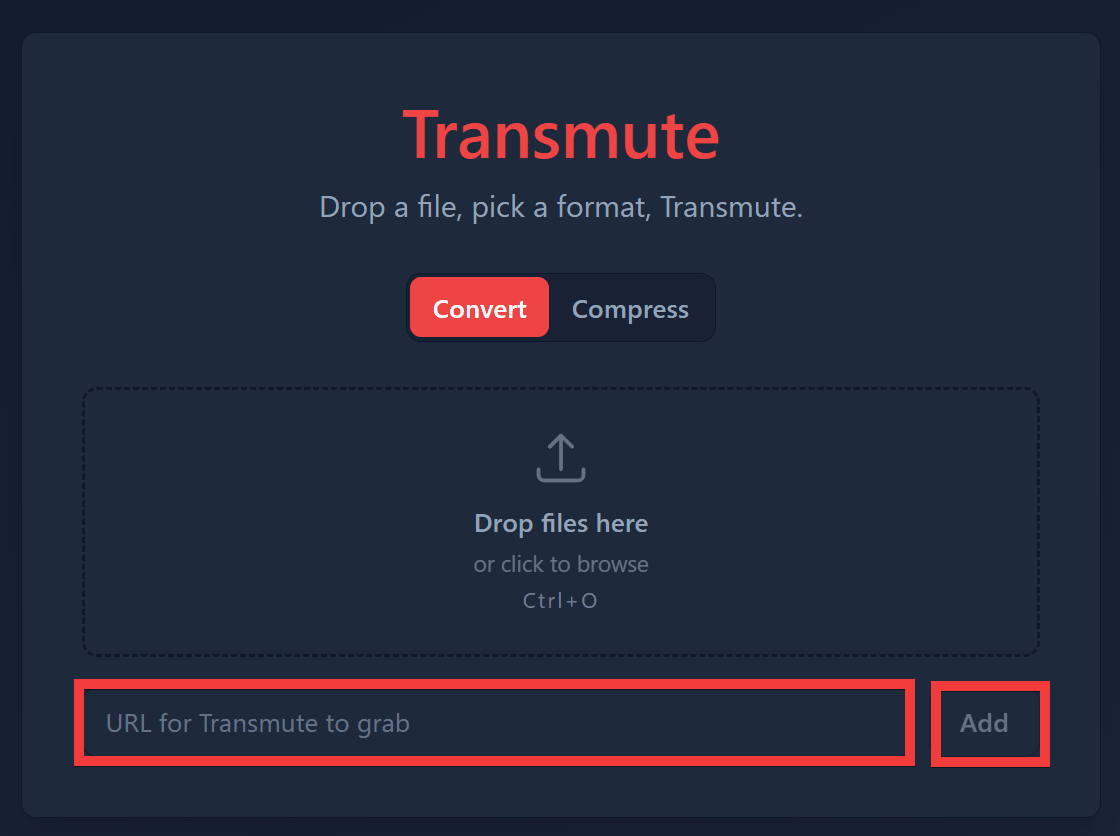
Enter the URL of the downloaded video in 'URL for Transmute to grab' and click 'Add'.
Change 'FORMAT' and 'QUALITY' to your desired content and click 'Convert 1 File'.
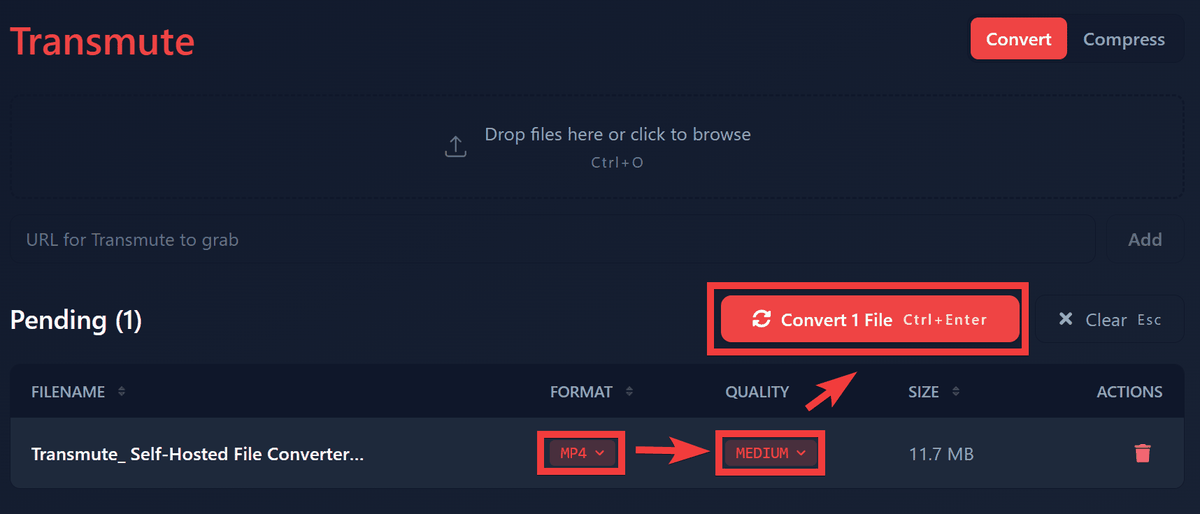
The download and conversion process will begin.
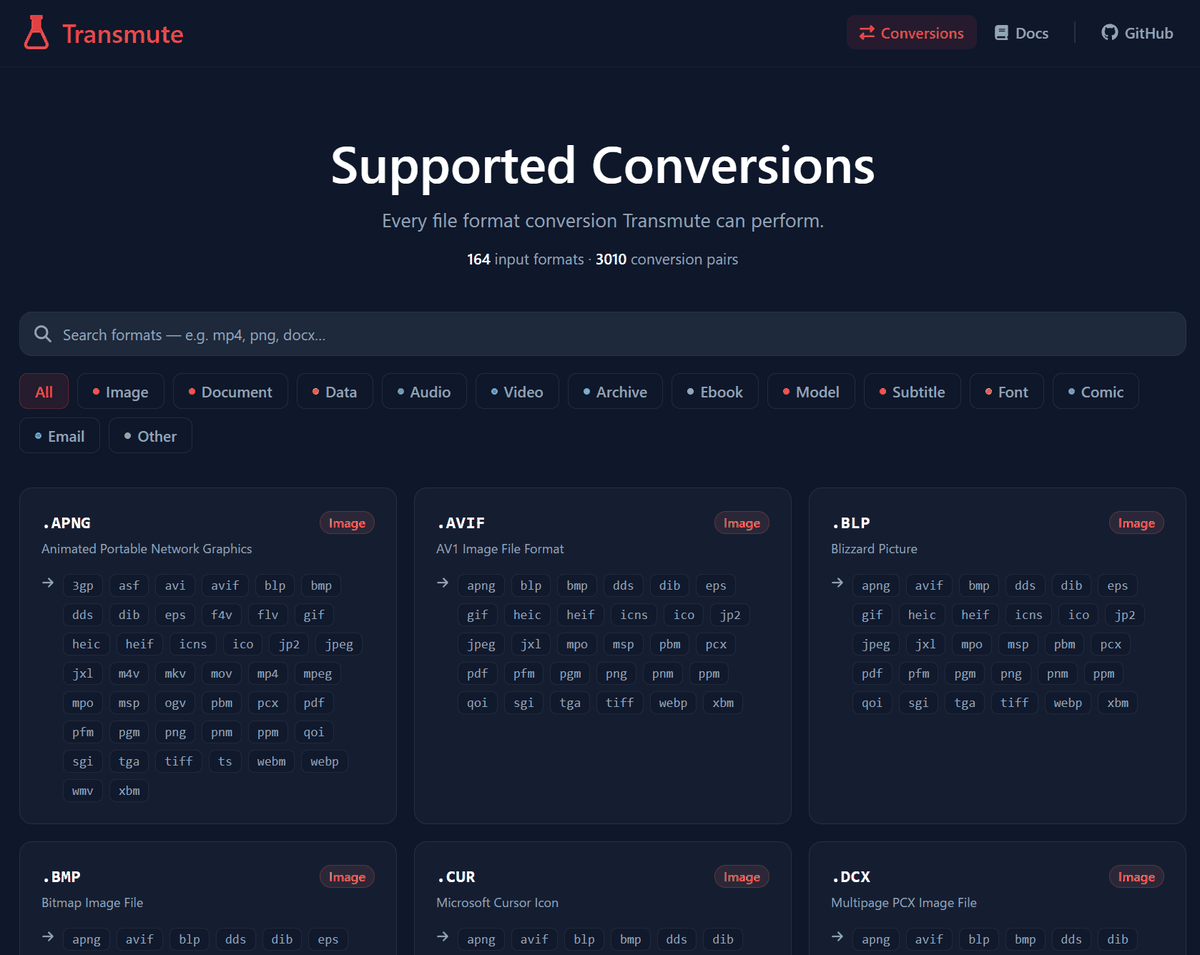
◆Things that can be converted with Transmute
A table shows some of the supported formats. Over 3000 combinations of these formats are possible for conversion.
| category | Supported formats |
|---|---|
| Image | PNG, JPEG, WebP, AVIF, HEIC, SVG, BMP, TIFF, ICO, and others. |
| Video | MP4, MKV, MOV, AVI, WebM, MPEG, FLV, WMV, and others. |
| Audio | MP3, WAV, FLAC, AAC, OGG, Opus, WMA, and others. |
| Document | PDF, DOCX, ODT, TXT, Markdown, HTML, EPUB, RTF, and others. |
| Data | CSV, JSON, YAML, XLS, XLSX, ODS, Parquet, SQLite, XML, TOML, and others. |
| Diagrams | draw.io, PNG, SVG, PDF |
| 3D Models | STL, OBJ, PLY, GLB, 3MF, DXF, and others. |
For detailed information on all formats and convertible combinations, please see ' Supported Conversions '.
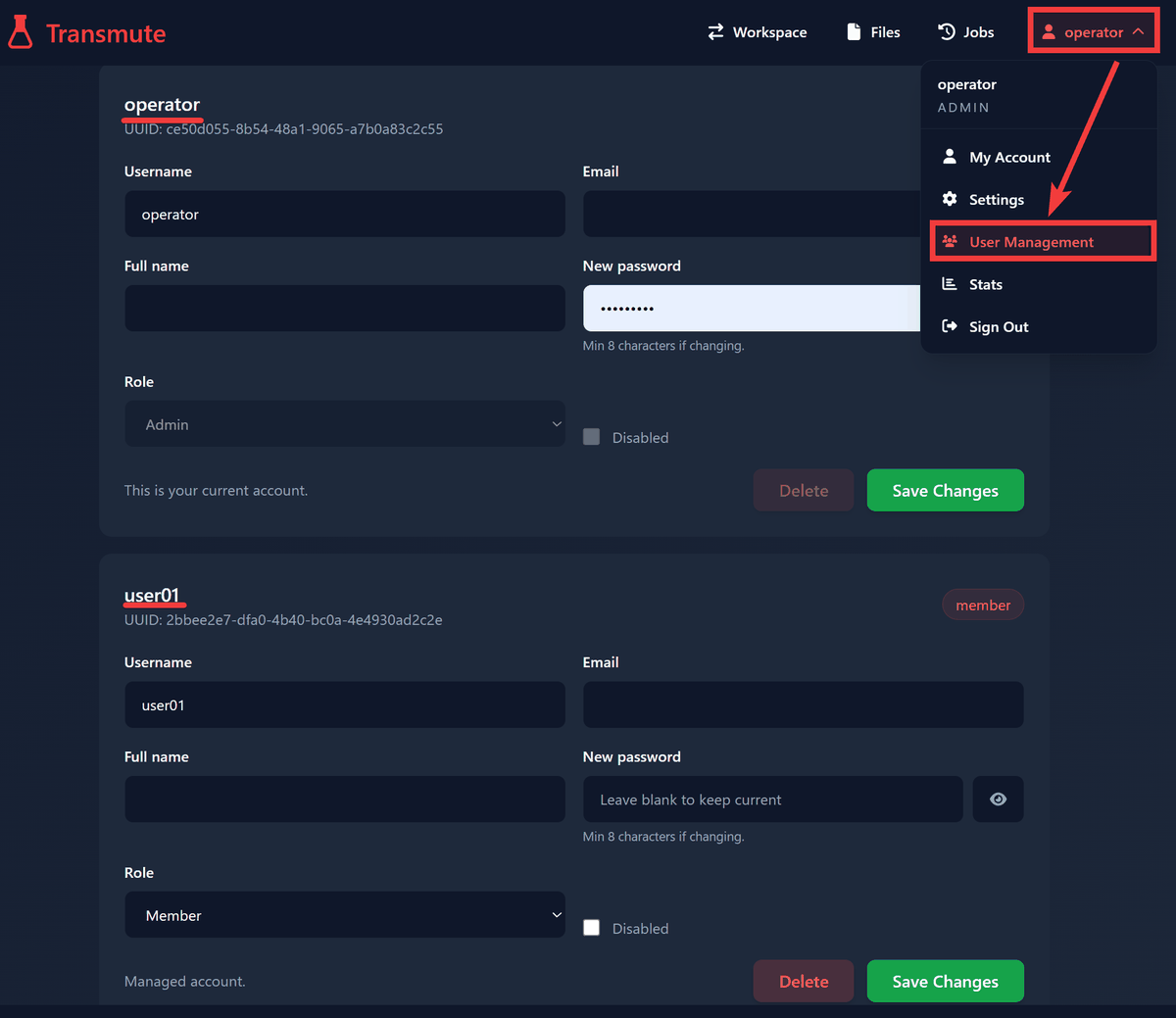
◆ Supports multiple users
Click the 'Users' icon in the upper right corner, select 'User Management' from the dropdown menu, and you can add users with either 'admin' or 'member' permissions from the member management screen.
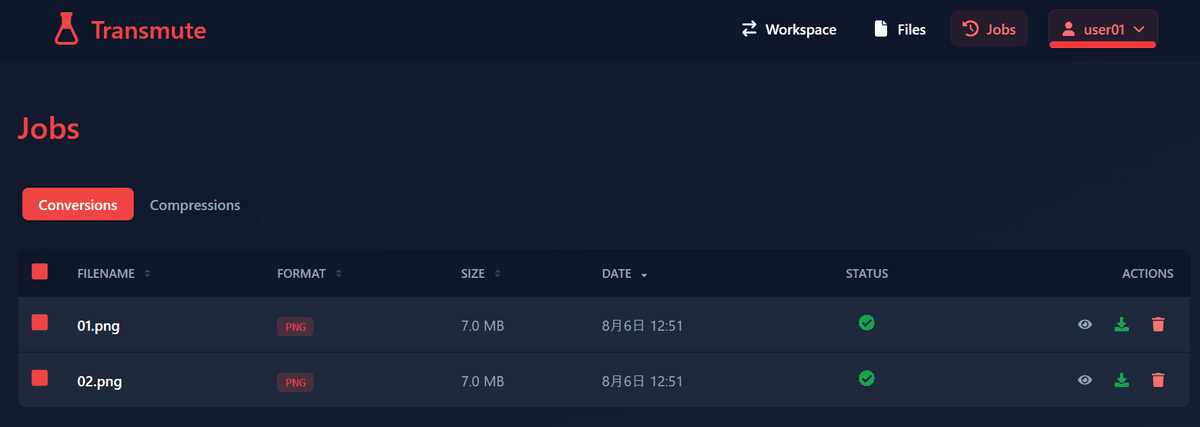
Each user's work history is managed separately.
◆Conversion via REST API
Using
◆Transmute Self-Host Setup Method
This time, we will set it up in an environment where Docker Desktop and Git Bash for Windows are installed on Windows. Download docker-compose.yml to your working folder.
 curl -o docker-compose.yml 'https://raw.githubusercontent.com/transmute-app/transmute/refs/heads/main/docker-compose.y
 ml'
Start the container.
docker compose up -d
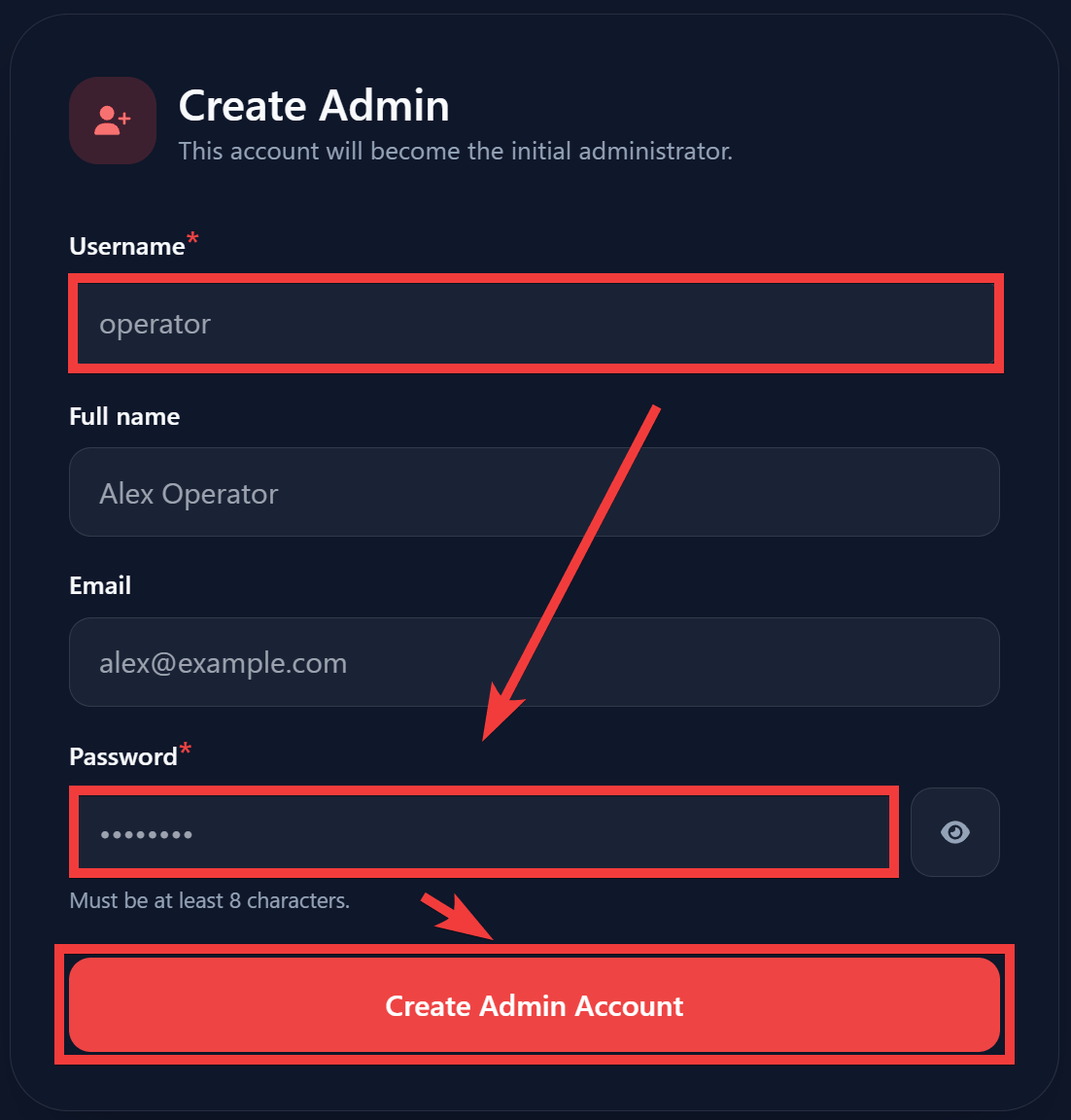
Open your browser and go to 'http://localhost:3313'. An administrator registration form will appear. Enter your username in the 'Username' field and your password in the 'Password' field, then click 'Create Admin Account'.
The setup is complete when the initial screen is displayed.
Related Posts: