Here's how to use 'memtest_vulkan,' a free tool to check if your graphics card's VRAM is corrupted: no installation is required; just double-click and wait.
Games and AI processing heavily utilize the GPU's memory, known as 'VRAM.' If there are problems with the VRAM, the GPU's performance cannot be fully utilized, resulting in freezes during gameplay or the inability to execute AI processing correctly. ' memtest_vulkan ' is a free tool that checks whether your GPU's VRAM is faulty. It requires no installation and can be used with just a double-click. I thought it would be useful for checking for failures in graphics cards that have been used for many years or for checking for initial defects in newly purchased graphics cards, so I've put together a guide on how to use it.
GitHub - GpuZelenograd/memtest_vulkan: Vulkan compute tool for testing video memory stability · GitHub
To run memtest_vulkan, first click the following link to access the executable file distribution page.
Releases · GpuZelenograd/memtest_vulkan
https://github.com/GpuZelenograd/memtest_vulkan/releases
Once you access the distribution page, scroll down.
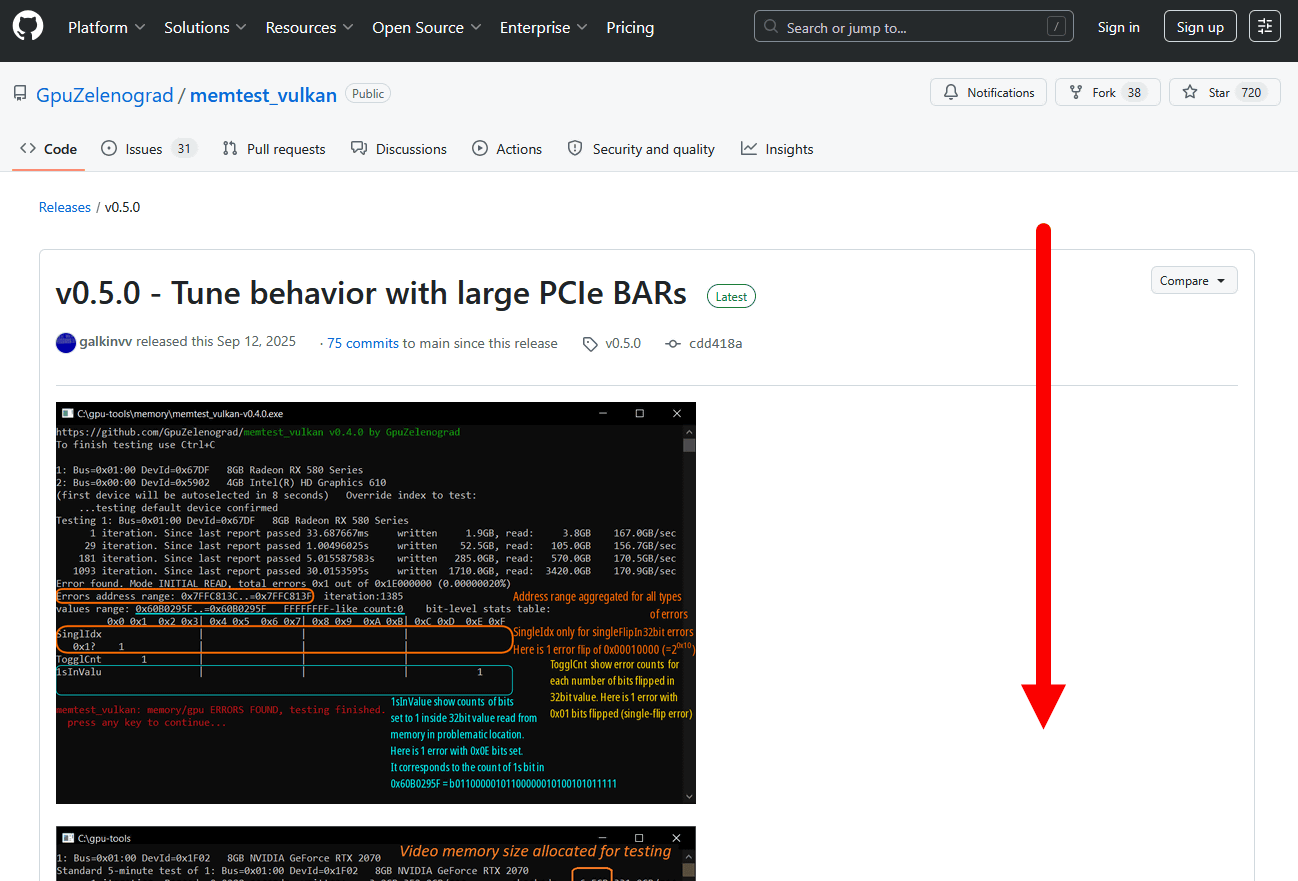
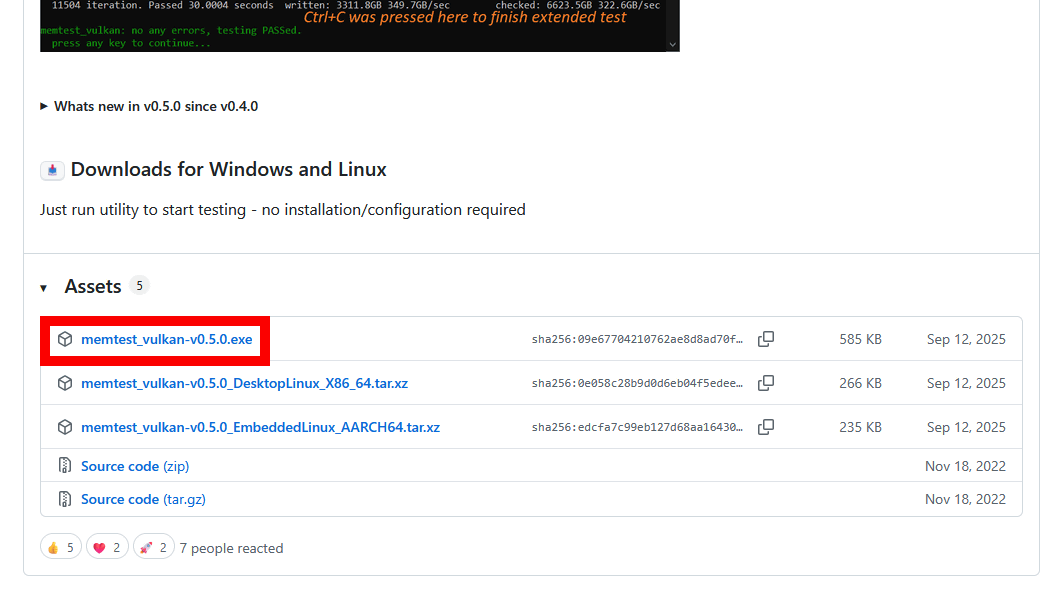
Download the latest version of memtest_vulkan. Since we're running this on Windows, I clicked on 'memtest_vulkan-v0.5.0.exe' to download it.
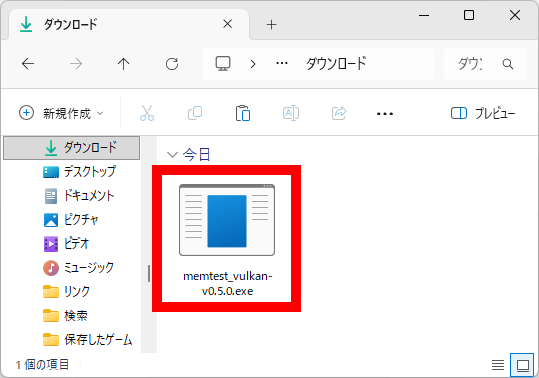
Double-click the downloaded 'memtest_vulkan-v0.5.0.exe'.
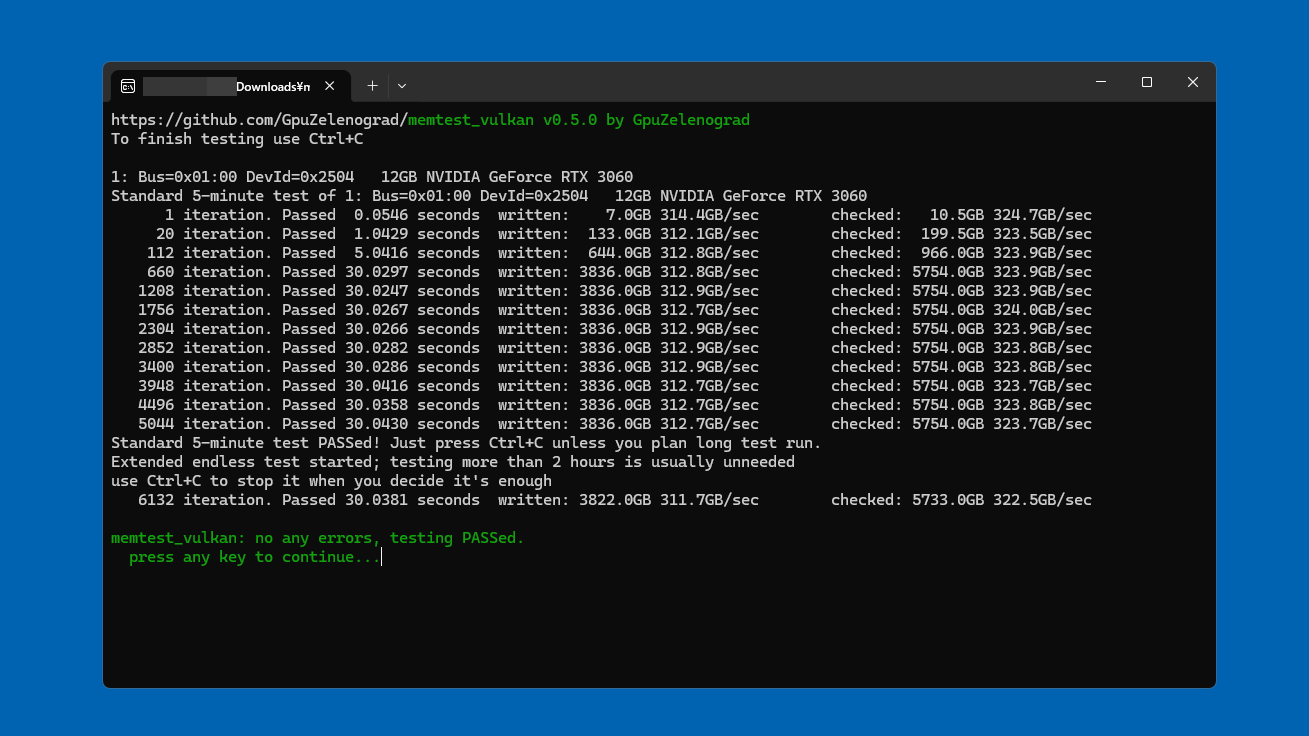
The terminal will launch and the memtest_vulkan test will begin. Basically, just wait about 6 minutes without doing anything.
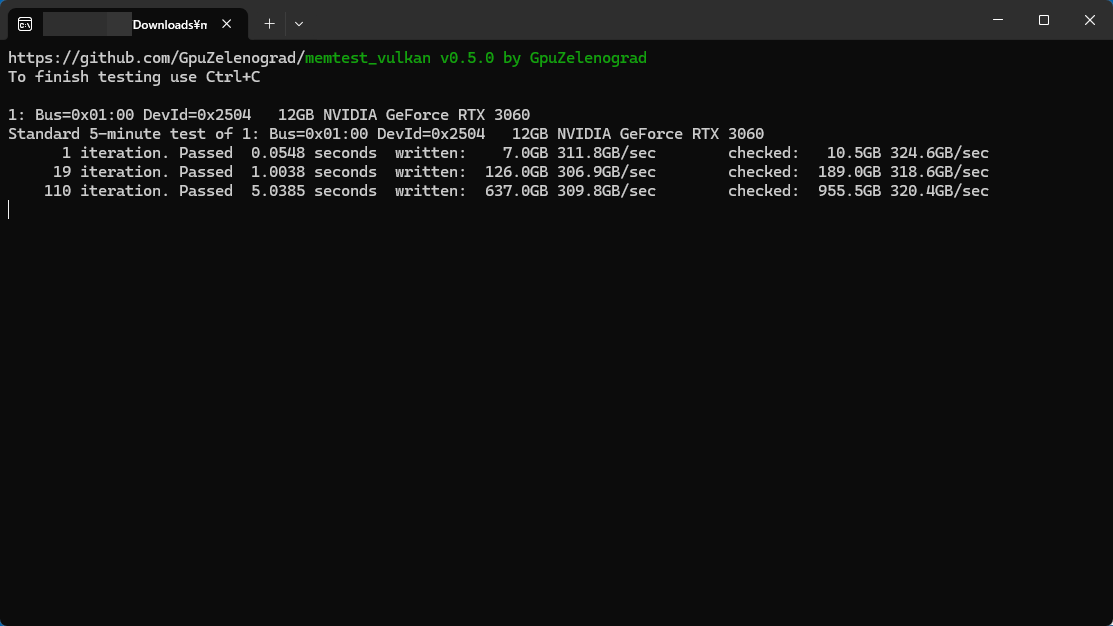
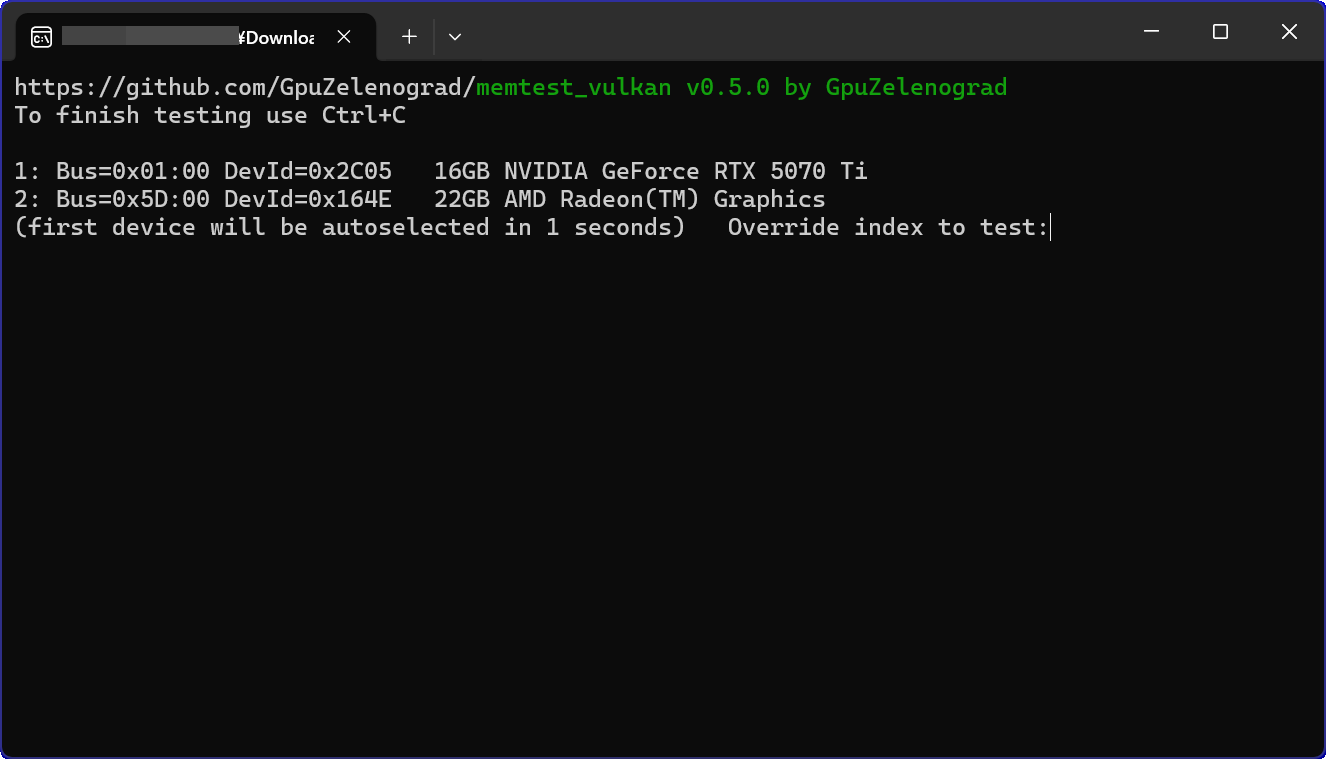
In environments with an integrated GPU or multiple graphics cards, a screen for selecting the GPU to test will be displayed. If you leave the system idle for 1 second, the test will be performed on the first listed GPU. You can select any GPU by entering a number such as '1' or '2' within 1 second.
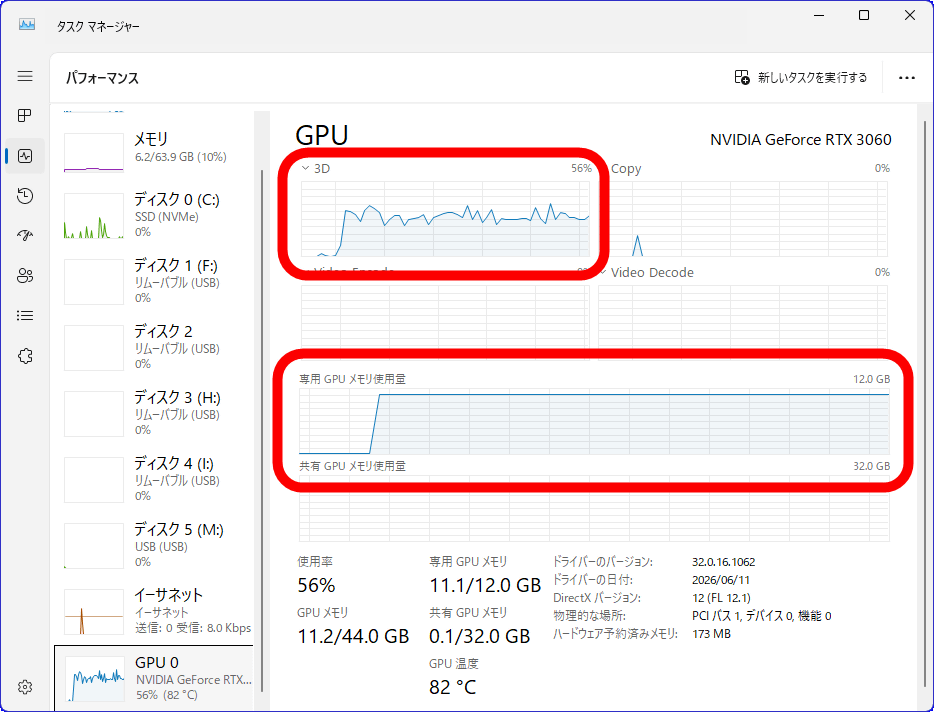
This is what the GPU load looks like during the test execution. You can see that it's using a large amount of VRAM for the checks.
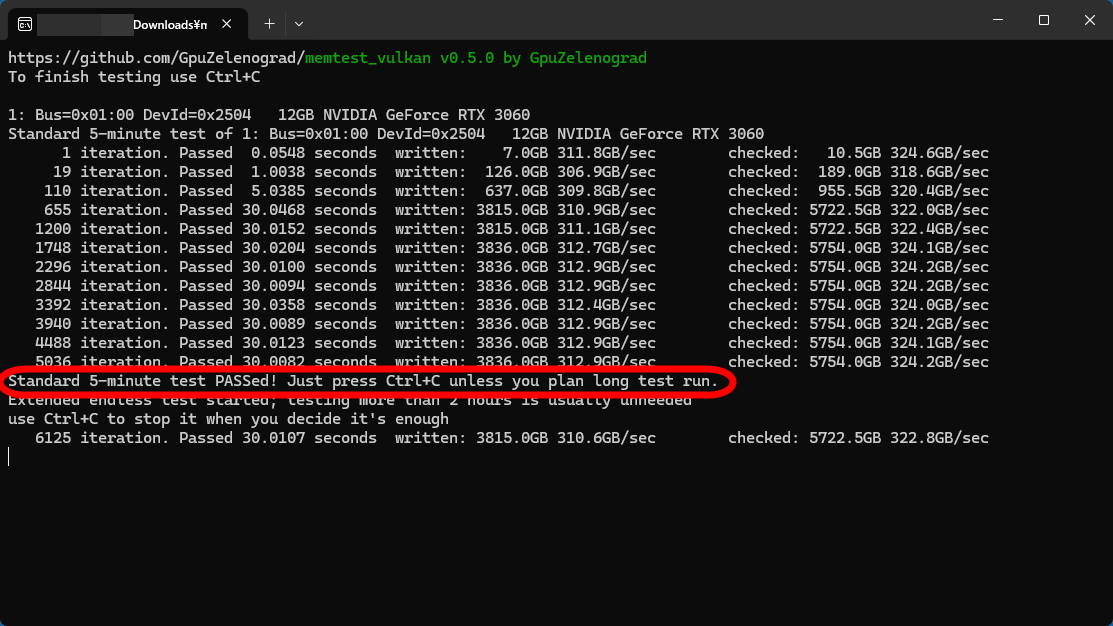
When you see 'Standard 5-minute test PASSed!', it means that you have successfully completed the 5-minute standard test. Leaving it as is will switch to an endless test mode that can take more than 2 hours, but according to the on-screen explanation, 'the endless test is usually unnecessary.' Since the standard test is sufficient this time, press the 'Ctrl' key and the 'C' key simultaneously on your keyboard to end the test.
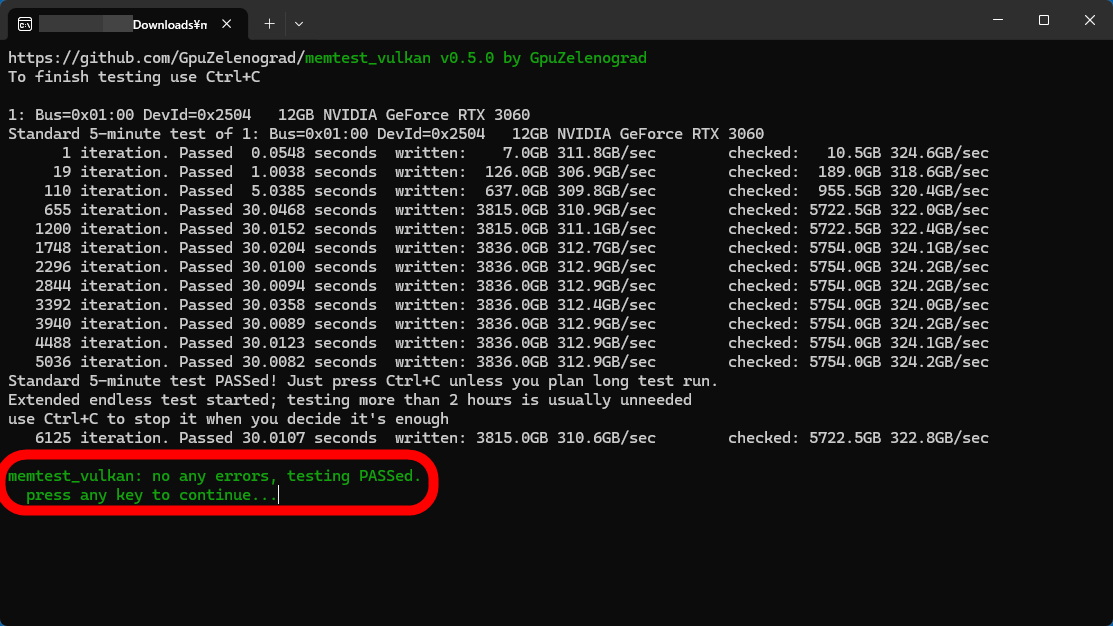
The test is complete when green text appears. In this case, it displayed 'no any errors, testing PASSed'.
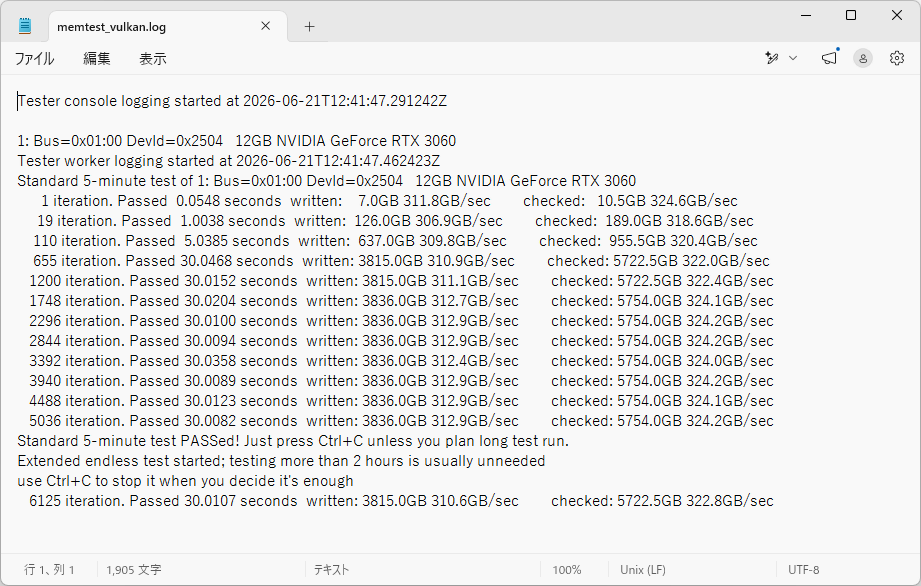
After the test is complete, a log file named 'memtest_vulkan.log' containing the test results will be saved in the same location as 'memtest_vulkan-v0.5.0.exe'.
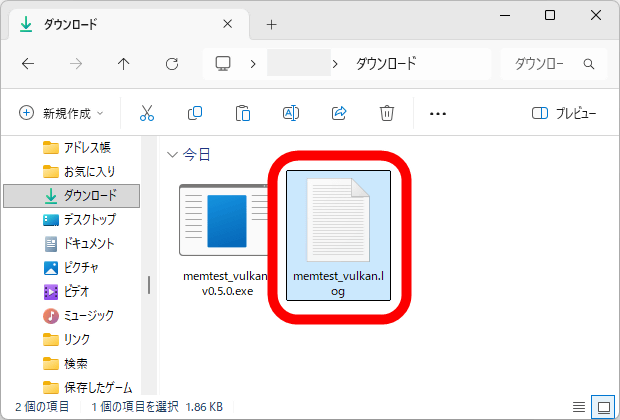
The log file contents look like this. It's the same as what was displayed in the terminal during testing.
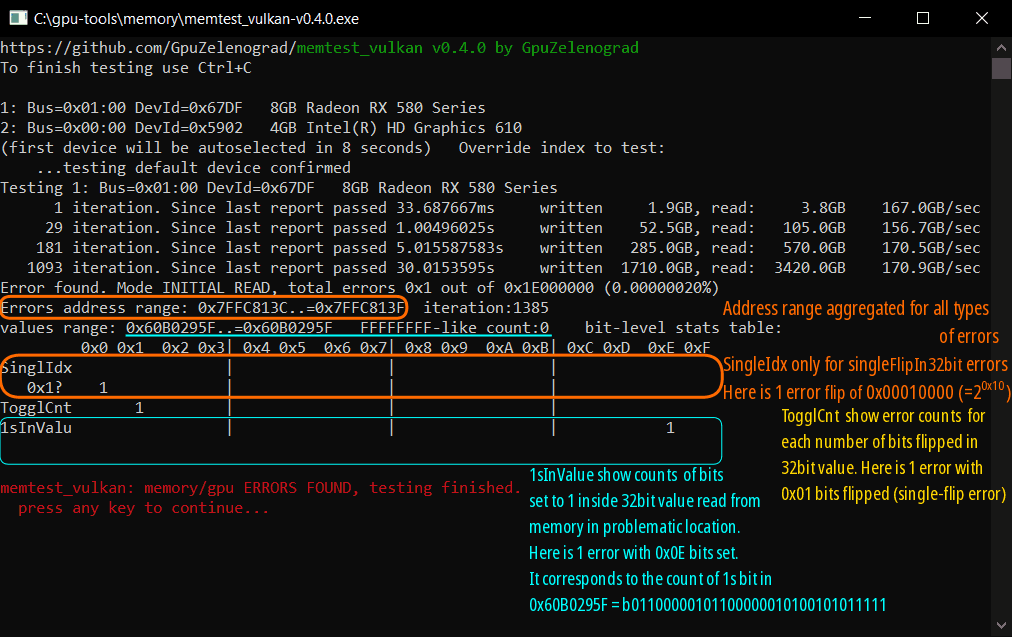
Incidentally, if an error is found, the details of the error will be displayed as shown below. The developer of memtest_vulkan explains, 'The error details can be useful in advanced cases, but in most cases, simply checking for errors is sufficient.' If memtest_vulkan finds an error, it is impossible for an amateur to resolve, so contact the manufacturer or retailer.
Related Posts: