I've summarized the process of how my KDP account was banned from pre-orders until it was lifted.
GIGAZINE uses Amazon's
Pre-order setup
https://kdp.amazon.co.jp/ja_JP/help/topic/G201575300
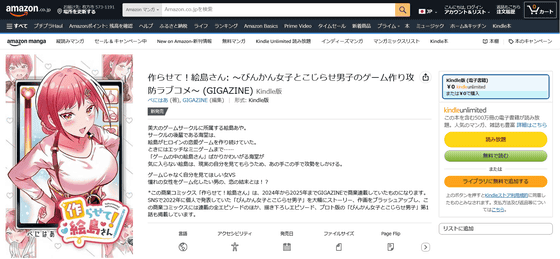
GIGAZINE released the full-color manga ' Let Me Make It! Ejima-san ' on April 30, 2026.
A full-color manga titled 'Let Me Make It! Ejima-san,' about a man who wants to turn his dream woman into a game VS a woman who wants to be seen for who she is, not as a game, has been released with plenty of newly drawn manga and bonus materials - GIGAZINE

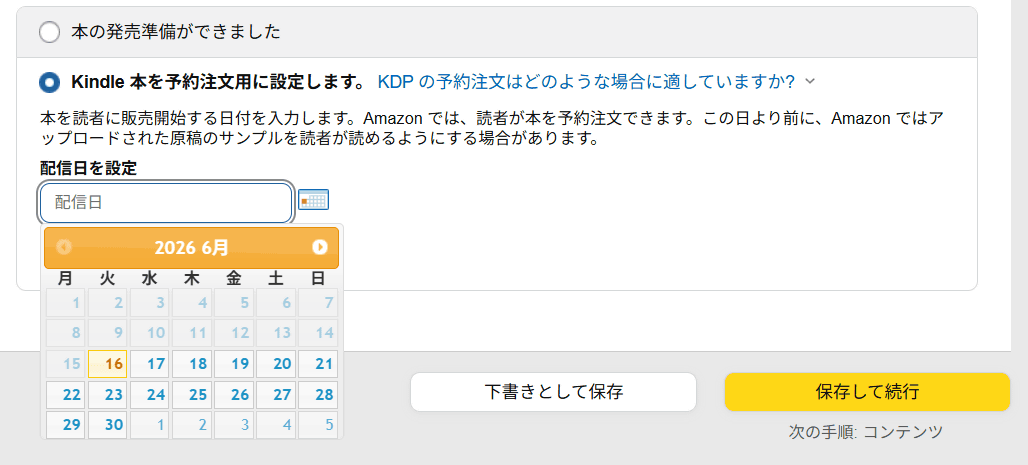
For the release of 'Let Me Make It, Ejima-san!', I tried using KDP's 'Set up Kindle book for pre-orders' option. If you set it to 'Ready to sell,' the book becomes available for purchase as soon as the store registration is complete, which means readers who purchase the book before the campaign is announced will be at a disadvantage. Therefore, the aim is to set it up for pre-orders, which makes it easier to plan the sales announcement schedule with the store already set up.
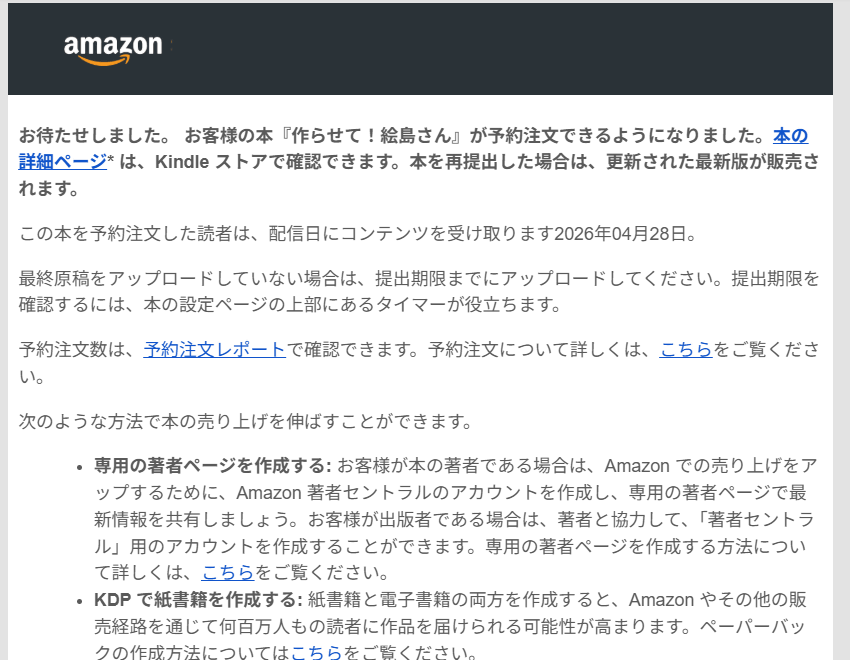
After setting up a pre-order, I received a confirmation email that said, 'Your book, 'Let Me Make It! Ejima-san,' is now available for pre-order. You can view the book's details page on the Kindle Store. If you resubmit the book, the updated version will be available for sale. Readers who pre-order this book will receive the content on the release date.'
The setup for pre-orders is now complete, but for the release of 'Let Me Make It, Ejima-san!', we had planned to run a '5-Day Free Campaign' using KDP's features at the same time as the release. However, it turns out that if we set up for pre-orders, we cannot implement the campaign at the same time, and we will need to set up the campaign again after the official release date. Since the campaign needs to be set up by the day before, with the current setup, 'we have opened a store for pre-orders, but the free campaign will only start from the day after the release date.'
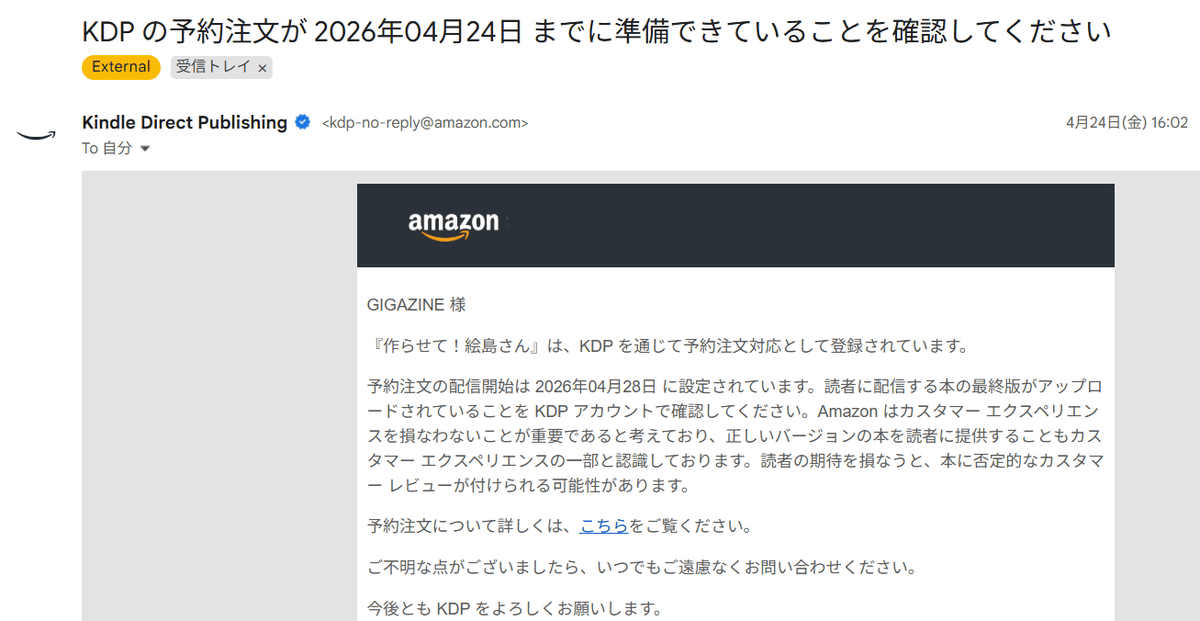
Therefore, when I tried to change the setting from pre-order to immediate release, I found that if I had set it to pre-order, I needed to submit the manuscript and complete any revisions to the title and details at least 72 hours before the release date, and from then until the release date, the status was locked. I also received an email with the following confirmation, which stated, 'Please check your KDP account to confirm that the final version of the book to be delivered to readers has been uploaded.'
So I contacted KDP directly through their help section, explaining that 'the free campaign and pre-order settings were incompatible, and I wanted to cancel the pre-order registration and change it to immediate release.' KDP's response was that 'after 72 hours before the release date, once the status changes to Pre-order (for sale) - Ready to release, KDP support cannot make any changes.'
The message stated, 'You can cancel the order by having the book discontinued,' so we decided to discontinue the book we had planned and create a new one, prioritizing the free campaign schedule this time.
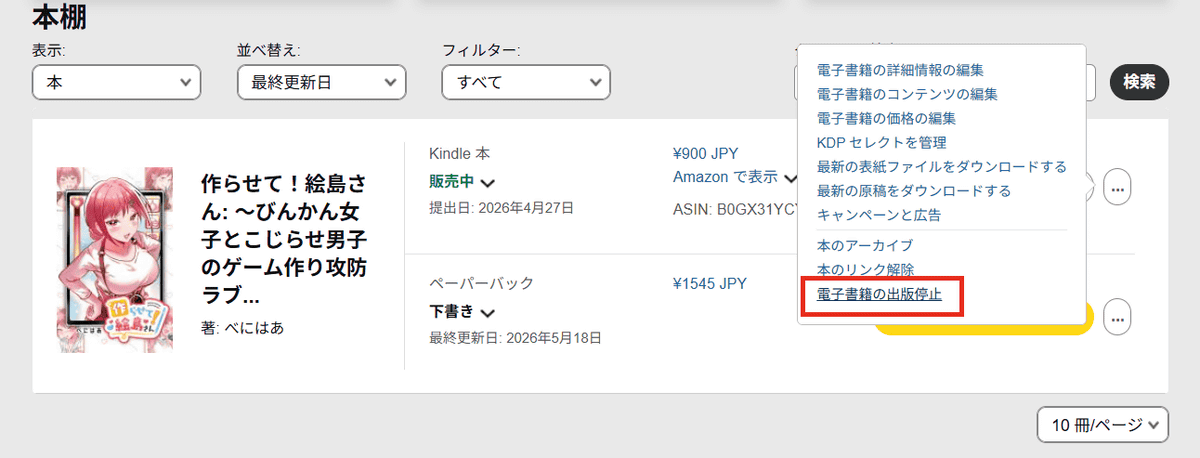
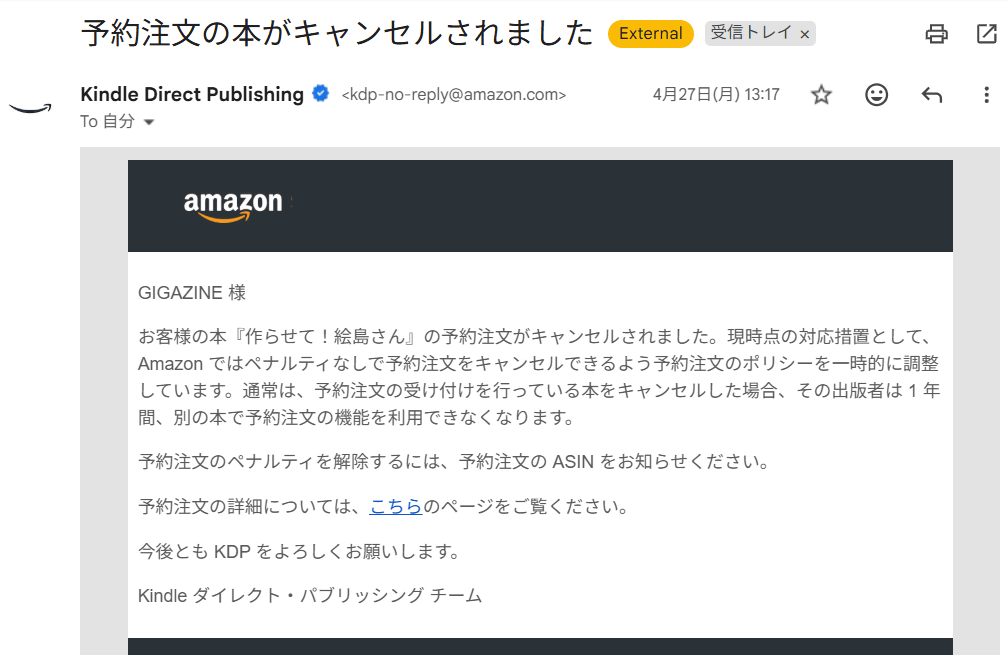
Then I received an email saying, 'Your pre-order book has been canceled.' The email stated that 'if you cancel a book for which you are accepting pre-orders, the publisher will be unable to use the pre-order function for any other book for one year,' and indeed, the 'Pre-order settings' on the book registration page were locked and unusable. However, this feature works without any problems for books that have already been published or for regular publications that do not require pre-order settings in the future.
KDP's
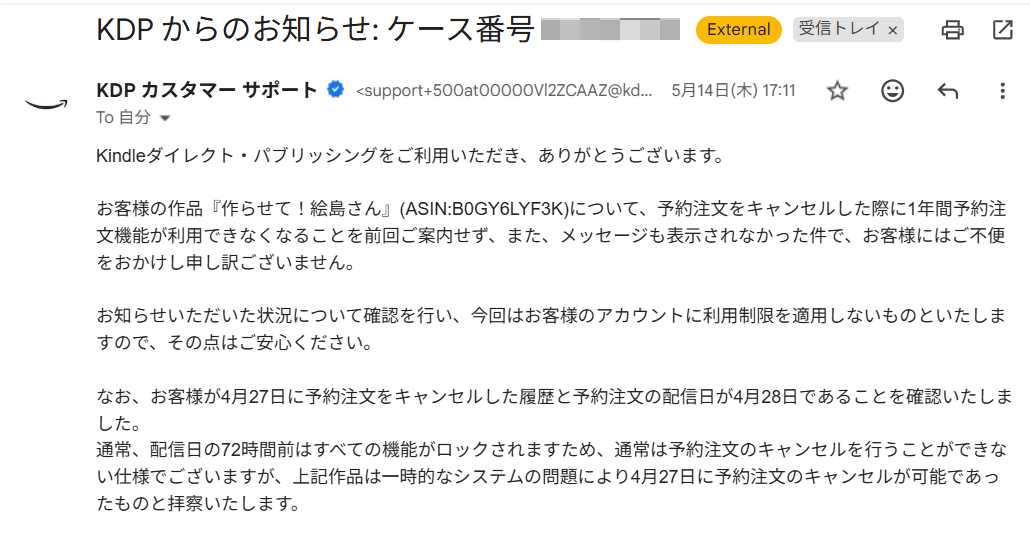
However, after contacting KDP's help again, I received a reply stating, 'We have reviewed the situation you reported, and we will not apply any restrictions to your account this time, so please rest assured,' and I was able to have the lock removed. According to support, normally all functions are locked and it becomes impossible to cancel, but it seems that it was possible to cancel due to a 'temporary system problem.'
Furthermore, this problem occurred because it was not possible to set up pre-orders and run the free book campaign simultaneously. When we requested that this be possible, we received the response that 'we will share this with the relevant department and strive to improve our services in the future.'
In this case, I was able to unlock the pre-order settings by contacting them directly, but normally there are several strict rules for setting up pre-orders, so caution is needed when doing so. KDP support is very quick to respond and provides thorough assistance, so I recommend contacting them if you have any problems or issues.
In addition, we have inquired about two issues that arose regarding the Kindle book release of 'Let Me Make It, Ejima-san.' Firstly, while books released by GIGAZINE display correctly when opened on Kindle devices or the Kindle app on smartphones, we have confirmed that when viewed through '
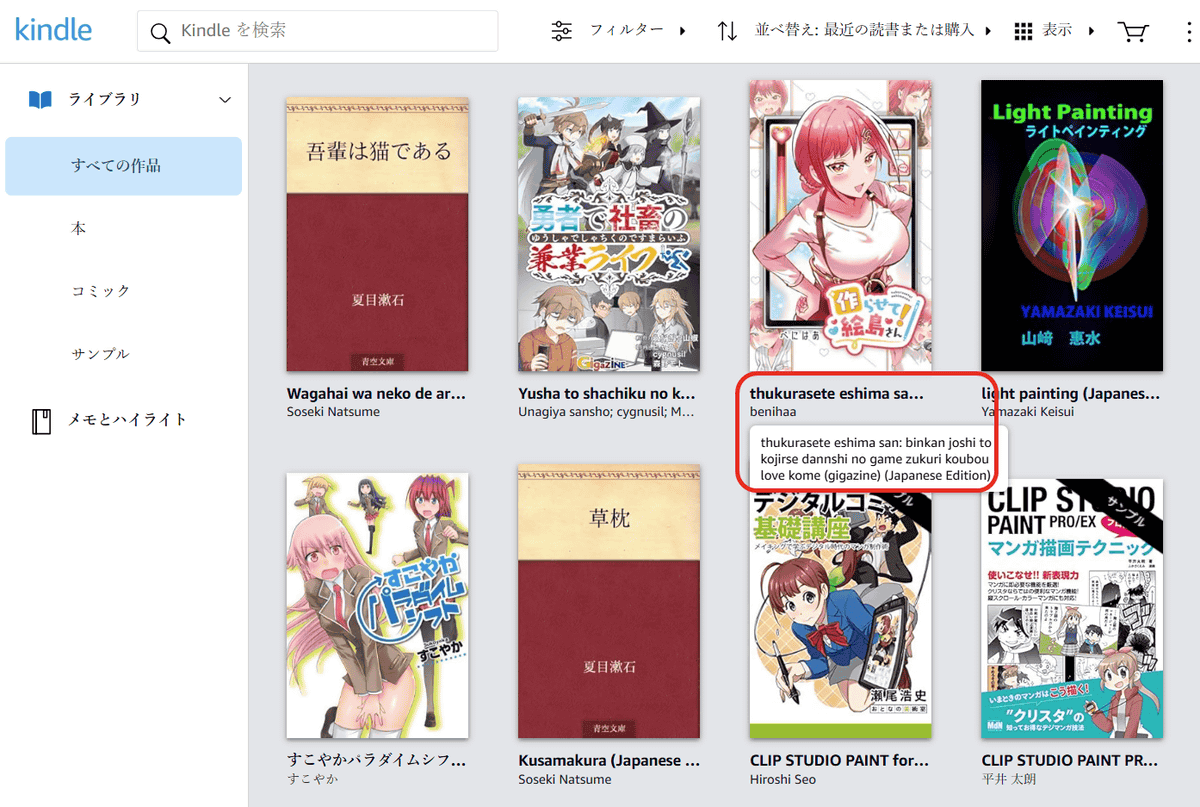
When registering a book, you need to enter the title and its phonetic spelling (furigana), as well as the title in Roman letters or English. It appears that Kindle Cloud Reader displays the English title and author's name registered at this time.
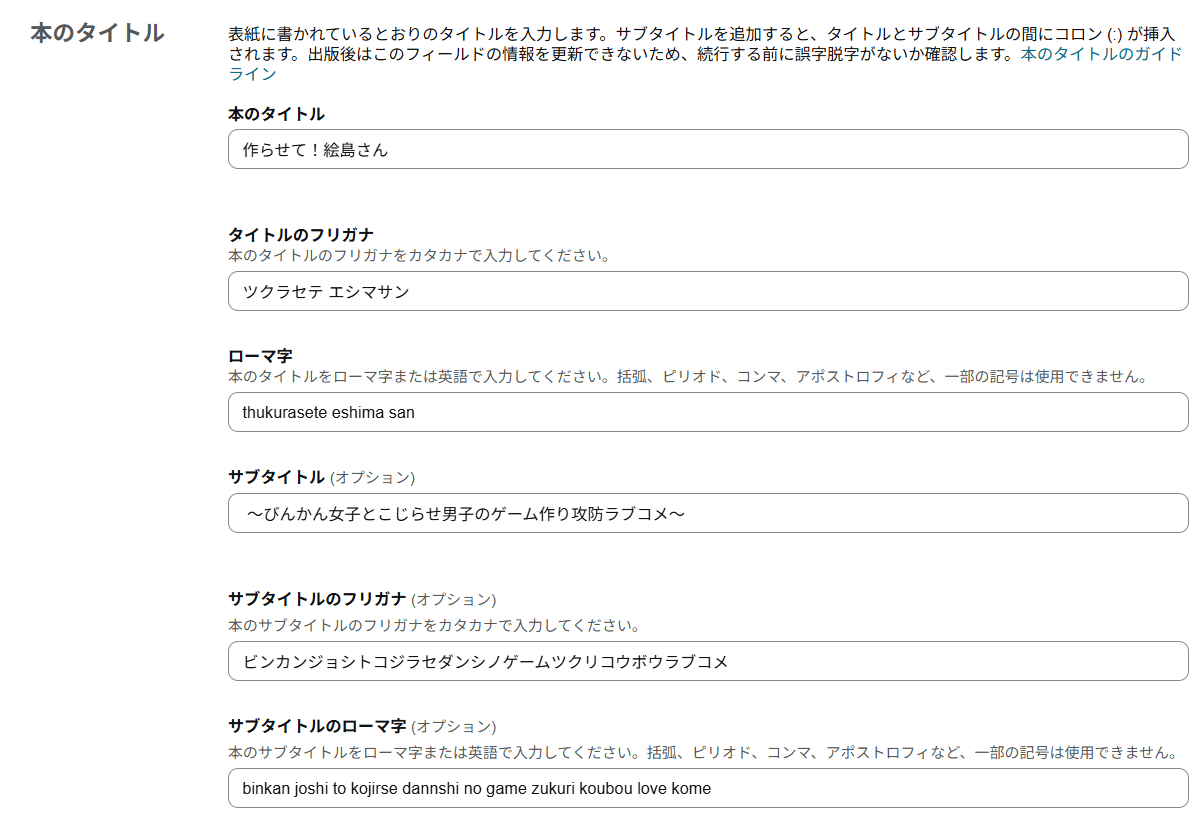
When I inquired about this matter with KDP, they responded, 'In the web version of Kindle, the title and author name may sometimes be displayed in Roman letters, and at this time, it is difficult to fix this immediately. Amazon is aware of this issue and is working to improve it.' Since only the title and author name are displayed in Roman letters in the library list, you can enjoy the content of the works without any problems.
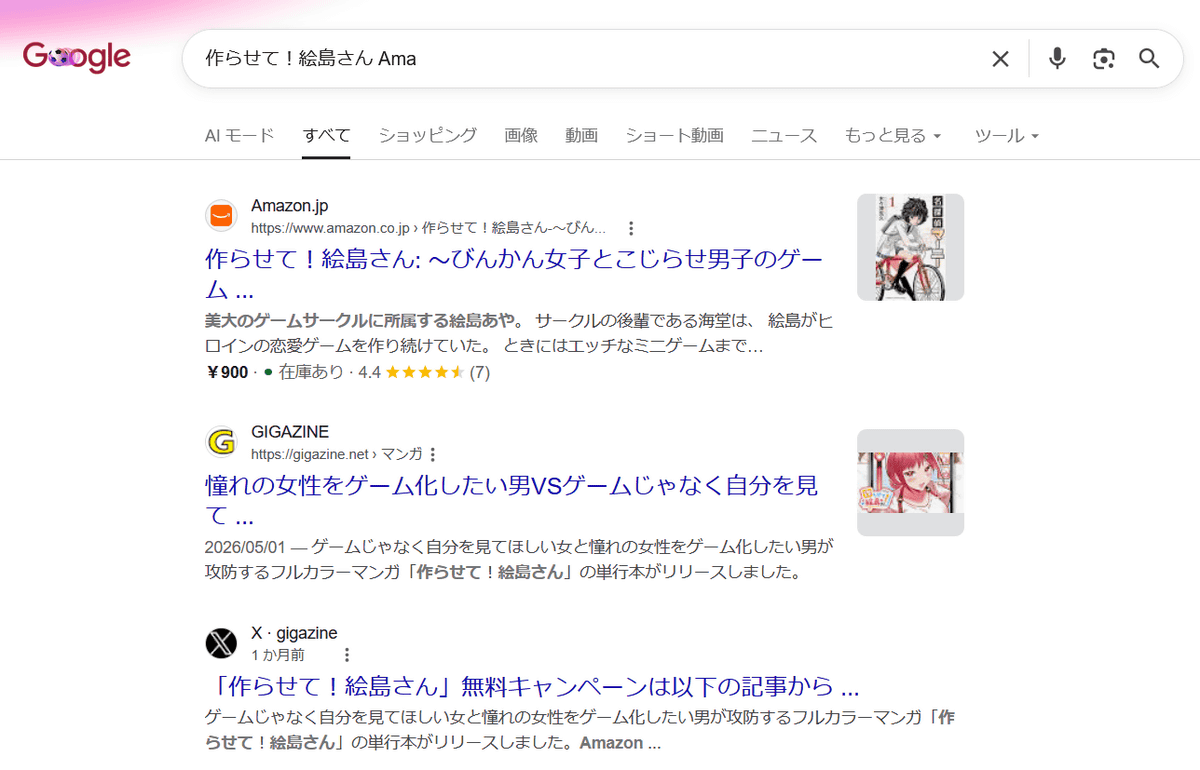
Furthermore, when searching for 'Let Me Make It! Ejima-san' on Google, the Amazon store link sometimes displayed the cover of a completely different book as a thumbnail. Depending on the search terms, a thumbnail may or may not be displayed. Below, when searching for 'Let Me Make It! Ejima-san Ama', the top result was an Amazon store link, but the thumbnail was the cover of volume 1 of '
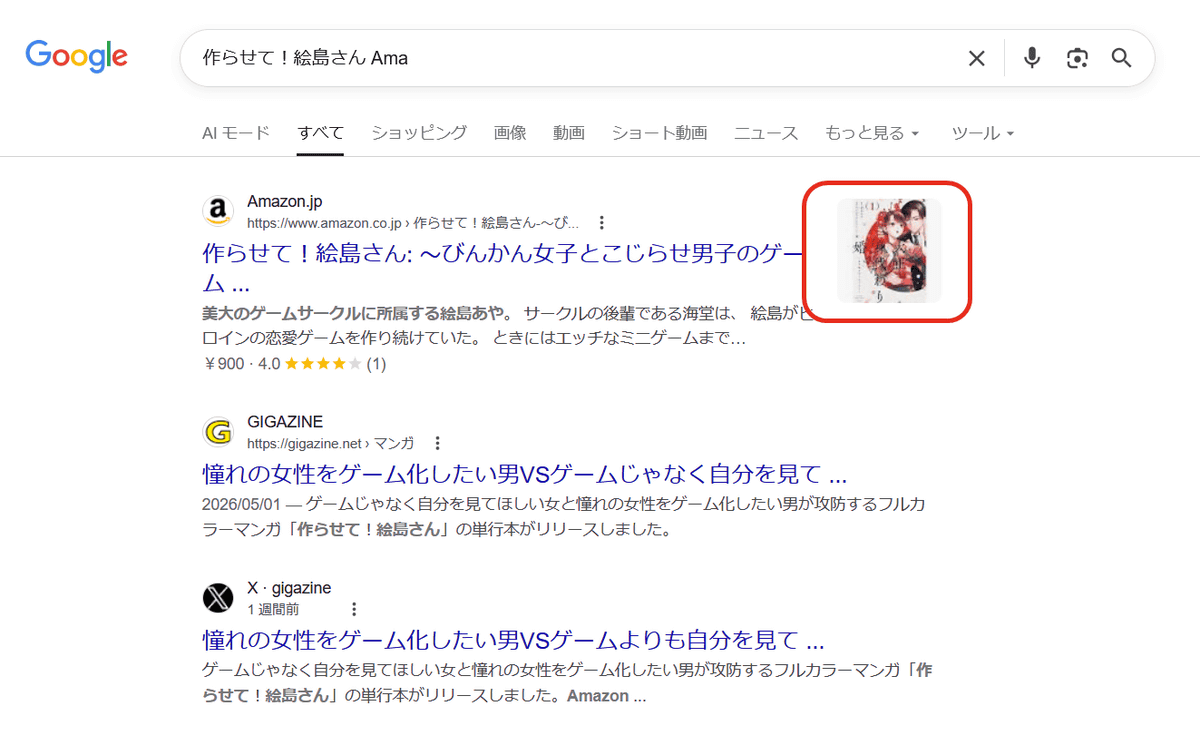
Even if you click on the wrong site link or thumbnail, you will still be taken to the 'Let Me Make It! Ejima-san' store page without any problems. The cover displayed there was correct.
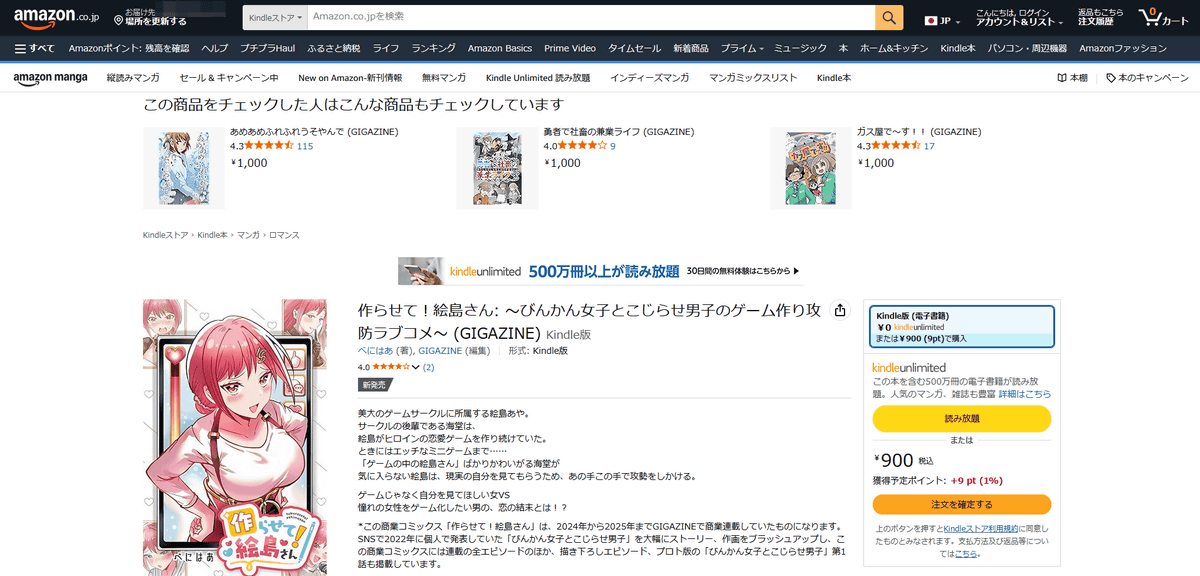
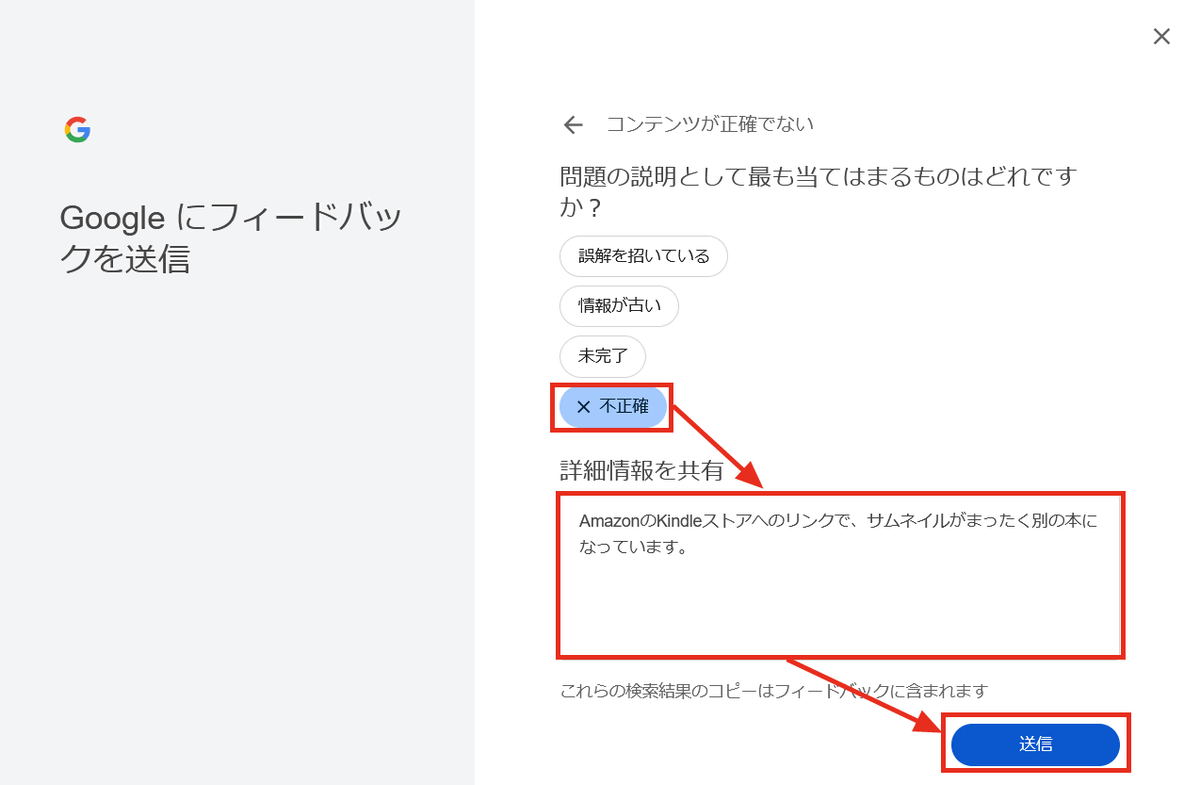
So, I tried sending feedback through the search results menu.
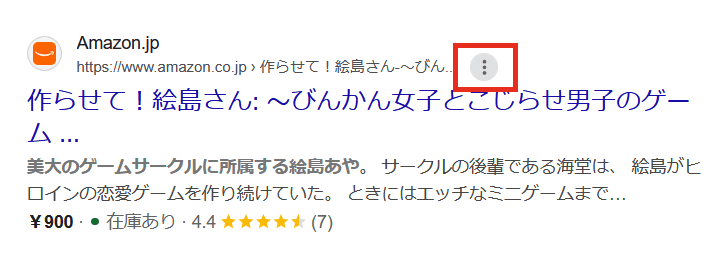
Enter detailed feedback information and click 'Submit'.
The transmission complete screen was displayed.
About a month after sending the feedback, I searched for 'Let me make it! Ejima-san Ama' again, and this time the cover thumbnail was volume 1 of '
Just to be sure, I also inquired with KDP about the same matter, and they replied, 'We checked the sales page on the Amazon website, and the correct cover image was displayed without any problems. Therefore, it is correctly registered in Amazon's system, so please rest assured.' They also stated that Google search results are beyond Amazon's control.
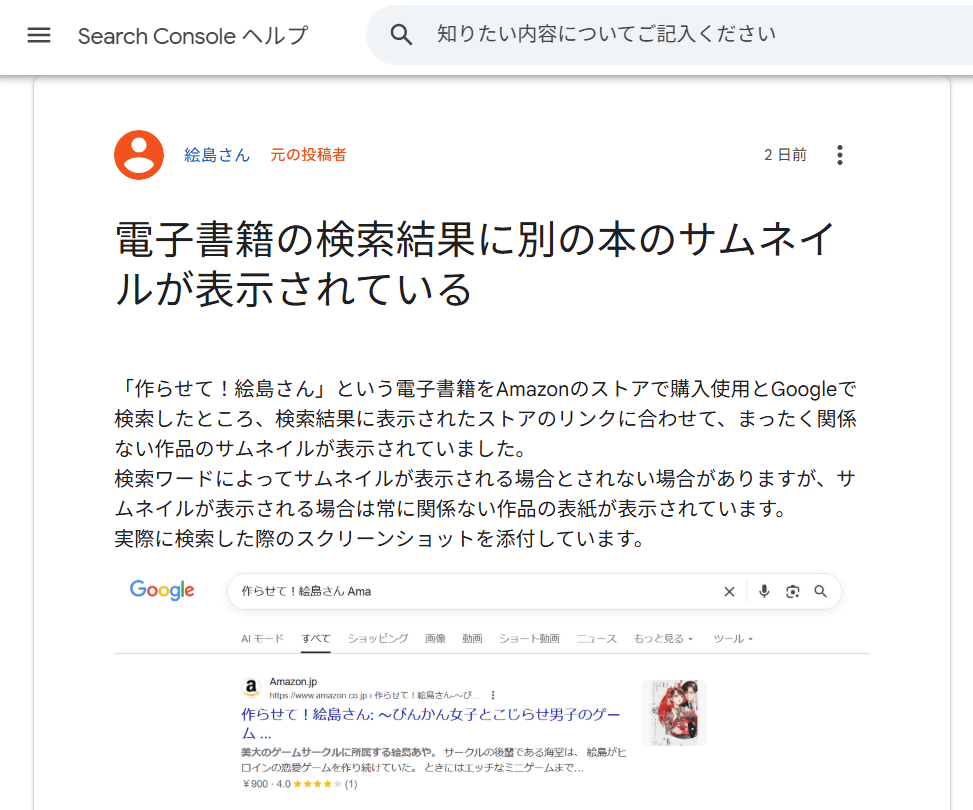
I also posted a question on Google Search Console's Help section, and they advised me that other users had experienced the same issue, and that sending feedback might help resolve it. The issue hasn't been fixed as of the time of writing, but I will update this article to let you know if it is fixed in the future.
Although various problems occurred, such as issues with searching and display, the work itself can be enjoyed without any problems, so please check it out on the Amazon Kindle Store.
Let Me Make It! Ejima-san: ~A Romantic Comedy About the Game-Making Battle Between a Sensitive Girl and a Complicated Boy~ (GIGAZINE) | Benihaa, GIGAZINE | Romance | Kindle Store | Amazon
Related Posts:



in Web Service, Review, Manga, Creation, Posted by log1e_dh