USB Quick Reference Chart: See speed, wiring, and power supply capabilities for each standard at a glance.
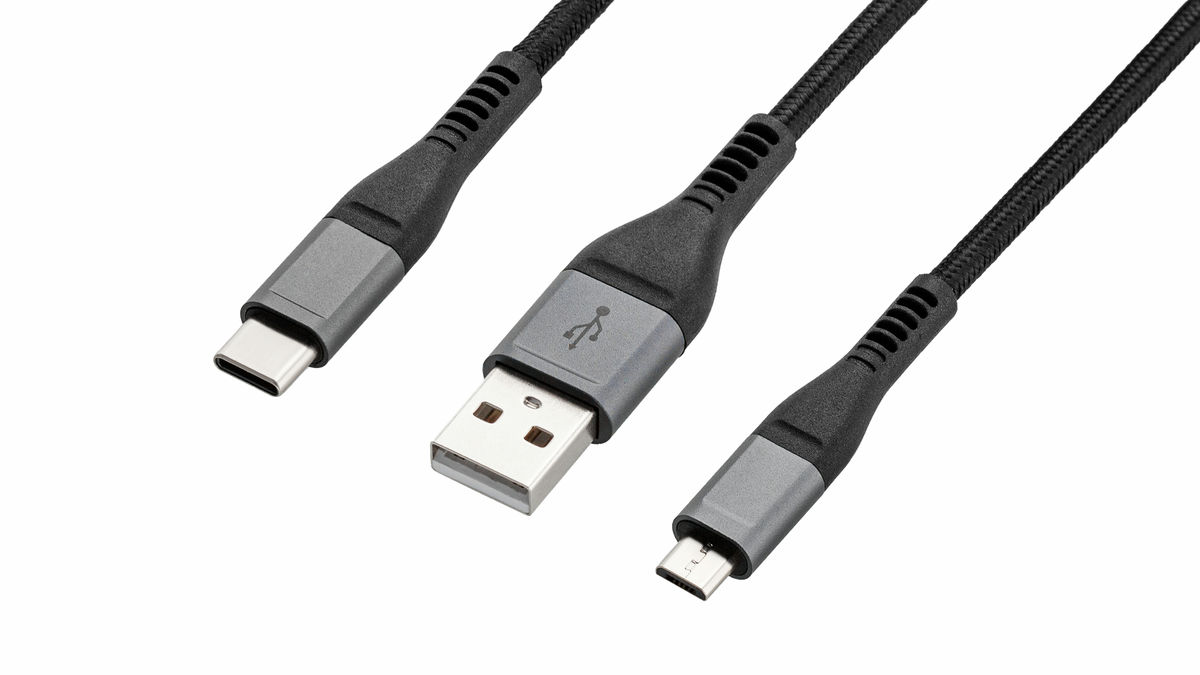
Many people probably don't understand what USB standards like 'USB 2.0' or 'USB 3.2' mean, which are often found on USB cables and ports. Engineer
USB Cheat Sheet
https://fabiensanglard.net/usbcheat/index.html
The following is a quick reference chart showing USB generations and transfer speeds. USB 3.0, USB 3.1 Gen1, and USB 3.2 Gen1 all share the same '5Gbps' transfer speed standard; only the name has been changed multiple times.
| Marketing name | alias | Maximum transfer speed (Mbps) | Theoretical transfer speed (MiB/s) | Number of internal wires | Maximum cable length |
|---|---|---|---|---|---|
| USB 1.1 | full speed | 12Mbps | 1.5 MiB/s | 4 | 4m |
| USB 2.0 | high speed | 480Mbps | 60 MiB/s | 4 | 4m |
| SuperSpeed USB 5Gbps | USB 3.0 | 5000 Mbps | 625 MiB/s | 8 | 3m |
| SuperSpeedPlus USB 10Gbps | USB 3.1 USB 3.2 USB 3.1 Gen 2 USB 3.2 Gen 2 | 10000 Mbps | 1250 MiB/s | 8 | 2m |
| SuperSpeedPlus USB 20Gbps | USB 3.2 USB 3.2 Gen 2x2 | 20000 Mbps | 2500 MiB/s | 12 | 1m |
| USB4 20Gbps | USB 4 Gen 2 x 2 | 20000 Mbps | 2500 MiB/s | 12 | 0.8m |
| USB4 40Gbps | USB 4 Gen 3 x 2 USB4 | 40000 Mbps | 5000 MiB/s | 12 | 0.8m |
USB 1.1 and USB 2.0 cables have four internal wires: 'VBUS' for power supply, 'D+' and 'D-' for data communication, and 'GND' for ground (0V). USB 3.0 adds a dedicated TX/RX differential pair for high-speed communication, increasing the number of internal wires to include the four wires for USB 2.0. As a result, USB 3.0 cables are generally thicker and stiffer than USB 2.0 cables. USB-C cables, with their 12 signal lines, have high-speed communication lanes that support both upward and downward directions, enabling even faster communication.
The following is a table showing the compatibility of USB 3.2 and USB 4 generations and the number of lanes. 'USB 3.2 Gen 1 x 1' means that one USB 3.2 Gen 1 (5Gbps) lane is used.
| name | signal speed | Total signal speed | encoding | Effective speed (bits) | Effective speed (Bytes) | Actual transfer speed |
|---|---|---|---|---|---|---|
| USB 3.2 Gen 1 x 1 | 5,000Mbps | 5,000Mbps | 8b/10b | 4,000Mbps | 500 MiB/s | 400 MiB/s |
| USB 3.2 Gen 1 x 2 | 5,000Mbps | 10,000Mbps | 8b/10b | 8,000Mbps | 1,000 MiB/s | 800 MiB/s |
| USB 3.2 Gen 2 x 1 | 10,000Mbps | 10,000Mbps | 128b/132b | 9,696Mbps | 1,212 MiB/s | 780 MiB/s |
| USB 3.2 Gen 2 x 2 | 10,000Mbps | 20,000Mbps | 128b/132b | 19,392Mbps | 2,424 MiB/s | 1,600 MiB/s |
| USB 4 Gen 2 x 2 | 10,000Mbps | 20,000Mbps | 128b/132b | 19,392Mbps | 2,424 MiB/s | 1,600 MiB/s |
| USB 4 Gen 3 x 2 | 20,000Mbps | 40,000Mbps | 128b/132b | 38,787Mbps | 4,848 MiB/s | 2,700 MiB/s |
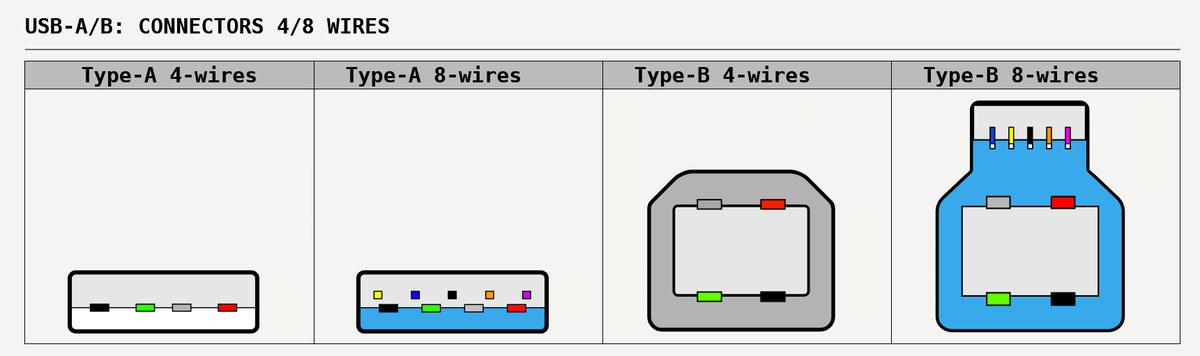
In addition, the types of connectors are also summarized. For USB-A and USB-B, there are 4-wire and 8-wire versions for each type.
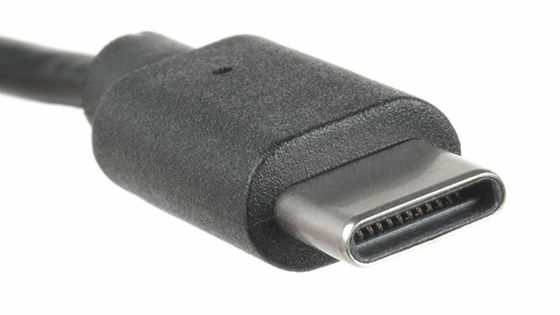
The USB-C connector has 24 pins, and internally, 12 different terminal configurations are arranged symmetrically. In the image below, the older USB 2.0 compatible wiring 'D+' and 'D-' are green and plain, the high-speed communication dedicated 'TX' and 'RX' added in USB 3 and later are light blue, 'VBUS' and 'GND (earth)' for power supply are red and black, and 'CC,' which is used for USB-C-specific cable orientation detection and Alternate Mode control, is yellow. Also, 'SBU,' shown in magenta, is an auxiliary signal line not used in normal USB data communication. Note that USB-C is the name of the connector shape and is separate from communication standards such as USB 2.0, USB 3.2, and USB 4. Even with the same USB-C terminal, the supported speed and power supply capabilities vary depending on the product.

The table below summarizes the charging rates for each cable type. USB-C PD output is powerful, allowing for fast charging of compatible smartphones and laptops with just one USB-C cable.
| specification | Maximum voltage | maximum current | maximum power |
|---|---|---|---|
| USB 2.0 | 5V | 500mA | 2.5W |
| USB 3.0 / USB 3.1 | 5V | 900mA | 4.5W |
| USB Battery Charging (BC) 1.2 | 5V | 1.5A | 7.5W |
| USB-C Current Mode (Non-PD) | 5V | 3A | 15W |
| USB-C/Power Delivery (PD 1/2) | 20V | 5A | 100W |
| USB-C PD 3.1 (EPR) | 48V | 5A | 240W |
Finally, Mr. Sangrad summarizes the history of USB. USB 1.0 was released in January 1996, followed by USB 1.1 in September 1998, and then USB 2.0 in April 2000. USB 3.0 was released in November 2008, USB 3.1 in July 2013, USB 3.2 in September 2017, and USB 4 in August 2019.
Related Posts:

in Hardware, Posted by log1e_dh