'You're the OS!' is a game where you must become the 'OS' and manage processes, memory, and input/output events.
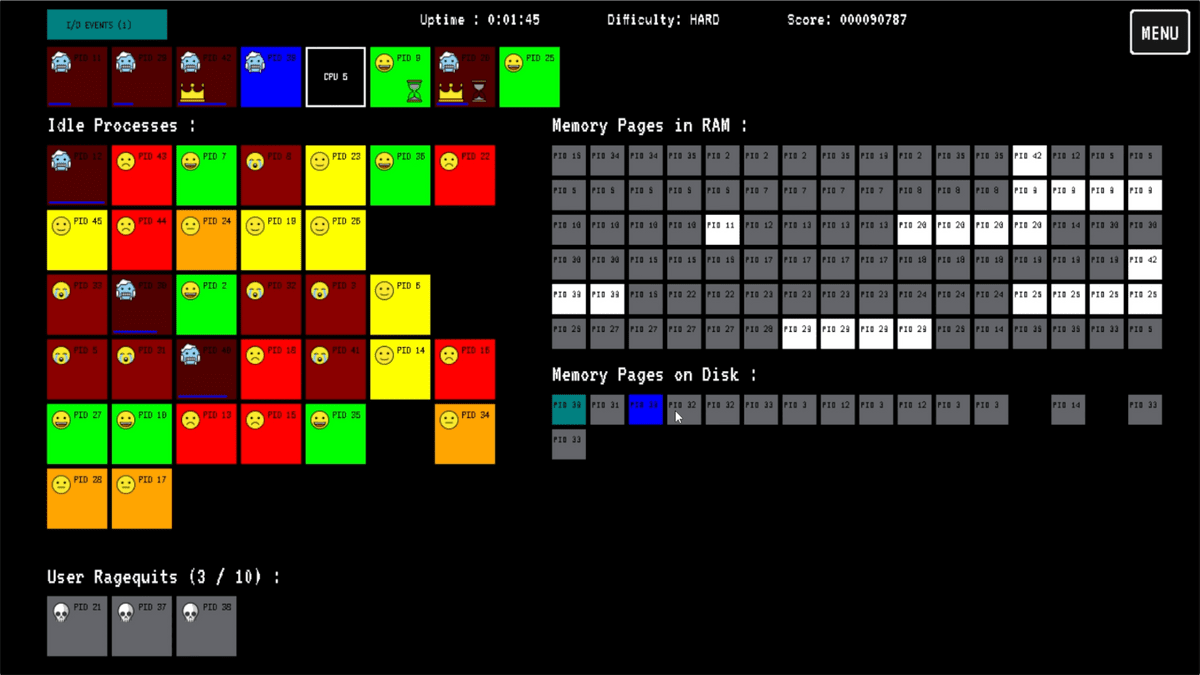
'You're the OS!' is a browser game where the player becomes the operating system of a computer, managing processes, assigning them to the CPU, managing memory, and handling I/O events, all while trying to avoid angering the user. If too many processes are left unattended, the user's frustration increases, eventually leading to a 'reboot' and a game over. It's said that you can experience the work of an OS, which you usually don't think about, in the form of a busy task management game, so I decided to give it a try.
You're the OS!
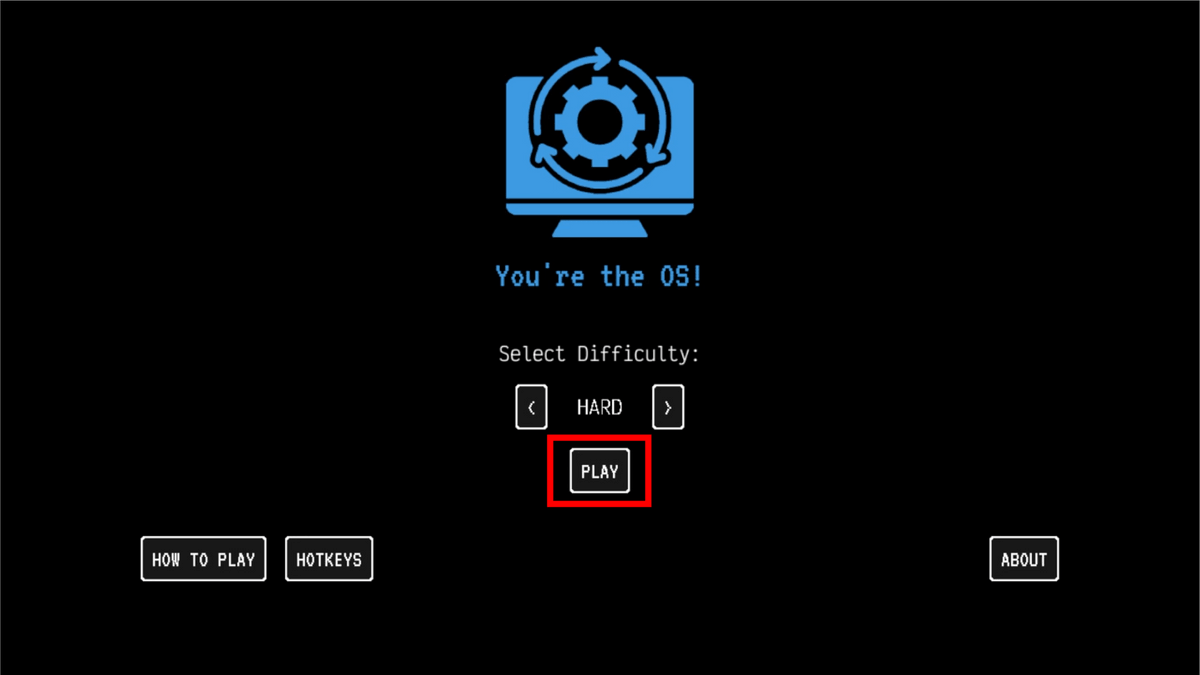
'You're the OS!' can be played in your browser. Access the site and click 'PLAY'.
A list of pending processes appears on the left. Clicking on a process moves it to the CPU slot above and starts processing.
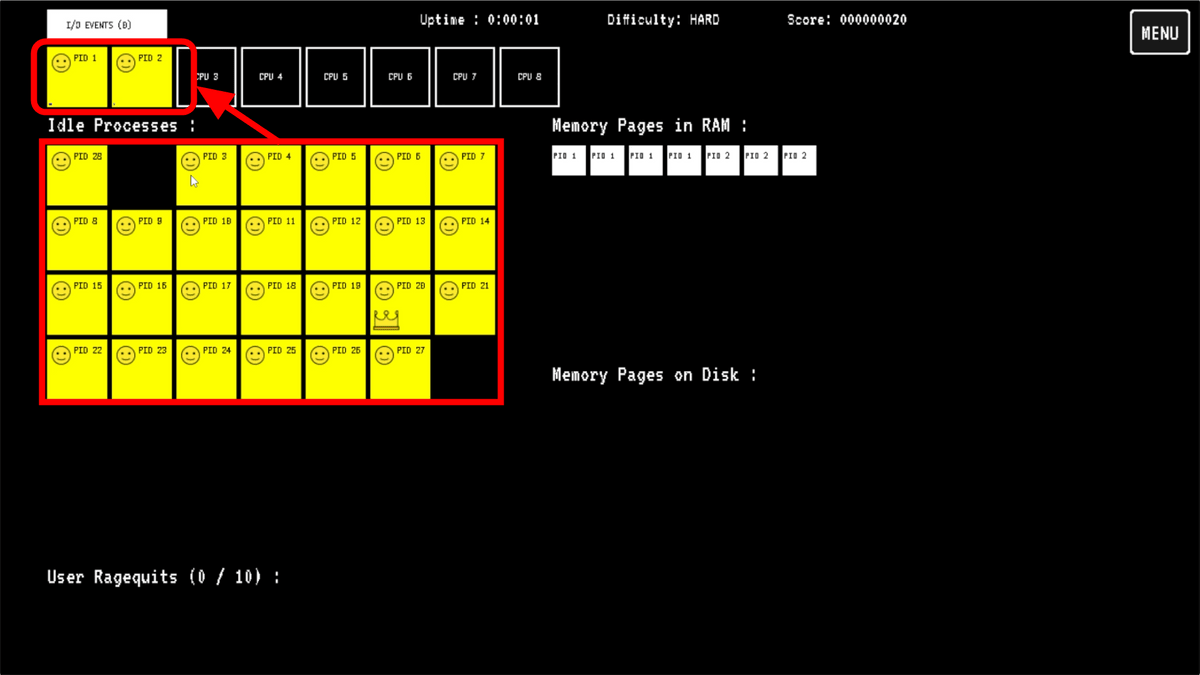
For the CPU to process a process, the relevant memory pages must be located in RAM. If RAM is free, memory pages will be automatically allocated, so you don't need to worry about it at first.
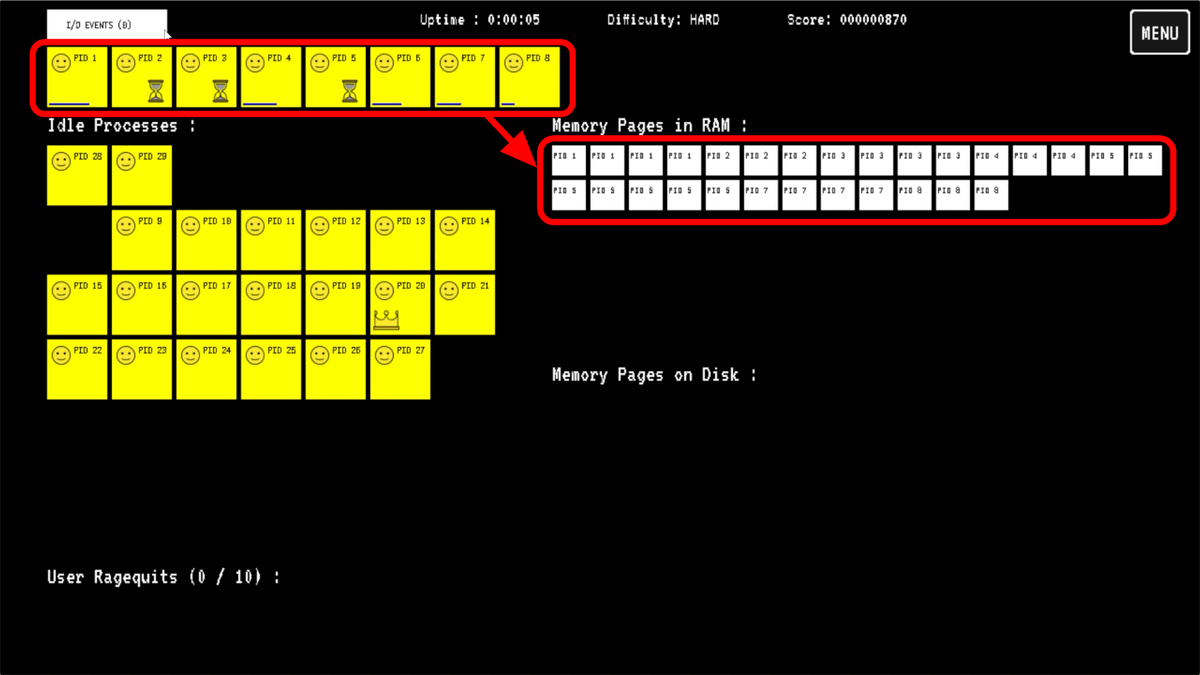
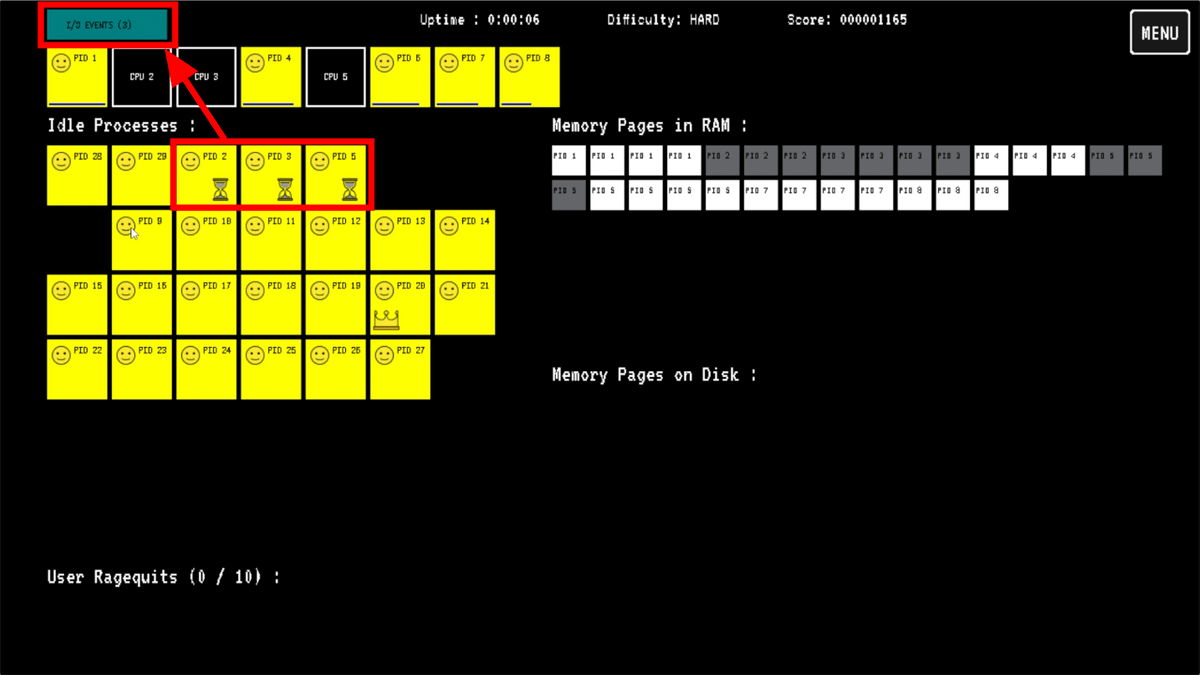
A process that displays an hourglass icon and does not proceed is stuck waiting for I/O operations such as reading or writing data. Since it's a waste of time because the process isn't progressing, I clicked to remove the CPU from the slot. After waiting a while, 'I/O EVENTS' in the upper left corner lights up, and clicking it makes the hourglass icon disappear.
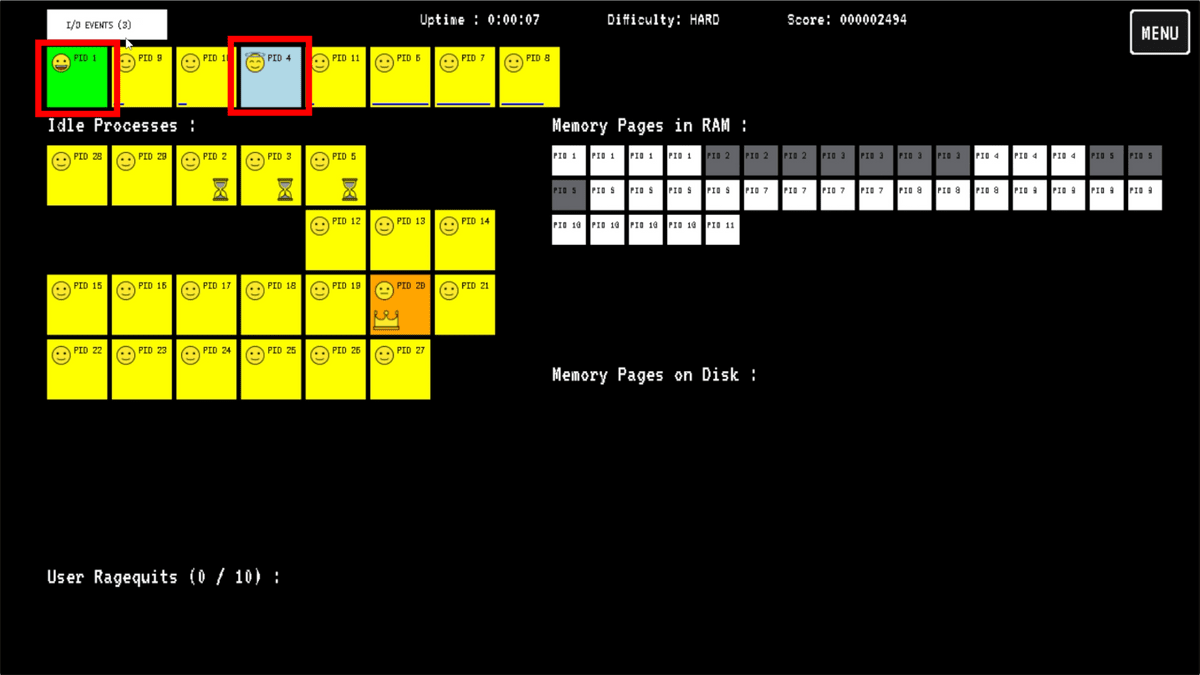
When a process is complete, it will change to green or light blue. Clicking on a green process will move it to the waiting list, but its memory page will turn gray to indicate inactivity and remain in RAM. Clicking on a light blue process will terminate it and release its memory page.
The color of idle processes changes over time from 'green,' 'yellow,' 'orange,' 'red,' 'brown,' to 'reddish-brown.' Processes with a crown icon are 'priority processes,' which change faster than normal and take longer to process on the CPU.
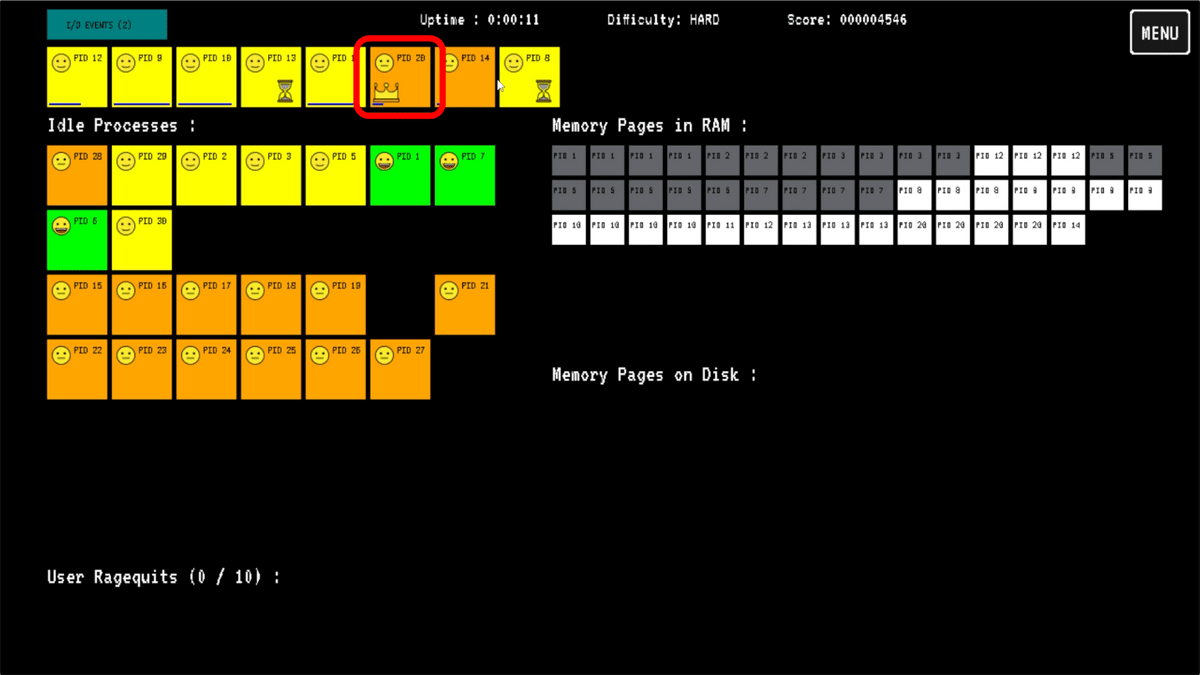
The number of processes in red gradually increased, and the RAM also started to fill up.
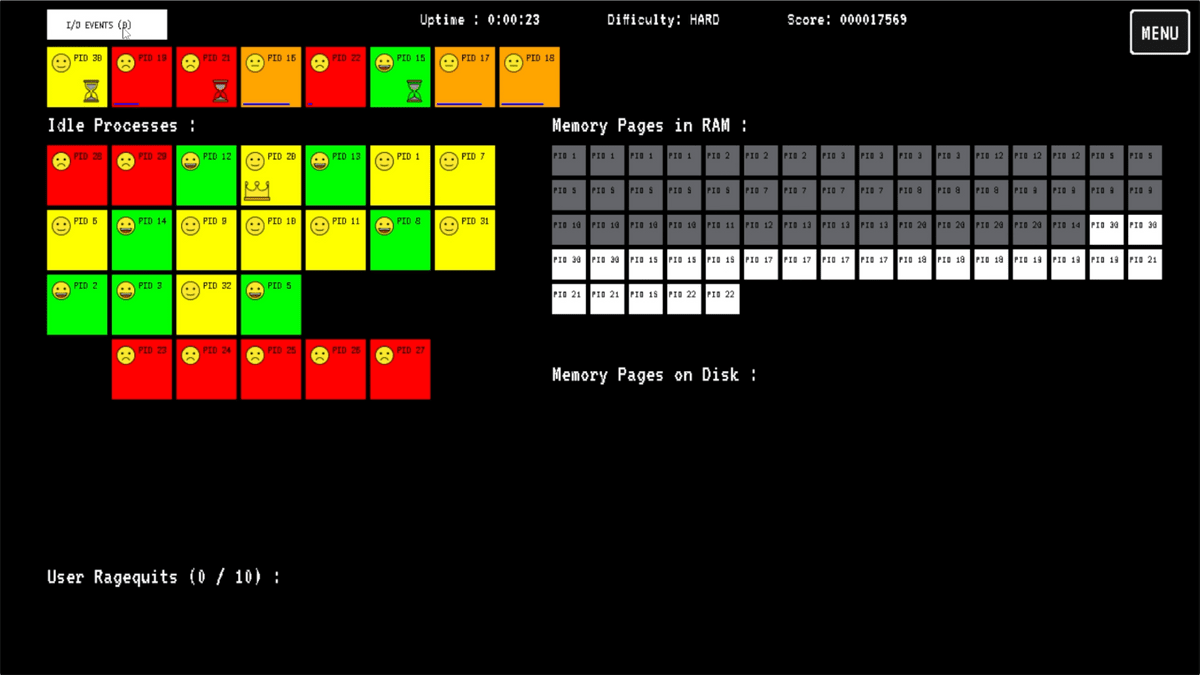
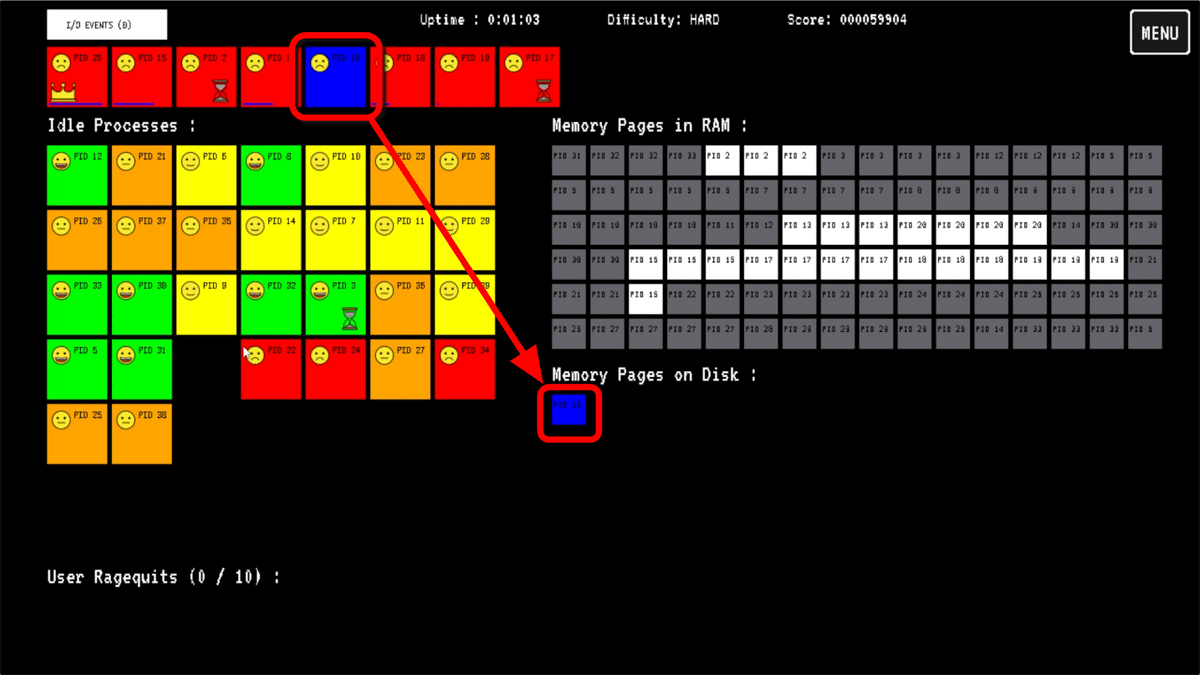
When RAM is full, new memory pages are placed on disk. Processes cannot run while there are memory pages on disk. Processes that are unable to run due to memory page issues are displayed in blue.
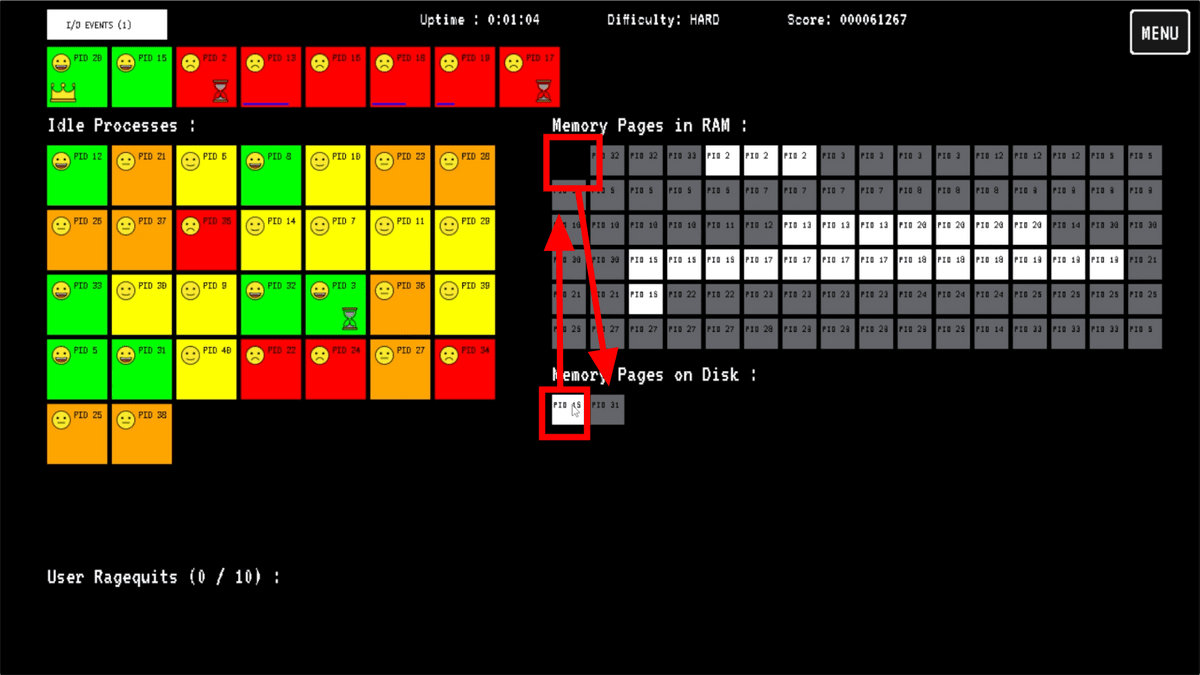
Simply click on a memory page located in RAM to move it to disk, then click on the desired memory page to move it back into RAM. Once all the necessary memory pages are in RAM, the process will start automatically.
When the screen turns to the final 'reddish-brown' color, a bar appears showing the remaining time until the time limit. When this bar disappears, users often get so angry that they force-quit the app.
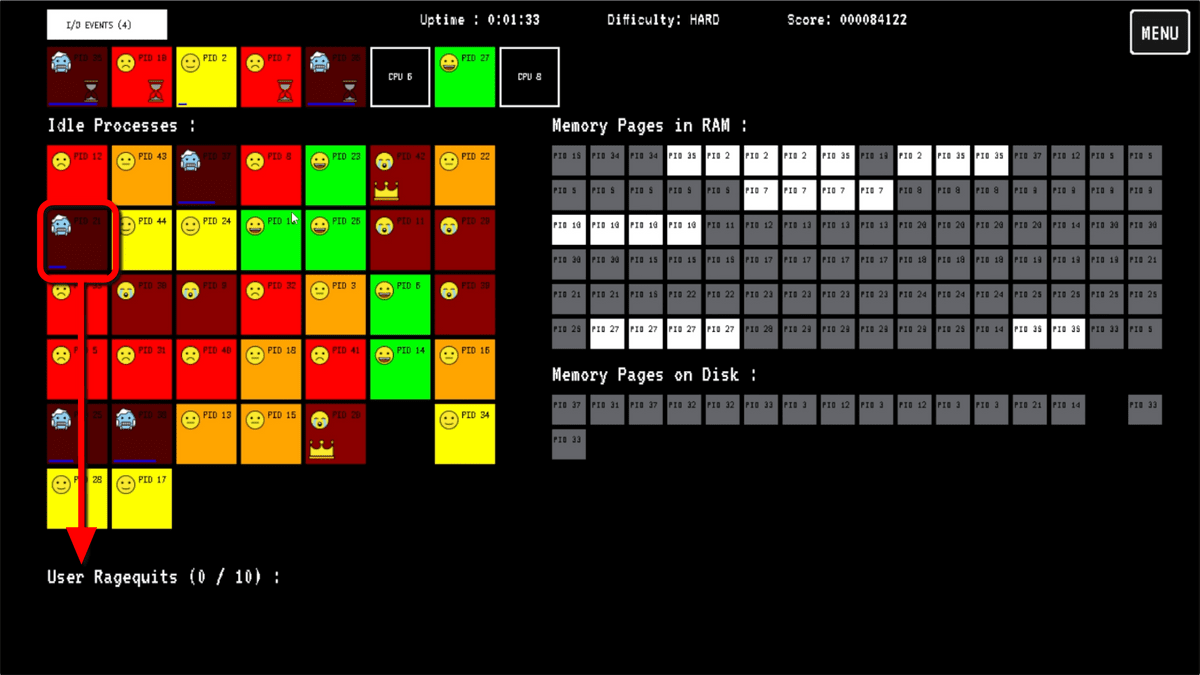
If a user ends up killing the tenth process, they will restart their PC.
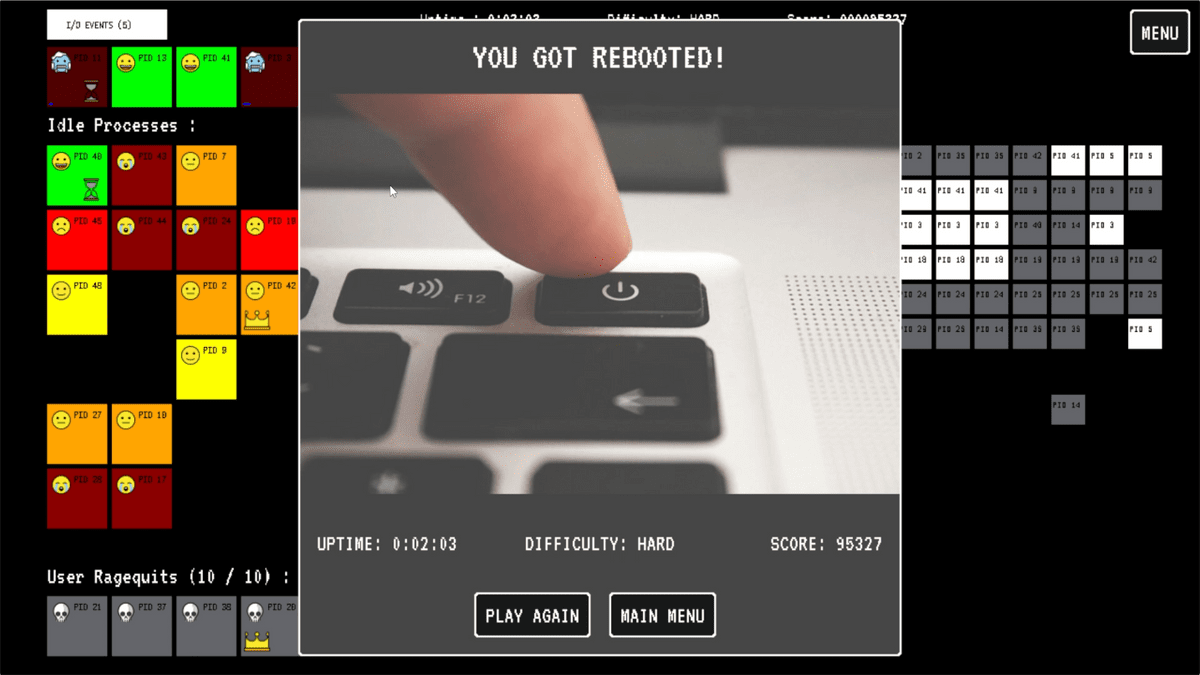
The game ends if the system restarts, so the goal is to see who can keep the CPU running the longest by efficiently processing processes. There are five difficulty levels, ranging from 'EASY' mode, which even a human could handle, to 'INSANE' mode, where a hang-up is inevitable within seconds.
Related Posts: