The enhanced integration between Claude Design and Claude Code allows for full utilization of AI from coding to design.
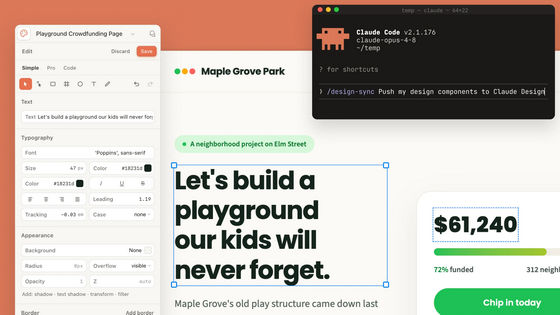
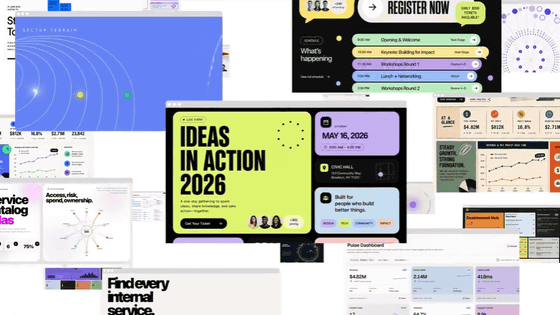
Anthropic announced enhancements to Claude Design on June 17, 2026. Claude Design now supports design system-aligned production, direct editing on the canvas, synchronization with Claude Code, and integration with external tools, allowing for a more integrated workflow from design to coding.
Claude Design now stays on brand for daily work | Claude
https://claude.com/blog/claude-design-stays-on-brand-for-daily-work
Claude Design is a design tool that leverages the visual recognition capabilities of Anthropic Claude to create visually appealing UIs and presentation materials.
'Claude Design' Launches, Allowing You to Design UIs and Presentation Materials with AI - GIGAZINE
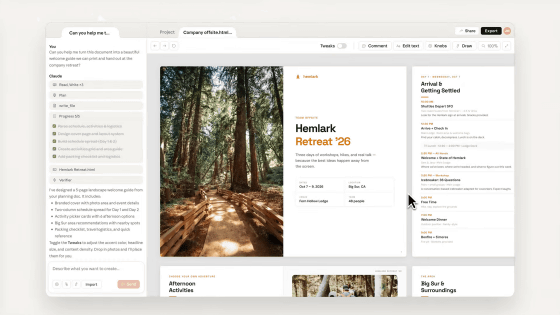
With this enhancement, Claude Design can now be accessed from the sidebar of the Claude desktop app, as well as from claude.ai/design . According to Anthropic, Claude Design was used by over 1 million people in its first week of release, and this update reflects feedback from actual users.
New in Claude Design: it stays on brand with your design system across projects, lets you edit directly on the canvas, syncs with Claude Code, and connects to more of the tools you already use. pic.twitter.com/MK8YvLP8zV
— Claude (@claudeai) June 17, 2026
This update also features a redesigned design system import function. Claude Design can now import one or more design systems from GitHub repositories, design files, or directly uploaded materials, and verify that output using existing components conforms to the design system before presenting it to users. Additionally, a new administrator role is available for enterprises and large teams. Administrators can approve standard design systems and restrict editing, making it more likely that deliverables will deviate from internal guidelines.
The integration between Claude Design and Claude Code has also been enhanced, making it easier to work between design and code. In Claude Design, you can import the design system using '/design-sync' and start production based on existing components. Furthermore, by handing over the completed design to Claude Code, you can create software that continues the work done up to that point, rather than simply recreating it from a screenshot.
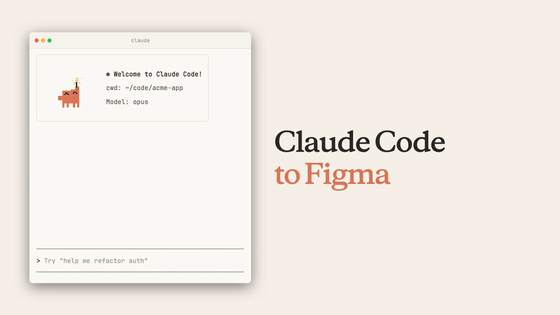
Claude Code and Claude Design now sync both ways.
— ClaudeDevs (@ClaudeDevs) June 17, 2026
Run /design-sync to pull your design system into your repo and build against your real components, or push what you've built back into Claude Design and keep editing on the canvas. https://t.co/TdgYx4uYhb
Even when starting work from Claude Code, you can create, edit, and sync design projects using '/design' without leaving the terminal. For example, you can incorporate designs into existing codebases, check code you're creating as a working prototype, or have Claude handle the entire process from design to implementation as needed. The key is that design and code are not treated as separate tasks, but can be moved back and forth within the same workflow.
The editing capabilities of Claude Design itself have also been enhanced. The new editor allows you to directly manipulate each element on the canvas, enabling fine-grained layout adjustments such as dragging, resizing, and alignment. In addition, hundreds of stability fixes have made it easier to use in daily work.
Furthermore, the handling of usage limits has also been revised. Claude Design now shares usage limits with Claude Cowork and Claude Code, allowing more users to create projects with greater flexibility. In addition, the amount of tokens required to achieve the same results has decreased on average, and errors have also been significantly reduced.
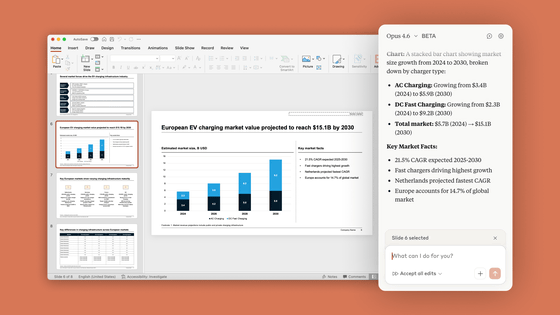
In addition, integration with external tools is expanding. Designs created with Claude Design can be exported as PDFs and PowerPoints, and can also be sent to third-party services such as Adobe, Canva, Lovable, Replit, Vercel, and Wix for further editing and app development. For example, with integration with Lovable, a development service that uses AI to create apps and web services, designs and code created through communication in Claude can be sent to Lovable and directly used for app development.
Build in Lovable, from Claude.
— Lovable (@Lovable) June 17, 2026
New native integrations with our MCP server = chat to @claudeai , export from Claude Design, and ship with Claude Code, directly to Lovable.
To get started, go to Claude → Click on the + sign → Connectors → Browse Connectors → Lovable. pic.twitter.com/tjHZl84K5l
Furthermore, integration with Replit, a development environment that allows you to develop, run, and publish apps and web services in a browser, means you can send designs created in Claude Design to Replit and have them assembled directly into a working app. In other words, the process of creating screens and appearances in Claude Design and then finishing them into a working app in Replit can be connected via AI.
Design in Claude. Build in Replit
— Replit ⠕ (@Replit) June 17, 2026
You can now send your design from Claude Design to Replit to turn it into a working app pic.twitter.com/5W9tuUHDk4
Anthropic has stated that it plans to continue adding services that can integrate with Claude Design. Claude Design is currently available in beta and can be used with Claude Pro, Max, Team, and Enterprise plans.
Related Posts:

in AI, Video, Web Service, Posted by log1i_yk