Microsoft has released 'Coreutils for Windows,' which enables the use of UNIX-like commands such as grep on Windows.
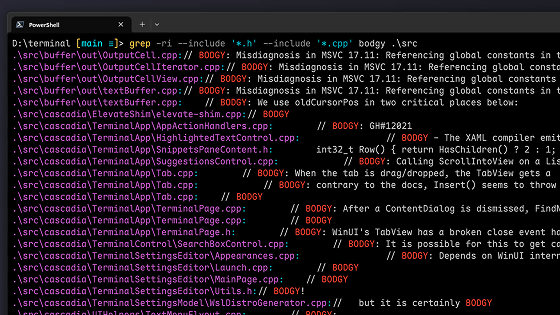
Microsoft has released Coreutils for Windows , a set of UNIX-style command-line utilities. Installing Coreutils for Windows allows you to use commands such as grep in Command Prompt (CMD) and PowerShell.
Coreutils for Windows overview | Microsoft Learn
GitHub - microsoft/coreutils: Coreutils for Windows: Installer & Packaging · GitHub
https://github.com/microsoft/coreutils
Coreutils for Windows is a single package for Windows that combines ' uutils/coreutils ', ' uutils/grep ', and ' uutils/findutils ', which are Rust reimplementations of ' GNU core utilities (Coreutils) '.
To install Coreutils for Windows, simply run the following command in Command Prompt or PowerShell. You can also download the EXE file from the release page on GitHub . PowerShell version 7.4 or later is the only supported version.
[code]winget install Microsoft.Coreutils[/code]
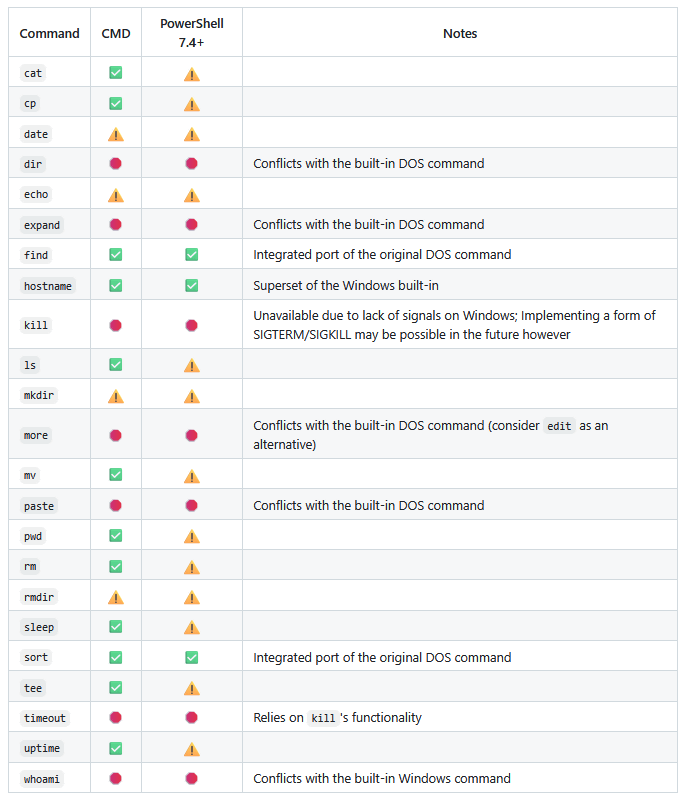
Some of the commands included in Coreutils for Windows overlap with existing commands in Command Prompt and PowerShell. For example, 'cat' (to display the contents of a file) and 'cp' (to copy a file) conflict with existing PowerShell commands. Also, commands that conflict with DOS commands, such as 'dir' and 'more,' are not included in Coreutils for Windows.
Please note that Coreutils for Windows is currently available as a preview version at the time of writing this article.
Related Posts:


in Software, Posted by log1o_hf