Is 16GB of RAM enough for a PC? We'll examine how RAM capacity affects performance.
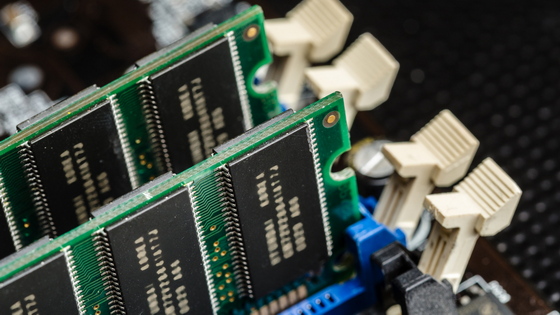
When the memory usage of the OS and applications exceeds the PC's RAM capacity, the overall performance of the PC significantly decreases. Tests conducted by Puget Systems, a developer of benchmark software, showed that with 16GB of RAM, overall performance degraded during content creation for content creation applications, and the difference between 32GB and 64GB varied greatly depending on the type of work.
When Does RAM Capacity Impact Performance? | Puget Systems
Puget Systems states that 'the important thing is whether you have enough RAM for the amount of data your app is using, and if you have plenty of RAM available, increasing it further won't make much of a noticeable difference.'
On the other hand, if RAM is insufficient, the CPU and GPU will not be able to perform at their full potential, and processing delays or insufficient cache will become bottlenecks. This effect is particularly noticeable in tasks that handle large amounts of image data or video frames, such as photo editing, video editing, motion graphics, and VFX.
In this test, Puget Systems compared and verified the performance of 64GB, 32GB, and 16GB of memory in a system equipped with an AMD Ryzen 9 9950X3D2 Dual Edition , ASUS ProArt X670-E-Creator , GeForce RTX 5080 , and two 32GB DDR5-5600 RAM modules. The practical processing performance of each application was measured using PugetBench for Creators (version 2.0.0) with Adobe Lightroom Classic (version 15.3), Photoshop (version 27.6), After Effects (version 26.2.1), Premiere (version 26.2.2), and DaVinci Resolve (version 20.3.2).
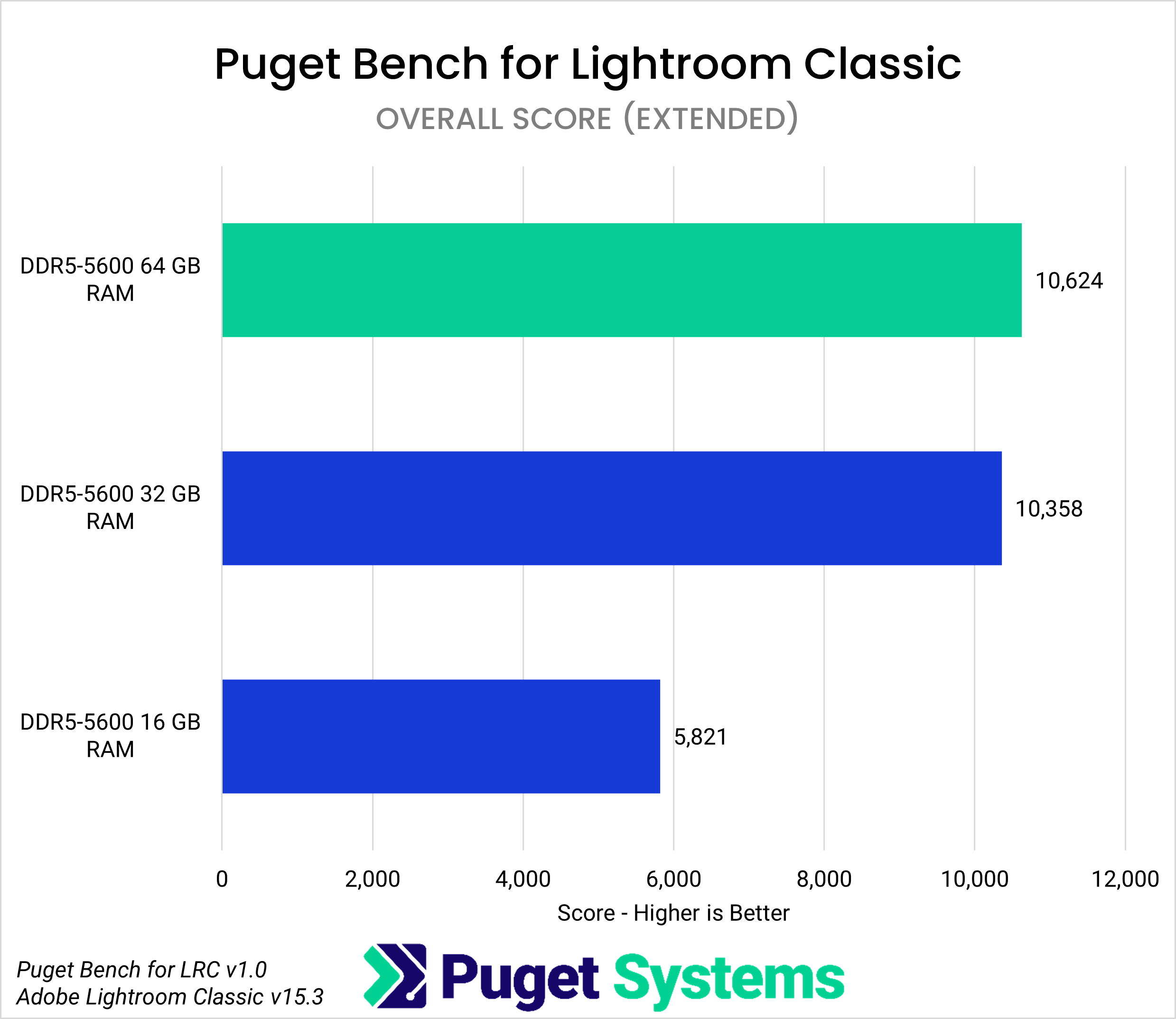
In Lightroom Classic, RAM is used as a cache to hold data generated during photo editing. While the overall score drop with 32GB was only 2.5% compared to 64GB, the impact was much more pronounced with 16GB, resulting in a 45% decrease in the overall score compared to 64GB.
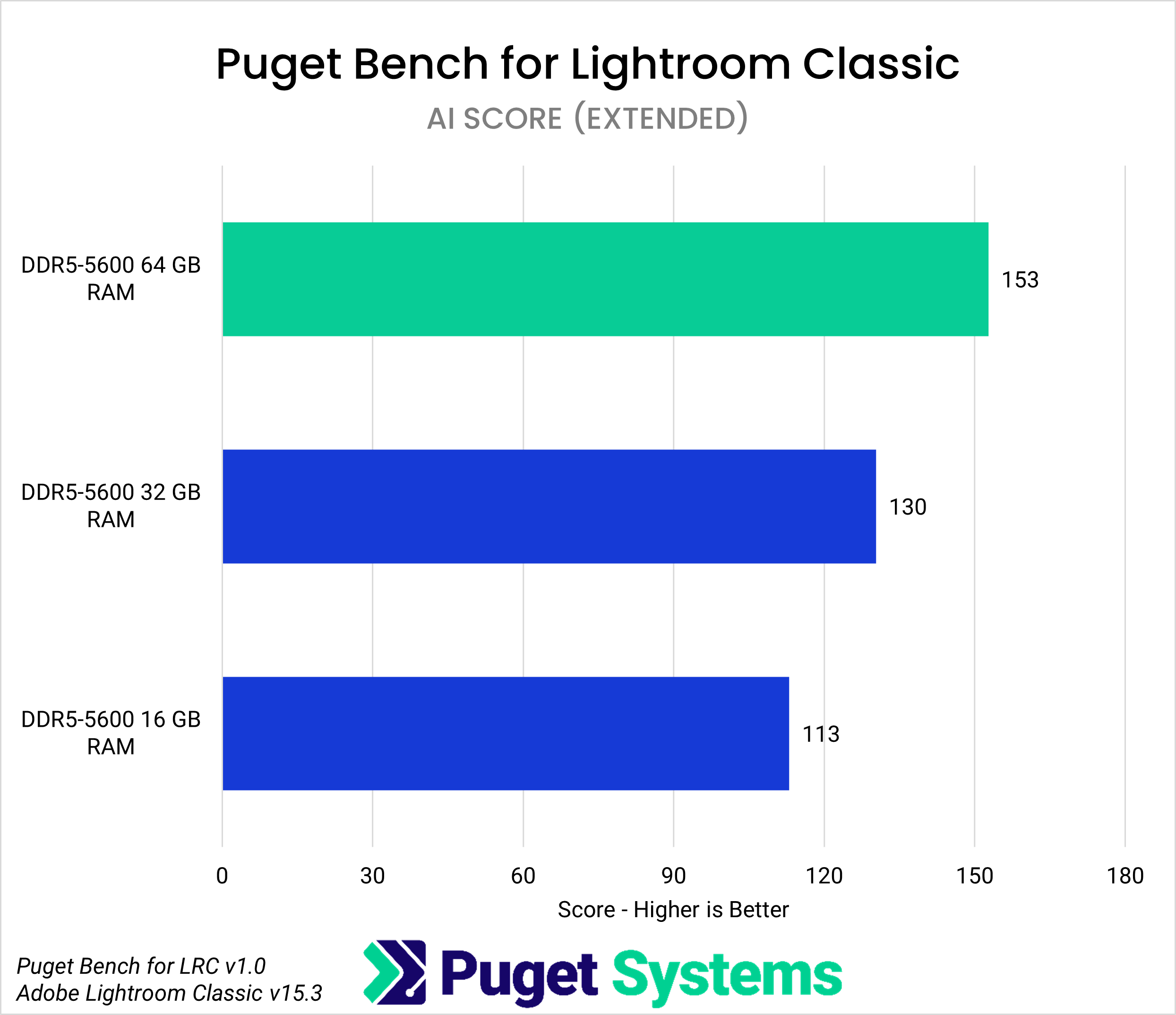
For AI-related processing, there wasn't a significant difference in performance between 64GB and 32GB, but with 16GB, it dropped to almost half.
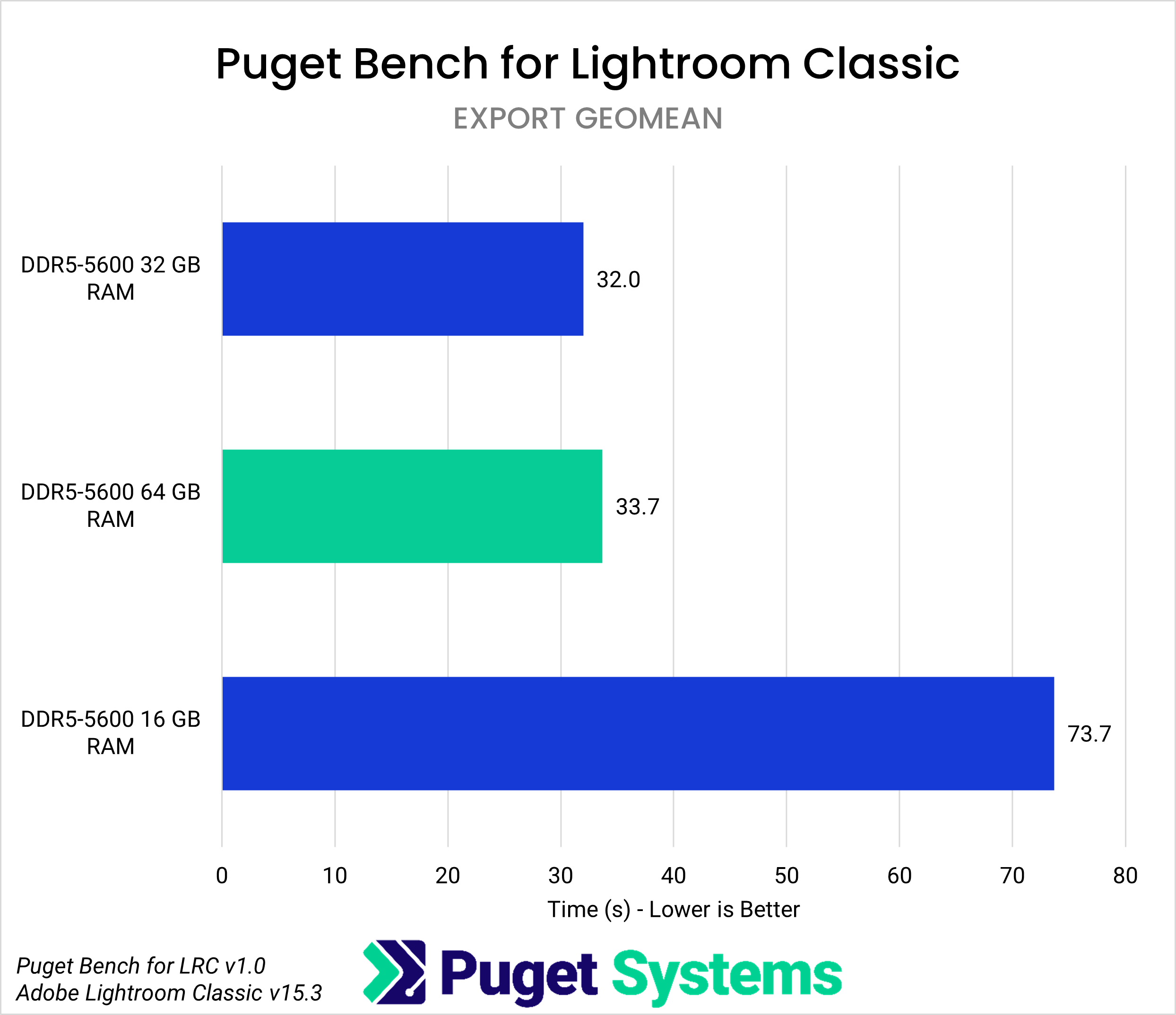
Furthermore, the 16GB environment showed an 8.5% performance decrease in imports and a 118% performance decrease in exports compared to the 64GB environment, indicating that 16GB can be a clear limitation when handling large numbers of photos.
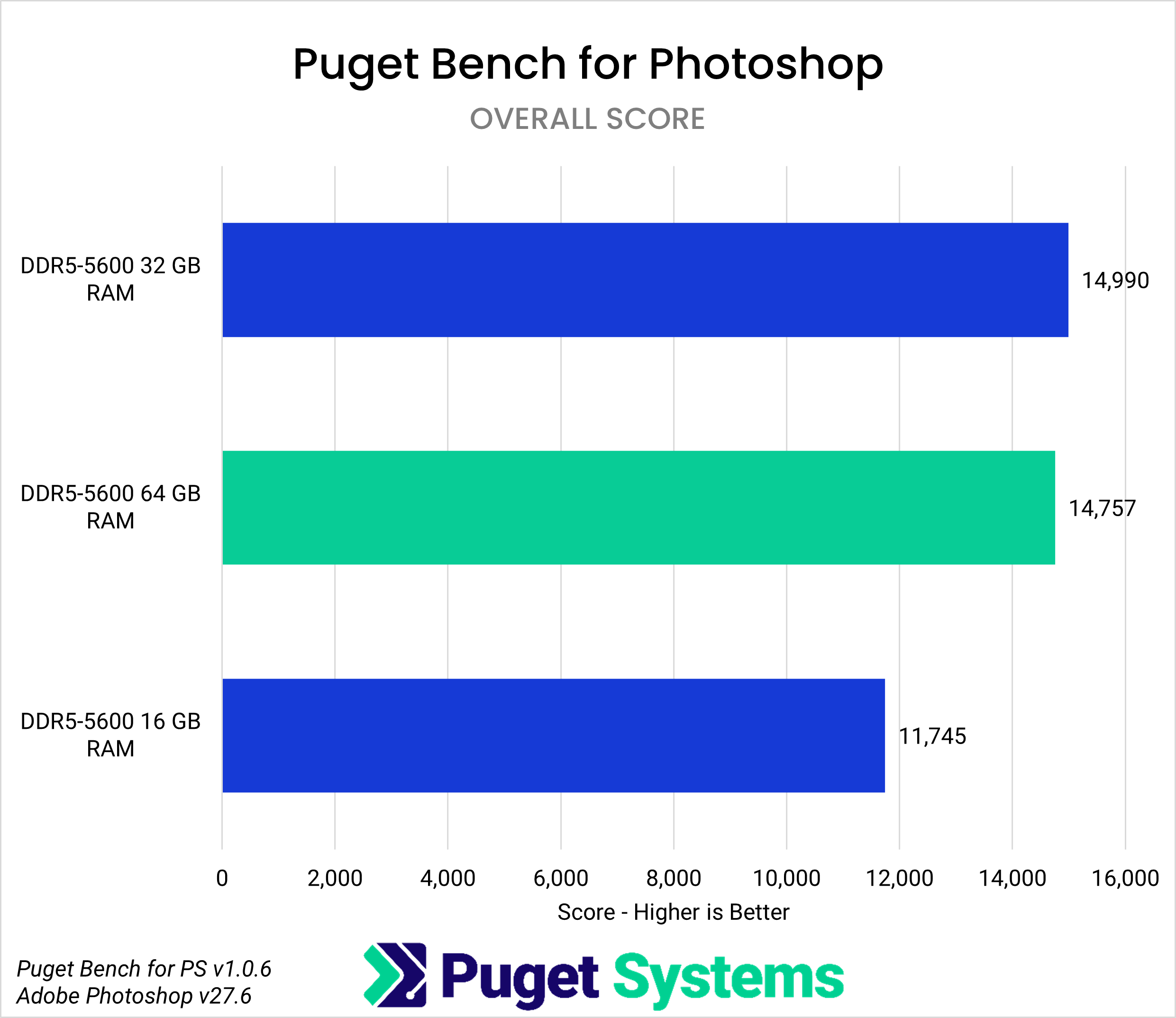
Photoshop stores editing data generated by adjustments, layers, and effects in RAM. While there was almost no difference in overall scores between 32GB and 64GB, 16GB performed 20% lower than 64GB.
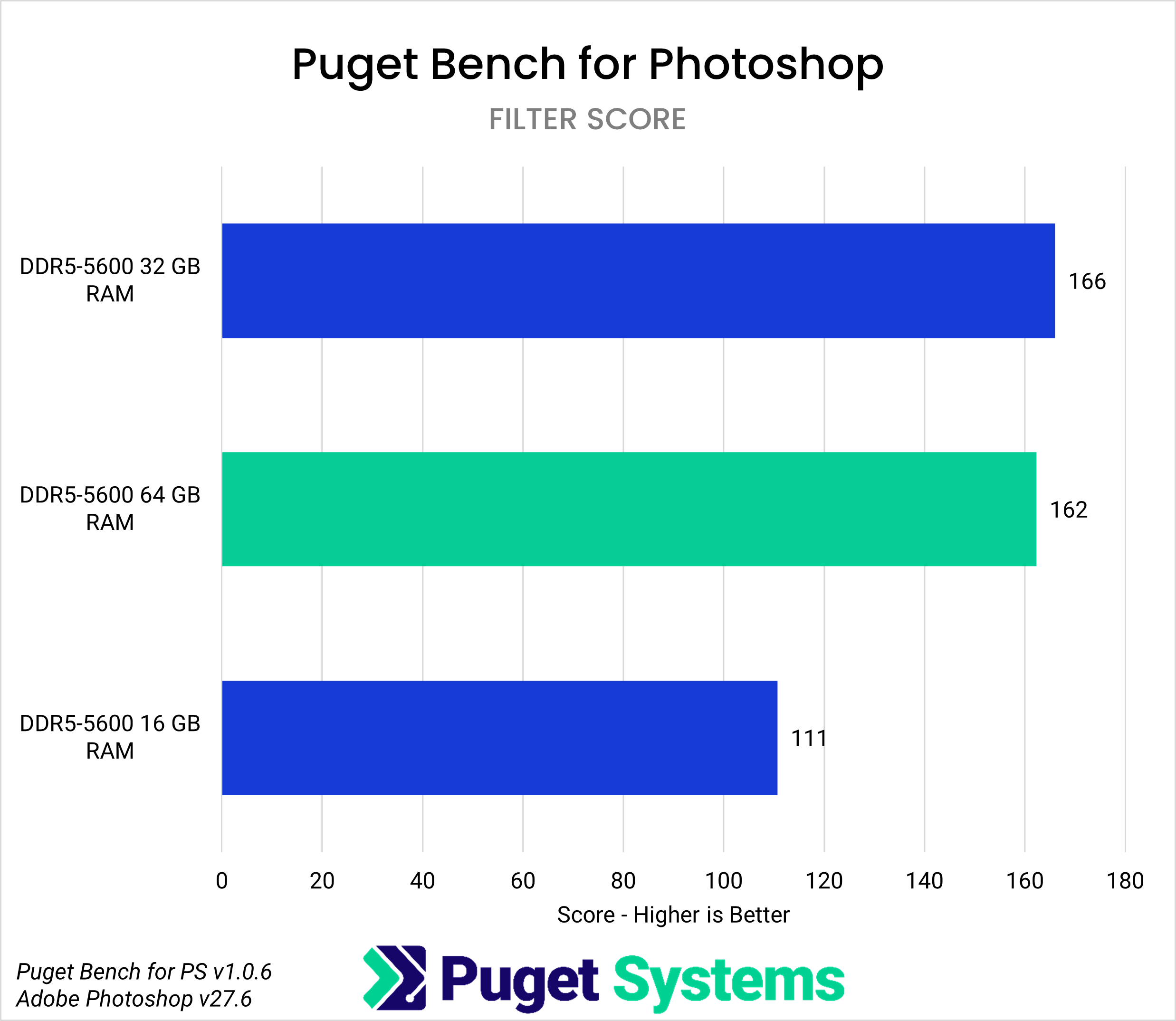
The biggest difference in Photoshop was in filter processing, where 16GB scored 31% lower than 64GB. For light photo editing and simple compositing, 32GB or more is sufficient, but for complex compositing of high-resolution images or tasks using other applications simultaneously, 64GB or more is recommended.
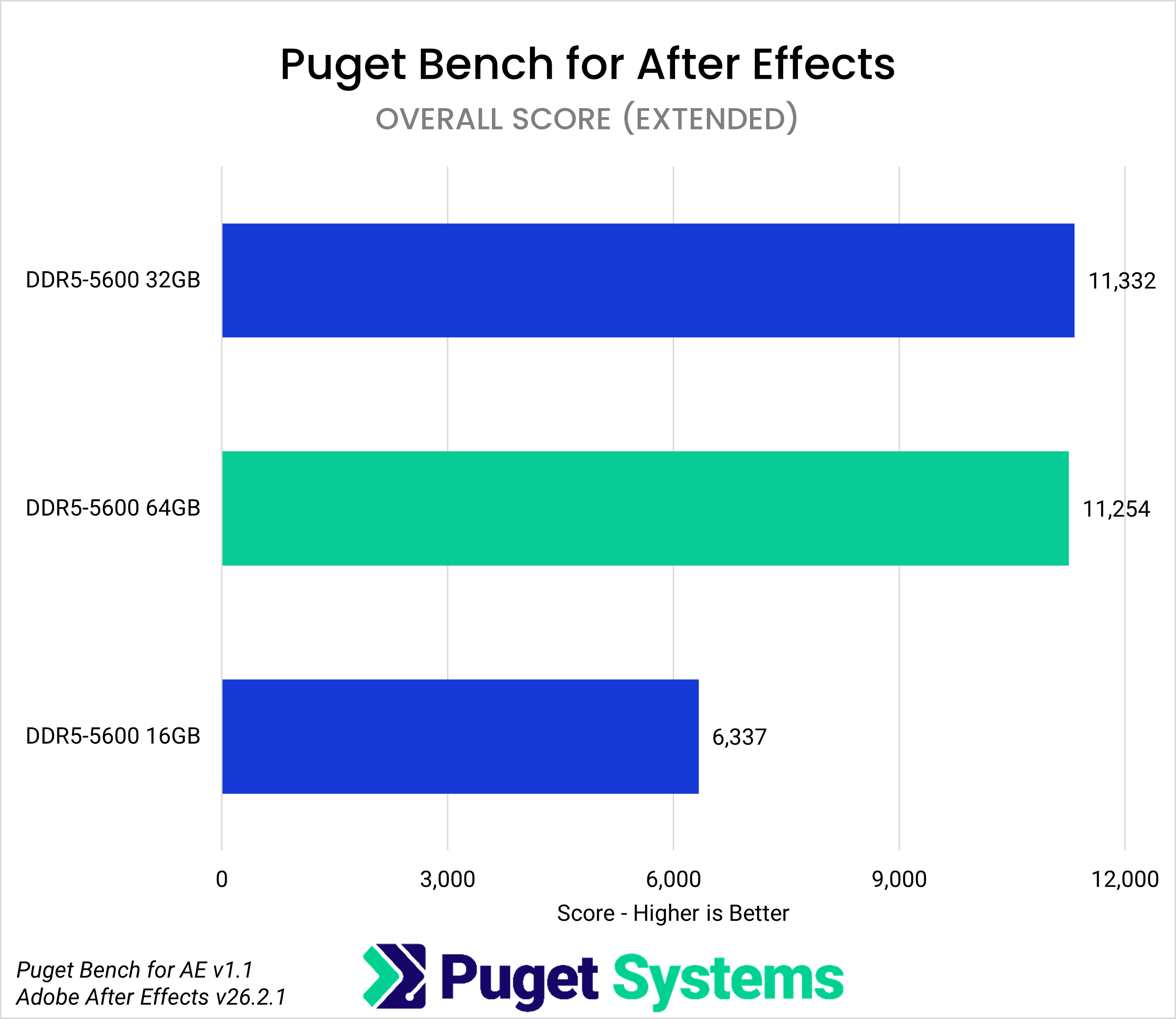
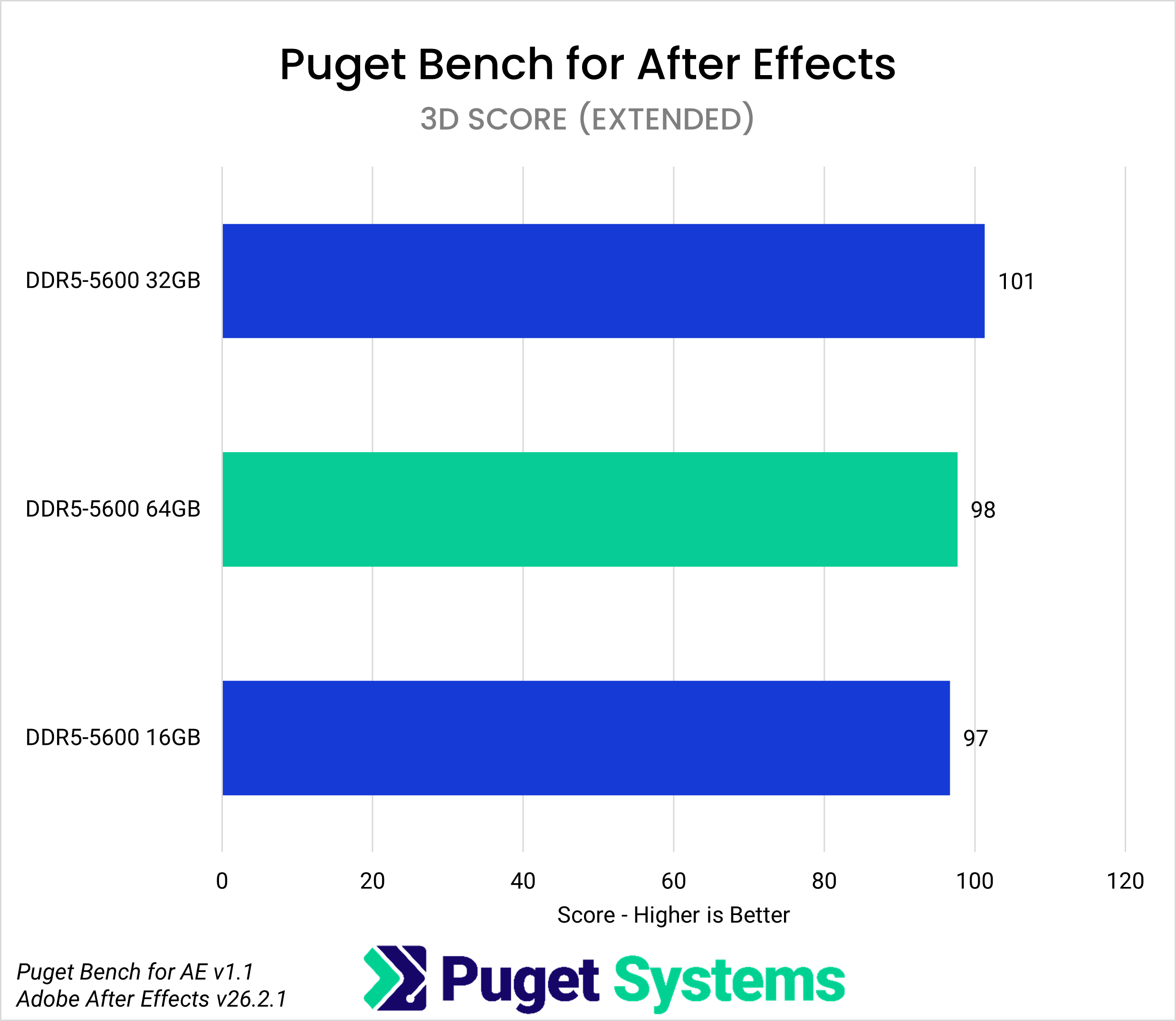
In After Effects, RAM is primarily used to hold rendered frames for preview playback. While there was no difference in overall scores between 32GB and 64GB, 16GB resulted in a 43% lower performance compared to 64GB.
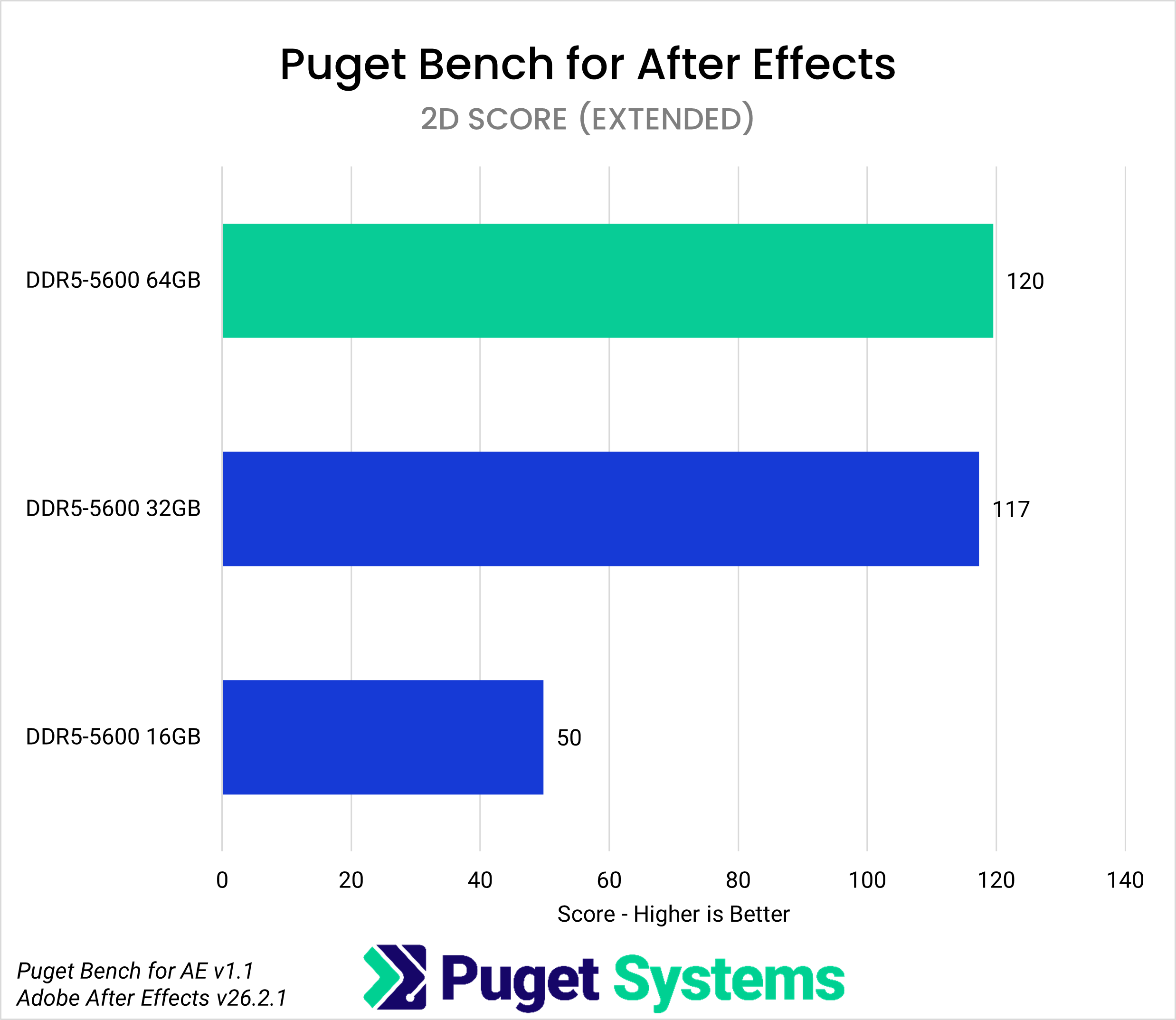
The impact of insufficient RAM was particularly significant in 2D composition and tracking-related processing; in 2D composition, 16GB only achieved about 58% of the performance of 32GB.
Furthermore, in terms of tracking-related processing performance scores, the 16GB model performed at approximately 56% of the 32GB and 64GB models.
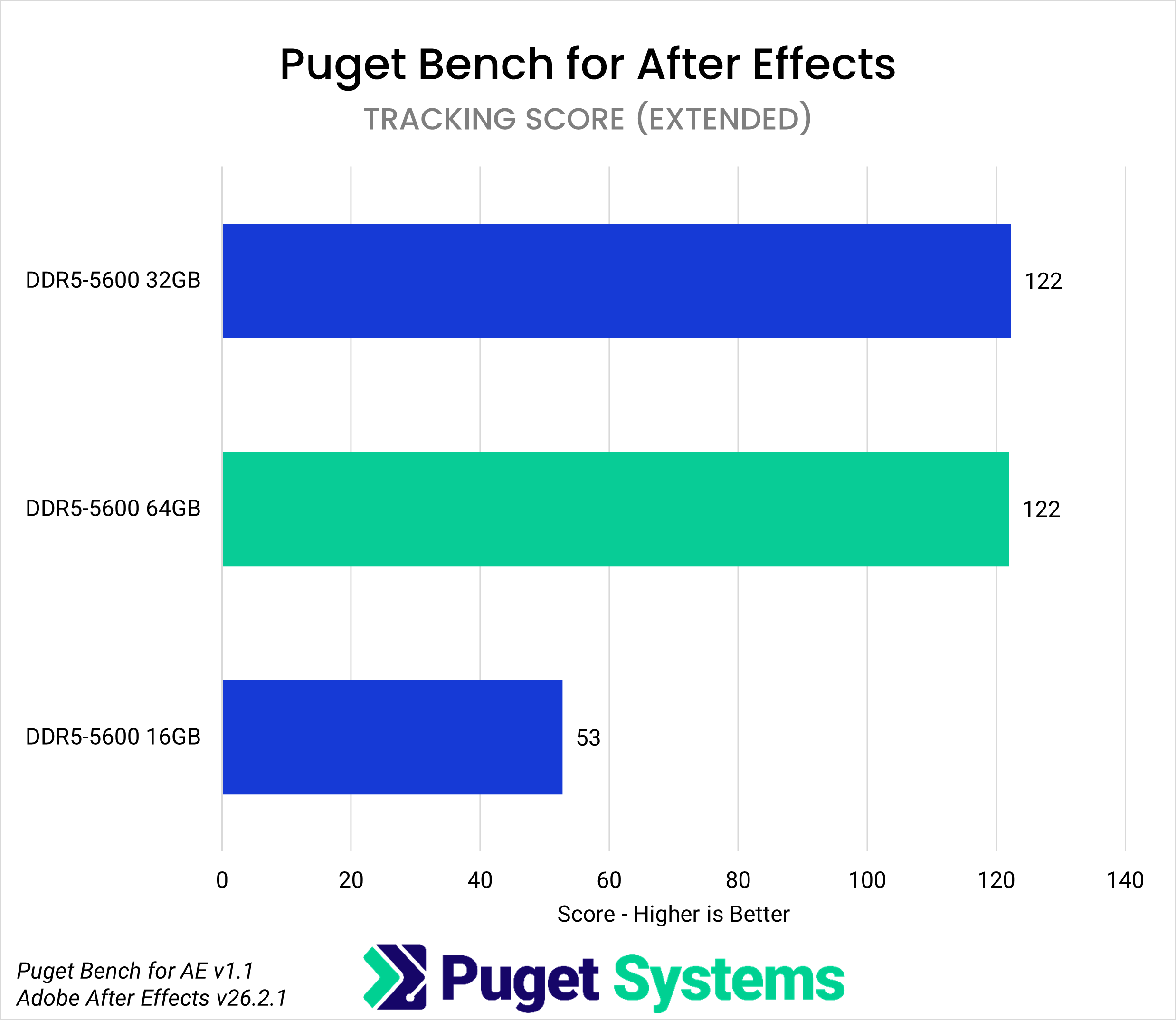
On the other hand, 3D scores are not significantly affected by memory capacity, with 16GB's performance score being almost on par with 32GB and 64GB. Not all processes in After Effects are equally RAM-dependent.
In Premiere Pro, RAM holds decoded video frames and audio buffers, supporting editing and playback. Puget Systems' testing showed that the overall score difference between 16GB and 32GB/64GB was only 7%, suggesting that RAM capacity has a smaller impact than in other applications.
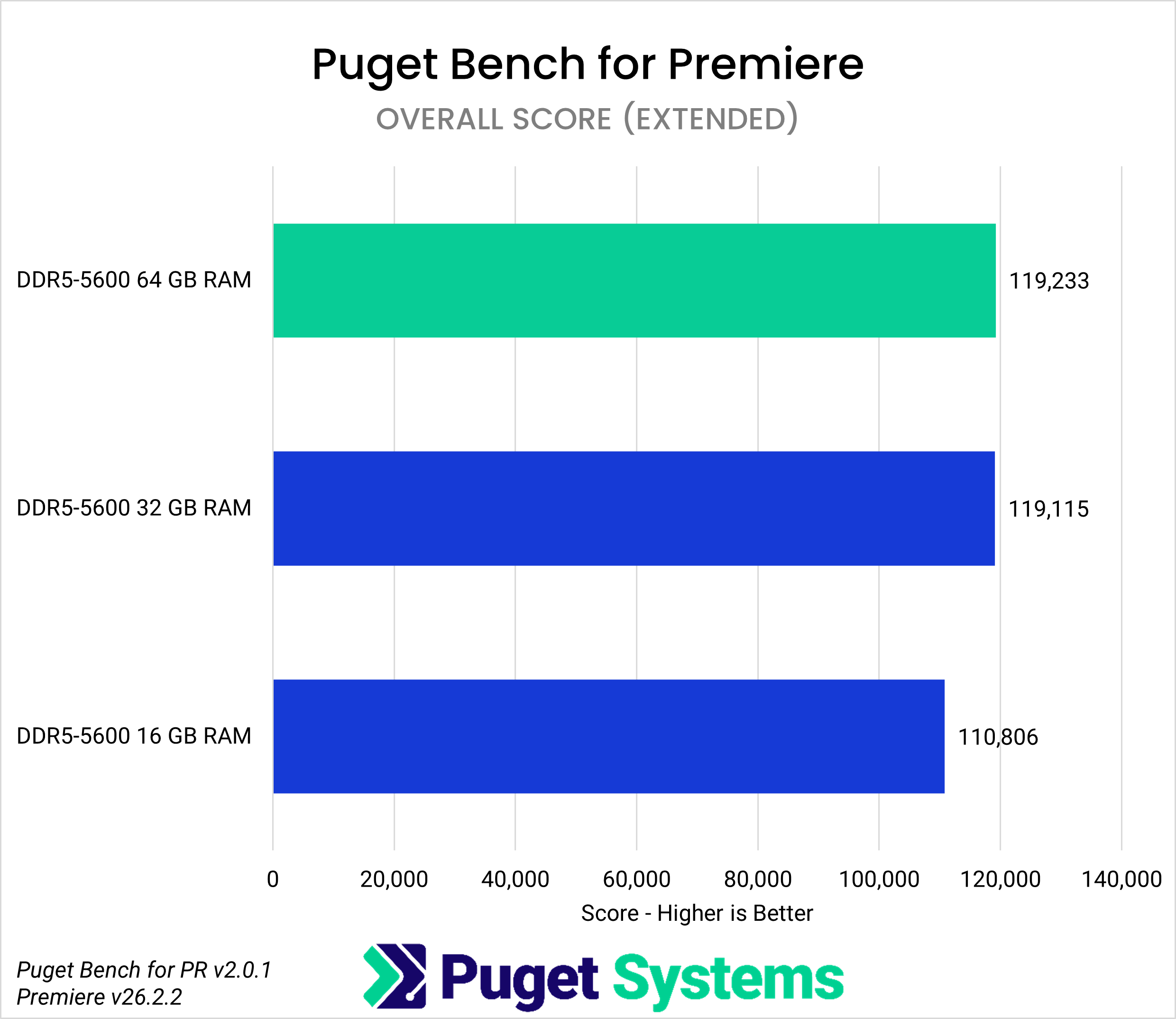
However, the overall score results do not fully reflect the complexity of actual video editing projects. When editing videos in LongGOP format, the 16GB performance was approximately 12% lower than that of the 32GB and 64GB versions.
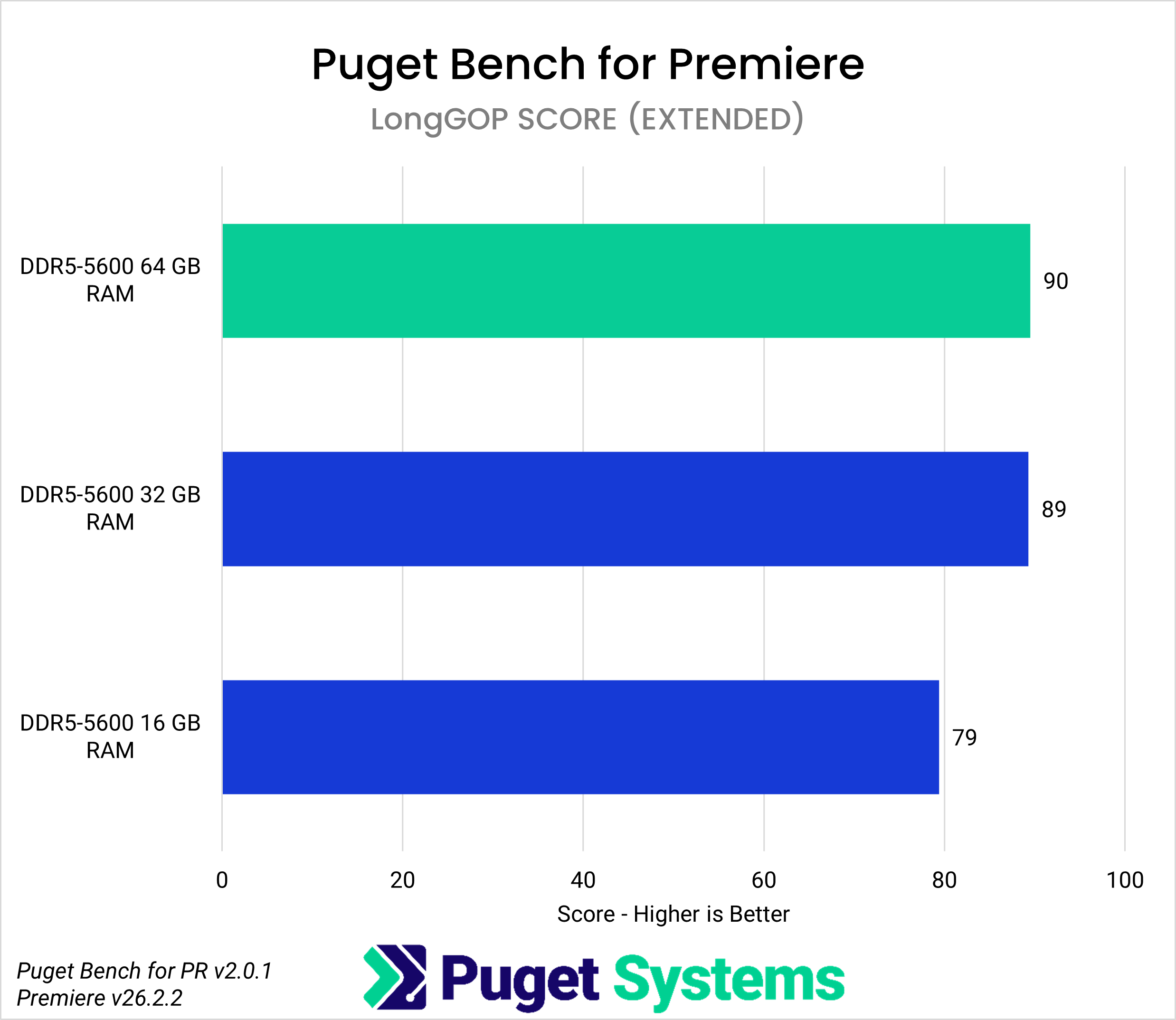
Furthermore, performance in RAW video is down 14%, and depending on the format, resolution, length, and number of layers of the source material, insufficient memory may worsen the editing experience.
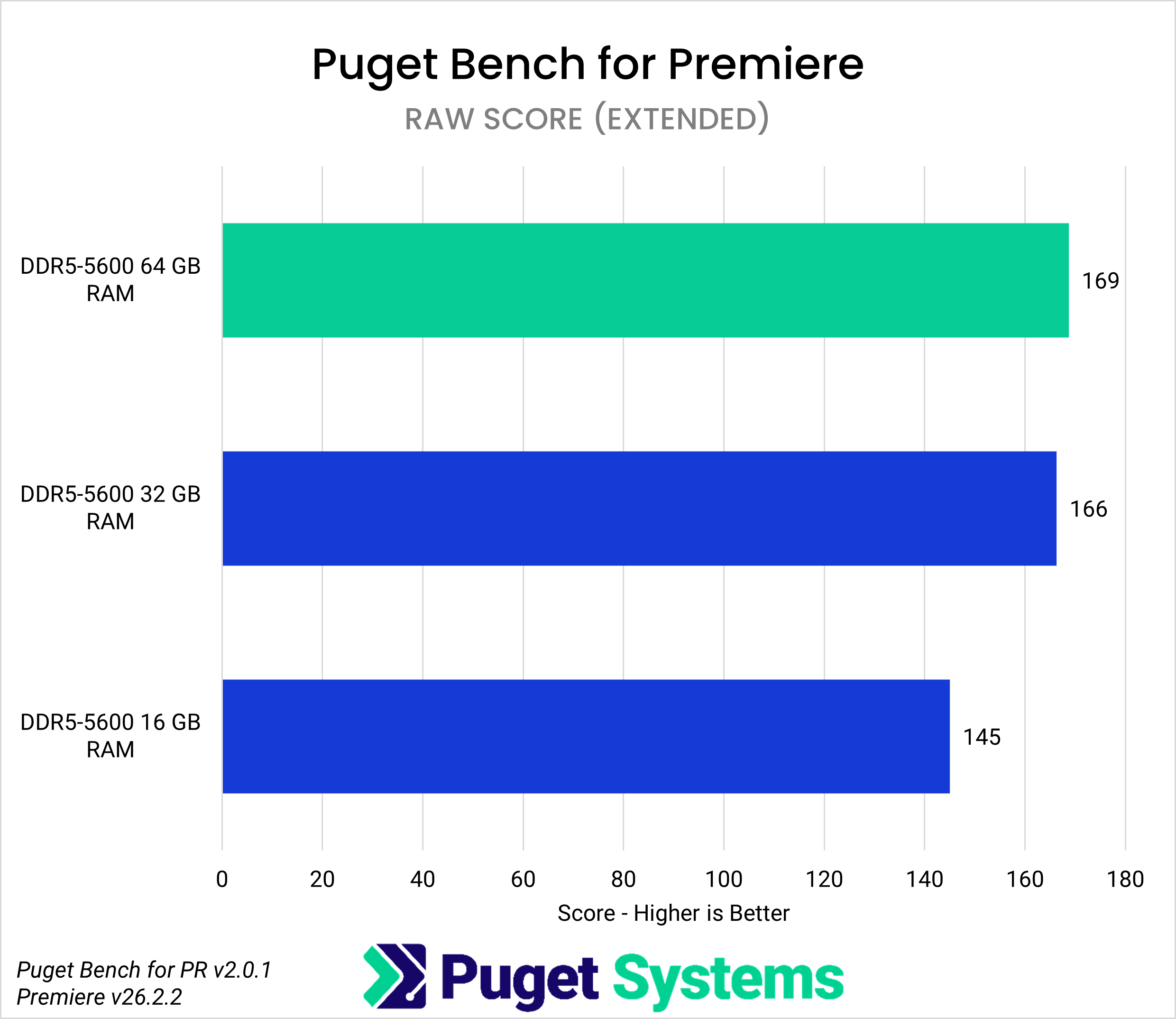
Based on Premiere benchmark results, Puget Systems argues that 'for hobby use, such as editing lighter footage like H.264 8-bit 4:2:0 shot with GoPro, DJI Osmo Action, or Mavic drones, 32GB of RAM should be sufficient.' On the other hand, 64GB is still more suitable for more professional video editing, and even more may be needed for editing RAW or longer videos.
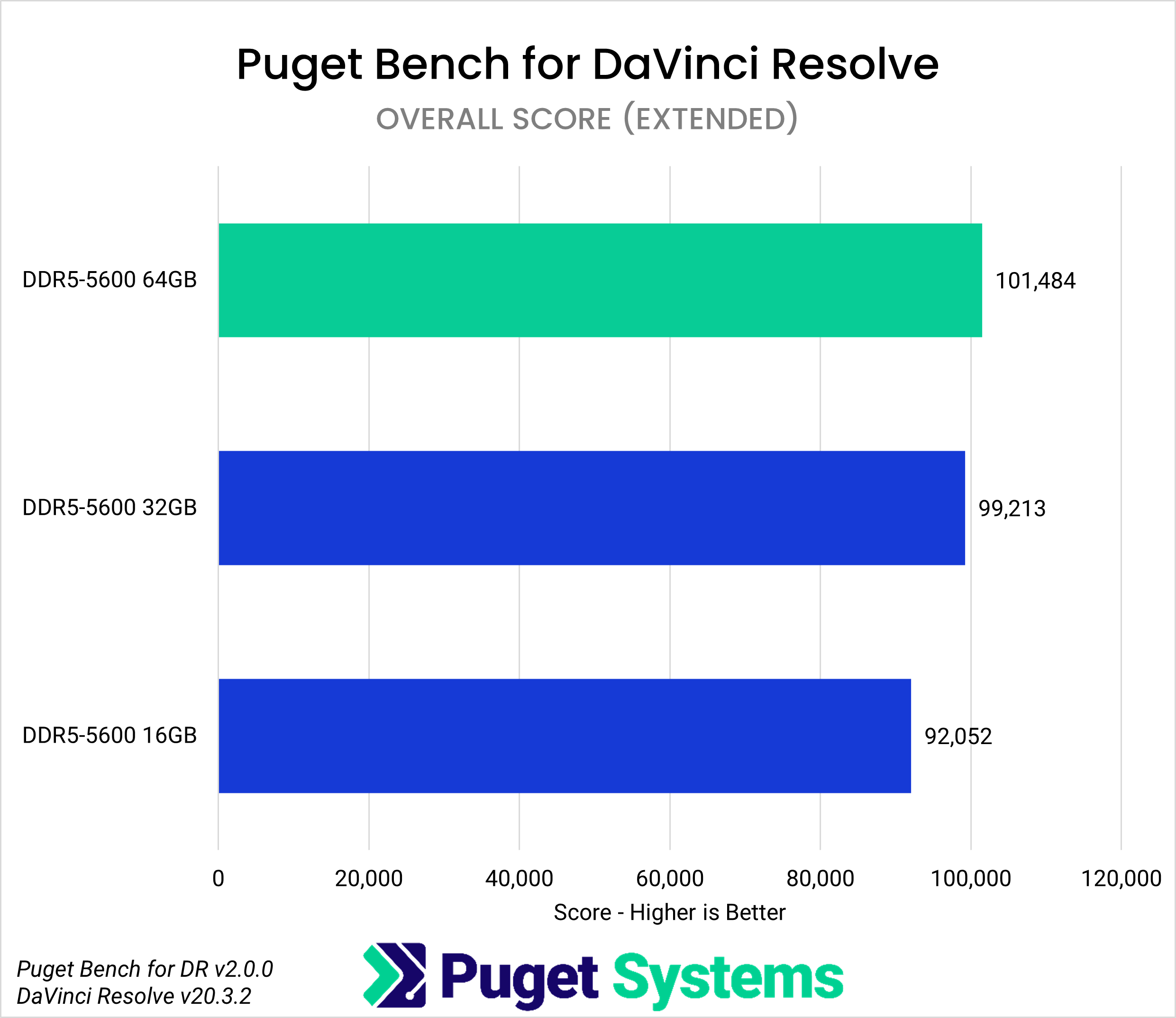
Similarly, in the video editing software DaVinci Resolve, RAM usage differs depending on the work page, such as editing, compositing with Fusion, audio processing with Fairlight, GPU effects, and AI tools. 32GB resulted in an overall score 2.5% lower than 64GB, a RAW score 3% lower, and a Fusion score 5% lower, but these are all considered within the normal range of variation. On the other hand, 16GB resulted in an overall score 9% lower than 64GB.
In particular, tests with Fusion showed that the performance score for 16GB was only 31% of that of 64GB. Because Fusion uses a node-based system to pass processing results one after another, the amount of data held in memory tends to increase, making it more susceptible to the effects of insufficient memory.
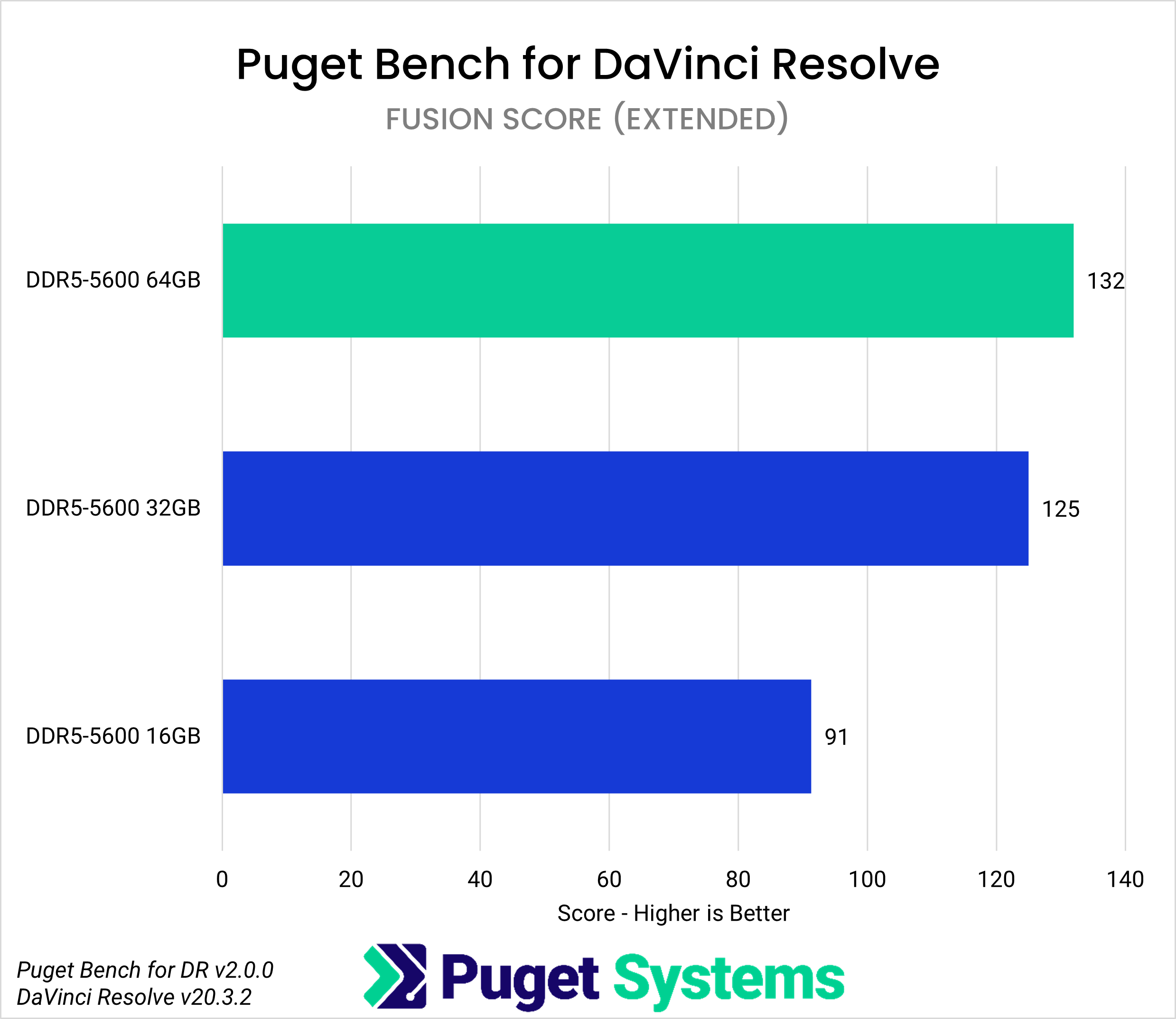
Puget Systems argues that based on these results, '16GB is becoming insufficient for current content creation PCs.' Even with a high-end CPU and GPU, insufficient memory will slow down the overall processing and prevent you from fully utilizing the hardware's capabilities.
On the other hand, the difference between 32GB and 64GB isn't always significant. For light photo editing, simple image processing, and editing lightweight video footage, 32GB may be sufficient, making it a cost-effective option for students and hobbyists. However, Puget Systems states that '64GB is the realistic sweet spot for professional production environments and complex projects.' This is because, as you work with high-resolution footage, AI processing, complex compositing, long-form video editing, and multiple applications running simultaneously, memory capacity becomes more than just a margin; it's a factor that affects both work speed and stability.
Puget Systems stated that 'PC memory capacity affects performance when application processing data and cache cannot fit into the installed memory,' and argued that 64GB should be the standard for long-term stable use of a PC for creative work, and that more should be considered depending on the type of work.
Related Posts:

in Hardware, Posted by log1i_yk