A review of 'NDLOCR-Lite Web AI,' which allows OCR processing and AI proofreading using only a web browser, and a web app that makes the National Diet Library's NDLOCR-Lite easily accessible.
NDLOCR-Lite Web AI is a web application that can transcribe text data simply by inputting images of documents or historical manuscripts. NDLOCR-Lite Web AI is a derivative application of
NDLOCR-Lite Web AI
https://cozy-starburst-e4f699.netlify.app/
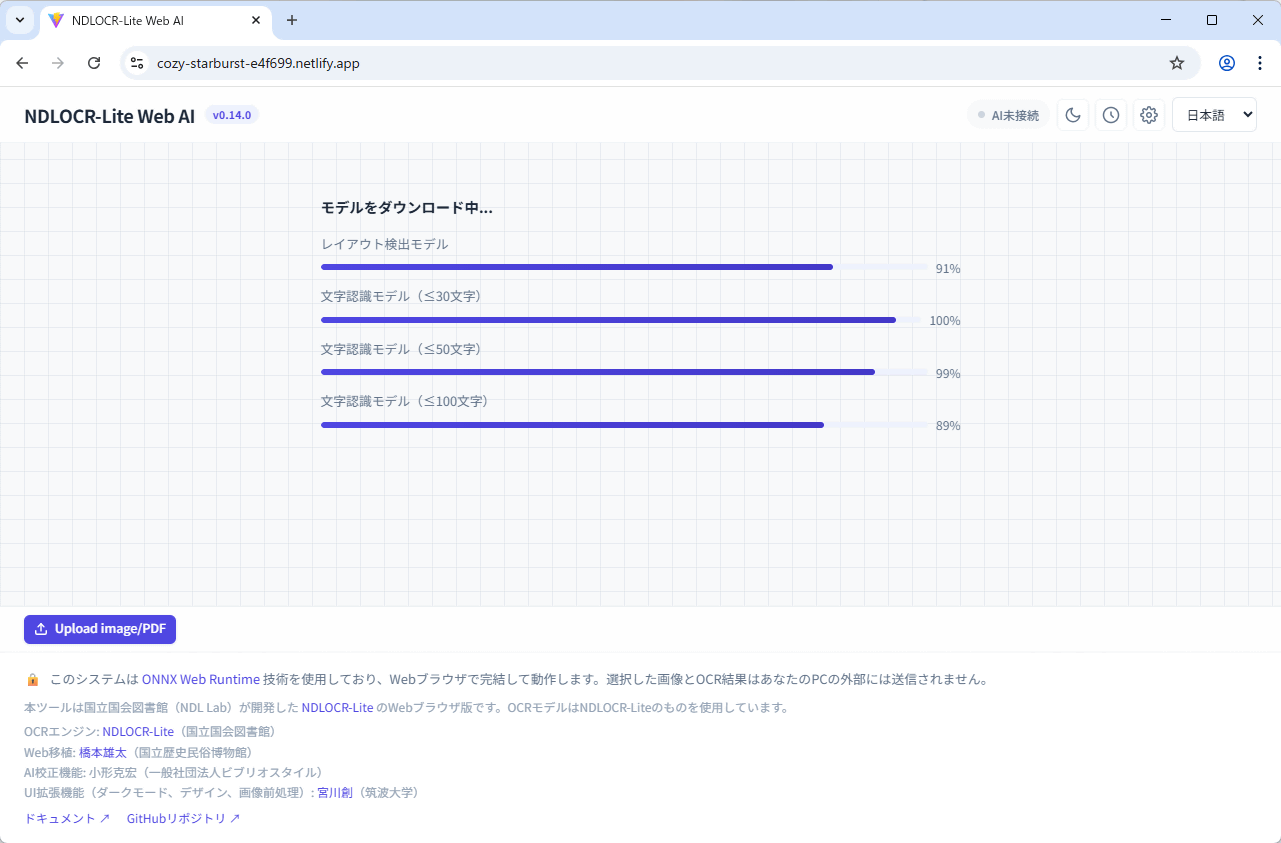
Clicking the link above will take you to NDLOCR-Lite Web AI, where the necessary OCR model will begin downloading.
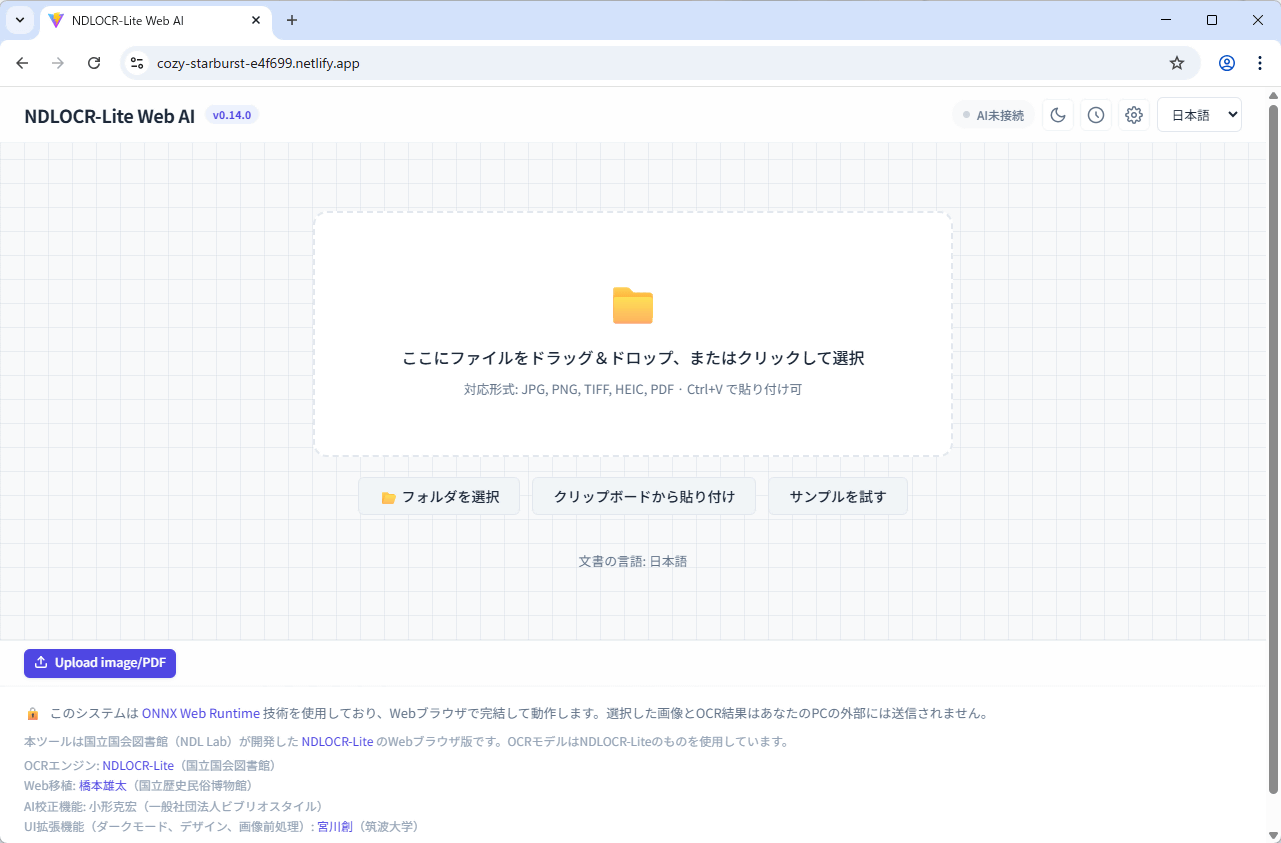
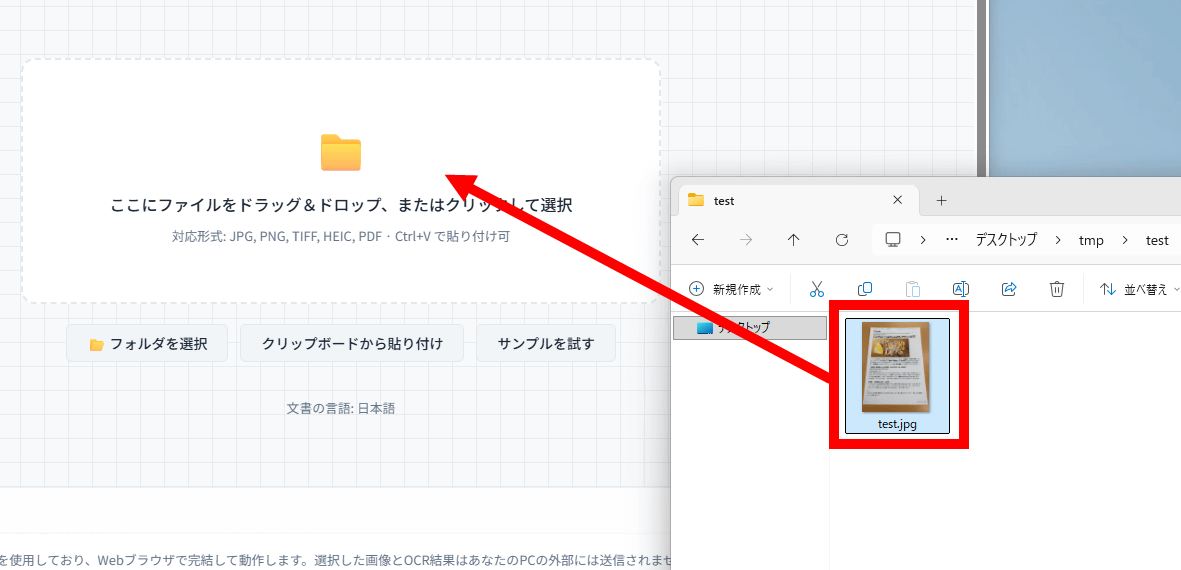
Once the download is complete, a screen will appear waiting for image data input. Accepted image formats are JPEG, PNG, TIFF, and HEIC; PDF files can also be used.
This time, we'll input 'a photo taken with an iPhone 16 of a
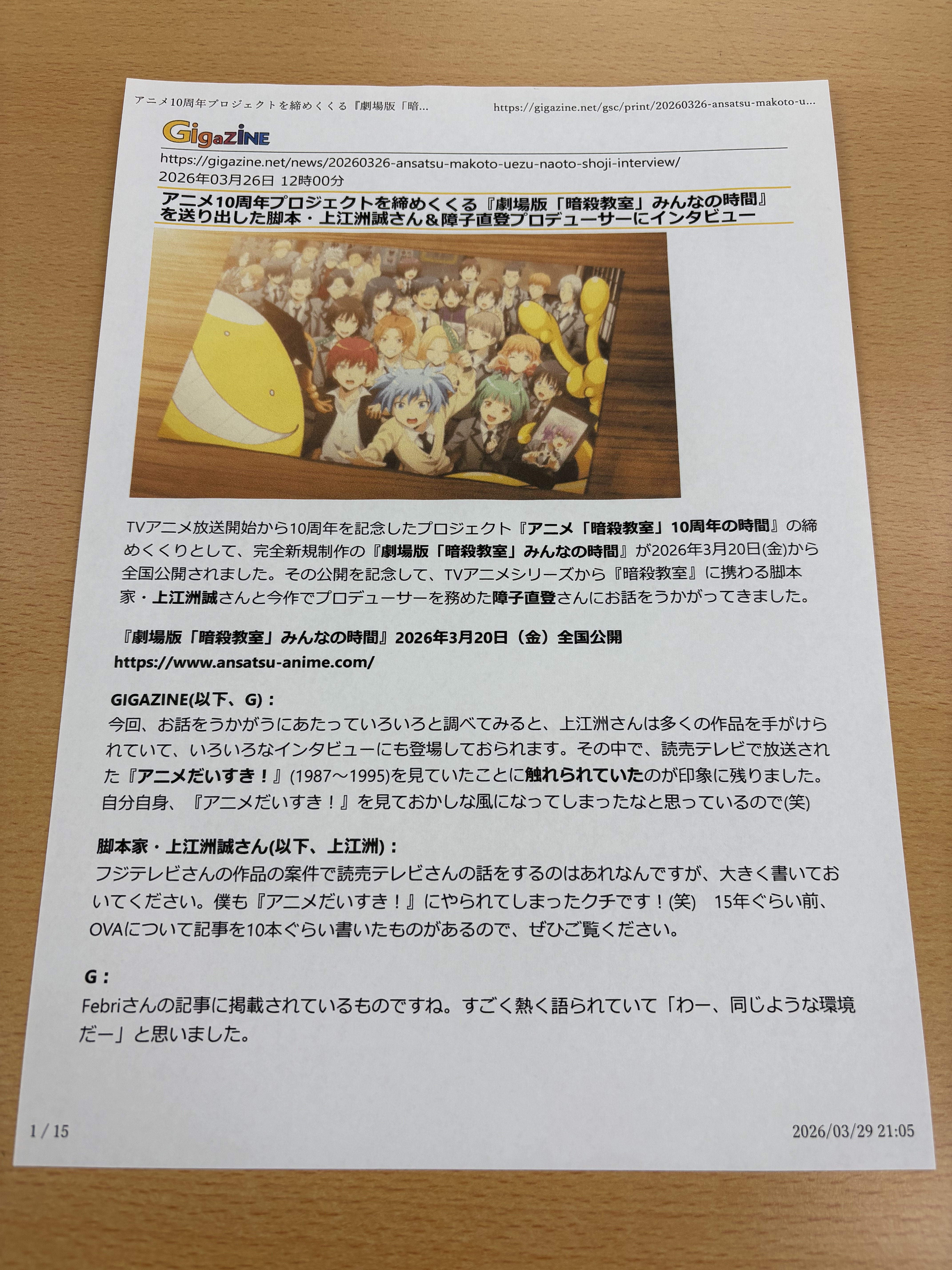
Drag and drop the image data.
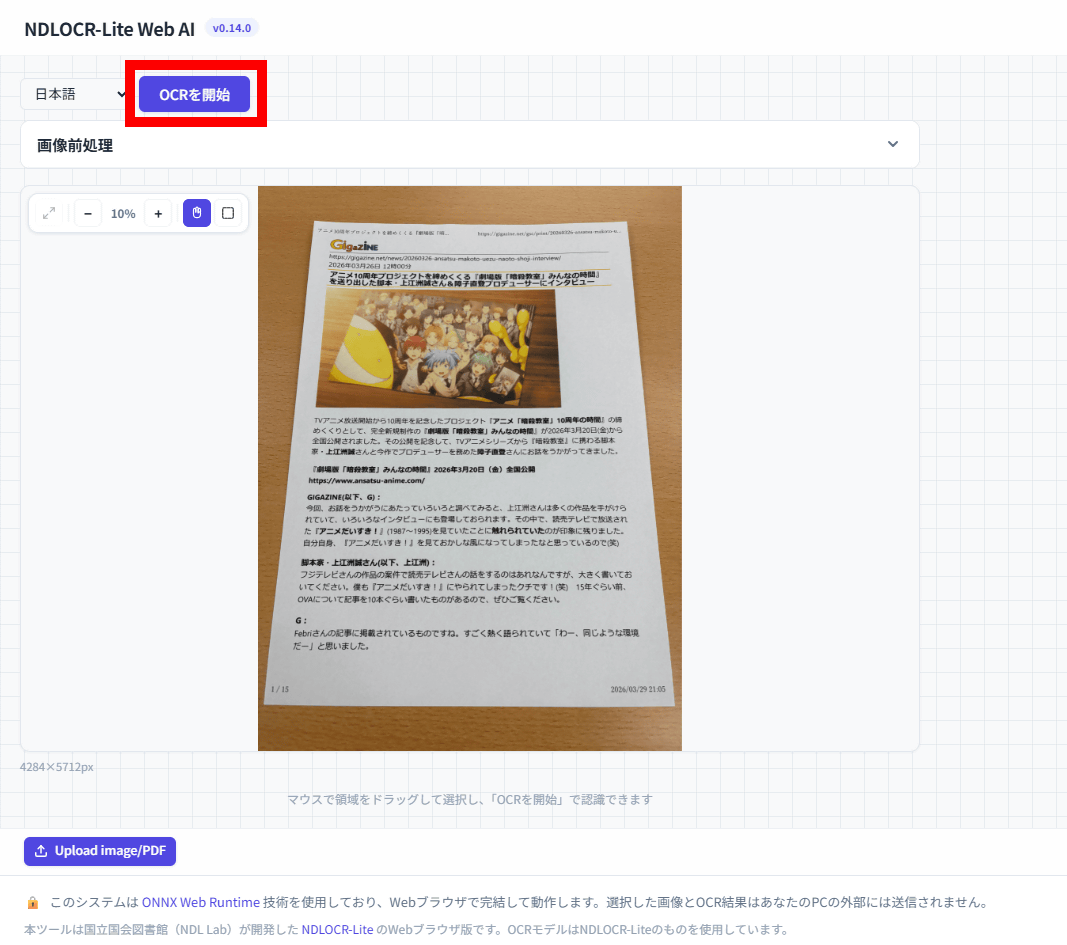
Once the image data has been loaded, click 'Start OCR'.
After a short wait, the OCR results will be displayed on the right side of the screen.
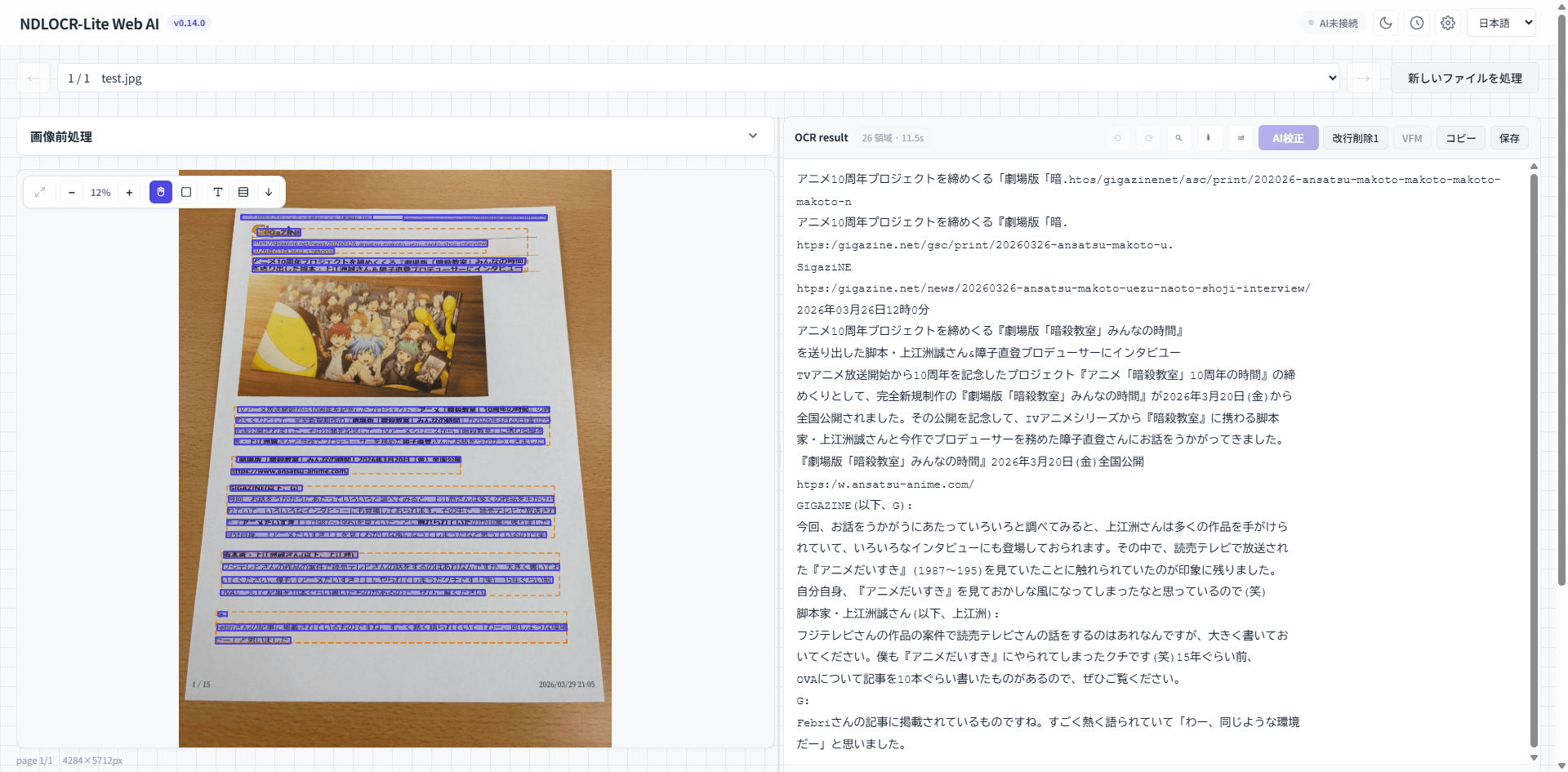
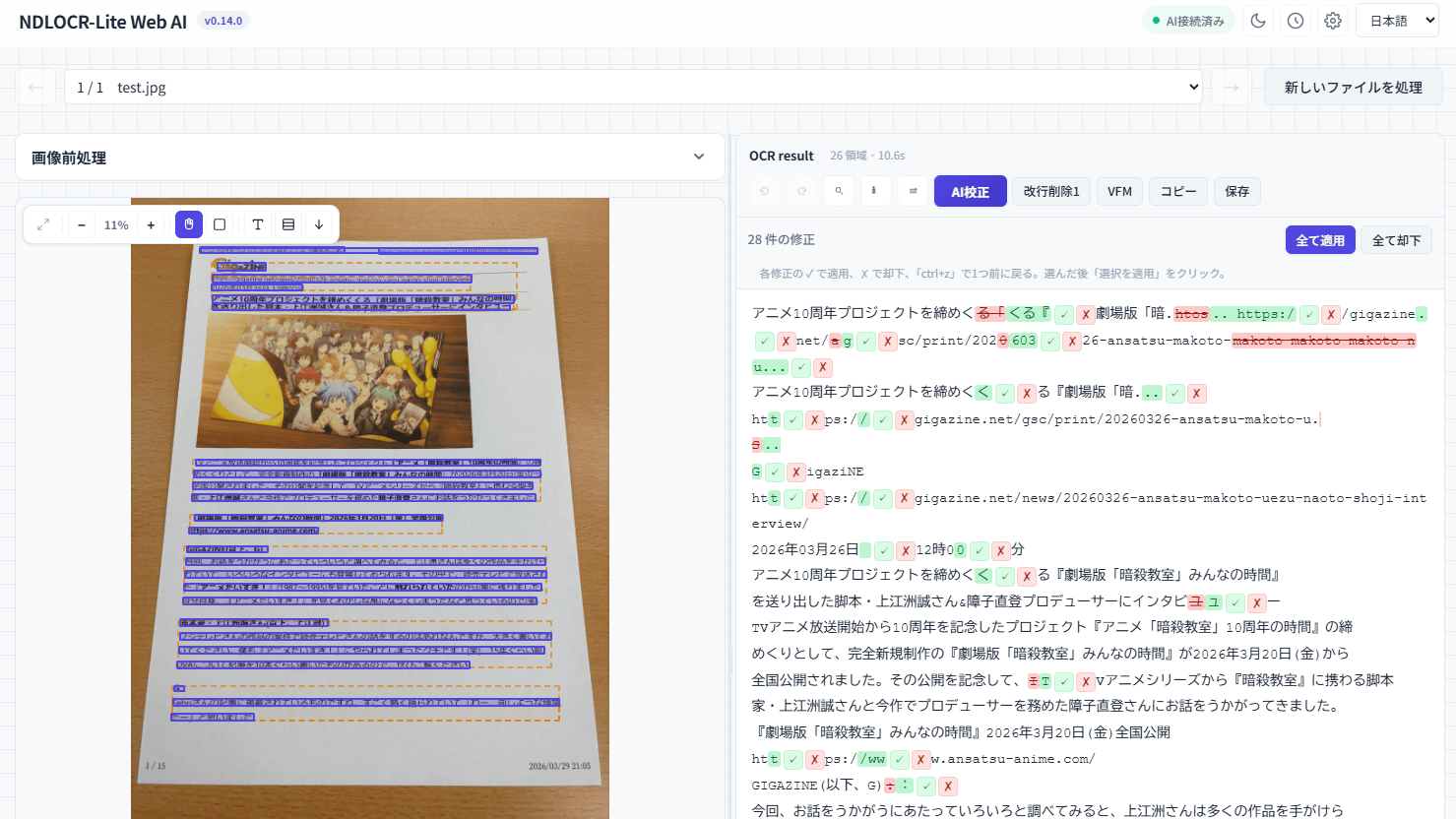
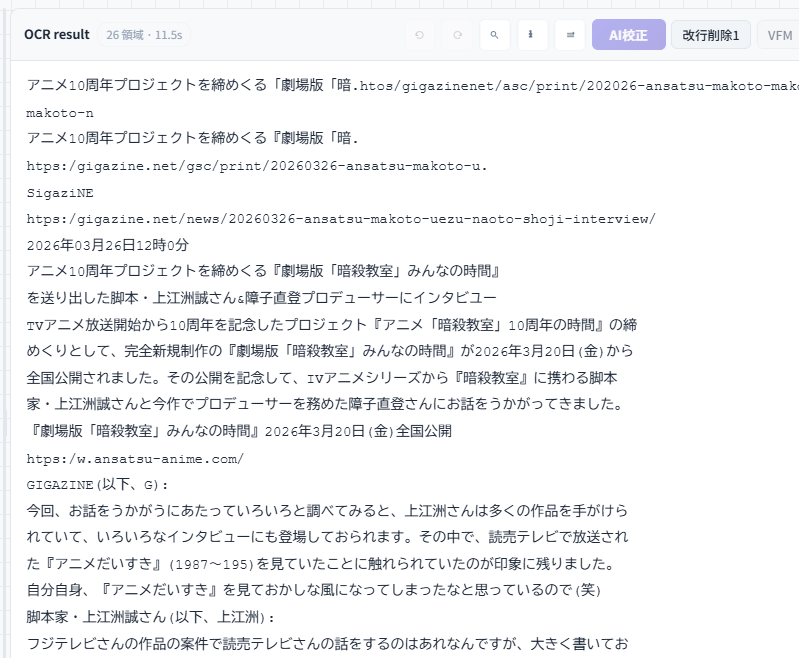
The results look like this. There are noticeable flaws in the OCR recognition, such as 'to conclude' becoming 'to finish,' 'https://' becoming 'htps:/,' and 'TV anime' becoming 'IV anime.'
NDLOCR-Lite Web AI includes a feature that uses AI to correct OCR results. The AI supports ChatGPT, Gemini, Claude, and others. This time, we will create a free Gemini API key and register it with NDLOCR-Lite Web AI. First, while signed in to Google, click the following link to access the API key management page.
API keys | Google AI Studio
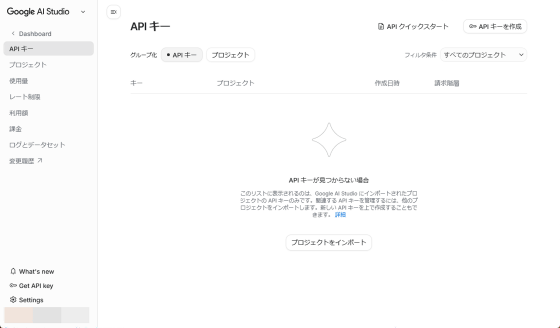
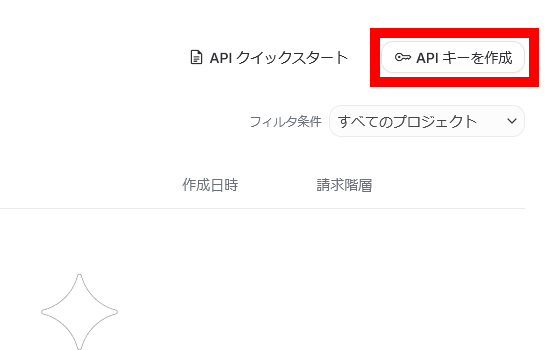
Click 'Create API Key' in the upper right corner of the screen.
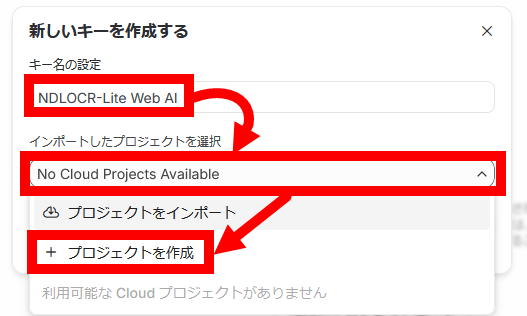
Enter a descriptive name in the key name setting area. Next, click 'Create Project' in the project selection menu.
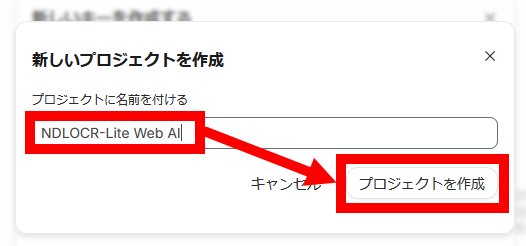
Enter a descriptive name and click 'Create Project'.
Click 'Create Key'.
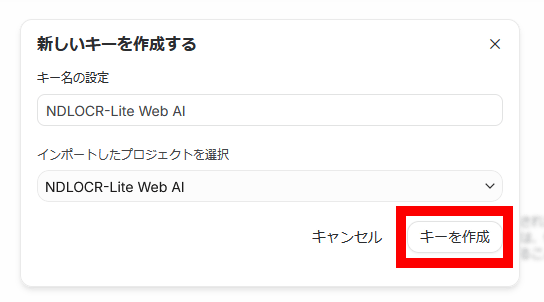
Once you have created the API key, click the copy button enclosed in the red box.
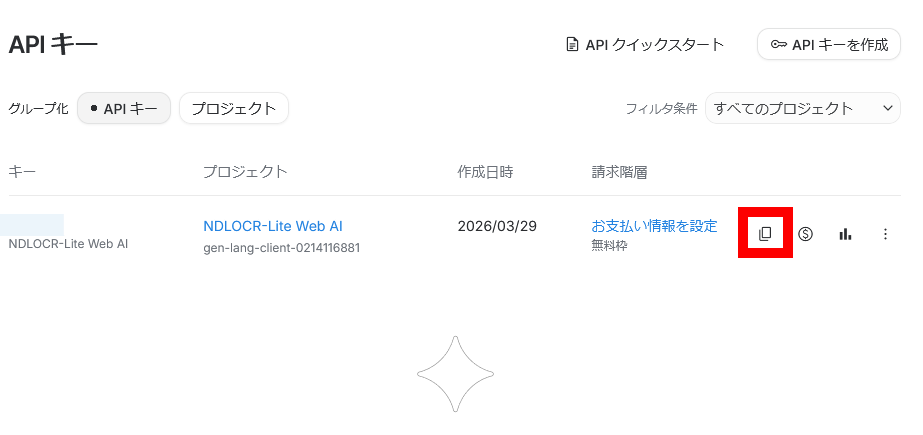
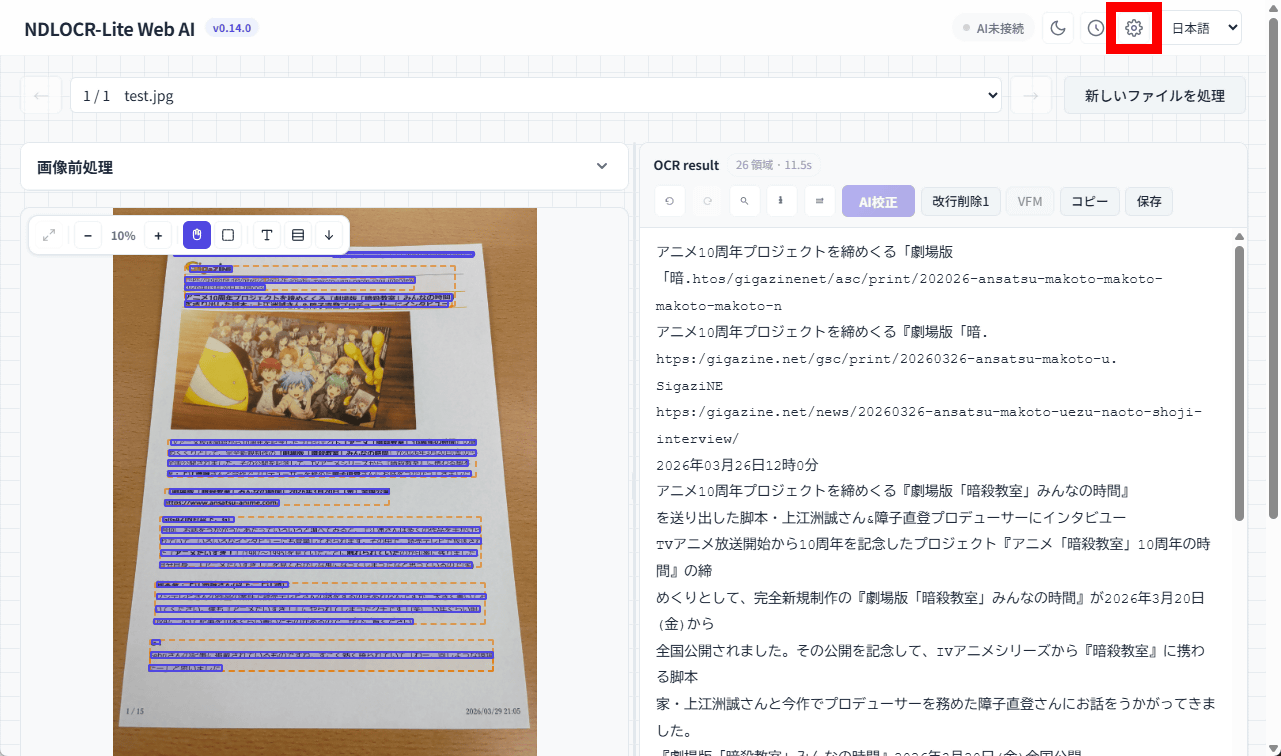
Return to the NDLOCR-Lite Web AI screen and click the settings button in the upper right corner.
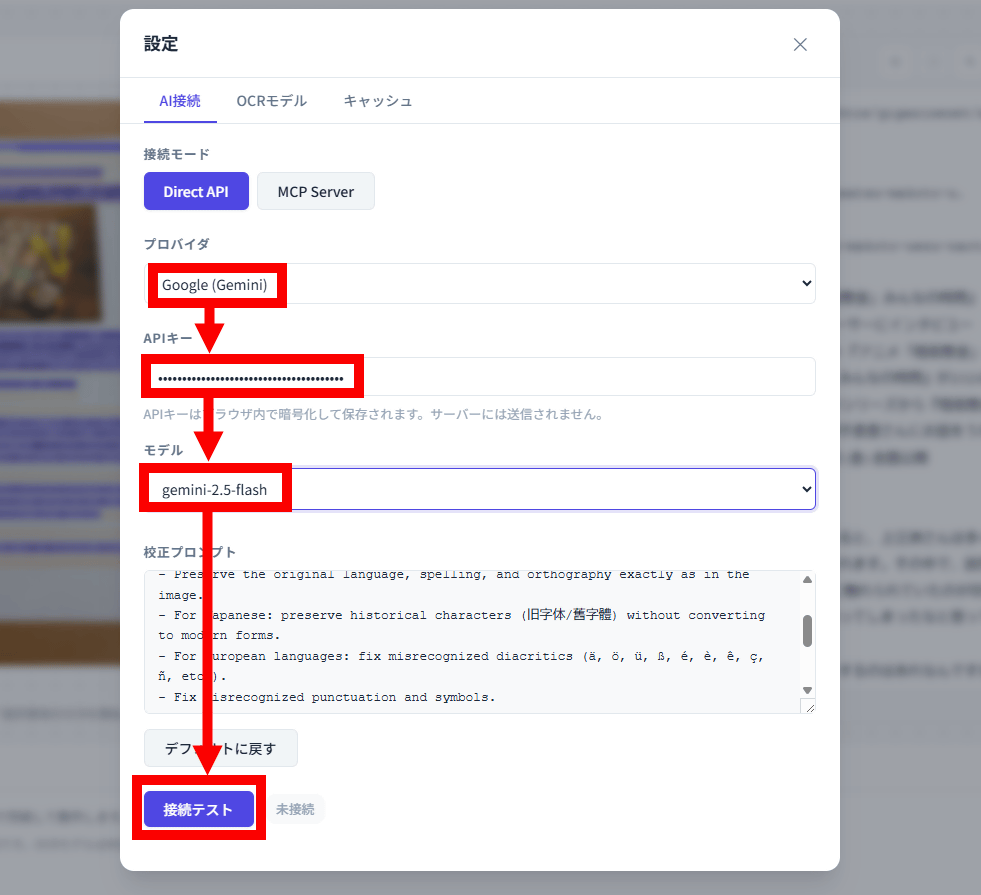
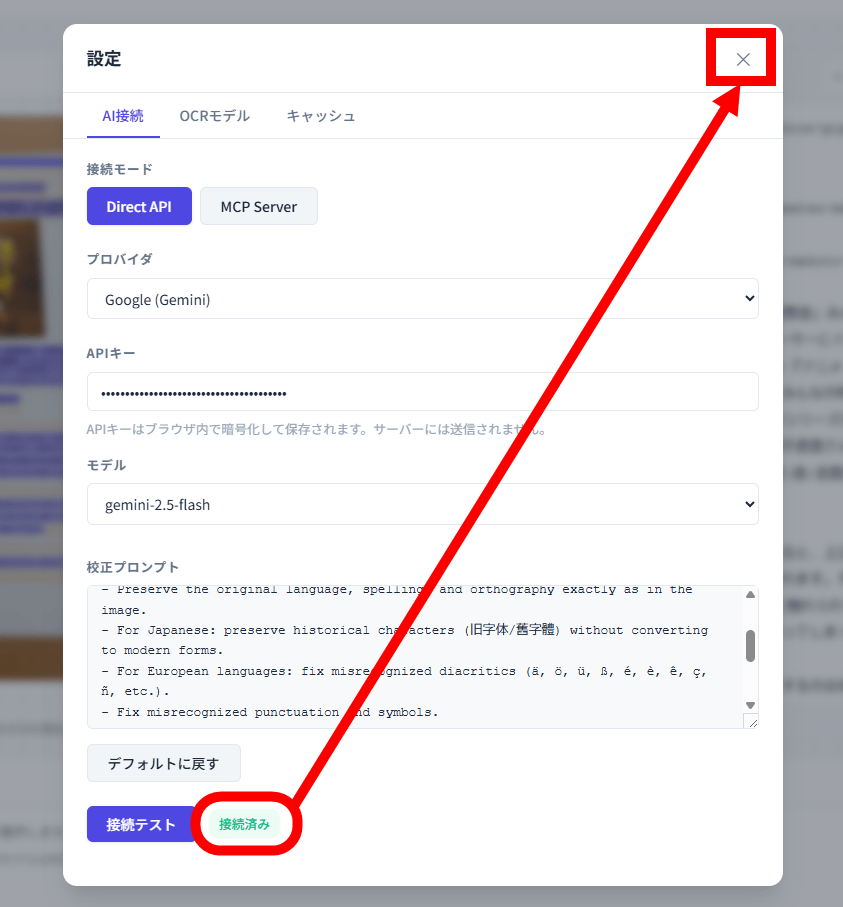
Select 'Google (Gemini)' as the provider. Enter the copied API key in the API key input field. Select your preferred model and click 'Test Connection'. In this case, we selected 'gemini-2.5-flash' as the model.
Once 'Connected' is displayed, click the × button.
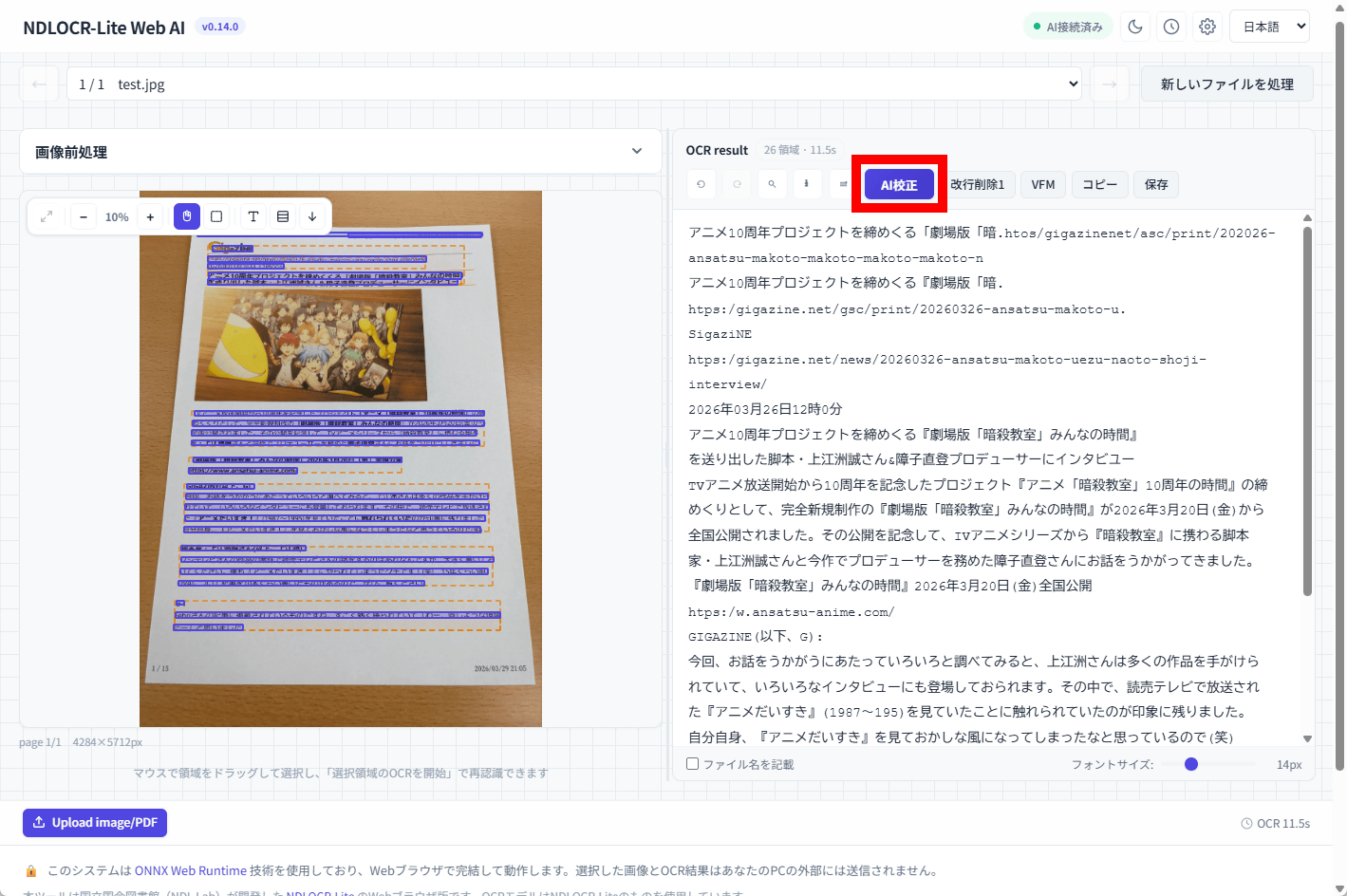
Click 'AI Proofreading' at the top of the OCR results.
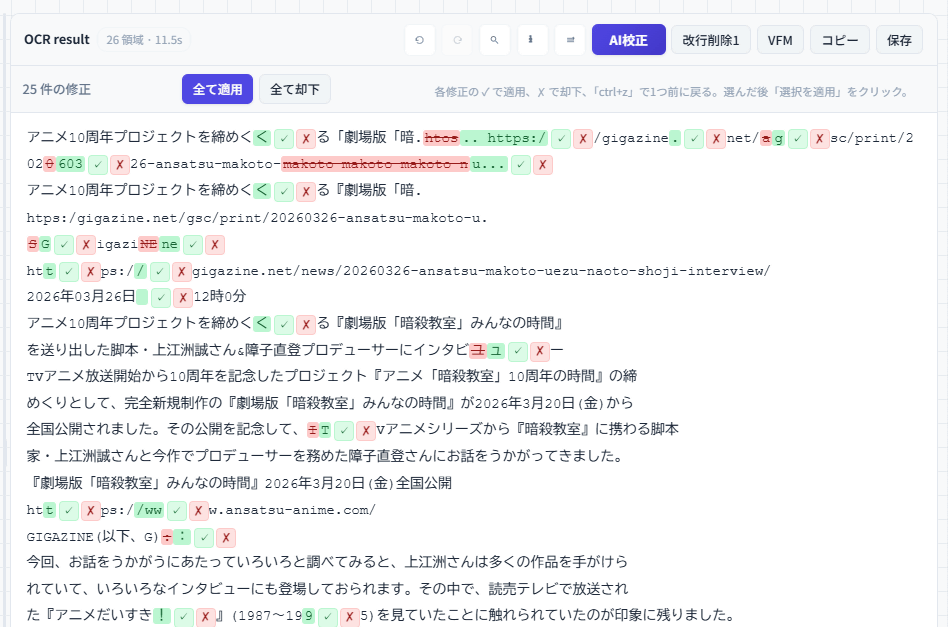
After waiting a while, the proofreading results were displayed. The parts highlighted in red are 'errors found by the AI,' and the parts highlighted in green are 'AI's suggested corrections.' Most of the parts where OCR failed have been corrected, and suggested corrections to the correct sentences that match the content of the article are displayed. Clicking the green check button applies the AI's suggested corrections, and clicking the red 'x' button rejects them. There are also 'Apply All' and 'Reject All' buttons. NDLOCR-Lite Web AI combines NDLOCR-Lite, provided by the National Diet Library, with AI such as Gemini to enable highly accurate OCR processing.
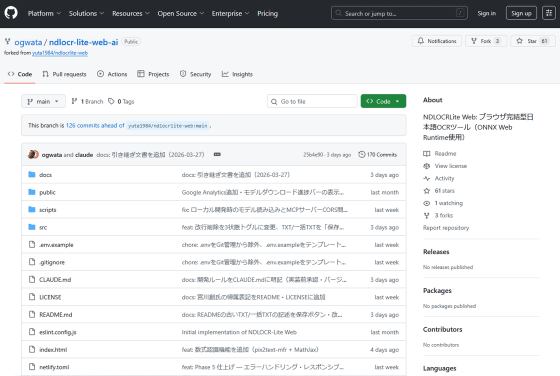
NDLOCR-Lite Web AI is a web application developed by Katsuhiro Ogata, and is positioned as a further derivative project of ' NDLOCR-Lite Web ' by Yuta Hashimoto , which made NDLOCR-Lite usable in a browser alone. The source code for NDLOCR-Lite Web AI is available at the following link.
GitHub - ogwata/ndlocr-lite-web-ai: NDLOCRLite Web: Browser-based Japanese OCR tool (using ONNX Web Runtime) · GitHub
https://github.com/ogwata/ndlocr-lite-web-ai
Related Posts:

in AI, Review, Web Application, Posted by log1o_hf