I tried 'Tuta,' a service that lets you get free, ad-free email addresses, and it also prioritizes privacy with end-to-end encryption.
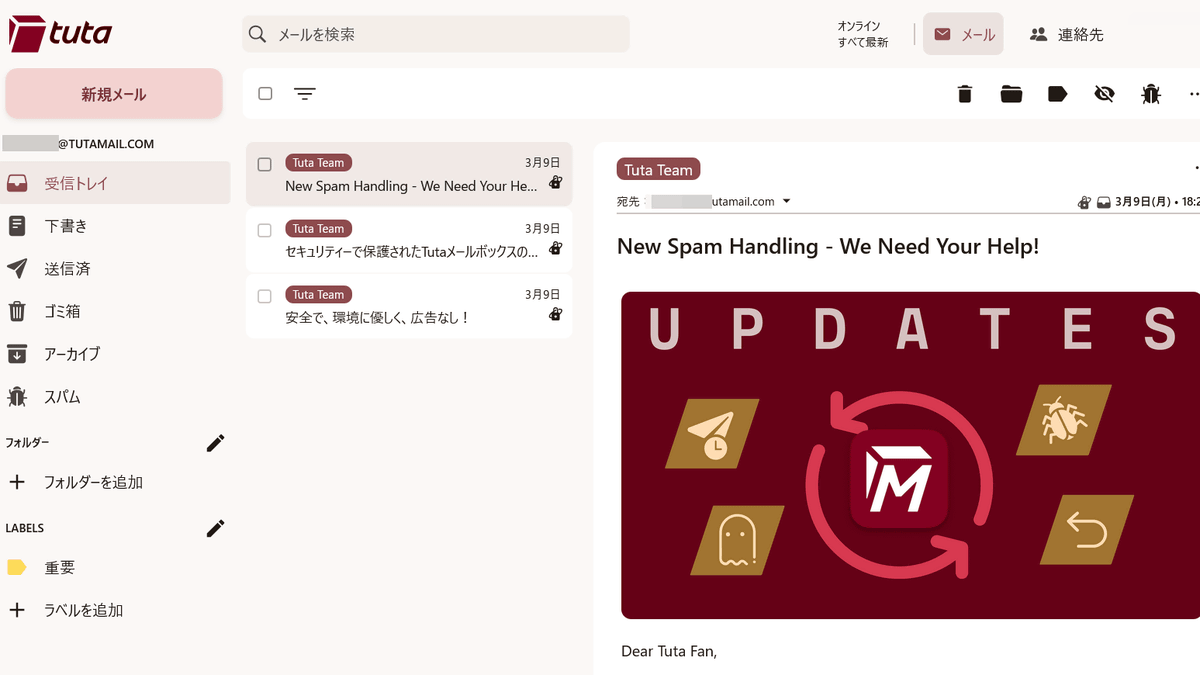
Tuta is an open-source, end-to-end encrypted email service that has been operating in Germany since 2011, allowing anyone to easily create their own privacy-focused email address. The free version has limitations, such as a 1GB mailbox capacity, but it can be used continuously without any additional charges or advertisements.
Tuta: Turn on privacy settings for email, calendar, and contacts for free | Tuta
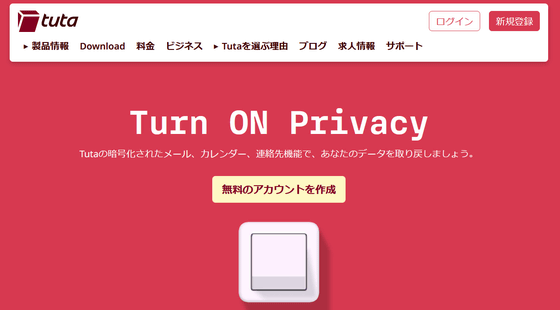
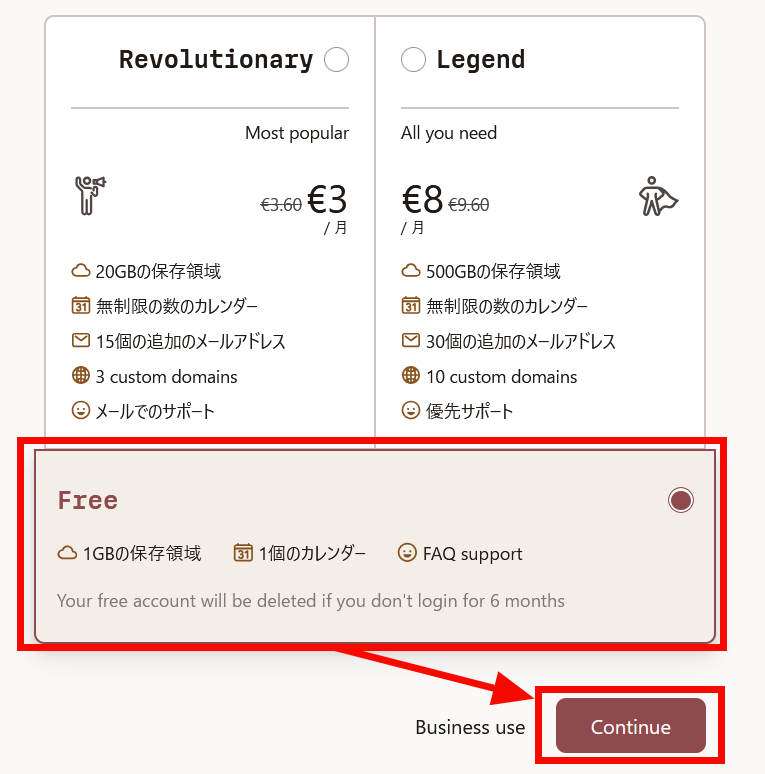
Once you access the site, click 'Create a free account.' Tuta is a service operated in Germany, but the instructions are also available in Japanese.
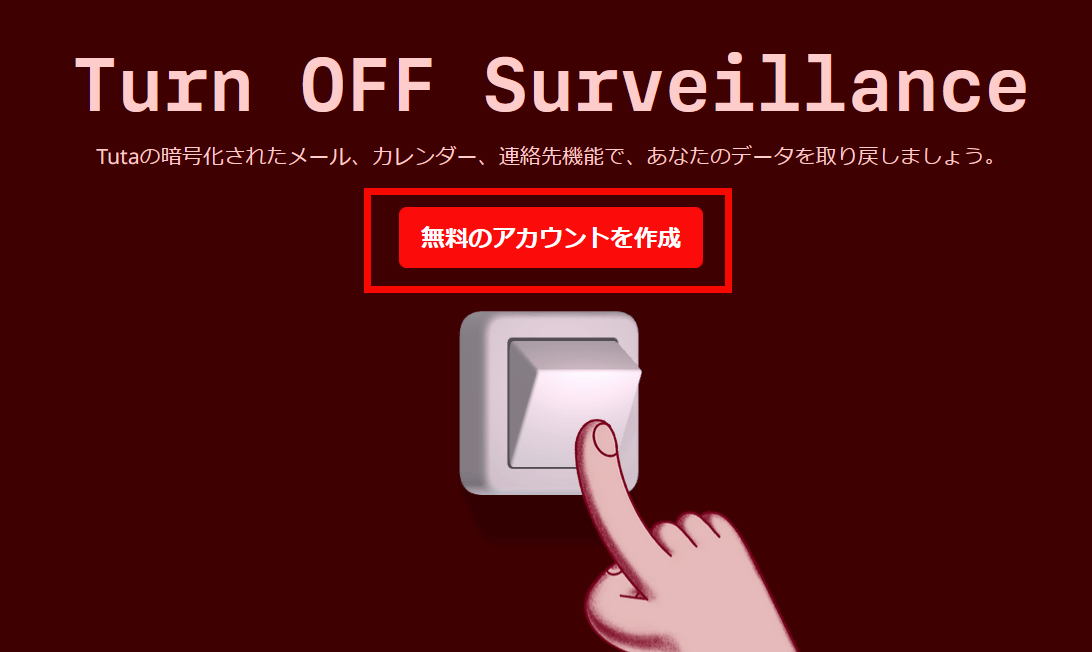
Tuta offers paid plans that provide more storage space and calendar features, but you can create email addresses and send and receive emails without any problems even with the free plan. Select 'Free' and click 'Continue'.
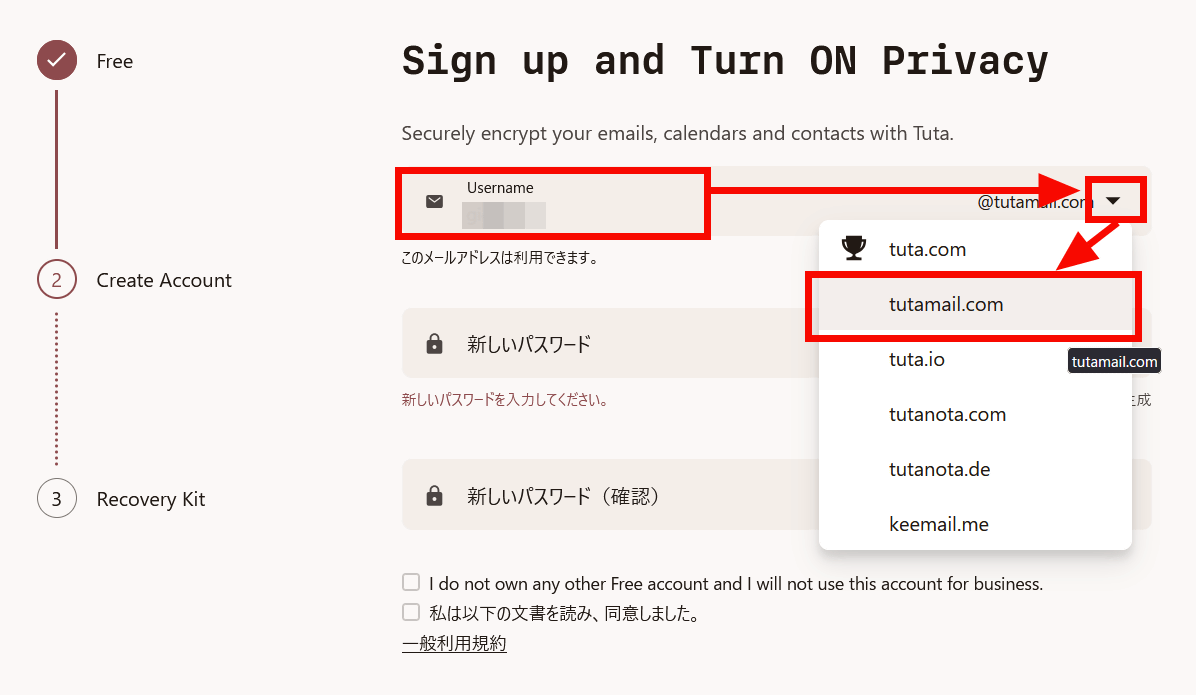
After entering your email address username, select a domain from the dropdown menu. There are six options: 'tuta.com', 'tutamail.com', 'tuta.io', 'tutanota.com', 'tutanota.de', and 'keemail.me', but only 'tuta.com' is available only with a paid plan.
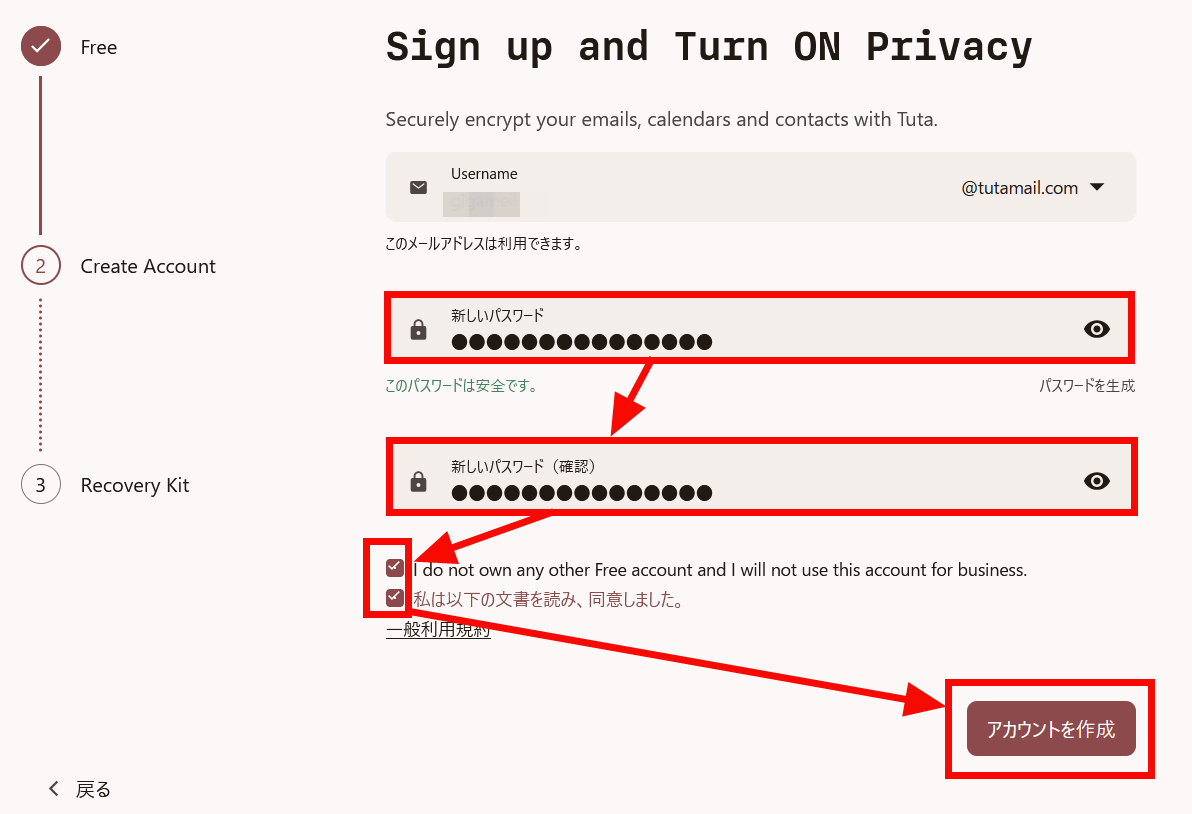
Enter your password, check the box stating that you do not have any other free accounts and will not use this address for business purposes, and agree to the terms of service, then click 'Create Account'.
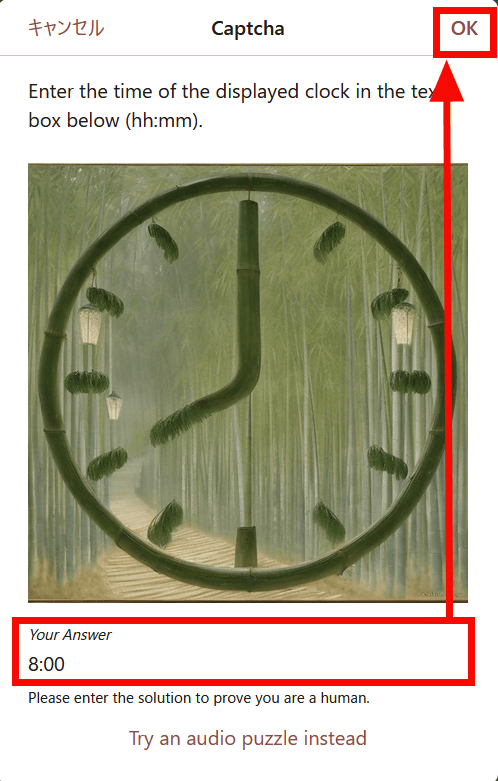
A Captcha appeared to verify that you are not a bot. Enter the time shown in the image and click 'OK'. In this example, entering '08:00' is incorrect; you need to enter '8:00'. Be careful, as multiple incorrect entries will temporarily prevent you from creating accounts from the same IP address.
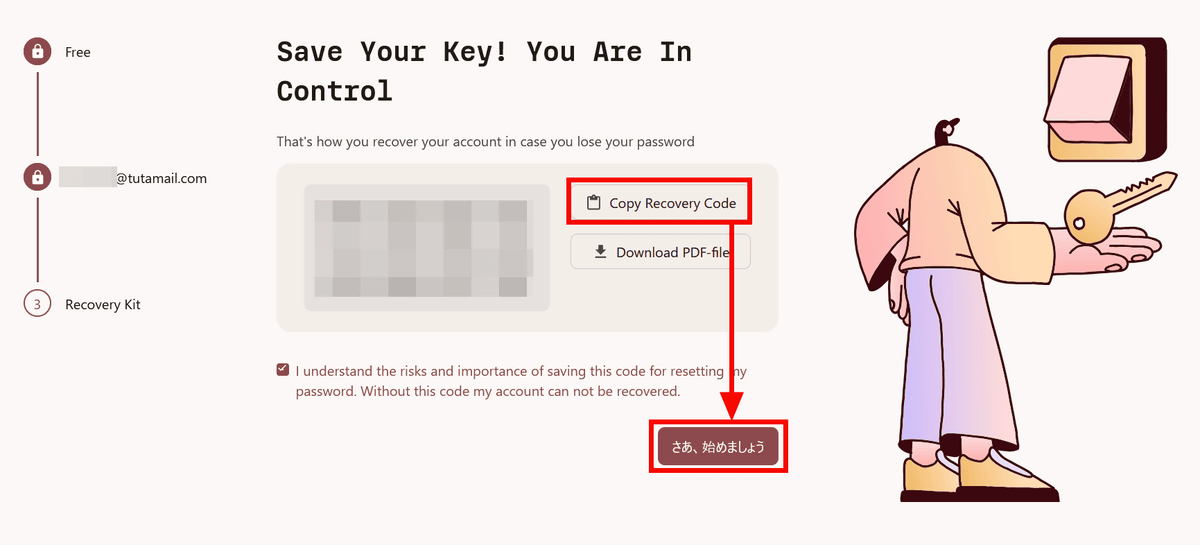
A recovery code will be displayed, so copy it using 'Copy Recovery Code' and then click 'Let's get started.'
I was able to sign up for Tuta.
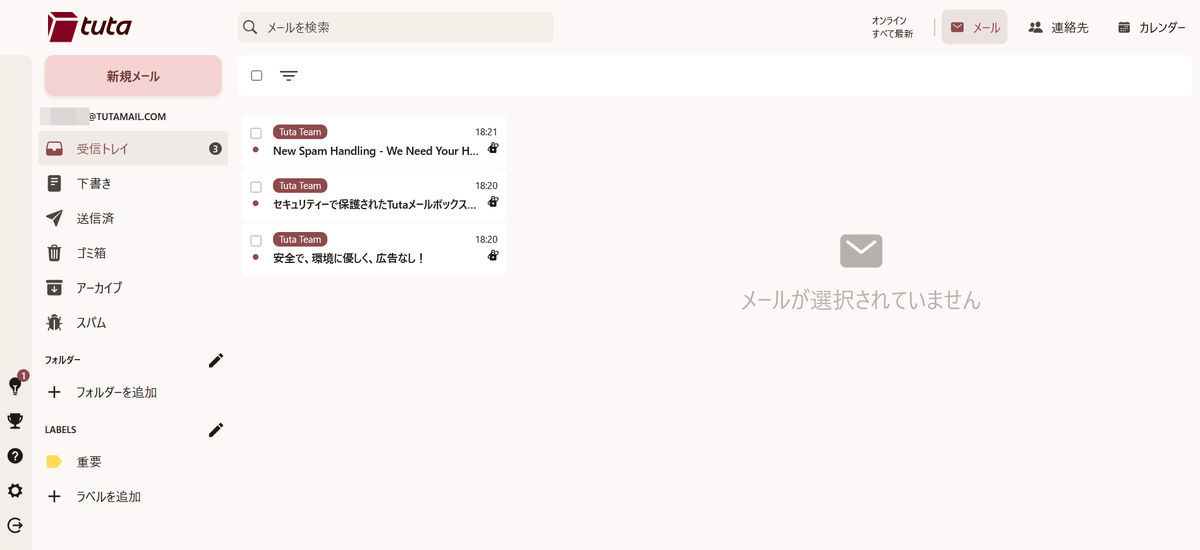
First, set a name. Select the settings icon in the bottom left and click the edit icon to the right of 'Name'.
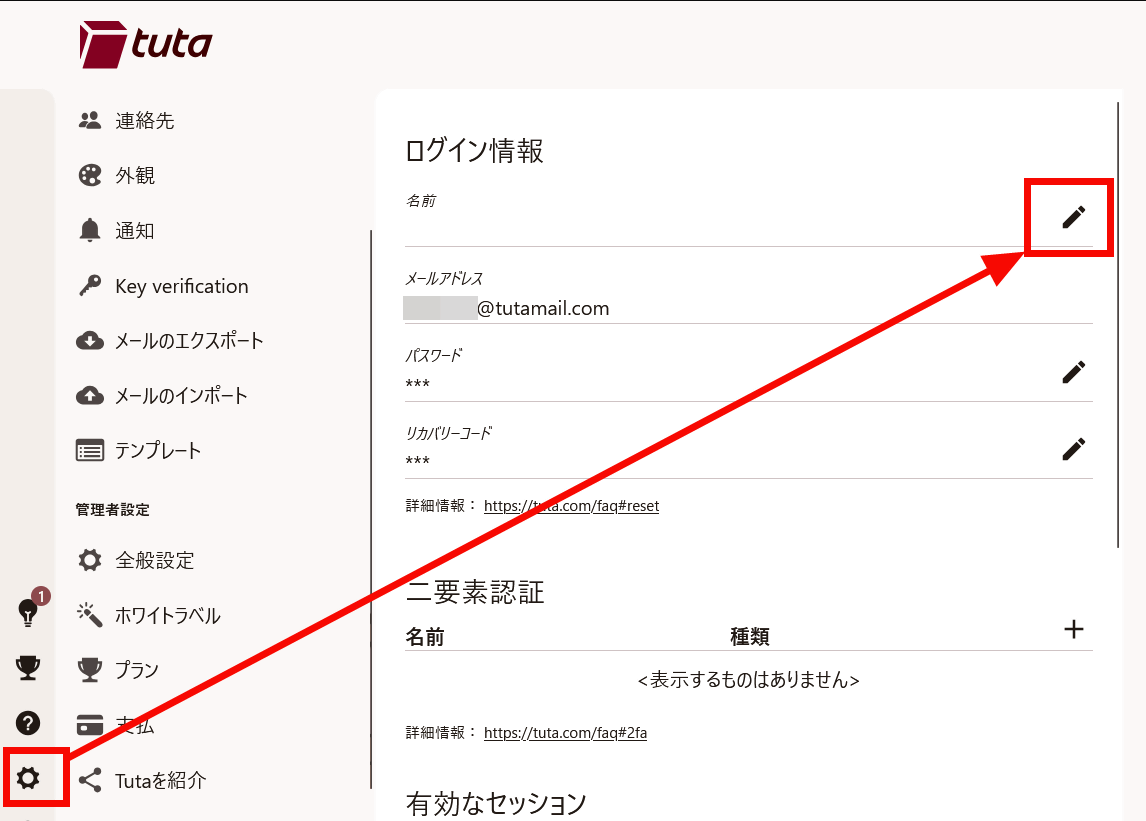
Enter your name and click 'OK'.
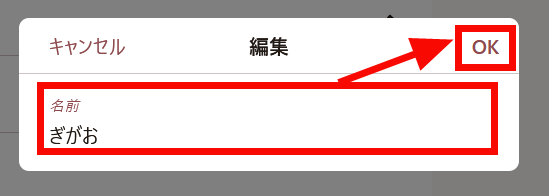
I was able to set the name.
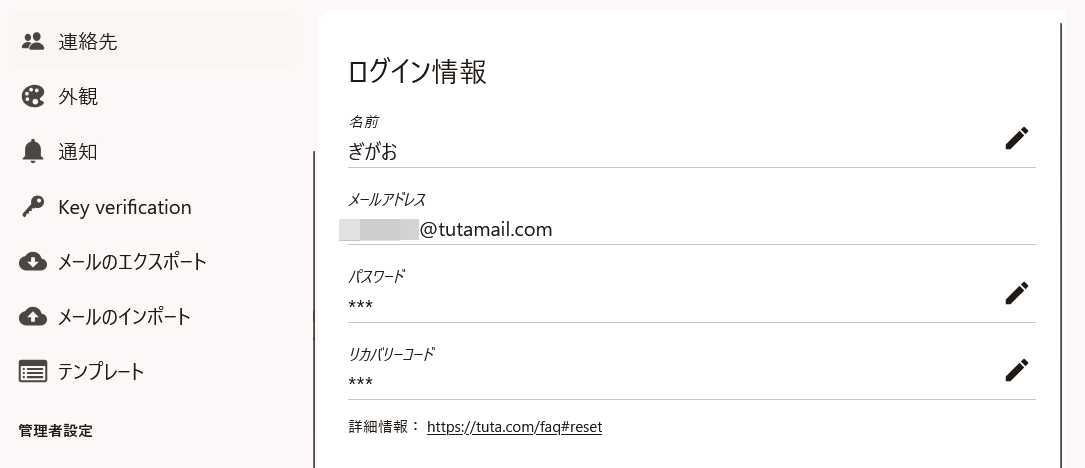
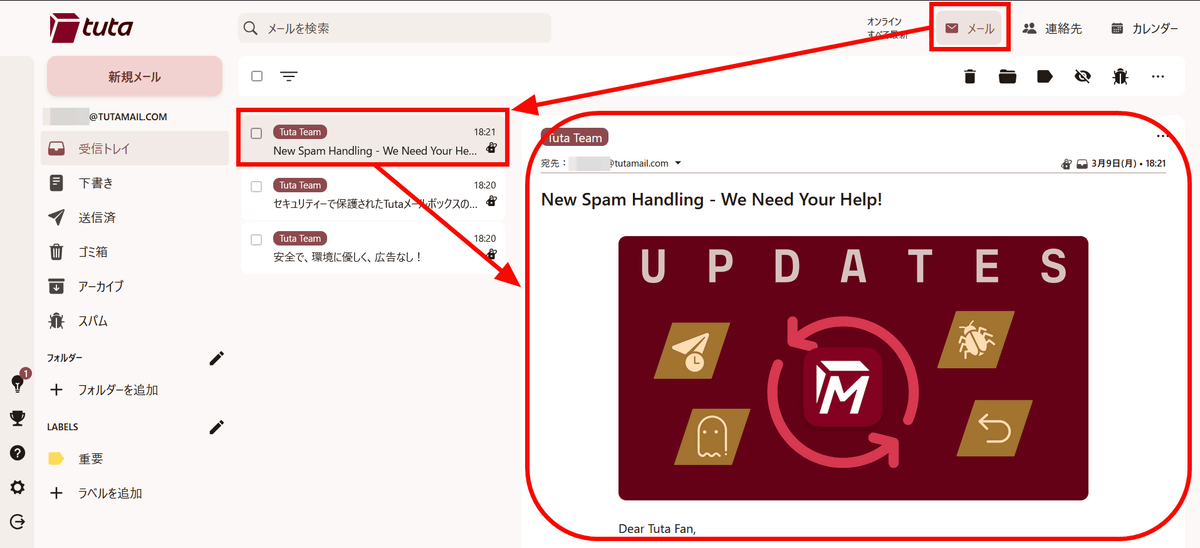
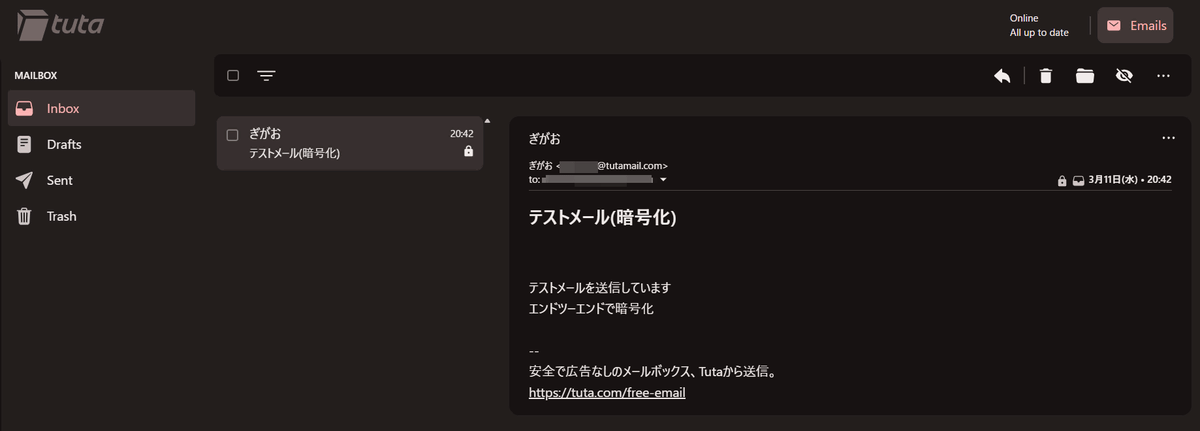
To check your emails, click 'Mail' in the top menu and select an email from your inbox list. The email content will be displayed on the right, as shown in the image below.
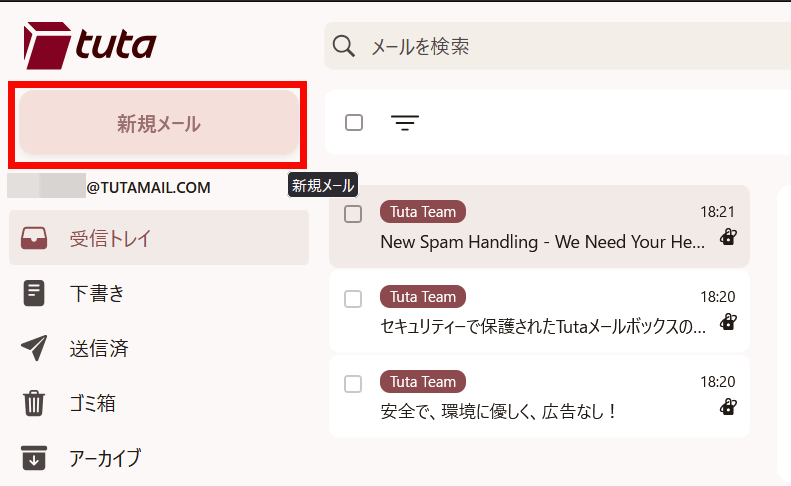
To compose an email, click 'New Email'.
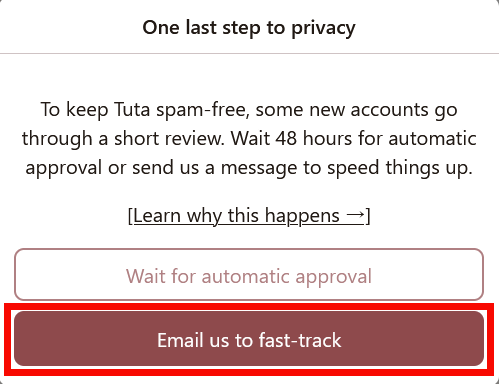
If you create an email address on Tuta, it will be in a 48-hour waiting period for automatic approval and you won't be able to send emails. However, you can expedite activation by requesting manual approval. Click 'Email us to fast-track'.
A screen for creating an email to the approval email address opened, and when I sent an email requesting approval, I was able to send new emails the very next day, even faster than automatic approval would have been possible.
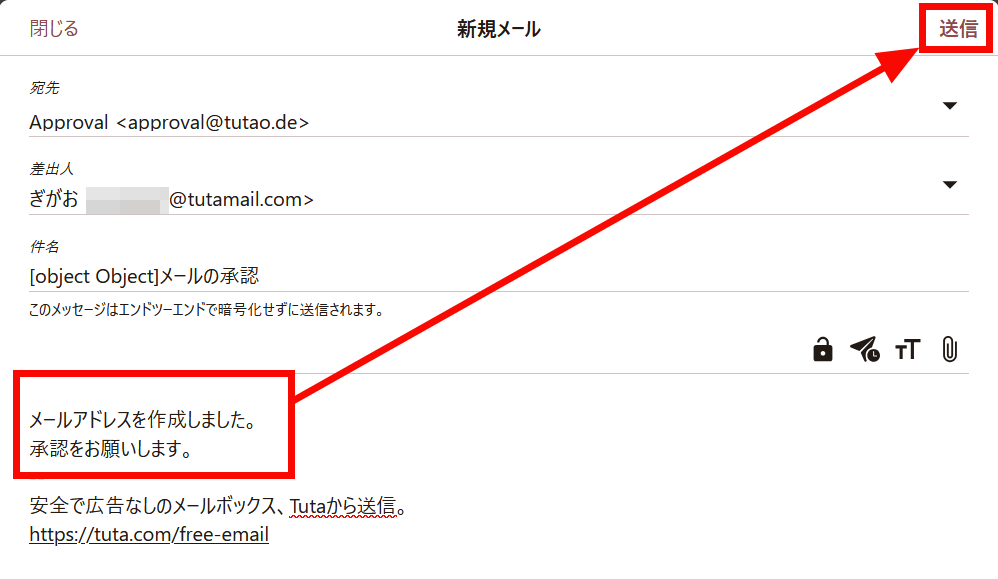
To compose a new email, enter the recipient, subject, and body, then click 'Send.' By default, the signature displays the text and link 'Sent from Tuta, a secure, ad-free mailbox,' but you can change your signature in your email settings even on the free plan.
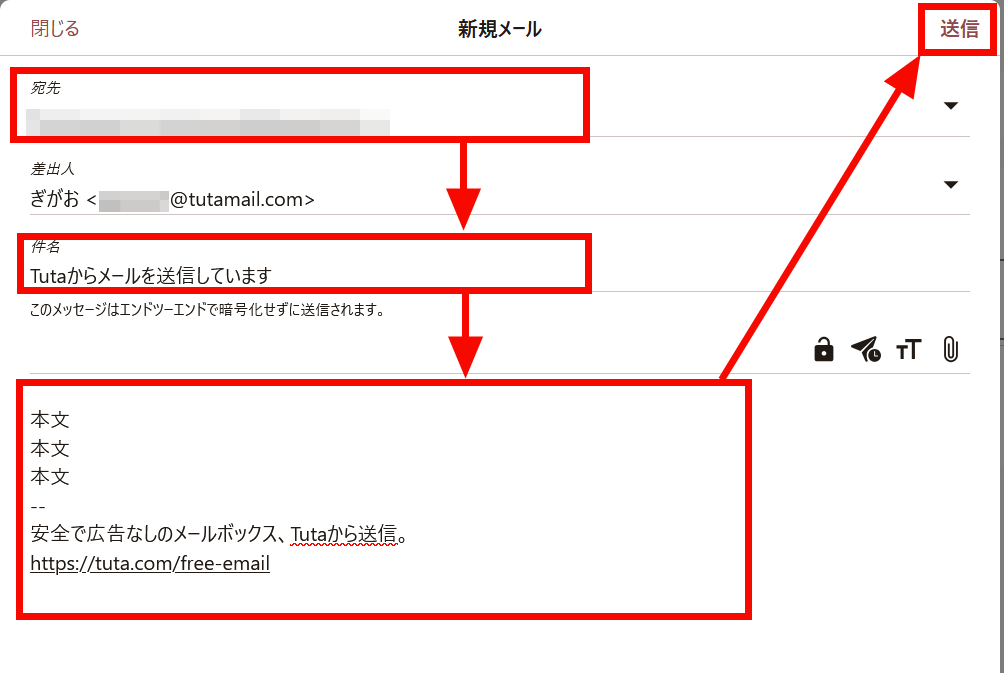
Additionally, clicking the key icon allows you to send the message with end-to-end encryption. After clicking the key icon, you will need to set a password to open the email.
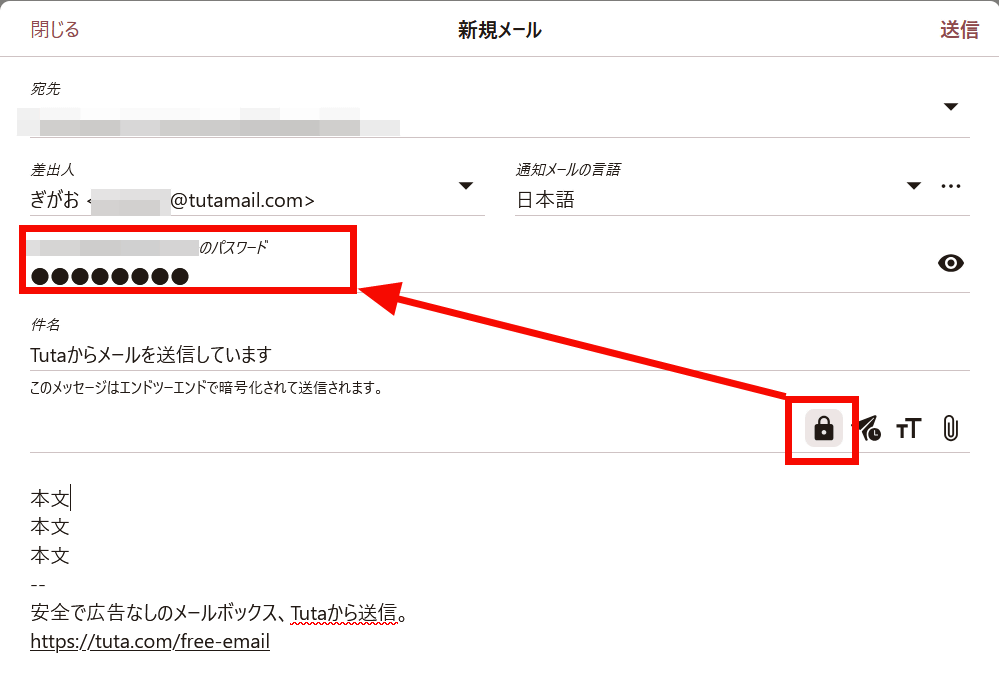
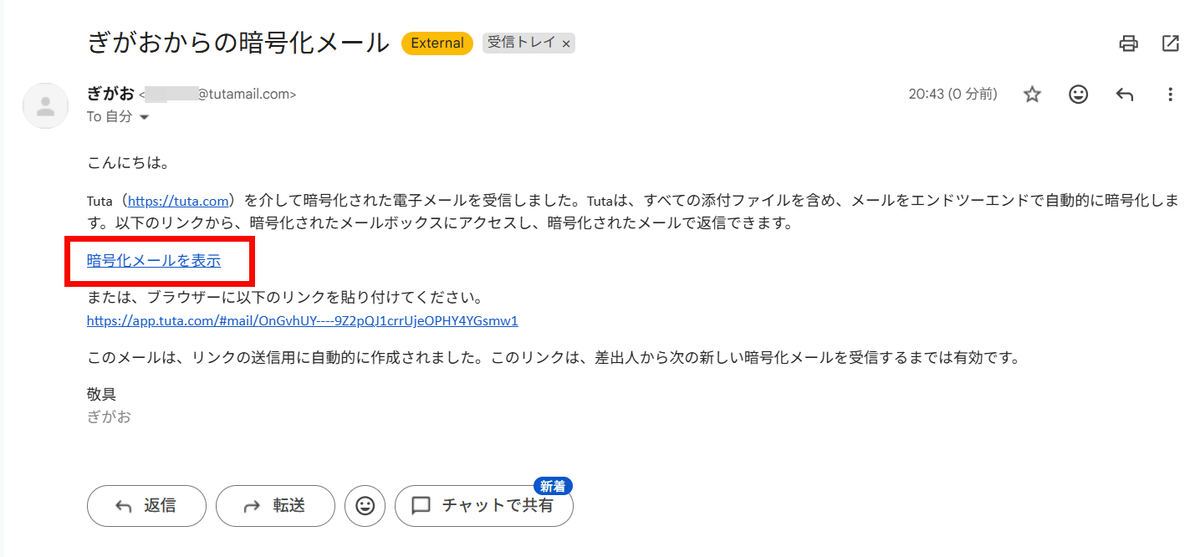
When I sent the email encrypted, it arrived as an 'encrypted email' as shown below. Click 'View encrypted email'.
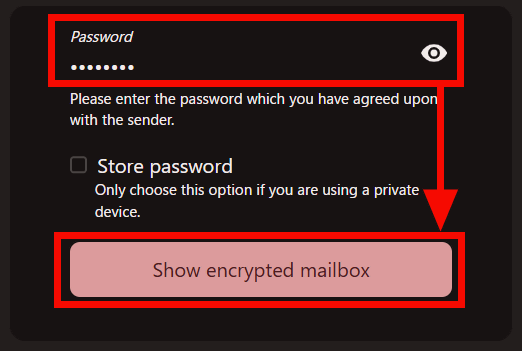
Enter the password you set when sending and click 'Show encrypted mailbox'.
I was able to open the email.
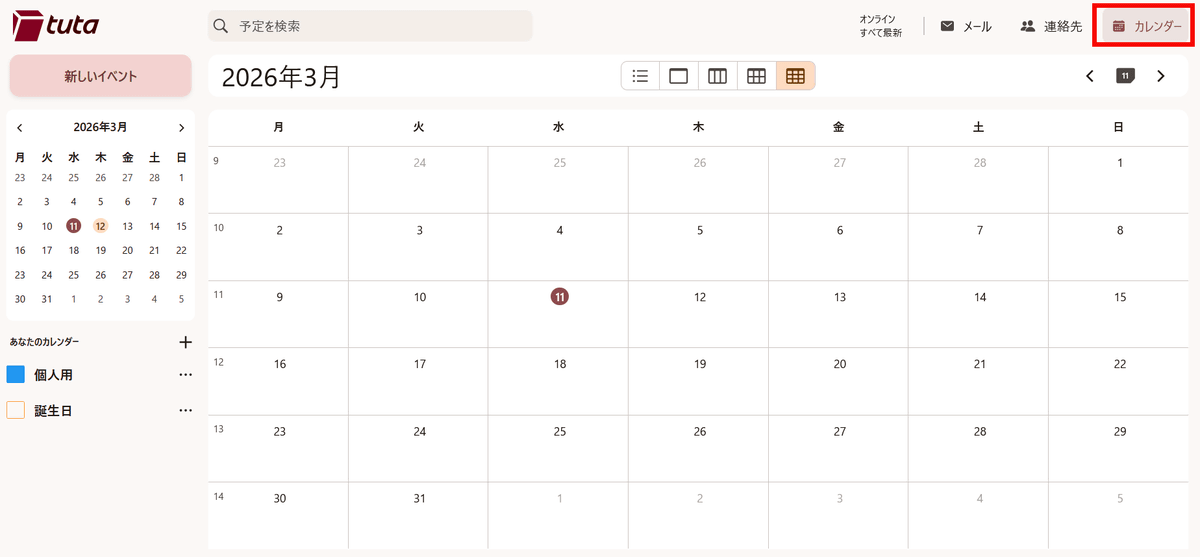
Additionally, you can use a simple calendar function by clicking 'Calendar.' With the free plan, only one calendar is available.
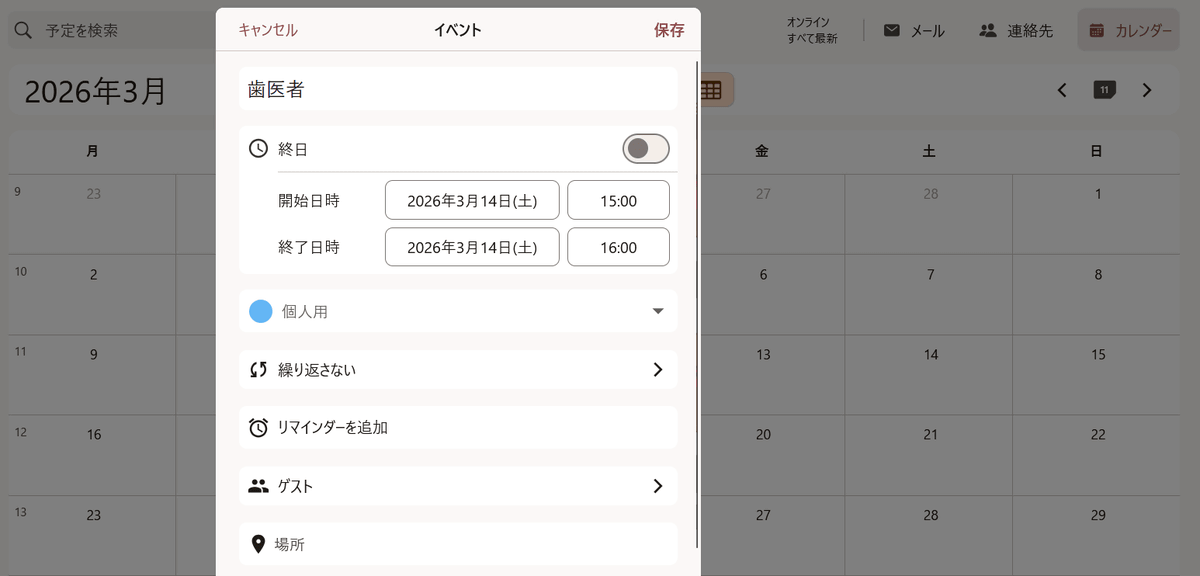
You can add an event by clicking on the date and entering a title and time.
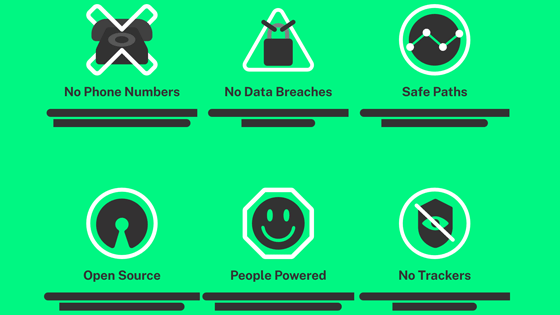
Tuta offers free, ad-free, fully encrypted, and tracking-free email. The 'Revolutionary' plan, which includes 20GB of storage, multiple email addresses and calendars, and a choice of exclusive domains, starts at €3.60 per month (approximately ¥660). The 'Legend' plan, which offers 500GB of storage, more email addresses, and custom domains, starts at €9.60 per month (approximately ¥1760). For more details, please check Tuta's pricing page .
Related Posts:



in Web Service, Review, Posted by log1e_dh