'Patterns.dev' - Learn design, rendering, and performance patterns for building web apps with JavaScript for free

The web development ecosystem has been changing rapidly in recent years, with various methods being adopted and then abandoned. Many developers are looking to learn patterns that they can use reliably. To meet this need, a free online resource called ' Patterns.dev ' has been launched. It covers the design, rendering, and performance patterns needed to build powerful web apps using vanilla JavaScript and the latest frameworks.
Patterns.dev
'Patterns.dev' covers the following three major themes:
・
・React
・Vue.js
Each theme is further divided into three categories:
Design patterns
・Rendering pattern
・Performance patterns (not present in React at the time of writing)
This time, we will look at some of the patterns that are being discussed using Vanilla JavaScript as an example. 'Vanilla JavaScript' refers to JavaScript that is close to its original state and does not use powerful external libraries such as jQuery or React.
◆Design Patterns
Design patterns are essential in software development because they provide typical solutions to problems that frequently arise in software design. That is, rather than providing specific software components, design patterns are more appropriately thought of as concepts for dealing with recurring themes in optimal ways.
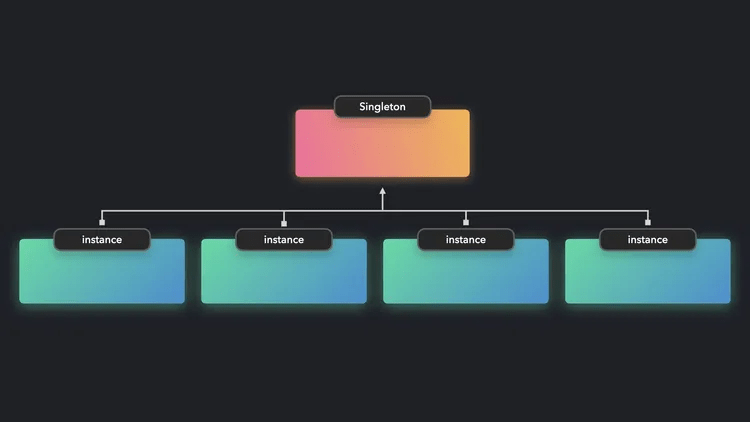
・Singleton pattern
Proxy pattern
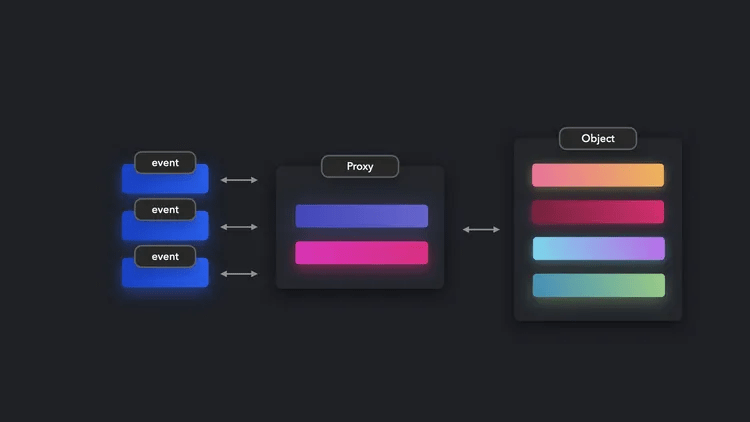
As the term proxy server also suggests, proxy means 'agent,' and an object that acts as a proxy to access a certain object is called a proxy object. Proxy objects are useful for adding validation functions, and are also useful for format adjustment and debugging. However, since there is an additional buffer between them and the target object, performance inevitably decreases compared to directly accessing the target object, so they should not be used if high performance is required.
Prototype Pattern
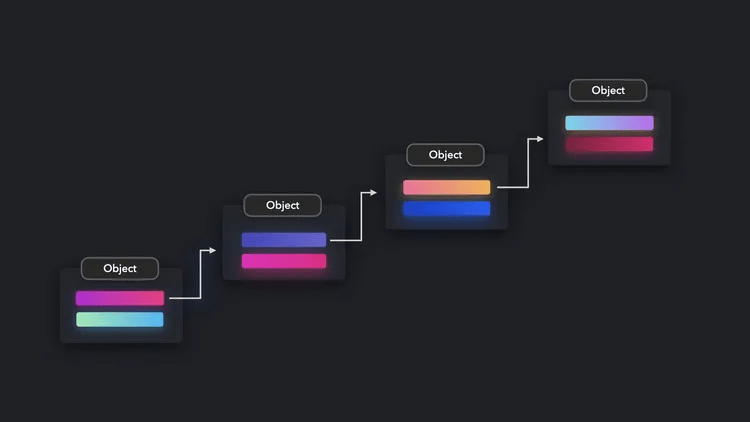
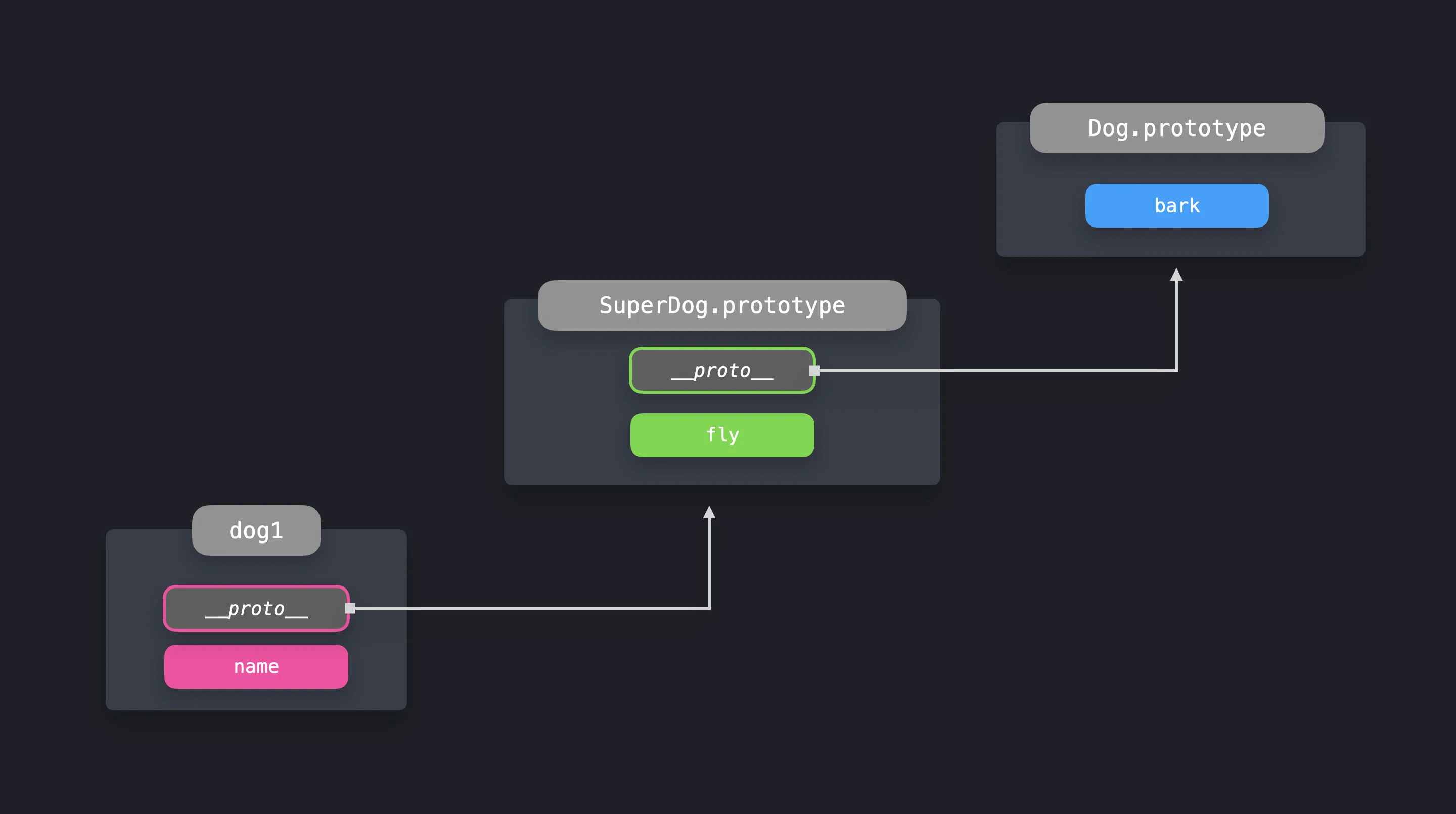
The prototype pattern is a pattern in ES2015 (ES6) that usesclasses to define object prototypes and then creates new objects from those prototypes.
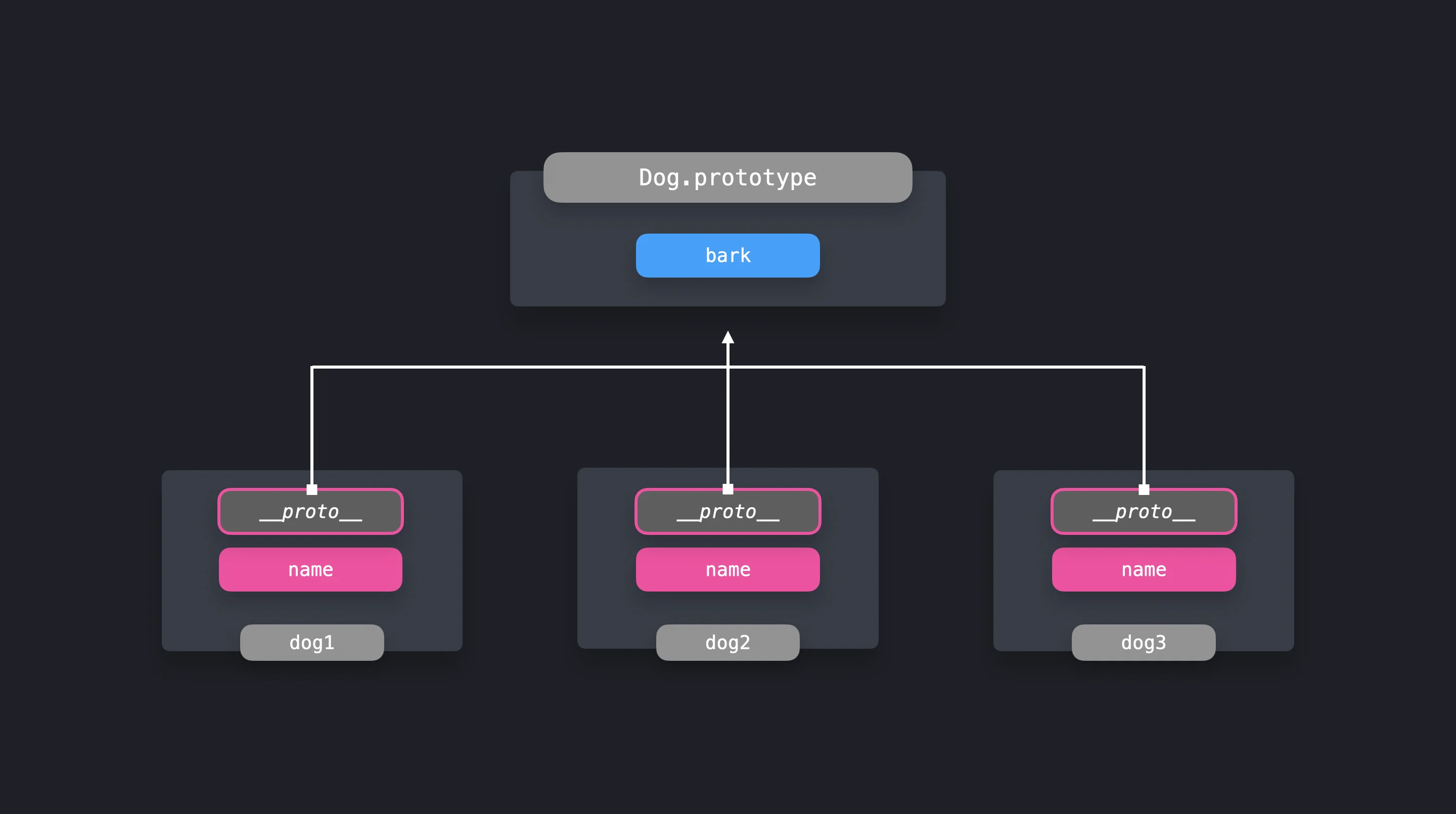
Furthermore, by defining
Observer pattern
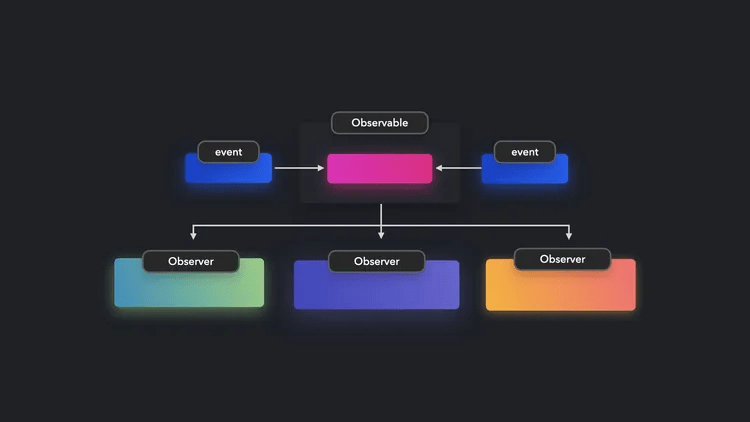
The observer pattern provides a mechanism for registering a group of objects ( observers ) with other objects ( observables ) and notifying the observers when the state of the observables changes. The observer pattern enables loosely coupled communication between components, improving code readability and maintainability. However, observers that become too complex can have a negative impact on performance, so care should be taken not to overuse them.
Module Pattern
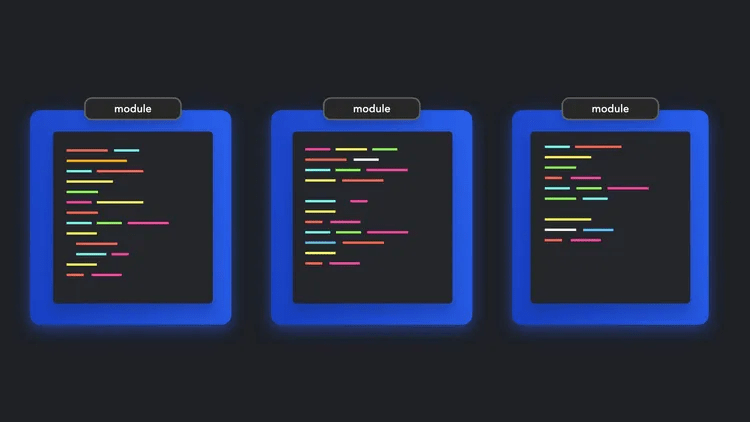
The module pattern divides application functionality into independent modules, each with its own scope. It improves code reusability and maintainability and prevents pollution of the global namespace. ES2015 and later versions support
Mixin pattern
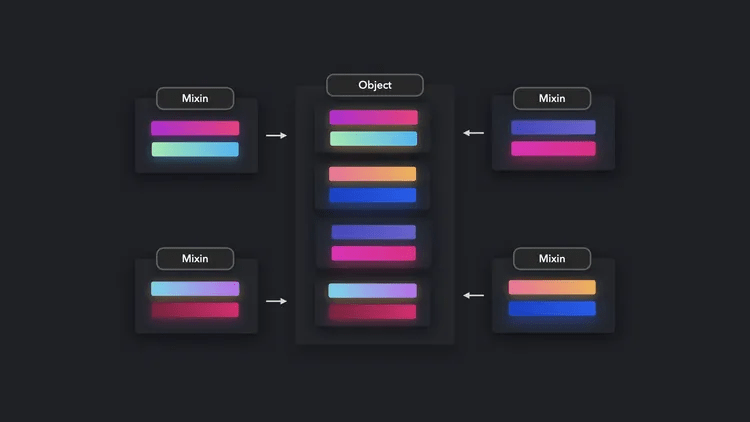
Before ES2015, JavaScript did not support inheritance, so the mixin pattern was used as a way to combine functionality from different classes. The mixin pattern improves code reusability and makes it easier to share common functionality between different classes.
[code]
class Dog {
constructor(name) {
this.name = name;
}
}
const dogFunctionality = {
bark: () => console.log('Woof!'),
wagTail: () => console.log('Wagging my tail!'),
play: () => console.log('Playing!'),
};
Object.assign(Dog.prototype, dogFunctionality);
[/code]
However, directly modifying an object's prototype can lead to problems, and it is now recommended to use the ES2015 class syntax.
・Mediator/middleware pattern
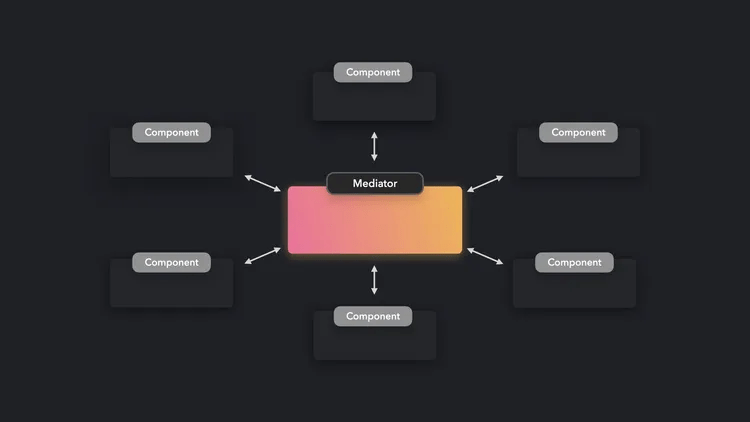
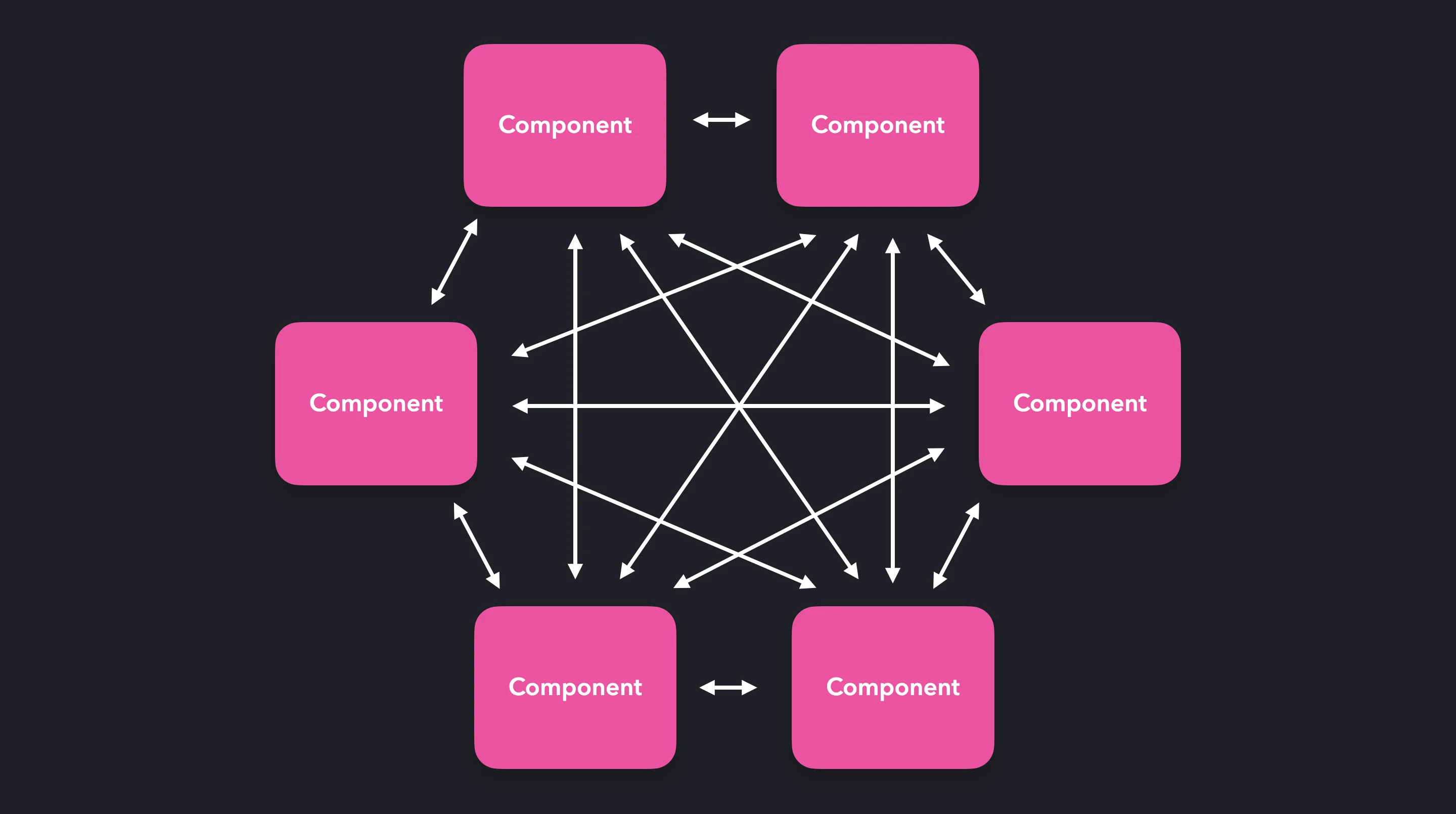
When an application has many components, direct communication between the components complicates dependencies and reduces maintainability.
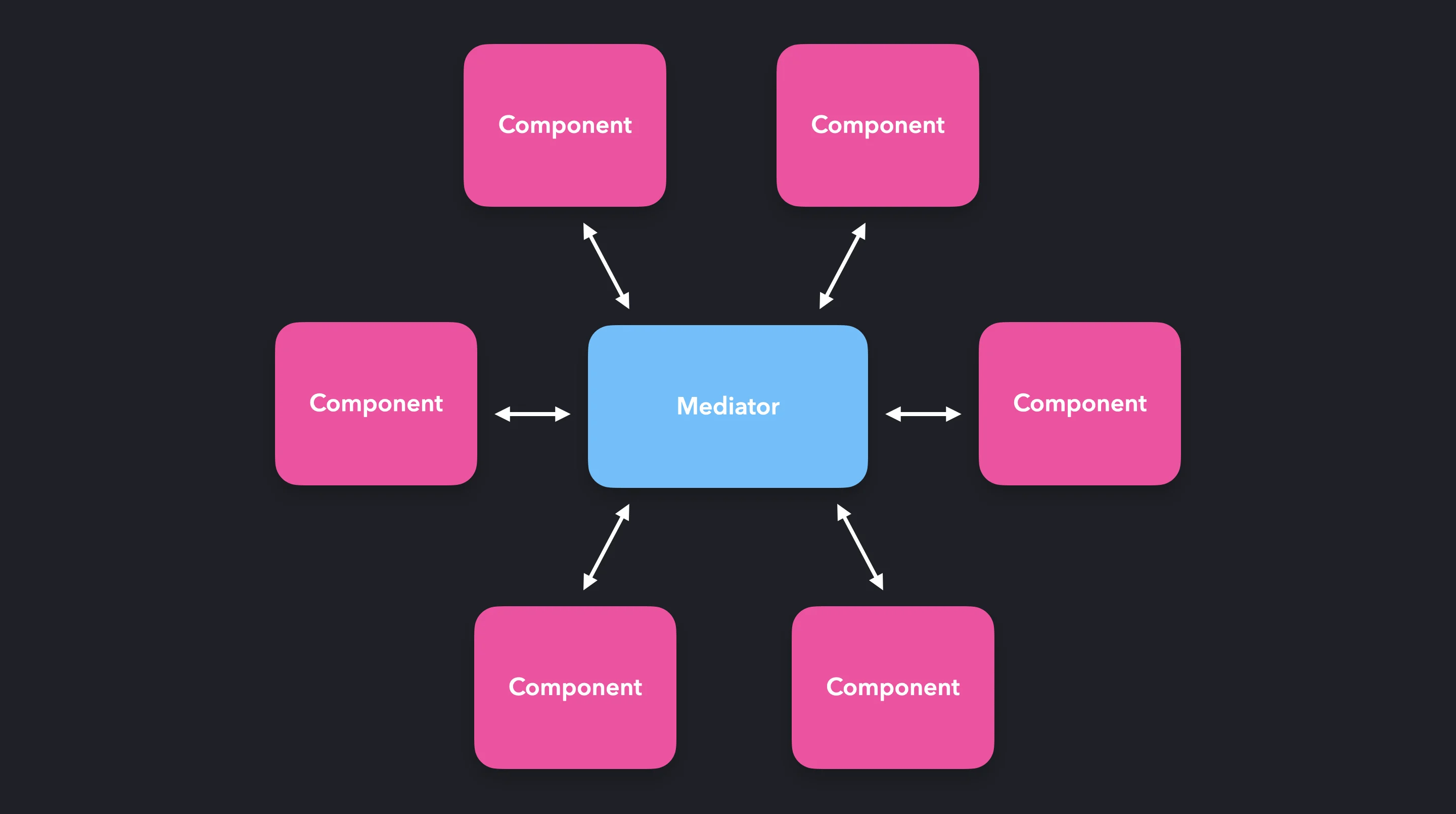
The mediator pattern is a pattern that eliminates direct dependencies between components and achieves a loosely coupled design by introducing a mediator as an object that mediates communication between components, improving code readability, maintainability, and ease of modification.
Flyweight pattern

When you need to create many objects, they share the same data or state as a single object, which is the flyweight pattern.
[code]
const createBook = (title, author, isbn) => {
const existingBook = books.has(isbn);
if (existingBook) {
return books.get(isbn);
}
const book = new Book(title, author, isbn);
books.set(isbn, book);
return book;
};
[/code]
Using the flyweight pattern improves memory efficiency and improves application performance.
・Factory Patterns
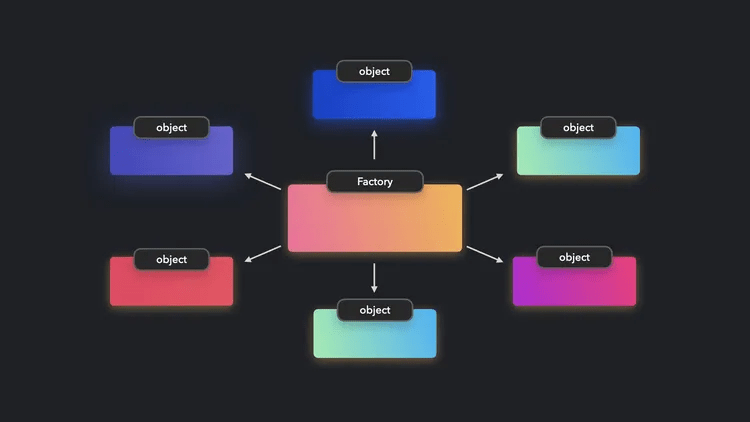
The factory pattern uses 'factory functions' to create objects without using the keyword new. Below is an example of a factory function:
[code]
const createUser = ({ firstName, lastName, email }) => ({
firstName,
lastName,
email,
fullName() {
return `${this.firstName} ${this.lastName}`;
},
});
[/code]
The factory pattern is useful when you need to create multiple small objects that share the same properties, but you should use it with caution as it can result in slower performance than instantiating a class with the new keyword.
◆Rendering pattern
When starting to design a new web app, one of the fundamental decisions you need to make is 'how and where to render content.' There's no one-size-fits-all answer; choosing the best approach depends on your use case. Choosing the right pattern can lead to faster builds and better load performance. Choosing the wrong pattern, on the other hand, can ruin an app that could have been the realization of a great business idea.

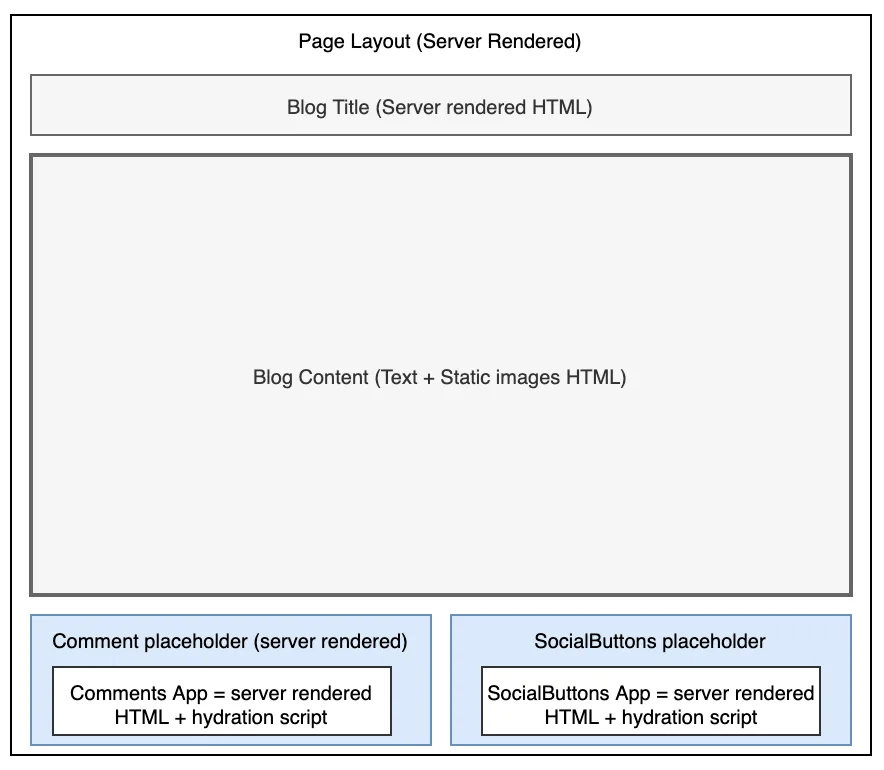
・Island Architecture
Excessive use of JavaScript can lead to performance degradation, but a certain degree of interactivity is often required when building websites, and JavaScript is required even for static content.
- View transition animation

◆ Performance Pattern
For a web page to load successfully and provide a smooth experience, critical components and resources must be available at the right time, and doing this successfully is how users determine whether a web page is performing well.
In fact, establishing the optimal load order is difficult, and in many cases, it is caused by a discrepancy between the order the developer expects and the order in which the browser prioritizes resource loads. The order of priority by resource type is roughly as follows:
Critical CSS: The minimum CSS required for FCP , best written inline in HTML.
Critical fonts: As with critical CSS, it is best to write them inline. If this is not possible, you will need to load the script with ' preconnect '.
ATF images: Requires resizing, unresized images will negatively impact CLS metrics.
BTF images: These are ideal candidates for lazy loading.
First-party JavaScript: Must start loading over the network before ATF images and must run on the main thread before third-party JavaScript.
Third-party JavaScript: This can be a blocking or slowing factor and requires better controls.
・Static import
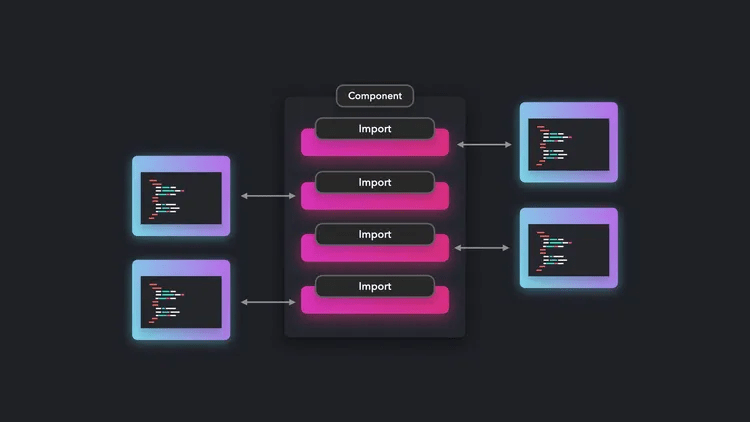
The ES2015 import syntax allows you to statically import code exported by another module. To reduce load times, you should be selective about which modules you statically import.
・Dynamic import
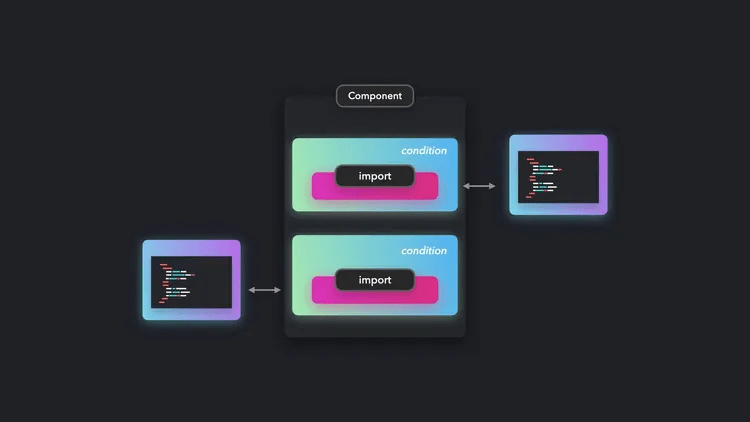
Statically importing modules for components with interactive elements can result in wasted loading if no interactive events occur. Dynamic imports allow imports to be performed as needed, which can reduce initial loading times.
Visibility-based import
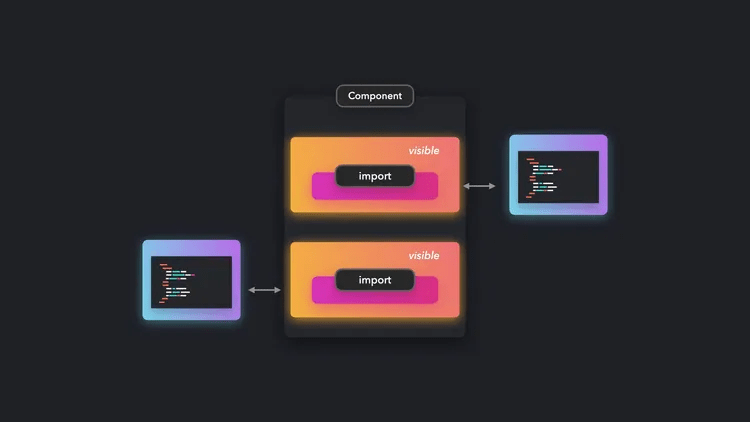
A typical example is 'lazy loading,' which uses
・Import during interaction

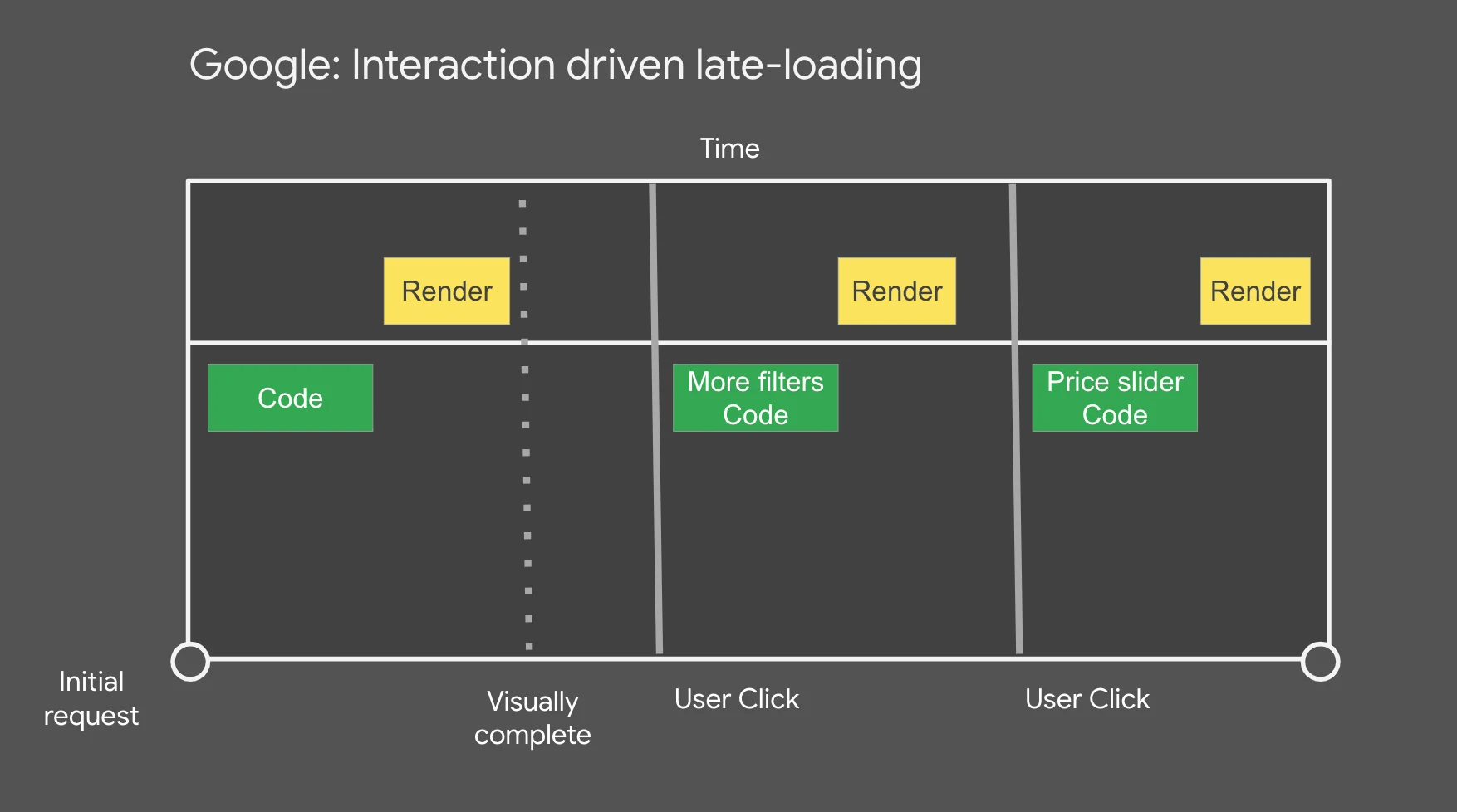
Some user interface components may not be needed until an interaction occurs. For example, modal windows or drop-down menus. By importing modules related to these components only when an interaction occurs, you can reduce the initial load time. Examples of specific load timing include:
The first time a user clicks on the component
When the user scrolls the component into view
When the browser becomes idle
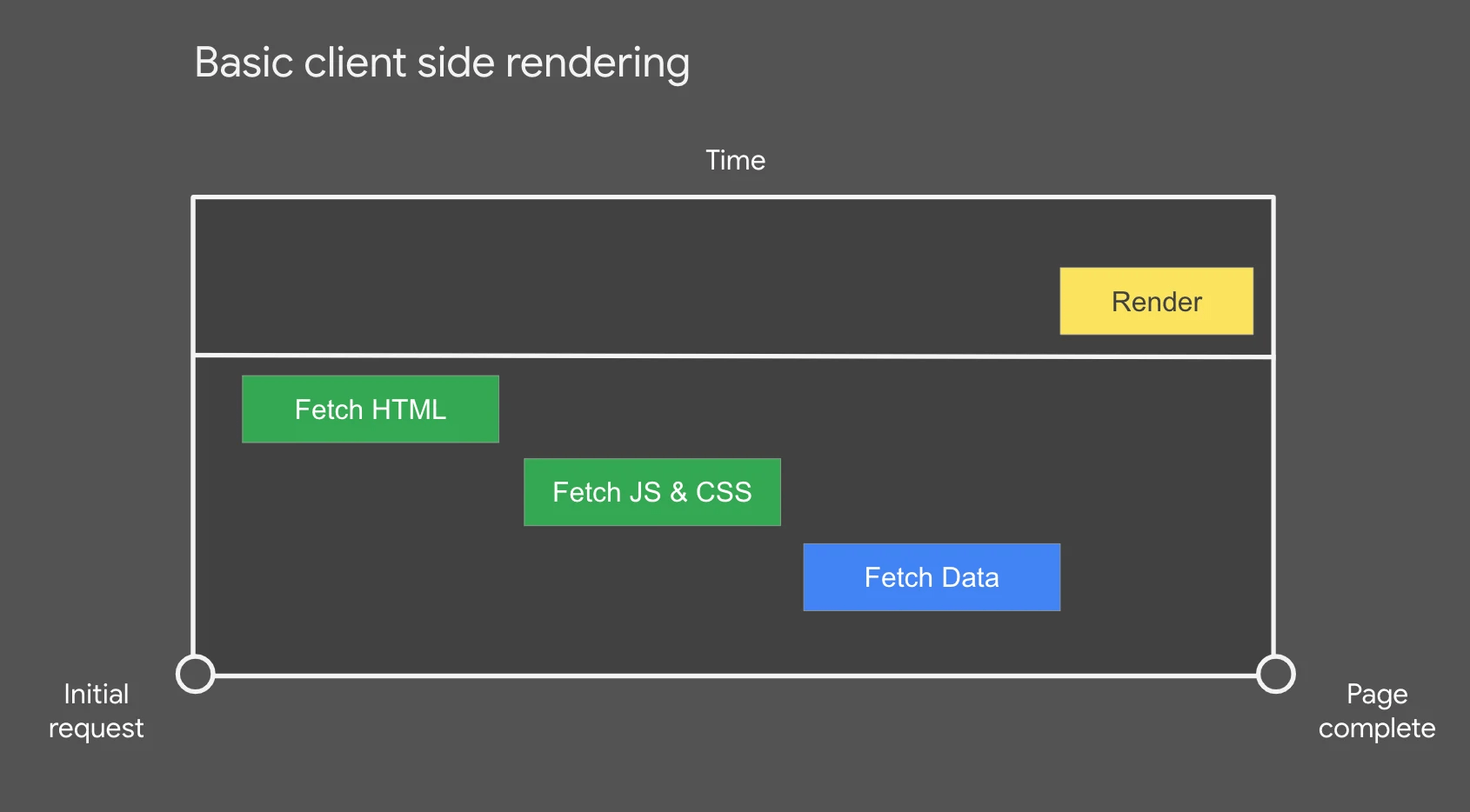
In the simplest download scenario, assuming you're using simple client-side rendering (CSR), the HTML, JavaScript code, CSS, and data resources are downloaded and only rendered once they're all ready. In other words, the user won't be able to see anything until all the resources have been downloaded.
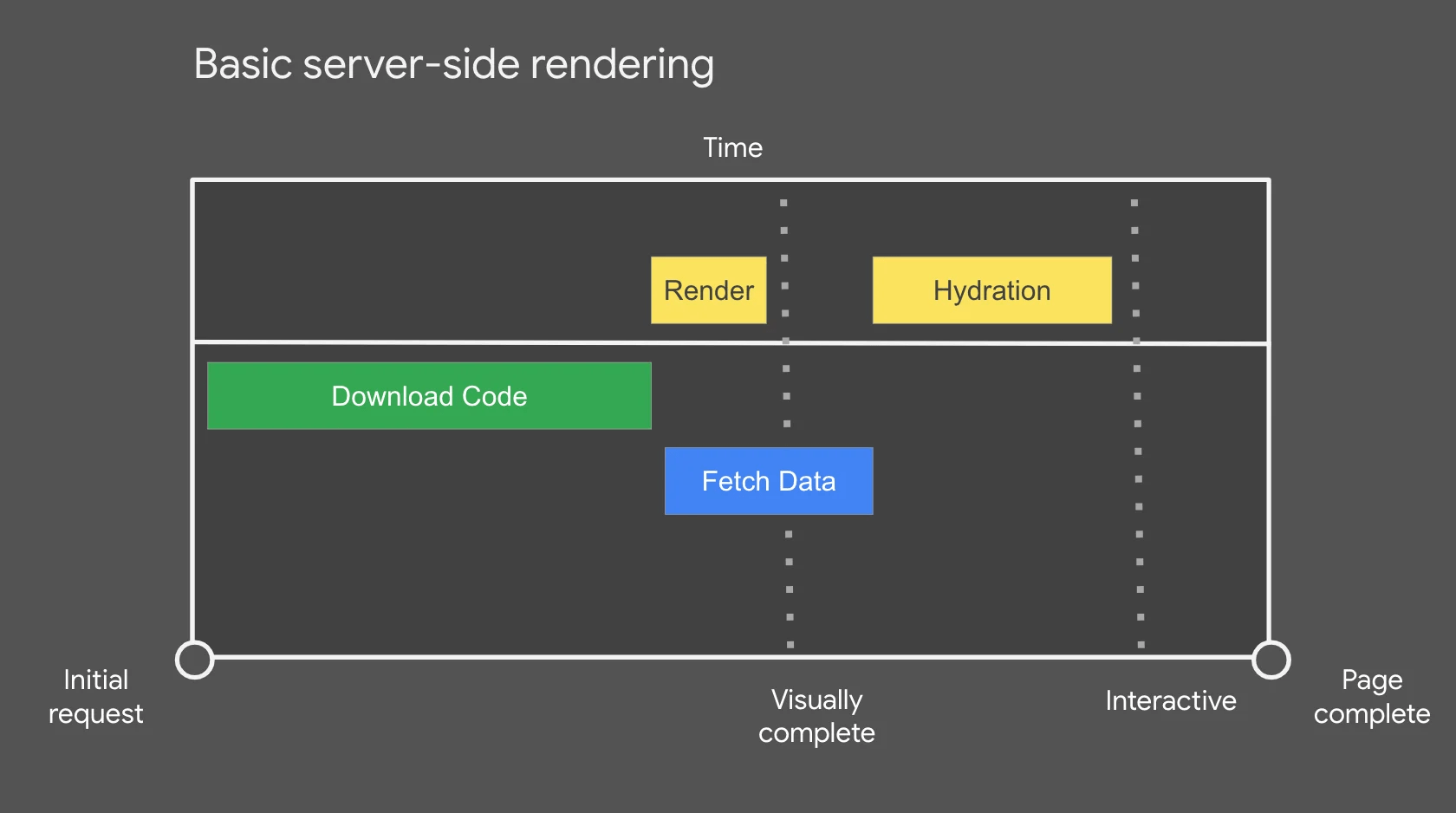
Now, imagine this experience transitions to server-side rendering (SSR). With SSR, the server generates the initial HTML and sends it to the client, allowing the user to immediately begin browsing. However, interactive elements won't function until the data is retrieved from the server and the client framework has completed hydration. This can lead to a kind of '
Interaction-driven lazy loading helps optimize performance by only loading the content the user actually needs. For example, you can first download the minimum code required to configure a screen and complete the page's appearance. Then, you can set it up so that modules related to a specific action are imported only when the user performs that action. This reduces initial load time and improves the user experience.
'Patterns.dev' contains many other patterns in addition to those covered in this article, and also explains patterns specific to frameworks such as React and Vue.js, so if you're interested, be sure to check it out.
Related Posts:








in Education, Software, Web Application, Posted by log1c_sh