Firefox 153 officially released, now supports QR code generation for web pages and PDF merging.
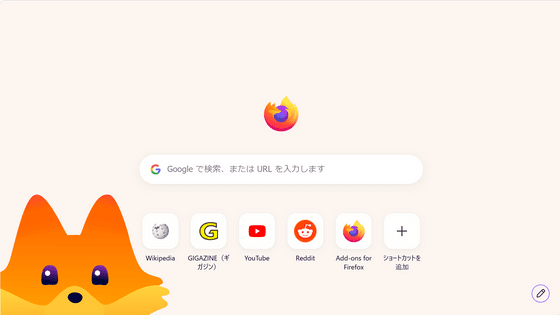
The official version of the web browser ' Firefox 153 ' has been released. New features include the ability to convert the currently viewed webpage into a QR code and to combine multiple PDFs using Firefox's built-in PDF editor. Other additions include HDR video playback on Windows, a quick action to retrieve colors on a webpage, and a feature that highlights icons indicating access to location information in red.
Firefox 153.0, See All New Features, Updates and Fixes
Firefox 153 release notes for developers (Stable) - Mozilla | MDN
https://developer.mozilla.org/en-US/docs/Mozilla/Firefox/Releases/153
◆ HDR video playback now possible on Windows
Firefox for Windows can now play HDR videos. To use this feature, you need to enable HDR mode for your display by going to Windows Settings > System > Display > HDR.
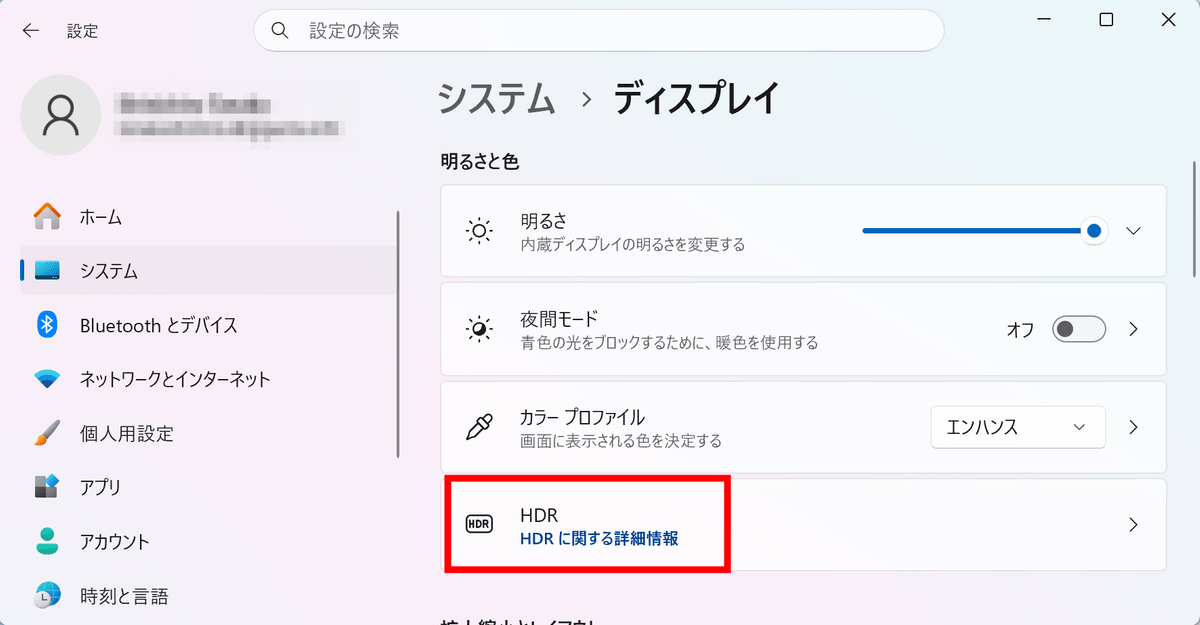
Please note that laptop displays that only support 'HDR video streaming' are not supported at the time of writing. Also, some videos shot with a smartphone in a specific orientation may not be displayed as HDR videos.
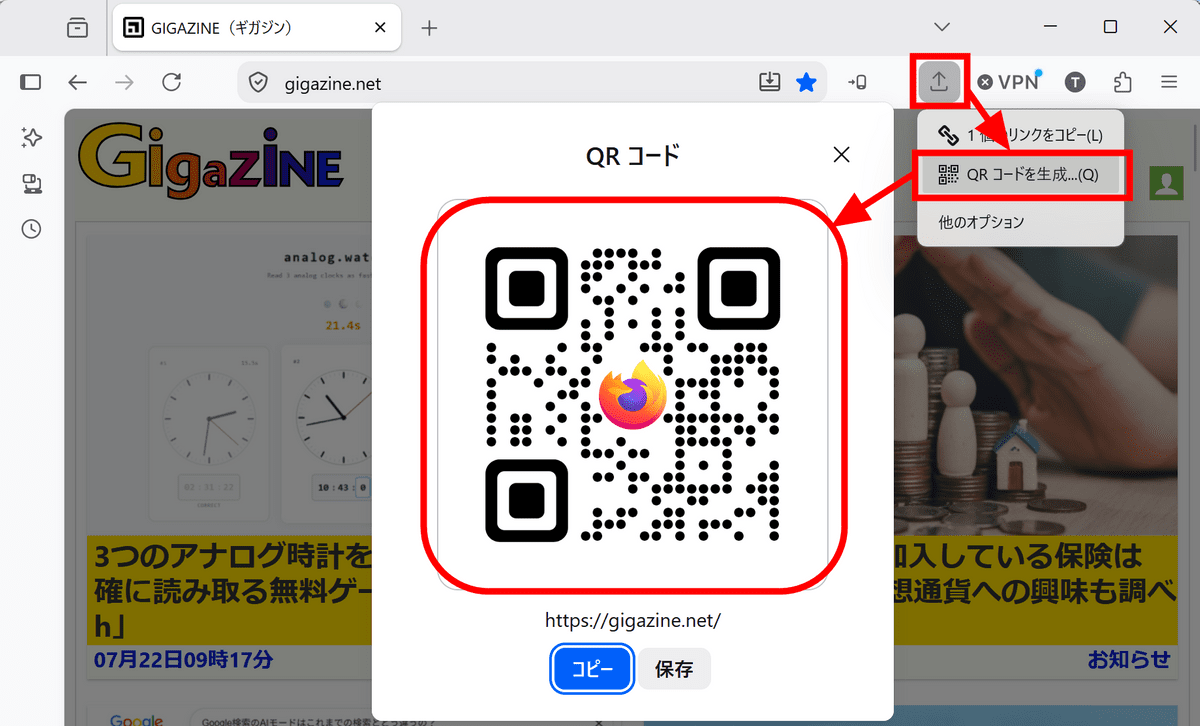
◆ QR codes can now be generated from the page being viewed.
Right-clicking on an open tab and selecting 'Generate QR Code' from the share menu will create a QR code with the URL of the page you are currently viewing embedded in it. The generated QR code can be saved as an image or copied to the clipboard. This is useful for sending pages you have open on your PC to your smartphone, or for including links to websites on printed materials such as posters and invitations.
◆Supports merging PDFs and adding image pages.
Firefox's built-in PDF editor has been enhanced. You can now combine multiple PDFs into one by dragging and dropping another PDF file into the PDF sidebar while viewing a PDF. Additionally, you can now add image files as new pages within a PDF.
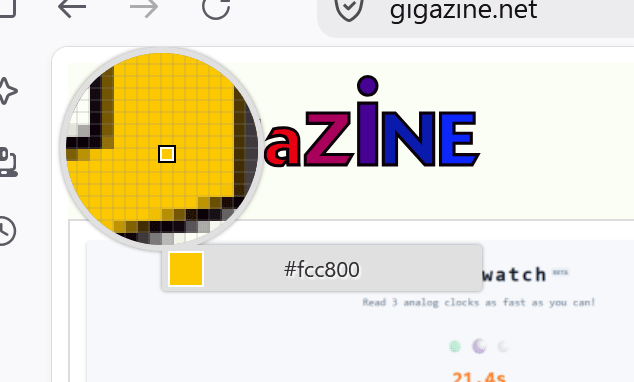
◆ Color picker can now be launched from the address bar.
Now, typing 'pick color,' 'color picker,' or 'eyedropper' into the address bar will display a quick action called 'Pick a color.'
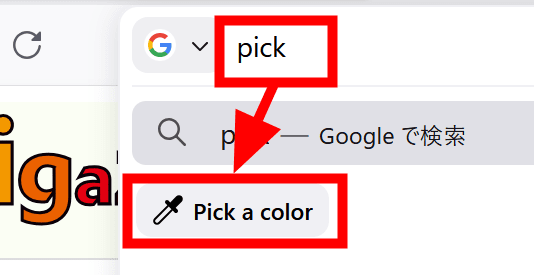
The quick action allows you to retrieve a color from any location on a webpage and copy its color code.
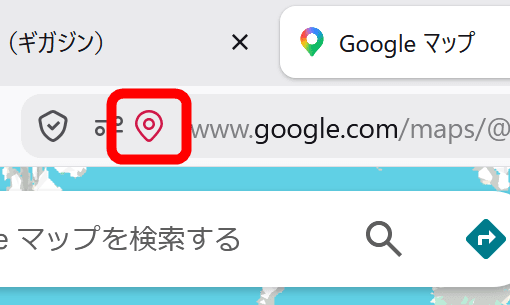
◆Warning about access to location information with a red icon
The location icon in the address bar now displays red while a website is accessing the user's location information. Even on search results pages where the location icon was previously not displayed, it will now appear if the website is using location data.
◆ You can now select the AI model to use in 'Smart Window'.
With 'Smart Window,' which incorporates an AI assistant, you can now view available AI models from the assistant's screen and select one according to your needs. Additionally, a new tab in Smart Window now includes an address bar similar to that of regular Firefox, allowing you to enter website URLs and perform web searches.
Smart Window will be rolled out in stages. It was not yet available on the PCs of our editorial staff.
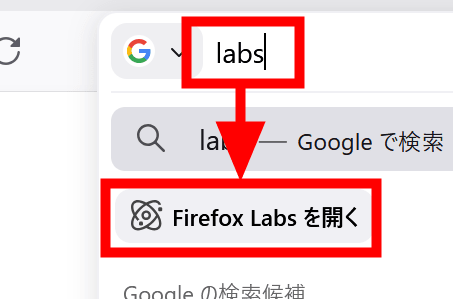
◆ JPEG XL is now available for trial from Firefox Labs.
Typing 'labs' or 'experiment' in the address bar now displays a quick action to open Firefox Labs, which manages experimental features. In Firefox Labs, you can enable experimental support for the new image format, JPEG XL.
◆Restrict access to local files by extensions
Extensions can no longer access local files on your PC by default. Previously, this was included in 'Access to all website data,' but in Firefox 153, it is managed as a separate permission called 'Access to local files on your computer.'
Access to local files is disabled by default, including for already installed extensions, and users can individually grant permission only to the extensions they need.
◆Permission is required to access the local network.
The 'Local Network Access' restriction has been enabled by default for all users. This means that websites will now need to request permission from users before connecting to devices such as printers, routers, smart home appliances, or apps and services running on PCs that are on the same network.
◆Other updates
The ' Containers ' feature allows you to separate login states for different purposes such as work, shopping, personal use, and banking, and isolate cookies and ad tracking within each container.
- Supports the system-wide full-screen operation 'Globe + F' on Apple keyboards.
- Supports verification and display of QWAC, a qualified website certification certificate under the EU's eIDAS regulation.
- Improved the right-click menu to make it easier to access video-related operations, even when an overlay is displayed on the video.
- Remove the old cookie settings from the settings screen and recommend that users using those settings switch to the standard 'Isolate Cross-Site Cookies' setting.
◆Main updates for developers
- Added a 'Local Mode' option to the developer tools, allowing you to load local directories as your own origin. APIs that don't work with file:// can now be tested without starting a local web server.
- The Accessibility Inspector can now also check the heading level of heading elements.
- Supports some non-standard pseudo-elements ' ::-webkit-scrollbar ' for improved web compatibility. However, it does not support full style specifications such as color and rounded corners.
- Supports 'alphabetic', 'ideographic', 'central', 'mathematical', and 'hanging' for alignment-baseline .
- Supports the updated ' popover=hint ' specification.
- Supports 'closest-corner' and 'farthest-corner' using the CSS circle() and ellipse() functions.
- Supports ' Error.stackTraceLimit ' to specify the maximum depth of the JavaScript error stack.
- Supports text modules that import text files as strings using ' with { type: 'text' } '.
- Desktop version now supports Picture-in-Picture API
- Supports Intl.Locale related functions that can retrieve the start date of the week, weekends, text direction, time format, etc. for each region.
- MediaCapabilities.decodingInfo() and encodingInfo() now support the 'webrtc' configuration type.
- Enable ' JavaScript Promise Integration ' to link WebAssembly modules with Promise-based asynchronous JavaScript APIs.
- Gradually enable the HTTP compression dictionary to reduce network traffic for supported sites.
Additionally, Firefox 153 includes several security bug fixes .
The next major version, 'Firefox 154,' is scheduled for release on Tuesday, August 18, 2026 (local time).
Related Posts:




in Software, Posted by log1d_ts