Bluesky adds a group chat function and a feature to share profiles using QR codes.
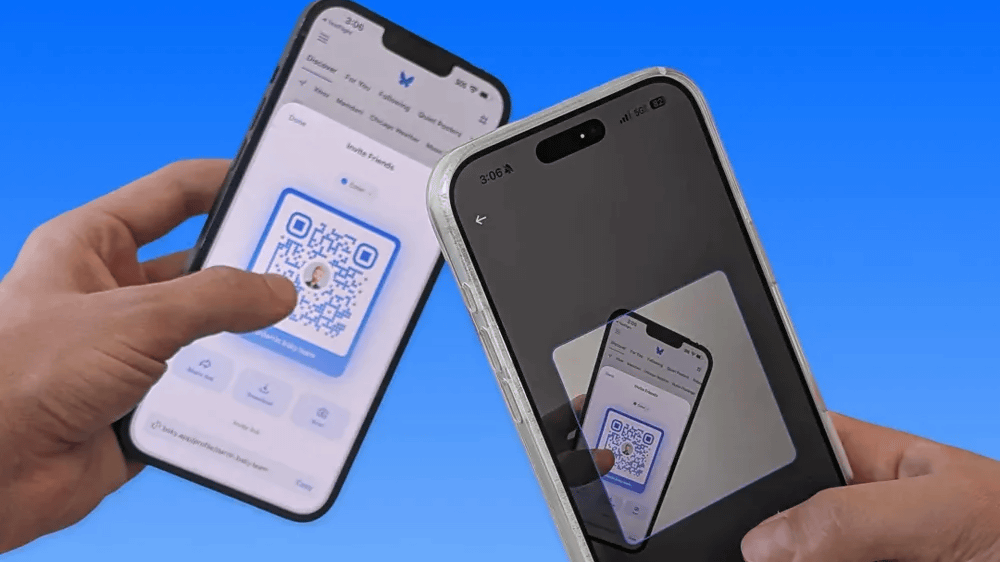
Bluesky version 1.124 was released on June 12, 2026, Japan time. Version 1.124 adds a 'group chat function' and a 'function to display a QR code that allows access to the profile page.'
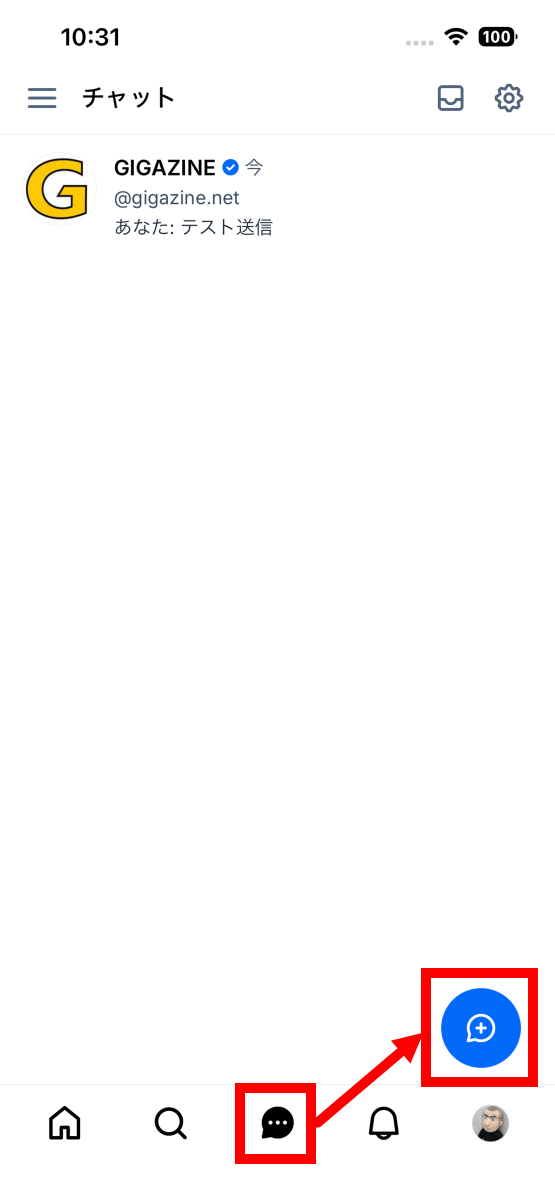
Here's how to use group chat: First, tap the chat button at the bottom of the screen, then tap the add button.
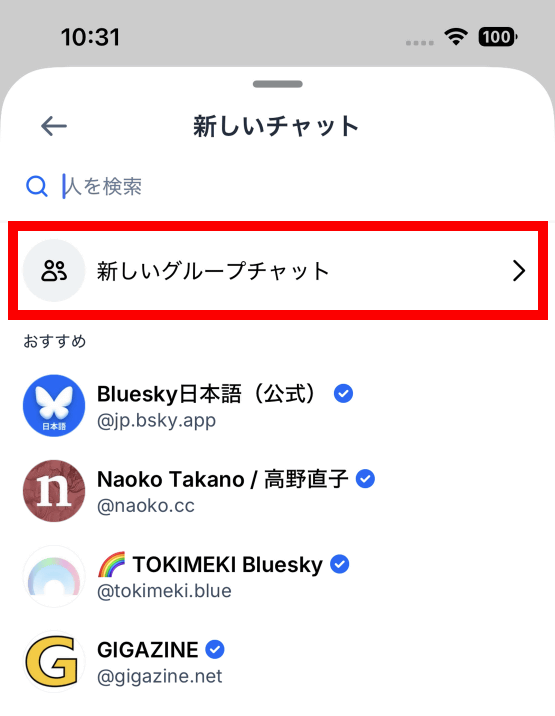
Tap 'New group chat'.
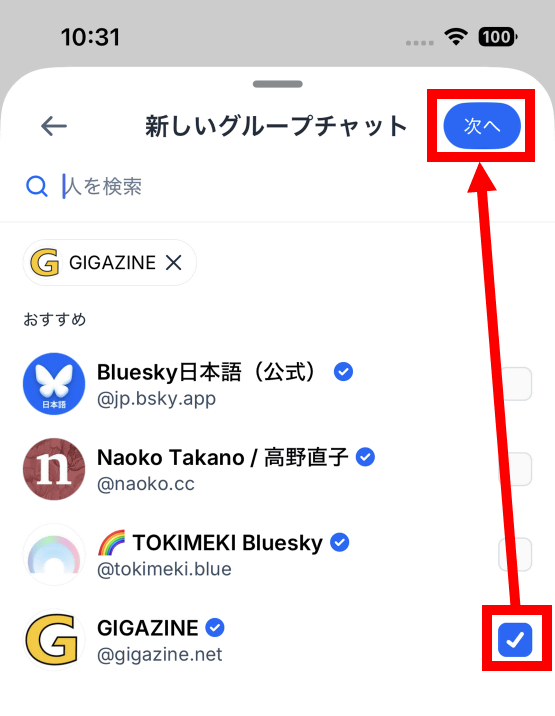
Select the users you want to add to the group chat, then tap 'Next'.
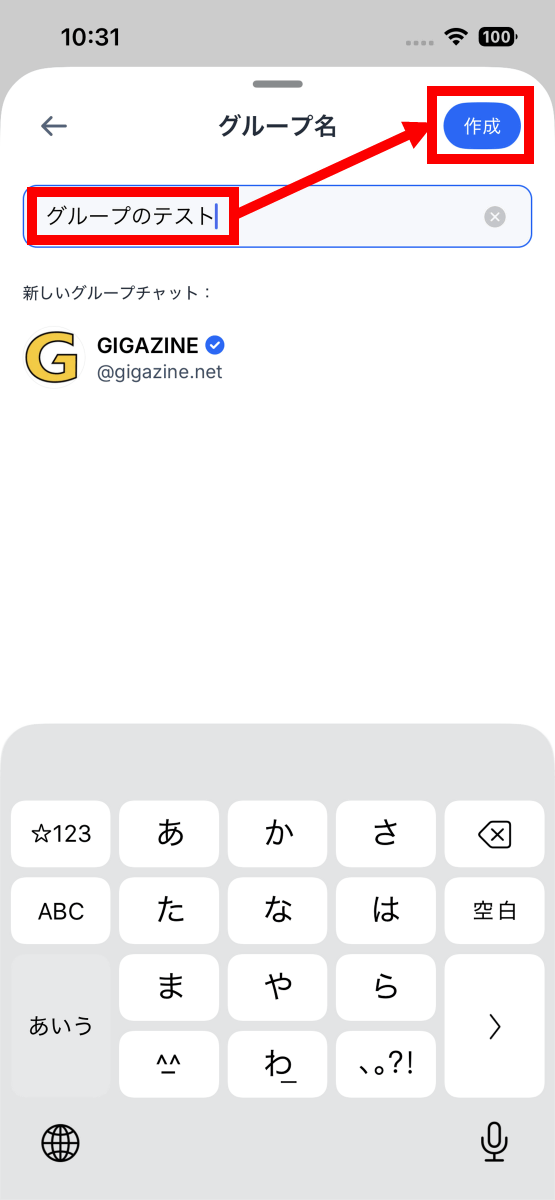
Enter a group name and tap 'Create'.
Now you can chat with multiple users. Up to 50 users can participate in a single group chat.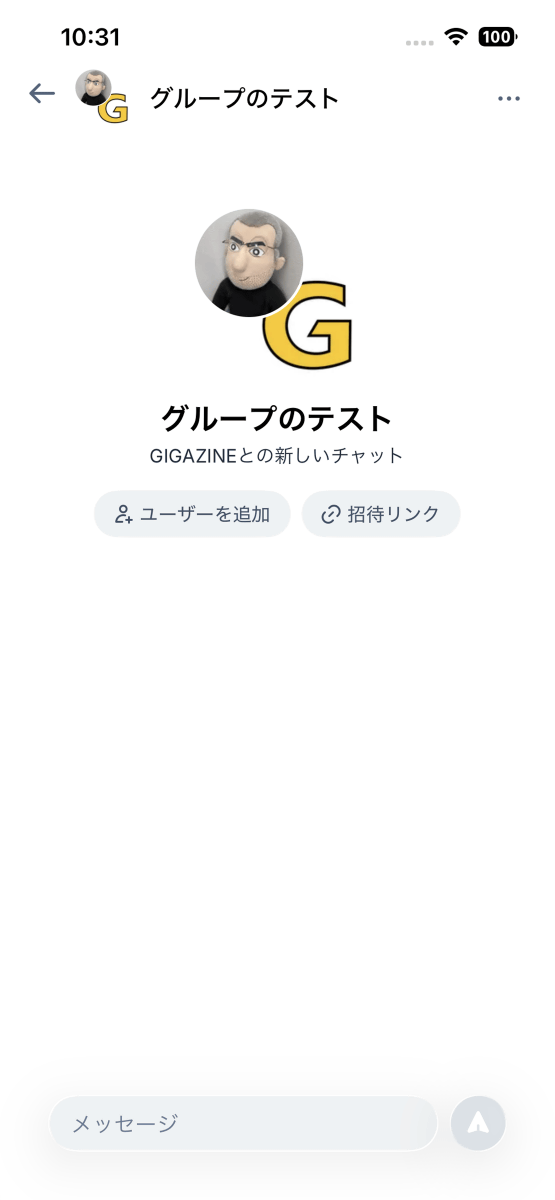
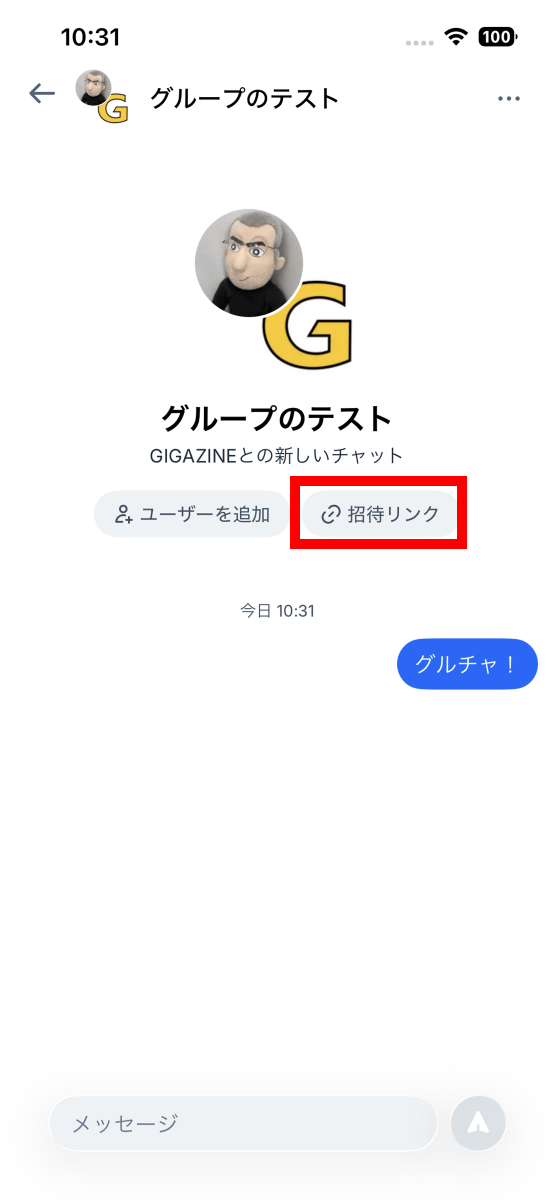
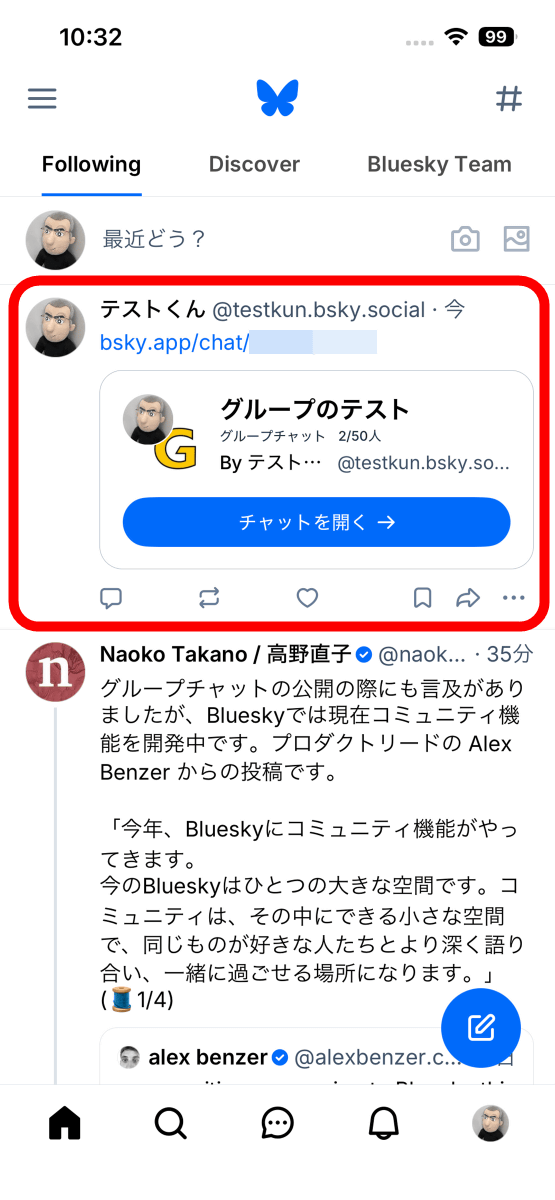
You can also post an invitation link to the group chat on your timeline. First, tap 'Invitation Link'.
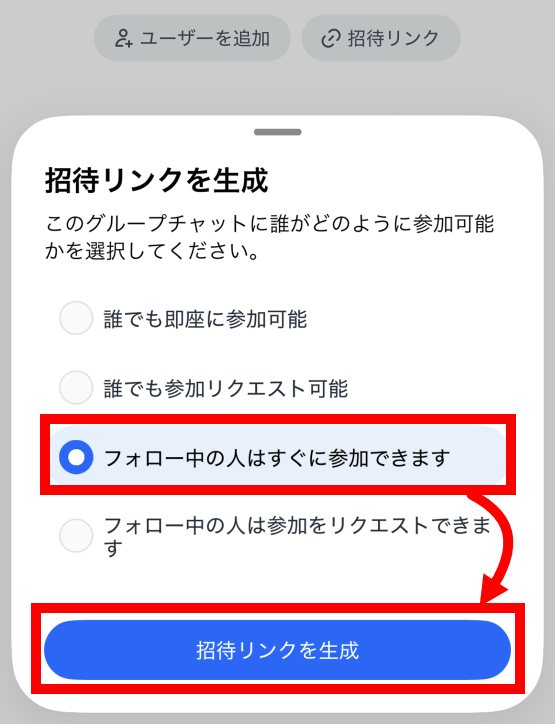
Choose one of four participation rules: 'Anyone can join immediately,' 'Anyone can request to join,' 'People you follow can join immediately,' or 'People you follow can request to join,' then tap 'Create invitation link.'
The invitation link has been generated. Tap 'Post Link' at the bottom of the screen.
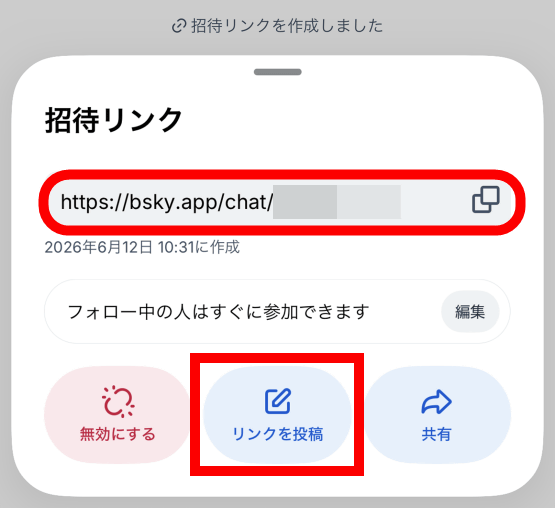
Once the post creation screen appears, enter your desired text and tap 'Post'.
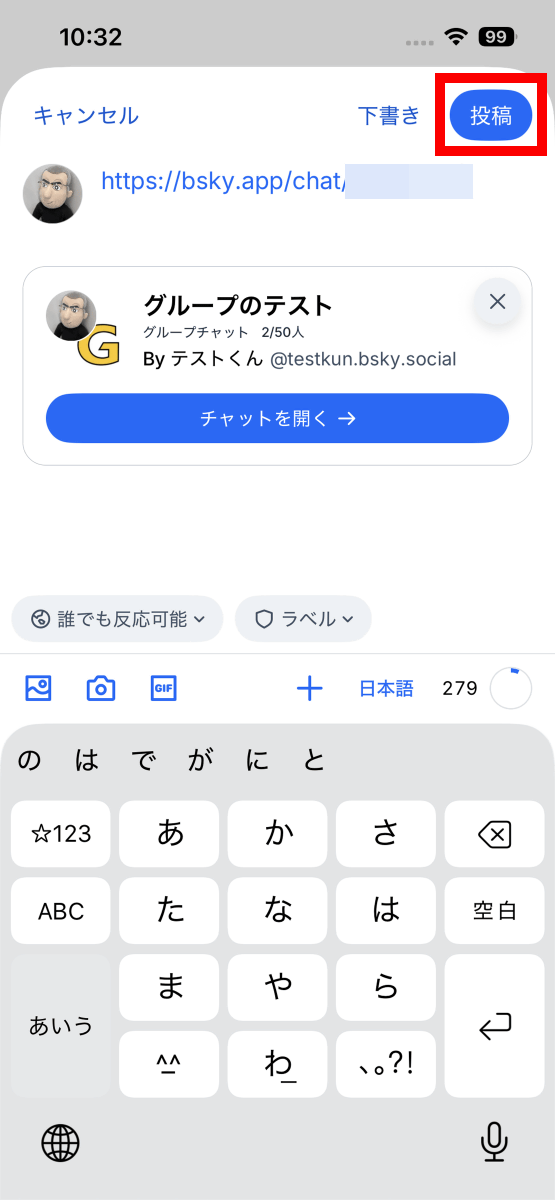
Now you've successfully posted the group chat invitation link on your timeline.
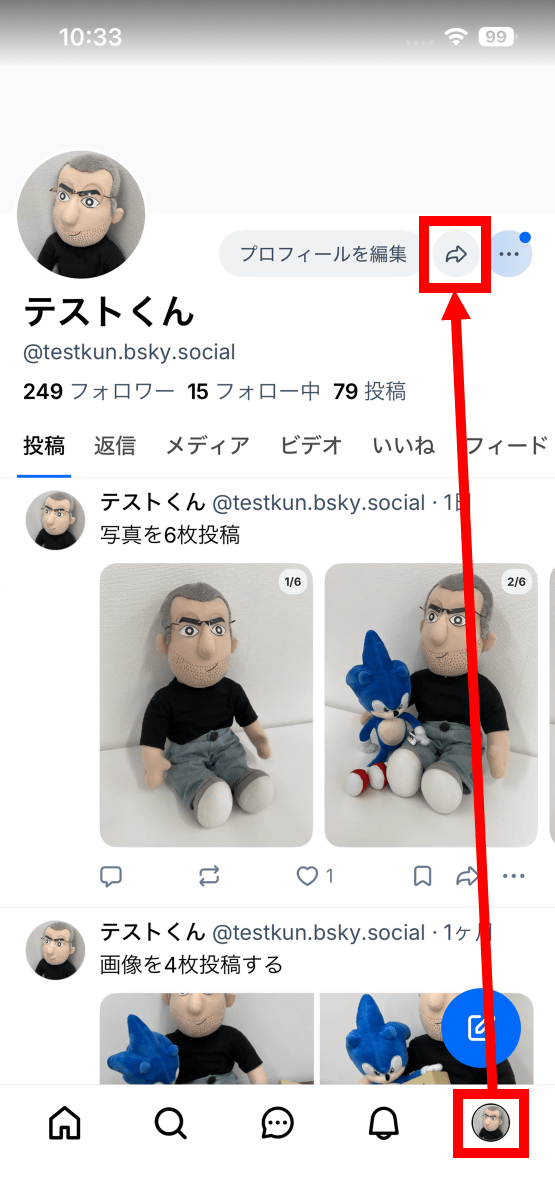
Another notable feature is the ability to display a QR code for your profile. To display the QR code, tap the user icon in the lower right corner of the screen to open your profile, then tap the arrow button at the top.
A QR code that allows you to access your profile was displayed.
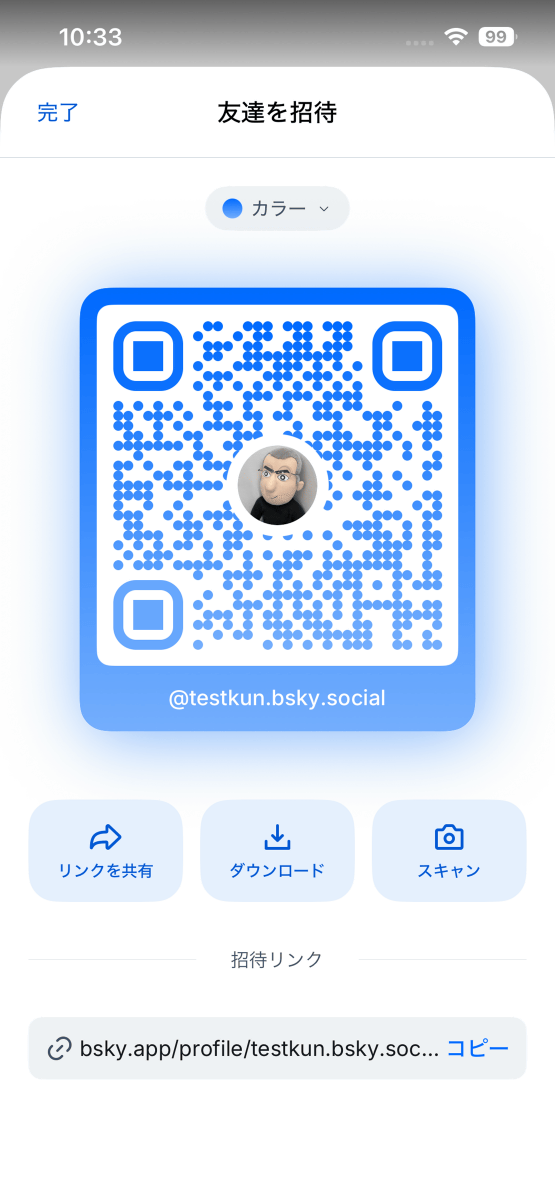
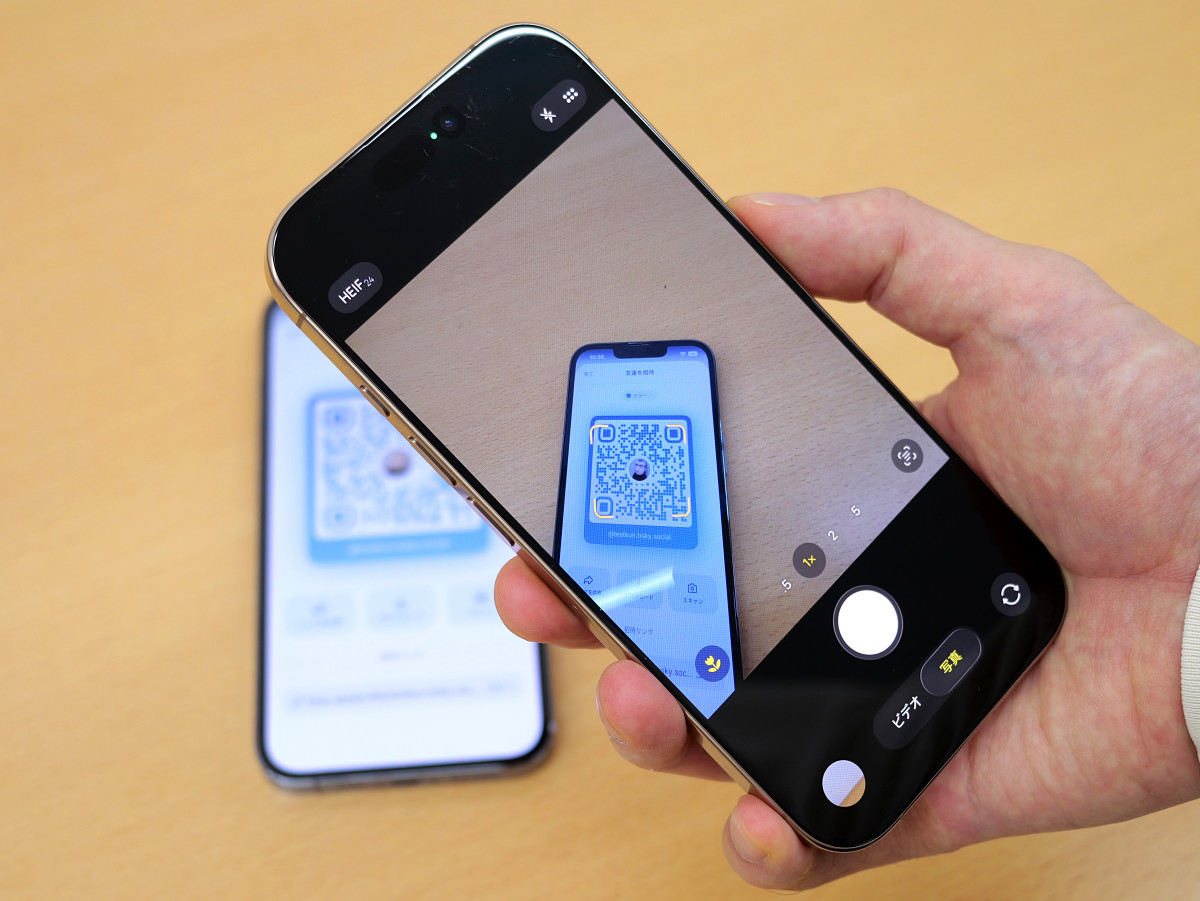
All you have to do is have someone else scan the QR code. If you have the Bluesky app installed, your profile screen will open in the app; if you don't have it installed, your profile page will open in your browser.
Related Posts:
in Software, Web Service, Smartphone, Posted by log1o_hf