Google adds 'Skills' feature to Gemini in Chrome, allowing users to execute prompts with a single click.
Google has added ' Skills' to its AI feature '
Turn your best AI prompts into one-click tools in Chrome
https://blog.google/products-and-platforms/products/chrome/skill-in-chrome/
Google introduces 'skills' in Chrome to make Gemini prompts instantly reusable - Ars Technica
https://arstechnica.com/google/2026/04/google-introduces-skill-in-chrome-to-make-gemini-prompts-instantly-reusable/
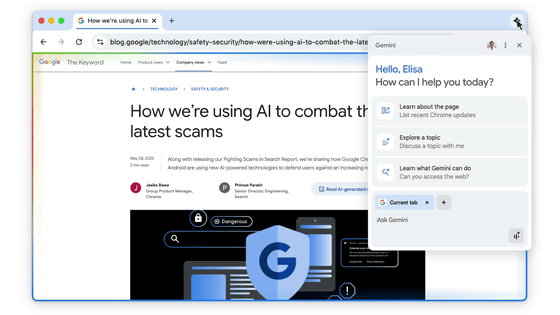
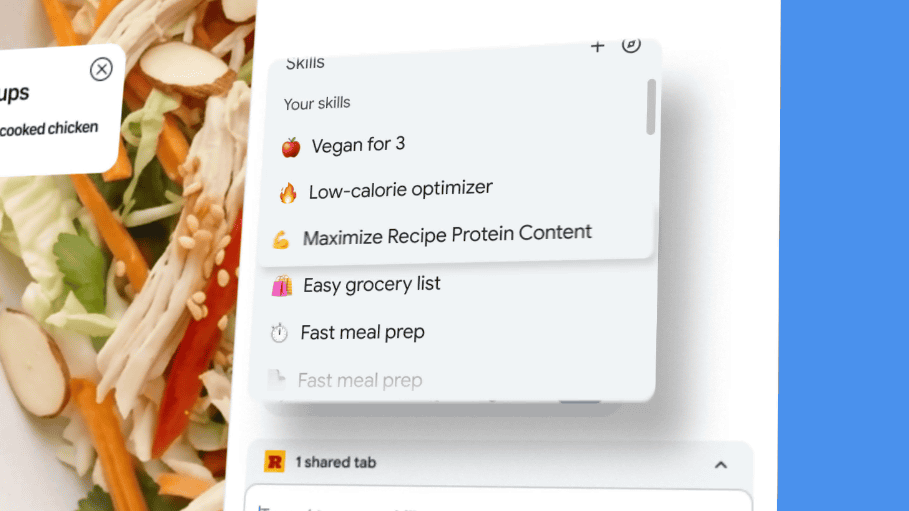
Previously, repeating the same AI task multiple times in Gemini in Chrome required either retyping the same prompt each time you moved to a different page, or pasting saved text. With the new skill, you can save a prompt you've created directly from your chat history, and then instantly recall it in Gemini in Chrome by typing '/' or pressing the '+' button.
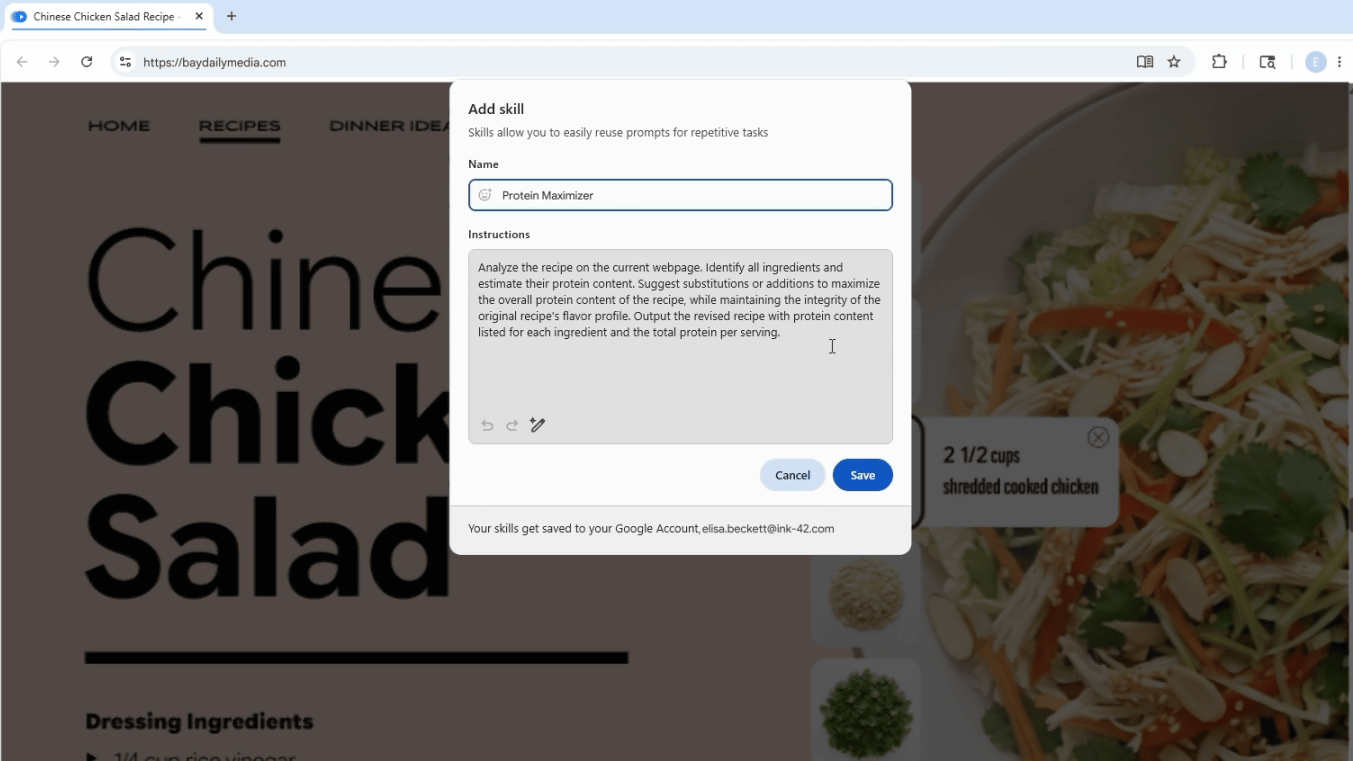
Saved skills can be edited on the spot, and new skills can be added. Google says early testers are using it for things like calculating protein content and nutritional information in recipes, comparing product specifications across multiple tabs, and extracting key points from long documents and web pages.
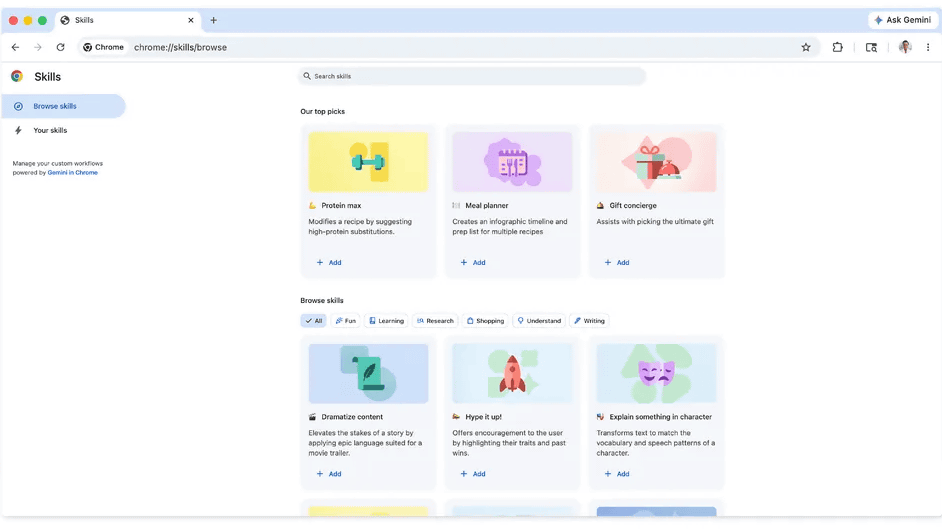
Furthermore, a 'skill library' is provided, containing pre-built skills for general tasks. Users can add skills they find interesting from this library and customize them to suit their own needs.
Google positions skills not as adding entirely new AI capabilities, but rather as a mechanism to more quickly repeat processes that were already possible with Gemini in Chrome. Saved skills can be used on other desktop devices logged into Chrome with the same Google account, making it easier to reuse frequently used AI tasks as personal workflows.
In terms of security, the skill operates on the same protections as the regular prompts in Gemini in Chrome, and the system will continue to require confirmation when performing actions such as adding events to the calendar or sending emails. Google explains that it 'benefits from Chrome's multi-layered protection, automatic red teaming, and automatic updates.'
Related Posts: