Do you need the 'nano-texture glass' used in Apple's displays?
Nano-texture glass is a surface-treated glass that has been adopted as an option on recent Apple displays, but it's not a cheap option, so many buyers are wondering, 'Do I really need nano-texture glass for my PC display?' Tool builder
Notes on Apple's Nano Texture
https://jon.bo/posts/nano-texture/
Borichevskiy's interest in nano-texture glass began with a friend's post comparing his old MacBook Pro display with a new one. He was so impressed by the post that he spent all his money on a PC with a nano-texture glass display, even though he'd only just bought a Daylight Computer product a few months earlier.
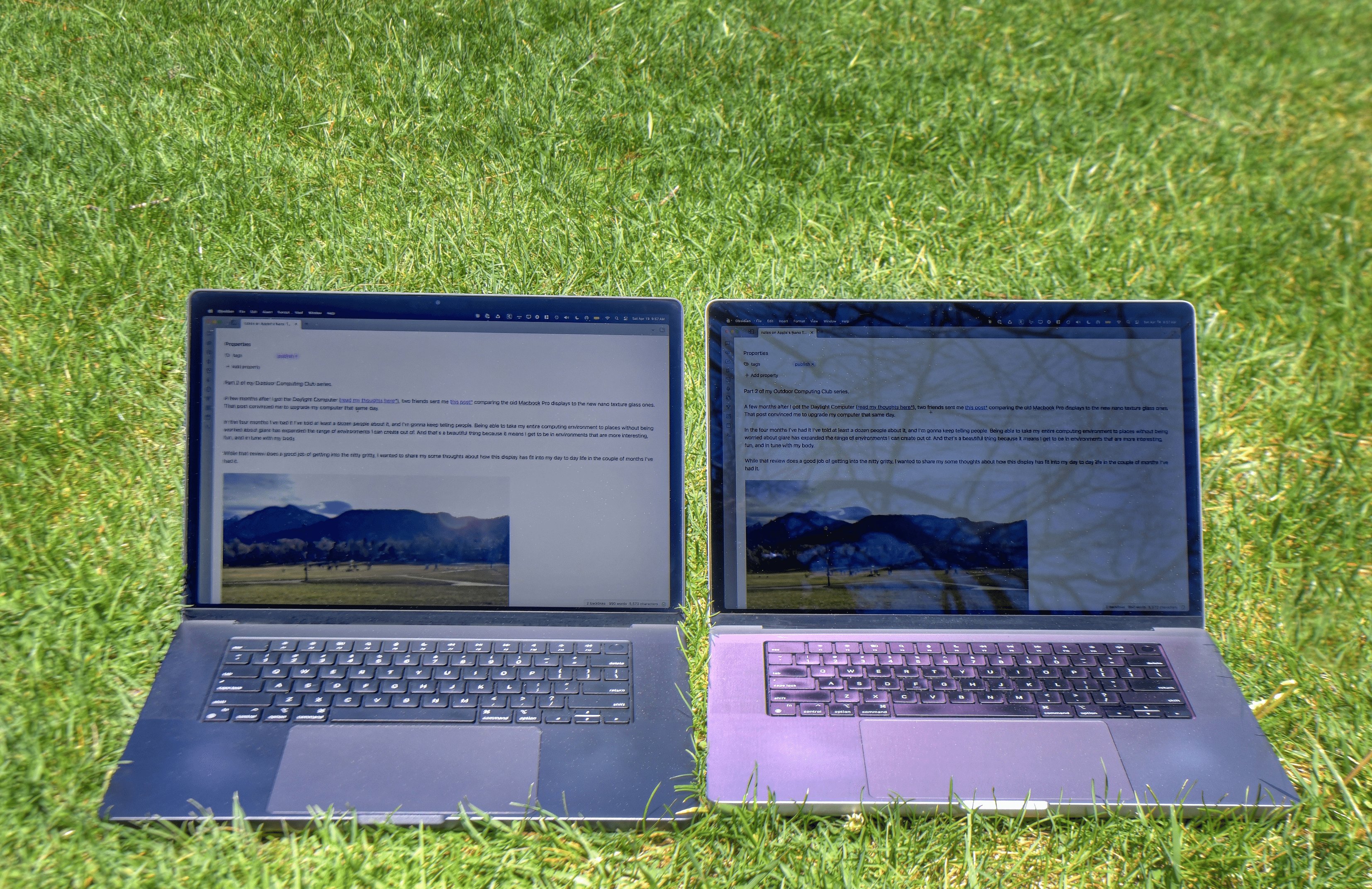
Conventional matte displays reduce glare by applying a light-diffusing coating to the glass surface, but this coating has the disadvantages of reducing the display's contrast and introducing unwanted haze and brightness. Nano-texture glass, on the other hand, is
So how does Nano-texture compare to Daylight Computer? Borichevskiy is quick to point out that the two are different. Daylight Computer's Android tablet uses a grayscale transflective LCD , and while it does have a backlight, it's not essential. Its true value lies in direct sunlight with the backlight turned off. Because it works in a fundamentally different way from a laptop screen, turning the backlight on and off doesn't affect the display when outdoors in sufficient direct sunlight. The Nano-texture MacBook Pro, on the other hand, is ultimately a traditional LCD screen, which means the backlight must always be on.
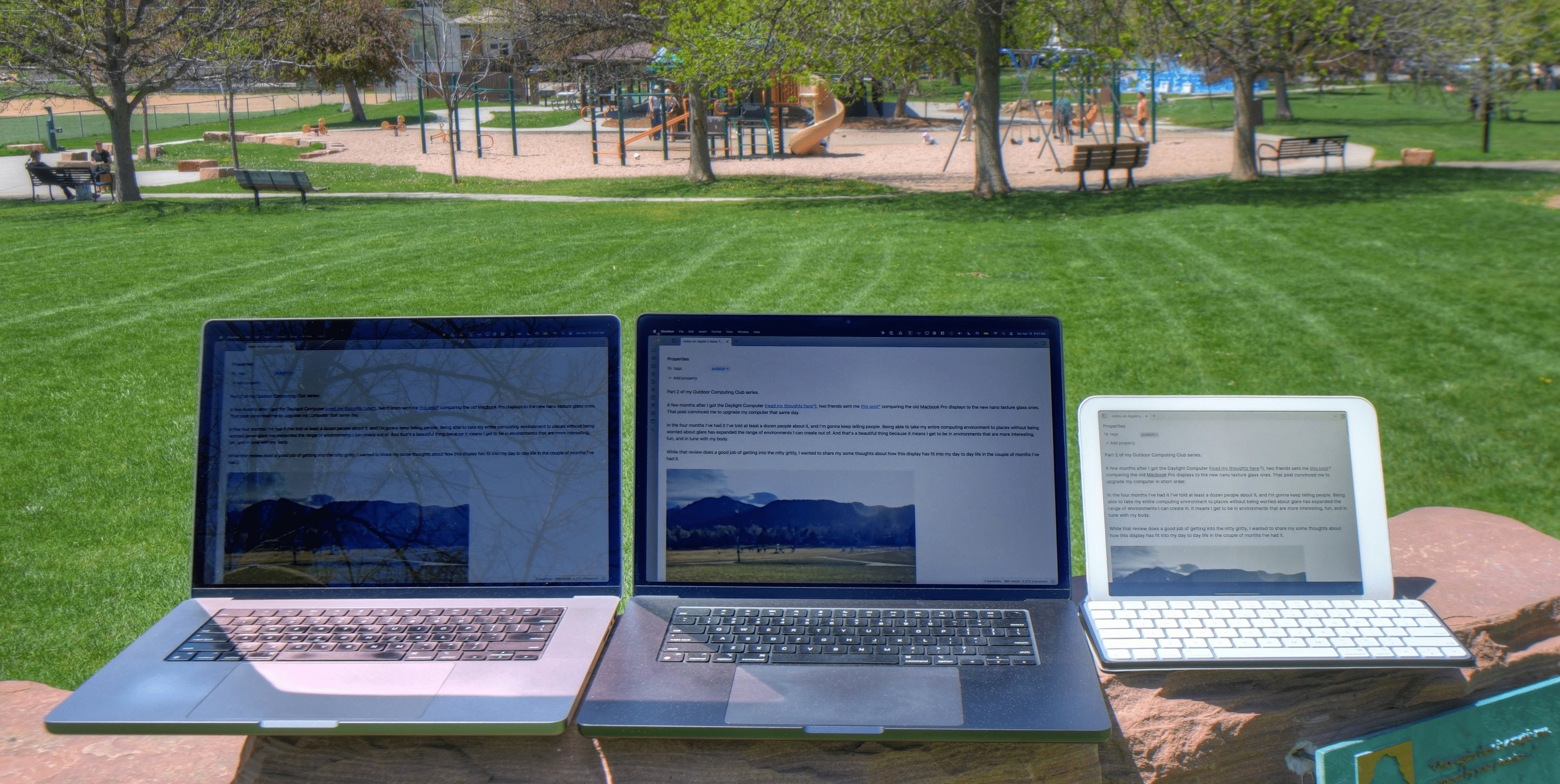
The features of Daylight Computer are as follows:
- Text readability remains the same in dark mode and light mode
- Turning off the backlight outdoors does not affect visibility and greatly improves battery life.
- Grayscale and low DPI limit the amount of text that can fit on the screen
・Because it is a tablet, it is difficult to adjust the screen to a comfortable viewing angle
The characteristics of Nano-texture are as follows:
Dark mode text is much harder to read than light mode
・Generally, backlights need to be set to 90% or higher for visibility to be poor.
With a Retina display and wide color gamut, you can do almost anything you can do indoors outdoors.
It's a hinged laptop, so it's very easy to keep the screen in a comfortable position.
Although each has its pros and cons, Borichevskiy believes that his outdoor computing life has improved dramatically compared to before. However, he points out that nano-texture also has some drawbacks:
・Dirt
Fingerprints, splashes, and dirt on the display surface are only a minor nuisance indoors, but they are very noticeable outdoors. If rubbing alone doesn't remove the dirt, you'll need to wipe it off with rubbing alcohol. A special cleaning cloth specifically for nano-texture screens is required for wiping. While one comes with each nano-texture product, Borichevskiy says five would be ideal. In fact, when Borichevskiy travels with his laptop, he always carries a special cleaning cloth and some rubbing alcohol wipes with him. He moistens the cleaning cloth with the wipe before wiping the screen, but he admits that it's actually quite a hassle.
·scratch
Scratches are even more serious than dirt. While nano-texture glass is etched, making it less susceptible to scratches than coated glass, wiping the screen with anything other than a special cleaning cloth is not recommended. Borichevskiy also points out that when the MacBook's display is closed, the bottom of the keyboard and the top of the trackpad make slight contact with the screen, leaving scratches on the screen. He says the scratches on the display are not noticeable when the backlight is on, but are visible when it's turned off. That said, he worries more than ever about the USB Type-C cable touching the screen or pinching a grain of rice between his eyes when closing the laptop .
·price
The nano-texture glass is an optional extra, which added an additional $150 to an already expensive computer when Borichevskiy purchased it.
Based on the above, Borichevskiy concludes that Nano-Texture glass is a very attractive option for those who are bothered by screen glare and are willing to put in some effort to maintain their screen.
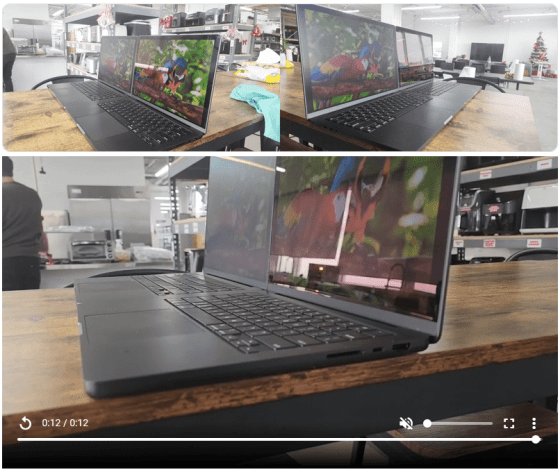
The website below also has videos that compare the appearance in more detail and photos that examine reflections, and the results of the tests include an impact on the clarity of the image, a decrease in contrast ratio, low saturation and high color reproduction, but without the vivid and striking colors that we are accustomed to on the glossy panels of MacBooks, iPads and iPhones, and an effect only on the vertical viewing angle.
A Closer Look At Apple's Nano-Texture Display: Should You Get it? - RTINGS.com
https://www.rtings.com/laptop/learn/apple-nano-texture
Related Posts:
in Hardware, Posted by log1c_sh