My experience using the AI agent 'OpenClaw' for schedule checking, group chat summaries, price alerts, refrigerator management, and more

In January 2026, Moltbook, a social networking site for AI agents, was released, sparking controversy . OpenClaw (formerly Clawdbot) , the only open-source AI agent allowed to open an account on Moltbook, also attracted attention. Brandon Wang, an engineer who uses OpenClaw extensively, talks about how his life has become more convenient since he started using it.
A sane but extremely bull case on Clawdbot / OpenClaw | Brandon Wang
https://brandon.wang/2026/clawdbot
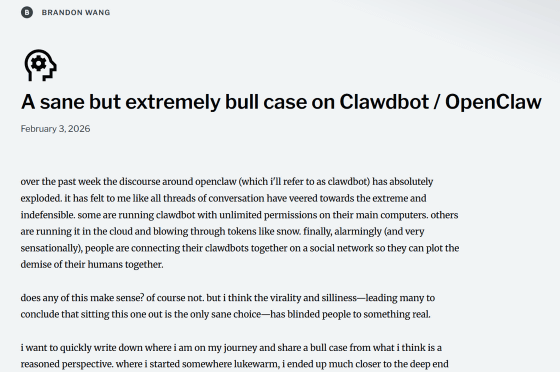
OpenClaw, which has become increasingly popular in relation to Moltbook, is being used by Wang as a locally-running AI assistant. OpenClaw can use multiple AI models developed by Anthropic and OpenAI, communicate with users through various messaging apps, and perform various actions in conjunction with reminders, calendars, emails, messaging apps, browsers, etc.
When using OpenClaw as an AI assistant, you need to access a browser from home to browse and log in to various websites and take a large number of screenshots. For this reason, Wang runs a Mac mini dedicated to OpenClaw at home 24 hours a day, 365 days a year, and interacts with OpenClaw via a private Slack workspace.
The tasks that Wang actually has OpenClaw perform are as follows:
- Check text messages and create a calendar
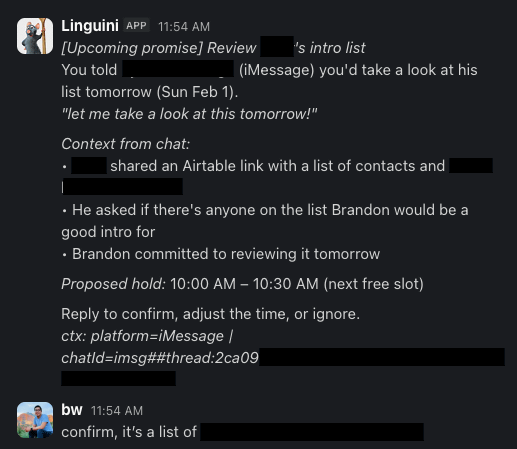
OpenClaw checks the messaging app every 15 minutes, uses a script to summarize the threads Wang has responded to, and creates a calendar event if there is an appointment on a specific day. It also marks any appointments that need to be confirmed with someone as 'pending' in the calendar to prevent double bookings.
・Preparation for the next day
Every day at 8 p.m., OpenClaw checks the next day's calendar and sends a summary of appointments, such as lunches and conference calls, to Wang. Wang is an introvert by nature, so he says it's very helpful to know the day before whether he'll have a lot of meetings or not.
- Simplified group chat
Wang is a member of group chats on WhatsApp, Signal, and other platforms, where more than 100 messages are exchanged per day. Since it would be tedious to go through all of them, OpenClaw reviews these chats once a day and summarizes interesting topics and conversations.
- Setting up mass price alerts
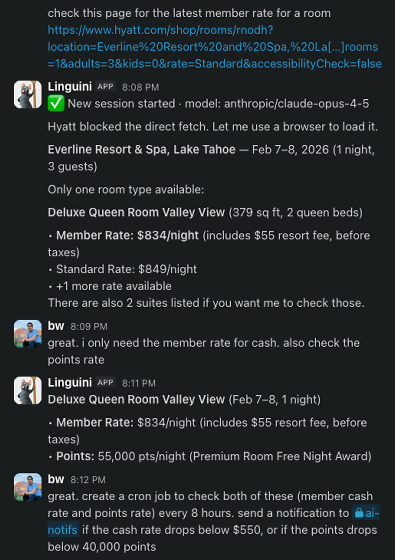
Previously, Wang would regularly check price alert websites to see price fluctuations for products and hotels he wanted. At the time of writing, he said he had set up more than 30 price alerts. He also said he liked certain conditions, like 'a pull-out bed in a separate room is OK,' and OpenClaw would check photos on booking sites to see if they met those conditions.
・Other monitoring
'OpenClaw is capable enough to monitor something,' Wang said. Wang pays for the 'flighty' app, which tells you about flight delays, and the 'parcel' app, which tracks delivered packages, to use its features, but instead, he claims that by using OpenClaw's website automatic check function, he could track delivery status using the delivery company's tracking number, etc.
Check the refrigerator inventory
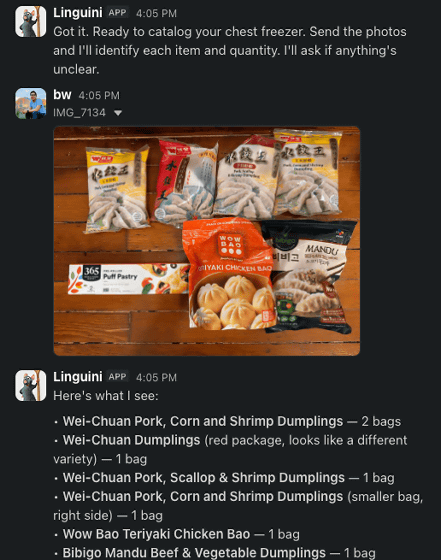
Wang buys frozen foods and other items in bulk at Costco, but to avoid accidentally buying too much of the same thing, he used to take out everything and check his inventory every few months. However, at the time of writing, he takes a photo of what's in his freezer, sends it to OpenClaw, and records the remaining inventory in the note-taking app Notion .
- Create a shopping list from a screenshot of a recipe
If you take a screenshot of the recipe's ingredients and send it to OpenClaw, it will add the ingredients you need to your shopping list in Reminders. It also works with your refrigerator's inventory, so it can figure out things like, 'I actually need three carrots, but I only have one in the fridge, so I only need to buy two.'
・Reservation via browser
Wang's OpenClaw can access his resy and opentable accounts, and can even read two-factor authentication text messages sent to him through messaging apps, so he can send OpenClaw instructions to find a reservation at the restaurant he wants to go to, and then with a few quick checks, he can make the reservation.
・Filling out forms
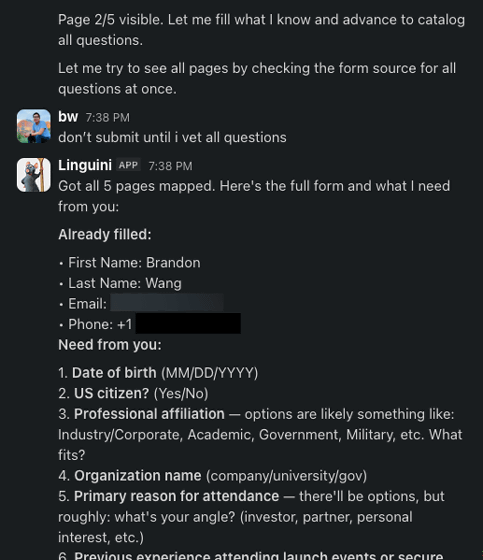
Since it's tedious to fill out lengthy forms with personal information, Wang has started using OpenClaw to fill it out for him. OpenClaw already has a lot of information about Wang, so it automatically fills in the information it already knows and asks about the information it doesn't know via Slack.
・Create a to-do list
OpenClaw is also good at creating to-do lists. When Wang found a different color of shoes he wanted to buy while out and about, he took a photo and sent it to OpenClaw with a message saying, 'I'm going to buy a different color of this.' The to-do list included the brand, model, and size of the shoes, as well as the product URL of the official website.
Through his experience using OpenClaw as an AI assistant, Wang says that the more you use it, the more it learns its way of doing things, quickly becoming optimized to a level that would take months or even years for a human assistant to achieve.
On the other hand, Wang gave OpenClaw various permissions to perform various tasks, such as 'viewing text messages,' 'logging into bank accounts,' and 'accessing calendars, Notion, contacts, etc.' Therefore, if a third party were to gain access to Wang's OpenClaw, they could theoretically steal funds from the bank. However, these risks were a necessary trade-off to allow OpenClaw to perform various tasks and make life more convenient.
Wang argues that the difference between those who are impressed with AI assistants and those who are not is 'how much authority we give the AI.' He argues that to enjoy the convenience of an AI assistant, we need to give it a certain amount of freedom and continuously improve its behavior.
Related Posts:




in AI, Posted by log1h_ik