'Redd-Archiver' allows you to save all 2.38 billion Reddit posts and search them locally offline

19-84/redd-archiver: A PostgreSQL-backed archive generator that creates browsable HTML archives from link aggregator platforms including Reddit, Voat, and Ruqqus.
https://github.com/19-84/redd-archiver
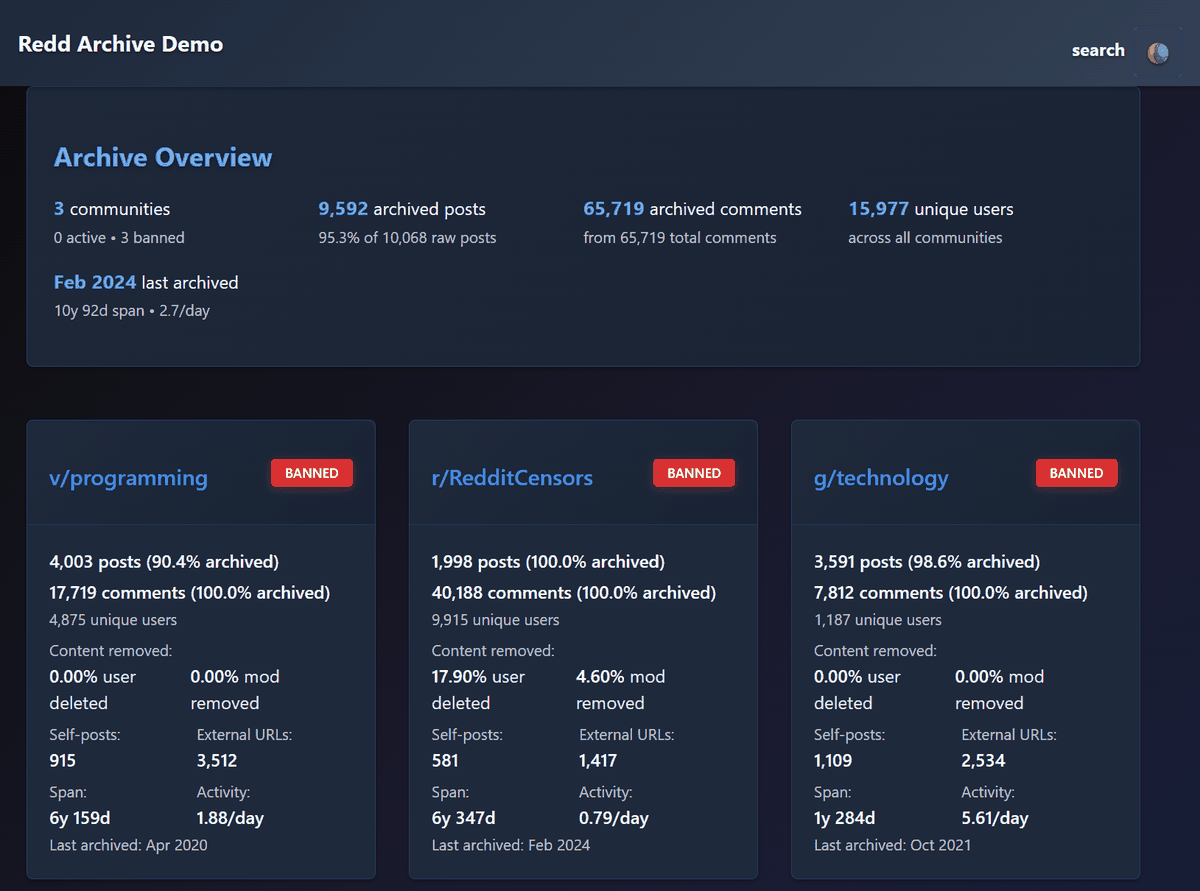
◆Demo site
Redd Archive - Browse 9,592 Posts Across 3 Communities
https://online-archives.github.io/redd-archiver-example/
◆Features of Redd-Archiver
・Consists of only HTML and CSS without using JavaScript
- Supports light mode and dark mode
- Responsive design allows viewing on both PC and smartphone
- Keyboard navigation and screen reader support
・18 dedicated modules available for maintenance and expansion
Over 30 programmatically accessible endpoints, including REST
・Designed for use with Tor
・Full-text search is possible by using PostgreSQL
- Supports archives of Voat and Ruqqus , which have already been closed
◆Installation method
This time, we will build an environment with Docker Desktop and Git for Windows ' Git Bash on Windows. Clone the Redd-Archiver repository in the working folder.
git clone https://github.com/19-84/redd-archiver.git
Go to the redd-archiver folder and create an empty data folder.
 cd redd-archiver
 mkdir -p data output/.postgres-data logs tor-public
Copy the environment configuration file '.env' from '.env.example'.
cp .env.example .env
Open the .env file in a text editor, specify 'POSTGRES_PASSWORD', and change other settings as needed.
POSTGRES_PASSWORD='any string'
Start the container.
docker compose up -d
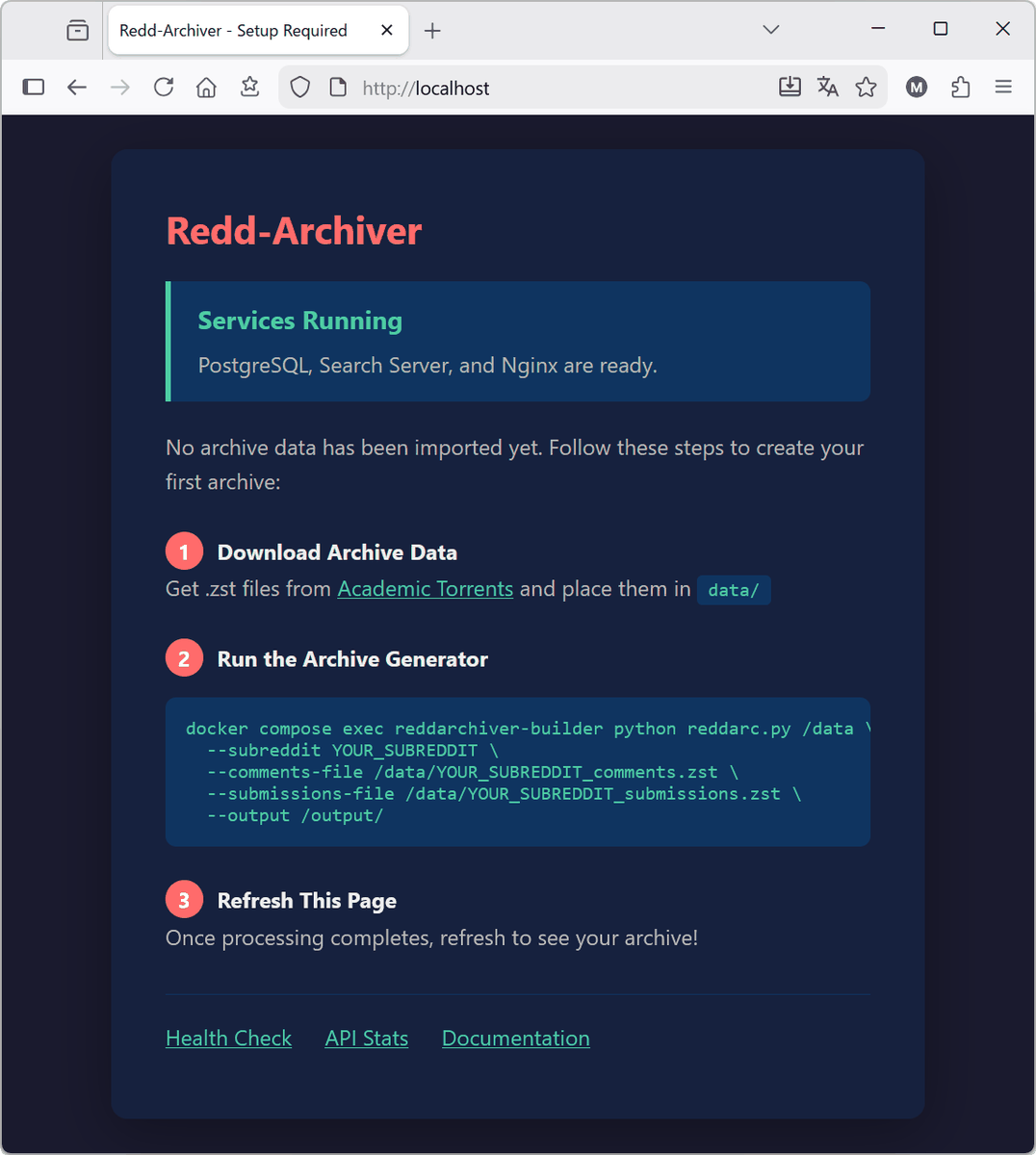
Once the container has started, access 'http://localhost' in your browser. If the initial page is displayed, the tool is ready.
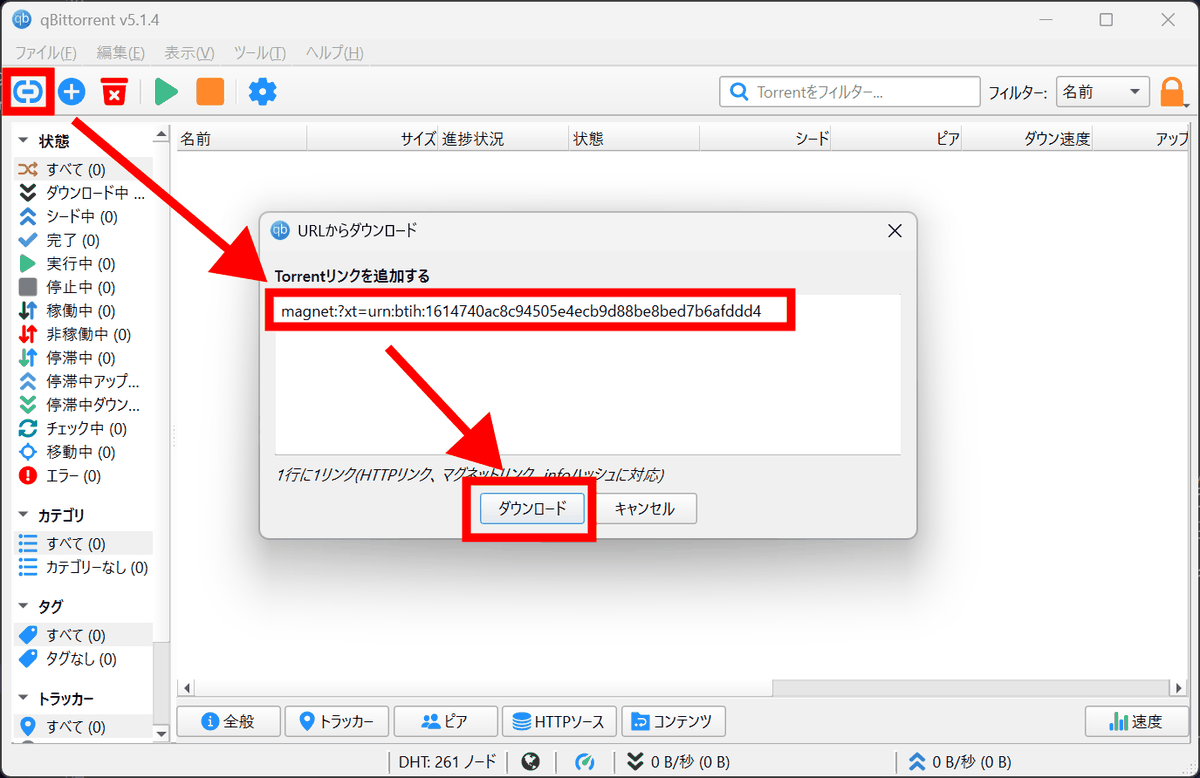
All of the original Reddit posting data from June 2005 to December 2024 is publicly available on
magnet:?xt=urn:btih:1614740ac8c94505e4ecb9d88be8bed7b6afddd4
Launch qBittorrent, enter the magnet link using the 'Add Link' button, and click 'Download.'
A list of files will be displayed, so select the data set of original posts and comments for one subreddit, set the save destination to the data folder under the redd-archiver folder, and click 'OK.'
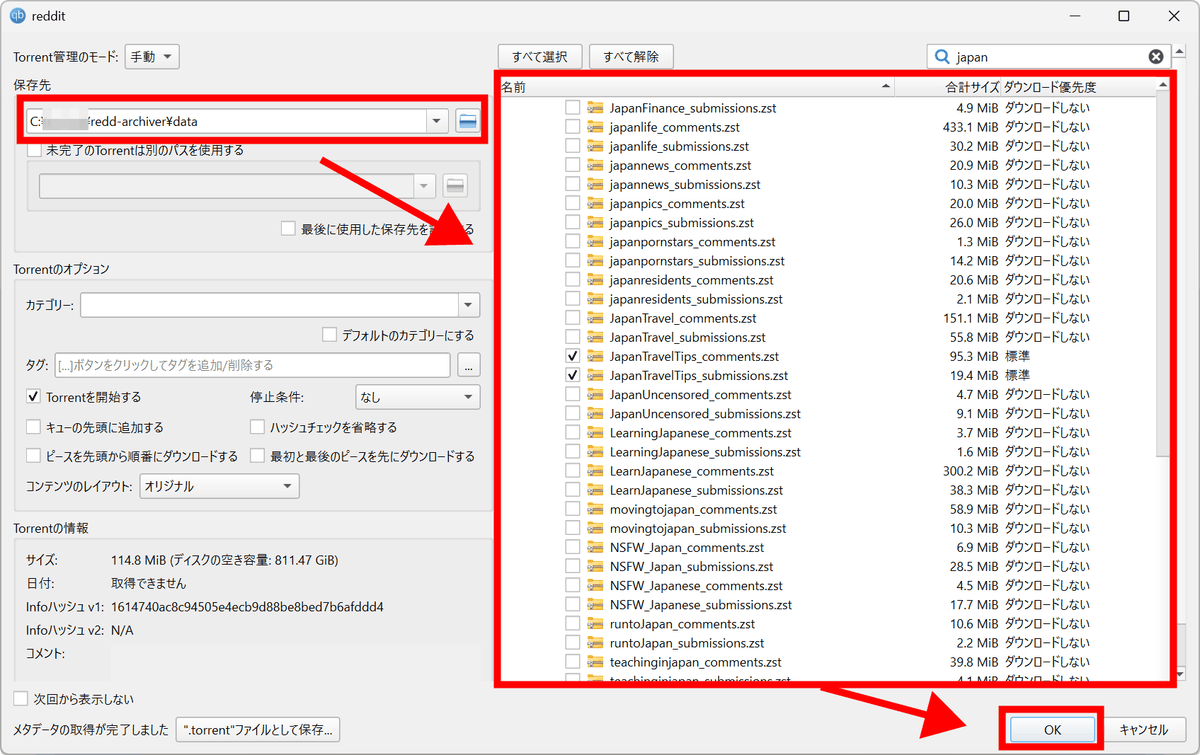
Once the download is complete, replace 'YOUR_SUBREDDIT' with the name of the subreddit you downloaded and run the following generation command.
 docker compose exec reddarchiver-builder sh -lc \
 'uv run python reddarc.py /data/reddit/subreddits24 \
 --subreddit YOUR_SUBREDDIT \
 --comments-file /data/reddit/subreddits24/YOUR_SUBREDDIT_comments.zst \
 --submissions-file /data/reddit/subreddits24/YOUR_SUBREDDIT_submissions.zst \
 --output /output'
If an error occurs, run the following command and then run the generation command again.
 docker compose exec reddarchiver-builder sh -lc 'uv remove playwright && \
 touch /app/README.md'
In this example, we will process an archive for a single subreddit, containing approximately 630,000 posts and a file size of 116MB.
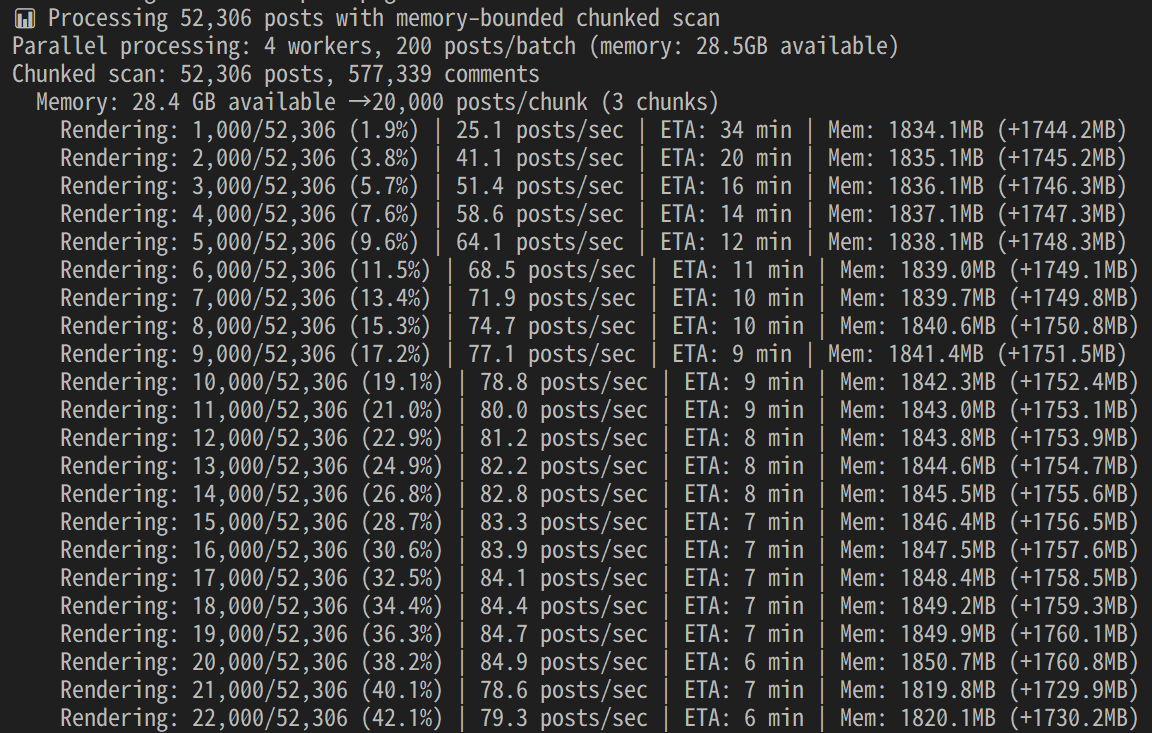
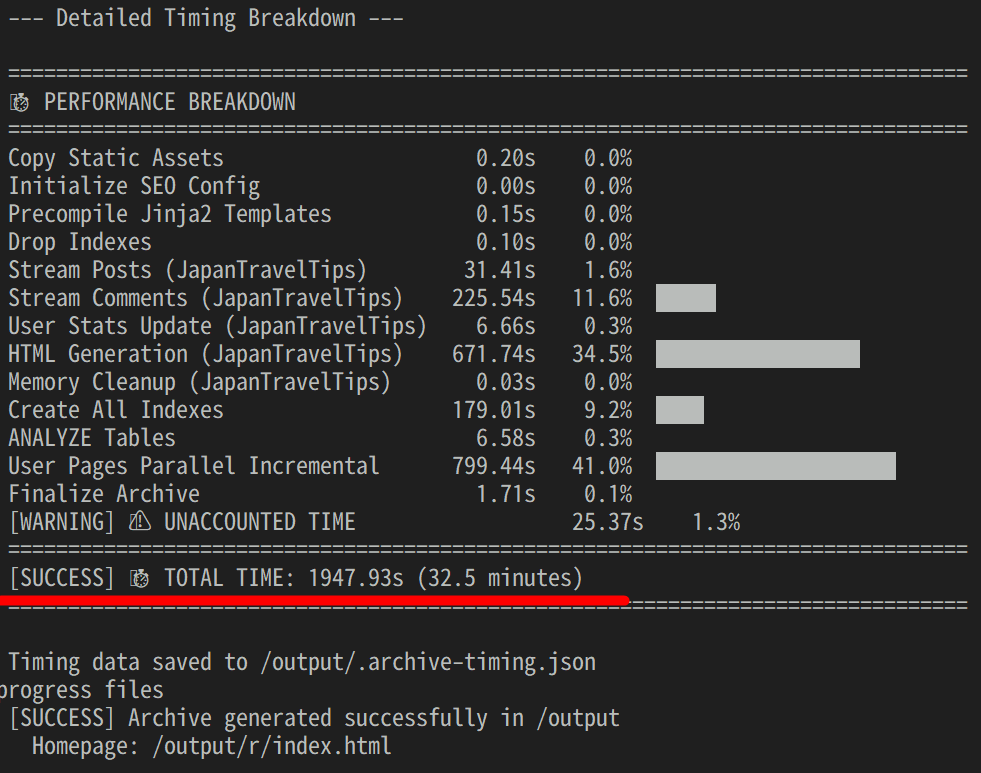
The work is completed and a breakdown of each task is printed. This time it took about 33 minutes.
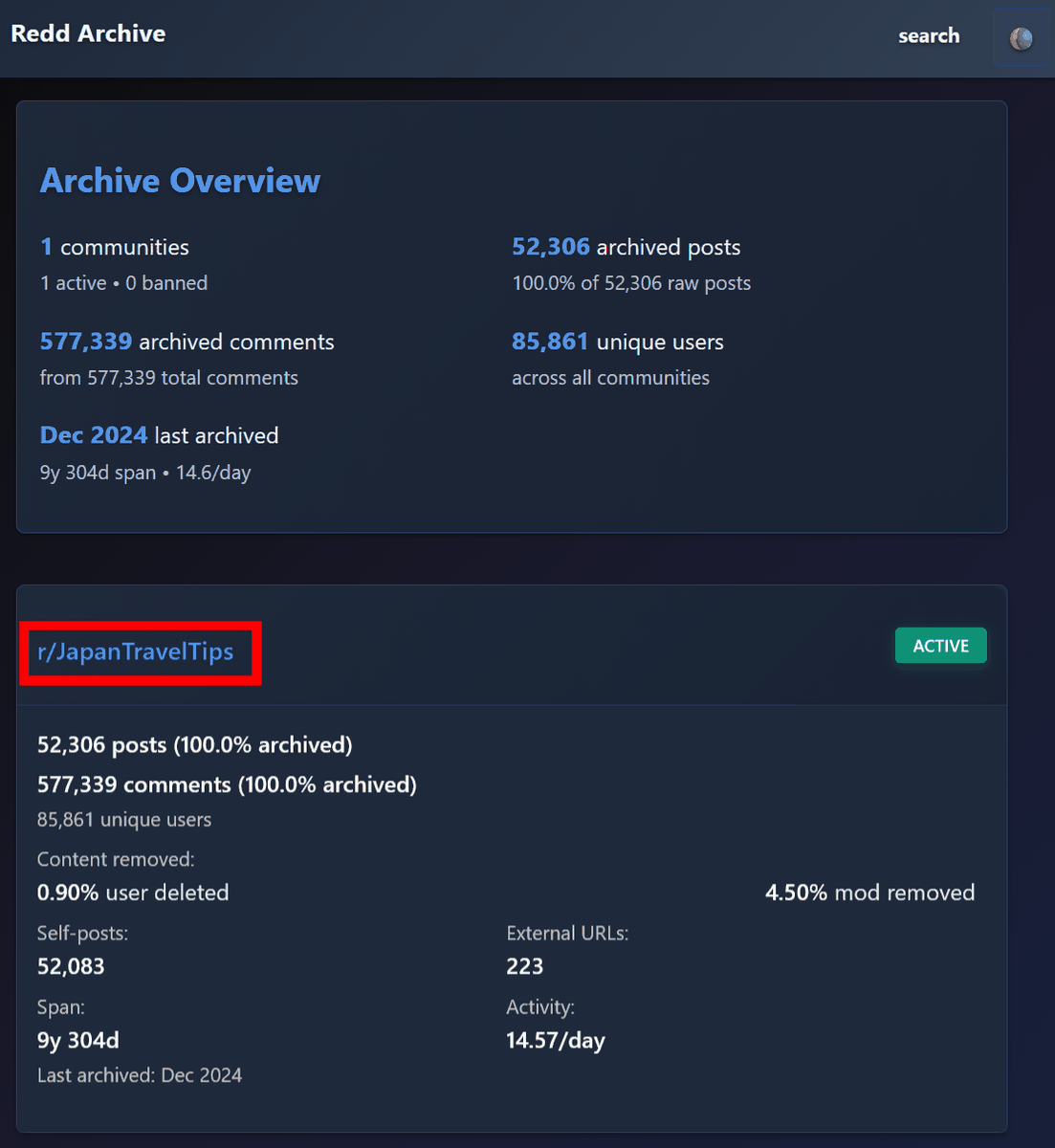
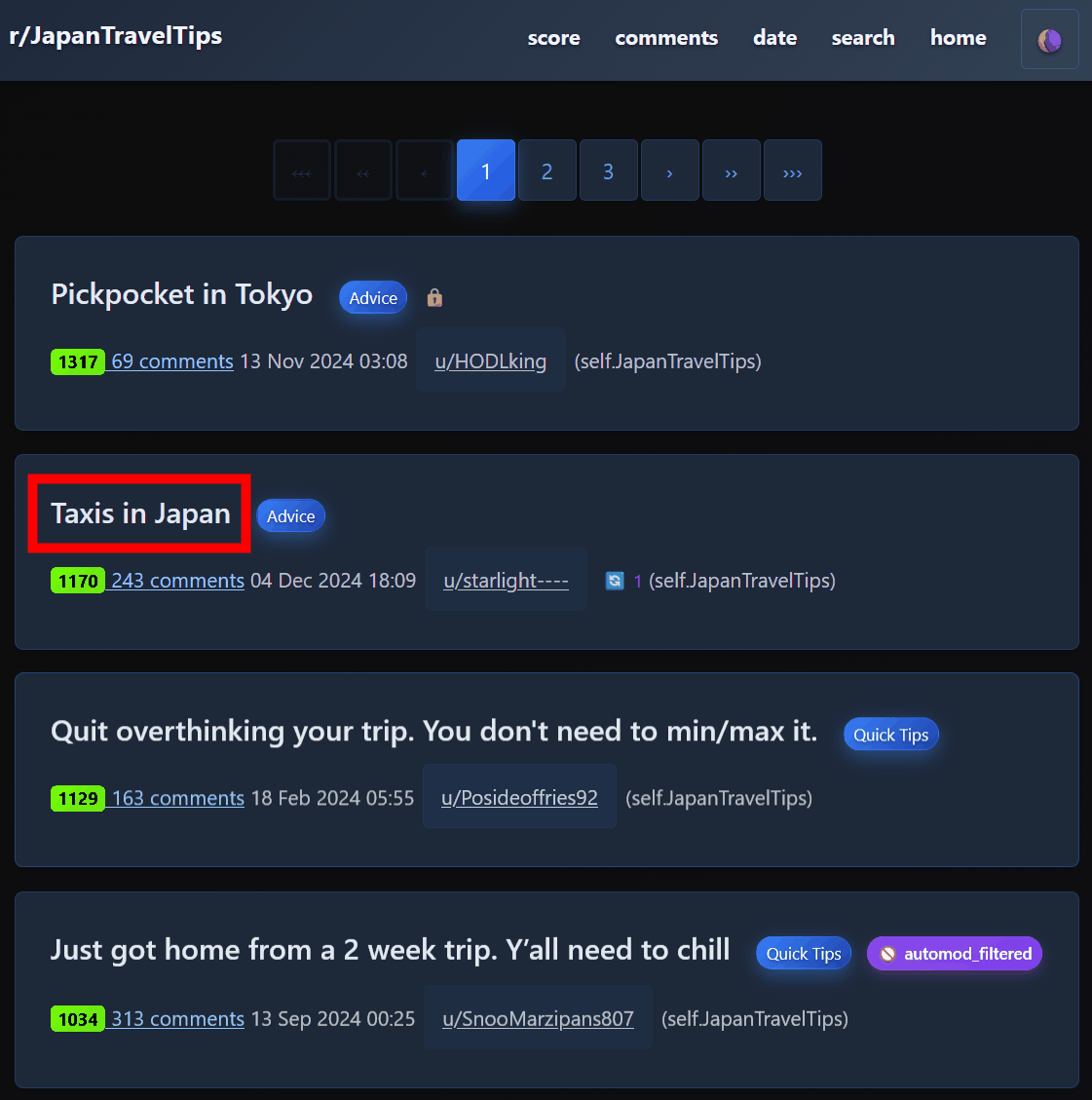
Refresh 'http://localhost/' in your browser to see the statistics for the archive you just created. Click on the subreddit name...
A list of posts will be displayed, so click on the name of the post you want to view.
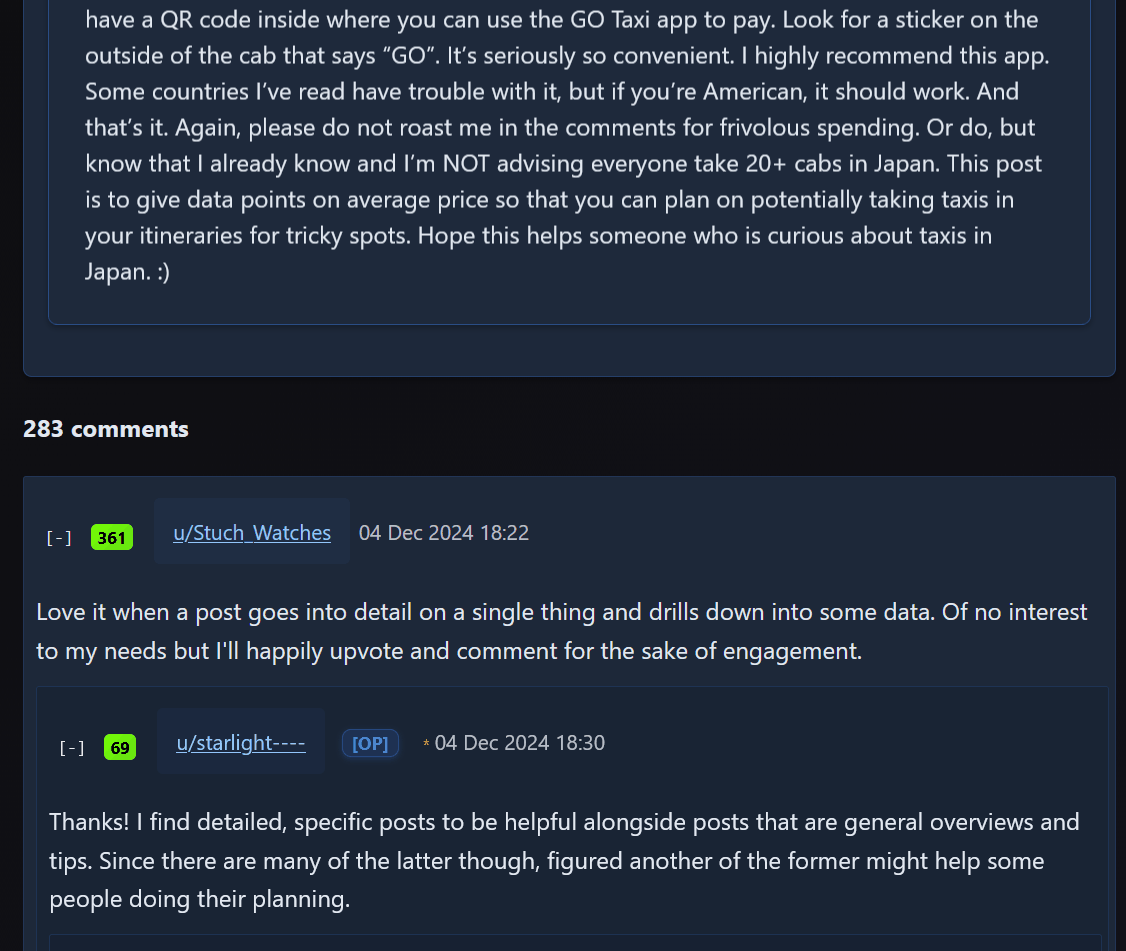
You can check the posts and comments.
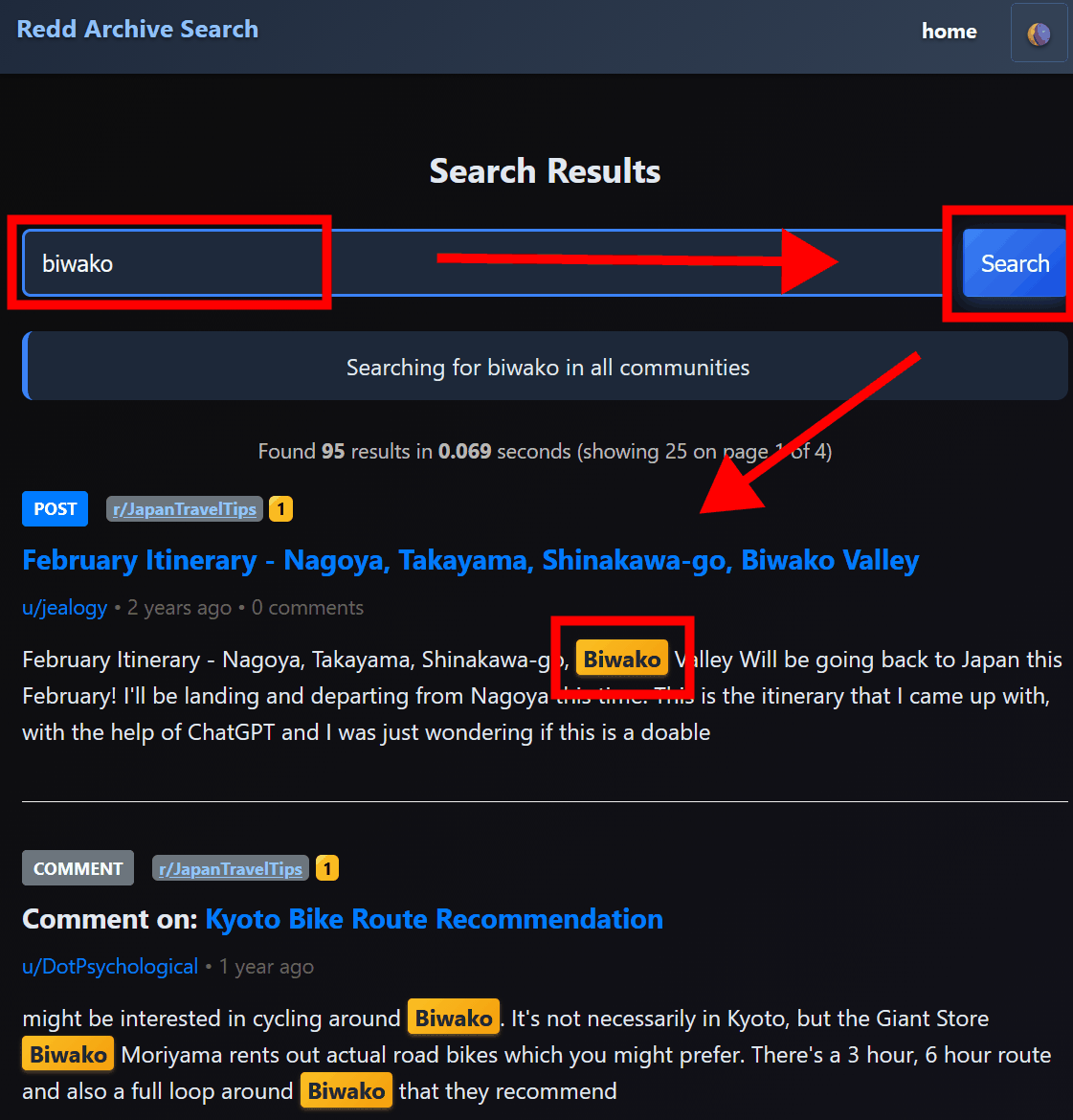
Click 'search' at the top of the page to search.

A search page will appear, where you can enter the keyword you want to search for and click 'search' to display a list of posts containing the keyword.
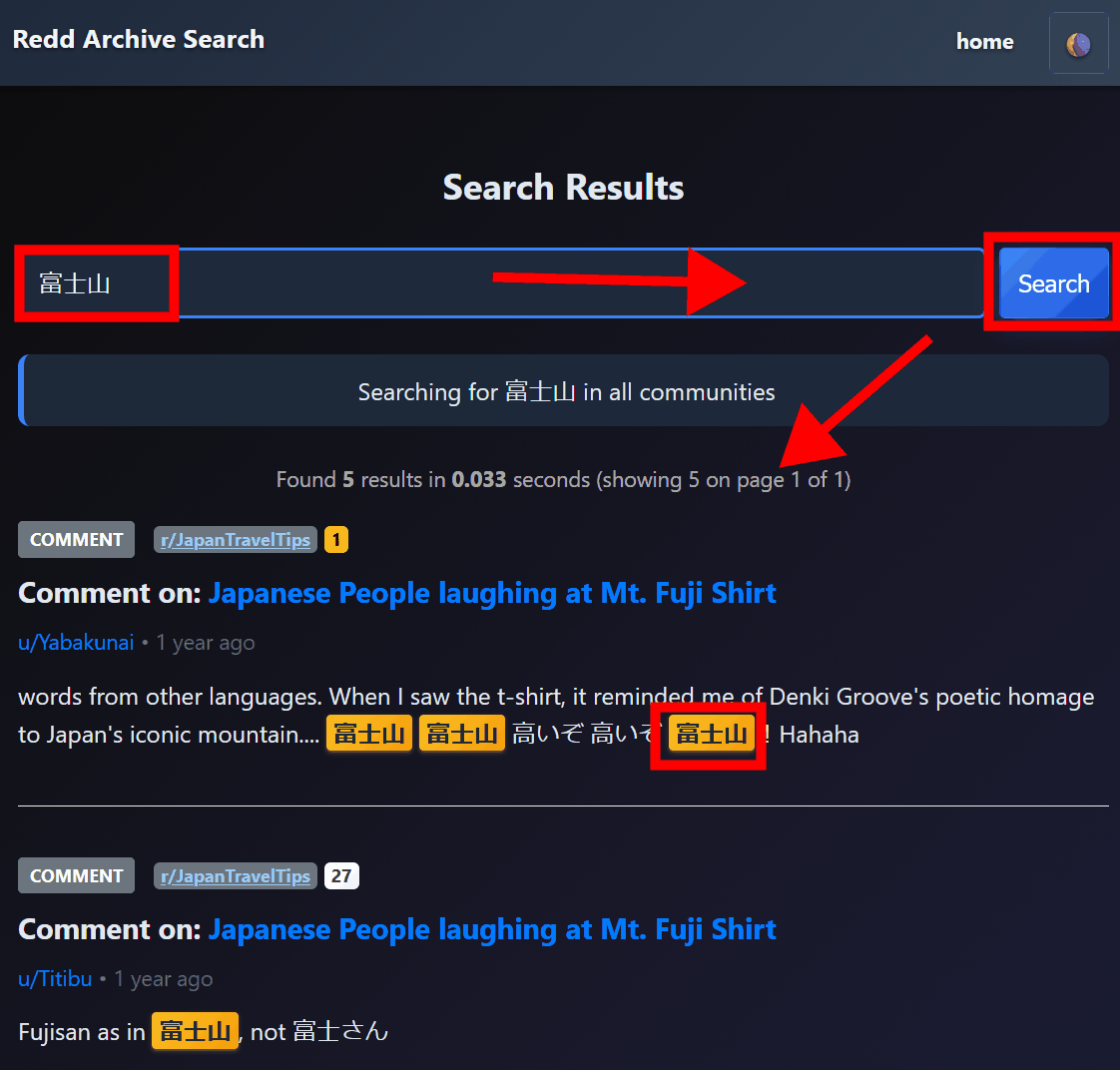
Due to the specifications of the database, searches in Japanese cannot be performed correctly; if you search for 'Mount Fuji' with 'Mount Fuji', it will be extracted, but if you search for 'Fuji', it will not be extracted.
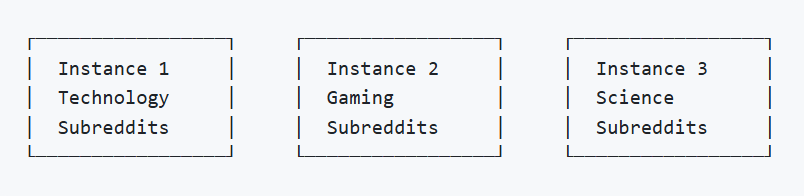
It is estimated that 100GB of submitted data in ZST files will become 1.5TB when converted to HTML, and 160GB of capacity will be required for the database. Redd-Archiver recommends that you set up a moderately distributed instance.
Related Posts: