The icons displayed in the macOS Tahoe menu are inconsistent in design and are considered ugly.
In
It's hard to justify Tahoe icons @ tonsky.me
https://tonsky.me/blog/tahoe-icons/

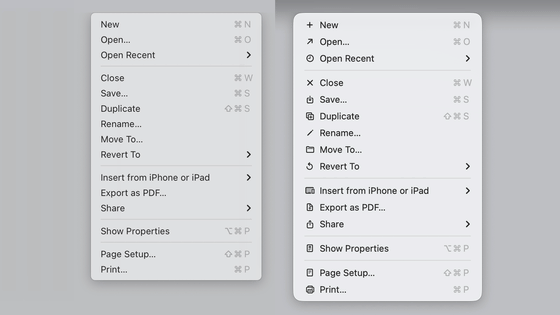
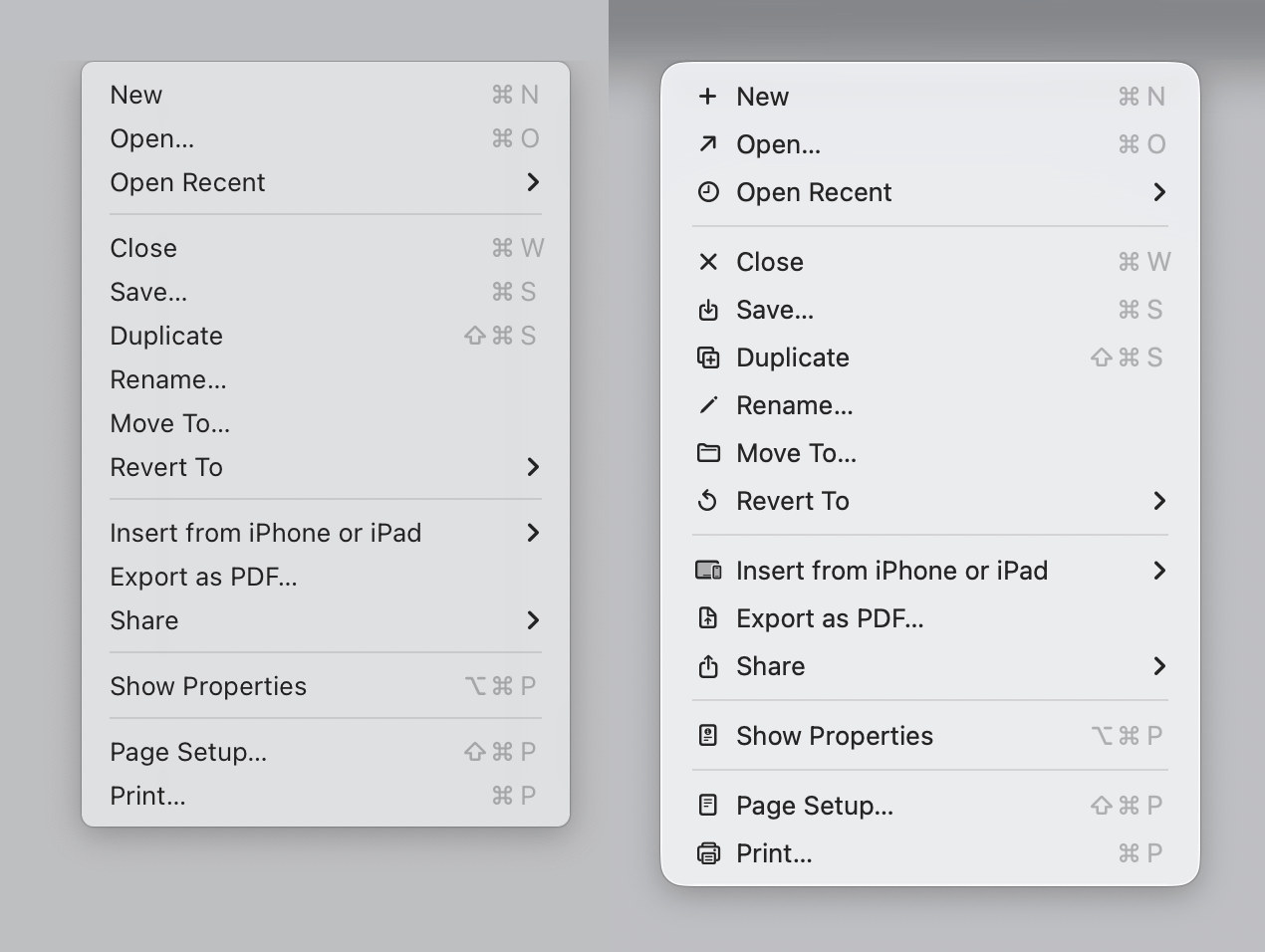
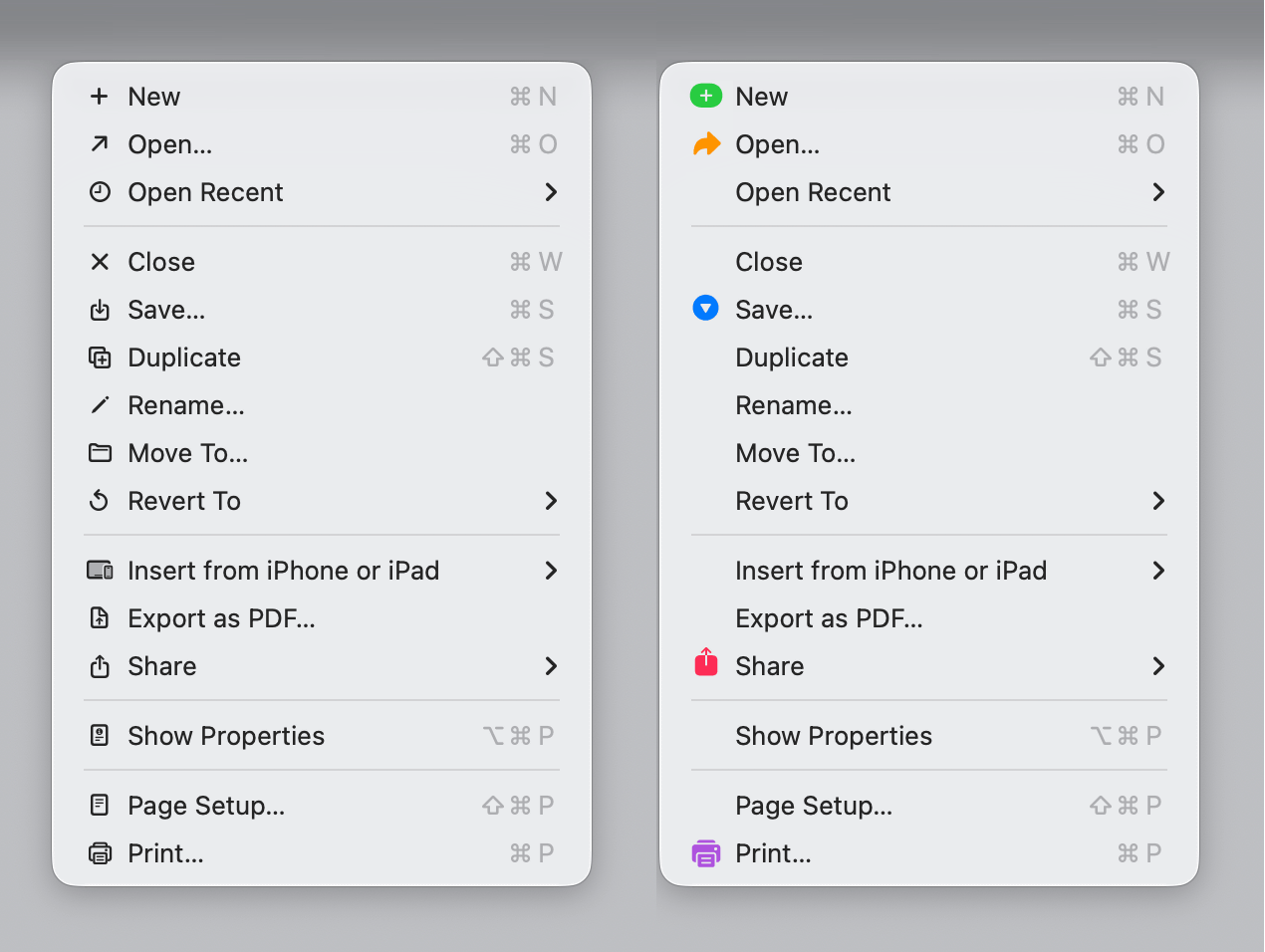
In macOS Tahoe, icons have been added to the menu. Below, the left is the menu for macOS Sequoia, and the right is the menu for macOS Tahoe. You can see that icons have been added to the left edge of each item. Note that all screenshots taken by Prokopov are of Apple's native apps in macOS 26.1 and 26.2.
The
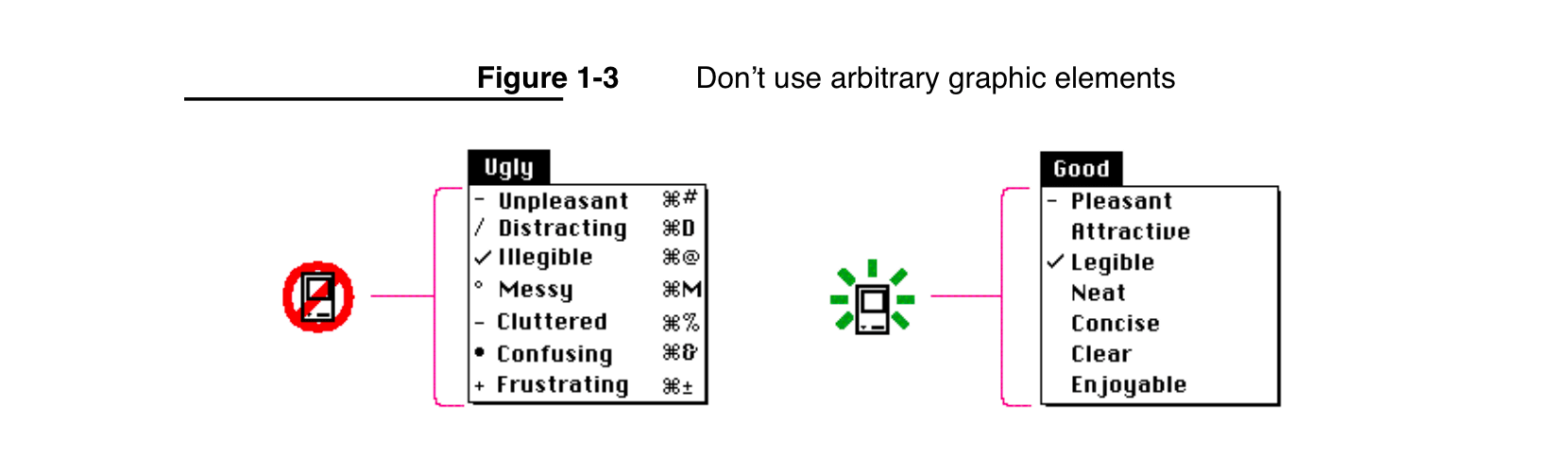
The main purpose of icons is to help you find what you're looking for faster. However, Prokopov points out that if you add an icon to every item, nothing stands out. He also points out that black and white icons may look smart, but they don't really help you find what you're looking for faster.
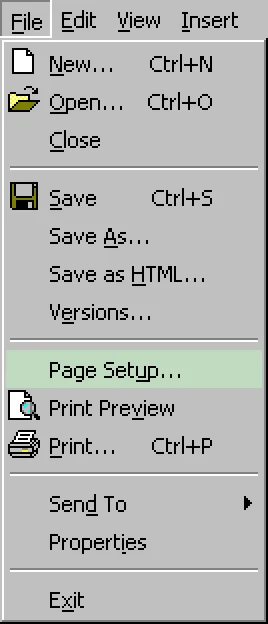
In fact, Microsoft designed the Windows menu to make certain items stand out by adding colored icons to only certain items.
The menu below shows the macOS Tahoe menu on the left, and the one on the right with some icons removed for easier viewing. Prokopov writes, 'It looks cleaner and less cluttered.'
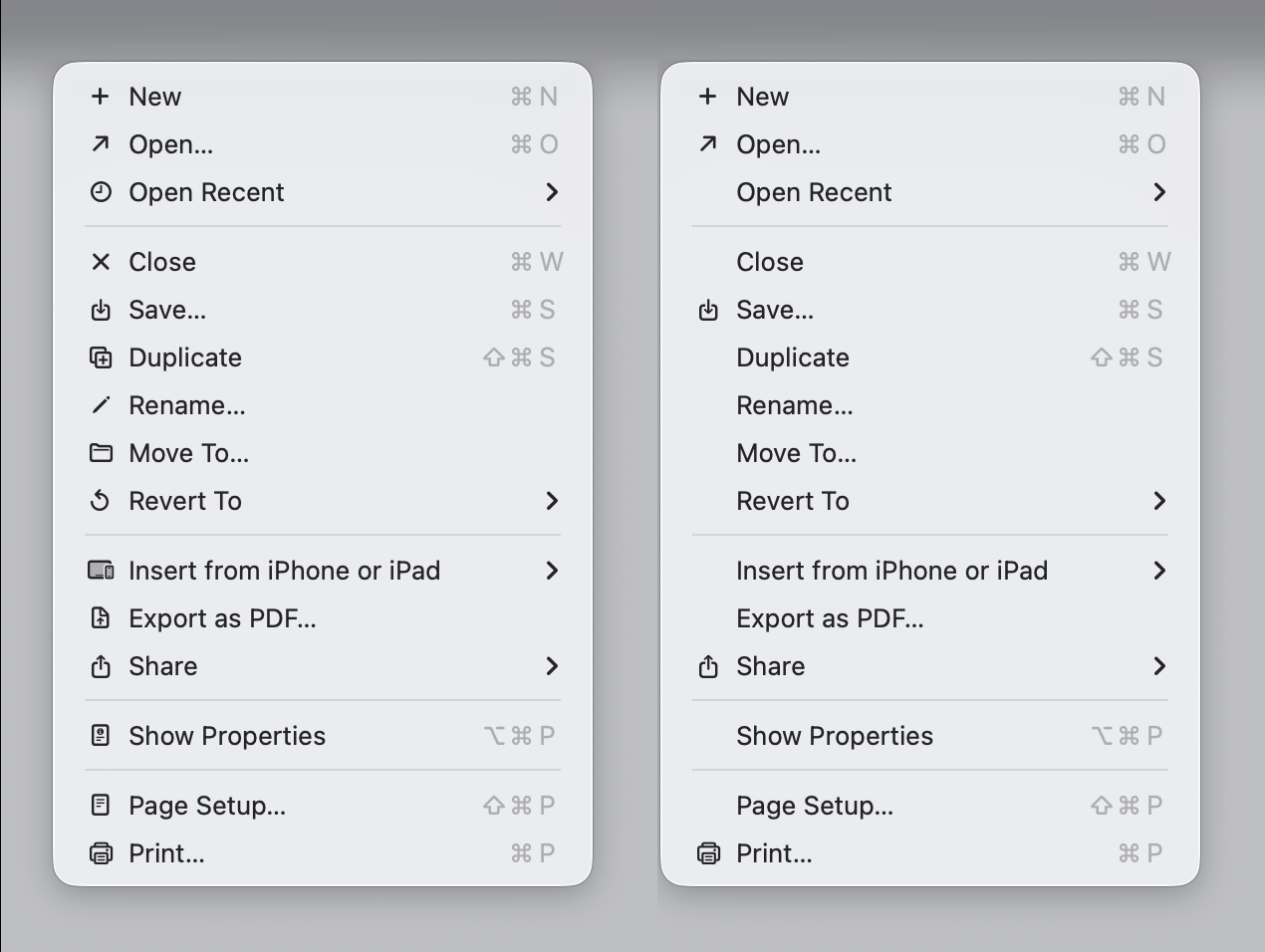
Additionally, colored icons 'make some items easier to find,' Prokopov said.
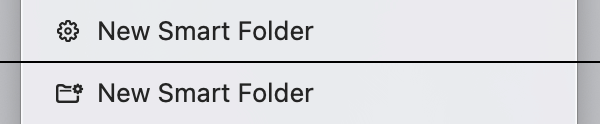
Prokopov also pointed out that the icons displayed in the menus of Apple's native apps in macOS Tahoe are inconsistent. If you compare the icons for the 'New' items ('New,' 'New Entry,' 'New Reminder,' 'New Note,' etc.) in multiple apps, you'll see that they all look different.
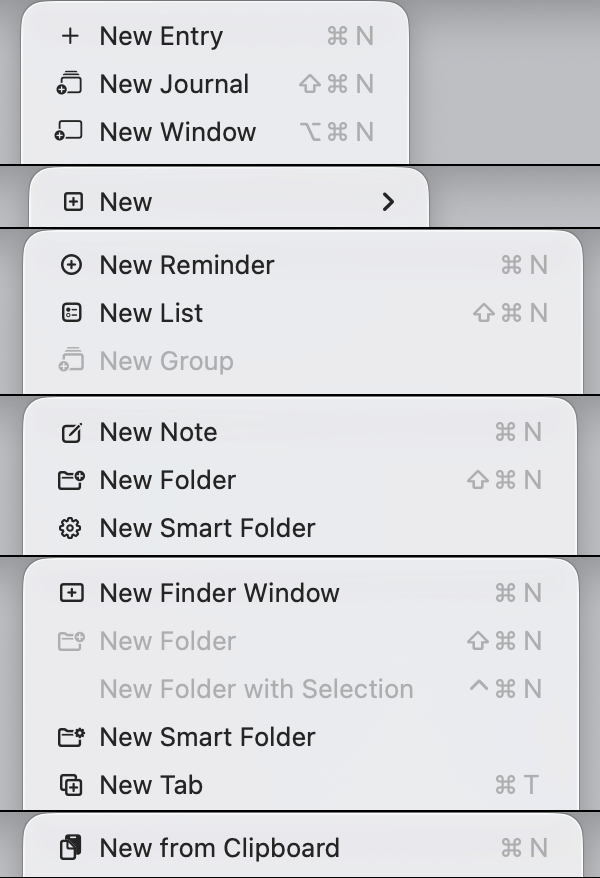
Strictly speaking, it may be natural that the icon designs are different because the operations are different, such as 'Create a new note' and 'Create a new reminder.' However, Prokopov is dissatisfied with the lack of consistency in the design, saying that different icons are used for items with the exact same name.
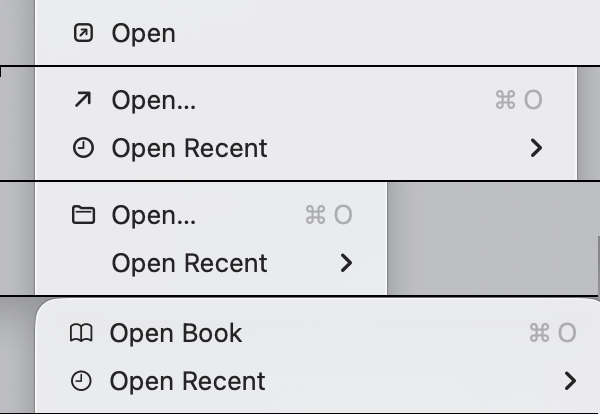
The 'Open' icon is also different as follows.
The 'Save' icon also differs depending on the app.
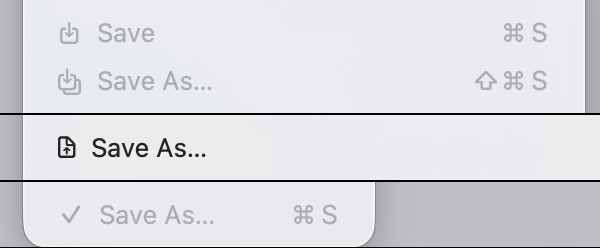
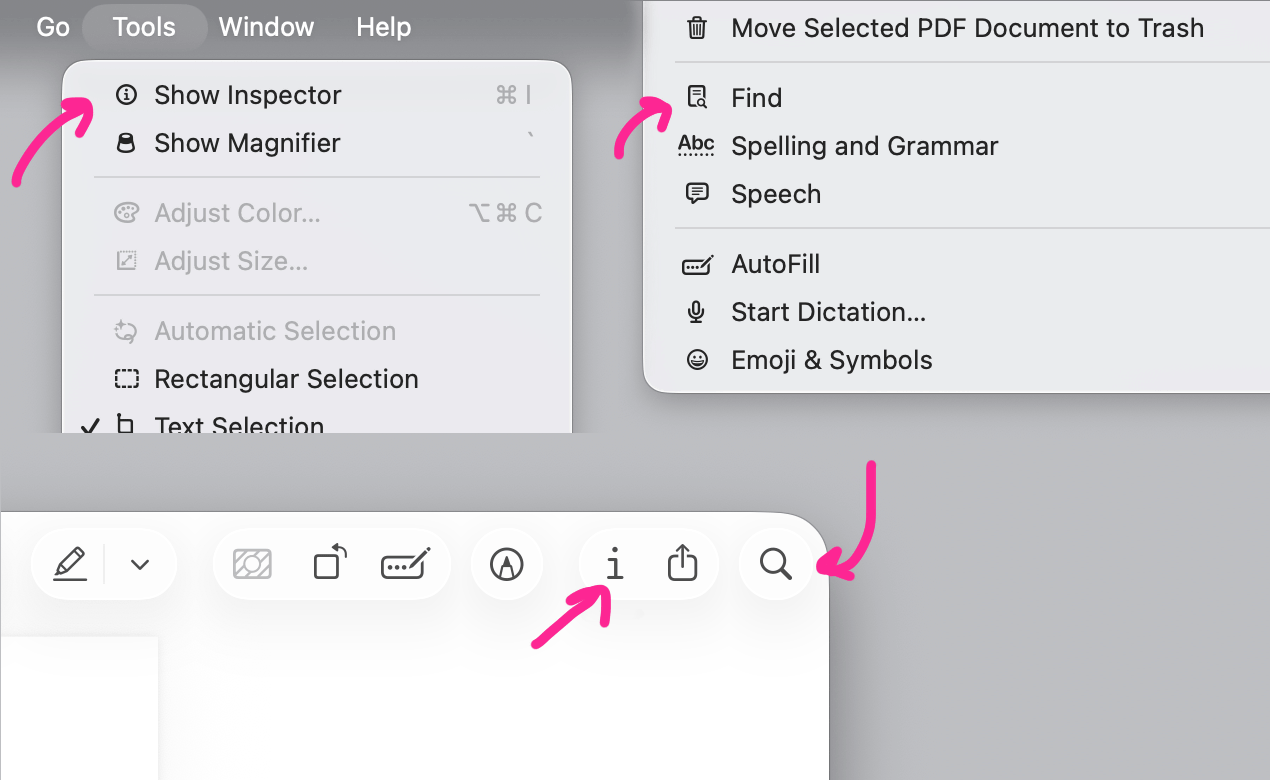
Prokopov also pointed out that even within the same app, there are cases where the design of the icon displayed in the menu and the UI button that accesses that function are different.
The 'Show Inspector' in the upper left corner below can also be accessed from the 'i' icon, the third icon from the right in the upper right corner of the window. Similarly, the 'Find' menu can also be accessed from the magnifying glass icon in the upper right corner of the window. Since both have different icons, he points out, 'Is it really that difficult to maintain consistency in icons within the same app?'
There are also cases where the same icon is used for different actions, such as the icon for the 'New Note' action, which looks like a notebook and pen combined together.

This icon is also used as the icon for a completely different action, 'Edit Address...'

The 'Import...' and 'Updates' icons are the same.

Below is the icon on the toolbar of a certain app.
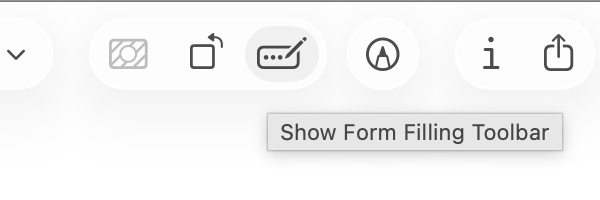
Apparently, there have been cases where this icon has been reused in the menu of another app.

The worst case scenario is when the same icon is used within the same menu.
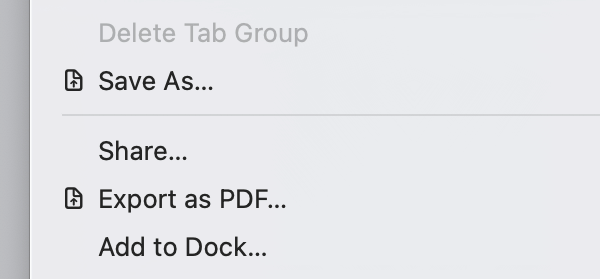
The same icon may appear multiple times in the same menu.

It seems that the photo app is one where icon reuse is most noticeable.
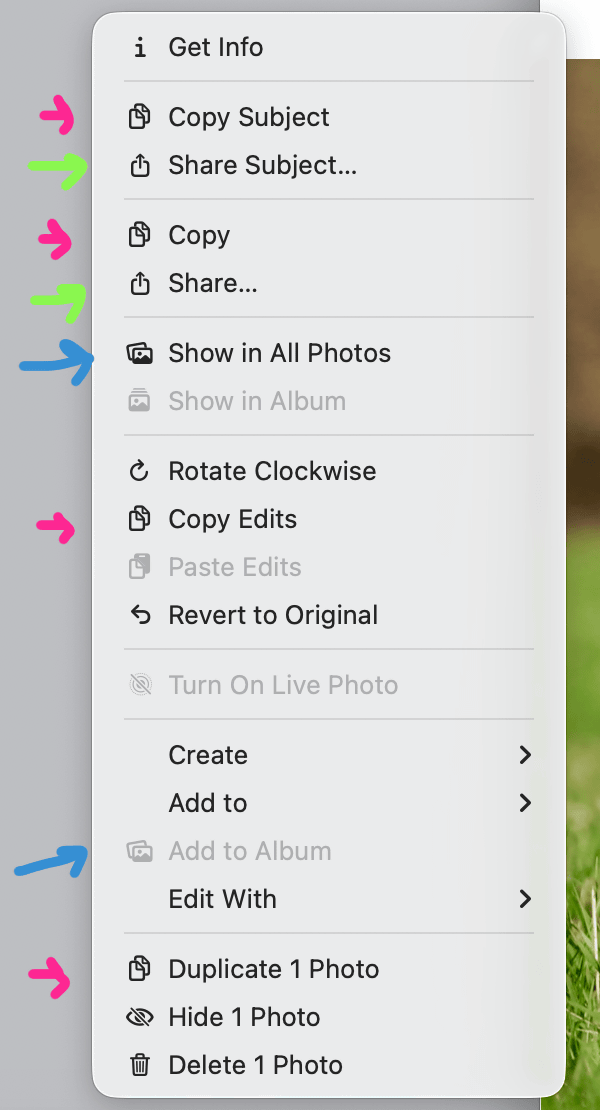
Prokopov also pointed out that there are too many icons with similar nuances: inverted colors, slightly different icon sizes, and arrows pointing in different directions.
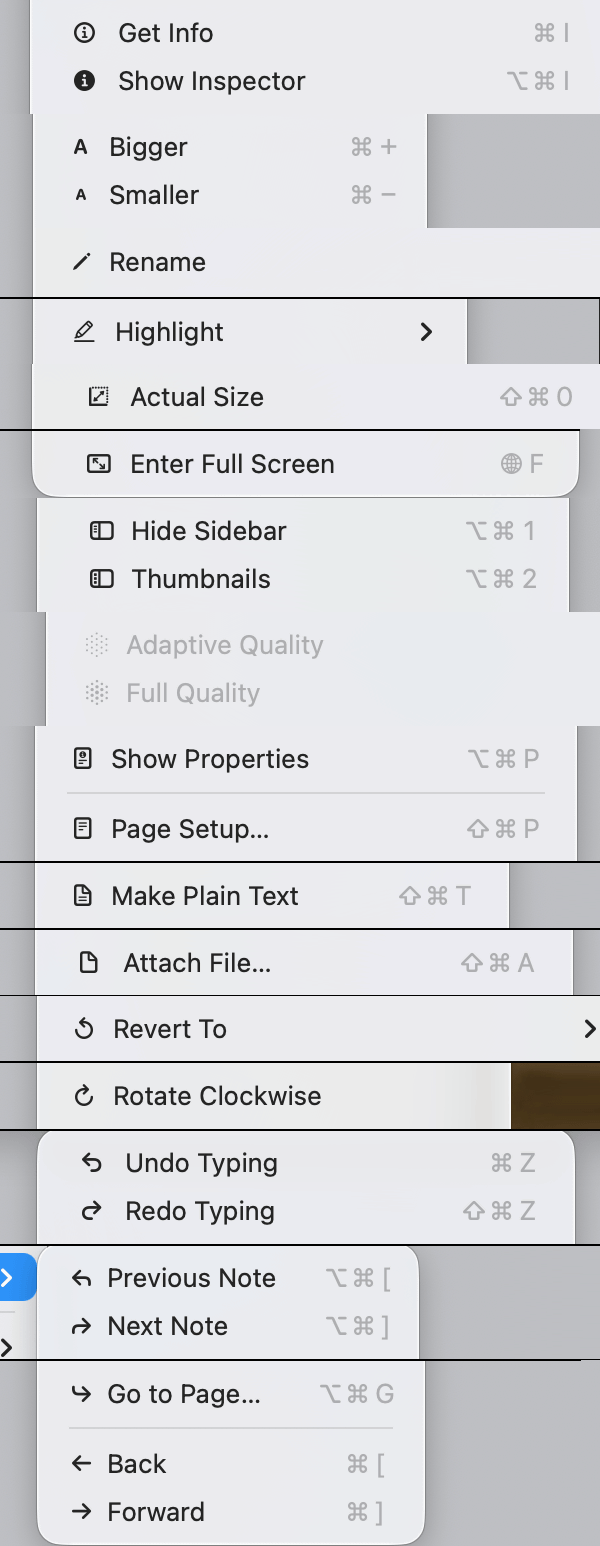
In addition, it was pointed out that in some menus the display of menu items was distorted due to the icons.
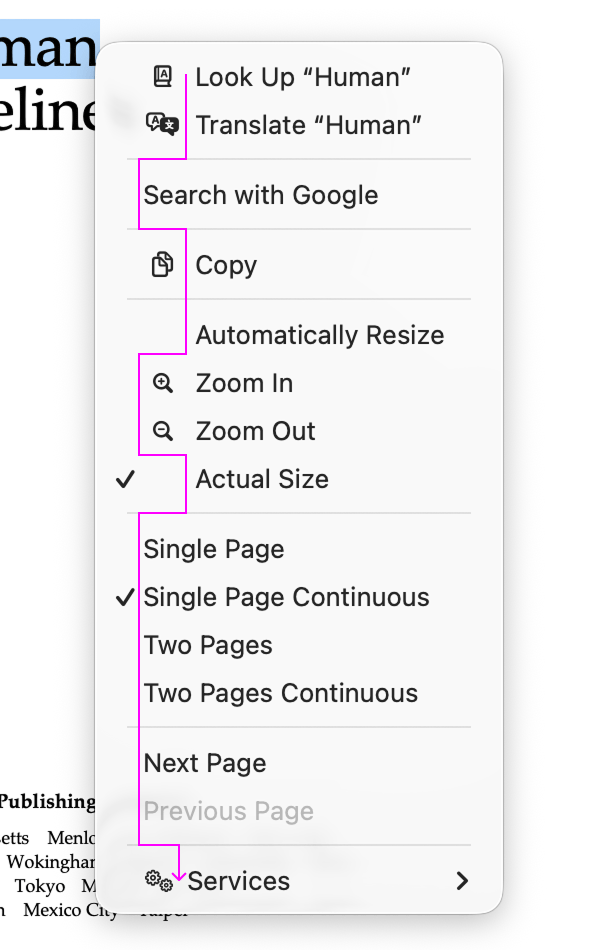
Apparently, in some cases, the icon representing a keyboard shortcut and the icon representing a menu item are the same.
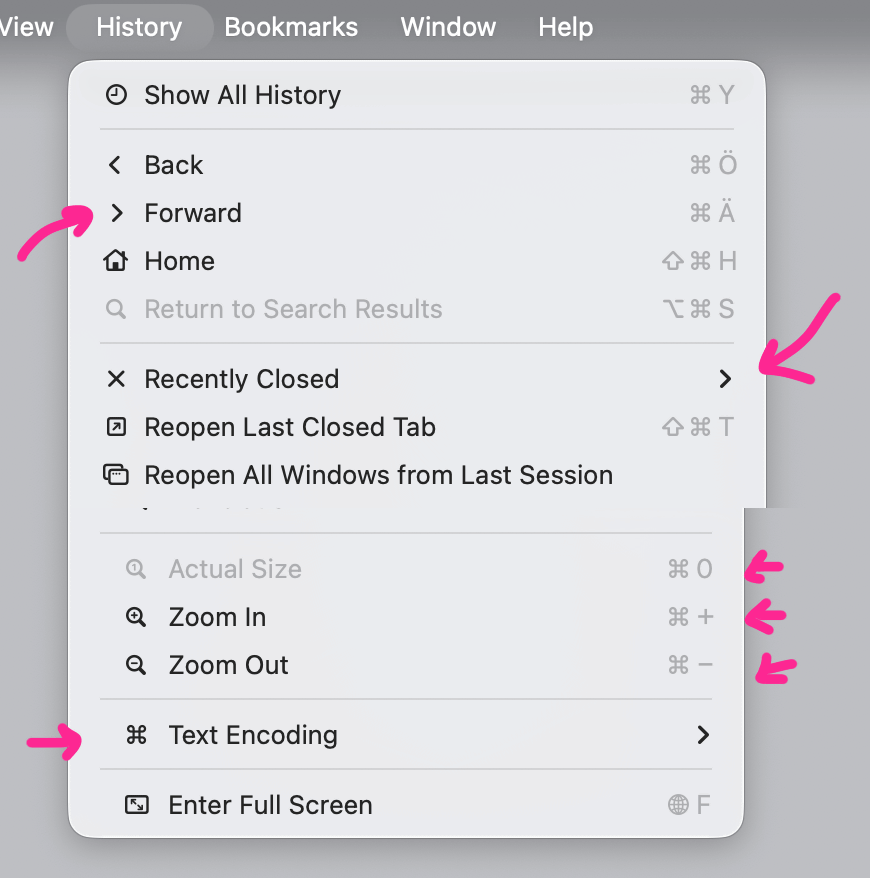
Regarding the icons displayed in the macOS Tahoe menu, Prokopov pointed out, 'In my opinion, Apple has attempted an impossible task: adding icons to every menu item. They lack a suitable metaphor for how to achieve this. But even if it were possible, I don't think that putting icons on everything would help users find what they're looking for faster.'
Related Posts: