'Visual Regular Expression Editor' is useful when you want to use regular expressions but forget how to write them.
Visual Regular Expression Editor
https://hi-king.github.io/visual_regexp_web/
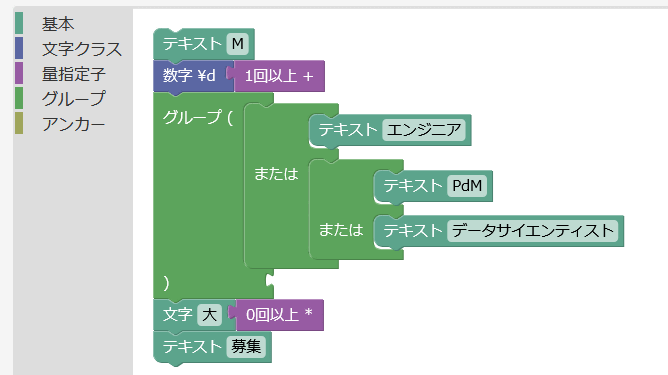
The visual regular expression editor looks like this: The regular expression '/M\d+(Engineer|PdM|Data Scientist)*Hunting/' is expressed as a combination of blocks.
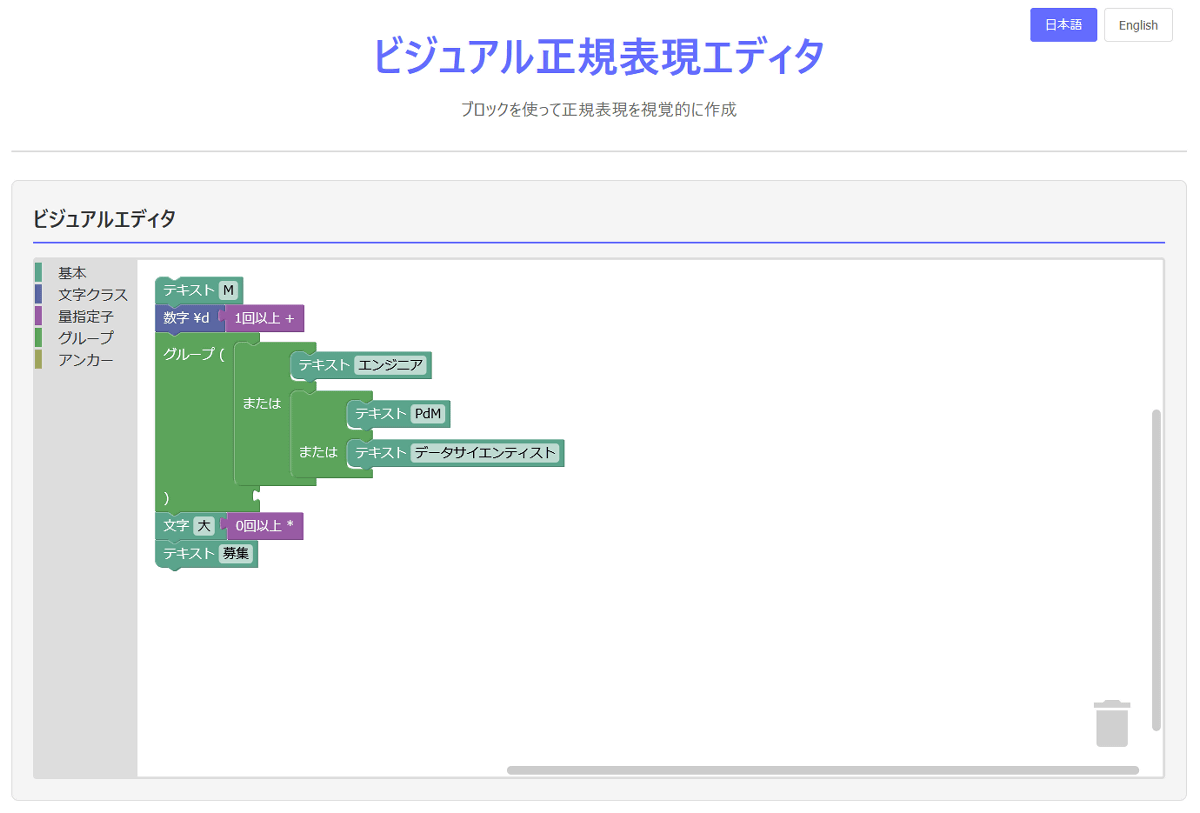
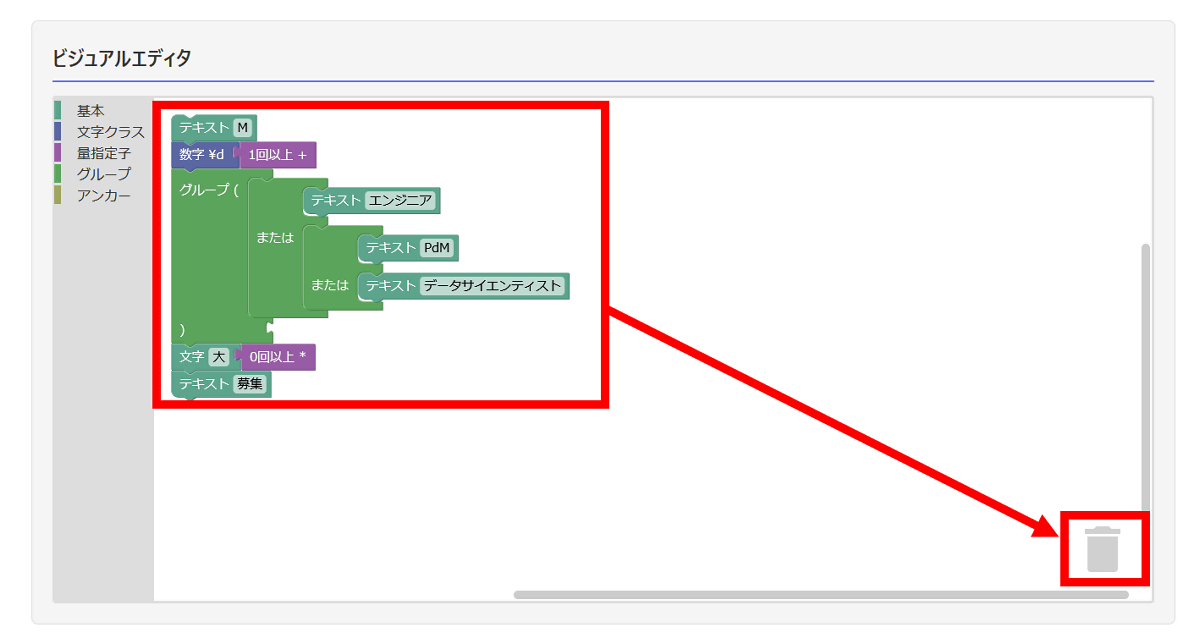
Let's create a regular expression to search for 'apple' and 'apple' in the text. First, delete the existing block by dragging and dropping it onto the trash can icon.
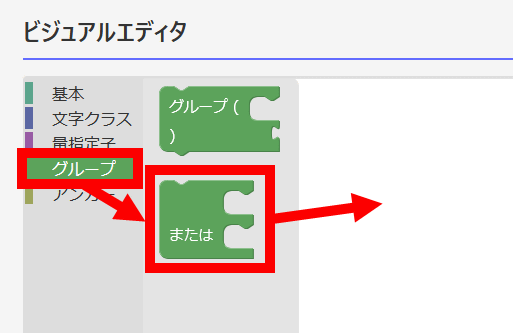
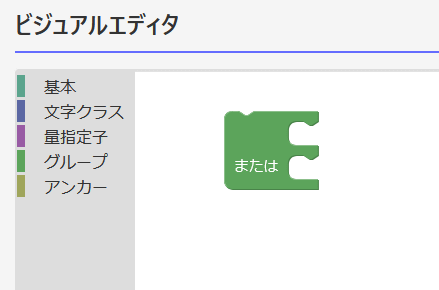
Drag and drop the 'or' block from the 'Group' into the editor.
The block has been added to the editor.
Next, drag and drop 'Text' under 'Basic.'
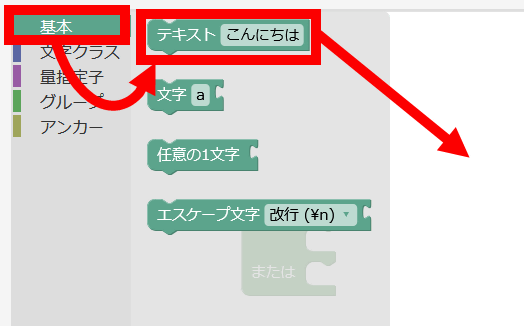
Move the 'Text' to the empty 'or' box.

There was a click sound effect and the 'or' and 'text' were combined.
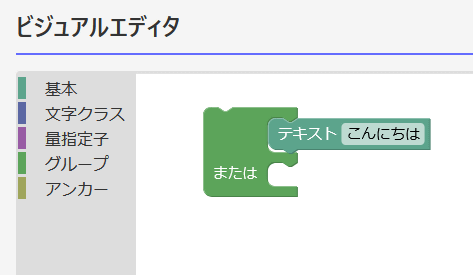
Add another 'Text' using the same procedure.
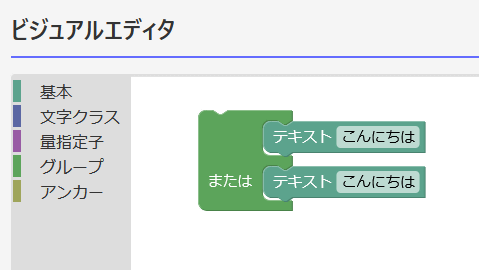
Edit the text to read 'apple' and 'apples.'
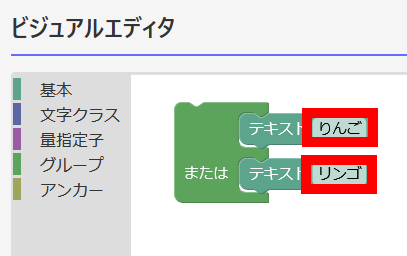
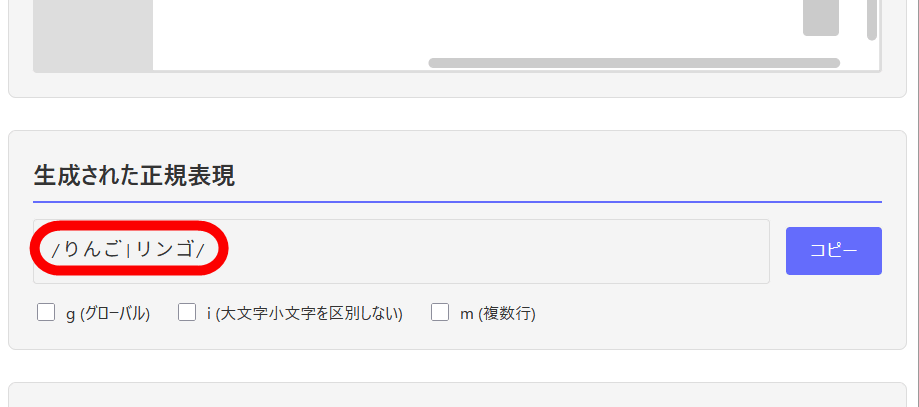
The regular expression '/apple|apple/' is displayed in the 'Generated Regular Expression' field at the bottom of the screen. Now, by entering the regular expression into the search screen of your text editor, you can 'find both 'apple' and 'apple' in the text.'
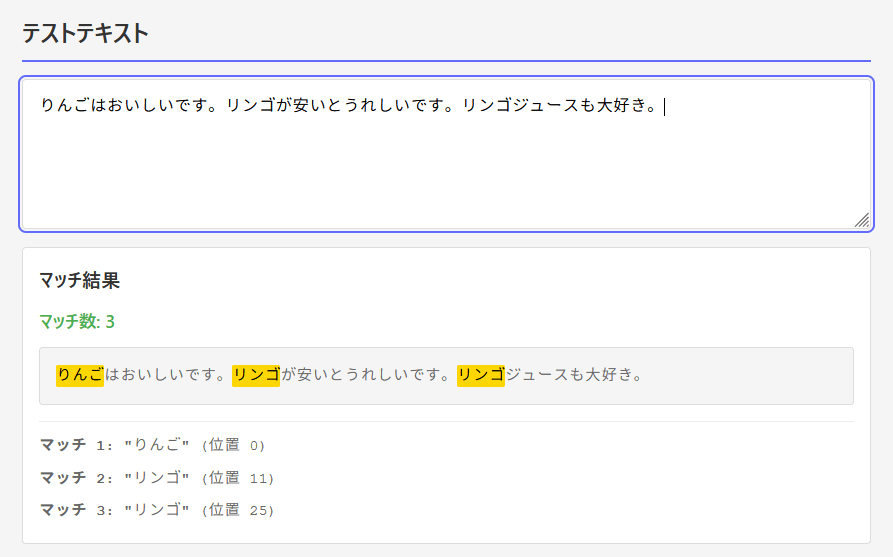
There is also a regular expression test area at the bottom of the screen where you can enter any text to check whether the regular expression you are creating is correct.
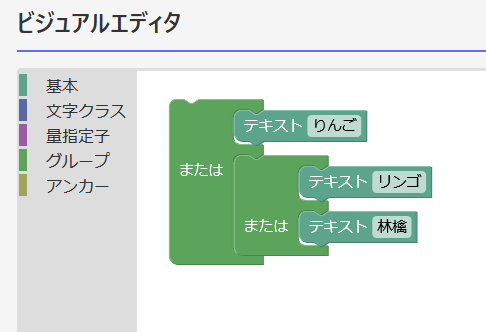
As mentioned above, the Visual Regular Expression Editor allows you to build regular expressions without having to memorize the regular expression syntax. However, there are some aspects that make it more complicated, such as the need to nest 'or' to list three or more OR conditions. Therefore, once you are familiar with regular expressions, it is faster to write them yourself.
The visual regular expression editor was developed using a framework called Blockly. The following developer blog provides a detailed explanation of how to develop a visual programming tool using Blockly.
I forget regular expressions easily, so I created a visual programming tool ~ Easily create visual DSL with Blockly ~ - M3 Tech Blog
https://www.m3tech.blog/entry/blockly

Related Posts:

in Review, Web Application, Posted by log1o_hf