Langfuse is an open-source, self-hostable tool that allows you to see how an AI agent is actually working and using tokens.
Behind the scenes, when an AI agent generates an answer, a series of processes are performed, including 'querying LLM,' 'searching,' 'executing a tool,' and 'passing the results back to LLM.' Langfuse, an open-source, self-hosted tool, has been released that records this entire execution path and allows you to track where and how many tokens were used from your browser.
Langfuse
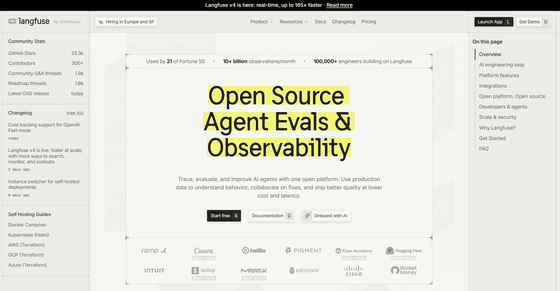
langfuse/langfuse: Open source AI engineering platform: LLM evals, observability, metrics, prompt management, playground, datasets. Integrates with OpenTelemetry, LangChain, OpenAI SDK, LiteLLM, and more. YC W23
◆ Overview of Langfuse
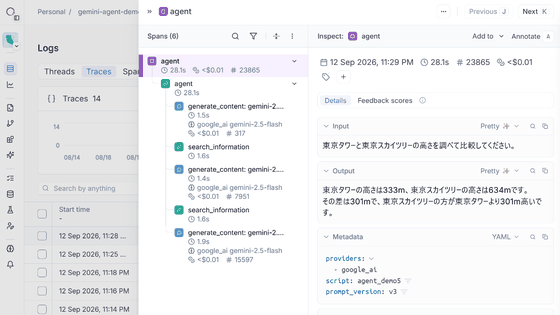
Langfuse is an AI engineering platform that records the execution of LLMs and AI agents as 'Traces,' allowing users to later review information such as 'which LLMs were called, which tools were executed, what information was searched, the time spent on input and output processing, token usage, and estimated costs.'
◆How to use Langfuse
- Register organizations and issue API keys
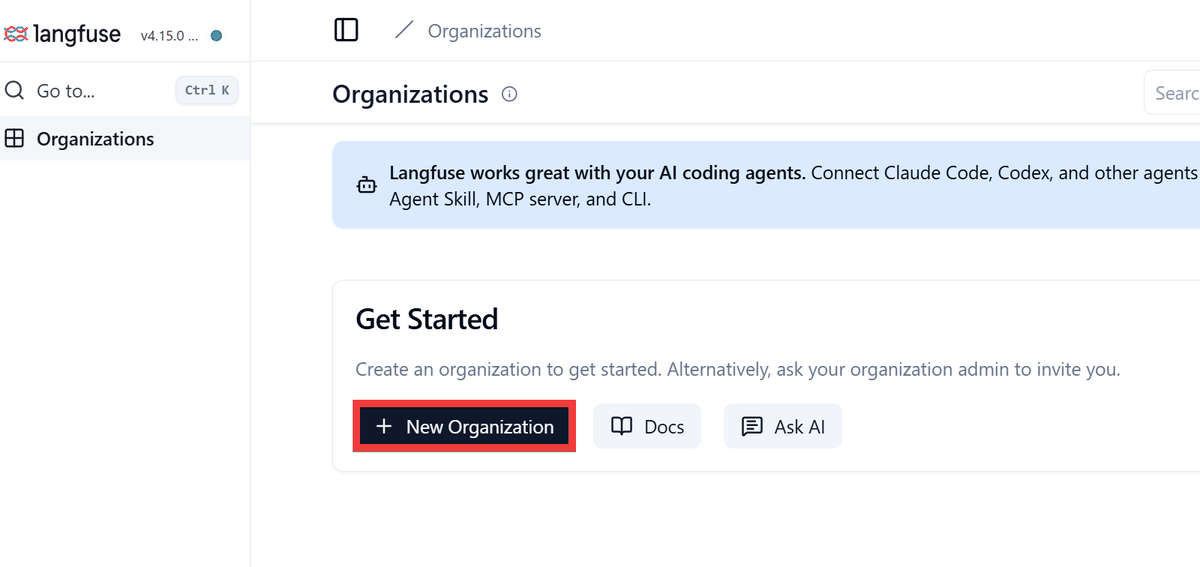
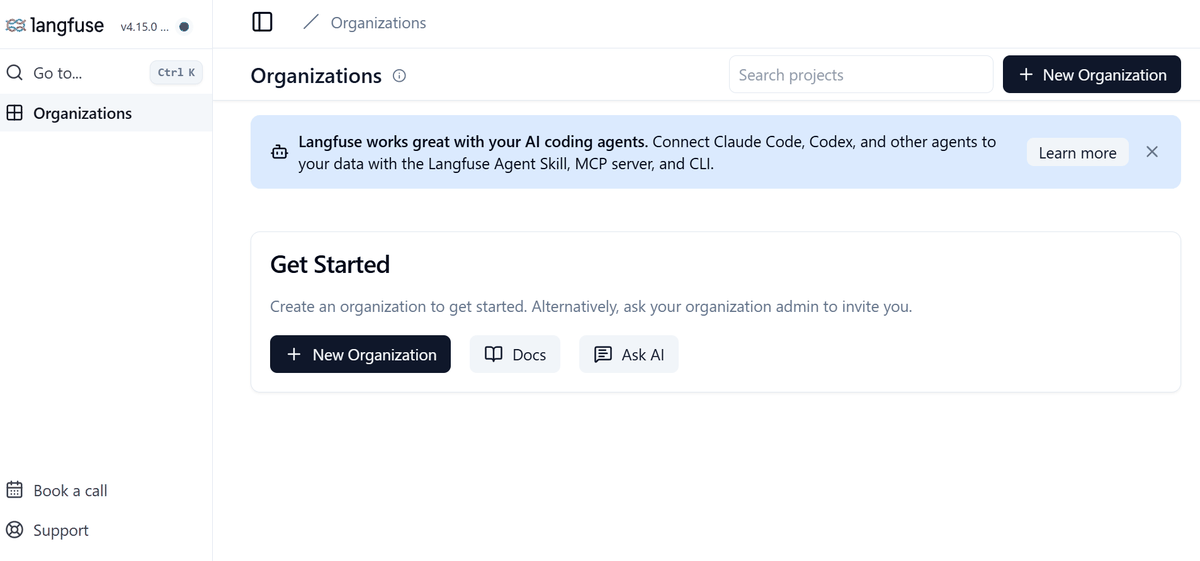
After setting up Langfuse, access 'http://localhost:3000' in your browser, and the 'Organizations' list page will be displayed. Click 'New Organization'.
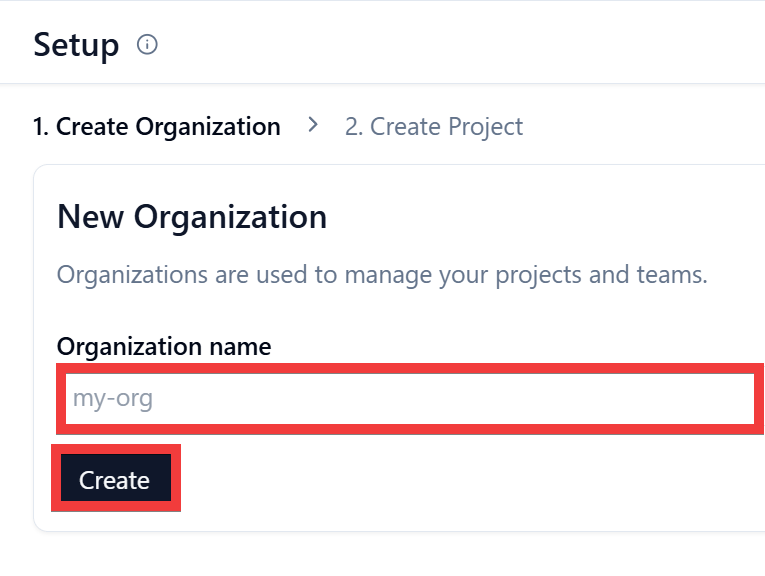
On the Setup screen, enter your desired organization name in 'Organization name' and click 'Create'.
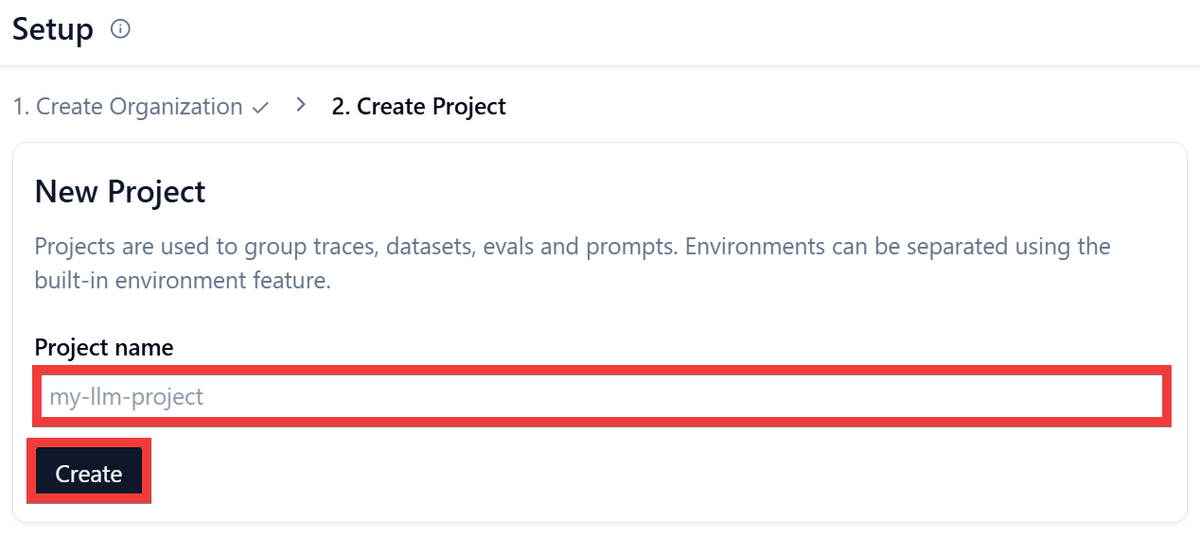
Enter a project name of your choice in 'Project name' and click 'Create'.
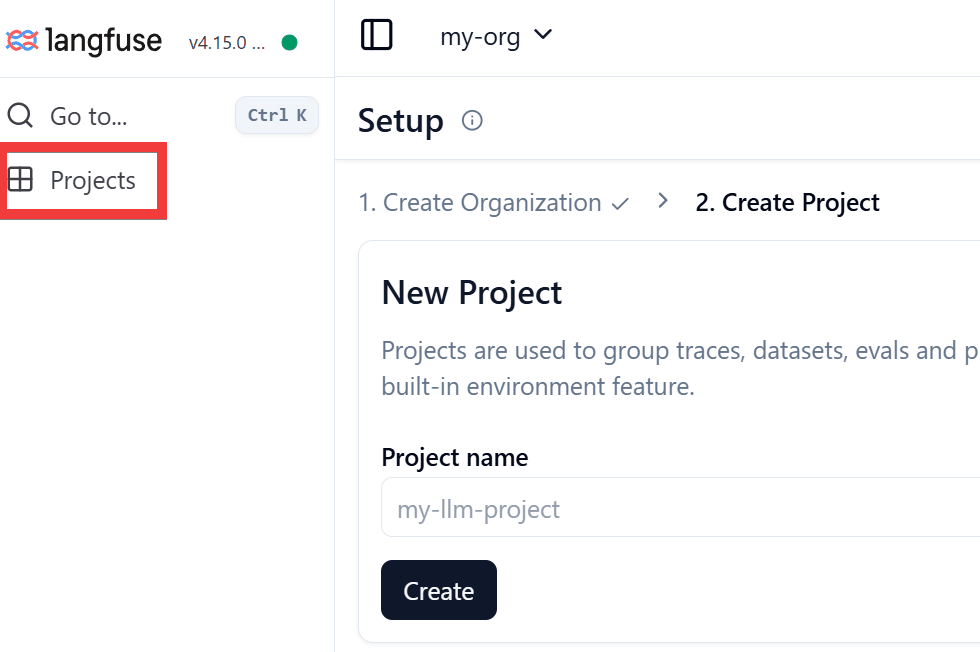
There seems to be a bug where screen transitions don't work properly even after project creation is complete, so just click 'Projects' in the side menu.
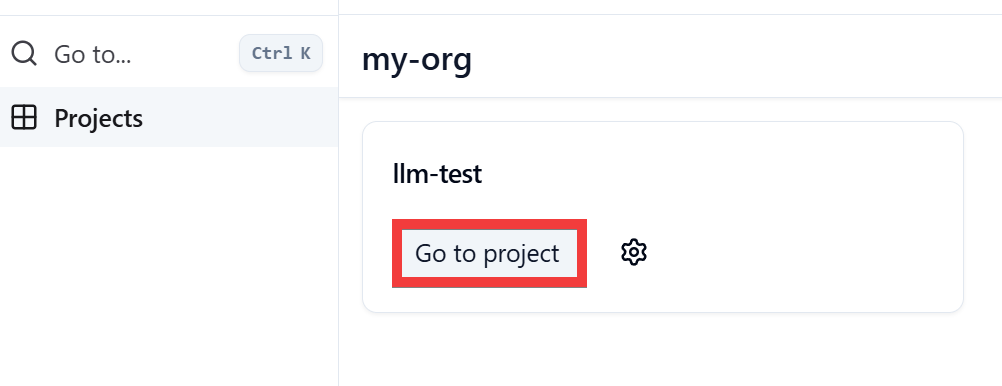
If your created organization and project are displayed, registration is complete. Click 'Go to project'.
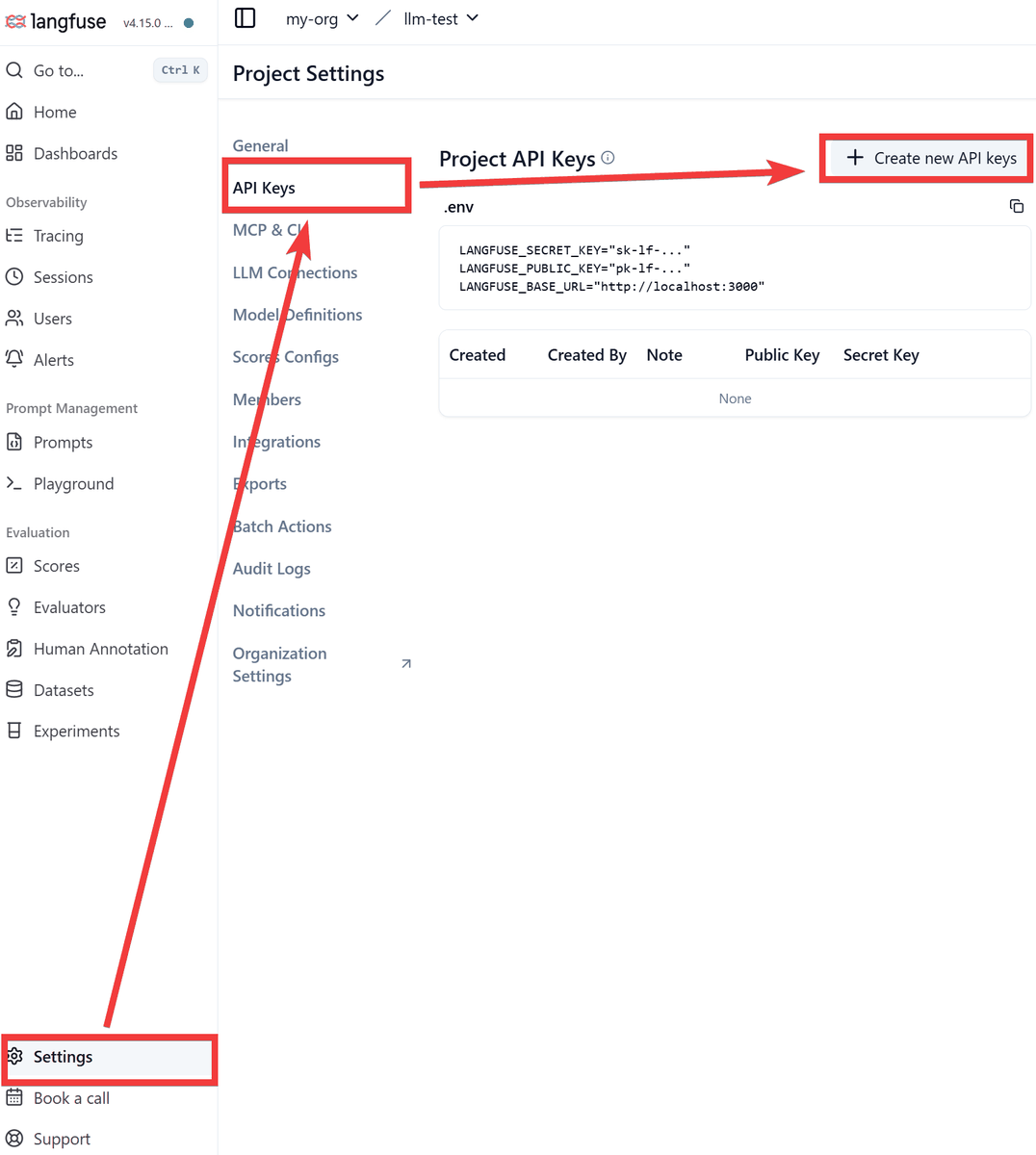
Click 'Settings' in the side menu, then click 'API Keys,' and then click 'Create new API Keys.'
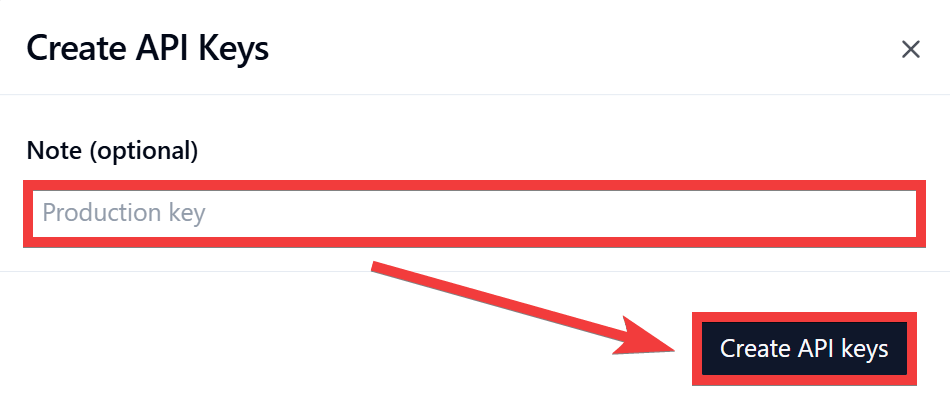
If you need to include notes such as the purpose in the 'Note (optional)' field, enter them and click 'Create API keys'.
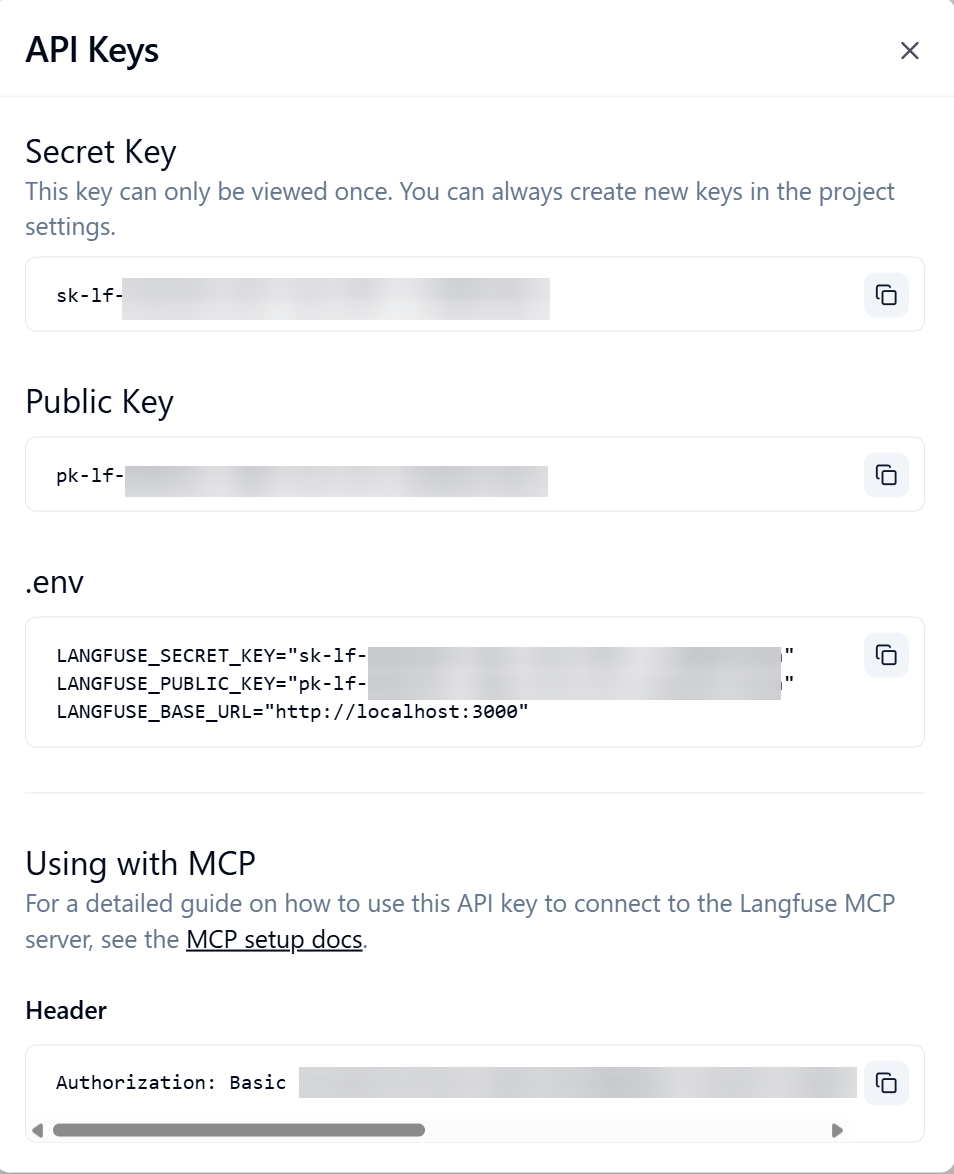
An API key will be created. The 'Secret key' will only be displayed on this screen, so copy and save it.
- Integration into AI agents
This time, we will use
To make it easier to see the internal processing of the AI in Langfuse, we will deliberately add redundant commands to the prompt and execute it so that the same content is checked with different search keywords.
 Please check the weather forecast for Tokyo today and briefly summarize whether an umbrella is necessary.

 To improve the accuracy of the information,
 Don't make a judgment based solely on the first information you receive.
 Please re-check the same information using different search keywords.

 Please compare multiple search results before answering.
The answers were as follows:
 In conclusion: Please take a folding umbrella with you when you go out.

 The results of comparing and reviewing multiple search results are as follows:
 ---
 1. Confirmation results from 'weather forecasts' (Japan Meteorological Agency, Weathernews, etc.)
 Weather: It will be mostly cloudy throughout the day. There will be some sunny spells during the day, but there is a risk of sudden, heavy rain with thunderstorms from midday through the evening and during the commute home.
 Temperature: The maximum temperature will be around 32℃, making it hot and humid.

 2. Results confirmed using 'Umbrella Index/Umbrella Map' (Weather News, @nifty Weather, etc.)
 After checking umbrella indices and maps from multiple weather media outlets, all of them indicate that a 'folding umbrella is necessary' for the Tokyo area. A full-sized umbrella is not needed as it won't rain all day, but it's a good idea to have a folding umbrella on hand in case of a sudden change in weather in the afternoon.
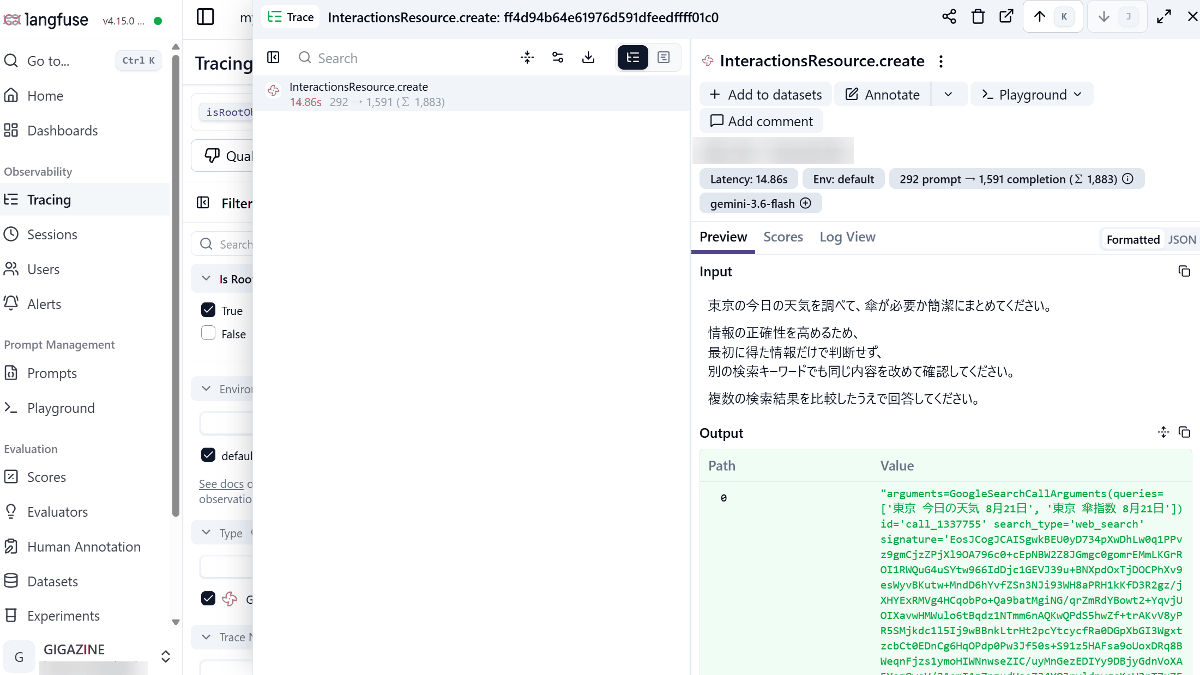
Now, return to Langfuse and click 'Trace' from the side menu. The questions you just asked the AI agent will be registered, so click on the item.
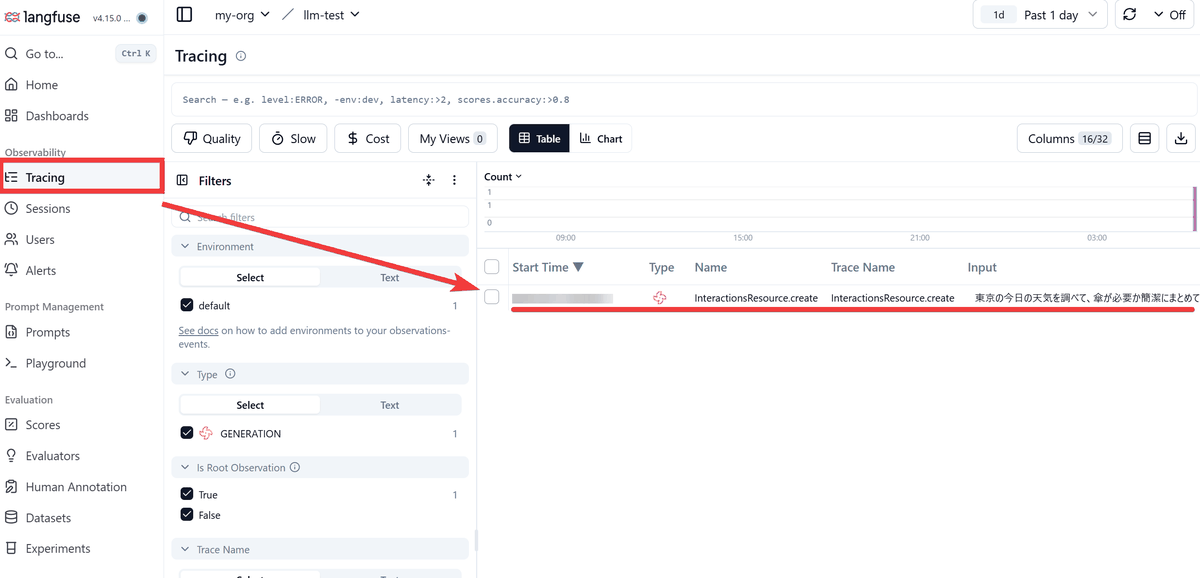
You can see that everything is recorded, including what data the AI agent exchanges, how many times it exchanges data, and how many tokens are used. In this particular exchange, the number of tokens used was 1883.
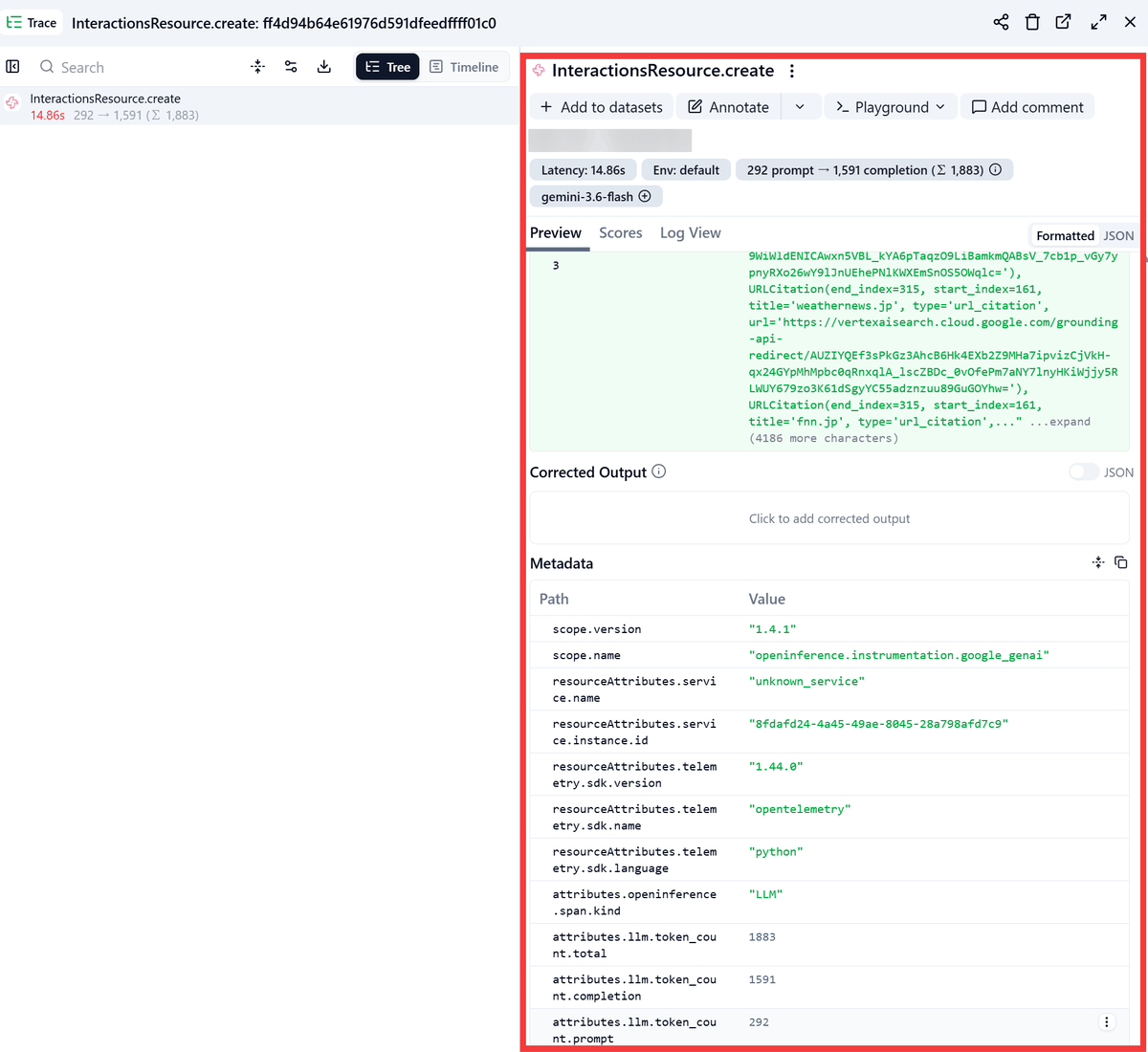
This time, I specified that the search should be performed only once by changing the prompt content as follows:
 Please check the weather forecast for Tokyo today and briefly summarize whether an umbrella is necessary.
 Perform the search only once.
The execution results are as follows.
 According to the latest weather forecast for Tokyo, humidity is high (around 86%), making for unstable weather conditions.

 The necessity of an umbrella:
 It's a good idea to take a folding umbrella with you when you go out, in case of sudden rain (showers or thunderstorms).
Checking with Langfuse, the total number of tokens was 936, which is fewer tokens than the redundant prompts required to obtain the result.
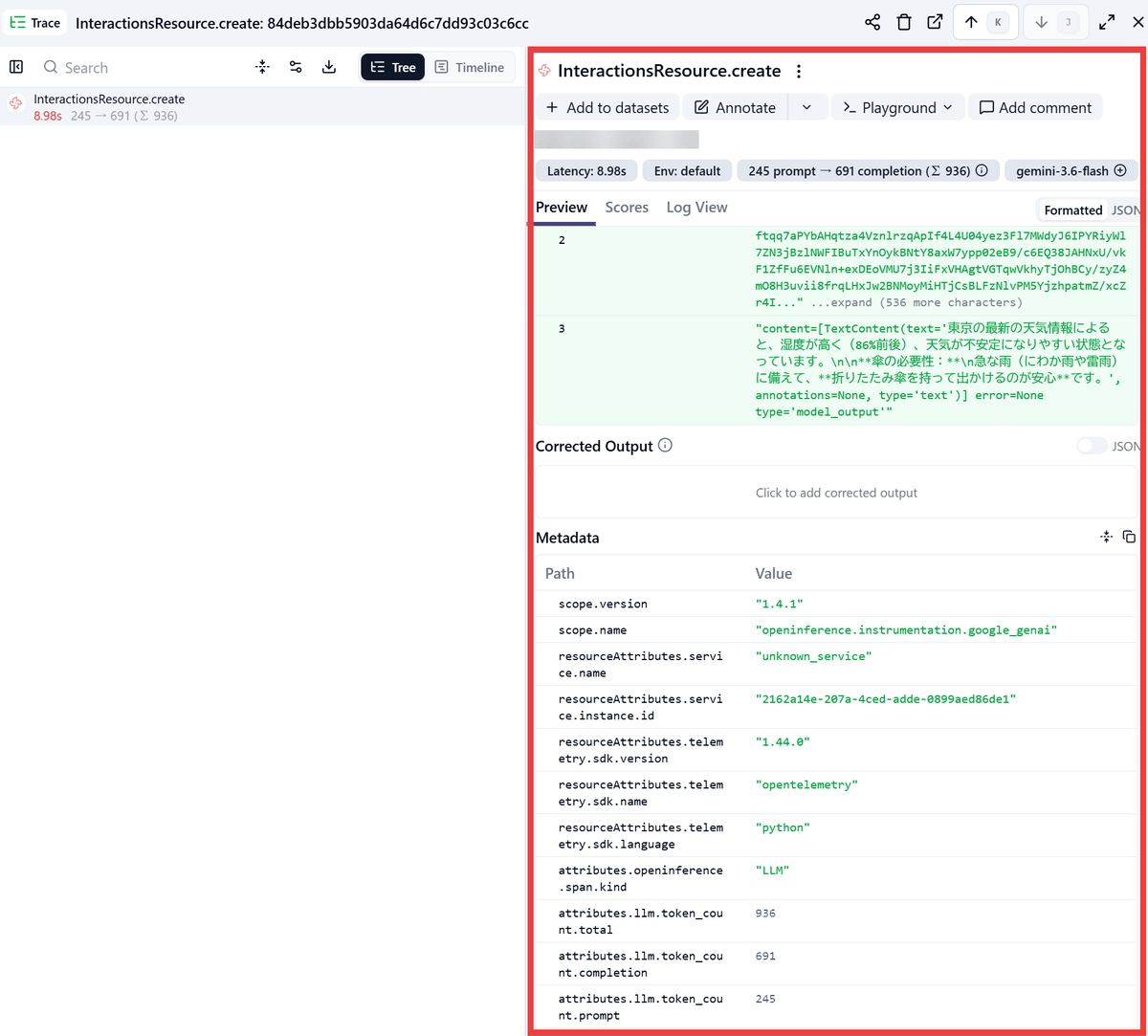
If the AI agent uses an external tool, the Trace can also record 'which tool was called, what arguments were passed, and what results were returned.' This allows you to determine whether the cause of an incorrect answer lies in the LLM itself, or in the search results or tool selection.
Other features
Other features include ' Prompt Management ,' which allows you to save and version control prompts given to the AI; ' Evaluation ,' which allows you to score the AI's responses with humans or other LLMs; and ' Datasets / Experiments ,' which allows you to compare the results of changing prompts and models for multiple inputs. In addition, you can aggregate token usage, costs, and processing time on a dashboard, and integrate with numerous AI tools such as LangChain , OpenAI Agents SDK , Google ADK , n8n , Dify , Ollama , Codex , and Claude Code using OpenTelemetry .
◆ How to build Langfuse
This time, we will set it up in an environment where Docker Desktop and Git Bash for Windows are installed on Windows. Clone the repository in the working folder and move it to the Langfuse folder.
 git clone https://github.com/langfuse/langfuse.git

cd langfuse
Start the container.
docker compose up -d
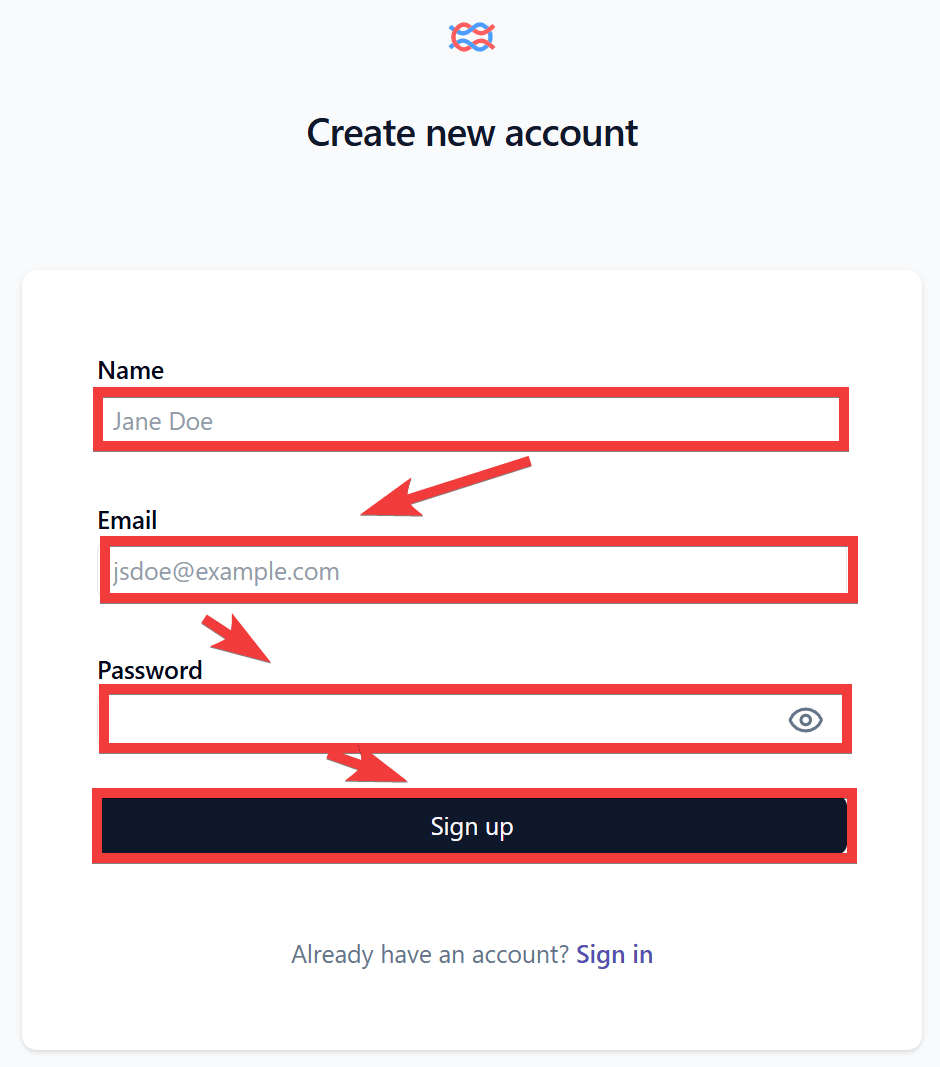
When you access 'http://localhost:3000' in your browser, a login form will appear, so click 'Sign up'.
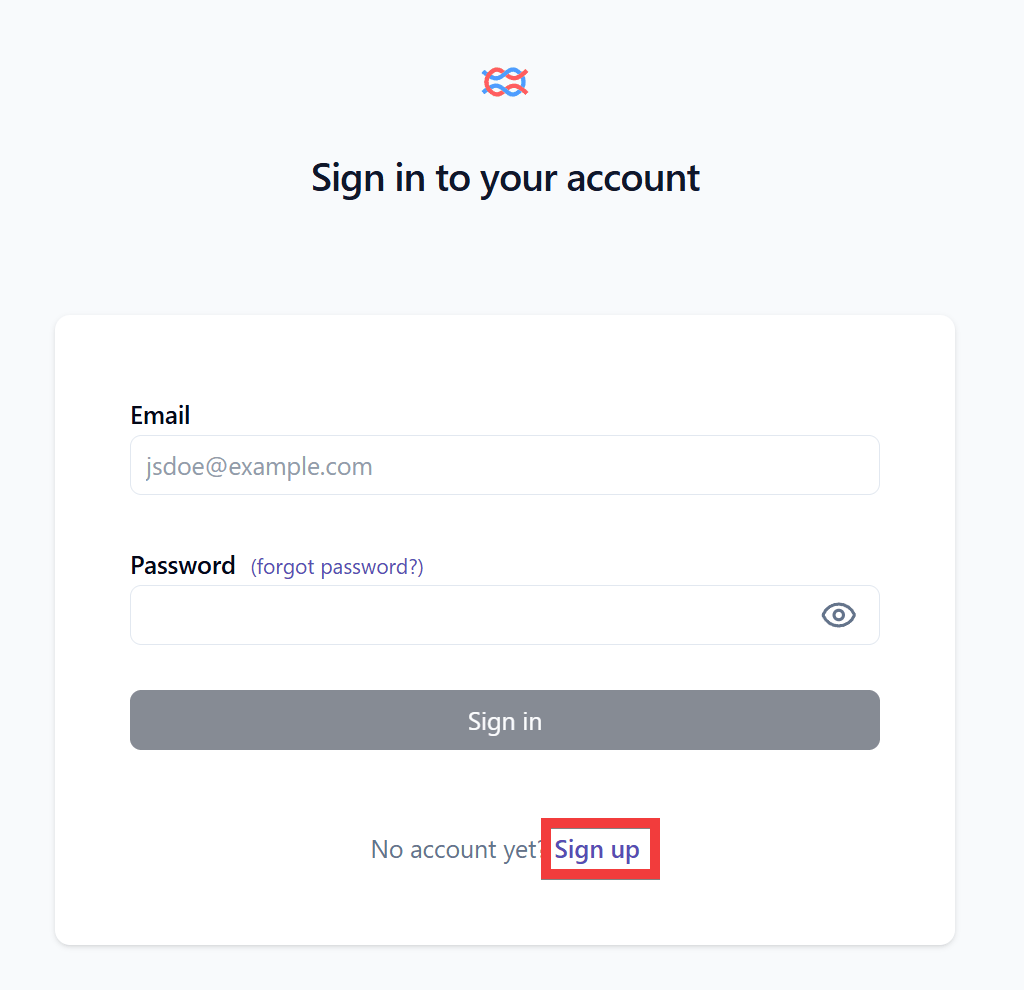
Enter your name in the 'Name' field, your email address in the 'Email' field, and your password in the 'Password' field on the account creation form, then click 'Sign up'.
Once registration and login are completed automatically and the home screen is displayed, the setup is complete.
Related Posts: