Firefox 154 officially released, allowing users to change app icons on Windows.
The official version of the web browser ' Firefox 154 ' was released on August 18, 2026. New features include the ability to suggest groups of related tabs using AI-powered 'Smart Window,' and the requirement for access permissions to WebSocket connections to devices on the local network. Additionally, the Windows version of Firefox now supports the cloud gaming service 'GeForce NOW,' and Firefox profile backup is now compatible with macOS.
Firefox 154.0, See All New Features, Updates and Fixes
◆Smart Window suggests related tabs together.
Firefox 150 and later versions have introduced an AI-powered feature called 'Smart Window,' which suggests grouping related tabs from among your open tabs. It can even automatically suggest group names.
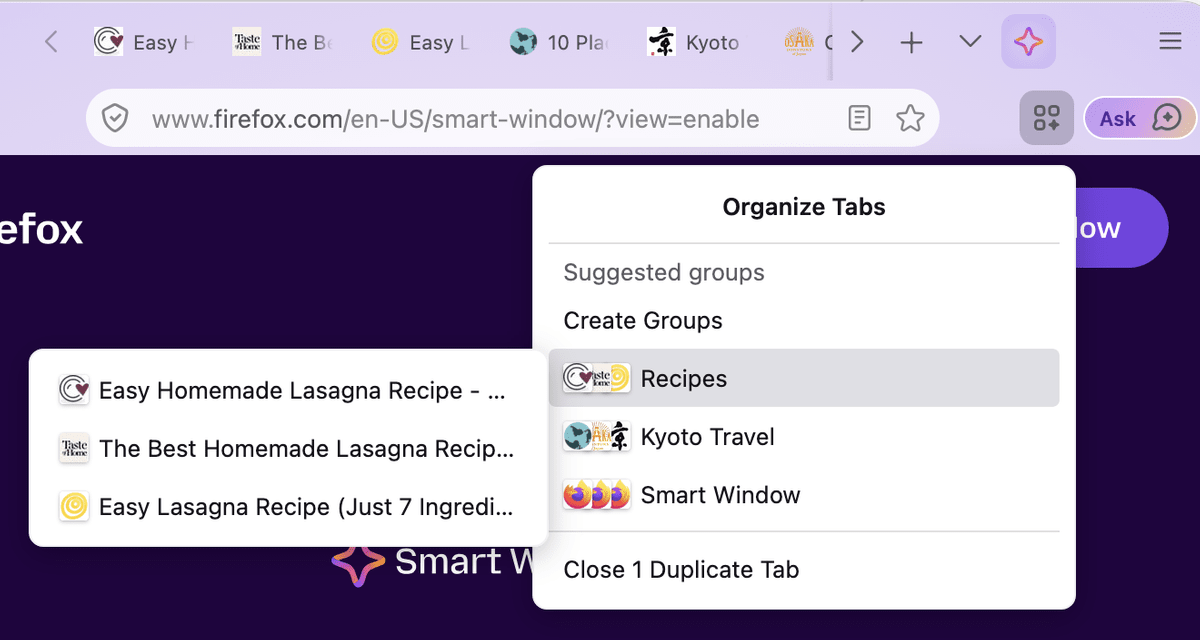
Smart Window is being rolled out in stages as an early beta, and as of Firefox 154, it is only available to users in the United States and Canada.
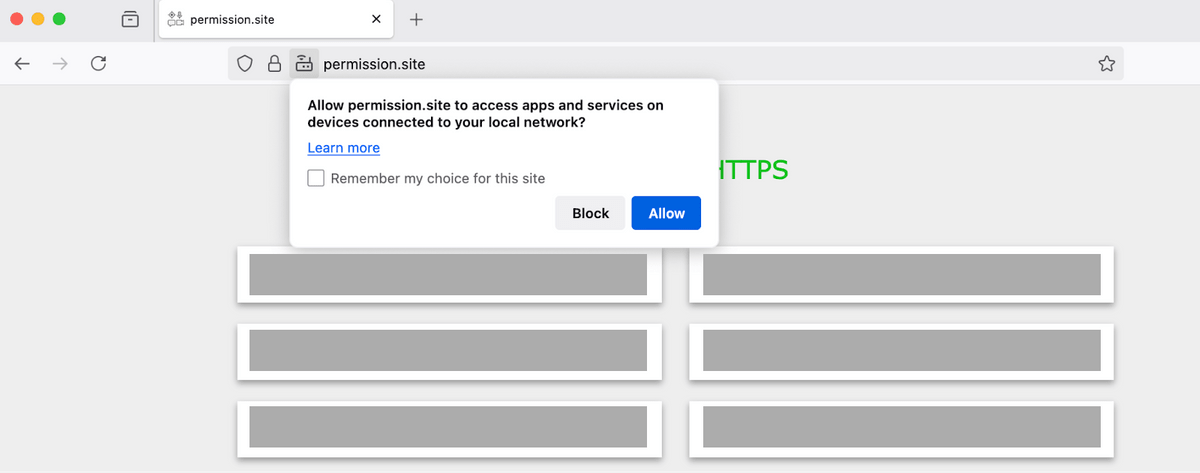
◆WebSocket connections to the local network will also require permission.
Firefox has a built-in protection feature that prompts users for permission when a website tries to access applications on their PC or devices connected to the same local network, such as routers, printers, and smart TVs. In Firefox 154, this protection has been extended to WebSocket connections, so websites will now also prompt for permission before attempting to establish a WebSocket connection to devices on the local network.
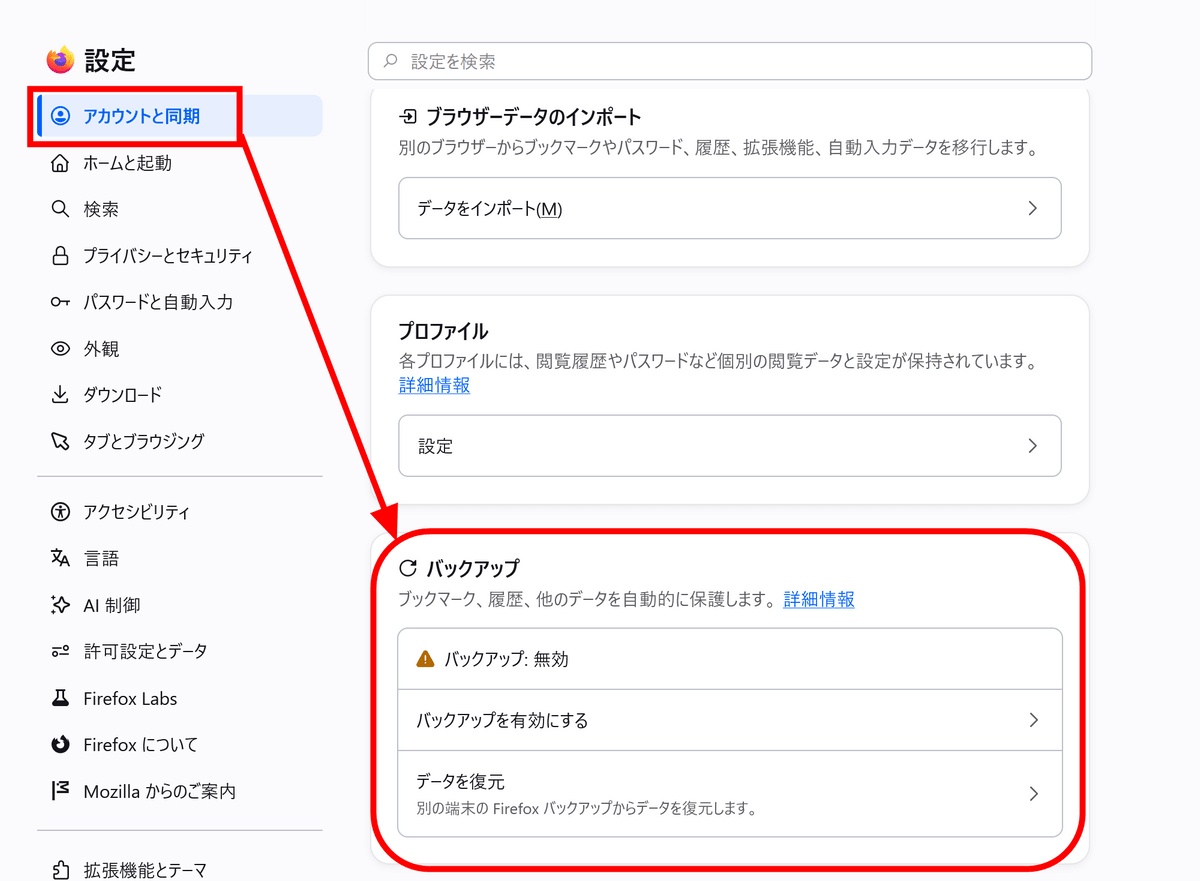
◆Firefox's backup function is now also compatible with macOS.
The feature to back up your Firefox profile as a local file is now available on macOS. This backup can include bookmarks and various settings, and when enabled, it creates a daily file reflecting your latest browsing data.
You can manage your backups in the 'Accounts and Sync' tab of the settings screen.
◆Firefox for Windows is now a supported browser for GeForce NOW
Firefox for Windows is now a supported browser for NVIDIA's cloud gaming service, GeForce NOW. This means you can stream and play compatible games directly from Firefox.
◆Page translation now supports iframes.
Firefox's built-in page translation feature has been enhanced, now translating content within 'iframes' embedded in web pages. Additionally, language detection is now performed every time a page is loaded, and the process of prompting users for translation on pages requiring it has also been improved.
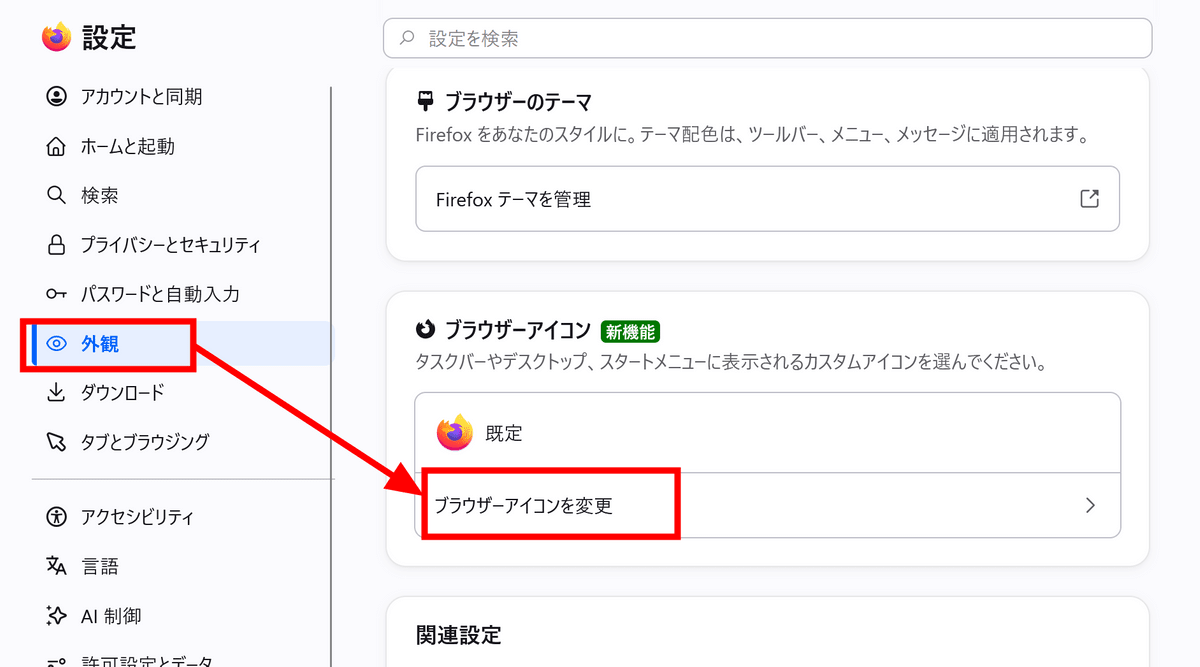
◆Firefox app icon can now be changed in the Windows version.
In the Windows version of Firefox, you can now change the design of the Firefox app icon from the 'Appearance' tab in the settings screen.
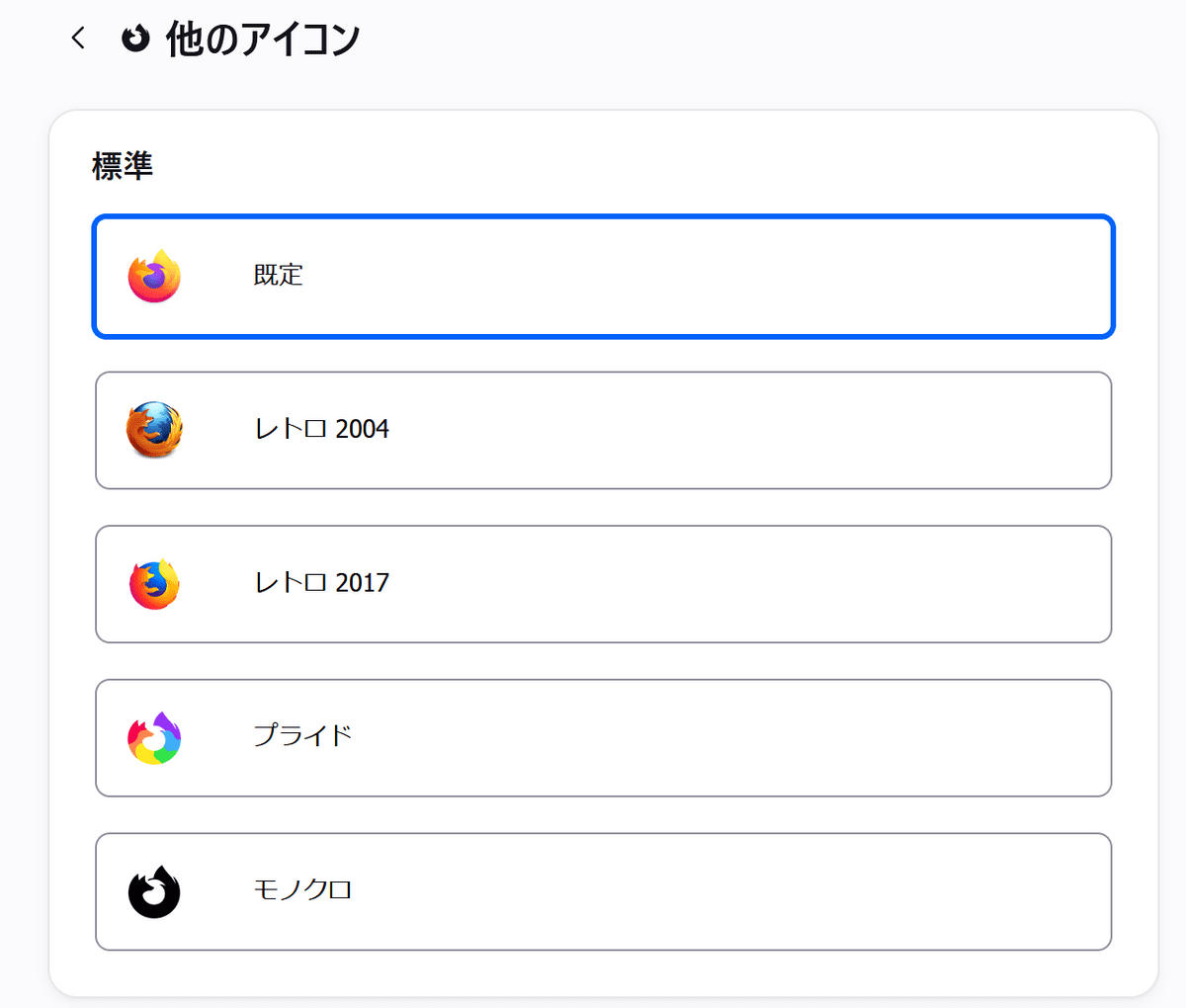
Here are the standard options available.
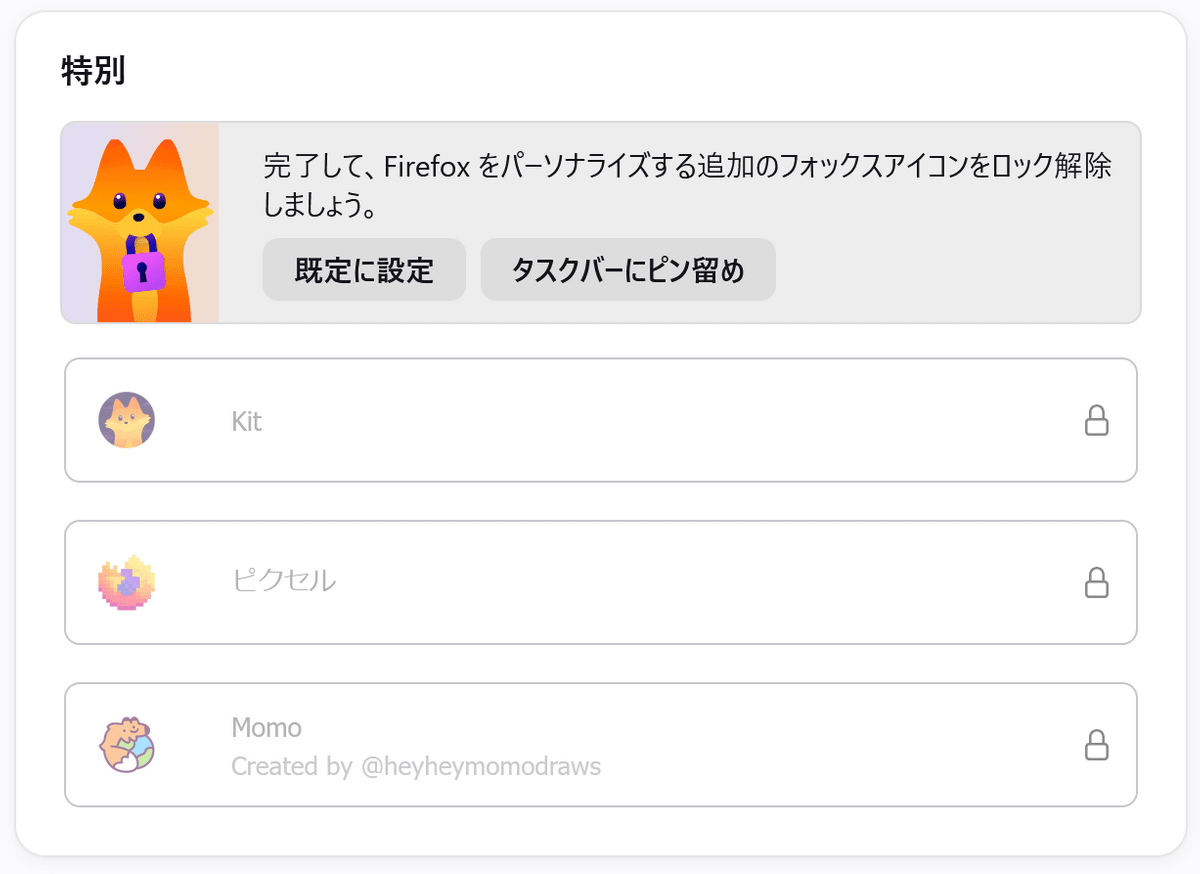
You can also set Firefox as your default browser and pin it to the taskbar to change its icon to a special one.
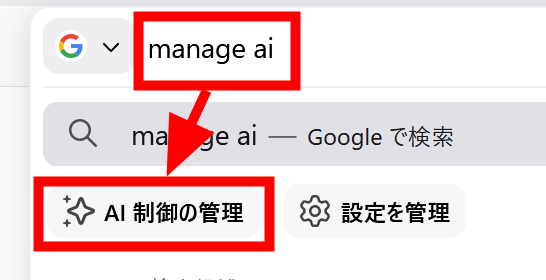
◆The settings for AI-related functions can now be accessed from the address bar.
Now, when you type 'manage ai' in the address bar, a quick action called 'Manage AI Control' appears. Selecting it will directly open the 'AI Control' screen in Firefox settings.
◆Other updates
- If you have set Firefox to delete cookies and site data when it closes, you can exclude data from specific sites from being deleted while still being able to apply cookie restrictions such as tracking prevention to those sites.
- When performing a 'hard reload' by clicking the refresh button while holding down the Shift key, the cached favicon will also be cleared and updated.
- Seeking within a video is significantly faster across all operating systems.
- Selected text within a PDF will now be highlighted in the same way as on a webpage, and OS settings such as high contrast mode will also be reflected.
- For new profiles or profiles that haven't used Firefox View recently, Firefox View will be removed from the toolbar by default. Firefox View can still be opened from 'List All Tabs,' and it can also be restored by customizing the toolbar.
◆Bug fixes
- Fixed an issue in macOS where, after closing a browser window, an invisible window would remain and steal mouse clicks from the original window area.
- Fixed an issue where the taskbar, which is set to automatically hide after launching Firefox on Windows, would not reappear until Firefox was minimized and restored.
- Fixed an issue where the taskbar would appear in front of a picture-in-picture window when using full-screen mode in Windows.
- Fixed an issue where the vertical tab sidebar remained visible even in full-screen mode. It now hides along with the toolbar and reappears when the cursor is moved to the edge of the screen.
- Fixed an issue where the PDF would not display at the correct magnification when 'Fit to page width' was selected in the PDF print preview.
◆Updates for developers
- In the JSON Viewer , display a breadcrumb trail at the bottom of the screen that shows where the selected item is located within the JSON structure.
- Supports CSS properties ' text-box-trim ' and ' text-box-edge ,' as well as the ' text-box ' shorthand for specifying both together.
- Supports ' sibling-count() ' and ' sibling-index() ', which can be used in CSS calculations to determine the total number of sibling elements including itself, and its position among its siblings.
- Added a UI for time selection to ' <input type='time'> ' and ' <input type='datetime-local'> '.
- HTTP disk cache now supports the ' No-Vary-Search ' response header.
- JavaScript support for ' Iterator.prototype.chunks() ', ' Iterator.prototype.windows() ', ' Iterator.prototype.includes() ', and ' Iterator.prototype.join() '.
Additionally, Firefox 154 includes several security bug fixes . Mozilla's security advisory rates the overall impact of the fixes for Firefox 154 as 'high,' addressing vulnerabilities such as sandbox escape, privilege escalation, and use-after-free vulnerabilities.
The next major version, 'Firefox 155,' is scheduled for release on Tuesday, September 1, 2026 (local time).
Related Posts:






in Software, Posted by log1d_ts