The free VPS control panel '1Panel' allows for the centralized management of multiple AI agents such as OpenClaw.
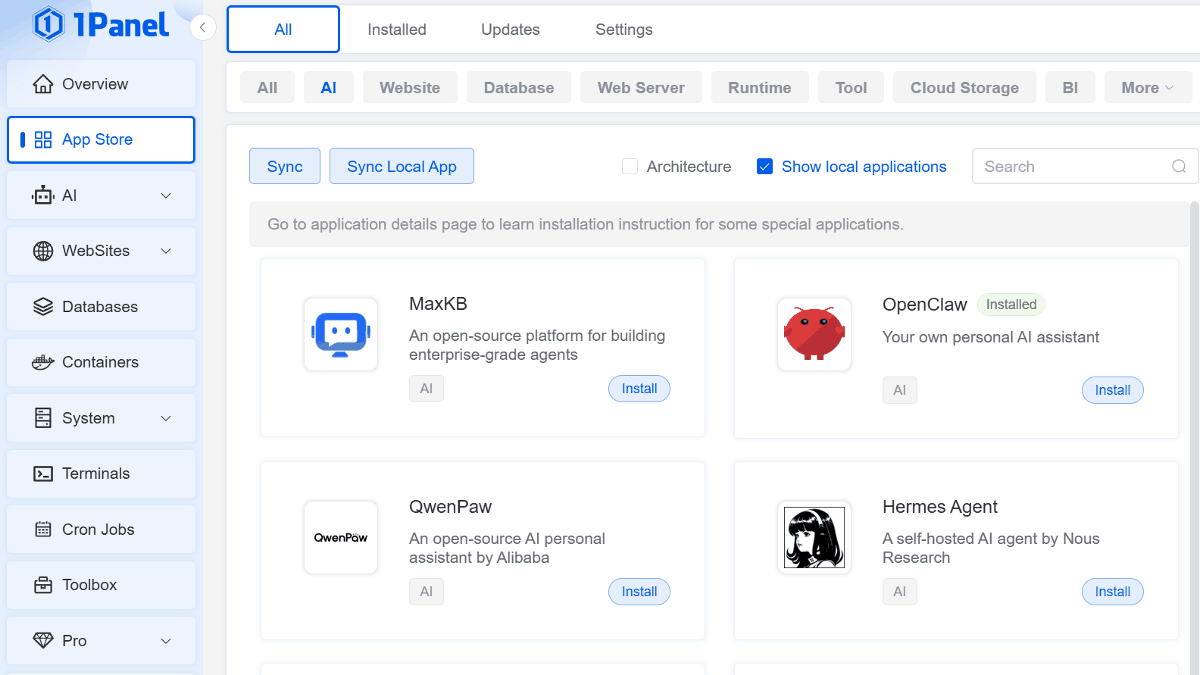
A free VPS control panel called ' 1Panel ' has been released that integrates features for creating and configuring AI agents such as OpenClaw and Hermes Agent, as well as local LLM management using Ollama, into the management screen of a VPS that can be used to operate websites, Docker, databases, and more.
1Panel: The Premier Linux Server Management Panel | cPanel Alternative
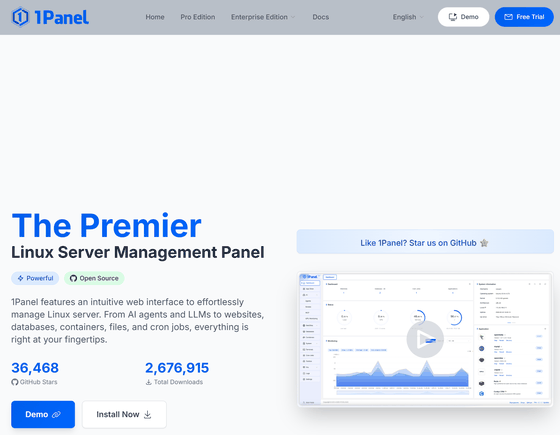
1Panel-dev/1Panel: 1Panel is a modern, open-source Linux server management panel and a lightweight AI management platform.
◆1Panel Functions
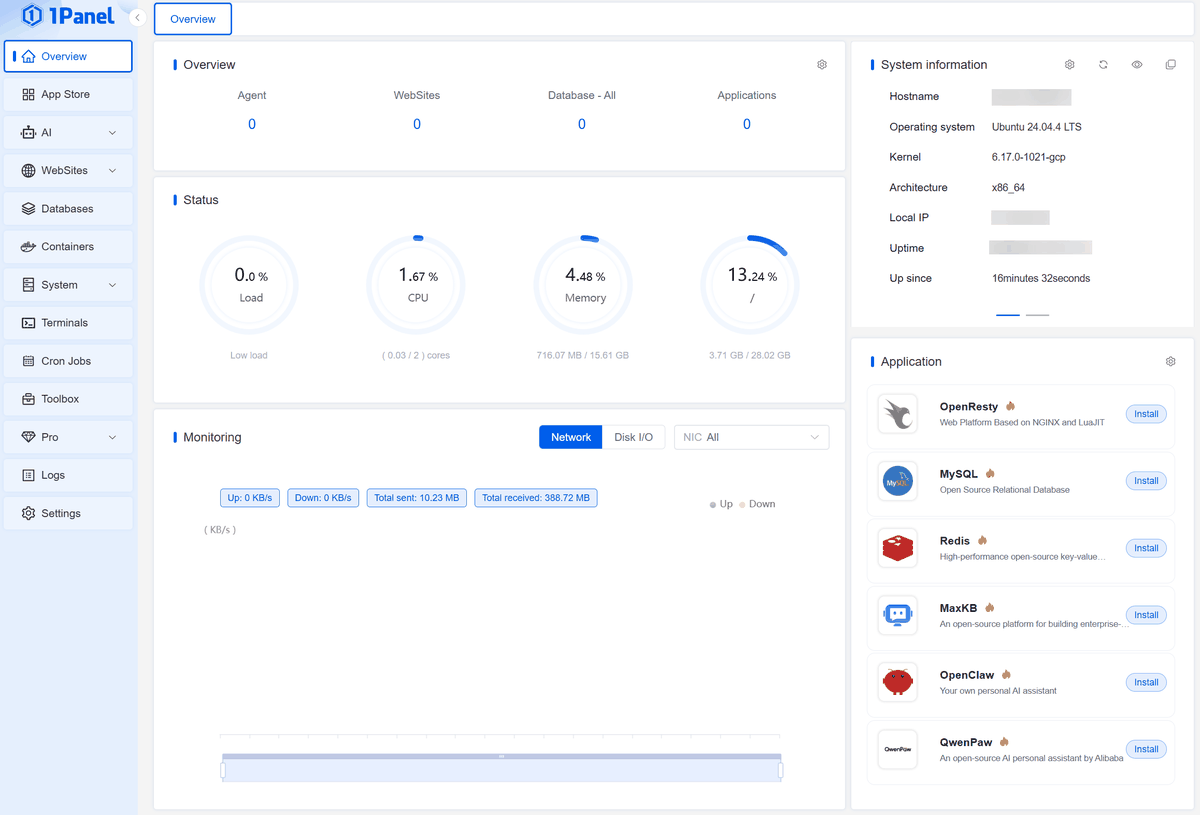
This software adds a web-based server management interface to your browser, replacing the command-line management of your Linux server.
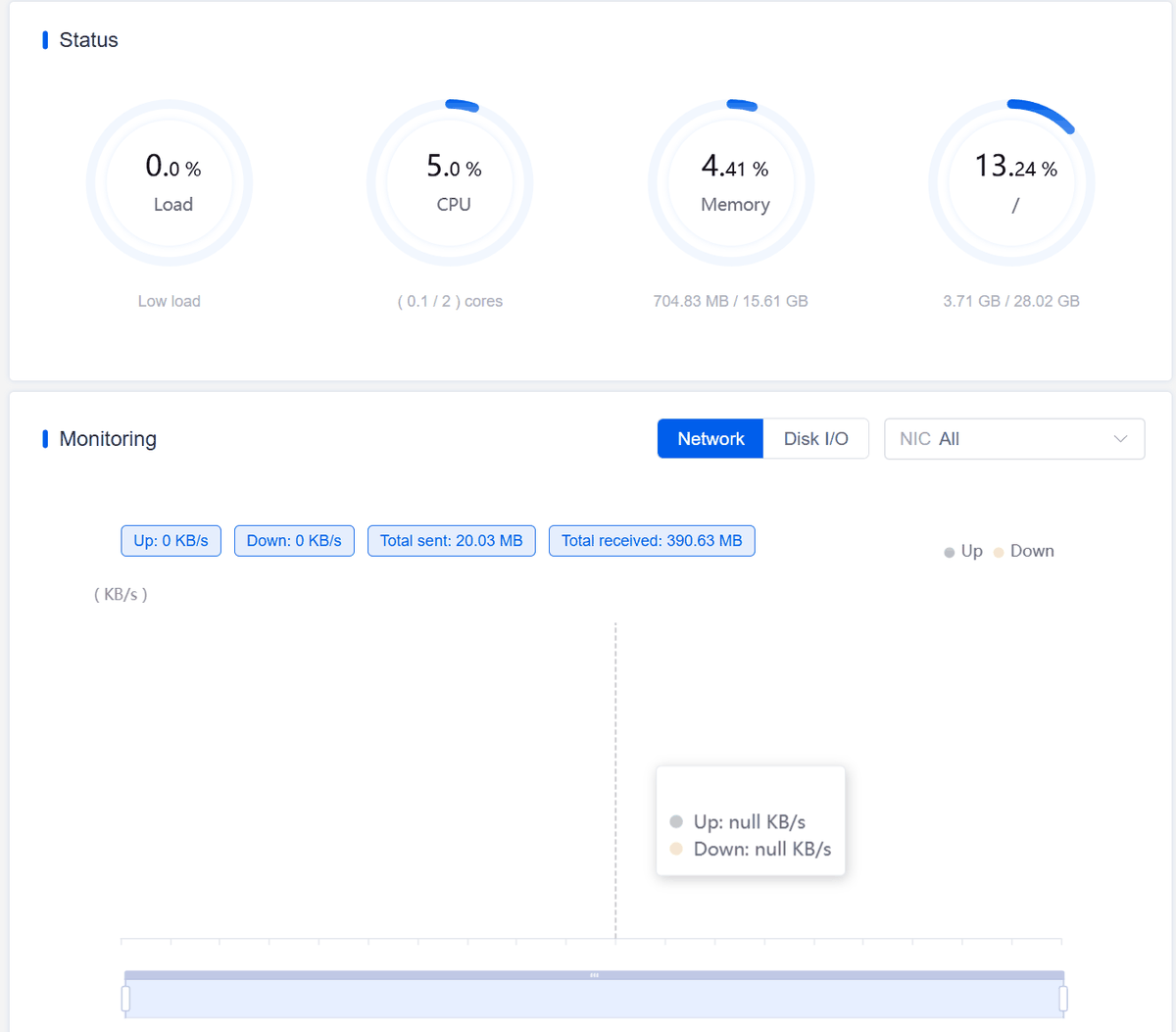
- Check the server status, including CPU, memory, and disk.
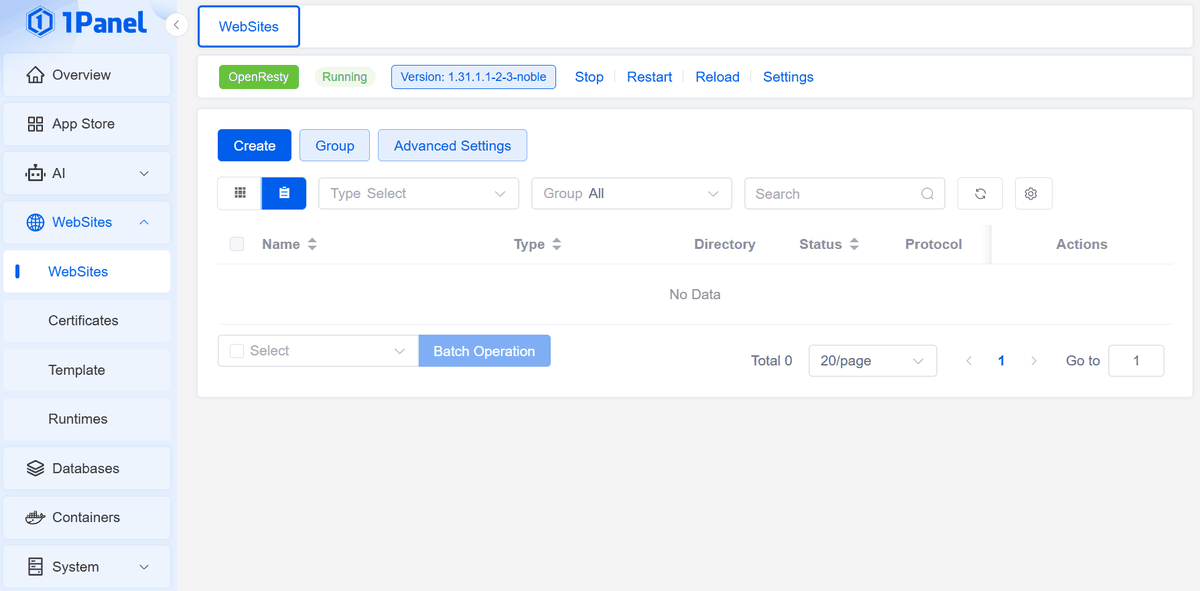
• Website setup and management.
- Database construction and operation.
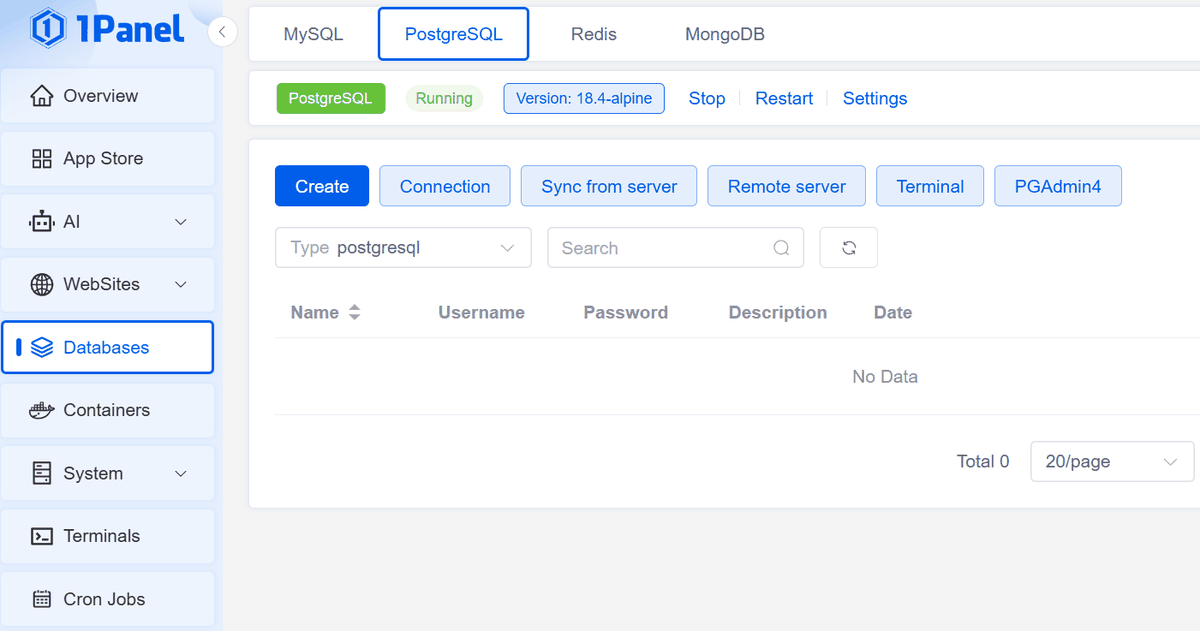
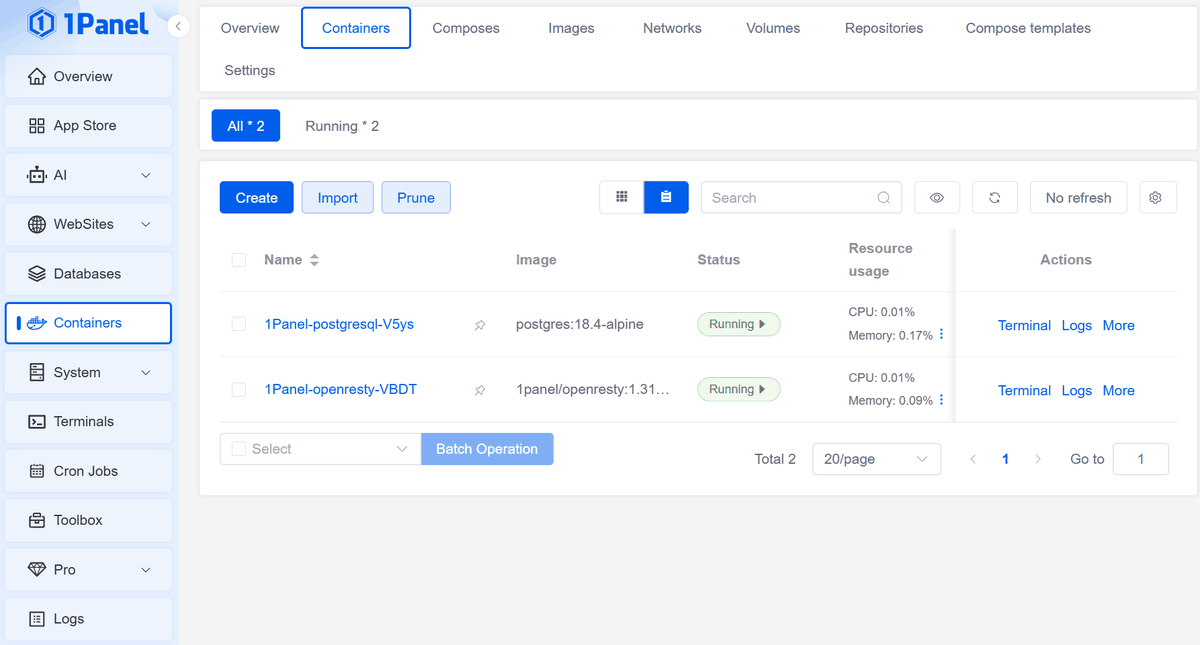
- Managing Docker containers.
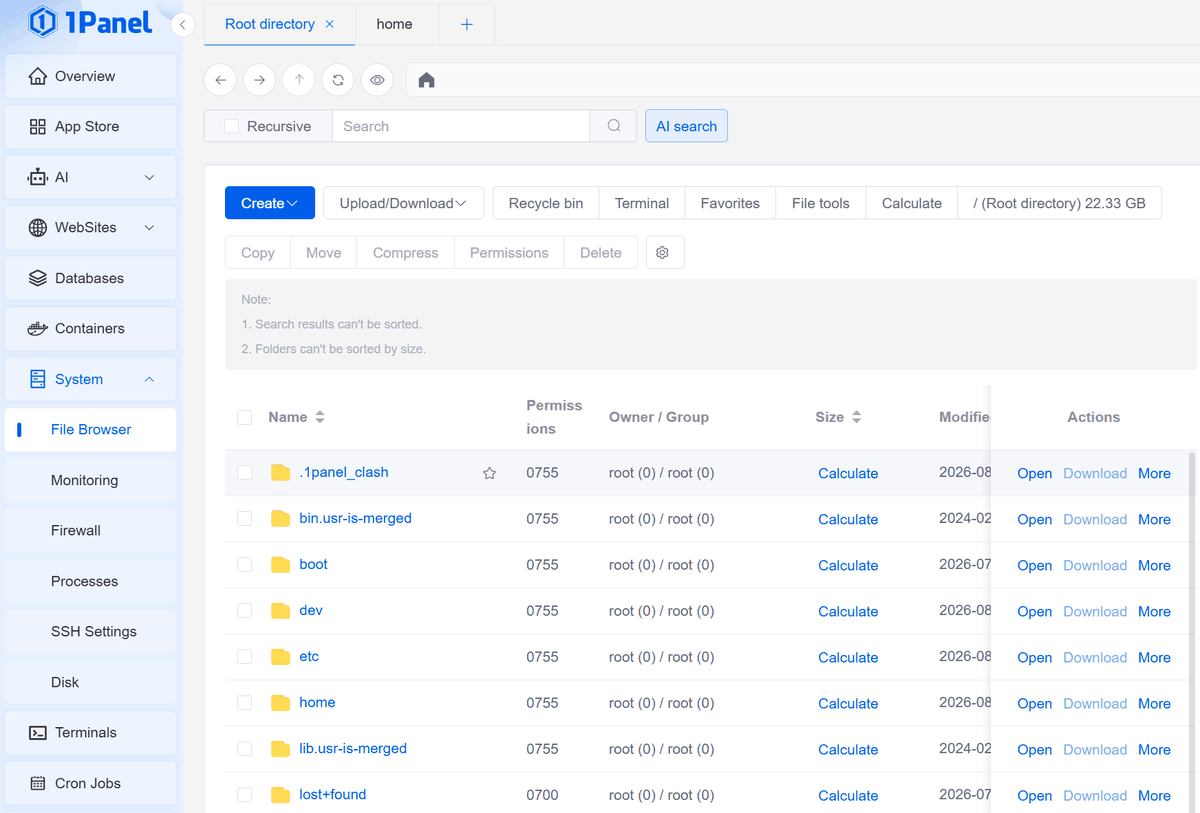
File browser
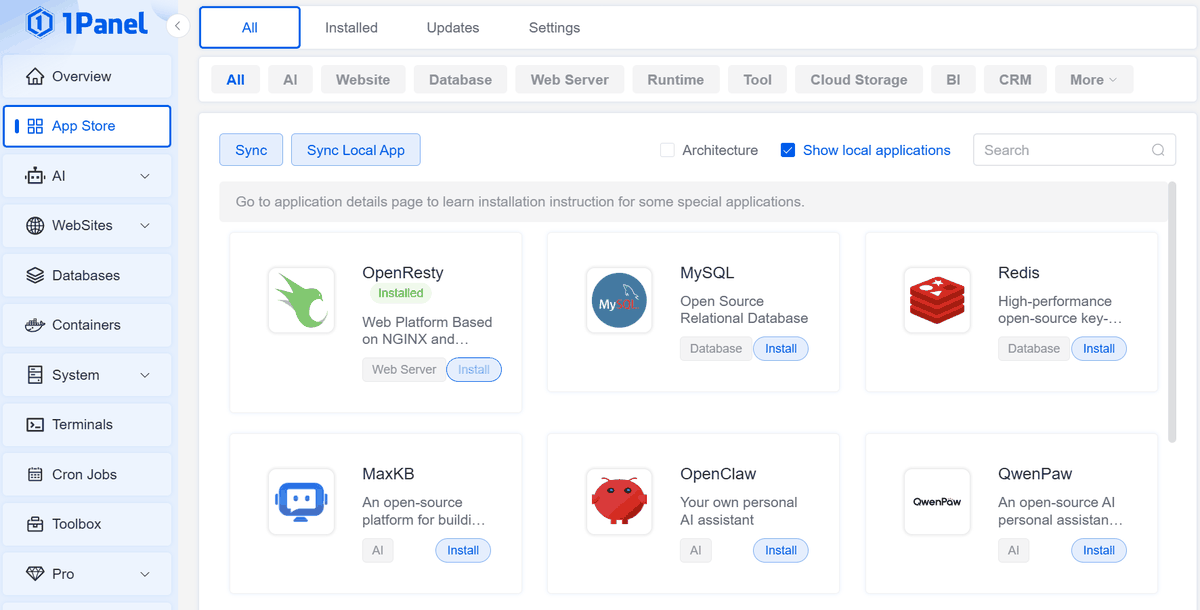
- Management of various apps.
Firewall settings.
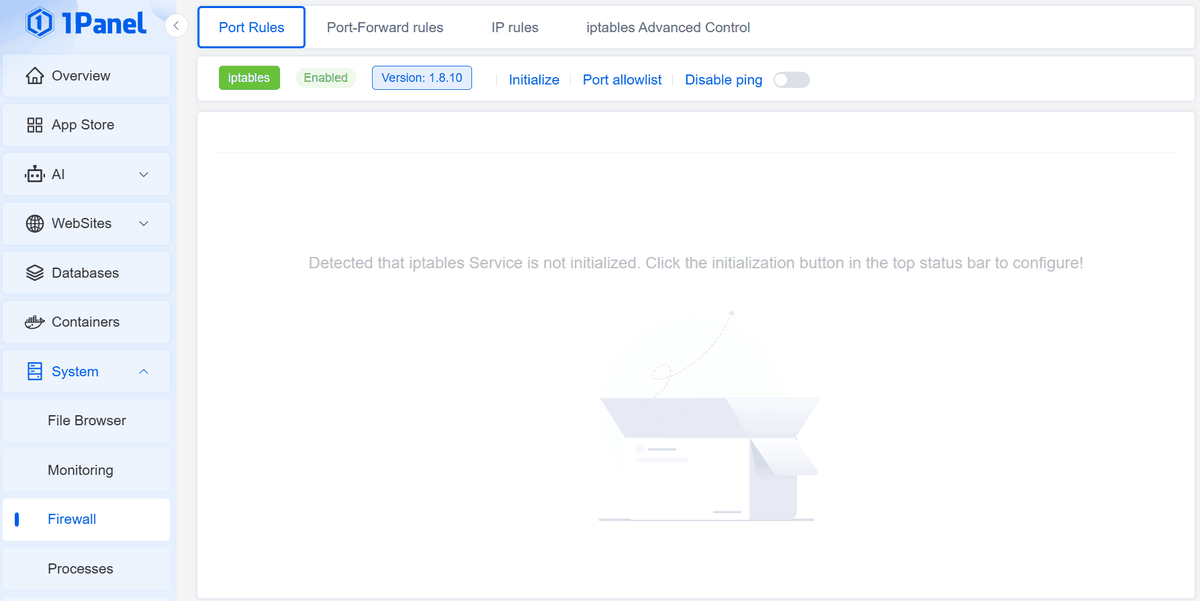
As shown in the screenshots above, you can easily perform necessary server operations from the Web UI.
◆AI Agent Management
One of the features of 1Panel is that AI agents are registered as apps, allowing for installation and management.
Let's try installing the personal AI assistant '
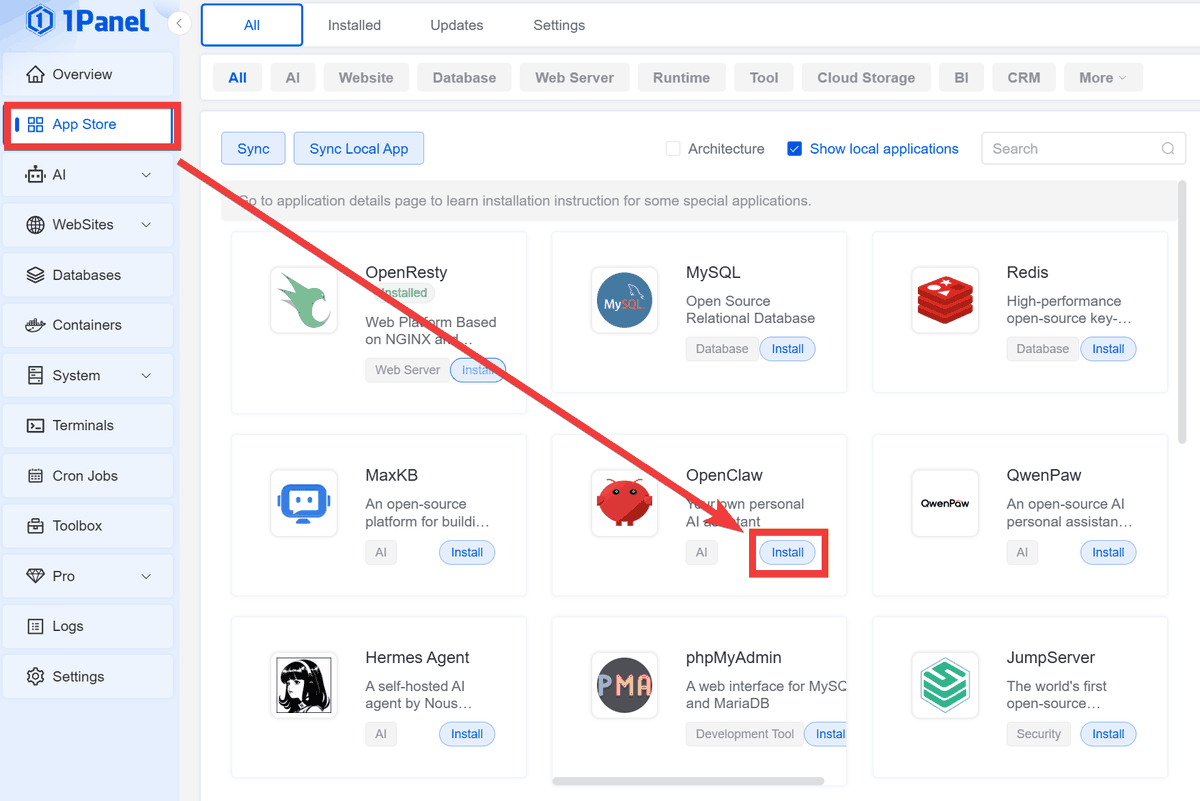
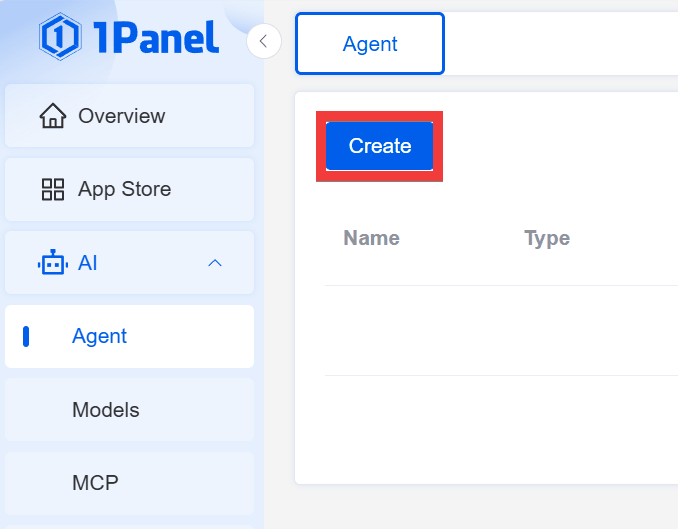
The Agent page will appear, so click 'Create'.
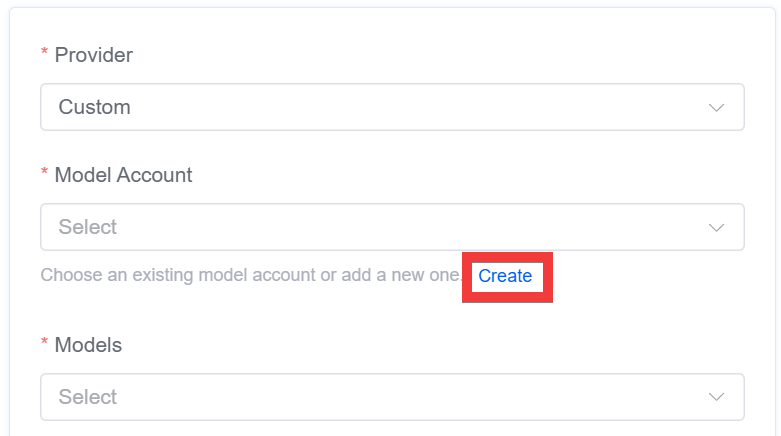
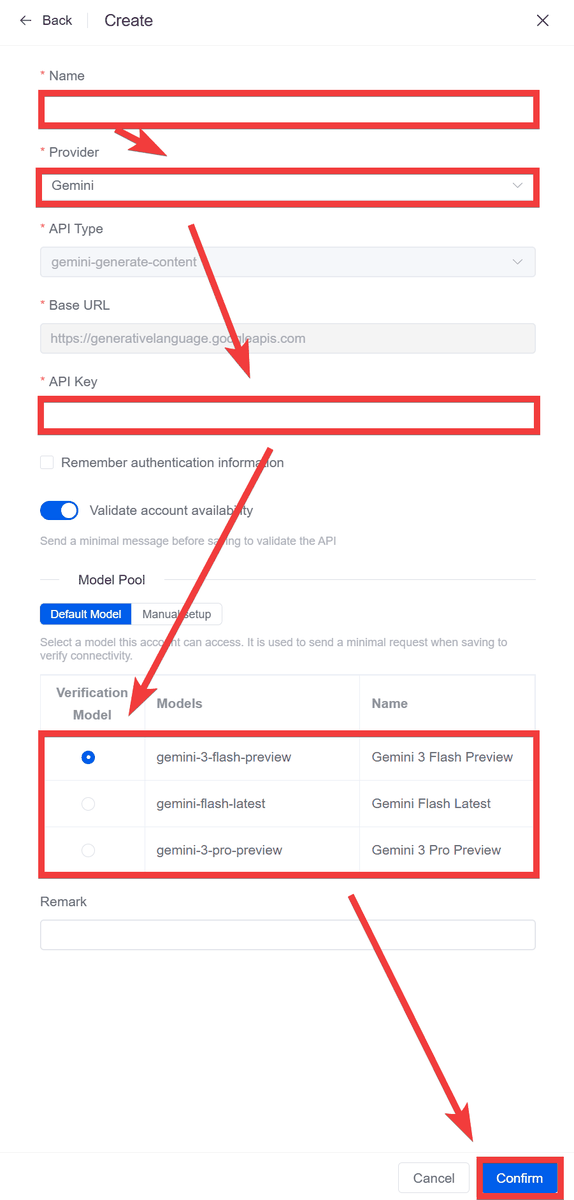
Since you need to create a 'Model Account' first in the Agent creation form, click 'Create' in the 'Provider' specification block.
Enter a name of your choice in 'Name,' select the AI provider you want to use in 'Provider,' enter the API key you obtained from the provider in 'API Key,' select the model you want to use in 'Verification Model,' and then click 'Confirm.'
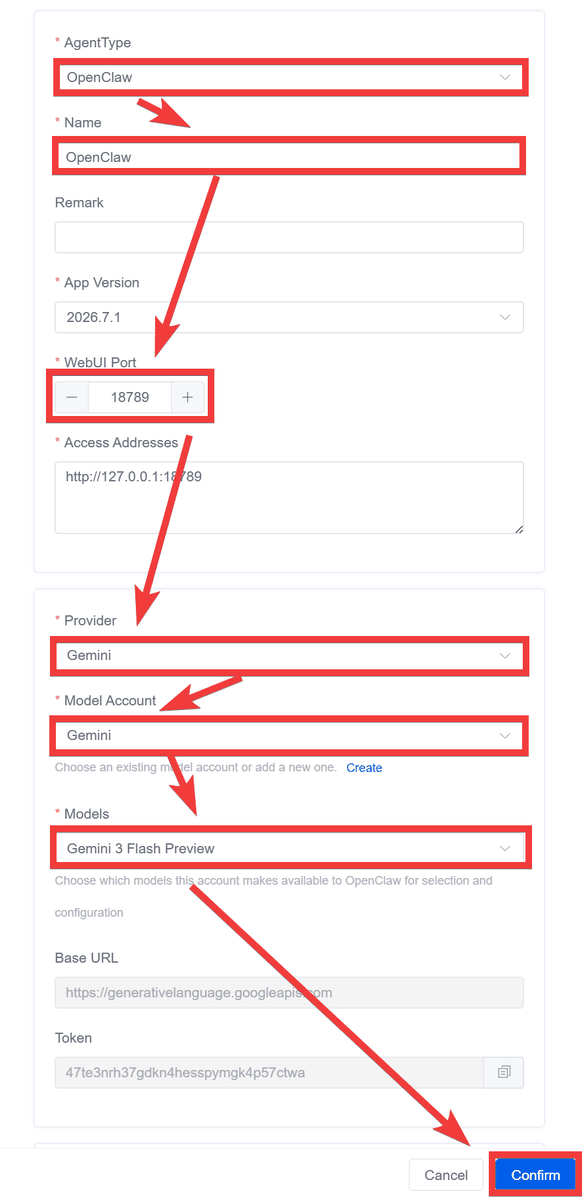
Return to the Agent creation form, specify OpenClaw for 'AgentType', enter a name of your choice for 'Name', enter a port number for 'WebUI Port', specify the account information you just set up for 'Provider', 'Model Account', and 'Models', then click 'Confirm'.
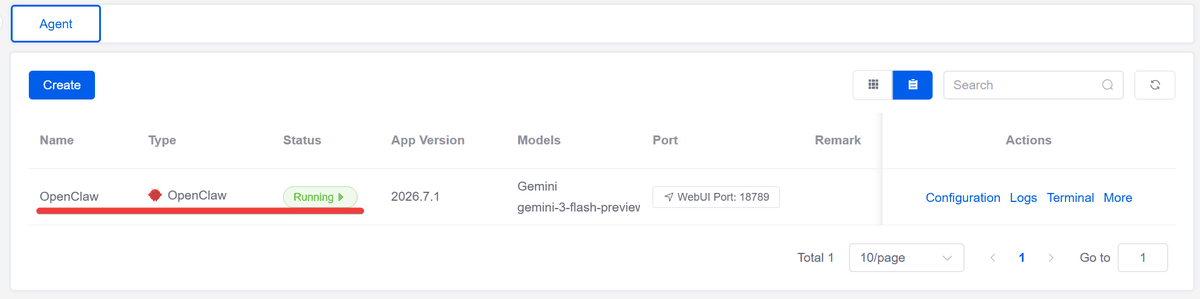
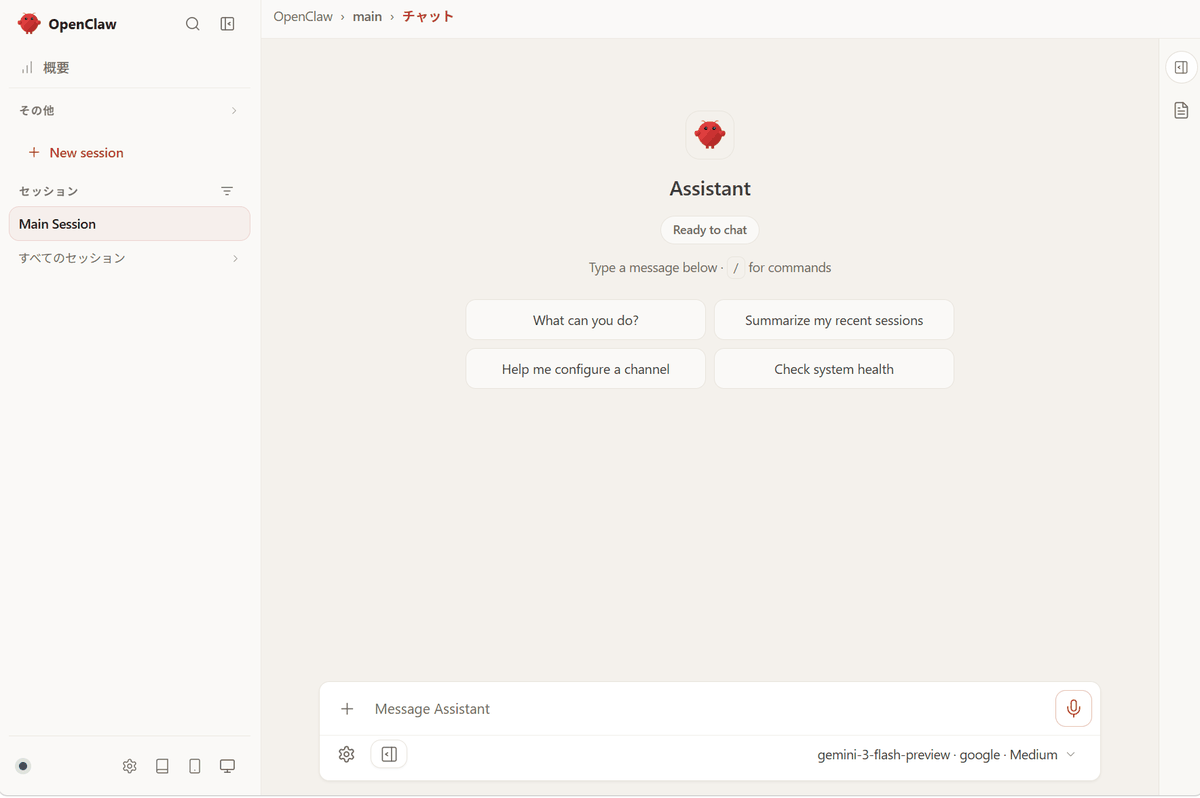
If the OpenClaw you created appears in the Agent list, the installation is complete. Accessing the server address via the specified port in your browser will then...
The OpenClaw chat screen appeared.
This makes setting up an AI agent very easy.
◆ How to build a 1-panel
This time, we will set up an environment where Docker can be used on Ubuntu on a Google Cloud VM instance. Execute the following command as the root user.
bash -c '$(curl -sSL https://resource.1panel.pro/v2/quick_start.sh)'
For the language used during installation, enter '1'.
 1. English
 2. Chinese 中文(简体)
 3. Persian
 4. Português (Brasil)
 5. Russian
 Enter the number corresponding to your language choice: 1
If you want to install to '/opt', just press Enter and leave it as the default.
Set the 1Panel installation directory (default: /opt):
If you want to install Docker, just press Enter with the default settings.
Docker is not installed. Do you want to install it? [y/n] (default: y):
Enter any port number to access via your web browser.
Set 1Panel port (default is 42764): 8090
Specify the URL path to the administration panel.
Set 1Panel secure entrance (default is 718079ce91):
Enter the administrator's username.
Selected panel username:
Enter the administrator password.
Set the 1Panel panel password, then press Enter to continue
Once the installation is complete, the URL for the administration panel, as well as the administrator's username and password, will be displayed.
 =================Thank you for your patience, installation is complete==================
 Please access the panel using your browser:
 External address: http://xxxx.xxx:8090/718079ce91
 Internal address: http://xxxx.xxx:8090/718079ce91
 Panel user: [Username]
 Panel password: [Password]
Access the displayed management screen URL in your browser, enter the administrator username you set in 'Username' and the password in 'Password,' and click 'Sign in.'
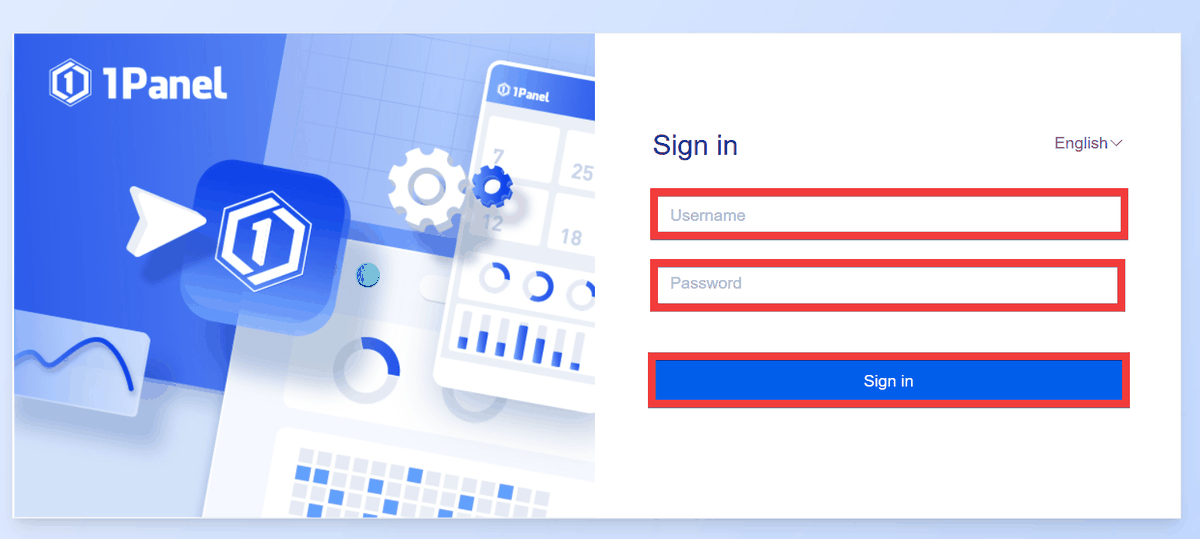
The setup is complete when the administration screen is displayed.
The paid ' Pro Edition ' offers unlimited OpenClaw agent creation, as well as MCP Server management, GPU monitoring, website tampering prevention, regular virus scans, and monitoring reports. It also supports iOS and Android apps, email and instant message notifications, logo and theme color customization, email support, and priority support.
Related Posts: