I checked the current status of 'UI-TARS-desktop,' a free tool that automates local PC operations.

UI-TARS-desktop , a multimodal GUI agent stack released by
bytedance/UI-TARS-desktop: The Open-Source Multimodal AI Agent Stack: Connecting Cutting-Edge AI Models and Agent Infra
https://github.com/bytedance/UI-TARS-desktop
According to the official GitHub repository, UI-TARS-desktop is a desktop application written in Electron and has the following features:
- Natural language control using VLM
- Support for screenshots and image recognition
- Precise mouse and keyboard operation
• Cross-platform compatibility (Windows, macOS, browser)
Real-time feedback and status display
- Private and secure fully local processing
I checked the quick start guide for installation instructions, and it says that the installer can be downloaded from the release page , but I couldn't find it at the time of writing this article, so I'll clone the repository and run it in development mode. To install UI-TARS-desktop on a Windows PC, the following must be installed as a prerequisite.
Browser (Chrome, Firefox, Edge)
Git for Windows
・Node.js (v20 or later)
pnpm
Note that, according to the official GitHub documentation, UI-TARS-desktop only supports single-monitor configurations, and some tasks may not function correctly in multi-monitor setups.
First, launch 'Git Bash' and execute the following command to clone the UI-TARS-desktop repository.
[code]
git clone https://github.com/bytedance/UI-TARS-desktop.git
[code]
Next, run the following command to install the dependencies.
[code]
cd UI-TARS-desktop
pnpm install
[code]
After the installation is complete, run the following command to launch UI-TARS-desktop.
[code]
pnpm run dev:ui-tars
[code]
The screen displayed immediately after startup shows two functions: 'Computer Operator' and 'Browser Operator.' It seems that a remote operator function was also available in the past, but support for it had ended at the time of writing.
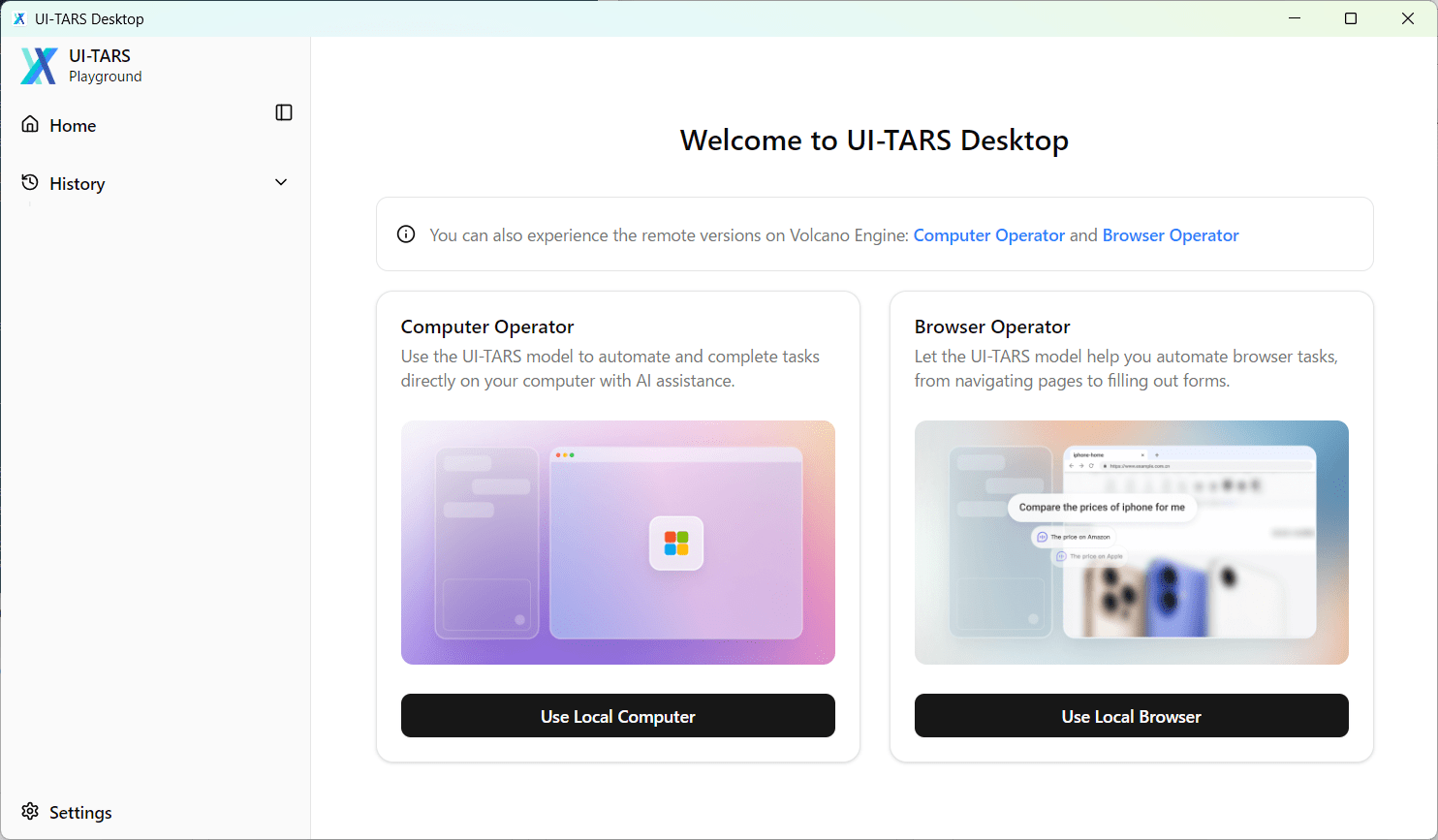
By clicking 'Settings' in the lower left corner of the screen, you can select the VLM to use from the pop-up window that appears when you select 'VLM Settings'.
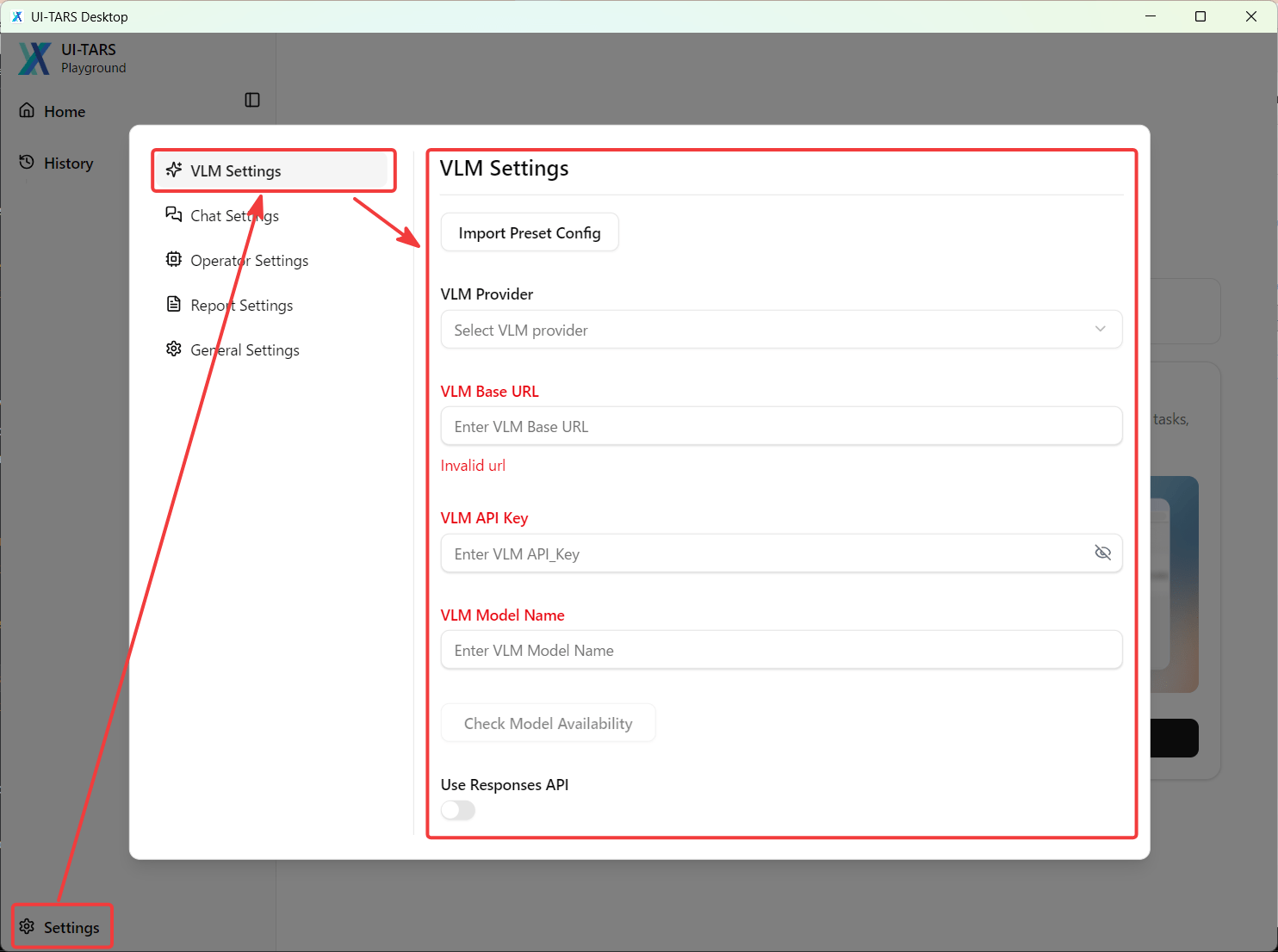
You can choose from the following four VLM providers:
・Hugging Face for UI-TARS-1.0
・Hugging Face for UI-TARS-1.5
・VolcEngine Ark for Doubao-1.5-UI-TARS
・VolcEngine Ark for Doubao-1.5-thinking-vision-pro
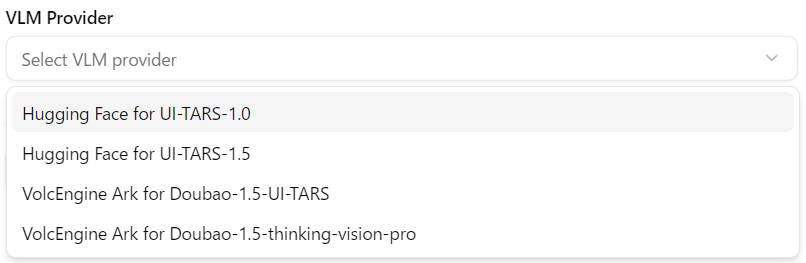
However, if there are only four options available, it means that only cloud-based VLM providers can be configured. This gives the impression that there is a discrepancy between the 'private, secure, and fully local processing' feature that was highlighted and the reality.
UI-TARS-desktop is a very interesting app, but unfortunately, at the time of writing this article, I couldn't find any usable elements because the documentation doesn't seem to be well-maintained and the repository isn't being updated very actively. However, the concept is appealing, so I would like to re-examine it if it becomes actively updated again in the future.
Related Posts: