I tried out the new feature in the word processing software 'Ichitaro' that automatically detects and hides faces in photos.
JustSystems' word processing software ' Ichitaro ' has been continuously updated since 1985, but many people probably know about the existence of Ichitaro but don't know what functions it has. Ichitaro 2026, released on February 6, 2026, added many convenient features such as 'JUST Voice Writer,' which transcribes speech using AI, and 'Privacy Filter,' which automatically hides faces in images. I had the opportunity to actually use Ichitaro 2026, so I first checked the usability of the Privacy Filter.
Ichitaro 2026 - Japanese word processing software | JustSystems
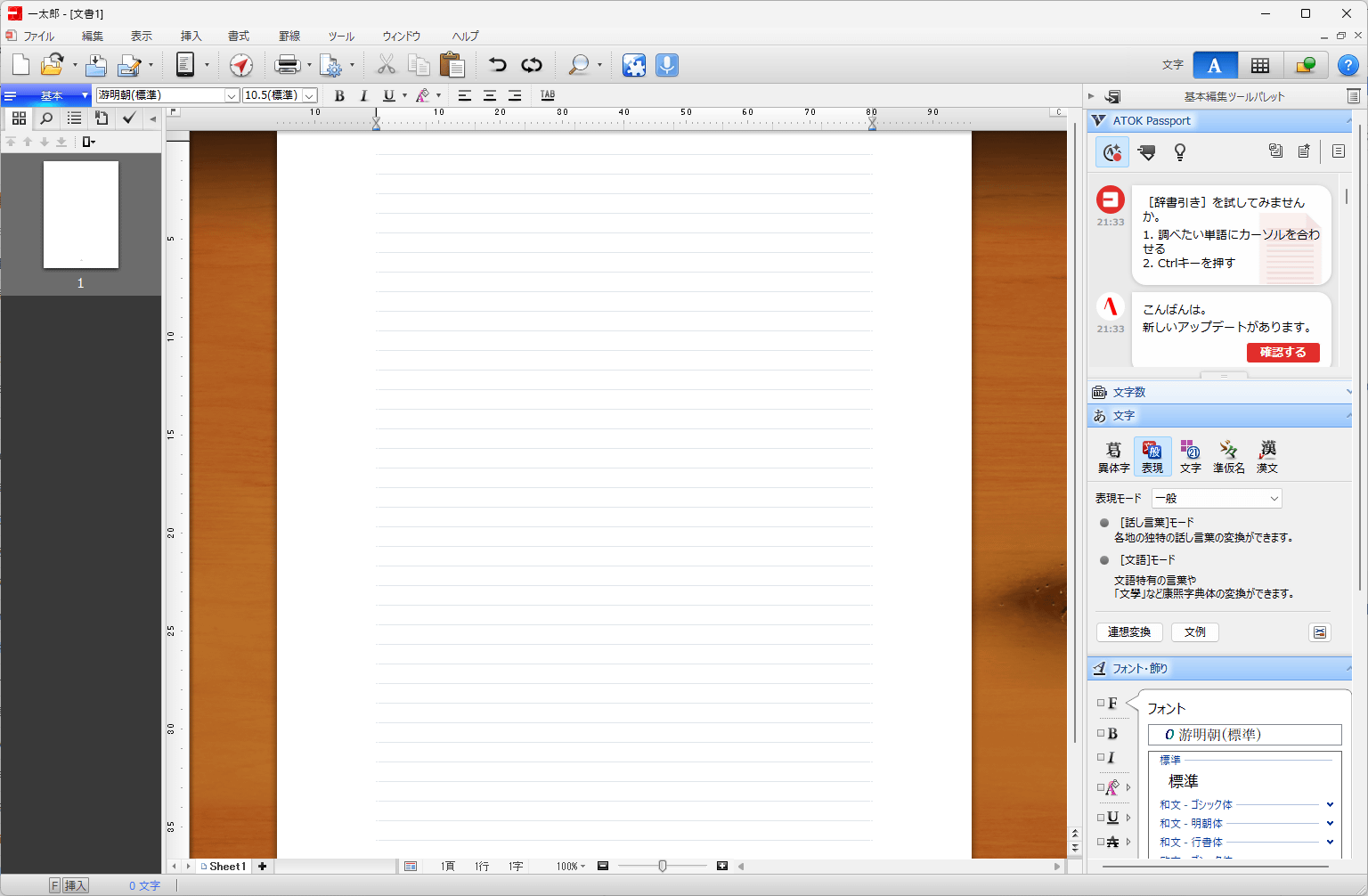
This is what the screen looks like immediately after starting up Ichitaro 2026.
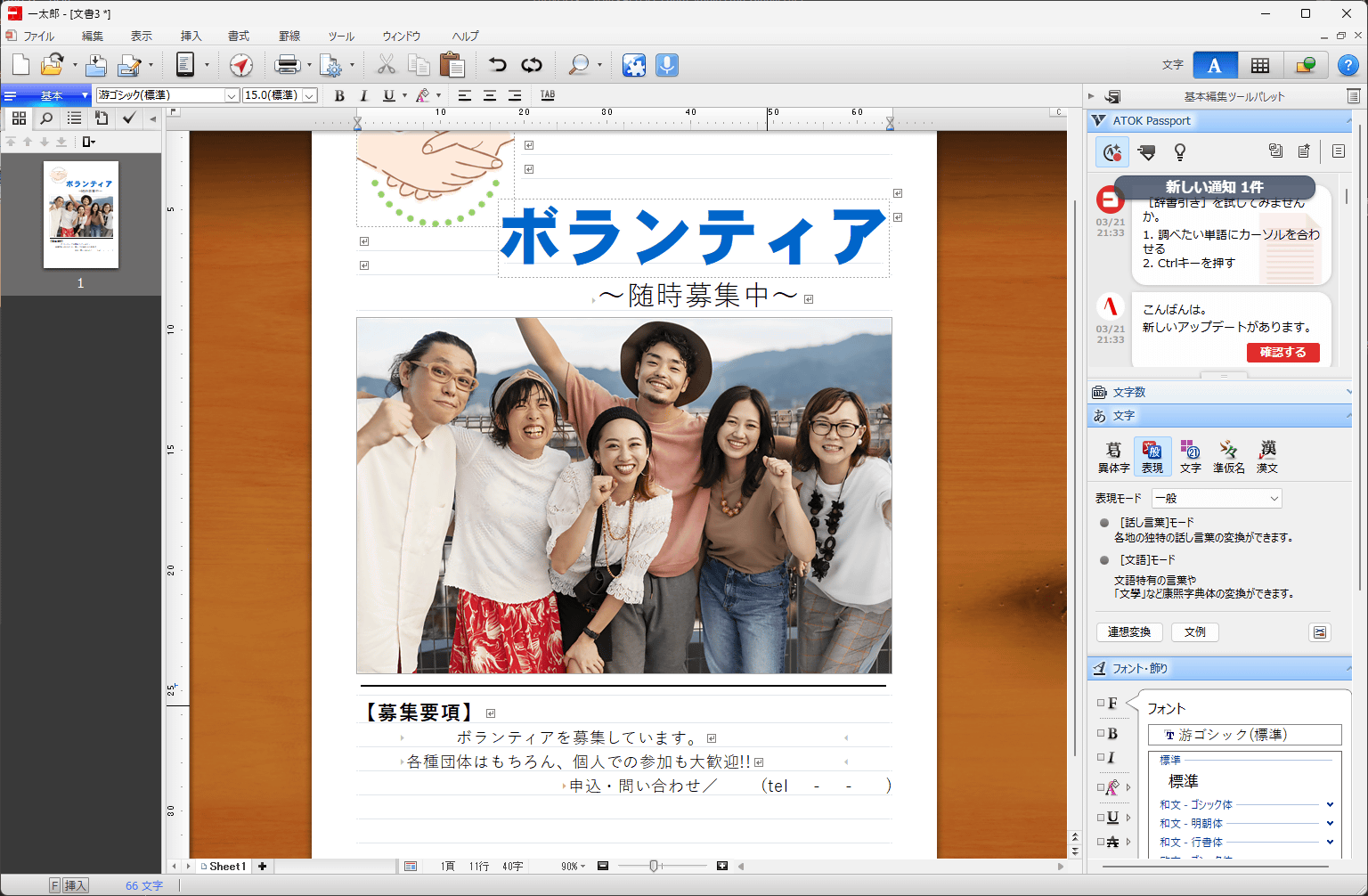
It has all the necessary features of a word processing program, such as text formatting and image insertion, and it also provides templates for documents, posters, certificates, and more. The following is a poster template with only the image changed.
The privacy filter is a feature that makes it easy to hide faces and text in images. It automatically recognizes text and faces in images and applies mosaics or overlays them with stamps, all within Ichitaro itself, without the need for external apps.
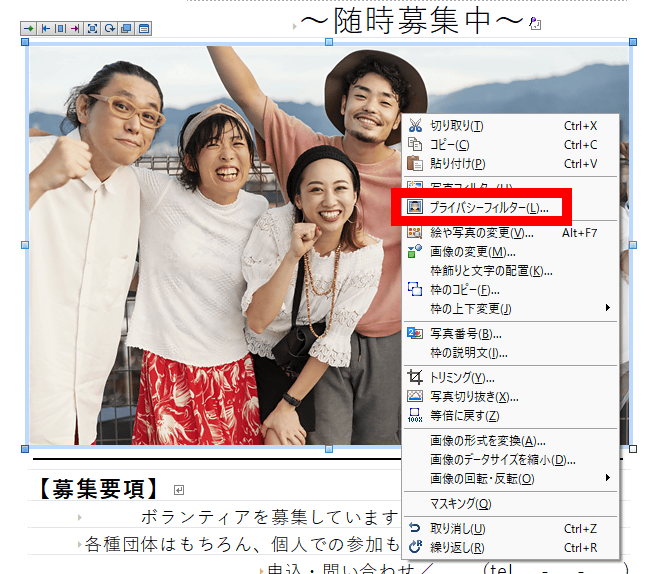
First, right-click on the image and click 'Privacy Filter'.
Once the privacy filter processing screen appears, click 'Privacy Detection' in the upper left corner.
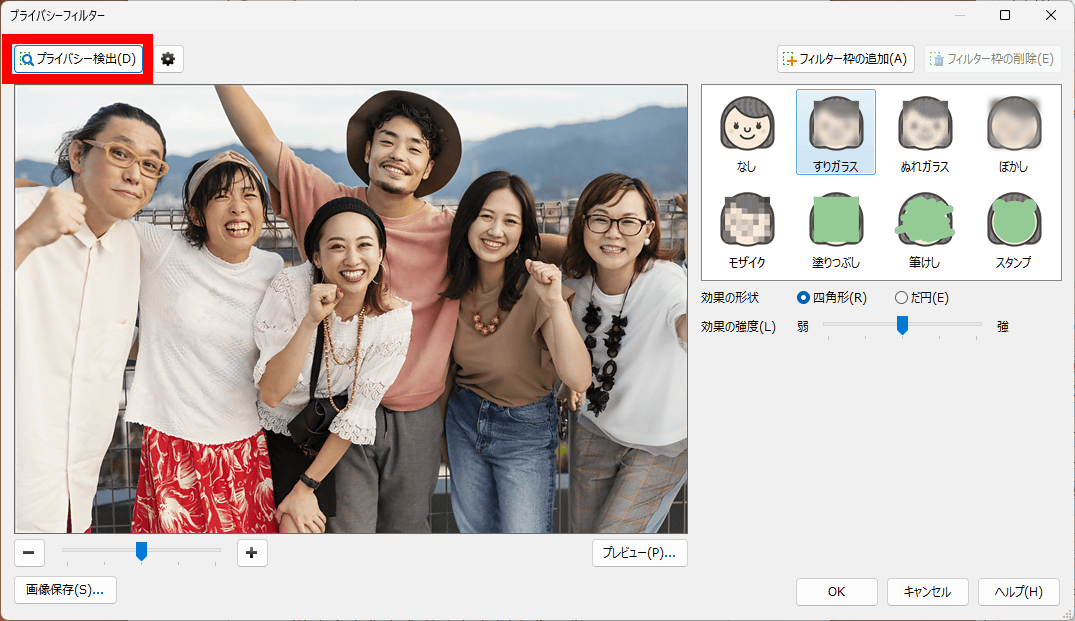
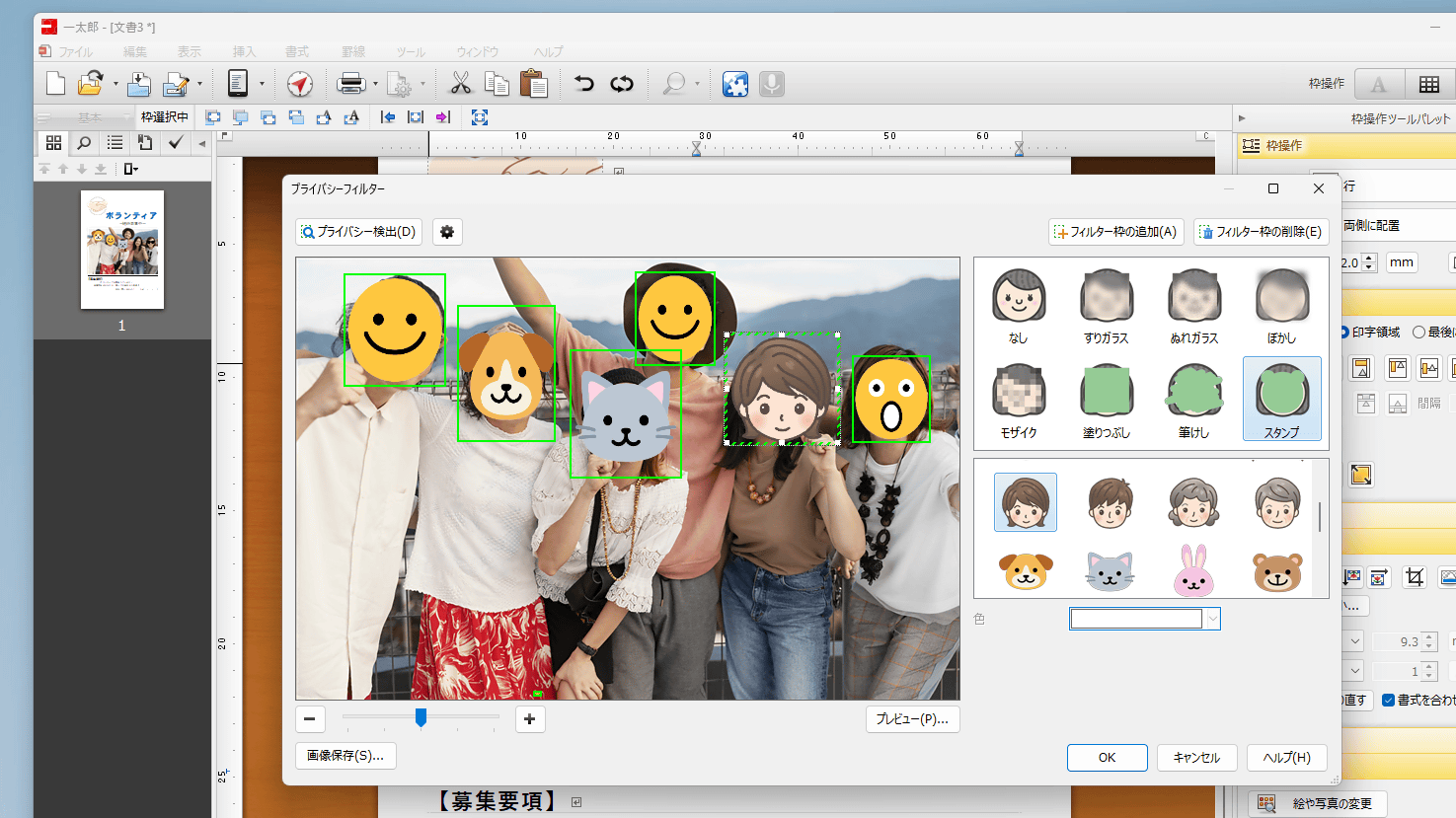
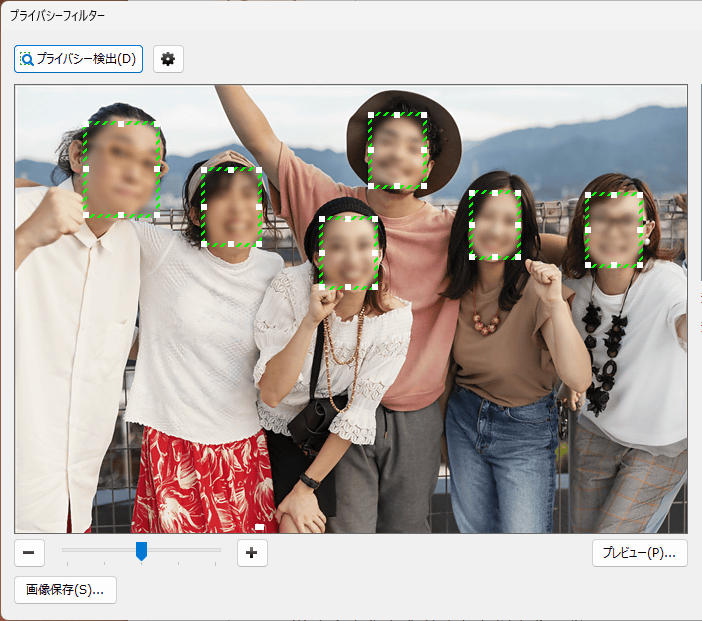
All faces in the image were automatically recognized, and a 'frosted glass' effect was applied. It's convenient because you don't need to specify the location of each face individually; automatic recognition is done with a single click.
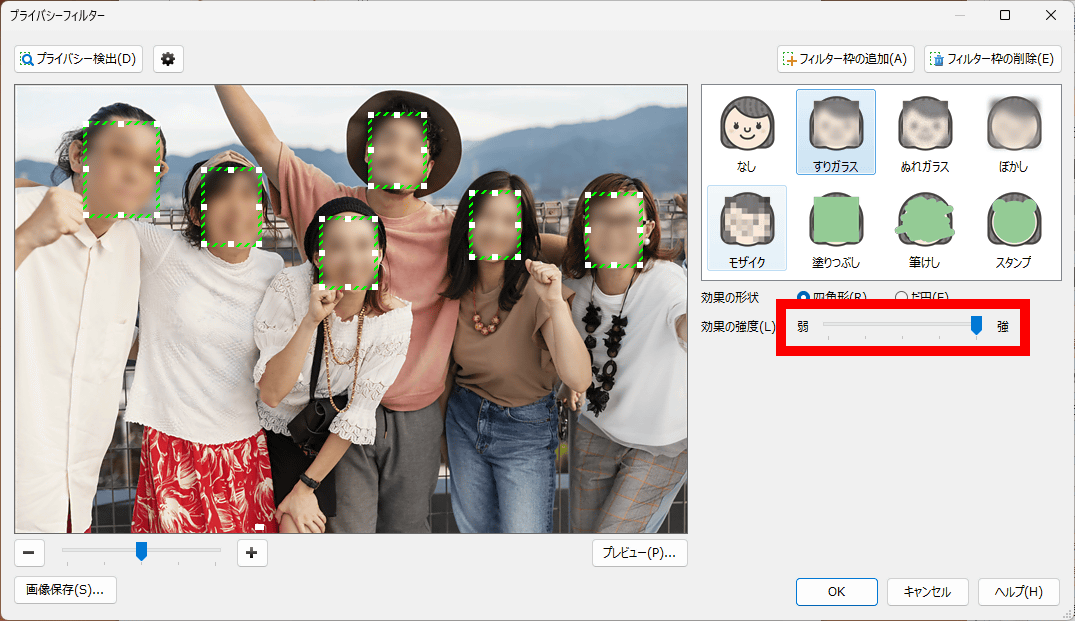
You can adjust the intensity of the effect using the slider on the right side of the screen.
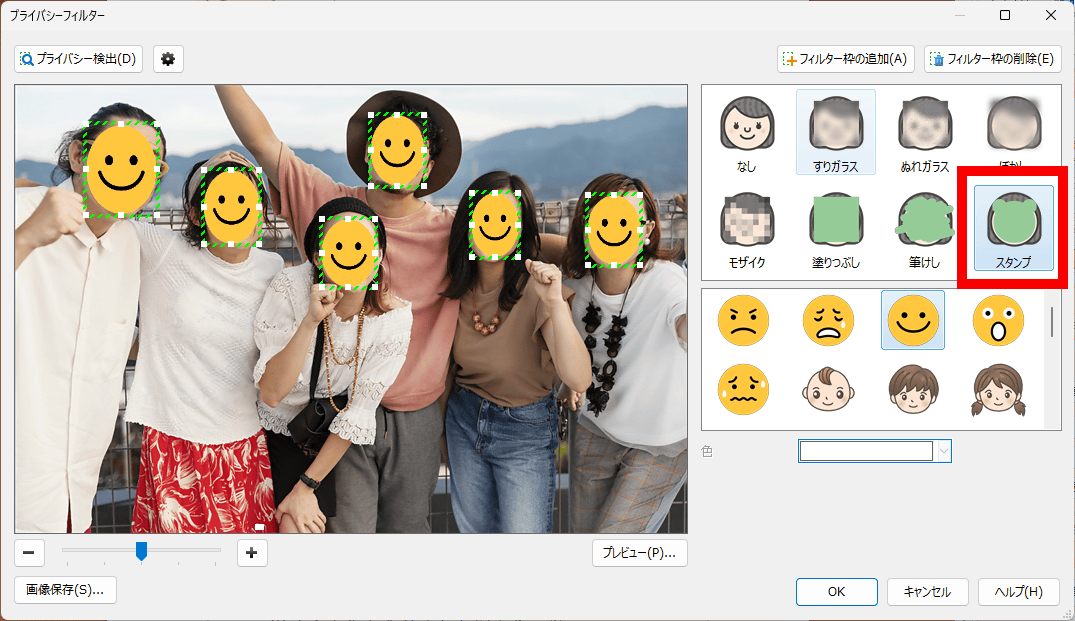
The effects include not only 'frosted glass,' but also seven other types: 'wet glass,' 'blur,' 'mosaic,' 'fill in,' 'brush erase,' and 'stamp.' The stamp effect allows you to hide your face while maintaining a pop art feel.
The facial area can be individually enlarged or reduced.
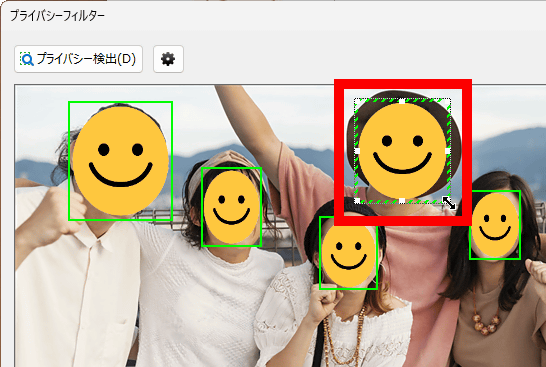
If you want to display only certain faces, simply click on the faces you want to display and then click 'Remove Filter' in the upper right corner.
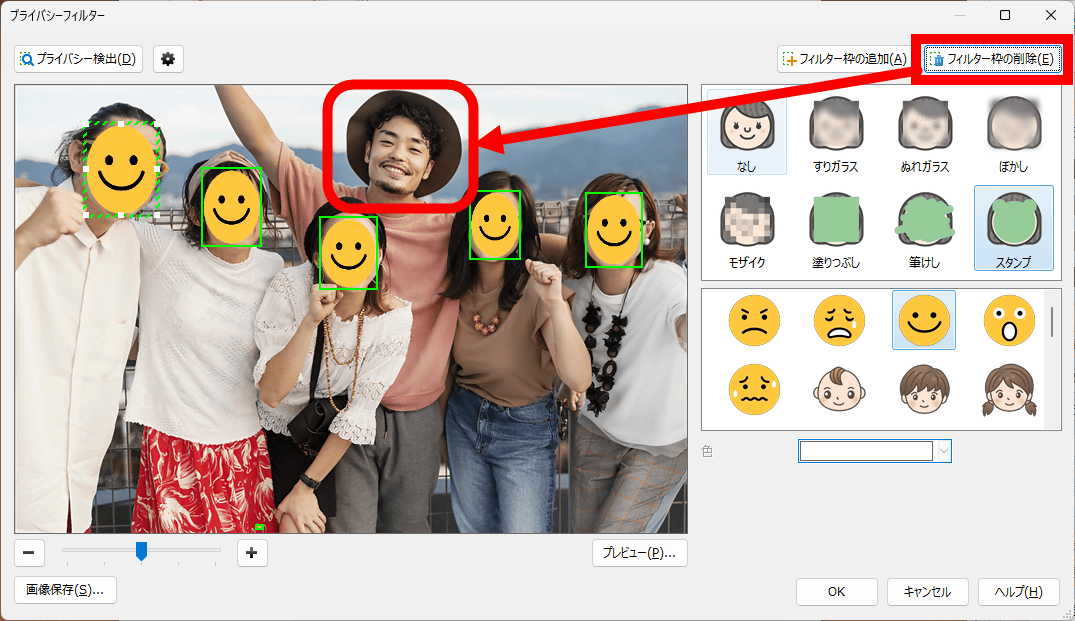
Once you have finished selecting the range and type of effect, click 'OK' in the bottom right corner.
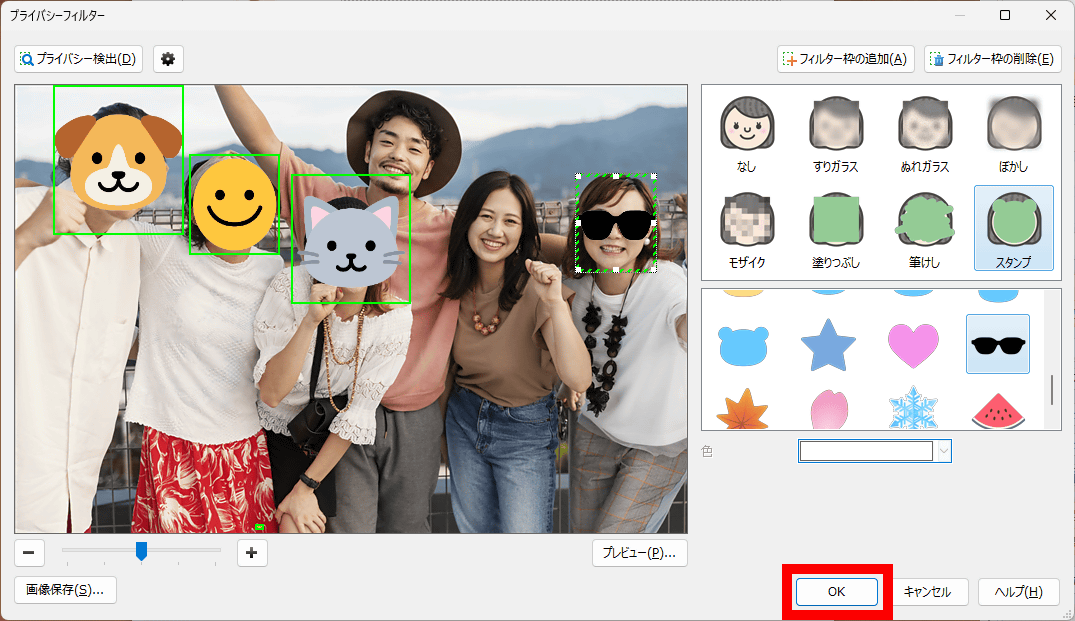
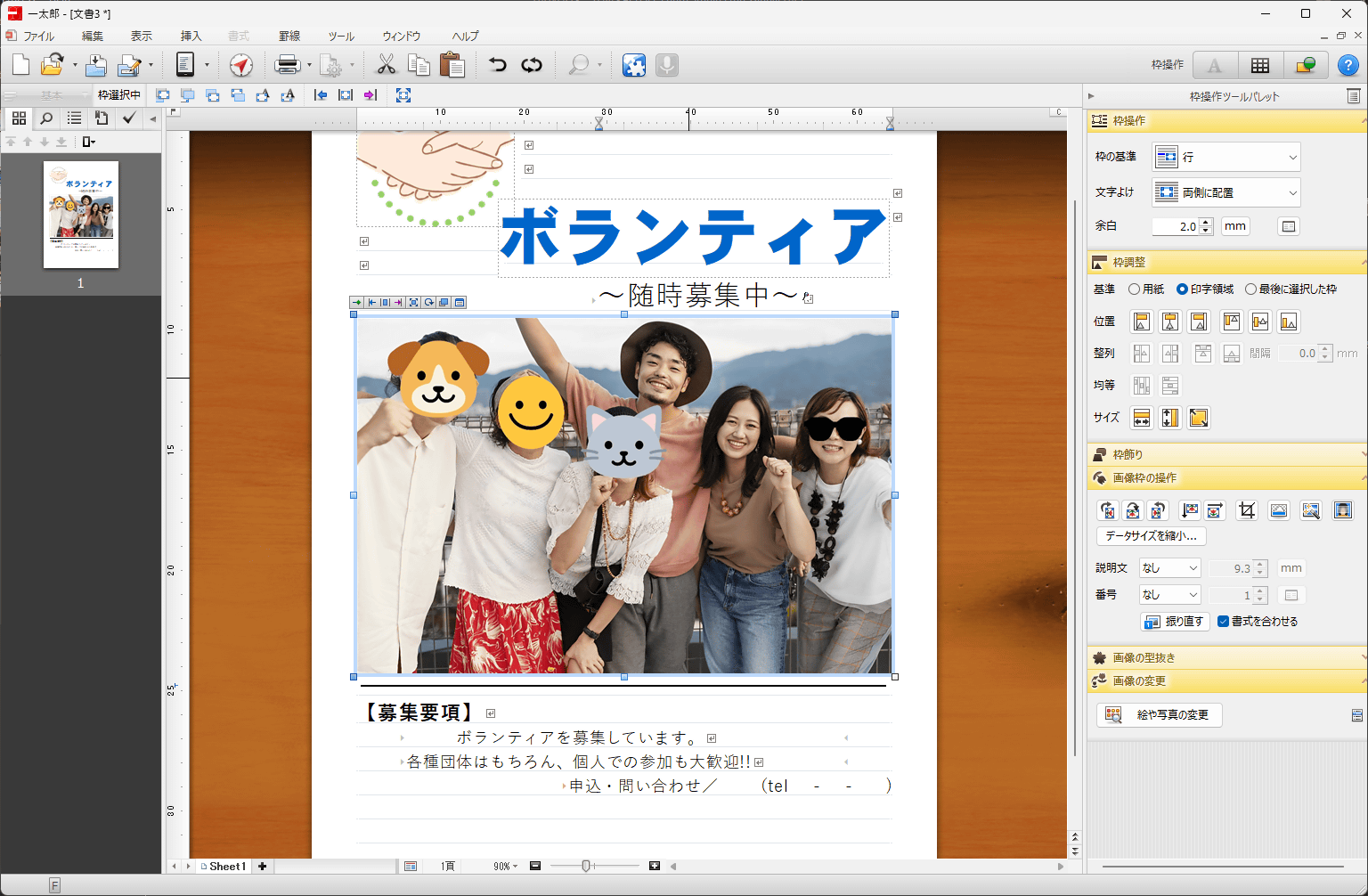
This allowed me to hide my face. It can automatically recognize and hide faces in group photos with multiple people, making it convenient in situations where privacy is a concern.
Review articles on other features will be published at a later date.
Ichitaro 2026 is also available as a packaged version on Amazon.co.jp. The price for the 'Ichitaro 2026 Standard Edition' is 28,600 yen (tax included), while the 'Ichitaro 2026 Platinum Standard Edition,' which includes the spreadsheet software 'JUST Calc 6' and the font collection 'Platinum Font Pack 2026,' is 44,000 yen (tax included).
Amazon.co.jp: Ichitaro 2026 Standard Edition: PC Software
Amazon.co.jp: Ichitaro 2026 Platinum Standard Edition: PC Software
[to be continued]
Related Posts: