Unsloth Studio is a free application that reduces the memory usage of local AI models by up to 80% and doubles processing speed. It's compatible with Windows, macOS, and Linux, and for chat-only tasks, it only requires a CPU, and it also works on smartphones.
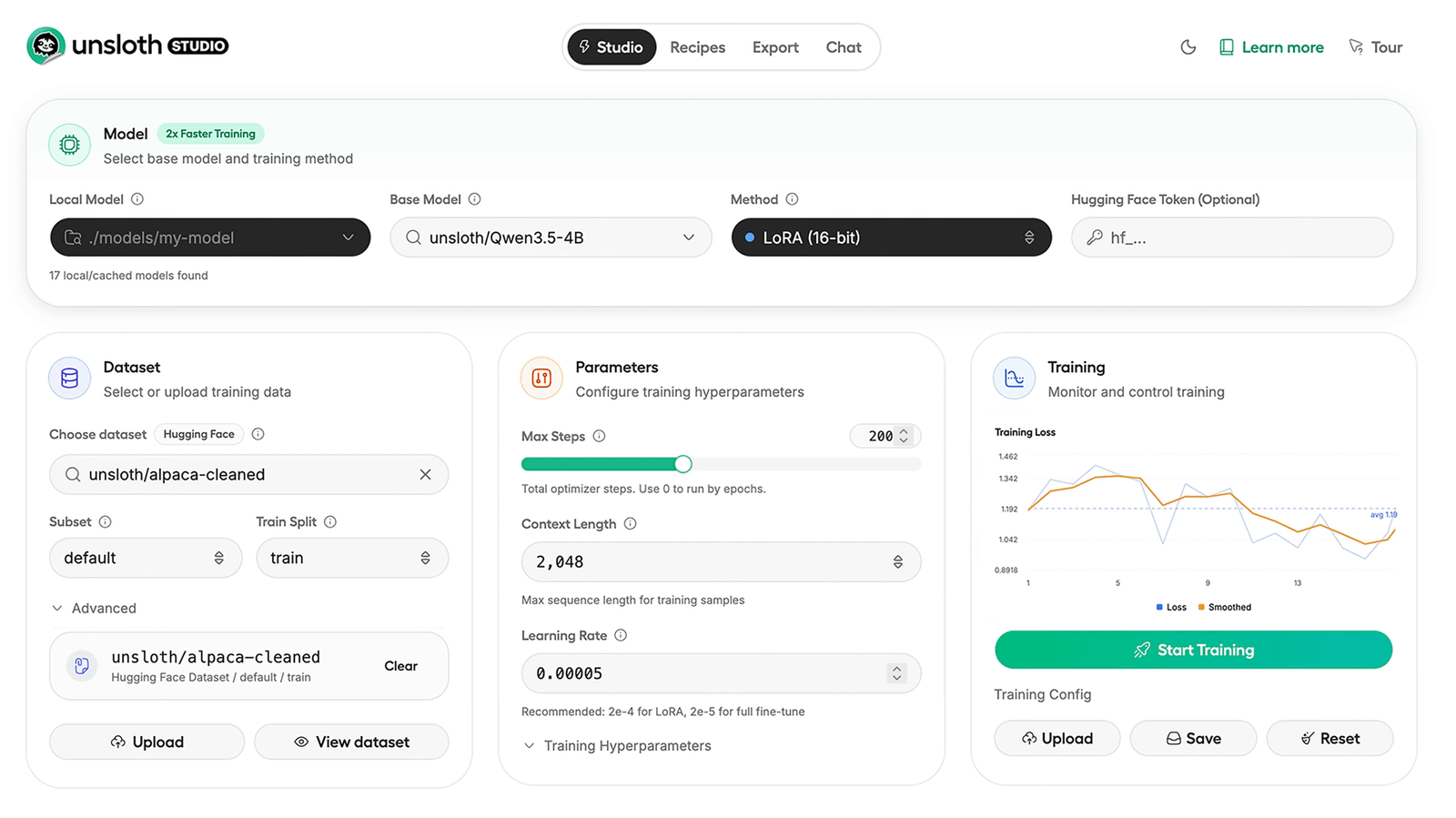
Unsloth Studio , an integrated web UI for training, running, and outputting open-source AI models in a local environment, is intuitive to use without writing complex programming code and is currently available in beta. Users can run AI models on their own computers in a 100% offline environment, maintaining data privacy and control.
unslothai/unsloth-studio: Unsloth Studio
Introducing Unsloth Studio | Unsloth Documentation
https://unsloth.ai/docs/new/studio
How to Run models with Unsloth Studio | Unsloth Documentation
https://unsloth.ai/docs/new/studio/chat
Unsloth Studio supports over 500 text, image, and audio models, and can reduce memory usage by up to 80% and double processing speed compared to traditional learning methods. Its key feature is its no-code design; you can start learning immediately simply by uploading documents such as PDFs, CSVs, JSONs, and YAML configuration files, without any programming knowledge.
The system
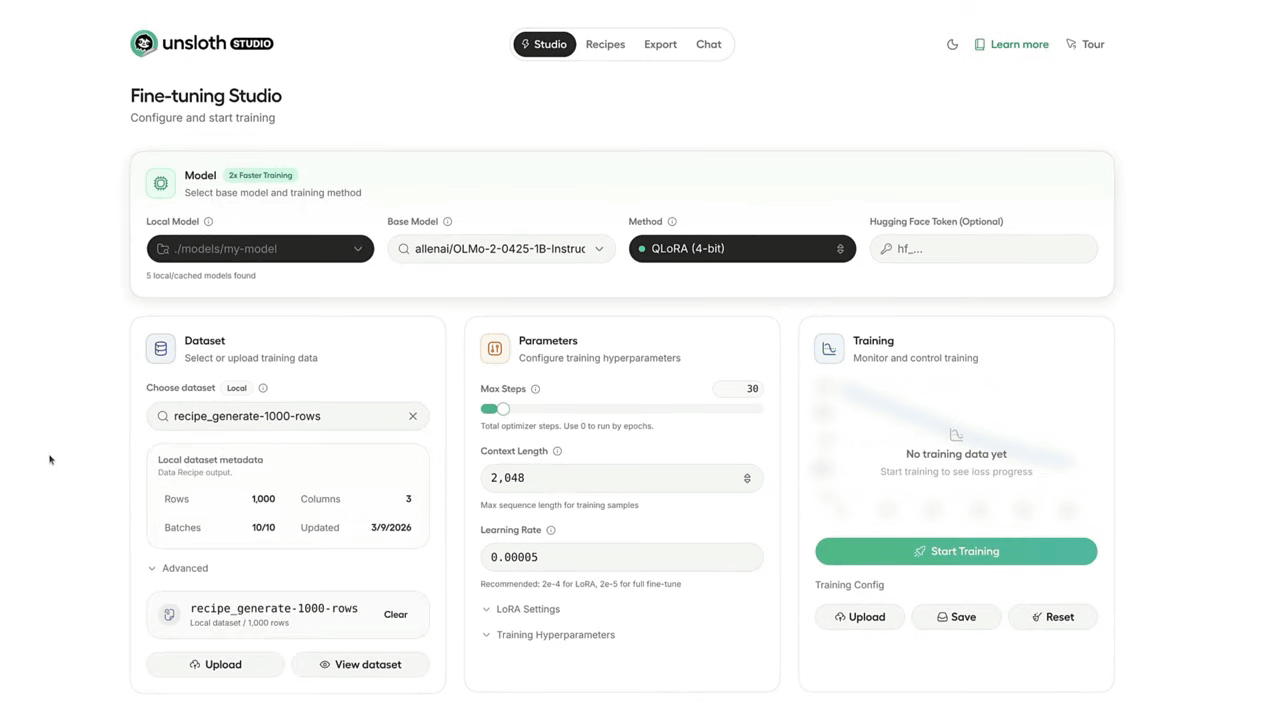
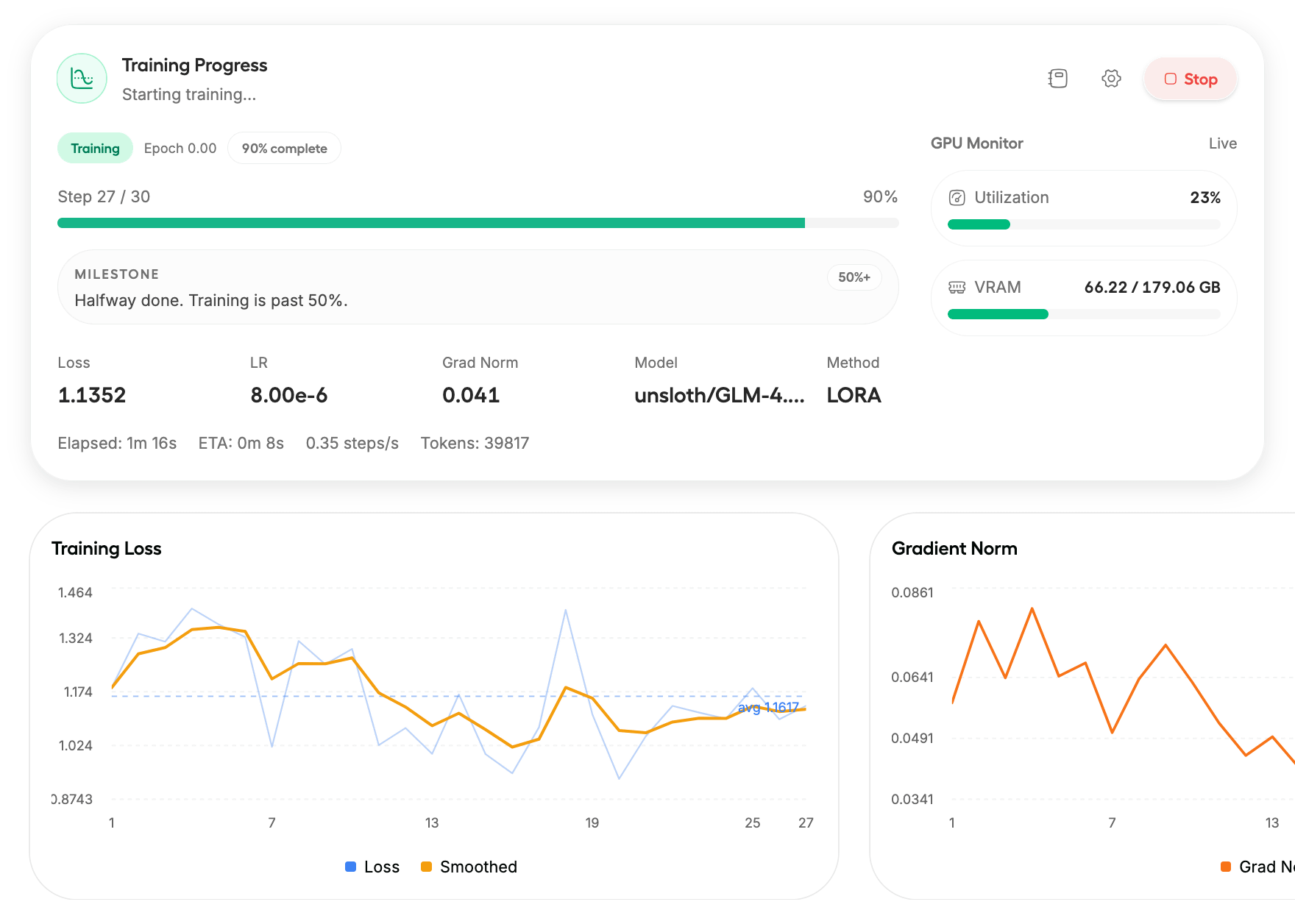
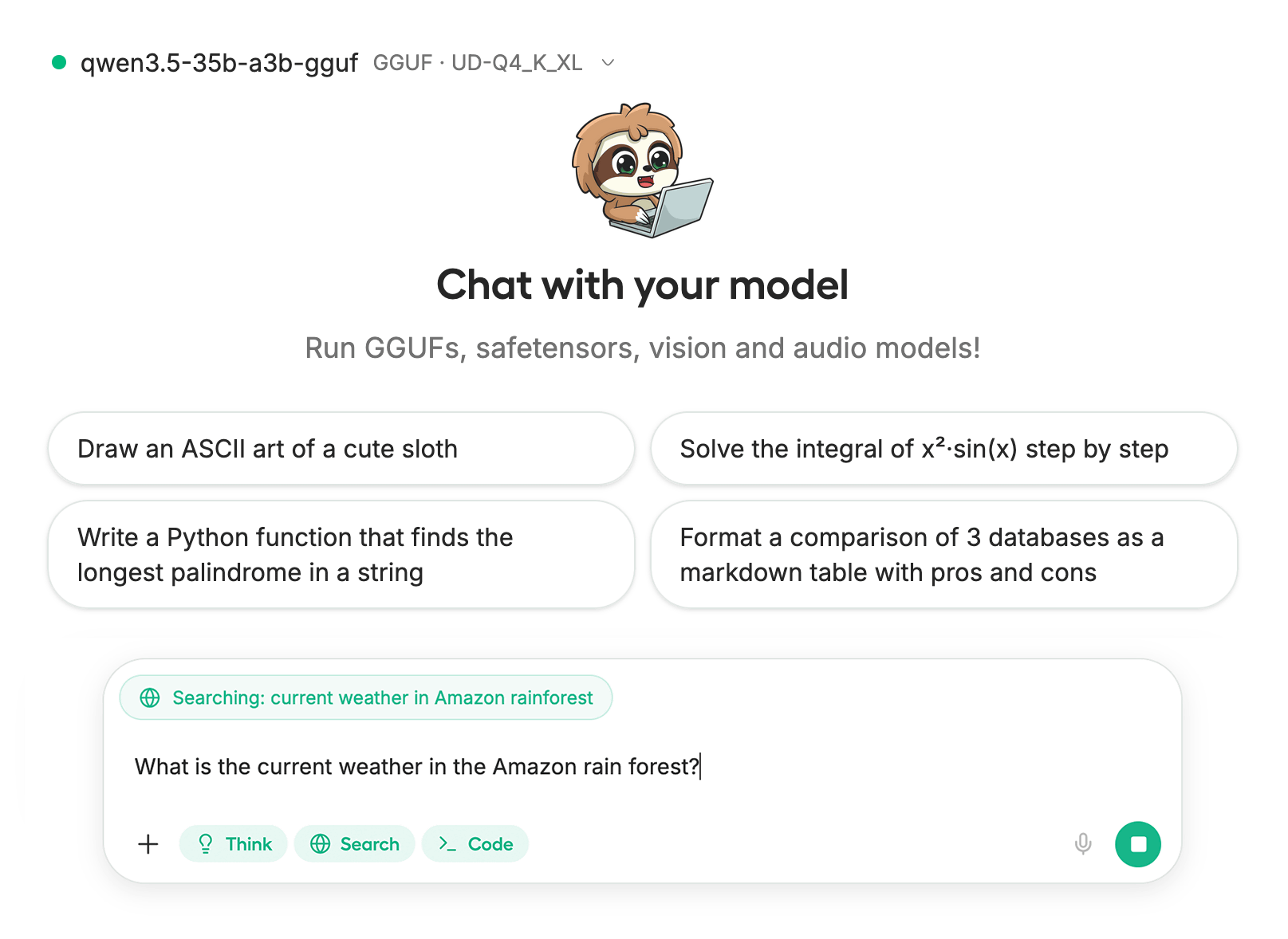
Unsloth Studio features code execution capabilities to improve the reliability of model responses and self-healing tool invocation capabilities to automatically correct errors. Furthermore, it includes a model arena function that allows side-by-side comparison of the outputs of two different models, and a data recipe function that automatically creates training datasets from files such as PDFs and CSVs. Training progress can be monitored in real time via a web browser, and the status can also be checked from other devices such as smartphones.
Furthermore, Unsloth Studio can also run large language models locally on iPhone and Android devices, and the method for doing so is summarized on the following page.
How to Run and Deploy LLMs on your iOS or Android Phone | Unsloth Documentation
Unsloth Studio requires Python versions 3.10 , 3.11 , or 3.12 ; it does not support versions 3.13 or later. For hardware, the use of NVIDIA GPUs released in 2018 or later is recommended, and the latest drivers must be installed. However, the developers state in their official documentation that 'chat (inference) using GGUF format models can be used on CPU-only computers without an external GPU.'
To install Unsloth Studio, you will need to install
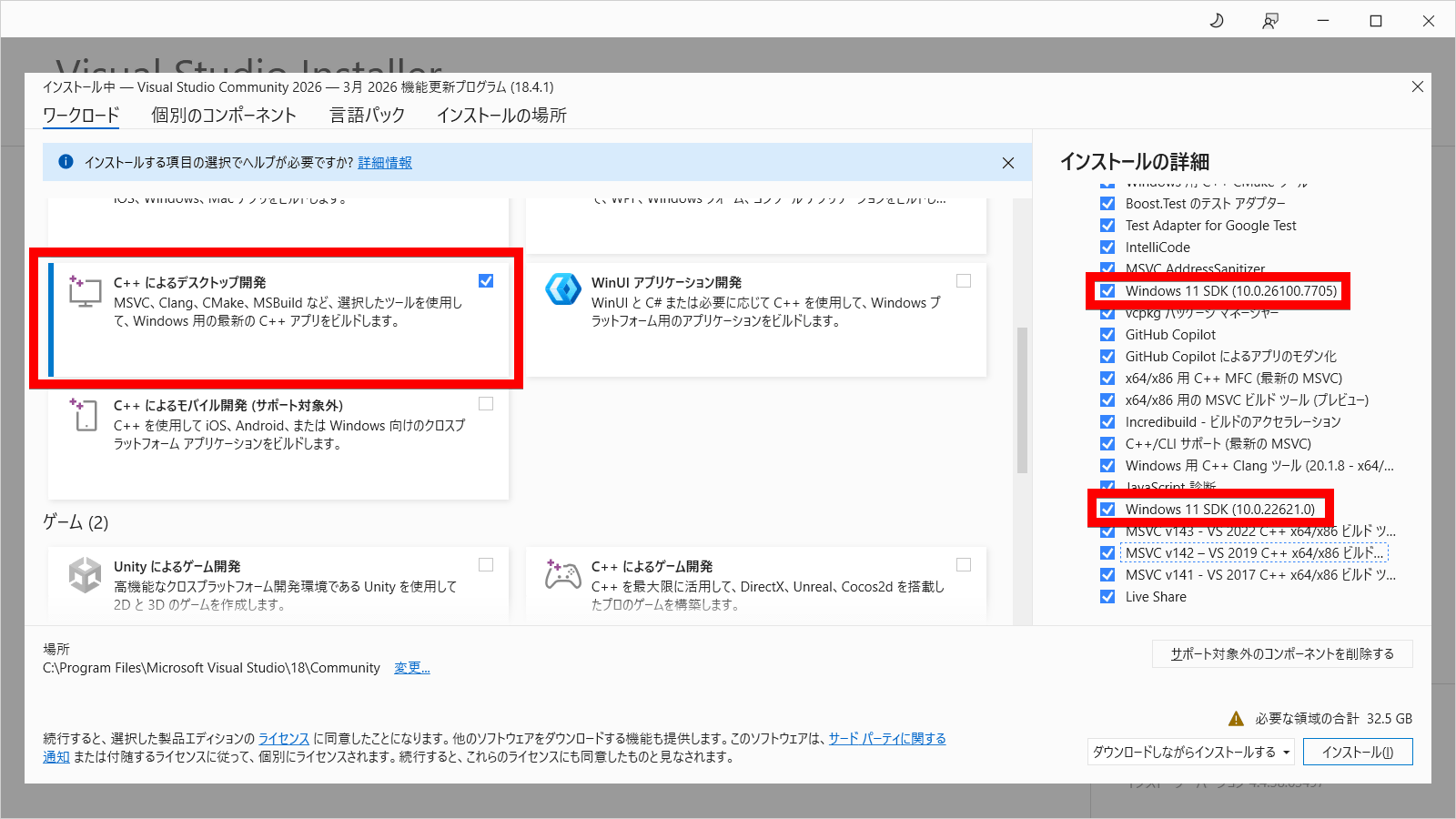
Next, install the CUDA toolkit and a version of PyTorch compatible with the driver you are using. Install the main program by running 'pip install unsloth' from the terminal, and then perform the initial setup by typing 'unsloth studio setup'. Finally, by typing 'unsloth studio -H 0.0.0.0 -p 8888', the server will start and you will be able to access the UI from your browser. The first installation will compile the llama.cpp binary, so it will take about 5 to 10 minutes to complete.
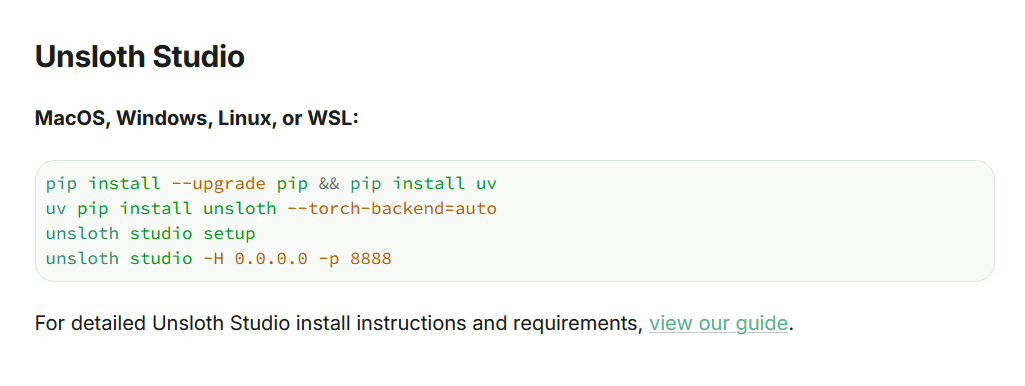
Currently, only the chat (inference) function is supported on macOS. For deployment without cluttering your environment or for server environments, installation using Docker is recommended. If you don't have a powerful GPU, you can run it from the following notebook using Google Colab. However, it has been reported that compiling llama.cpp may take more than 30 minutes on a T4 GPU environment.
Phi_4-Conversational.ipynb - Colab
https://colab.research.google.com/github/unslothai/notebooks/blob/main/nb/Phi_4-Conversational.ipynb
For actual usage instructions, please refer to the following official video posted by NVIDIA.
Get Started with Unsloth Studio: Generate Data & Fine-Tune LLMs Locally on any NVIDIA GPU - YouTube
Related Posts: