CanIRun.ai is a handy website that lets you instantly find out which local AI programs can run on your PC. It also has a comparison function, making it useful when considering buying a new graphics card.
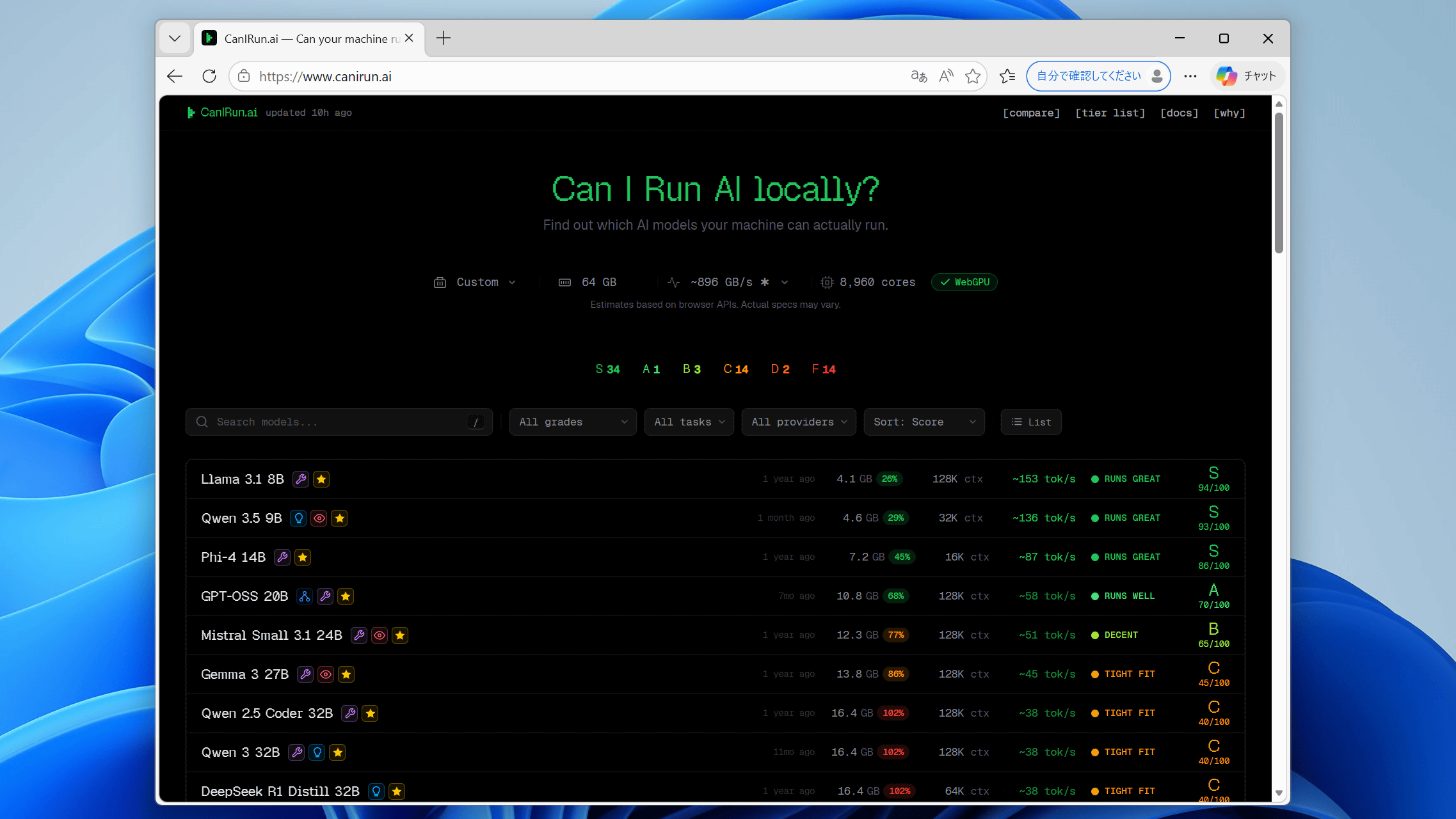
While cloud services like ChatGPT and Gemini are the mainstream for AI, many users still prefer to run AI models locally due to reasons such as wanting to run AI without being restricted by usage limits or wanting to run AI offline. The types of AI models that can be run locally vary depending on the PC's specifications, but with so many types of AI models available, it's easy to get overwhelmed and not know which AI models will work on your PC. That's where the website ' CanIRun.ai ' comes in handy; simply accessing it will detect your PC's configuration and tell you which AI models are compatible.
CanIRun.ai — Can your machine run AI models?
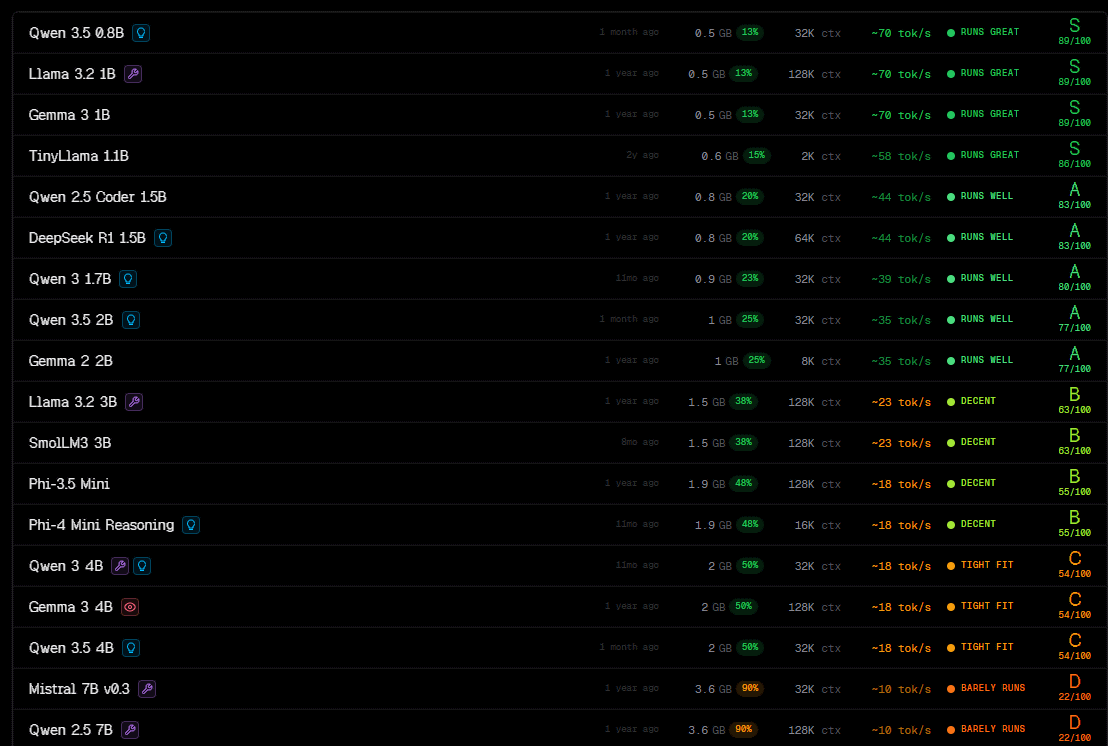
When you access CanIRun.ai, your PC's component configuration is automatically read, and the feasibility of various AI models is displayed. Note that configuration reading sometimes fails when using Firefox, so it is recommended to access the site using Edge or Chrome.
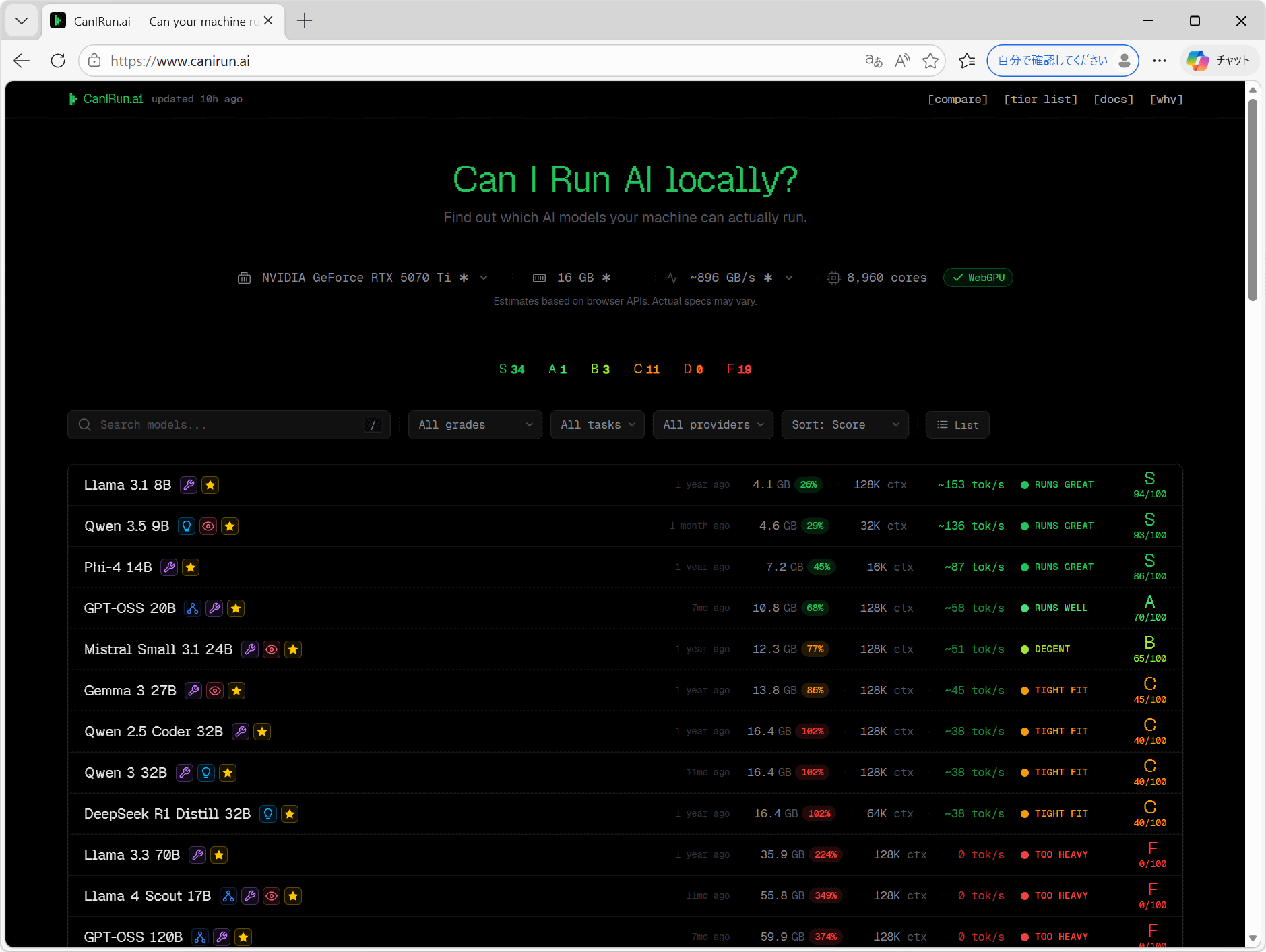
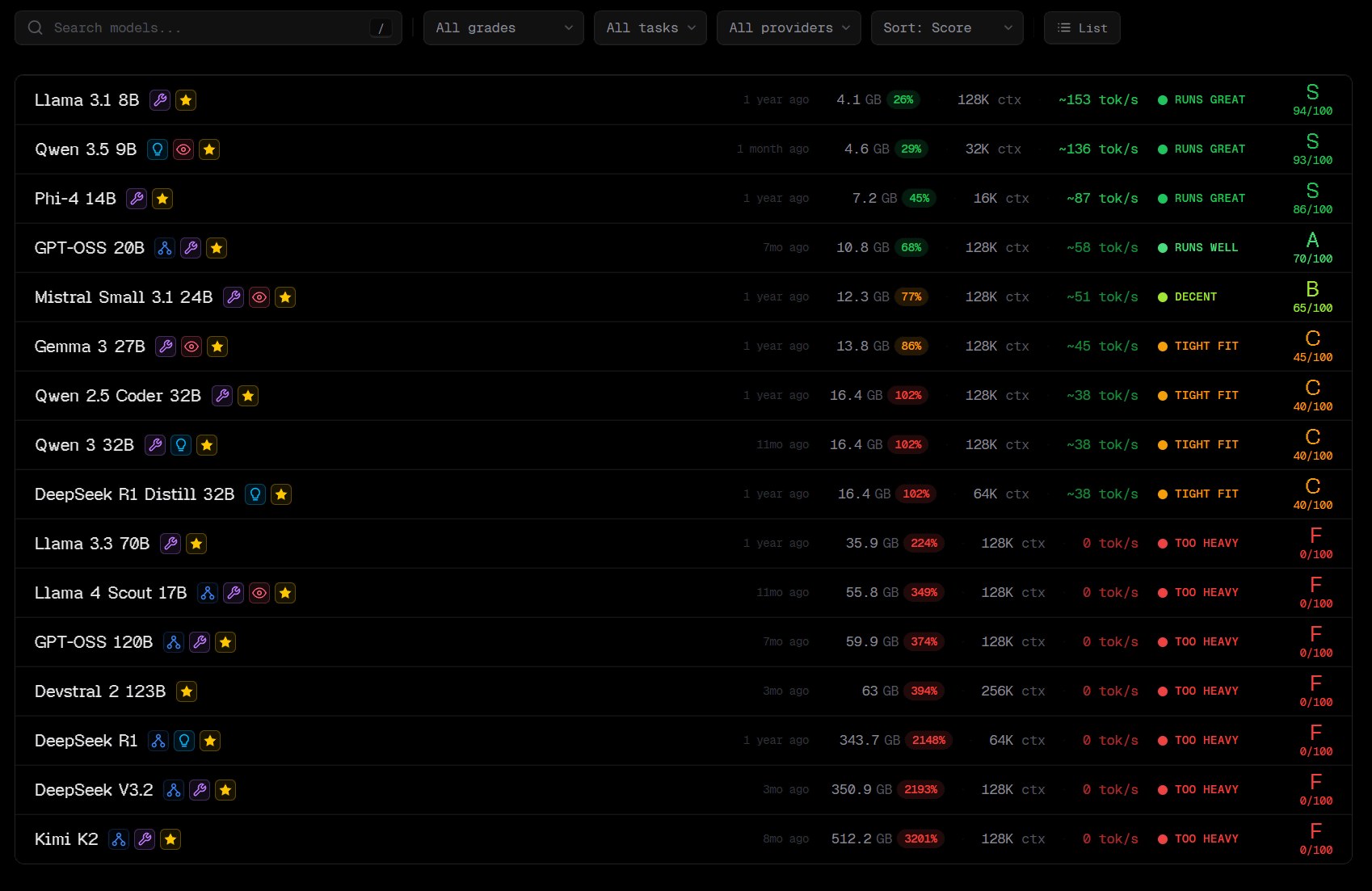
Compatibility is displayed in six levels from S to F. S indicates 'an AI model that can run very smoothly on this PC,' while F indicates 'an AI model that is too demanding for this PC.' For example, on a PC equipped with a GeForce RTX 5070Ti, models like Llama 3.1 8B and Qwen 3.5 9B can run smoothly, but Llama 3.3 70B and gpt-oss 120B are too demanding.
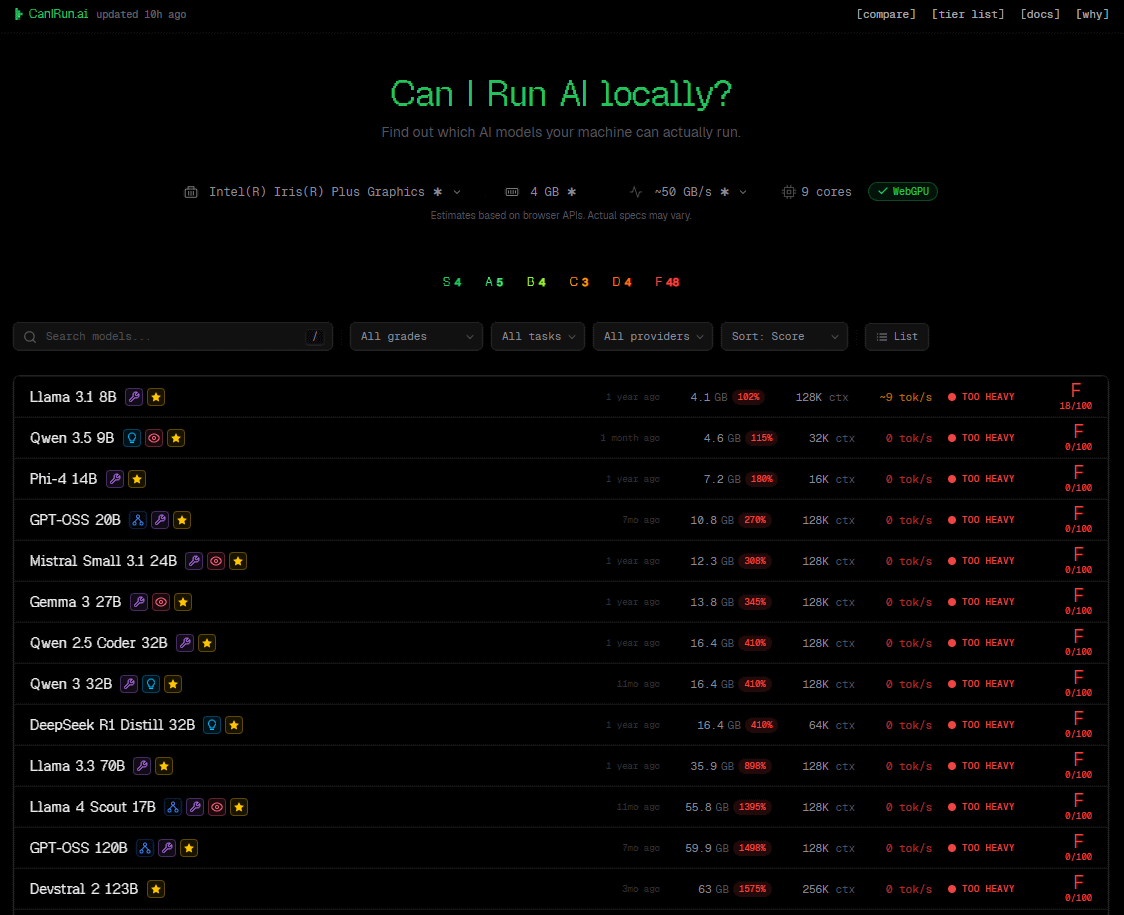
When I tried accessing it with a laptop that doesn't have a dedicated GPU, I found that all models above the mid-range class struggled to run it.
Lightweight models like Qwen 3.5 0.8B and Llama 3.2 1B can run smoothly even on a laptop.
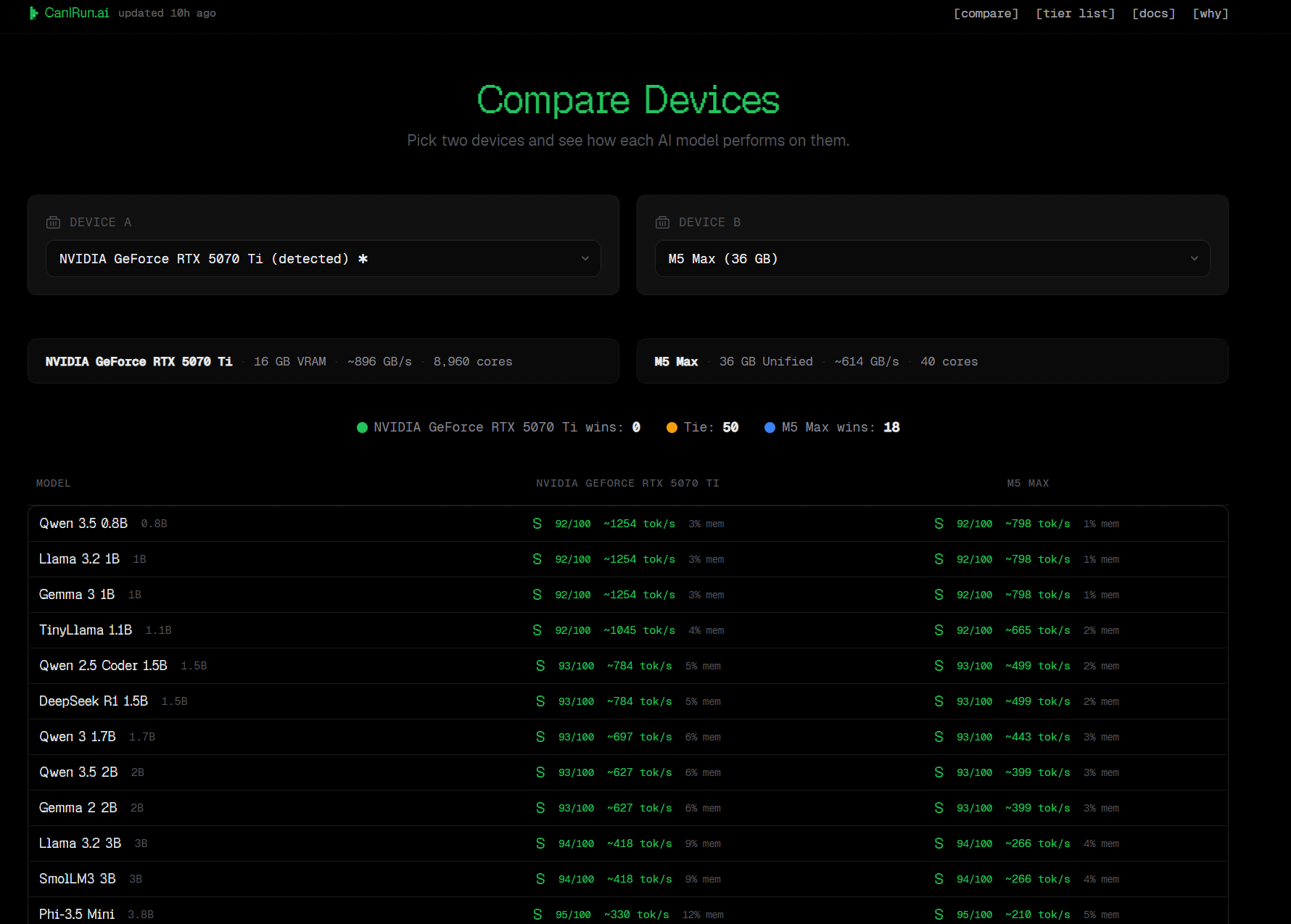
CanIRun.ai also has a GPU comparison page . By default, it displays a comparison between the GPU installed in your PC and Apple's M5 Max (36GB RAM).
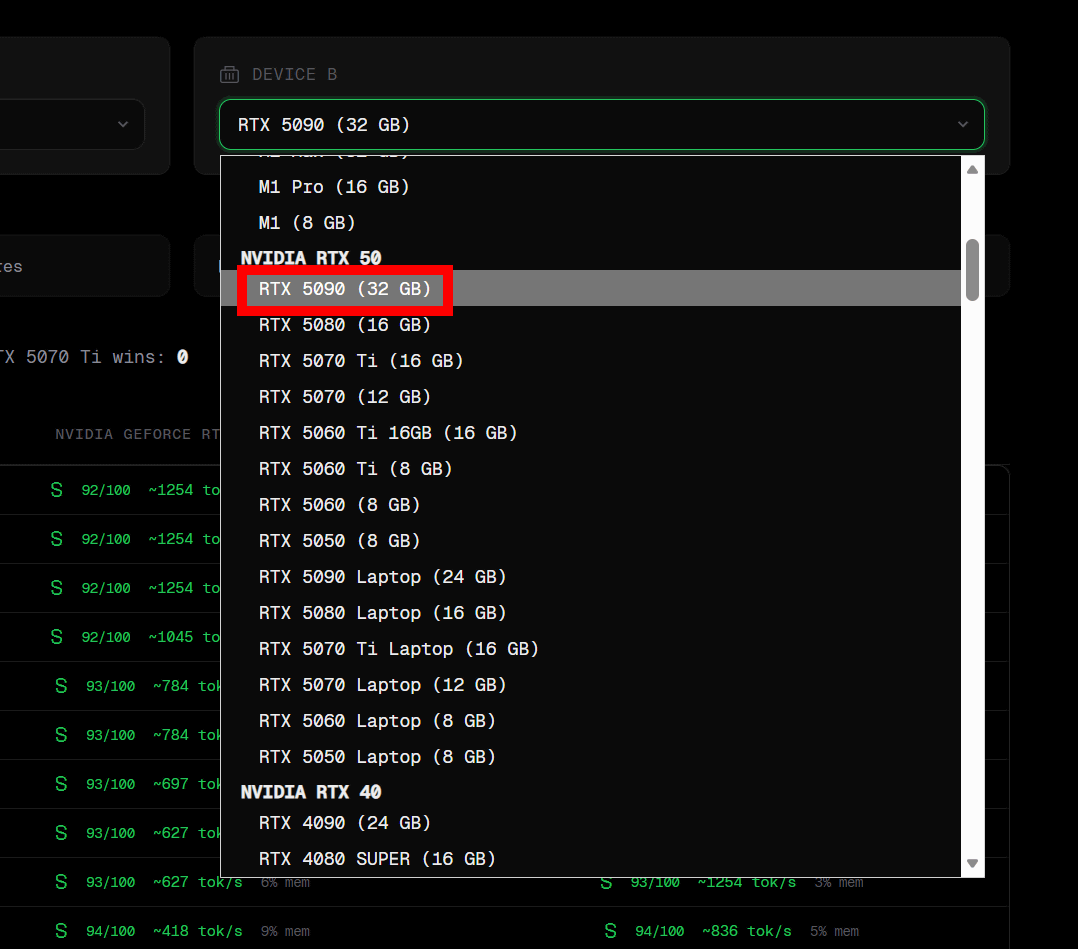
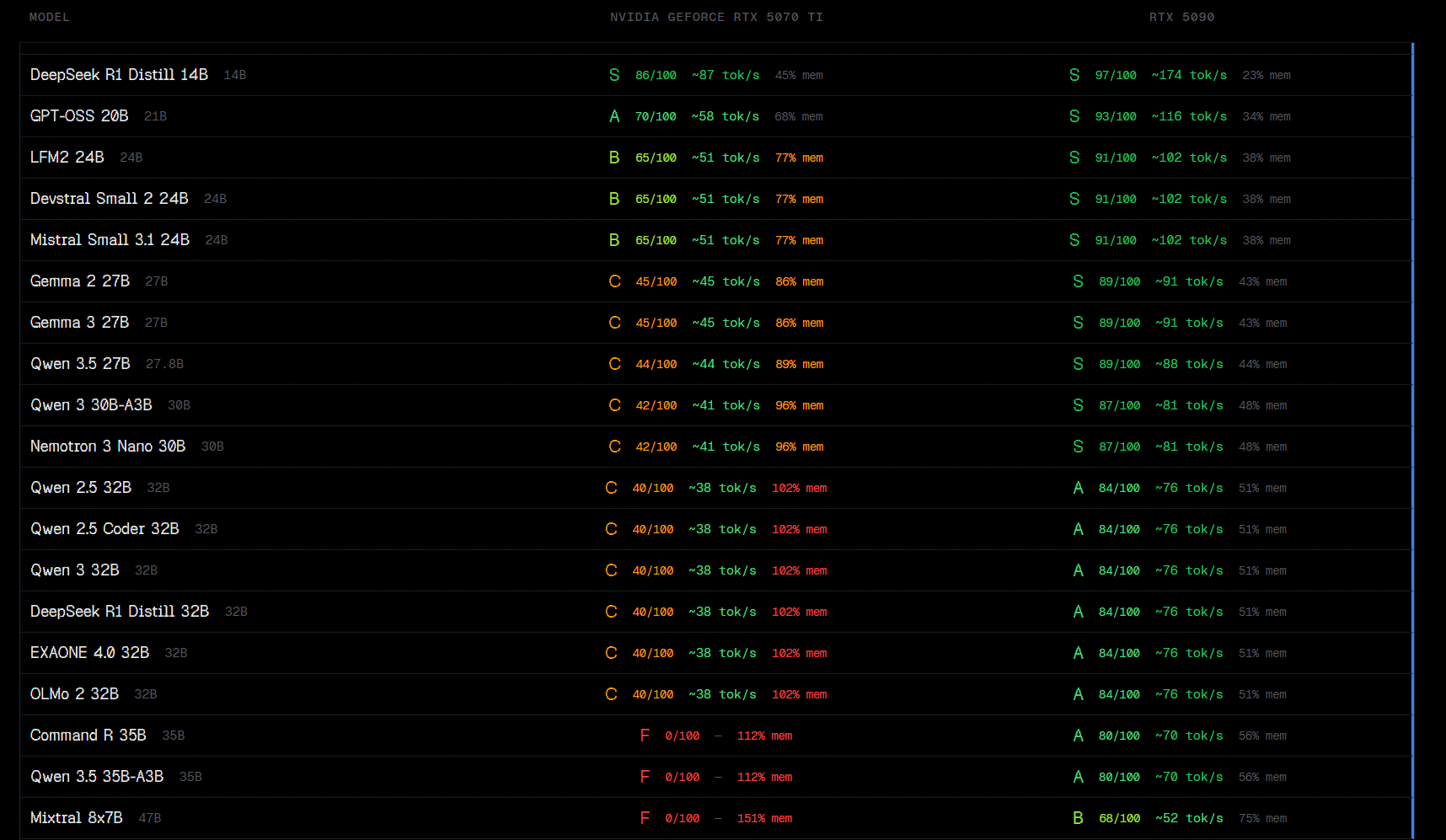
You can freely choose the comparison target. This time, to investigate 'what happens when you upgrade from a GeForce RTX 5070Ti to a GeForce RTX 5090,' I selected 'RTX 5090 (32GB)' from the pull-down menu.
The feasibility and token processing speed per second for each model are displayed. It can be seen that the GeForce RTX 5090 can perform generation processing at approximately twice the speed of the GeForce RTX 5070Ti.
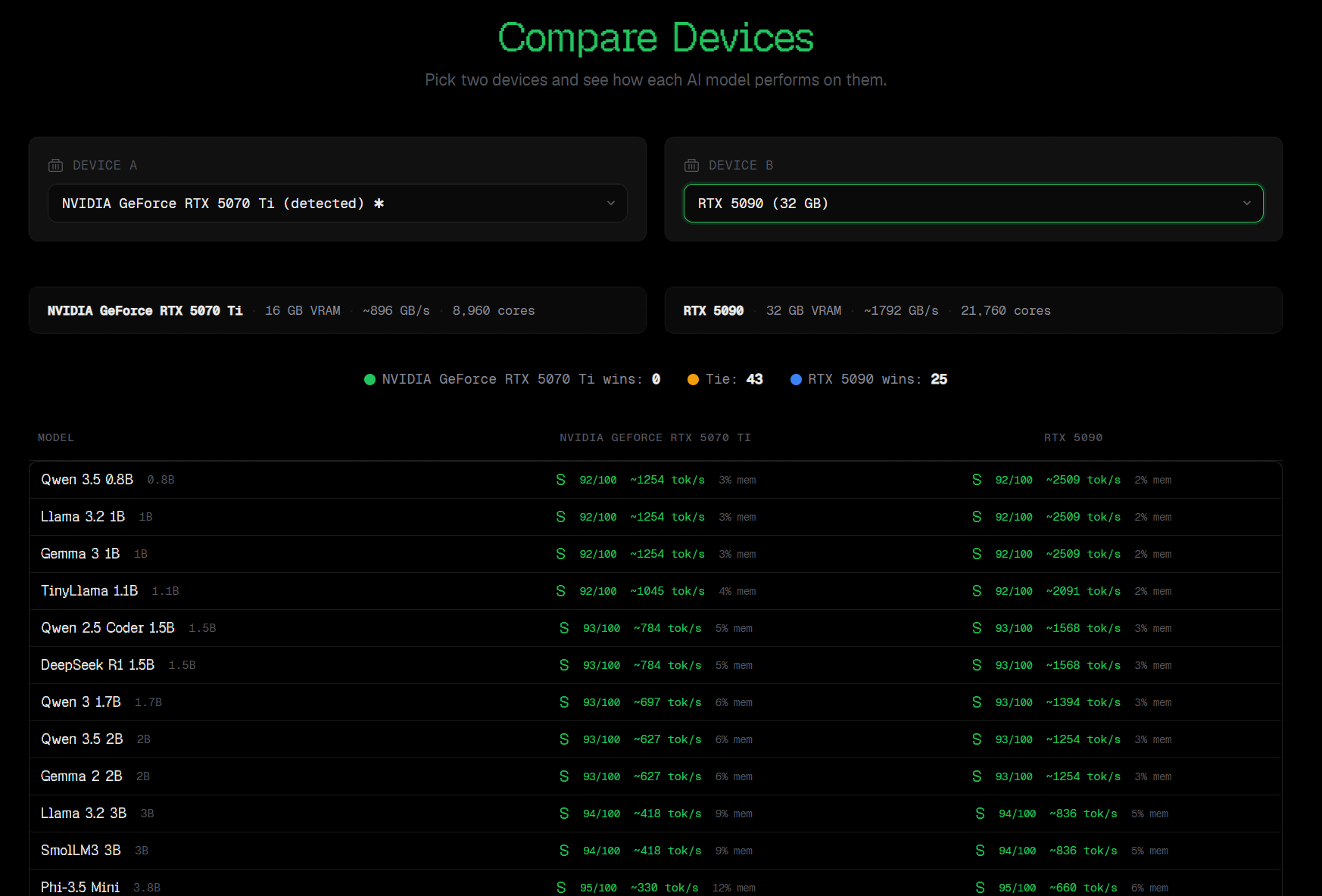
Even heavyweight models like the Qwen 3.5 35B-A3B, which are difficult to run on with a GeForce RTX 5070Ti, can be comfortably handled with a GeForce RTX 5090.
CanIRun.ai uses the WebGPU API and other tools to retrieve the PC's component configuration. A detailed explanation of how it works can be found at the following link.
Why — CanIRun.ai
https://www.canirun.ai/why
Related Posts:




in Hardware, Web Service, Review, Web Application, Posted by log1o_hf