A 10-year record of improving 'Timeframe,' a homemade electronic paper dashboard that lets you check your family's schedule, weather, and home status at a glance
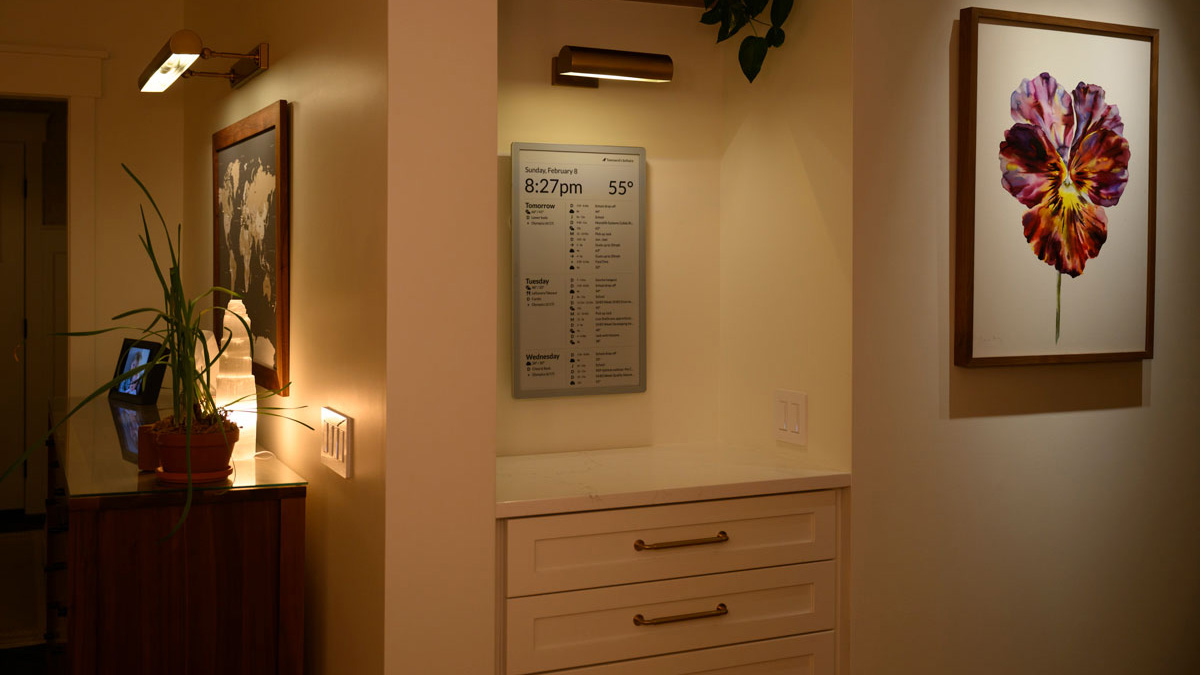
It's convenient to have a screen where you can check your family's schedule, weather forecast, and the status of your home at a glance, but many people don't want to have shiny screens like smartphones and tablets scattered all over the place. To address this issue, Joel Hawksley created ' Timeframe ,' an e-paper dashboard for families. He shared his account of the roughly 10 years he spent developing this system, which lets you see your calendar, weather, and smart home information all in one place.
How I built Timeframe, our family e-paper dashboard - Joel Hawksley
Hawksley and his wife decided to create Timeframe after they were married and began rethinking how they used technology in their home. They had removed the screens from their bedroom and charged their devices elsewhere at night, but they still wanted to be able to check their calendar and weather information on a daily basis.
Hawksley's first attempt was the ' Magic Mirror ,' which he created by combining a pre-made medicine cabinet with an LCD display with its frame removed.

While the Magic Mirror could display a calendar and weather information, Hawksley's home had a lot of natural light, making the text hard to read during the day. At night, the display would glow like a regular backlit display, making it too obtrusive in his living space.
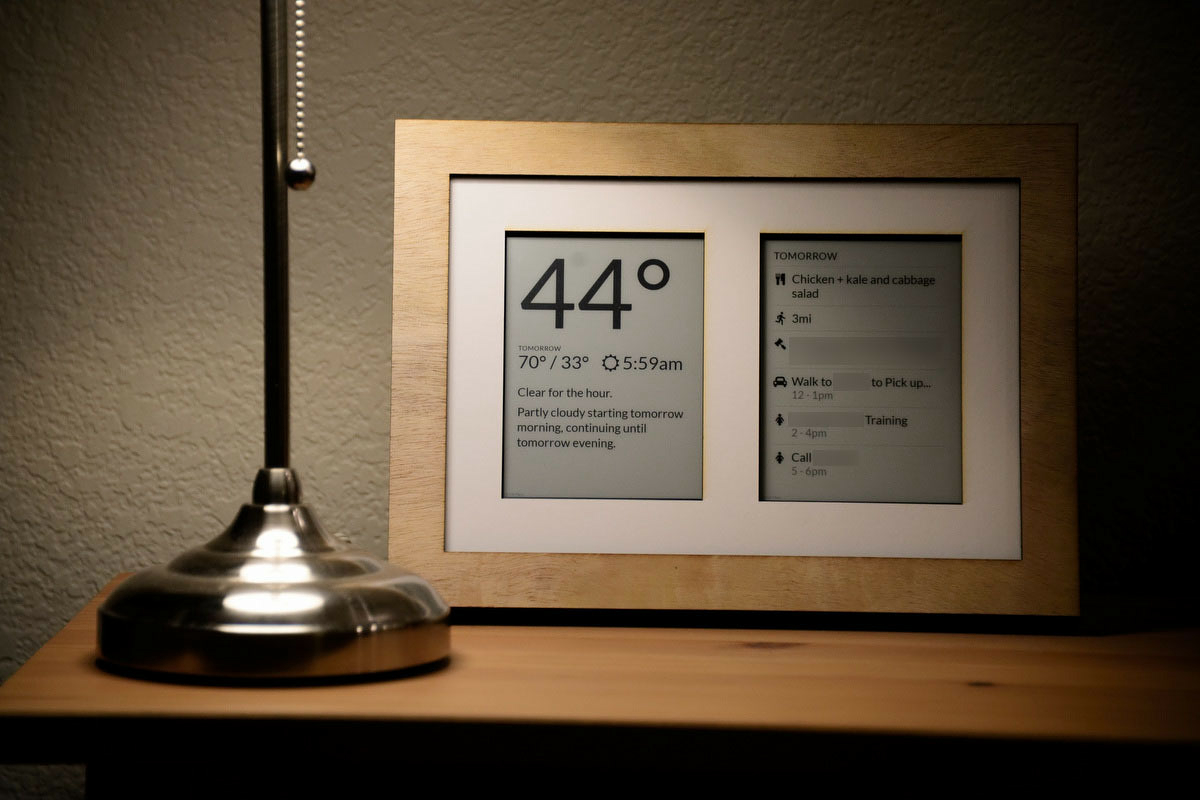
Hawksley's next move was e-paper. He spent about a year experimenting with a Kindle with the restrictions removed, eventually arriving at a dual-screen display that showed both a calendar and weather forecast. Because the Kindle wasn't designed for applications where the screen needed to be refreshed every few seconds, the screen would flash, so he updated it every 30 minutes.
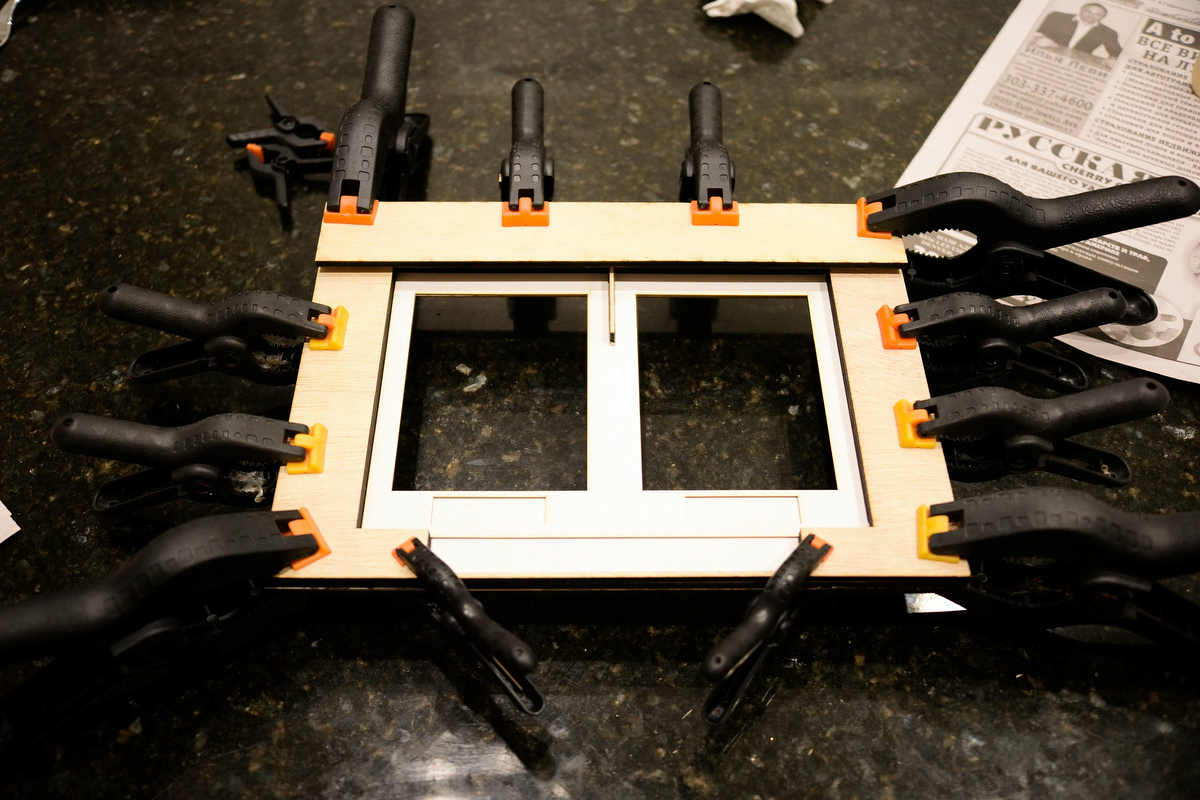
The wooden case was laser cut and handmade in the maker space at the local library.
Hawksley built the app using
Hawksley then tried organic light-emitting diode (OLED) displays in search of a more stable configuration, but said he couldn't achieve the same naturalness as e-paper.
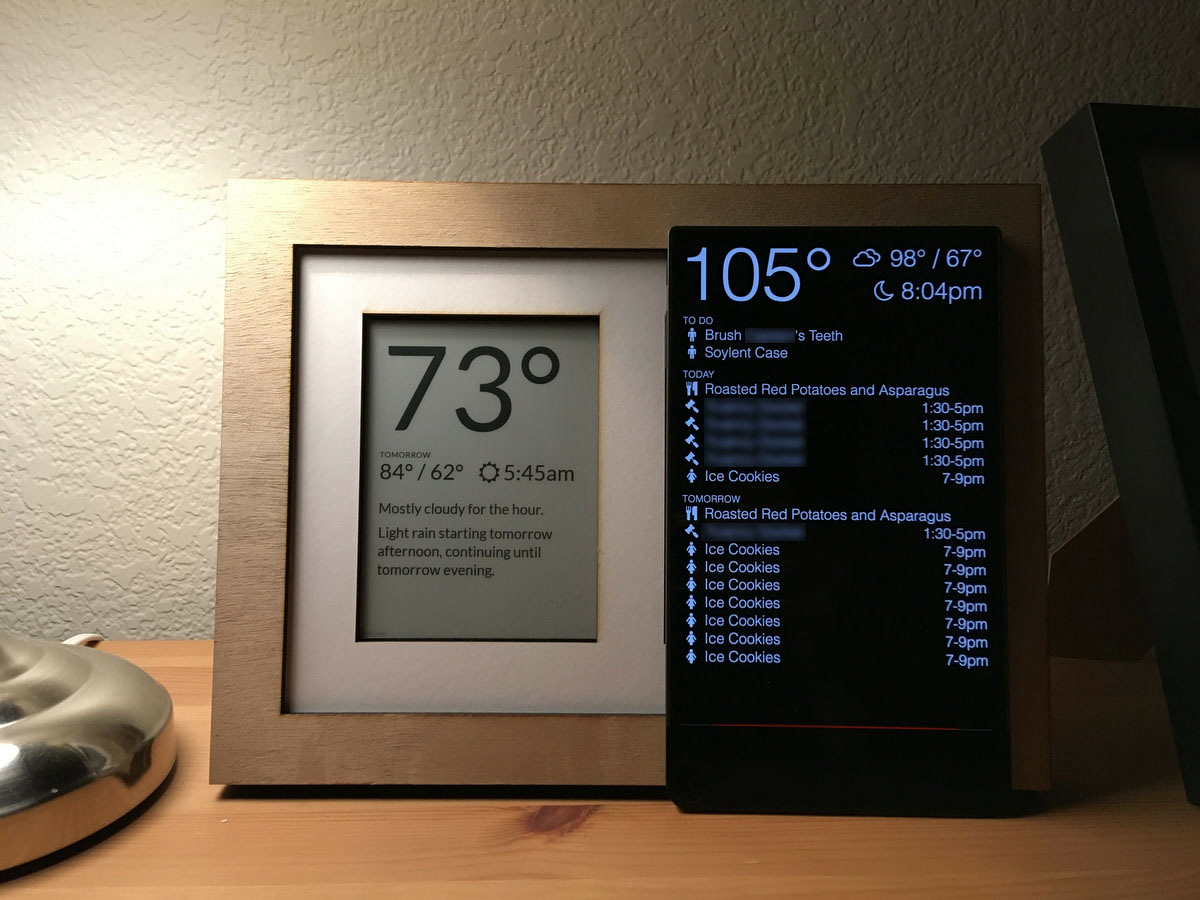
Hawksley decided to use an e-paper display made by Visionect . It comes in 6-inch, 10-inch, 13-inch, and 32-inch sizes, and its appeal lies in its ability to run for two to three months on a single charge and refresh every 10 minutes. However, the 32-inch model had low contrast and insufficient resolution for text display, so Hawksley decided to place 6-inch, 10-inch, and 13-inch models throughout his home.

He installed a 6-inch display next to the entrance, a 13-inch display on the side of the refrigerator, and a 10-inch display in the bedroom. The e-paper display installed on the side of the refrigerator looks like this:

The system runs a local backend, generates images every five minutes, and updates the display via an API. This configuration is very stable and has been used for months without any issues.
However, as of 2019, the price of a 13-inch model had reached $1,000 (approximately 110,000 yen at the time), and Visionect began charging a monthly device usage fee of $7 (approximately 765 yen at the time) for
Things changed dramatically in the second half of 2021. That year, Hawksley lost his home in the Marshall Fire , and he had to redesign it from scratch over the two-year rebuild period covered by insurance.
Around that time, Boox released the

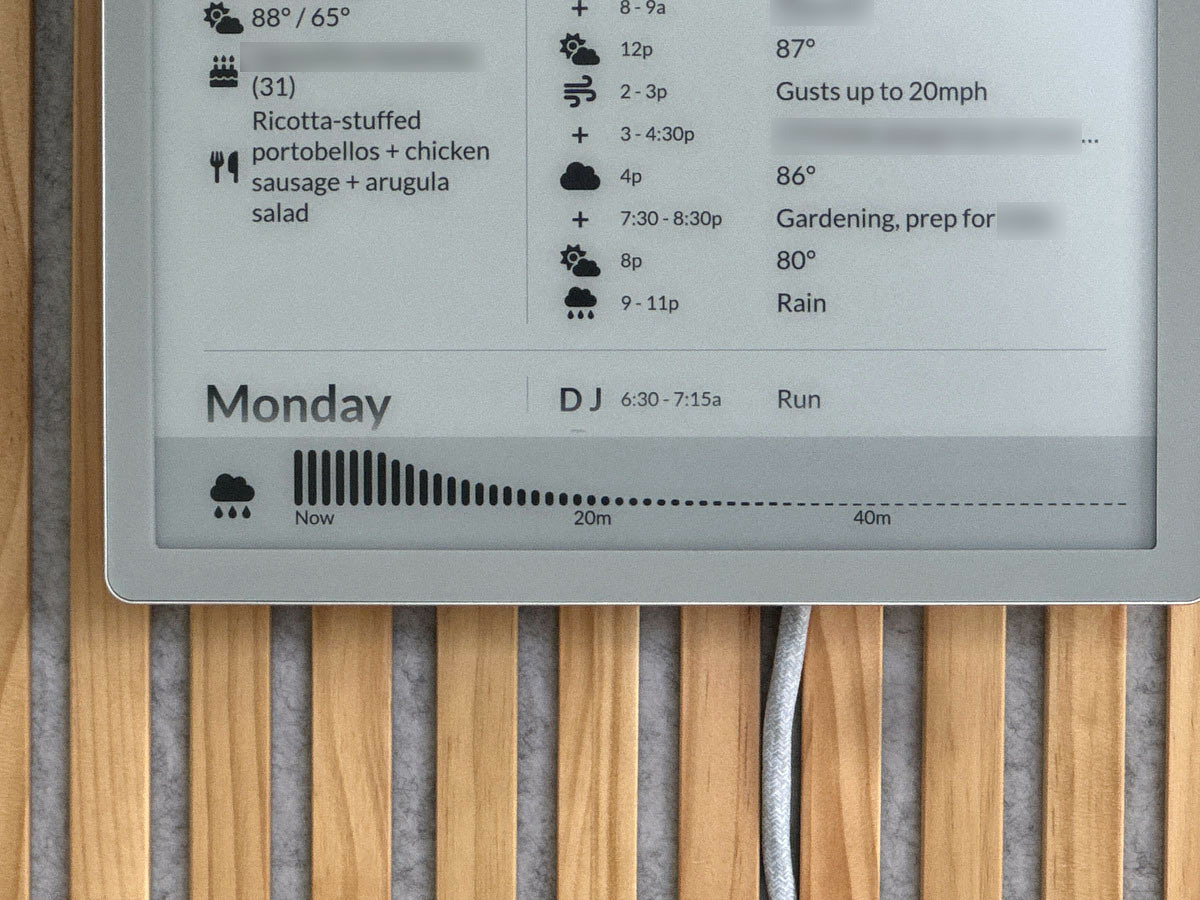
Unlike the Visionect device, the Mira Pro is simply a display device connected via HDMI, so it requires a separate power supply and driving hardware. However, Hawksley explains that this gives the device greater flexibility in screen updates, allowing it to display things like the clock, the music being played, and the precipitation forecast for the next hour in real time.
Based on the results of this prototype, Hawksley created a space on the main floor of his new home to install the Timeframe, including installing an art light to illuminate the display.
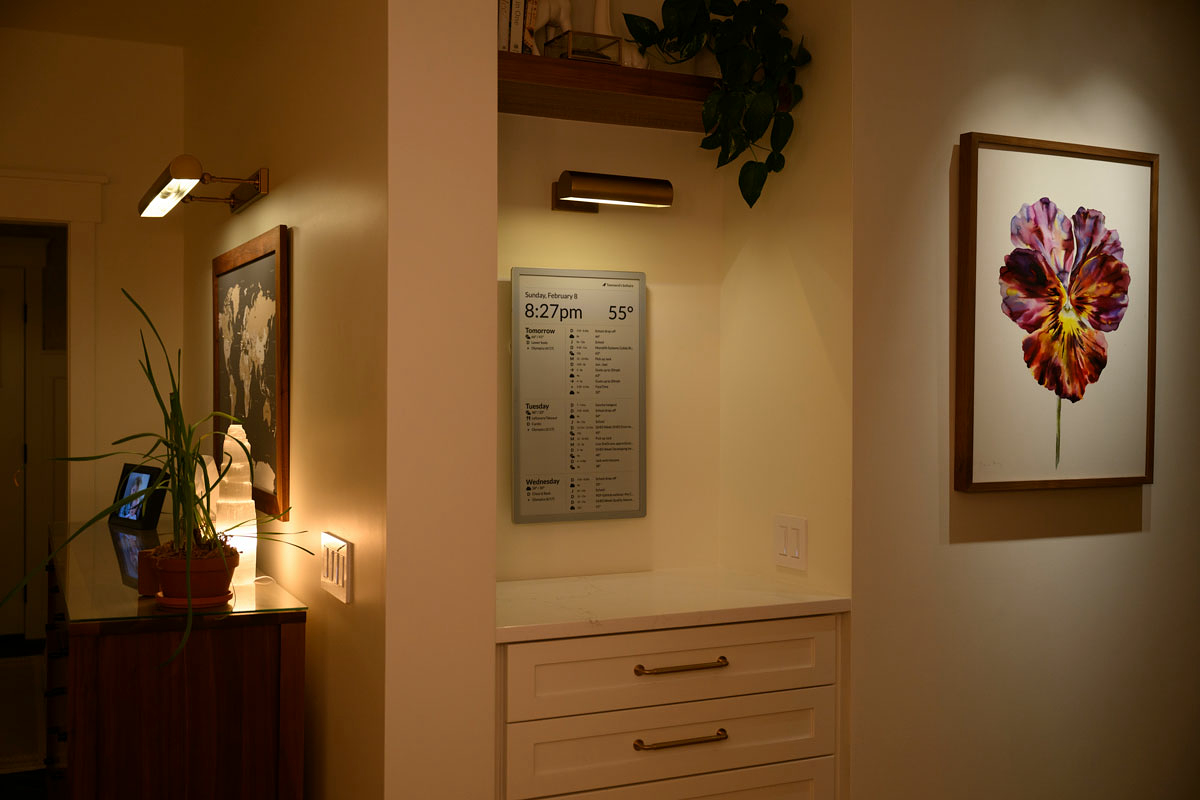
There are also power cords for the 13-inch e-paper displays in the bedroom and next to the garage.

This is what it looks like in a dark place.
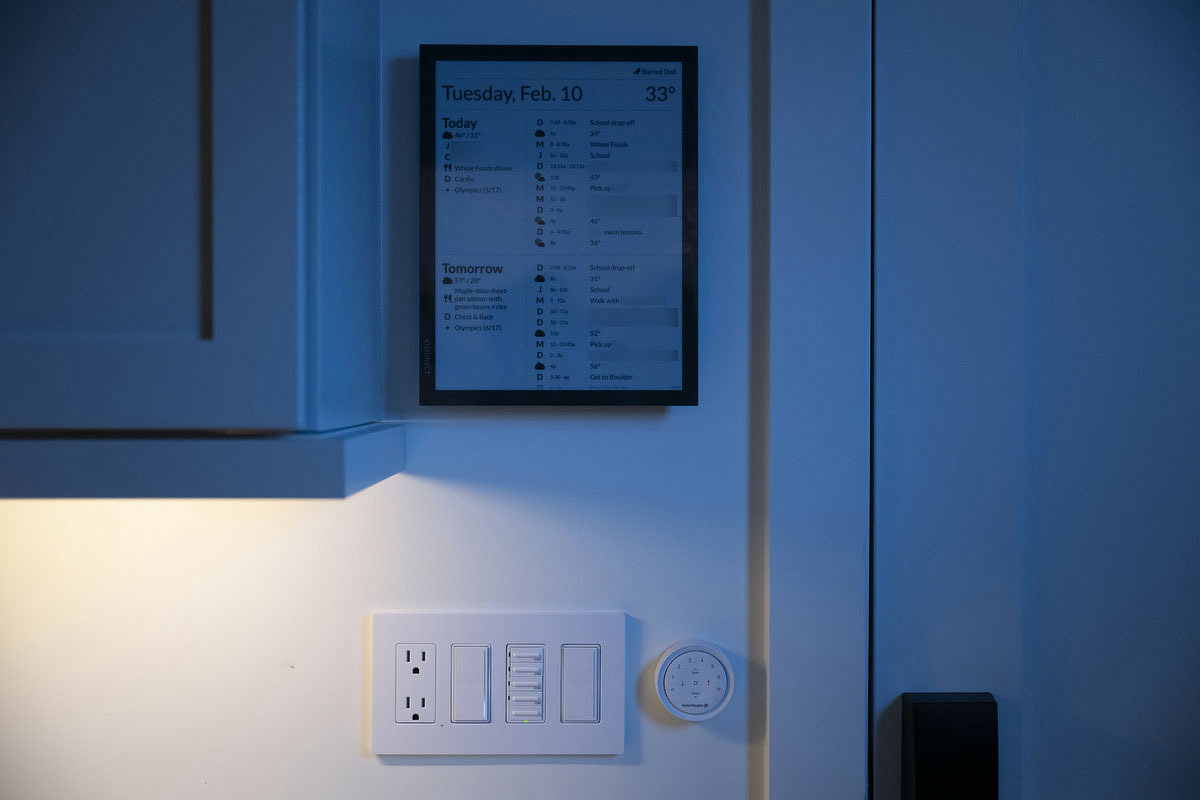
To support real-time updates, the backend was almost entirely rebuilt. While the previous Visionect configuration had no issues with response times of just a few seconds, the slow response times and complexity of the configuration became noticeable when long
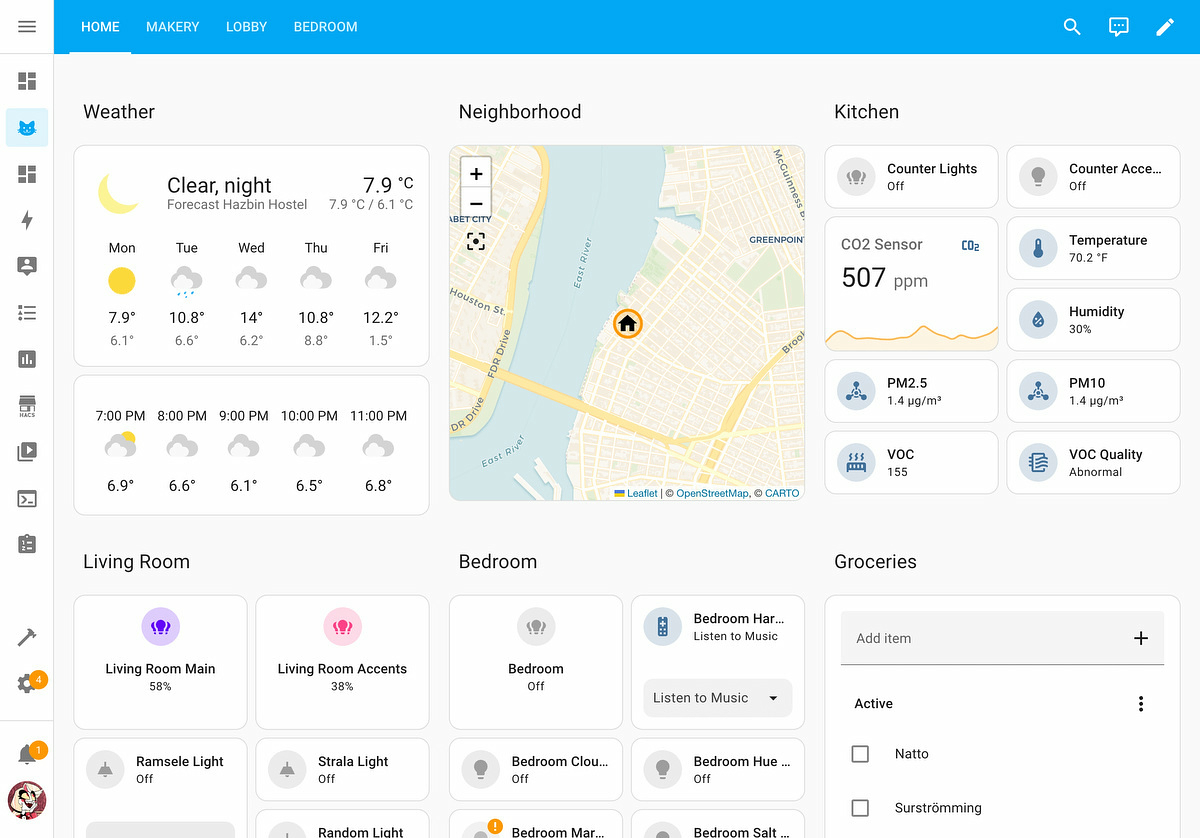
By consolidating it into Home Assistant, they were able to reduce the amount of code supporting Timeframe by more than half, and they no longer needed the database, nor
Hawksley says that the unique feature of the current Timeframe is the way it displays the status of your home. The top left corner of the screen displays only the information you need at that moment, such as whether the door is open or closed, whether it's locked, and the progress of housework. For example, when your laundry is done, the following message will appear:

If nothing is displayed, it means there's nothing happening in your home that requires your attention. Hawksley explains that this 'only show status when needed' approach is the opposite of the typical dashboard that displays all the information about your smart home.
Hawksley points out that future challenges include making the device more robust as an embedded device that can withstand long-term operation, completing integration with Home Assistant, and reducing hardware costs. While the 25-inch Boox display is particularly impressive, it is expensive, costing around $2,000 (approximately 315,500 yen) for a single display, making it difficult to popularize as a consumer product.
This post has also become a hot topic on the social news site
Related Posts: