Anthropic introduces a high-speed mode in the research preview version of Claude Opus 4.6, which is 2.5 times faster but costs 6 times more

Anthropic announced on February 5, 2026, that its AI model, Claude Opus 4.6, now features a 'high-speed mode' that increases output speed by up to 2.5 times. All users can access the high-speed mode through
Speed up responses with fast mode - Claude Code Docs
https://code.claude.com/docs/en/fast-mode
Our teams have been building with a 2.5x-faster version of Claude Opus 4.6.
— Claude (@claudeai) February 7, 2026
We're now making it available as an early experiment via Claude Code and our API.
Claude Opus 4.6 is the first Opus-class model to introduce a 1 million token context window, dramatically improving its ability to handle large codebases and vast document collections. The cost per million tokens is $5 (approximately ¥780) for input and $25 (approximately ¥3920) for output.
Anthropic releases Claude Opus 4.6, improving not only coding but also financial processing and document creation performance & supporting context windows of up to 1 million tokens - GIGAZINE

The Claude Opus 4.6 research preview introduces a new 'fast mode.' According to Anthropic, the fast mode uses the same model as the standard mode but prioritizes speed over cost efficiency. While maintaining the same quality and functionality as the standard mode, it boasts up to 2.5 times faster response times.
The high-speed mode is available through Claude Code's subscription plans (Pro/Max/Team/Enterprise) and the Claude Console. The cost per million tokens is $30 for input and $150 for output, six times the price of the standard mode.
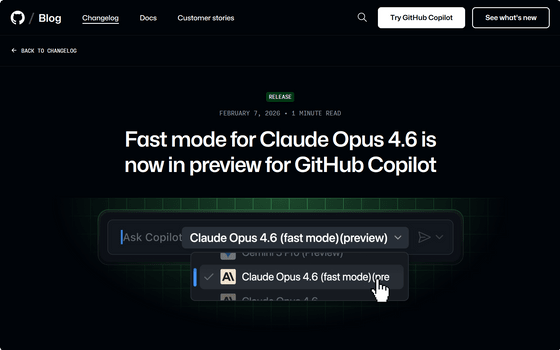
It is also available on GitHub Copilot.
Fast mode for Claude Opus 4.6 is now in preview for GitHub Copilot - GitHub Changelog
https://github.blog/changelog/2026-02-07-claude-opus-4-6-fast-is-now-in-public-preview-for-github-copilot/
When you enable Express Mode, Claude Code will automatically switch to Opus 4.6 and display a confirmation message that reads 'Express Mode On.' The Express Mode icon will also appear next to the prompt.
High-speed mode is ideal for live debugging and deadline-driven tasks where speed is crucial, while standard mode is ideal for long-duration autonomous tasks and cost-sensitive tasks where speed is less important.
Additionally, high-speed mode has a different rate limit than standard mode, and if the high-speed mode rate limit is reached, the system will automatically switch to standard mode.
Related Posts:






in AI, Posted by log1p_kr