'Broadcast Box' enables ultra-low latency WebRTC distribution of less than 1 second, how to use it with OBS
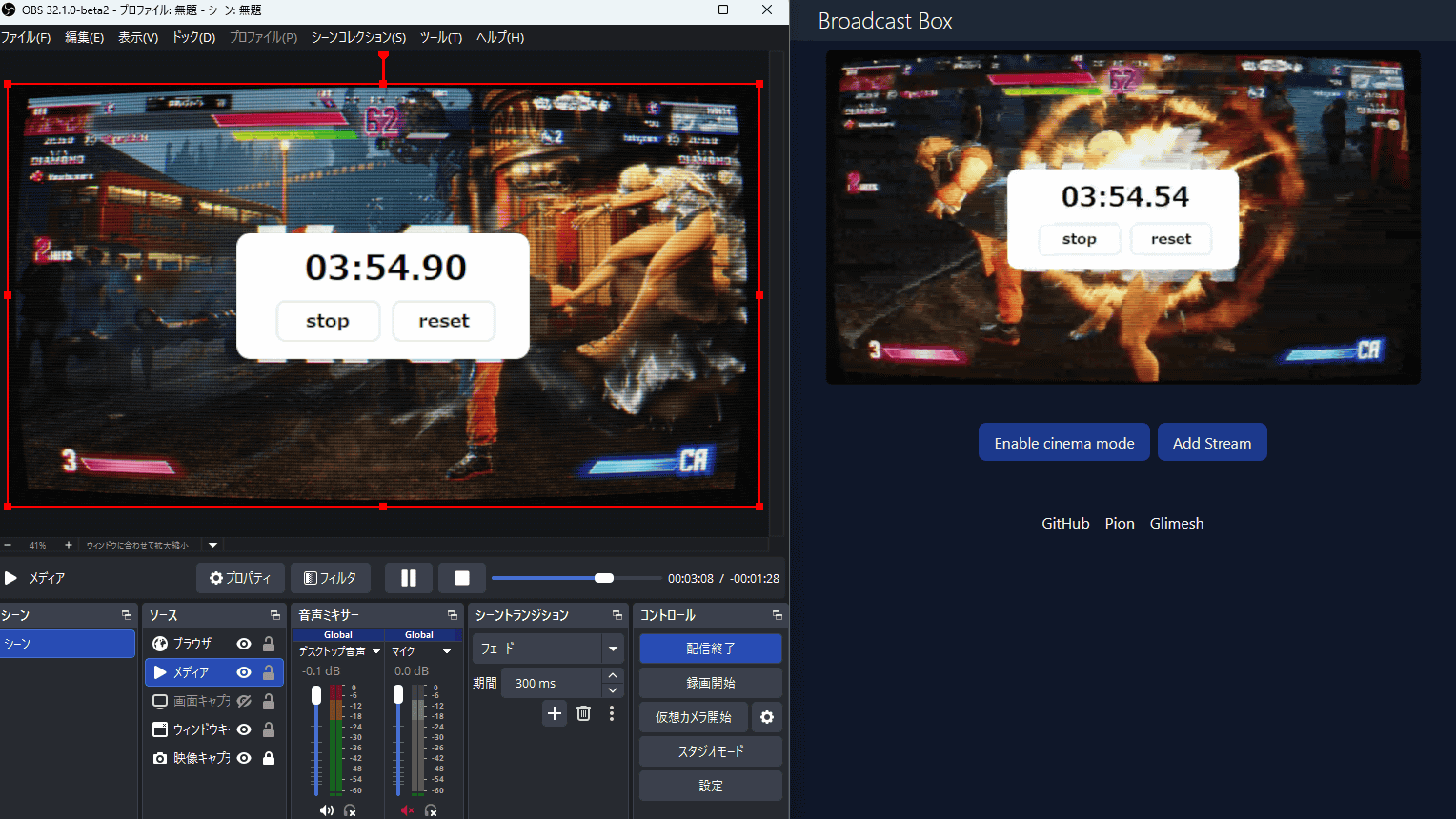
Broadcast Box is a system for building ultra-low latency streaming with sub-second latency using
Glimesh/broadcast-box: A broadcast, in a box.
https://github.com/glimesh/broadcast-box
Release OBS Studio 32.1.0 Beta 1 · obsproject/obs-studio
https://github.com/obsproject/obs-studio/releases/tag/32.1.0-beta1
The version of OBS Studio used this time is the latest version 32.1.0-beta2 at the time of writing.

Launch it and click 'Settings'.

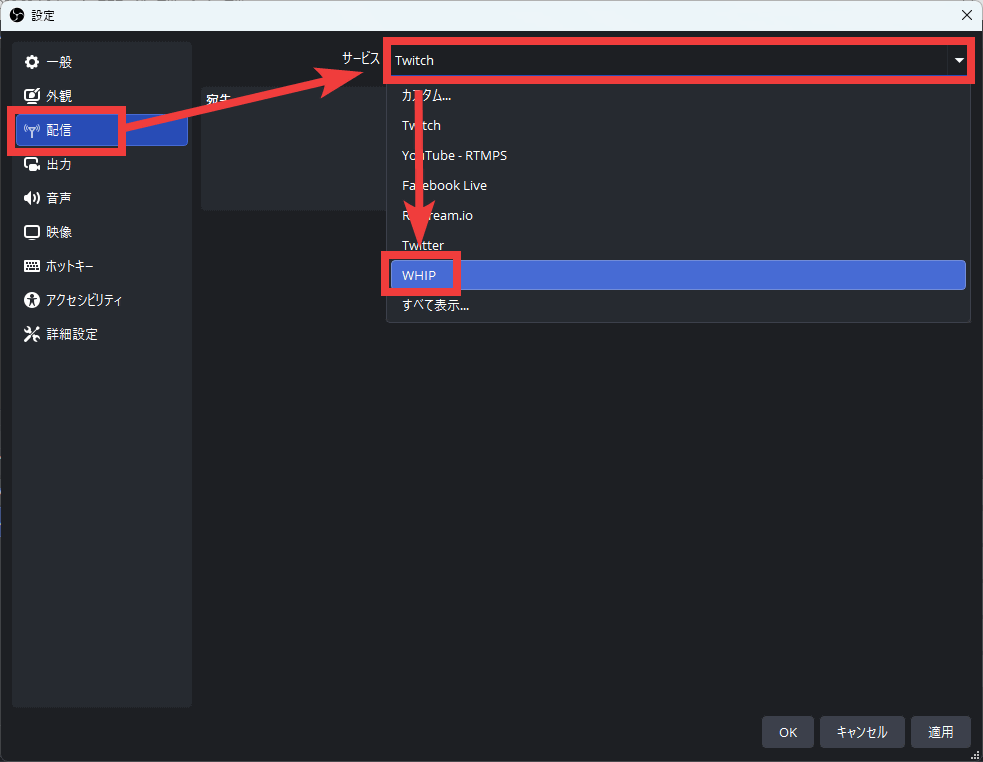
Click 'Delivery' and select 'WHIP' under 'Service.'
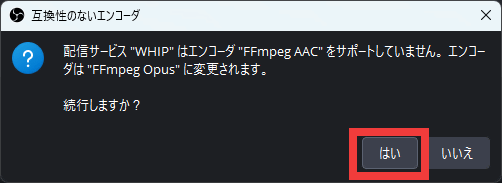
If you are using FFmpeg, you will need to change the encoder to FFmpeg Opus. Click 'Yes'.
The Broadcast Box instance is hosted at b.siobud.com, so you can easily test it. Enter https://b.siobud.com/api/whip in the Server field, enter any string you want as your stream key in the Bearer token field, and click Apply.

Click 'Output' in the left column. Set 'Video Encoder' to 'x264.' Additionally, set the bitrate to '2500kbps.' Then, to minimize streaming latency, set 'Tune' to 'zerolatency' and click 'OK.'

If you stream using OBS Studio with the above settings, you can view it on the Broadcast Box website below.
Broadcast Box
Enter the stream key you set in 'Stream Key' and click 'Join stream' to watch the broadcast.

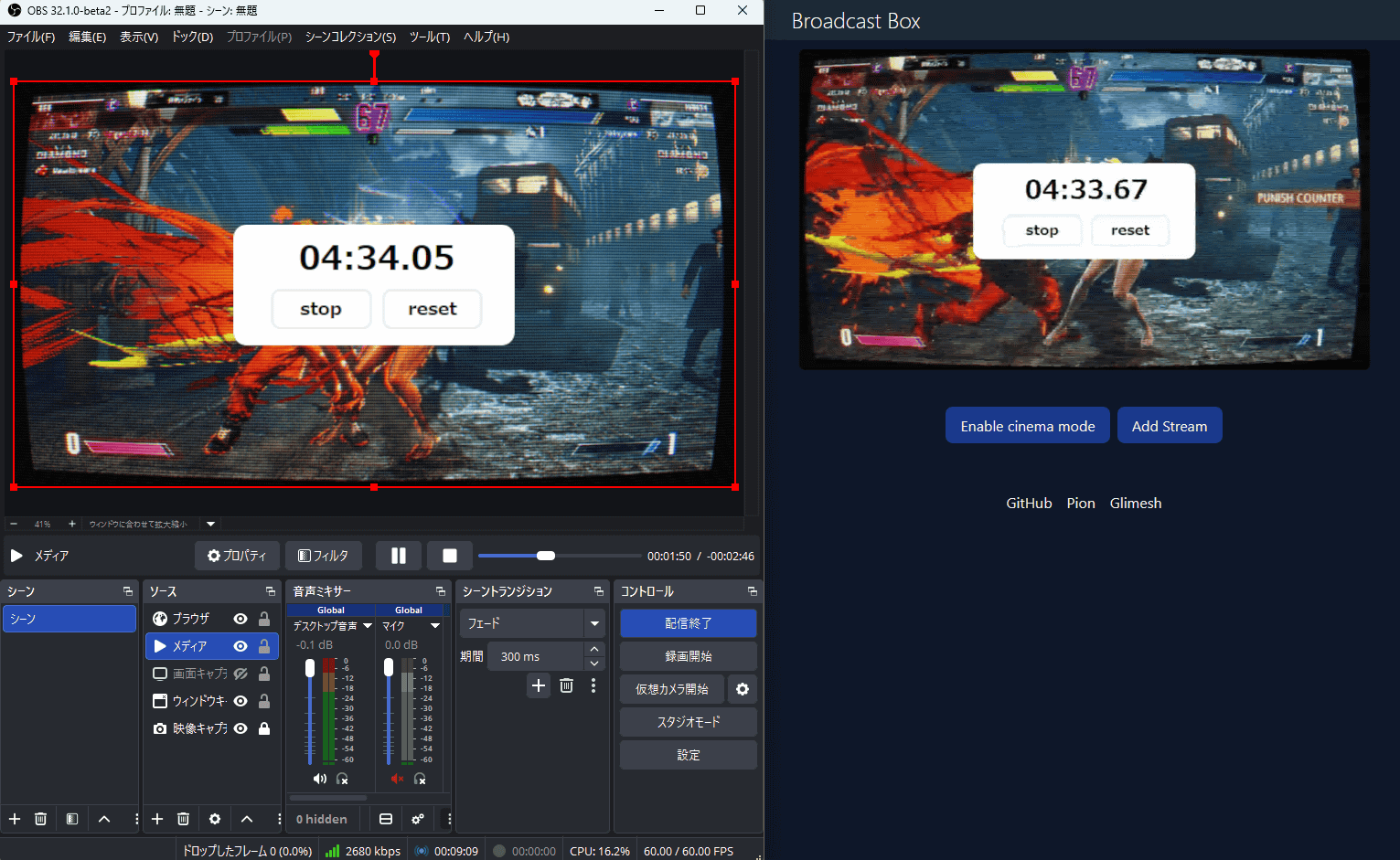
The left side of the screen below shows the OBS Studio screen, and the right side shows the Broadcast Box viewing page. The stopwatch in the center of the screen shows that the lag between the streamer and the viewer is about 0.4 seconds. This is a significant reduction from the usual 10-second delay for a typical video stream.
You can also build your own Broadcast Box server and run it locally. The source code is available on GitHub, and a Docker image is also available.
Related Posts:

in Software, Web Service, Review, Posted by log1i_yk