Firefox for iOS will now include an ad blocker as standard, blocking ads before they load using an EasyList-based system.

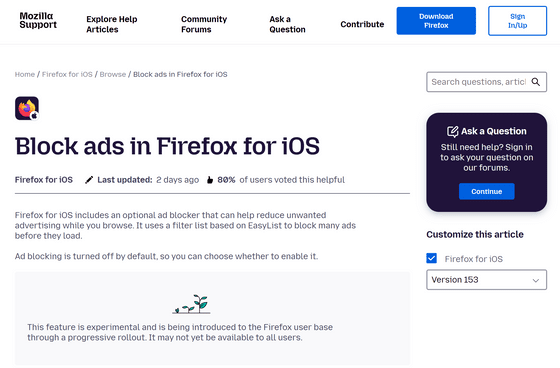
Mozilla has added a built-in ad blocker, 'Ad Blocker,' to its Firefox browser for iOS for iPhone and iPad, and has begun rolling it out to some users in stages. The ad blocker uses a filter list based on EasyList to detect ads and is said to block many ads on web pages before they are loaded.
Block ads in Firefox for iOS | Firefox for iOS Help
Firefox for iOS has long included 'Enhanced Tracking Protection.' Enhanced Tracking Protection prevents advertising companies and others from tracking user behavior across multiple websites. It uses lists provided by Disconnect to detect ad trackers, social media trackers, and analytics trackers. Tracking prevention is enabled by default, and selecting the more robust 'Strict' setting will also block ads containing tracking code.
On the other hand, Enhanced Tracking Protection is primarily a feature to prevent user tracking, and ads that do not have tracking capabilities may still be displayed. Now, a new feature called 'Ad Blocker' has been added specifically to block ads themselves.
Ad Blocker is disabled by default. To use it, simply open 'Settings' from the Firefox menu and turn on 'Ad Blocker' under 'Browsing.' You can also access the settings screen from the site menu while browsing a website and toggle it on or off, so you can disable ad blocking at any time as needed.
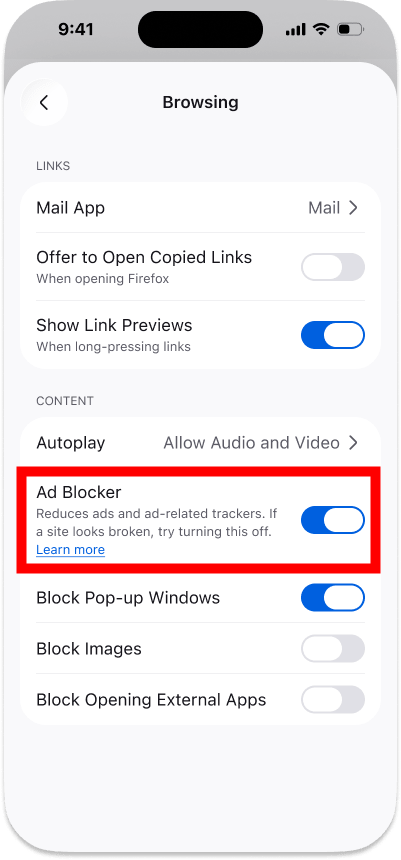
When Ad Blocker is enabled, Firefox blocks communications to third-party advertising networks and services that broker the buying and selling of ads, as well as ad-related trackers and many third-party ads delivered by websites, at the network level. This includes pop-ups and overlay ads that overlap the screen. Instead of hiding the ad data after it has been retrieved, it works by matching it against a filter list based on EasyList and stopping the loading of the ads altogether.
However, ads displayed in search engine results from Google, Bing, DuckDuckGo, etc., are not blocked. Sponsored content displayed on the Firefox home screen and in new tabs is also not hidden by Ad Blocker and must be managed separately through the homepage settings.
Ad Blocker is an experimental feature at the time of writing, and a 'gradual rollout' is being implemented, making it available to a limited number of users at a time. Ad Blocker was not available on the GIGAZINE editorial team's Firefox for iOS at the time of writing.
Related Posts:


in Software, Smartphone, Posted by log1d_ts