The YouTube ad-blocking expansion, which has been downloaded 11 million times, has been criticized for allowing arbitrary JavaScript execution simply by changing the server.
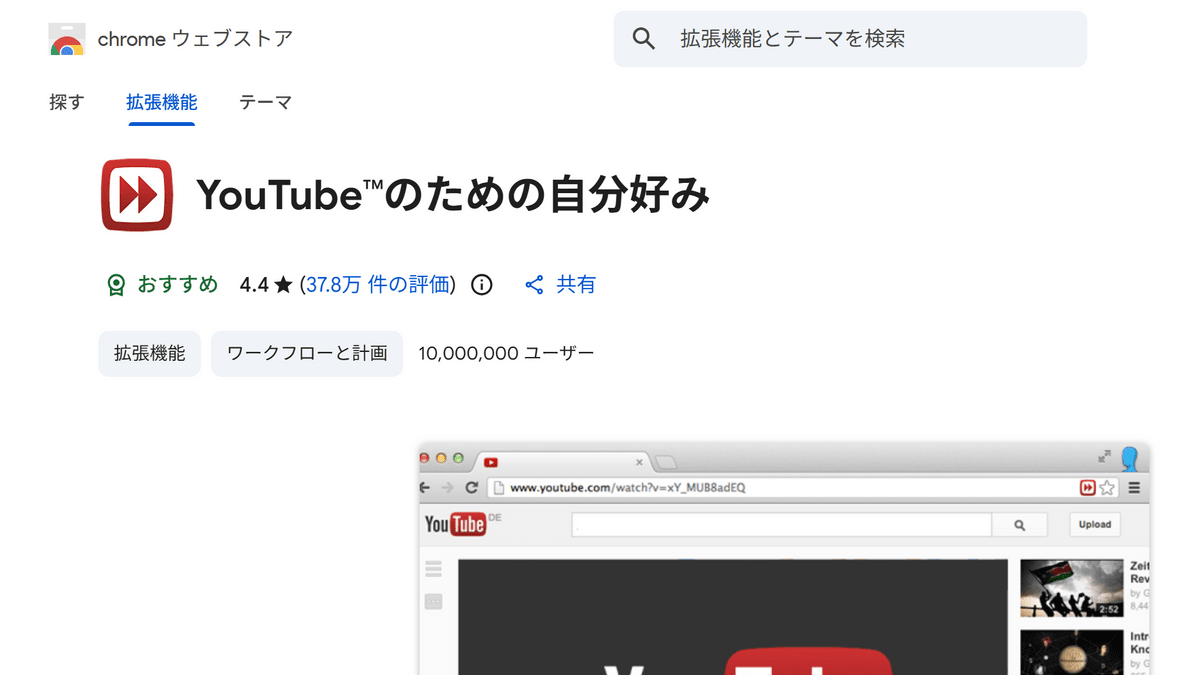
Regarding the Chrome extension 'Adblock for YouTube,' enterprise browser company Island has pointed out that 'it is designed so that arbitrary JavaScript can be executed on a page in a user's browser by simply changing one server-side setting.' While Island has not found any evidence that malicious code has actually been distributed, it reports that a dangerous execution path exists in the extension, which has more than 11 million installations.
BadBlocker: 11 Million Users, One Server Call Away from Compromise
Adblock for YouTube is a Chrome extension designed to block YouTube ads. It has been installed over 11 million times on the Chrome Web Store, has over 374,000 reviews, and has a 4.4-star rating. Its primary function of blocking YouTube ads works, and for many users, it appears to be a popular, highly-rated extension that works as intended.
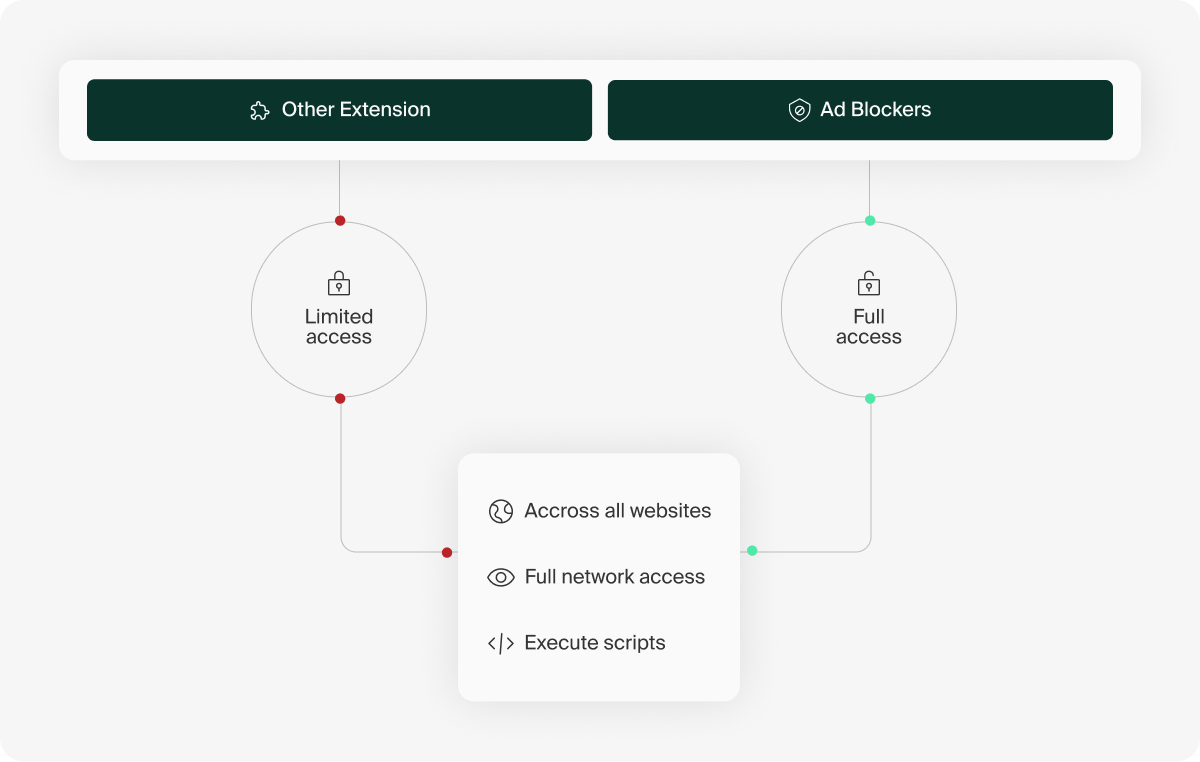
Because ad blockers need to examine page content, inspect communications, and rewrite display elements in order to find and remove ads, they tend to request stronger permissions than regular extensions, and users are more likely to accept this, thinking, 'I have no choice if it's to get rid of ads.' Island explains that this combination of trust and strong permissions is the starting point of the problem.
Island has raised concerns about Adblock for YouTube specifying '<all_urls>' in its 'host_permissions' setting. `host_permissions` specifies which URLs an extension is allowed to interact with; specifying '<all_urls>' allows the extension to interact with any website. This means that, despite being an ad blocker for YouTube, it has access to a wide range of pages, including webmail, banking sites, business SaaS applications, admin panels, and internal company tools.
What Island also found noteworthy was Adblock for YouTube's mechanism for retrieving settings from an external server every 24 hours. The settings retrieved from the external server included not only the usual ad-blocking rules, but also an item called 'scriptletsRules,' which allowed the server to specify which of the small JavaScript functions built into the extension should be executed and with which arguments.
A scriptlet is a small unit of processing sometimes used in ad blockers to avoid displaying ads or to adjust page elements. While scriptlets themselves are not inherently dangerous, Island stated that the problem lies in the fact that 'the content of JavaScript executed on a page can be significantly altered by settings received from an external server after installation.'
According to Island, Adblock for YouTube includes a scriptlet called 'trusted-create-element,' which, depending on the server-side settings, can create script tags within a page and inject arbitrary JavaScript. Since the JavaScript added as a script tag runs in the same execution environment as the page's own code, it could potentially access data displayed on the page, forms, logged-in sessions, and user interactions.
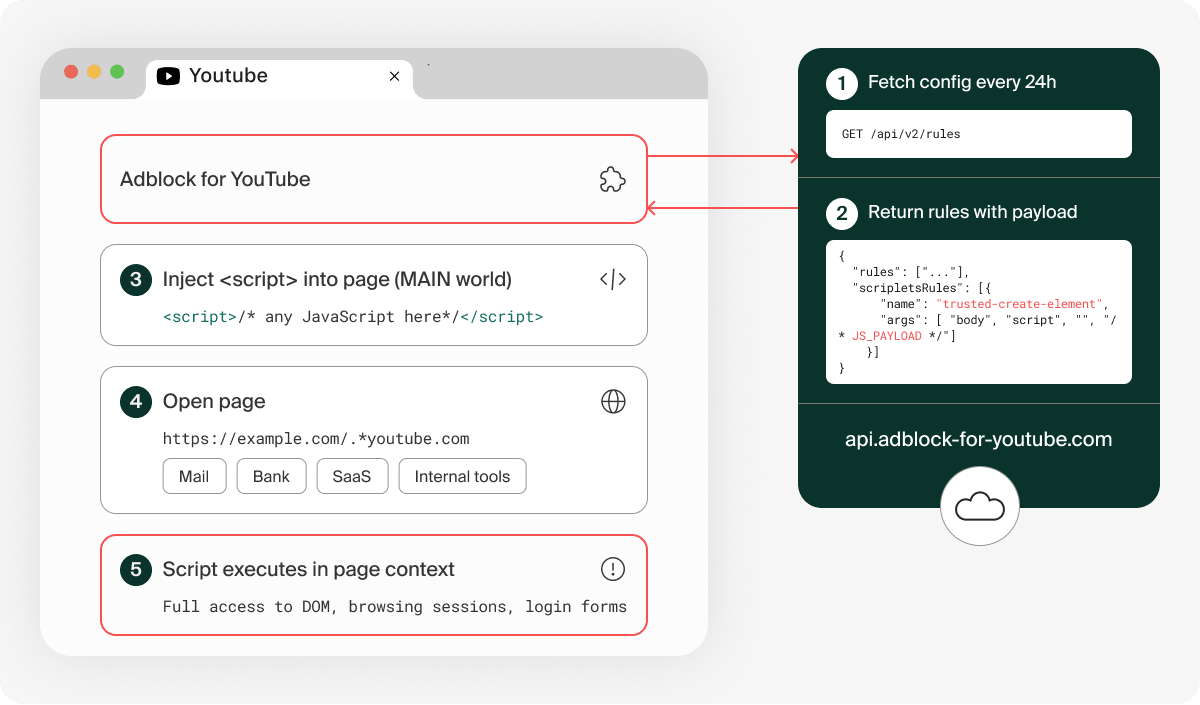
To verify this behavior, Island conducted a proof-of-concept using a local simulated server. Without modifying the extension itself, only the usual rule retrieval source was replaced with the simulated server. The scriptlet that ran on YouTube opened Salesforce with a query string including youtube.com, and was able to pass the same check and execute the process on Salesforce as well. The proof-of-concept demonstrates the process of reading user-viewable account information and sending it to the simulated server.
Island states that it has not found any evidence that malicious payloads have been delivered to users with Adblock for YouTube, but points out that a risk is that dangerous processes can be enabled simply by changing server-side settings, without requiring extension updates, re-reviews on the Chrome Web Store, requests for new permissions, or any changes visible to the user.
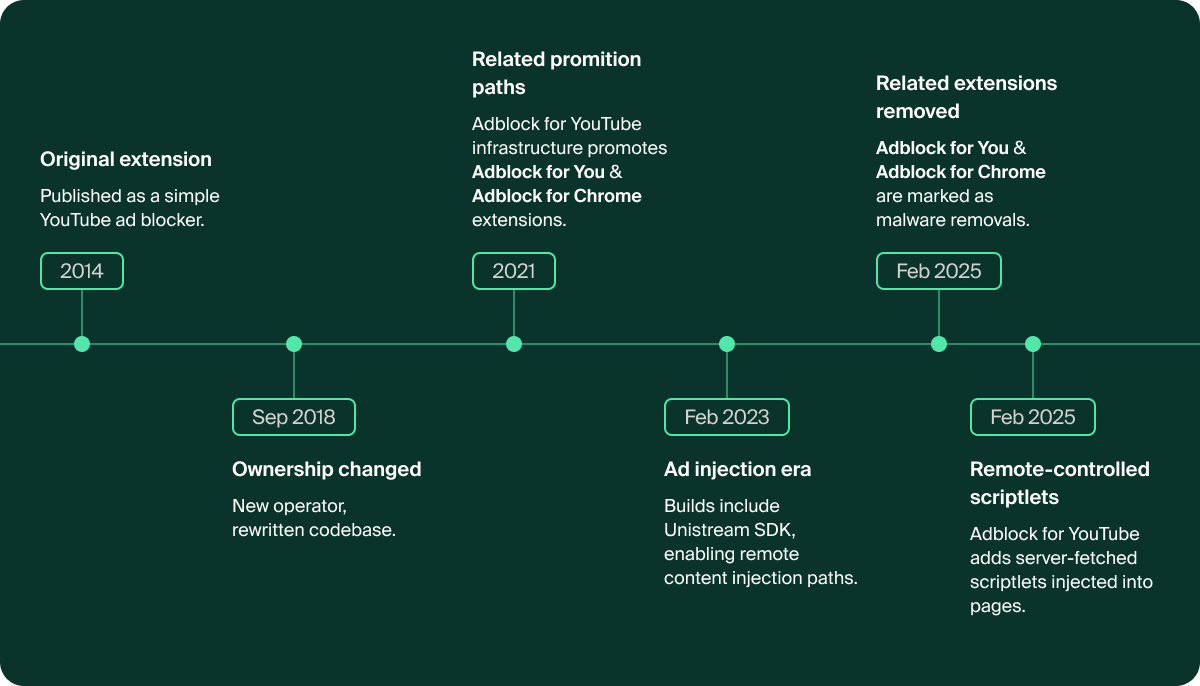
Adblock for YouTube is a long-standing extension that has been available on the Chrome Web Store since around 2014, but according to Island, its ownership changed around 2018 and its codebase was significantly rewritten. Furthermore, Island points out that another ad-blocking extension allegedly related to Adblock for YouTube was previously removed from the Chrome Web Store as malware, which is also a cause for concern.
Island suggests that instead of simply banning ad blockers across the board, users should check whether their permissions are appropriate for their purpose, whether the design allows for changes to what is executed on the page based on settings obtained from an external server, and whether the owner or permissions have changed. Useful extensions tend to be used for a long time, and the longer they are used, the more trust they build up, but Island states that 'a trusted extension is not necessarily the same as the small ad blocker that was first released.'
Related Posts: