The move to 'read-only' mode in Microsoft Office 2019 and 2021 for Mac, which prevents editing, is causing a lot of controversy.
Controversy has arisen over the planned transition of some Microsoft Office 2019 and 2021 applications for Mac to read-only mode after July 13, 2026. While older versions will still be able to open and view Word, Excel, PowerPoint, Outlook, and OneNote files, full functionality such as editing and saving will no longer be available.
Update Microsoft 365 or Office on your macOS or iOS device - Microsoft Support
https://support.microsoft.com/en-us/office/update-microsoft-365-or-office-on-your-macos-or-ios-device-f418ae5d-bb5f-4078-b3d9-9340f5dd084e
Microsoft Office 2019 and 2021 for Mac view-only conversion (2026) - Consumer Rights Wiki
https://consumerrights.wiki/w/Microsoft_Office_2019_and_2021_for_Mac_view-only_conversion_(2026)
The problem stems from the expiration of the digital certificate used by Microsoft 365 apps for license verification. According to Microsoft, this certificate will expire on July 13, 2026, and macOS and iOS apps that have not been updated to the minimum required version, including the updated certificate, will enter 'restricted functionality mode.'
The minimum requirements are version 16.83 for macOS and version 2.93 for iOS. These builds require macOS 12 Monterey or later, or iOS 17.0 or later. Users of Office 2021 for Mac or Microsoft 365 for Mac can avoid this by updating to the corresponding build on their compatible OS.
On the other hand, there is virtually no workaround for Office 2019 for Mac. Office 2019 has a product limit that prevents it from reaching version 16.83, and Microsoft's support documentation states that this issue cannot be resolved by updating or reinstalling Office 2019 for Mac.
The reason this issue has provoked such strong backlash is that Office 2019 and Office 2021 were sold as 'one-time purchase' products, not as subscriptions. Office 2019 was generally available for Windows and Mac in September 2018, and was positioned as an on-premises alternative to Office 365, intended as a one-time release with no future feature updates.
Another issue that has drawn attention is the change in wording on the end-of-support page for Office 2019 for Mac. As of 2023, Microsoft's page stated that Office 2019 apps would 'continue to function' even after support ended, but as of May 2026, the same URL page had been updated and this wording had been removed.
The updated text explains that data will not be lost and will be accessible through the corresponding Microsoft 365 or Office product. However, Microsoft has not publicly explained the gap between its previous statement that 'the app will continue to function' and the forecast that editing and saving will no longer be possible after July 2026.
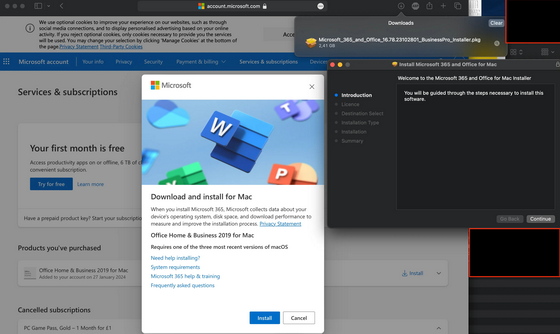
Microsoft began notifying affected customers via email in mid-May. These emails included an offer for a free trial of Microsoft 365 Personal, but required registration of a payment method and automatically transitioned to a paid subscription unless canceled. This has led to widespread perception that Microsoft is trying to lure perpetual license users into subscriptions.
In short, Microsoft offers four options: 'Continue using it in read-only mode,' 'Migrate to the free Microsoft 365 Web app,' 'Subscribe to Microsoft 365,' or 'Purchase the new one-time purchase version of Office Home 2024.' For Office 2019 for Mac users, there is no direct update route to maintain the editing capabilities of their purchased software.
A post on the social news site Hacker News covering this issue garnered 985 points and 364 comments. The comments included concerns about potential violations of Australian consumer protection laws and widespread opposition to software sold under perpetual licenses being later restricted in functionality .
Some users are reportedly being advised to migrate to LibreOffice, OnlyOffice, Apple's Pages, Numbers, and Keynote. However, there is still a reliance on Microsoft Office formats for document exchange with companies and business partners, and even if LibreOffice alone is sufficient, there is the problem of difficulty in migrating when the other party requires the latest Office documents and collaborative editing features.
Related Posts:





in Software, Posted by log1i_yk