'Red Squares' visualizes GitHub's downtime over the past year in a 'grass' format.
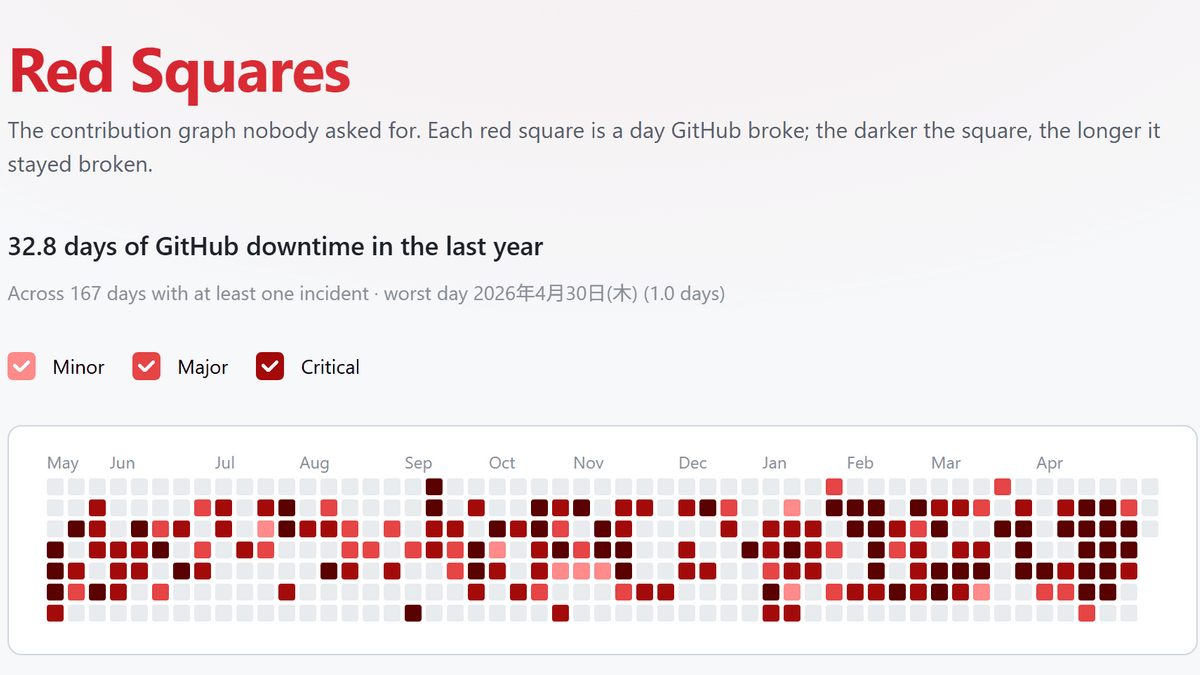
A visualization site called 'Red Squares' has emerged that displays the dates of outages on GitHub, a source code management service, using red squares in the format of GitHub's
Red Squares — the GitHub outage graph
https://red-squares.cian.lol/
GitHub is more than just a single website; it's a massive development platform that bundles together multiple services such as Git repository operations, pull requests, Issues, Actions, Packages, Pages, and Copilot. GitHub's official status page also displays Git Operations, Webhooks, API Requests, Issues, Pull Requests, Actions, Packages, Pages, Copilot, and Codespaces as separate items.
Even when we say 'GitHub is down,' the extent of the downtime can vary. It's not just about GitHub.com being completely unusable; it can also include situations where 'comment creation for pull requests fails,' 'Actions jobs take longer to load,' 'Git operations via SSH are more prone to failure,' or 'some Copilot features are unavailable.'
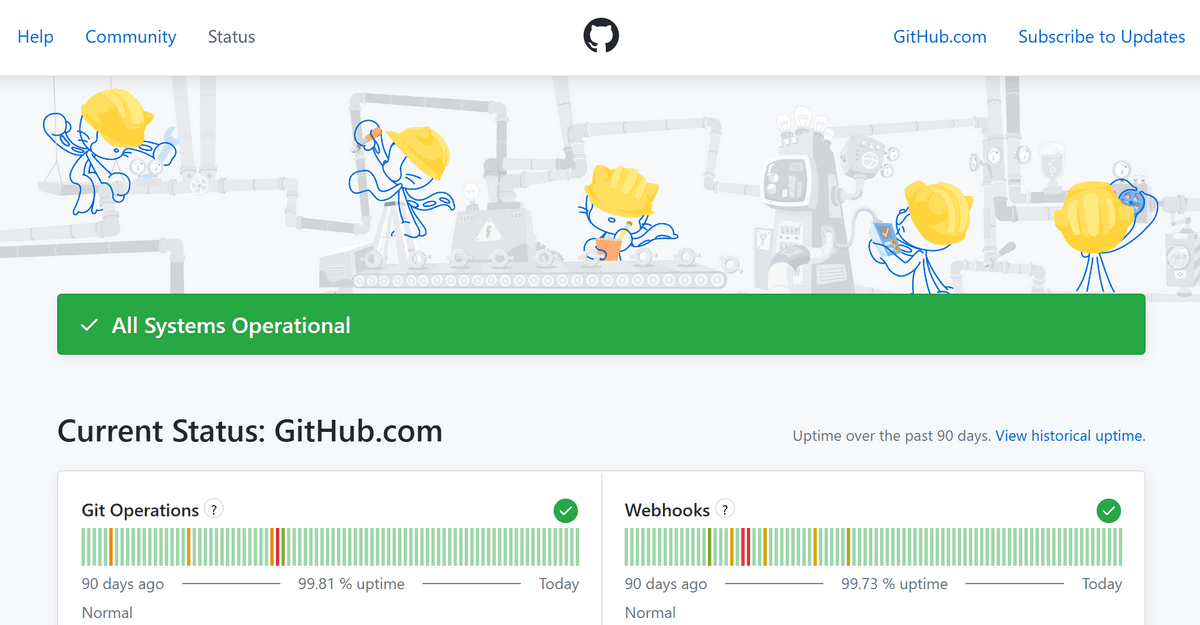
GitHub Status , the official page for reporting the operational status, displayed 'All Systems Operational' at the time of writing, meaning all systems were running normally. However, the operational status displayed prominently on the official page mainly covers the past 90 days, making it difficult to intuitively grasp the total number of days GitHub as a whole was down over the past year from the official page alone.
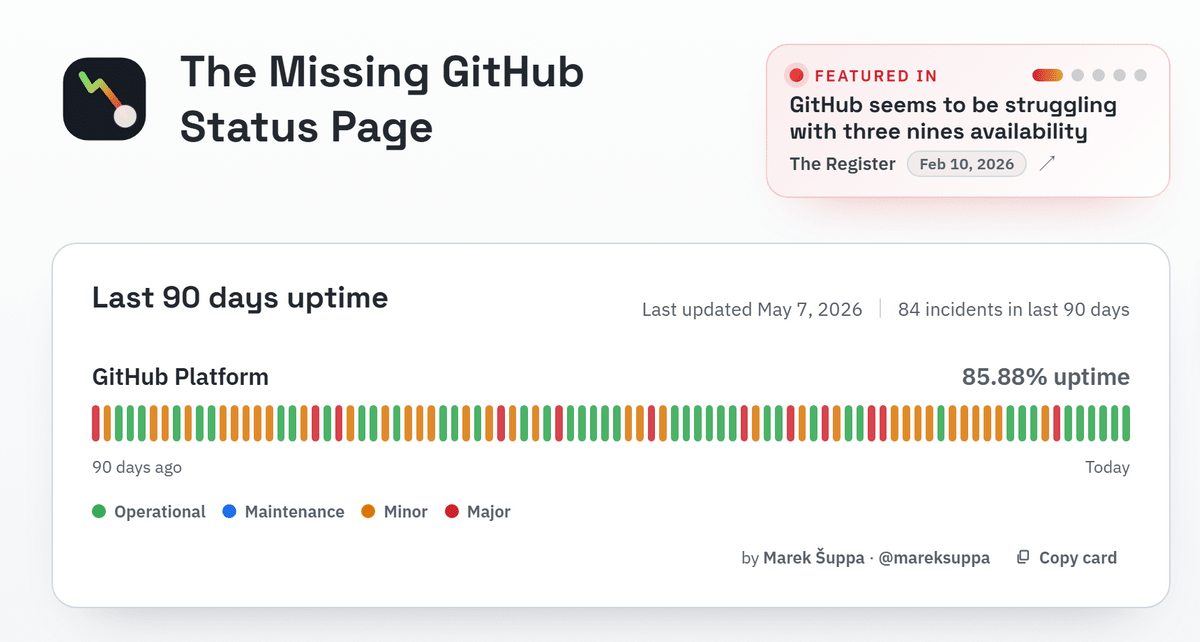
Red Squares is a website that uses data from the Missing GitHub Status Page to more clearly visualize when GitHub was down. According to Red Squares' data, GitHub was down for approximately 32.8 days in the past year. This 32.8 days represents the total downtime for each function, such as GitHub Actions, pull requests, Git operations, and Copilot, which is equivalent to 24 hours multiplied by 32.8 days.
Furthermore, it was reported that there were 168 days on which at least one outage was recorded. If we consider the past year to be 365 days, this means that at least one outage was recorded on approximately 46% of the days. The reason why users who use GitHub for work every day feel that 'GitHub has been unstable lately' is likely due not only to the total downtime but also to the high number of days on which outages occurred.
The unofficial aggregation site '

Furthermore, on the engineers' news sharing site ' Hacker News ,' a comment questioned Red Squares' claim that 'downtime can sometimes exceed one day in a single day,' pointing out that 'if three services are down for one hour simultaneously, Red Squares counts it as a three-hour downtime.'
Red Squares' figure of 'approximately 32.8 days of downtime per year' is a calculation method that makes the downtime appear longer because it adds up simultaneous failures of multiple services. Nevertheless, it is true that if you add up the downtime of GitHub's main functions by service, it comes out to about 32.8 days. GitHub is an indispensable service for developers, practically their workspace, so it's understandable that people would feel like saying, 'GitHub is down again.'
Related Posts:






in Web Service, Posted by log1d_ts