What are the benefits of automatically generating screenshots, such as 'updating documents with a single button click even if the UI changes'?

Screenshots used in software help pages and documentation need to be retaken and replaced every time the UI changes, which is an often overlooked burden in development environments. To address this problem, James Adam, an engineer who develops email apps such as 'Jelly,' proposes an approach of treating screenshots not as something to be prepared manually, but as an automatically generated artifact.
interblah.net - Self-updating screenshots
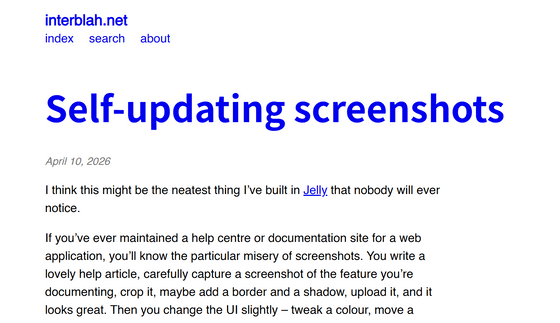
Adam's proposal is to 'write the document in Markdown and embed the instructions for generating screenshots as comments.' Then, he would create a screenshot program that 'opens a specific screen based on the embedded instructions, performs the necessary operations, takes a screenshot, and automatically reflects it in the document.' After that, every time the app is updated, running the screenshot program will automatically generate screenshots that are compatible with the latest app.

Adam uses a headless browser that operates without displaying a screen. A headless browser has the same functionality as a regular browser, but can be controlled programmatically. A series of operations such as loading pages, clicking buttons, and waiting for a set amount of time can be executed as scripts. The program controls the headless browser based on descriptions embedded in Markdown, and the resulting state is saved as a screenshot.
When taking screenshots using a headless browser, you can not only capture the entire page, but also specify options such as cropping only certain elements or focusing only on the currently displayed area. You can also specify click actions, waiting times, and crop specific areas, allowing you to capture popovers that appear after pressing a button, or exclude unwanted developer UI elements from the screenshot.
Taking screenshots of documents one by one after updating an app was time-consuming, but an automated screenshot program can significantly reduce this effort. This is especially beneficial for apps that are frequently updated.

Not only does it reduce the amount of work involved, but it's also important that the application code, documentation, and screenshot generation logic can be managed in the same repository. This allows UI changes and documentation updates to be handled in the same commit, preventing information inconsistencies and issues with outdated screenshots.
Adam had been putting off developing a screenshot program because he thought it would be time-consuming, but once he actually created it, he wondered why he hadn't done it sooner. He commented, 'Creating the program was certainly time-consuming, but it eliminated most of the hassle.'
Related Posts:



in Software, Posted by log1d_ts