Firefox 149 officially released, now offering split view and tab notes.

The official version of the web browser ' Firefox 149 ' has been released. The previously announced
Firefox 149.0, See All New Features, Updates and Fixes
https://www.firefox.com/en-US/firefox/149.0/releasenotes/
◆Implementation of split view
A 'split view' feature has been implemented that allows you to display two pages side-by-side in a single window. To use split view, select one tab, right-click, and select 'Add Split View' from the context menu that appears.
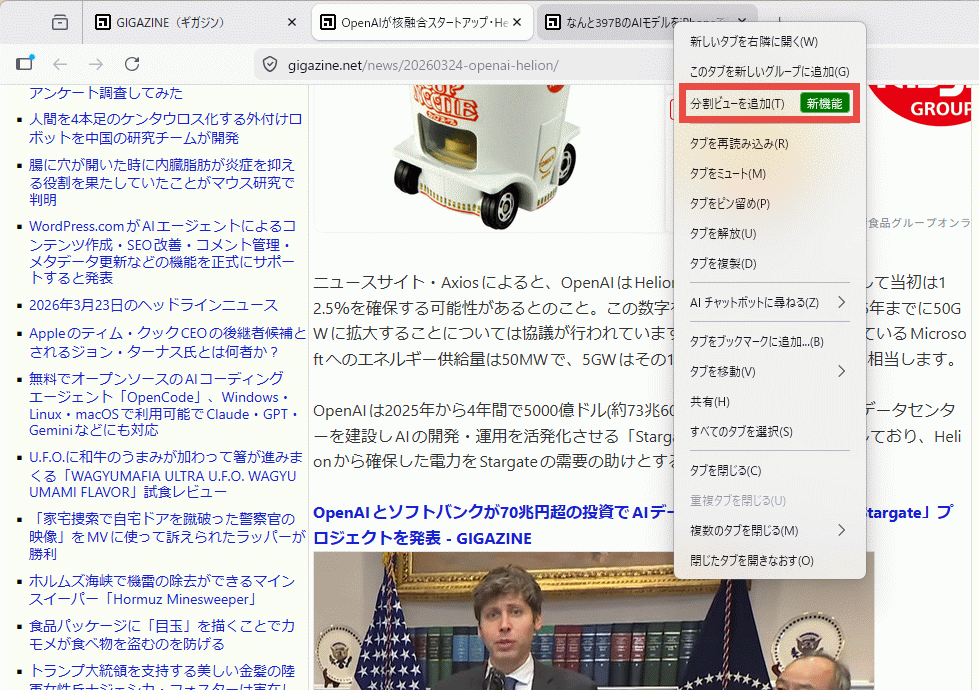
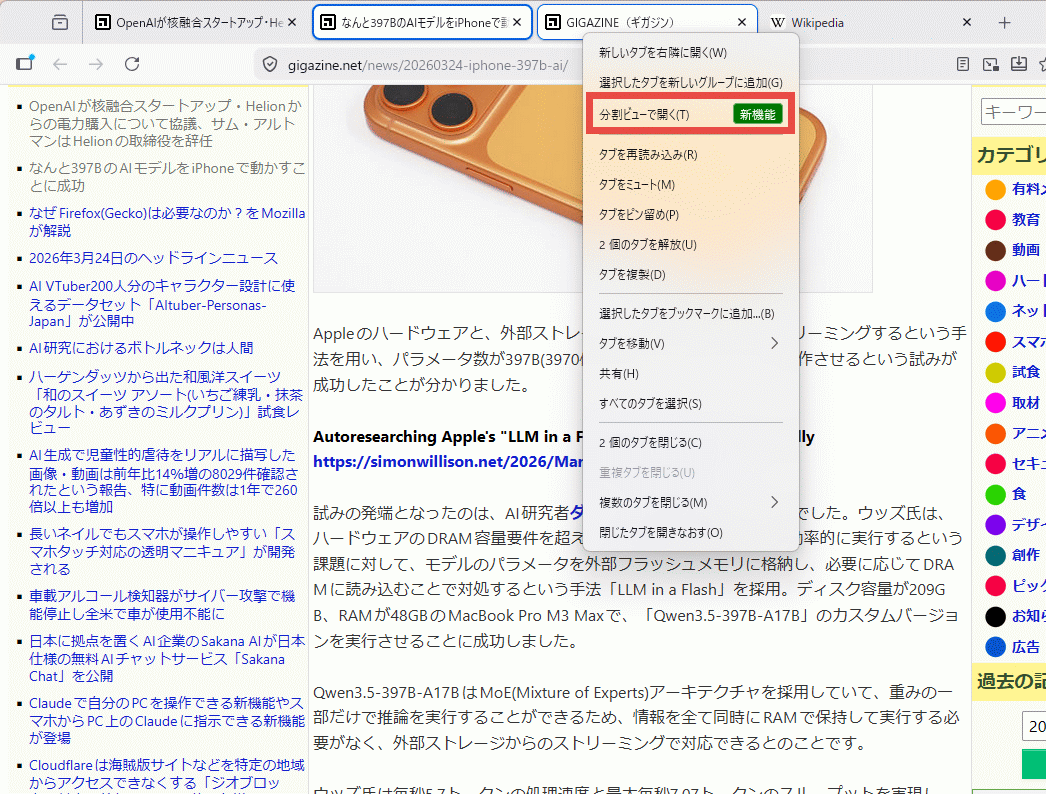
Alternatively, you can select two tabs, right-click, and choose 'Open in Split View' from the context menu that appears.
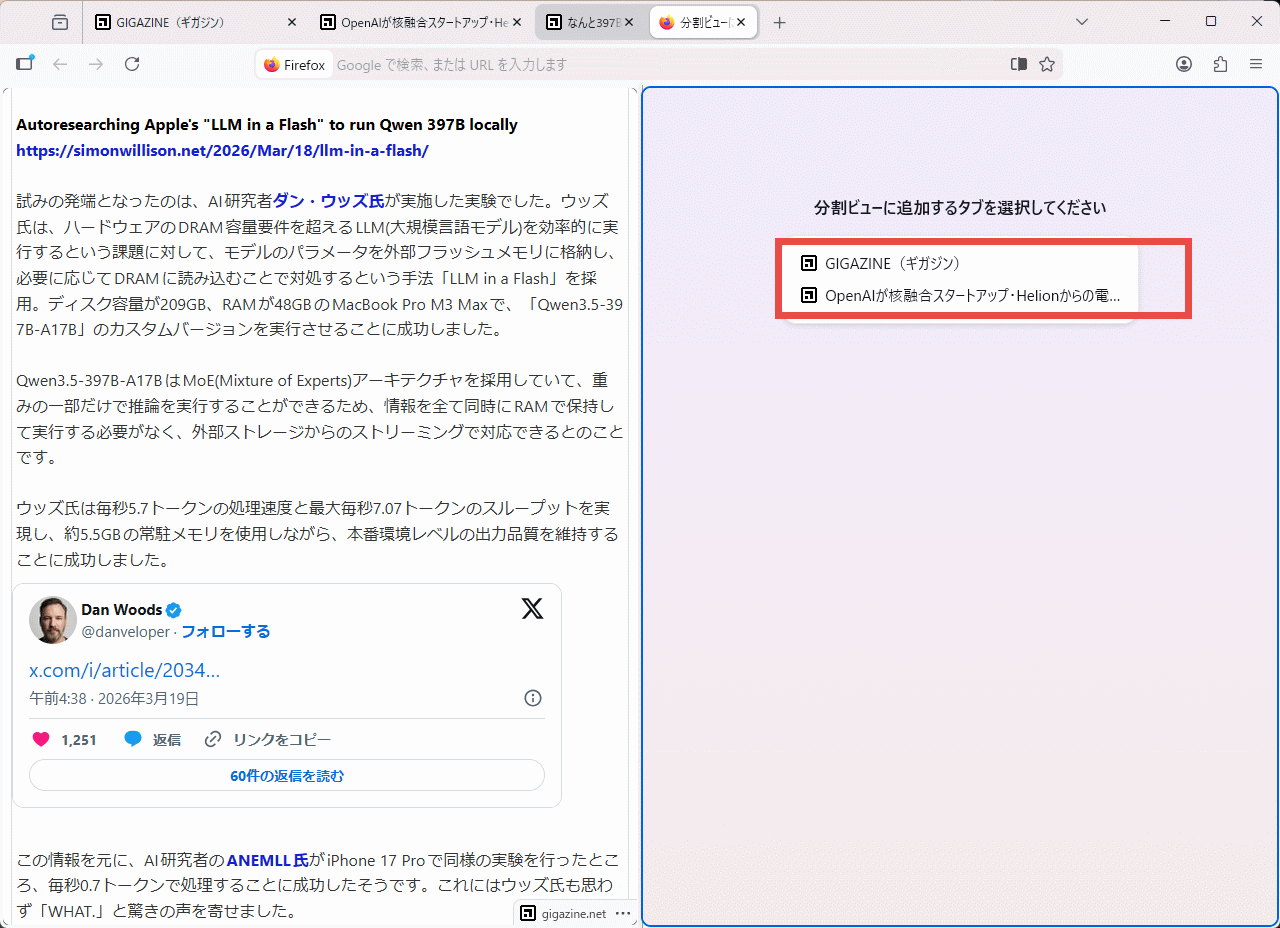
The split view will appear, and below the message 'Please select a tab to add to the split view,' a list of tab titles will be displayed. Select a title.
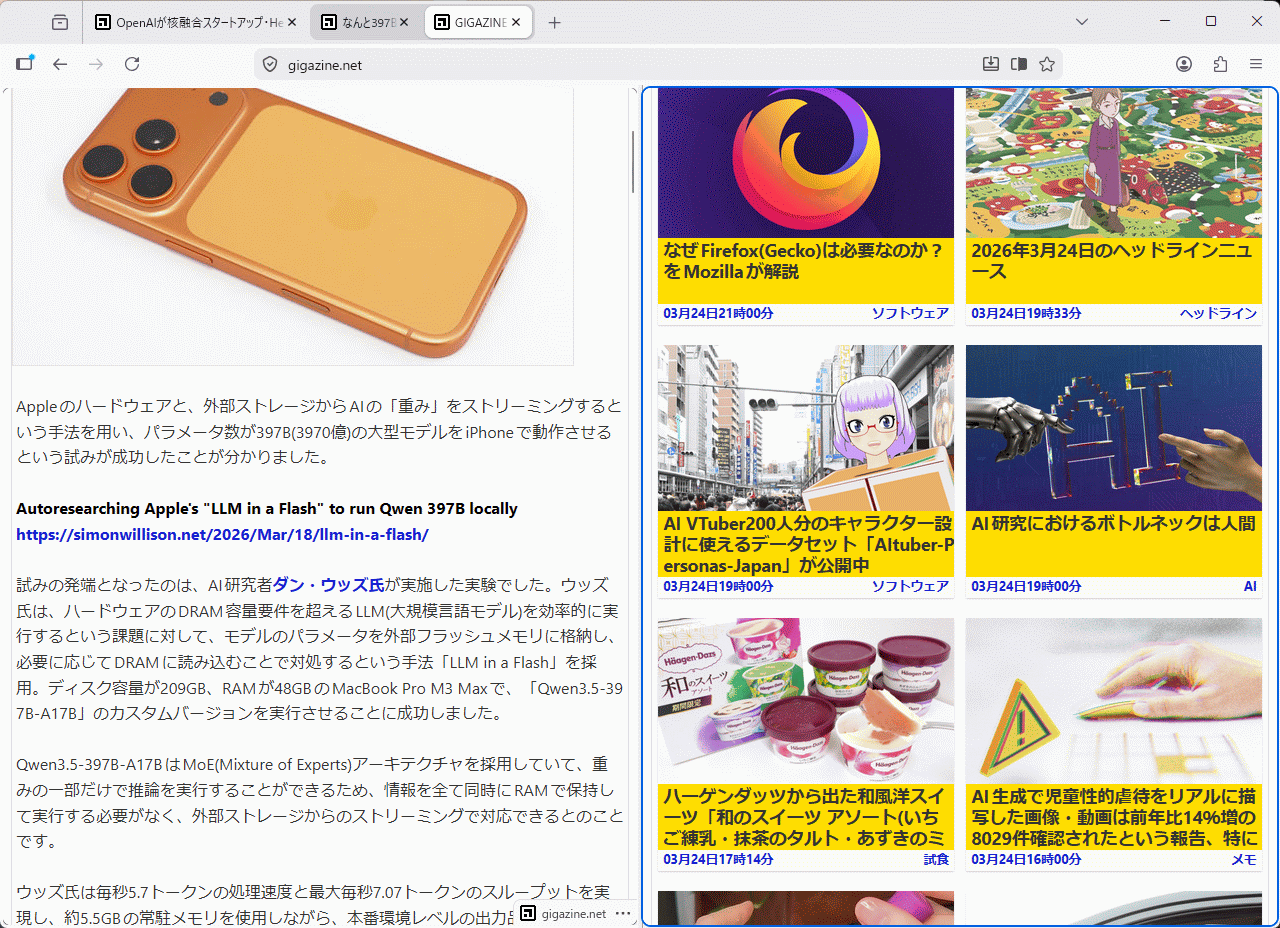
This is what the split view looks like with tabs displayed.
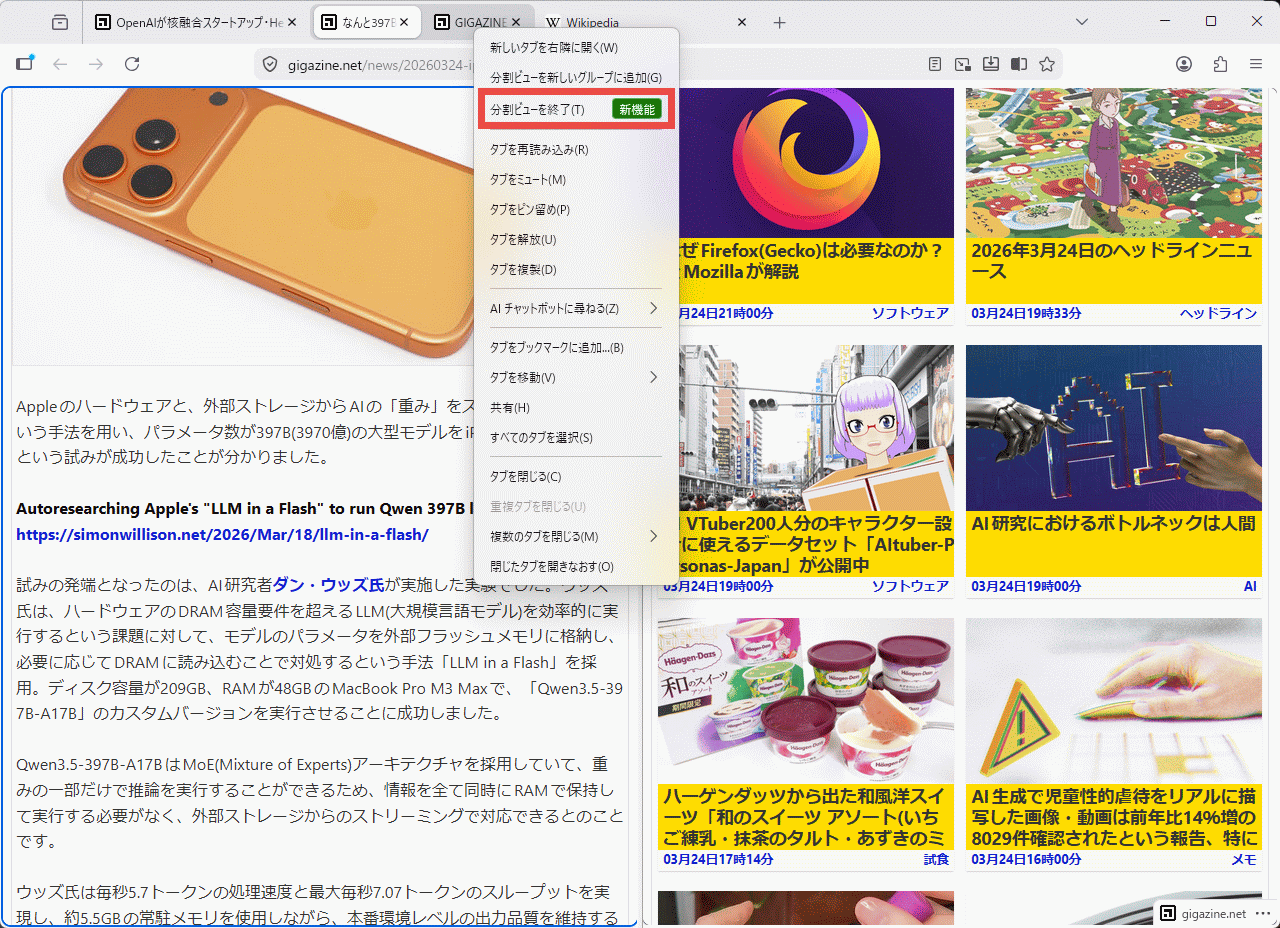
To close a split view when you're finished using it, select the tab currently displayed in the split view, right-click, and select 'Exit Split View' from the context menu.
◆Built-in VPN
A free,

◆Blocking notifications from malicious websites
SafeBrowsing will now automatically block notifications from websites it deems malicious and permanently disable permissions.
◆ Add a share button
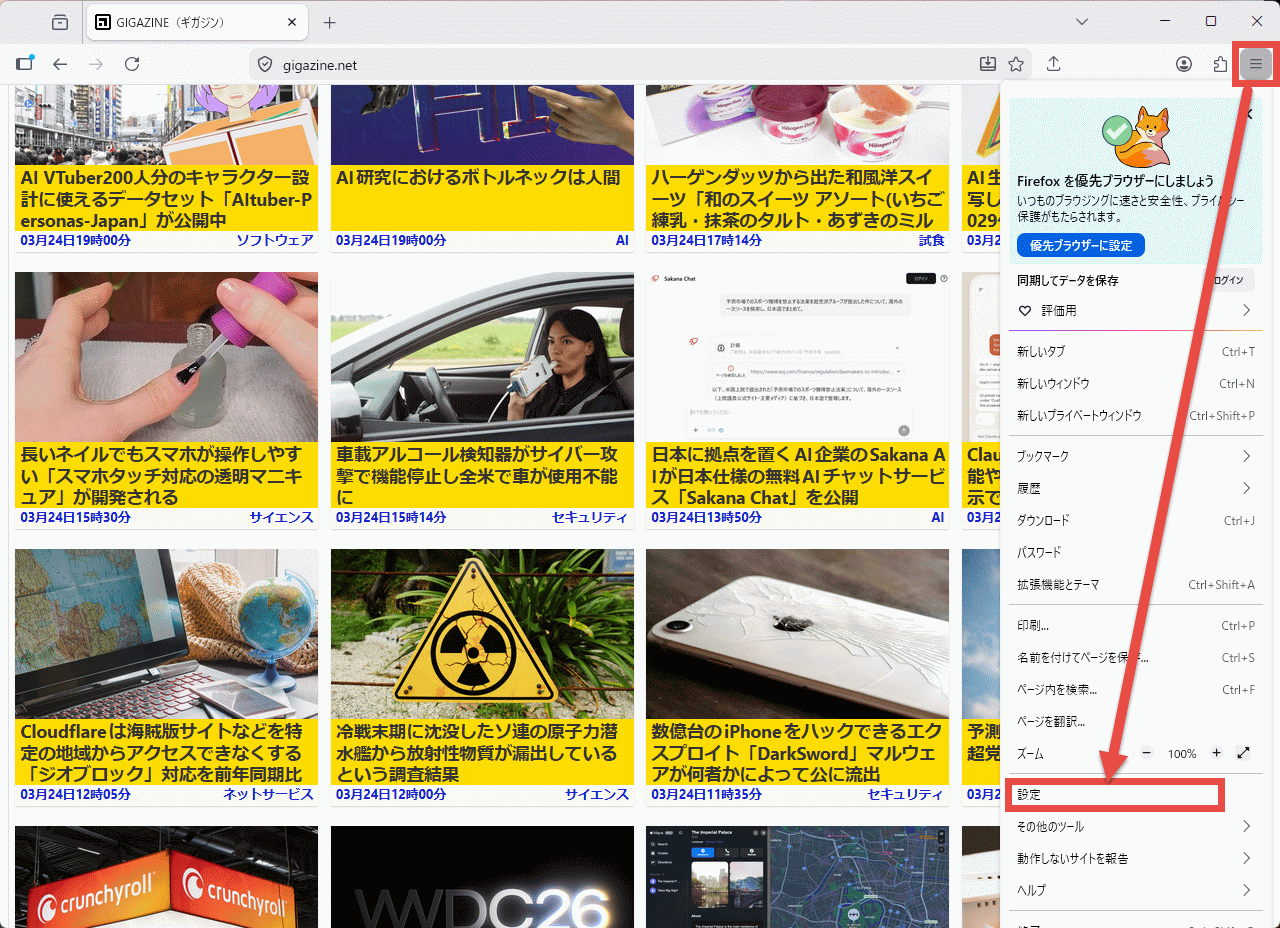
You can add a share button to your toolbar, making it easy to share your current tab using the system sharing options in Windows or macOS. To add a share button, first click the '≡' icon in the upper right corner of the screen and select 'More tools' from the hamburger menu that appears.
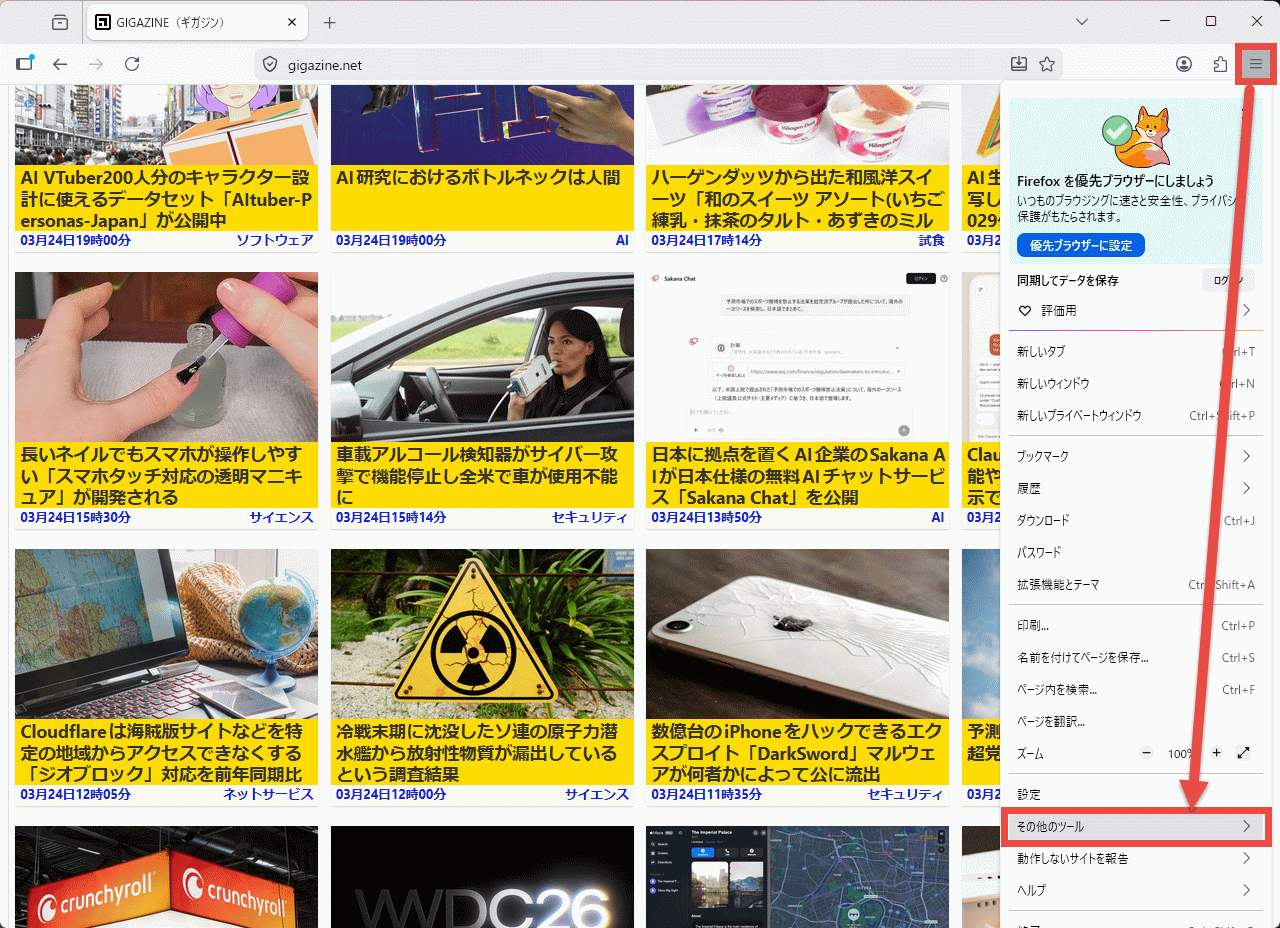
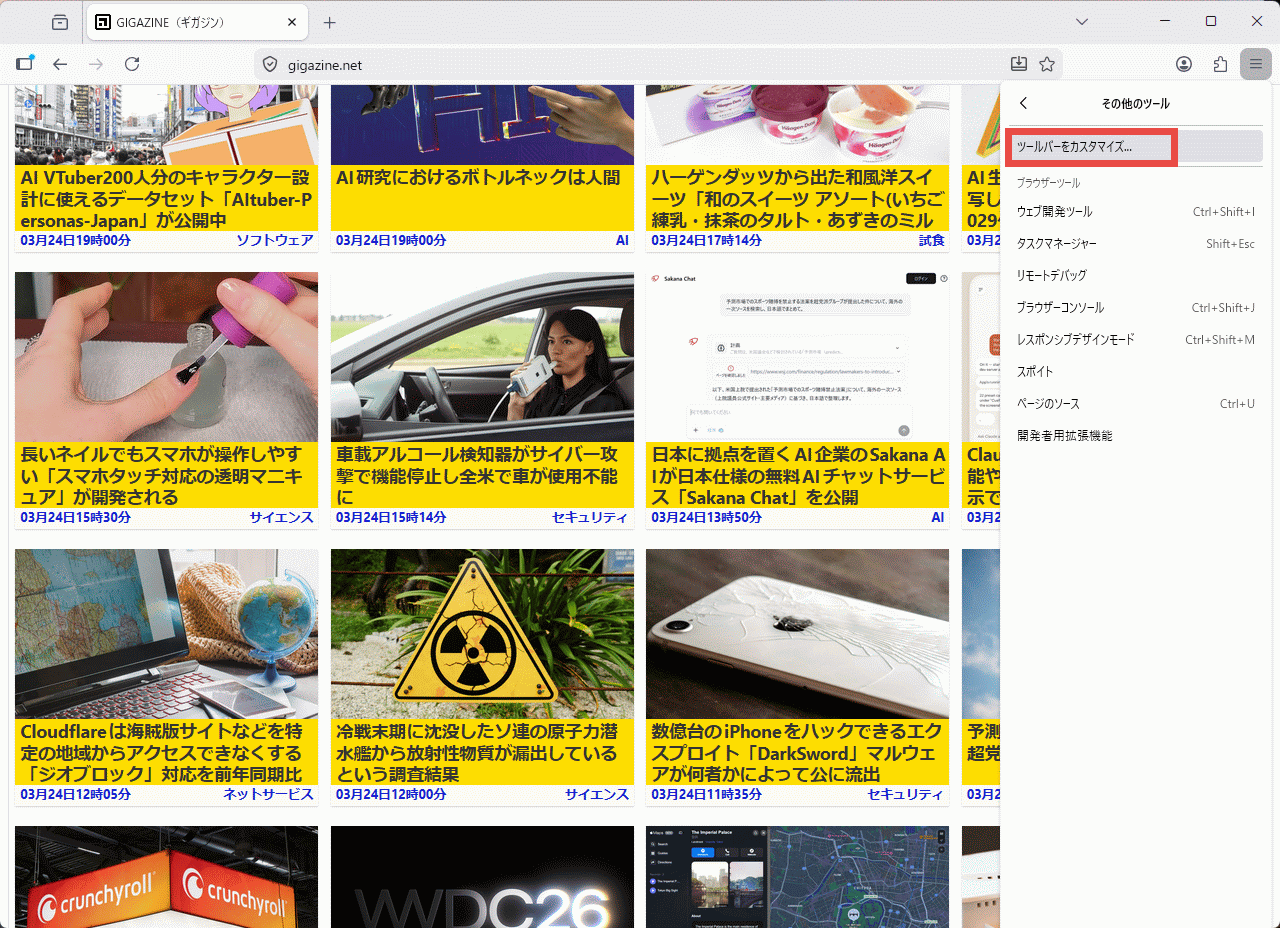
Select '
The 'Overflow Menu' screen will appear, so find 'Share'.
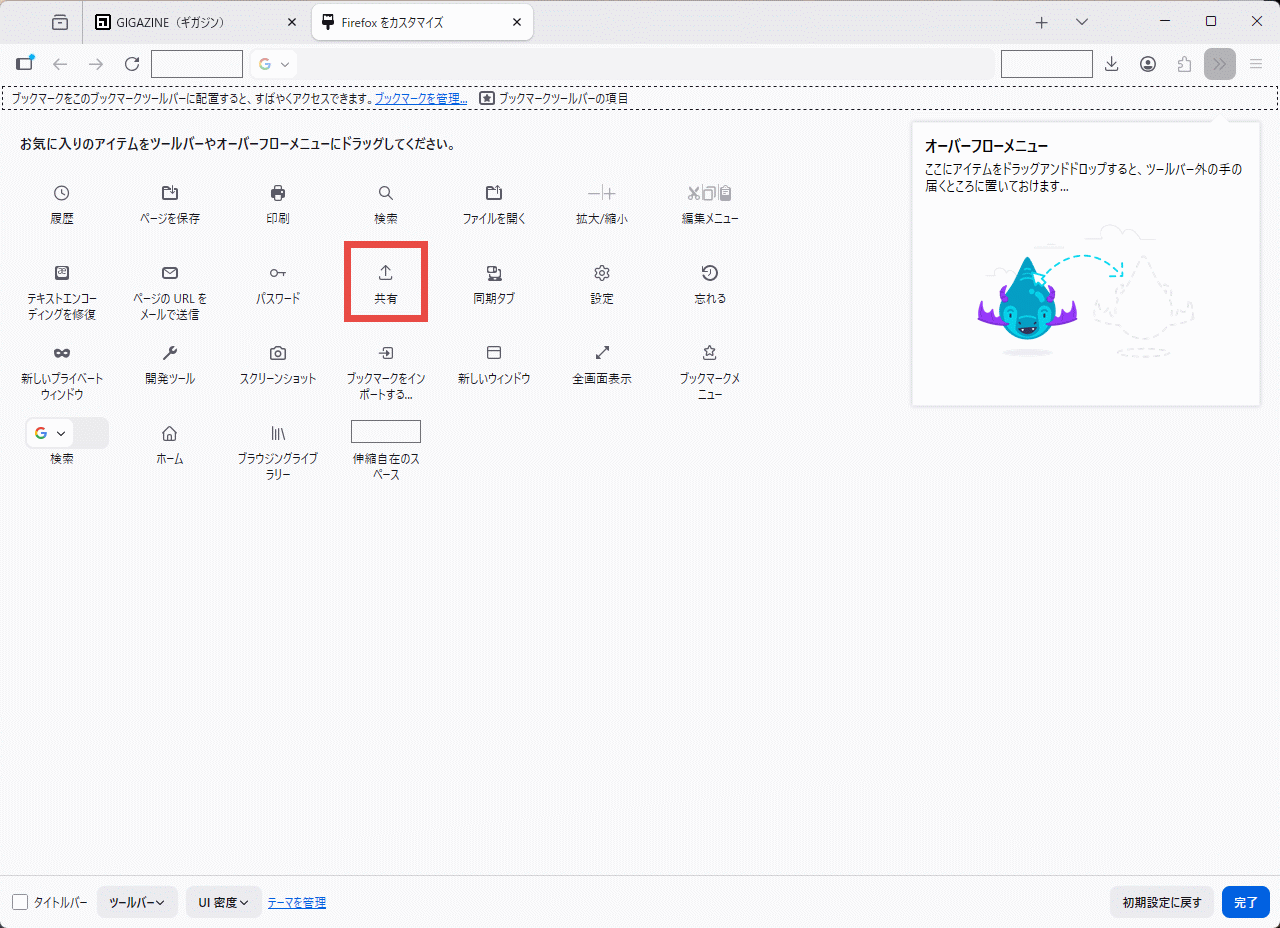
Drag 'Share' and drop it anywhere on the toolbar or overflow menu.
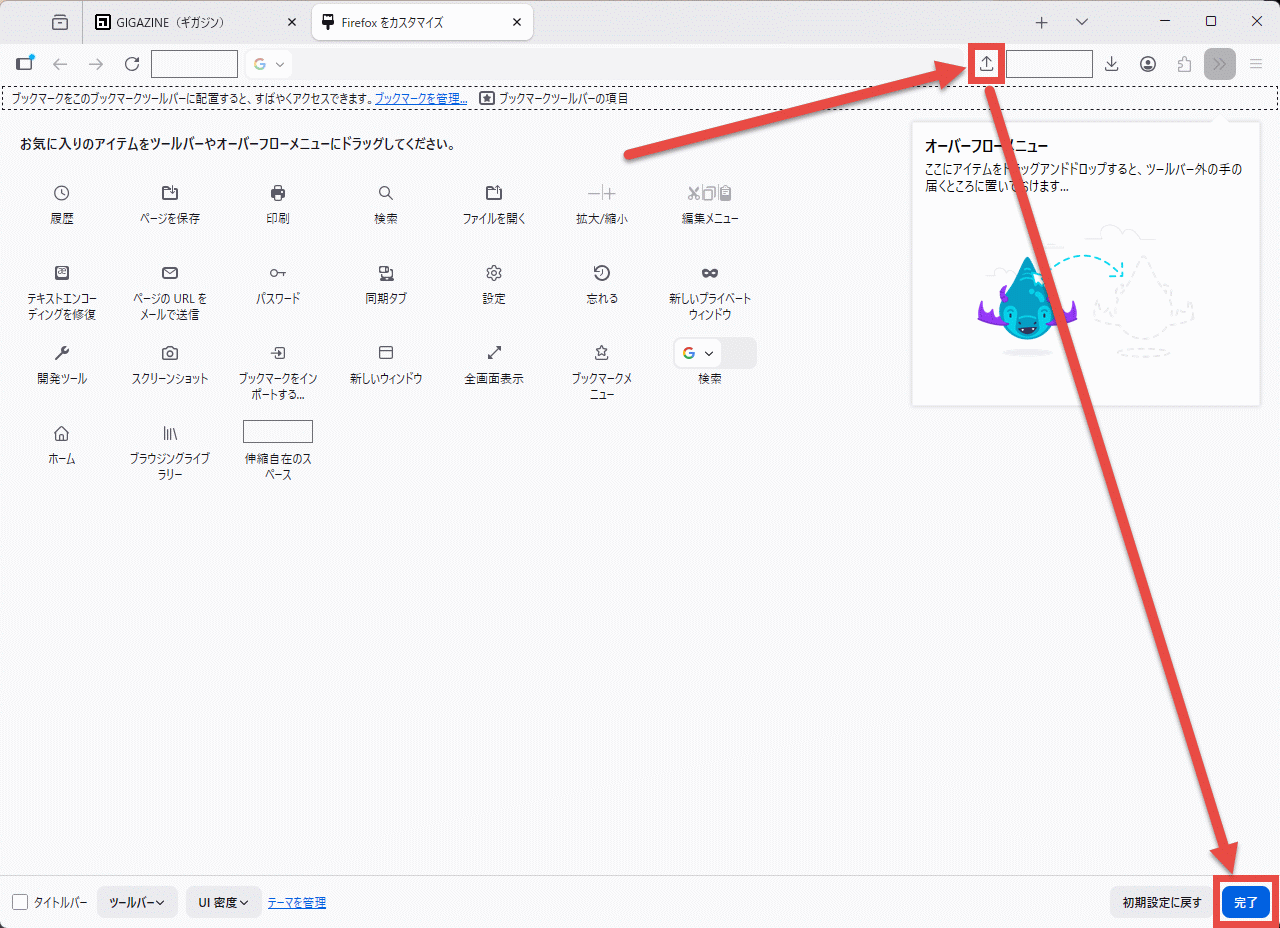
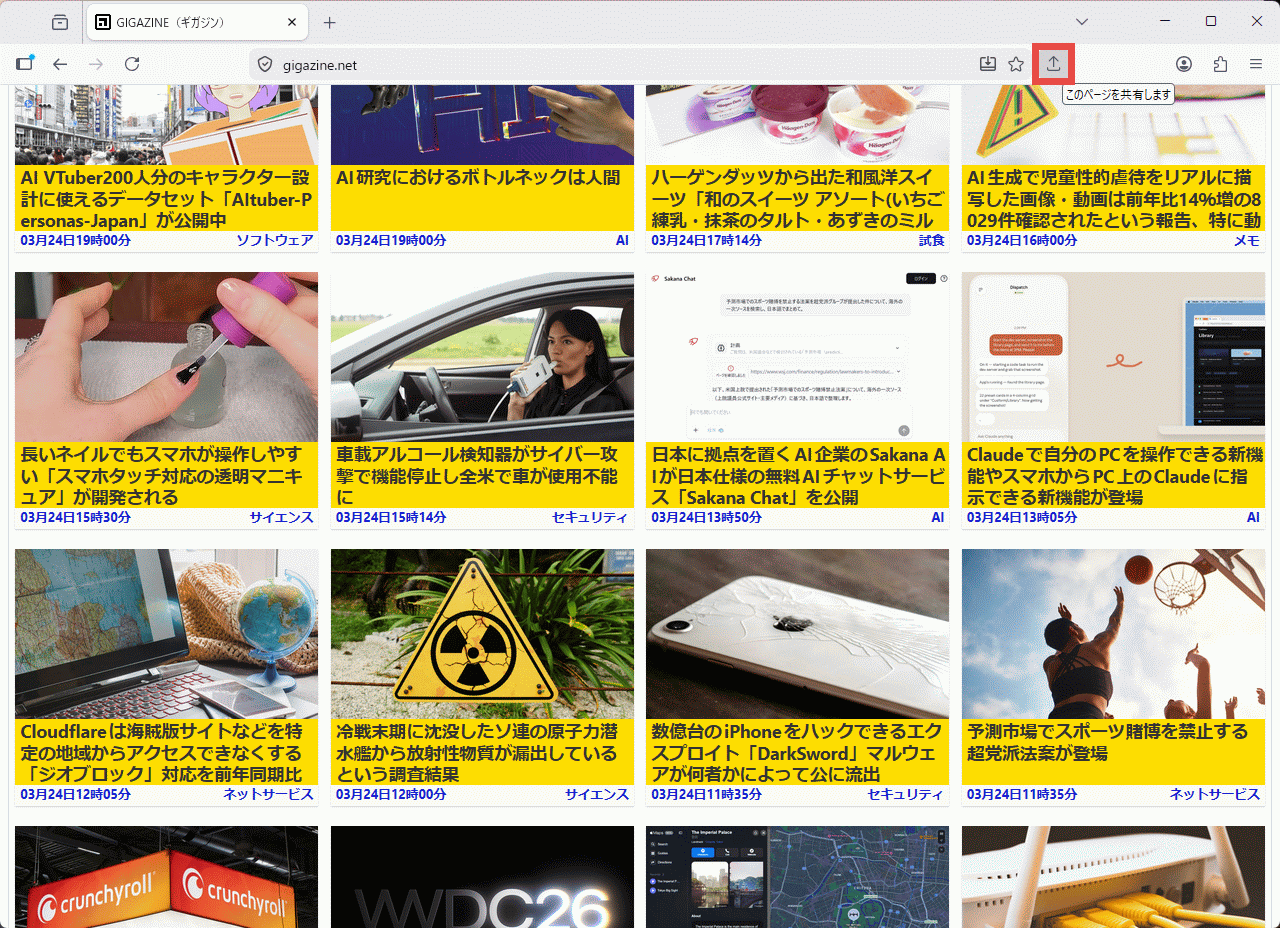
When you return to the browser's main screen, the 'Share' button will appear at the location where you dropped the file.
◆Implementation of tab note function
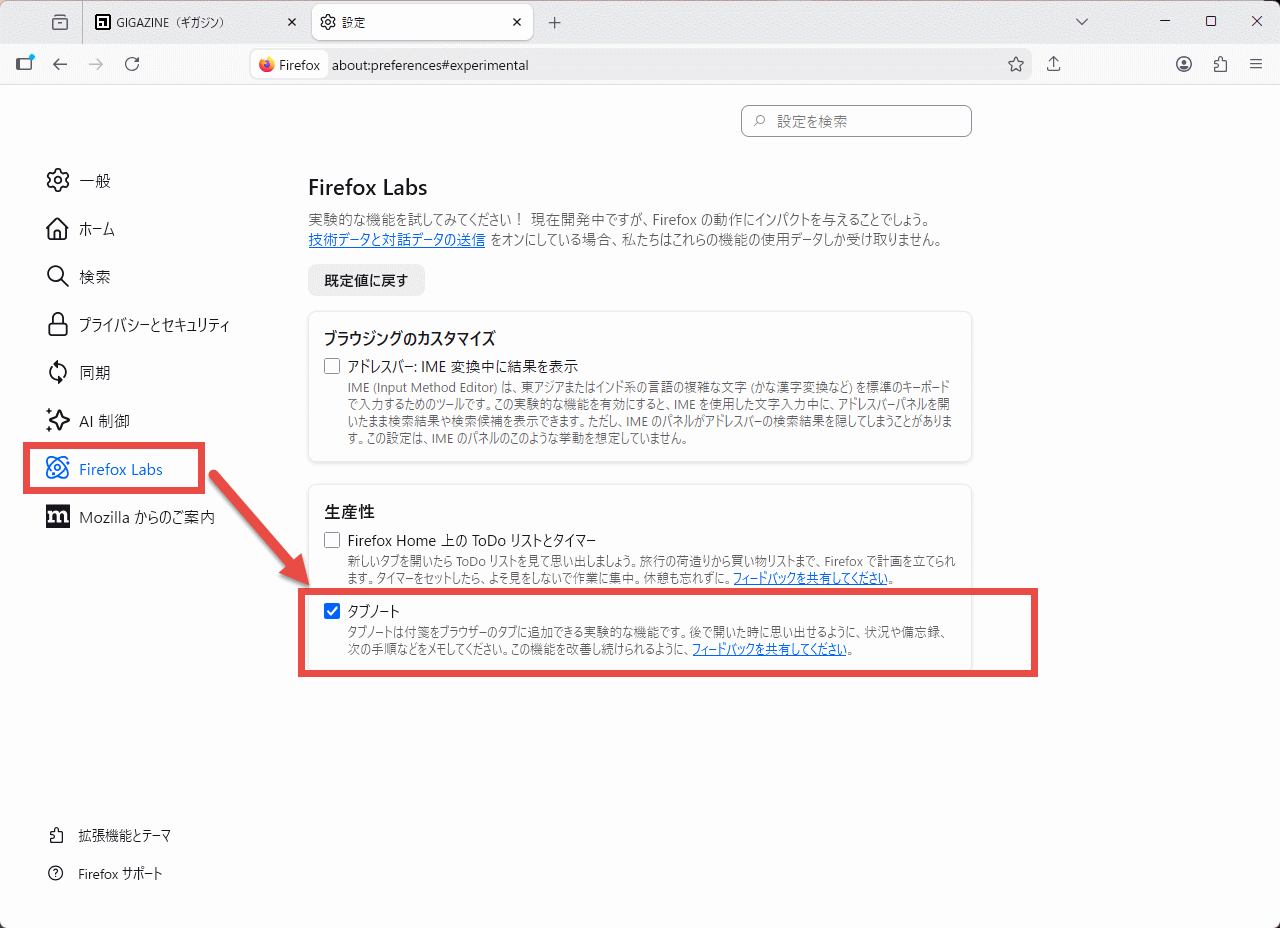
A feature that allows you to attach short notes to web pages is now available via
Once the settings screen appears, select 'Firefox Labs' from the menu on the left and check the box for 'Tab Notes'.
With tab notes enabled, right-click the tab and select 'Add Note' from the context menu that appears.
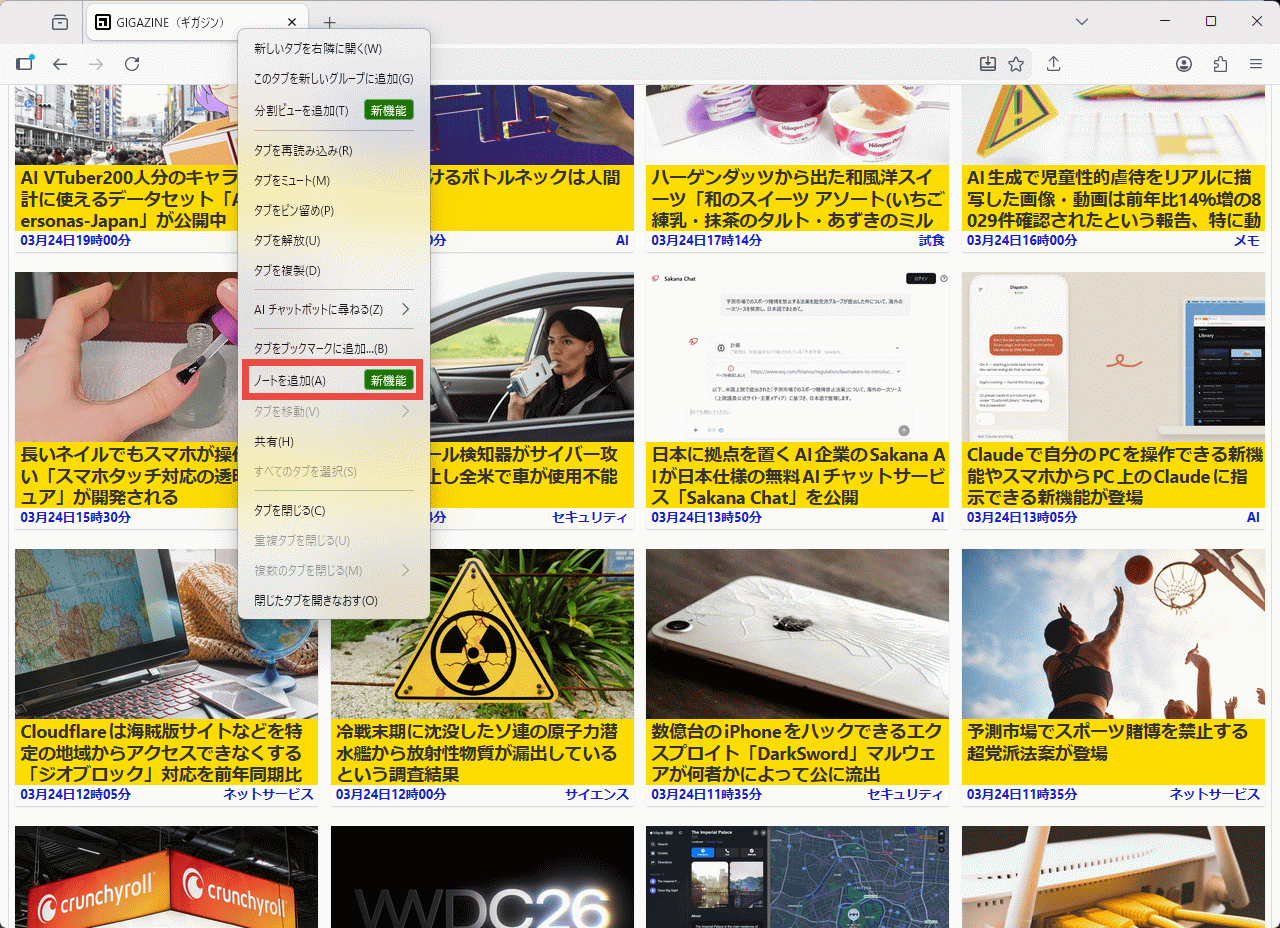
A 'Add Note' pop-up will appear, so enter your desired text and click the 'Save' button to set up the tab node.
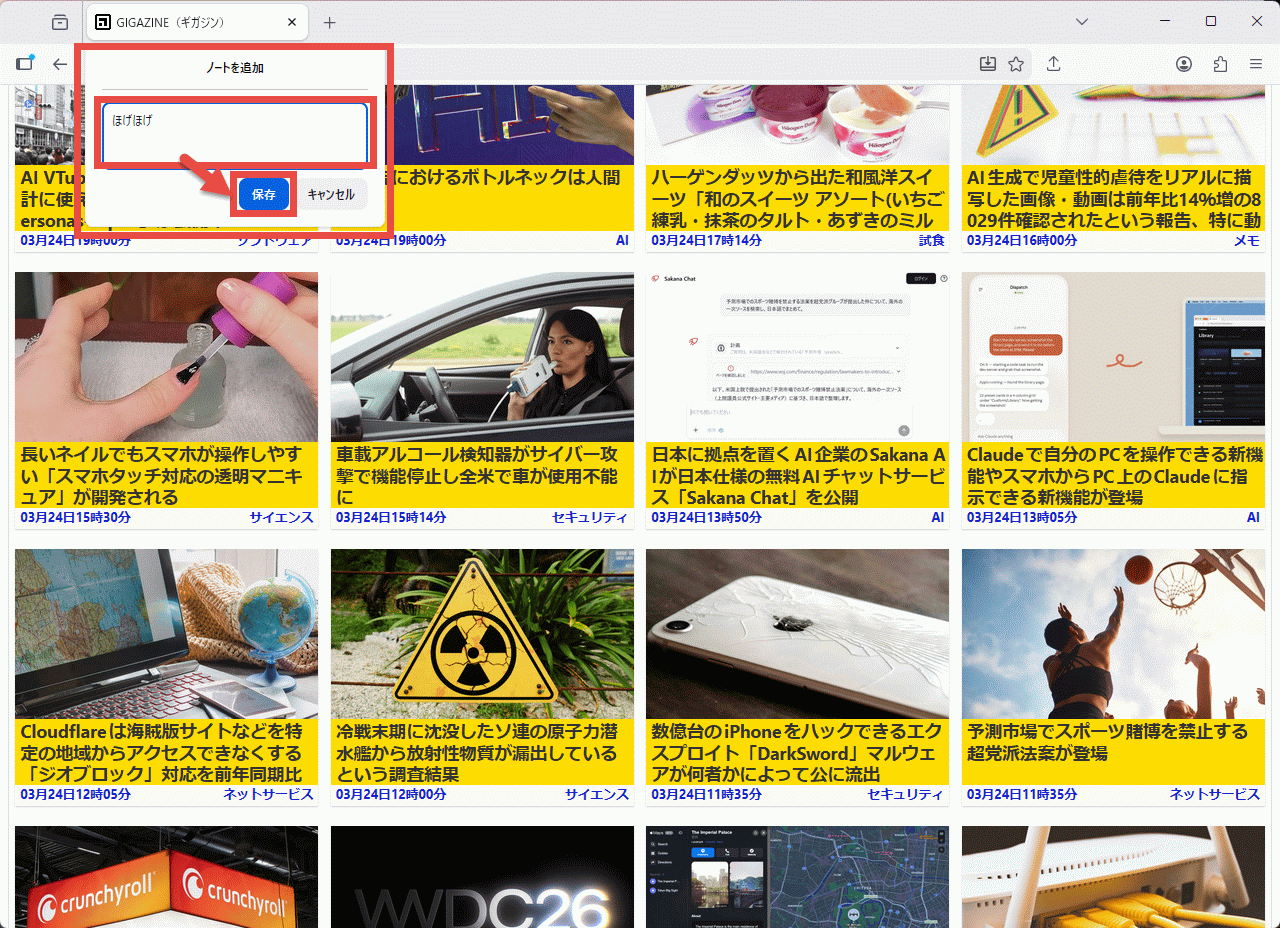
When tab notes are set, a sticky note icon will appear on the tab, and when you hover the mouse pointer over it, the set tab note will pop up.
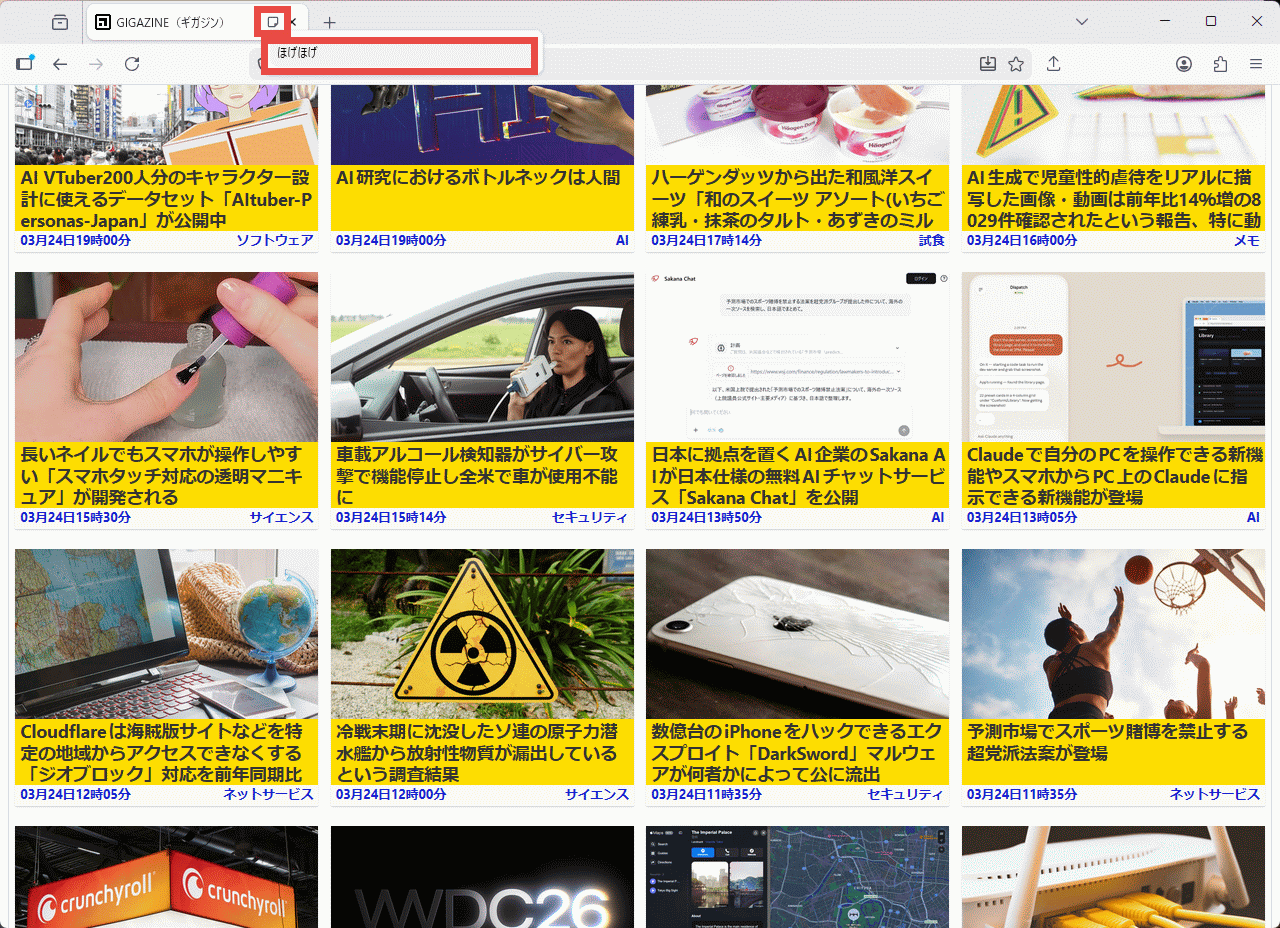
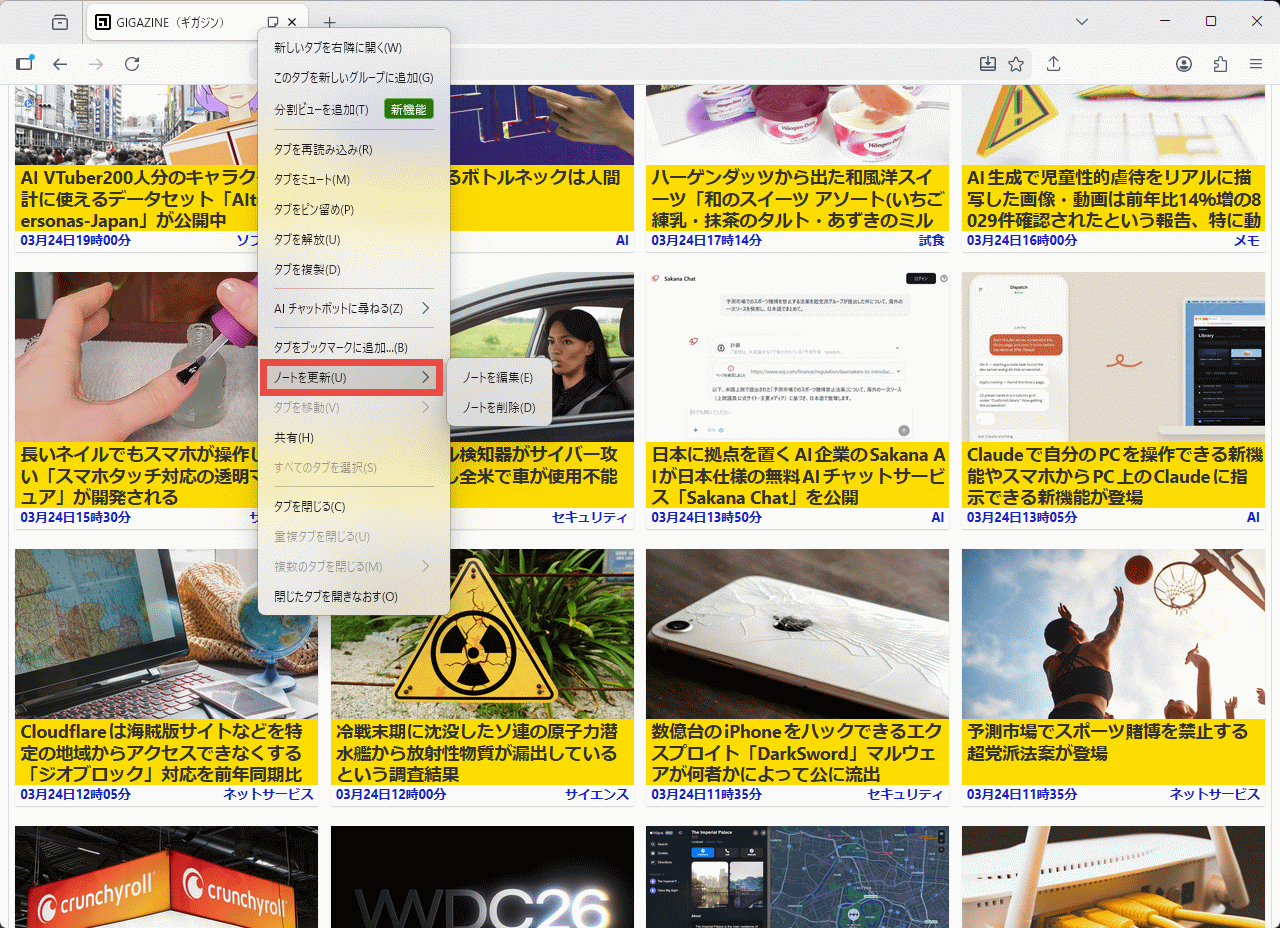
When you right-click on a tab that has a tab note set up, a context menu will appear with the option 'Update Note,' and selecting it will display submenus for 'Edit Note' and 'Delete Note.'
◆TrustPanel
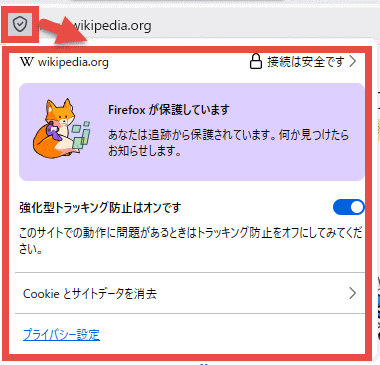
The Privacy and Security panels have been integrated, allowing you to view the privacy and security settings for the current page in one place. Click the shield icon to the left of the address bar to display the TrustPanel as a pop-up.
◆Error page refresh
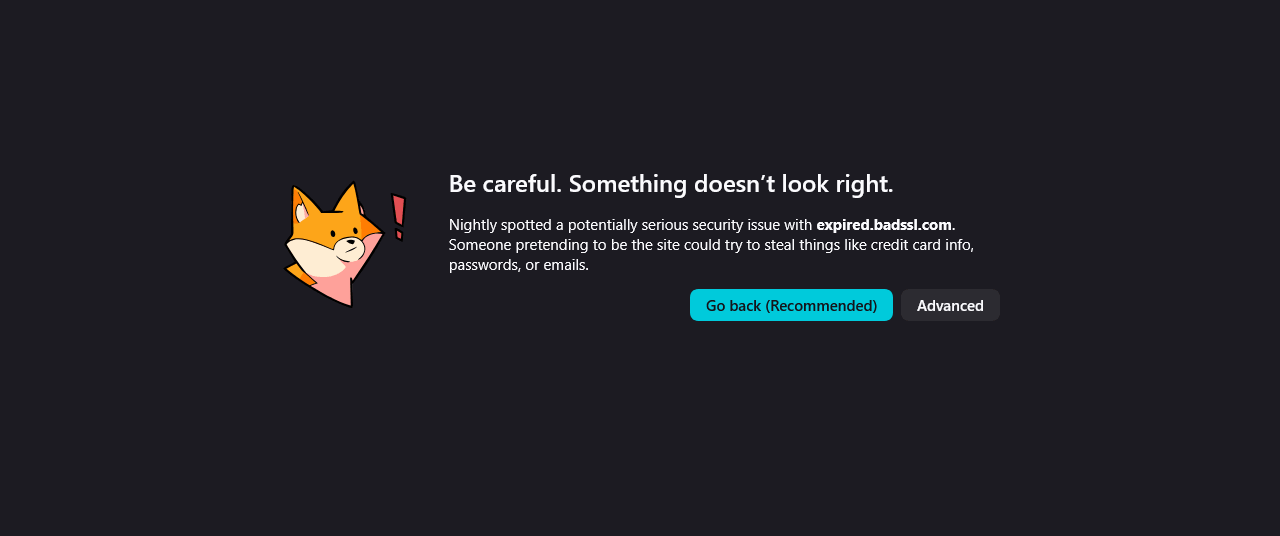
The error page design has been updated to more clearly display the problem.
◆Other updates
- Improved PDF file loading speed
- Auto-fill address : Valid in Australia, India, Italy, Poland, and Austria
- On-device translation : Bosnian, Norwegian (Bokmål), Serbian, and Thai languages added; Croatian translation accuracy improved.
- Allow images to be downloaded directly from PDF files.
- Improved robustness of HTTP/3 upload performance in unstable network environments.
- Enhanced security: The requirements for JavaScript files that can be loaded into the parent process have been tightened.
- Linux: Change the default file picker to the XDG Portal file selection dialog.
- Windows: Change the geolocation API used to Windows.Devices.Geolocation
- Storage Inspector: Added a button to the toolbar to delete all entries in the currently selected storage.
- Computed View: Displays an icon next to the computed value associated with each CSS declaration to jump to the Rules View.
- showPicker() : Supports text-based <input> elements and <datalist>.
- The shape-outside property now allows the use of xywh() and rect().
CSS: Supports the math value of font-family
- HTML attribute: Supports popover='hint'
- Media element pseudo-classes : :playing , :paused , etc. are enabled.
- The HTMLMediaElement.captureStream() API now conforms to the original specification.
- Android: Supports closing popovers and dialogs using the back button.
- Introduction of a new Reporting API
Additionally, Firefox 149 includes 46 security bug fixes .
The next major version, 'Firefox 150,' is scheduled for release on Tuesday, April 21, 2026 (local time).
Related Posts:





in Software, Posted by log1c_sh