Anthropic launches remote control feature for coding AI 'Claude Code,' allowing users to control sessions started on a PC from their smartphones
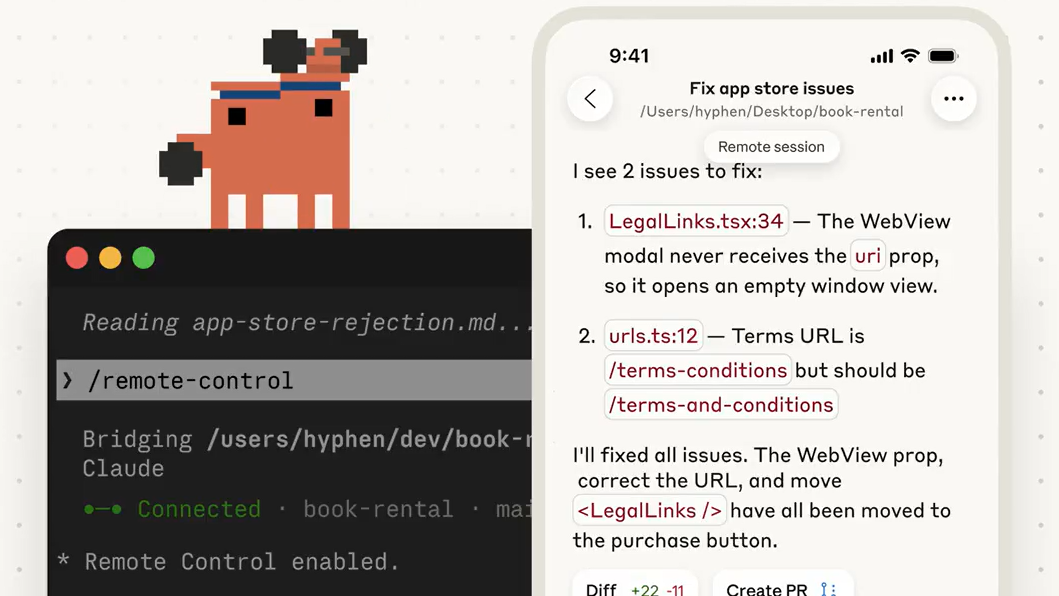
Claude Code , Anthropic's AI agent coding tool, now features a remote control feature that allows tasks started on a terminal to be taken over by a smartphone.
New in Claude Code: Remote Control.
— Claude (@claudeai) February 24, 2026
Kick off a task in your terminal and pick it up from your phone while you take a walk or join a meeting.
Claude keeps running on your machine, and you can control the session from the Claude app or https://t.co/er6Blrr63e pic.twitter.com/FxUVDecyVJ
Remote control to continue local session from any device - Claude Code Docs
https://code.claude.com/docs/ja/remote-control
Claude Code is an AI agent coding tool that allows you to search and read code, edit files, create and run tests, commit and push to GitHub, use command line tools, etc. Anthropic states, 'Claude Code has become indispensable for our team for debugging and refactoring.' They also have a successful example of creating a workflow that automates ad production and reduces work time per ad from 30 minutes to 30 seconds, even with little coding knowledge.
Anthropic automates ad production with Claude Code, reducing a 30-minute process to 30 seconds even for code-inexperienced staff - GIGAZINE
A new feature of Claude Code has been announced: remote control functionality.
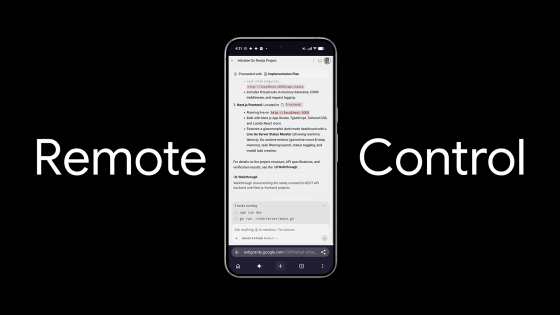
According to Anthropic, you can take over tasks started on the host terminal running Claude Code from your smartphone while you're out and about via an app or dedicated URL. Simply type 'claude rc' into the terminal to start the remote control function.
The remote control feature makes the file system, MCP server, tools, and project settings all available and synchronized across all devices connected to the same session, allowing you to work from a terminal, a browser, or a smartphone. If the laptop you are using as a terminal goes to sleep or experiences a network interruption while using the remote control feature, the session will automatically reconnect when the machine comes back online. However, if the terminal is closed, the remote control feature will not be available.
According to the official documentation, remote control sessions are end-to-end encrypted, and Anthropic never sees the code.
'The remote control feature lets you continue your work flow even when you're out for a walk,' explained Noah Zweben, project manager at Claude Code. When asked, 'How does the remote control feature work if you have multiple sessions running?' Zweben replied , 'You should be able to control multiple sessions. Each session gets its own entry in the mobile app.'
Announcing a new Claude Code feature: Remote Control. It's rolling out now to Max users in research preview. Try it with /remote-control
— Noah Zweben (@noahzweben) February 24, 2026
Start local sessions from the terminal, then continue them from your phone. Take a walk, see the sun, walk your dog without losing your flow. pic.twitter.com/43c4RJCiOS
Claude Code's remote control feature will be available in research preview for Max users from February 25, 2026, and will be available for Pro users soon.
Remote Control is now available in Research Preview for Max users, and coming soon to Pro users.
— Claude (@claudeai) February 24, 2026
Run `claude rc` to get started.
Docs: https://t.co/mdW9AaC0zM
Related Posts:
in AI, Posted by log1e_dh