Six steps from a former AI skeptic to creating AI that can be used at work

Discussions surrounding AI-based coding assistance tend to boil down to a binary choice between 'convenient' and 'dangerous,' but there is also a way to gradually find the right tool to use. Mitchell Hashimoto, a developer at HashiCorp , outlined in his blog the six steps he took to transition from chat-based usage to agent-based operations, even though he was skeptical of AI.
My AI Adoption Journey – Mitchell Hashimoto
https://mitchellh.com/writing/my-ai-adoption-journey
1: Stop trying to code chat AI
The first thing Hashimoto did was to 'stop trying to work with chat AI.' While chat AIs like ChatGPT and Gemini are useful in everyday life, they often produce 'similar code' based on learned knowledge when coding, and Hashimoto says it's inefficient because it requires humans to repeatedly say 'that's not right' to correct mistakes.
While trying to code with the chat AI, Hashimoto's first 'wow' experience was when he pasted a screenshot of the command palette from the open-source code editor ' Zed ' into Gemini and had it reproduced in SwiftUI , which generated surprisingly good code. With just a few minor modifications, that code was imported into the command palette for macOS in Hashimoto's terminal, ' Ghostty .'
However, when they tried to extend this success to other tasks, the results were unstable when making modifications based on the existing code base, and simply copying and pasting input and output increased their stress.
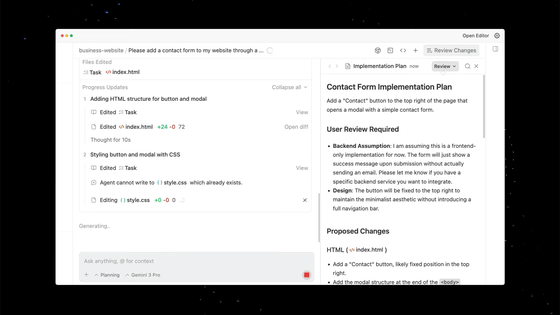
Hashimoto realized that there would be little room for growth unless the AI itself could operate the tools, rather than just being an extension of chat, and concluded that 'an AI agent is necessary to create value.'

2: Practice reproducing your work with the same quality
Next, Hashimoto tried Claude Code , but his initial impression was not good, with comments like, 'The output required a lot of tweaking,' and 'It would be faster to do it myself.'
Still, Hashimoto didn't give up and instead chose a 'double-step' approach: First, a human would code the code by hand, and then, without seeing the code written by the human, an AI agent would interact with it and code it until it achieved the same quality and functionality as the human code.
Hashimoto learned three things while training the AI in this time-consuming way: 'Instead of having the AI draw a finished picture right away, break the session down into small, specific, and actionable tasks,' 'When making a vague request, separate planning from execution,' and 'Providing a means of verification makes it easier for the AI to self-correct and reduces backtracking.'
Hashimoto also emphasizes that this approach has allowed him to identify situations where it would be better not to use an agent in the first place, saving him time.
At this stage, Hashimoto said, 'The speed of asking the AI agent and doing it myself was about the same.' However, he still didn't feel like relying on the AI made him any faster, and he still felt like he was taking care of the agent.

3: Set aside 30 minutes before work to prepare
Hashimoto's aim was to 'make progress even if it's just a little bit during the times when I can't work.' He set aside the last 30 minutes of each day to launch one or more agents. In other words, the idea was not to 'try hard during working hours,' but to 'have the AI make progress outside of working hours.' At first, this didn't work and he was frustrated, but he soon found 'categories where AI can be useful.' Hashimoto listed the following three.
・Deep investigation
When adopting a new tool or library, it's important to not only read the official documentation, but also to check things like 'how many candidates there are,' 'does the license allow commercial use,' 'has development stopped,' and 'what are the known drawbacks.' However, preliminary research requires a lot of searching and reading, which can waste time if done during times when your concentration is low.
So Hashimoto gives the AI agent criteria, has it sort out the candidates, and compiles them into a comparison memo with links. For example, he organizes them based on criteria such as 'language and license,' 'maintenance status such as last update and commit frequency,' 'pros and cons,' and 'reputation.' The next morning, he reads the memo and personally examines only the 'good candidates.'
・Parallel trial
At the idea stage before implementation, it's important to grasp early on whether something is possible, whether there are any pitfalls, and which direction is best. However, verifying each vague idea yourself takes time, requiring repeated research and small prototypes. So Hashimoto decided to have the AI agent try out multiple ideas in parallel, and receive only the results the following morning. The aim here is not to create a perfect implementation, but to gather information that will allow him to identify ideas such as 'this idea is unrealistic,' 'this is a minefield,' and 'here's an alternative.'
・Issue/PR triage
When developing on GitHub, the number of 'issues' (where bug reports and requests are written) and 'PRs (pull requests)' (which are proposed code changes) increases rapidly. As the number of issues and PRs increases, they first need to be 'triaged' by urgency and type. Hashimoto entrusts this triage to an AI agent, which uses the GitHub CLI to obtain a list and check the contents, then compiles the classification results into a report to be read the next morning.
Hashimoto said he didn't prepare the AU agents overnight, instead completing most tasks within 30 minutes. He says that since people get tired and less productive near the end of the day, using that time for preparations helped him start the next morning feeling better.

4. Only ask AI to do tasks that are guaranteed to succeed, and turn off notifications
At this point, Hashimoto felt that the areas where AI was good and bad at solving problems had become clear, and after looking at the results of the previous night's triage, he selected issues that he judged to be 'mostly solvable by an AI agent,' ran them one by one in the background, and then moved on to other tasks.
What Hashimoto emphasizes here is 'not interrupting work with notifications from the AI agent.' If you are suddenly called during implementation, it takes time for you to remember what you were thinking and return to your original task. Hashimoto recommends not being 'called' by the AI agent, but instead checking the progress yourself at convenient intervals.
Hashimoto says that this parallel running of AI and humans counters the concern that ' relying on AI will not improve skills .' The idea is that while tasks left to AI result in less skill development, tasks that you continue to do yourself will naturally improve your skills, making it possible to adjust the trade-off.
At this stage, Hashimoto felt like he couldn't go back. He said that using AI not only improved his efficiency, but also allowed him to focus on the tasks he liked and get the least amount of work done on the tasks he didn't like.

5. Build a harness to prevent repeating mistakes
To bring AI agents closer to practical use, Hashimoto says it's important not to just have humans fix things when things go wrong and leave it at that. He calls this 'harness engineering,' the idea of adjusting the environment so that the same mistake won't be repeated the next time the same request is made.
There are two main ways to do this.
The first is to develop rules for the AI agent. For example, rules such as 'Use this command in this project,' 'Don't use this API,' and 'Verify using this procedure' can be written as a set of rules in a file like 'AGENTS.md,' and if the AI agent chooses the wrong command or searches for a non-existent API, Hashimoto explains, the failure can be added to the set of rules.
The second method is to prepare tools to quickly check whether something is correct. For example, if you prepare auxiliary scripts that 'automatically take screenshots' or 'quickly run only the relevant tests' to check whether the screen display is corrupted, it will be easier for the AI agent to check for itself whether the problem is really fixed, even though it thought it had been fixed.
Hashimoto also states that it would be effective to write down the existence of these tools in the rule book and inform the AI agent about them.
Hashimoto says that he is gradually developing the harness, with the attitude that if a problem occurs, 'we will add rules and tools to prevent it from recurring,' and if it works well, 'we will increase the means to confirm that it is working correctly.'
6: Always aim to keep the AI agent moving
Hashimoto's stated goal is to 'have the AI agent running all the time,' but he says that currently the AI agent is only able to run in the background for about 10% to 20% of a normal work day, so 'it's still just a goal.'
Hashimoto also uses a 'slow but thorough' model like the Deep mode of the AI agent provided by Amp , which takes more than 30 minutes even for small changes, but tends to produce good results.
However, Hashimoto says that one AI agent is a good balance between manual tasks and a 'robot friend that needs to be looked after but is somehow productive,' and that 'for now, I don't want to run multiple AI agents simultaneously.'

Hashimoto's post has also become a hot topic on the social message board Hacker News.
My AI Adoption Journey | Hacker News
https://news.ycombinator.com/item?id=46903558
One user praised the post overall, calling it 'well-balanced and not overly hyped,' and commented that 2025 may be a turning point for skeptical developers to start incorporating AI agents into their workflows, saying, 'You should just give it a try.'
Some have expanded on the concept of 'harness engineering' that Hashimoto emphasizes, and have suggested that rule sets like AGENTS.md represent 'maturity.' One user wrote , 'Rather than just eliminating common mistakes, if you turn those mistakes into rules like vaccinations and build up those rules, the harness will work like an immunity.'
Some comments argued that 'there's no mention of the cost or the time it takes to get good results. The more convenient a use may seem, the more expensive it could end up being.'
Related Posts: