'AutoShorts' automatically generates short videos from long gameplay footage
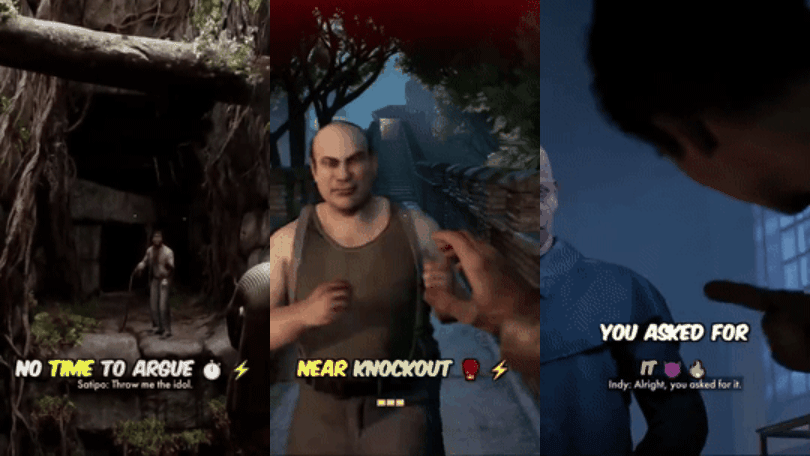
' AutoShorts ' has been released, which uses AI to analyze and extract important scenes from long gameplay footage and automatically generate short vertical videos with subtitles and narration in a local environment.
divyaprakash0426/autoshorts: Automatically generate viral-ready vertical short clips from long-form gameplay footage using AI-powered scene analysis, GPU-accelerated rendering, and optional AI voiceovers.
https://github.com/divyaprakash0426/autoshorts
◆Sample
This is a sample of the video that will be created.

◆Main features of AutoShorts
・AI-based scene analysis function
Scene analysis uses either OpenAI or Google Gemini to automatically classify and extract scenes within videos into seven categories.
| Categories | Content |
|---|---|
action | Battle scenes, tense situations, close battles |
funny | Failures, bugs, unexpected funny scenes, and comical situations |
clutch | One-against-many situations, comebacks, and last-minute victories |
wtf | Unexpected events, surprising moments, and confusion |
epic_fail | A crucial mistake that leads to defeat |
hype | The celebration scene and the climax |
skill | Trick shots, intelligent plays, advanced techniques, impressive scenes |
・Subtitle generation function
It uses OpenAI's Whisper to transcribe audio, and even if there is no audio, it will generate captions based on the gameplay. You can also choose from the following subtitle styles:
| style | Content |
|---|---|
gaming | For games |
dramatic | Dramatic performance |
funny | Expressions that emphasize fun |
minimal | Simple Expression |
Genz | Uses a lot of Gen Z slang |
story_news | Story Mode: Professional eSports Commentator |
story_roast | Story Mode: Sarcastic and harsh comments |
story_creepypasta | Story mode: Horror-themed, tense narration |
story_dramatic | Story Mode: Epic cinematic narration |
auto | Automatically detects and adjusts style |
By connecting with PyCaps , you can select subtitle templates, and AI can automatically change fonts to match categories and add emojis.
・AI narration function
Speech generation engine: Uses ' Qwen3-TTS ', which generates unique speech from natural language descriptions.
Dynamic Voice Generation: AI automatically generates voice characters based on the style and content of your captions.
Style-adaptive audio: Each subtitle style has its own audio preset.
Natural language instructions: Voice characteristics can be defined by text prompts.
Ultra-low latency processing: Flash-attention optimizes inference processing, generating audio with ultra-low latency.
Multilingual support: Supports over 10 languages including English, Chinese, Japanese, and Korean.
Smart Mixing: A feature that automatically attenuates game audio when audio commentary is playing.
◆Install AutoShorts
This time, we will install it on Windows 11 with an NVIDIA GPU and Ubuntu set up on WSL2 . Note that the NVIDIA Container Toolkit must be installed. Clone the project and move it to the autoshorts folder.
 git clone https://github.com/divyaprakash0426/autoshorts.git
 cd autoshorts
In the case of wsl2, building 'decord' fails, so comment out the 10th step in the Dockerfile and add 'RUN pip install --no-cache-dir decord'.
 # 10. Build Decord with CUDA support
 #RUN git clone --recursive https://github.com/dmlc/decord && \
 # cd decord && \
 # mkdir build && cd build && \
 # cmake .. -DUSE_CUDA=ON -DCMAKE_BUILD_TYPE=Release \
 # -DCUDA_nvcuvid_LIBRARY=/usr/lib/x86_64-linux-gnu/libnvcuvid.so && \
 # make -j$(nproc) && \
 # cd ../python && \
 # python setup.py install && \
 # cd /app && rm -rf decord

 RUN pip install --no-cache-dir decord
Additionally, comment out the RUN command for 'Verify installations'.
 # Verify installations
 #RUN python -c 'import torch; import flash_attn;…'
Build the Docker container.
docker build -t autoshorts .
Start the container.
docker run -it --gpus all autoshorts bash
Once inside the container, run the following command, which may vary depending on your environment.
 ln -sf /usr/lib/x86_64-linux-gnu/libnvcuvid.so.1 \
 /usr/lib/x86_64-linux-gnu/libnvcuvid.so

 echo '/usr/lib/x86_64-linux-gnu' >> /etc/ld.so.conf.d/nvdec.conf
 ldconfig

 apt-get update
 apt-get install -y --no-install-recommends \
 libavcodec-dev libavformat-dev libavutil-dev libavfilter-dev \
 libavdevice-dev libswresample-dev libswscale-dev pkg-config

 cd /app
 git clone --recursive https://github.com/dmlc/decord
 CD Decor
 mkdir build && cd build

 cmake .. -DUSE_CUDA=ON -DCMAKE_BUILD_TYPE=Release
 make -j'$(nproc)'

 cd ../python
 python setup.py install

 cp -f /app/decord/build/libdecord.so /usr/lib/x86_64-linux-gnu/
 ldconfig
Open another terminal and check the ID of the running container.
docker ps
Specify the container ID and create an image named 'autoshorts-fa'. Once the image is saved, exit from the container that ran pip.
docker commit 'container ID' autoshorts-fa
Copy '.env.example' as '.env'.
cp .env.example .env
Edit the '.env' file to set the settings. This time, we changed the following to use Gemini to output subtitles in Japanese. Replace the Gemini API key with the one you obtained.
 AI_PROVIDER=gemini
 GEMINI_API_KEY=your-gemini-api-key
 GEMINI_MODEL=gemini-3-flash-preview
 TTS_LANGUAGE=ja
Create a 'gameplay' folder and place the source video. In this example, we have prepared a
mkdir gameplay
Start the container and run autoshorts.
 docker run --rm \
 --gpus all \
 -v $(pwd)/gameplay:/app/gameplay \
 -v $(pwd)/generated:/app/generated \
 --env-file .env \
 autoshorts-fa \
 python run.py
The generated clips and log files are saved in the 'generated' folder as follows:
 generated/
 ├── video_name scene-0.mp4 # Rendered short clip
 ├── video_name scene-0_sub.json # Subtitle data
 ├── video_name scene-0.ffmpeg.log # Render log
 ├── video_name scene-1.mp4
 └── ...
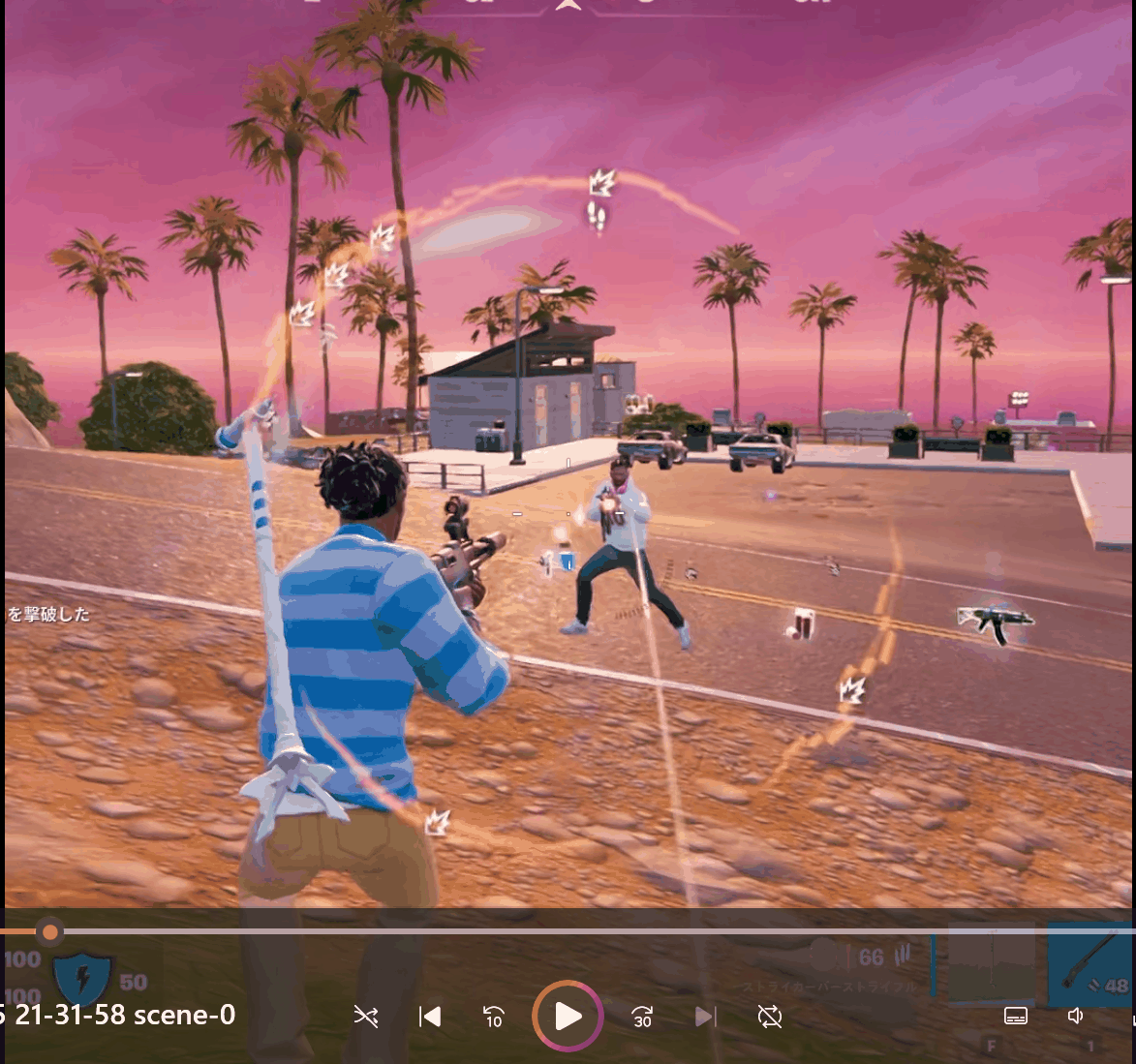
When I checked the created short video, I saw that the battle scenes from the original video had been successfully cut out. There was an error and the subtitles didn't add up, but just being able to automatically create cut-out videos of dynamic situations is convenient enough.
In a post on the overseas message board Hacker News , creator Divyaprakash explained his motivation for developing the tool, saying, 'I was dissatisfied with the high usage fees and slow operation of many existing AI tools. I wanted to create a tool for developers that would make the most of the performance of their PCs and run smoothly with command operations.'
Related Posts: