There is a risk of information leakage when 'blacking out' PDF files
High-Security PDF Redaction
(PDF file) https://pdfa.org/wp-content/uploads/2020/06/High-Security-PDF-Redactions-v4a_2.pdf
When editing PDFs to prevent information leaks, text is often redacted to remove or obscure specific information, a practice that has been widely used in legal and confidential documents.
However, with the spread of optical character recognition (OCR) and PDF, simply blacking out text poses a risk of information leakage, the PDF Association points out.
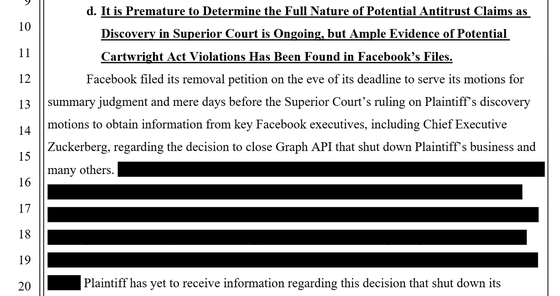
For example, the PDF file below is a court document submitted to the court in a lawsuit over Facebook's data access practices. In this type of document, some text is redacted to hide some information, as shown below:
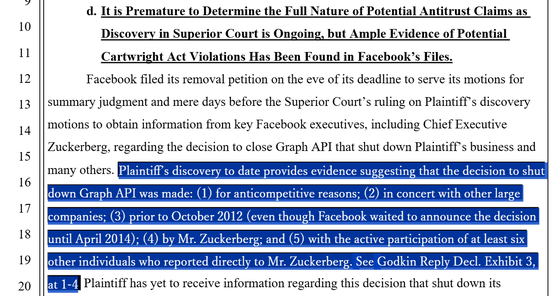
However, by selecting the blacked-out area, the original text could be copied. Even if you erase, black out, or hide text, the information may remain within the PDF. The PDF Association pointed out that 'many older or simpler tools cannot completely remove hidden text.'
Therefore, the PDF Association recommends that you recreate the PDF as a way to properly remove text from a PDF file.
Here's how to properly delete text:
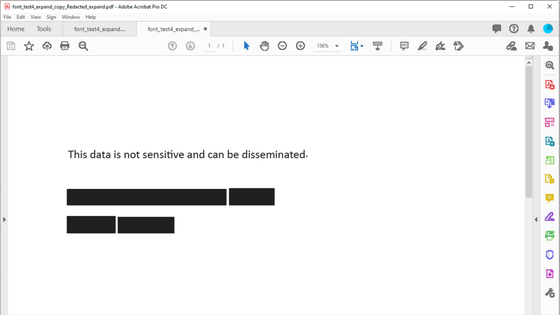
1: Render the PDF (removing hidden information by converting the PDF into simple pixel information)
2: Black out the part of the text you want to delete
3: Render each page of the PDF as a bitmap image (resolution of 300 dpi or higher recommended)
4: Output a new PDF from the rendered image
5: Recognize the text using OCR and verify that the blacked-out areas can be selected or searched.
The PDF Association lists the following existing software as examples of software that can be used to properly remove information from PDFs:
Ghostscript
・MuPDF
Related Posts:



in Security, Posted by logu_ii