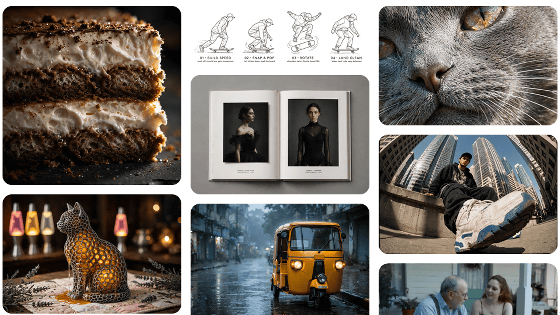
Grok's image generation AI has been updated to 'Imagine Image 2.0,' so I tried it out. It supports both realistic and illustrative styles, and can even display text.
SpaceXAI released its image generation AI, ' Imagine Image 2.0, ' on August 7, 2026. Since it was available even for free Grok users, I actually generated several images to test its performance.
Imagine Image 2.0 | SpaceXAI
Imagine Image 2.0 was developed with the goal of 'generating images usable for work.' It is said to be able to faithfully follow prompts down to the smallest detail and to render text clearly. It is already available in Grok, so I will try it out. First, access Grok from the following link.
Miki
https://grok.com/
Click 'Imagine' in the left sidebar.
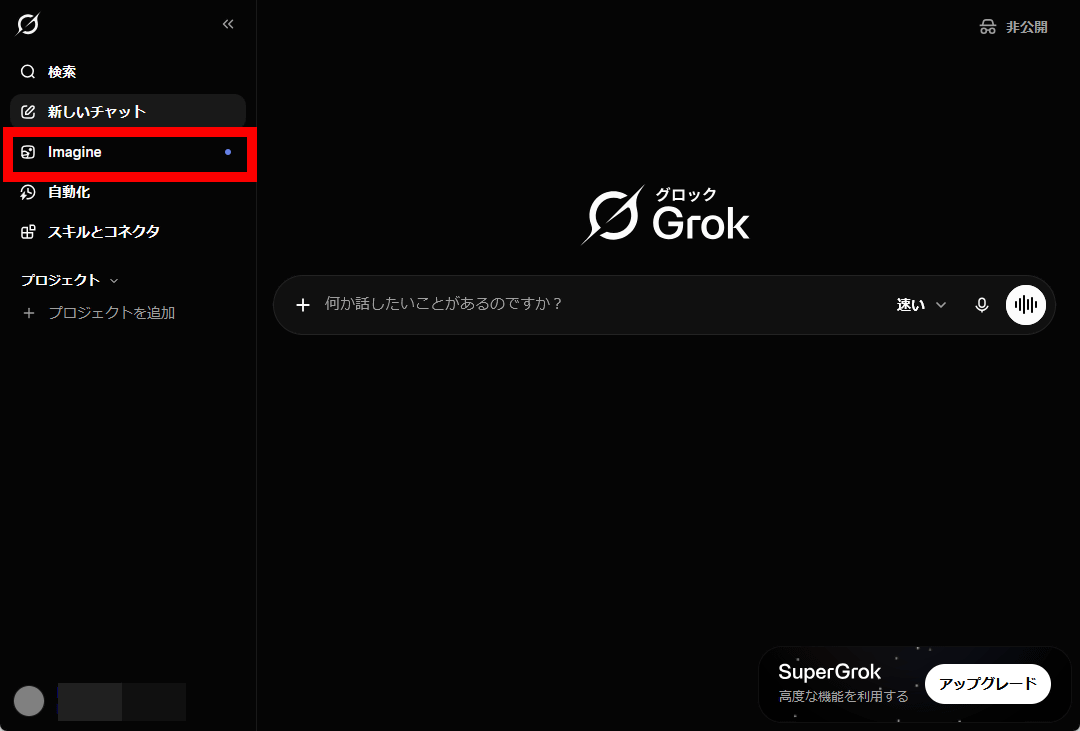
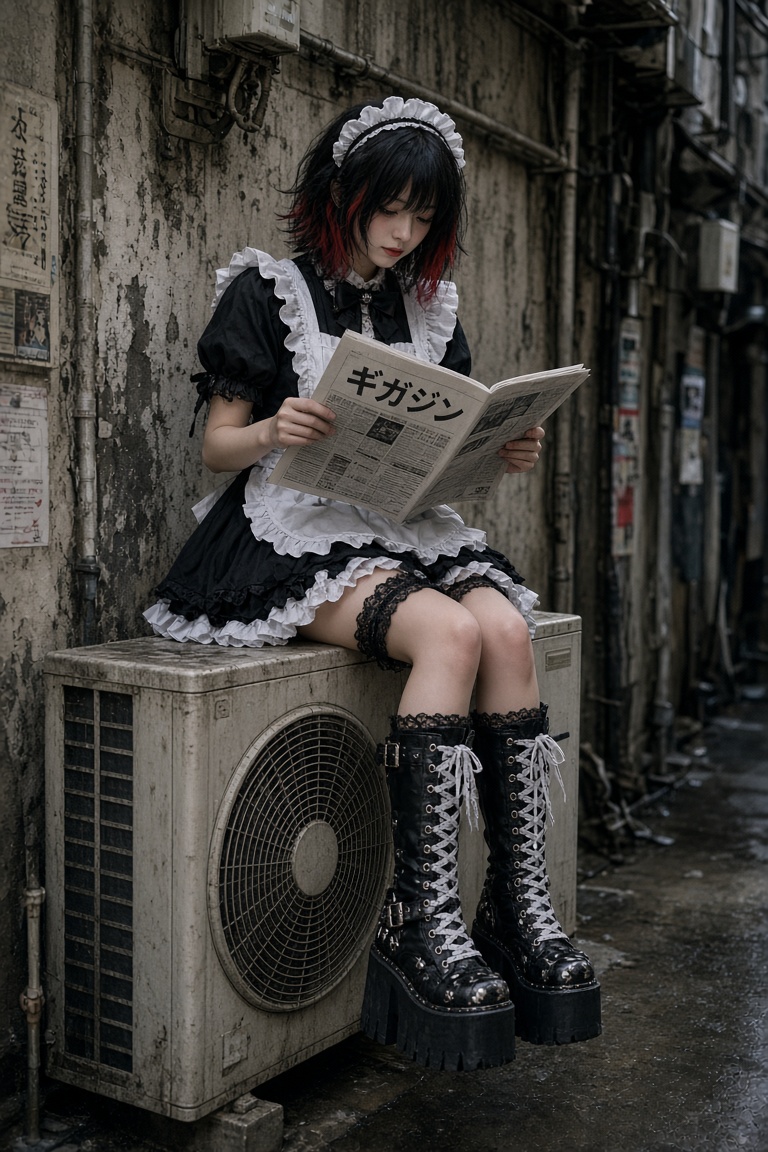
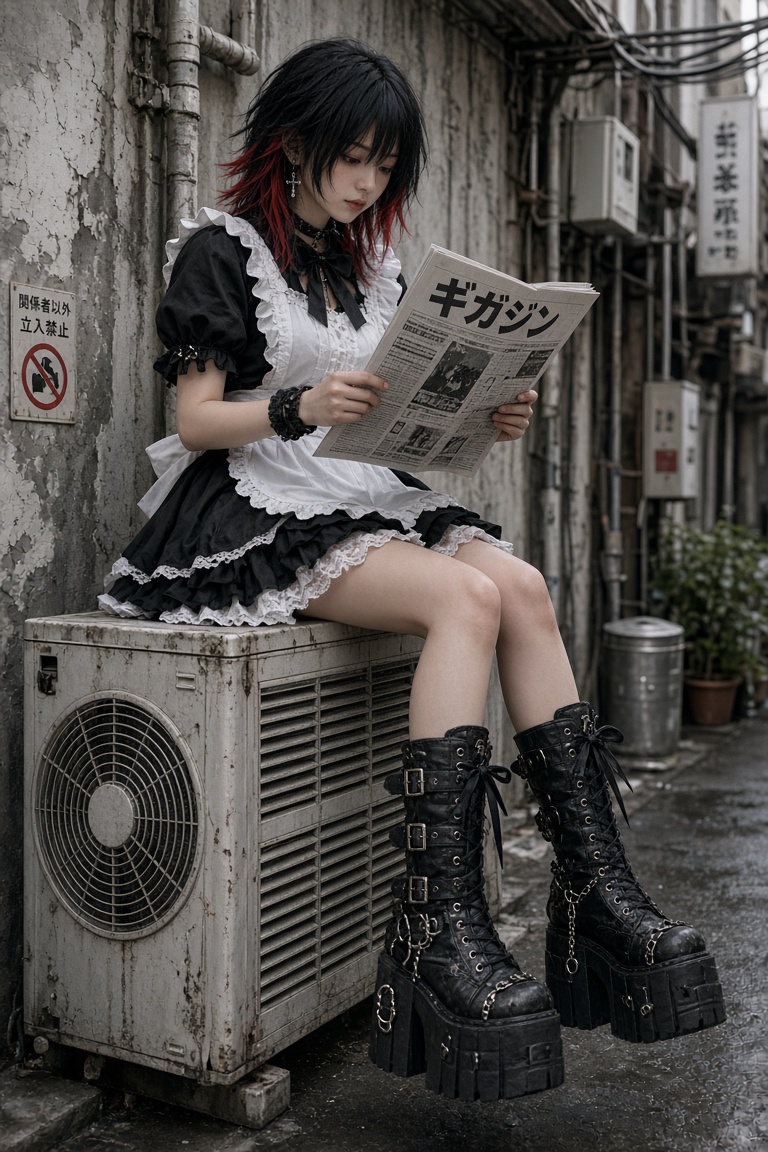
Enter a description (prompt) for the image you want to generate and click the submit button. This time, I want to generate a realistic-looking image, so I entered: 'Realistic. A maid sitting on top of an air conditioner unit in an alley, reading a newspaper. Black wolf cut with red highlights. Mini skirt, gaudy boots. The newspaper says 'Gigazine' .'
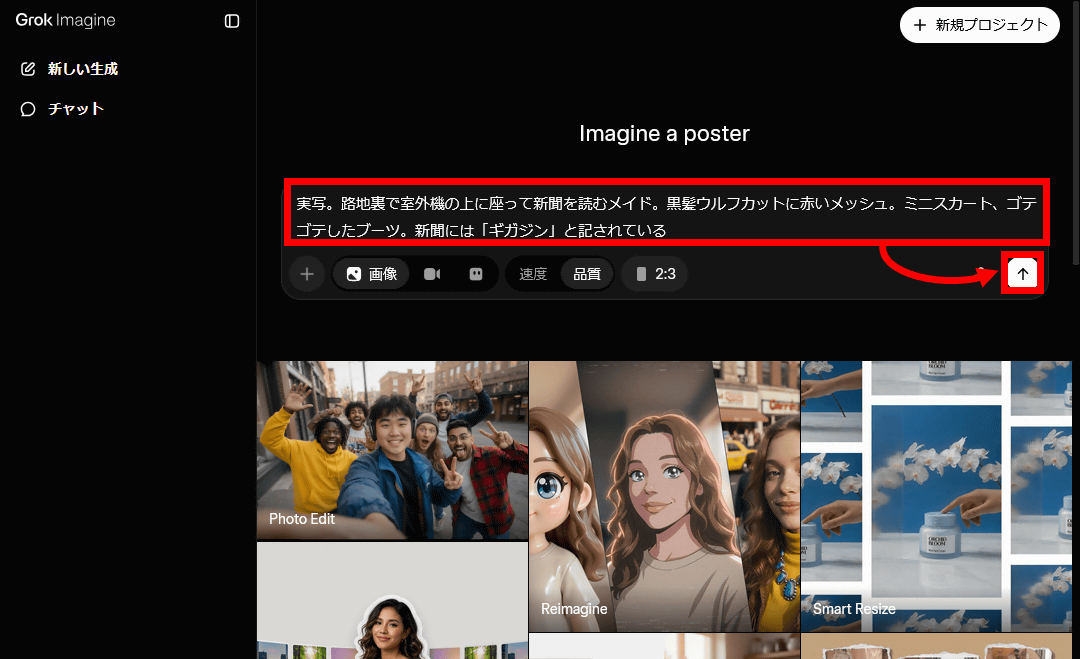
After waiting for a while, two images were generated.
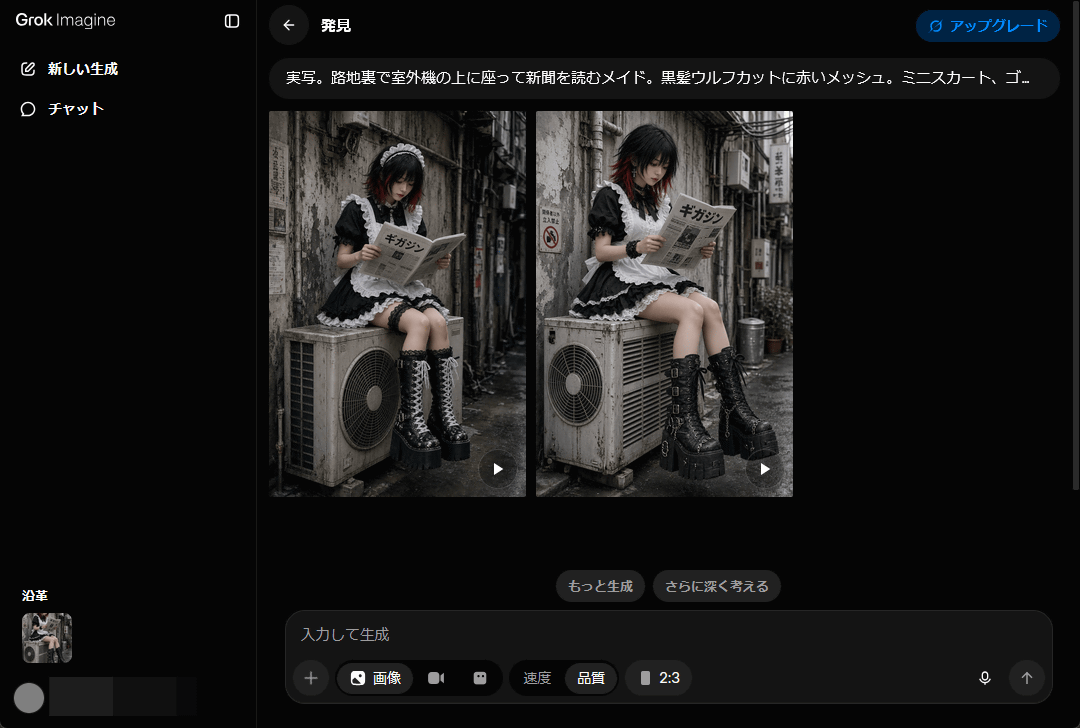
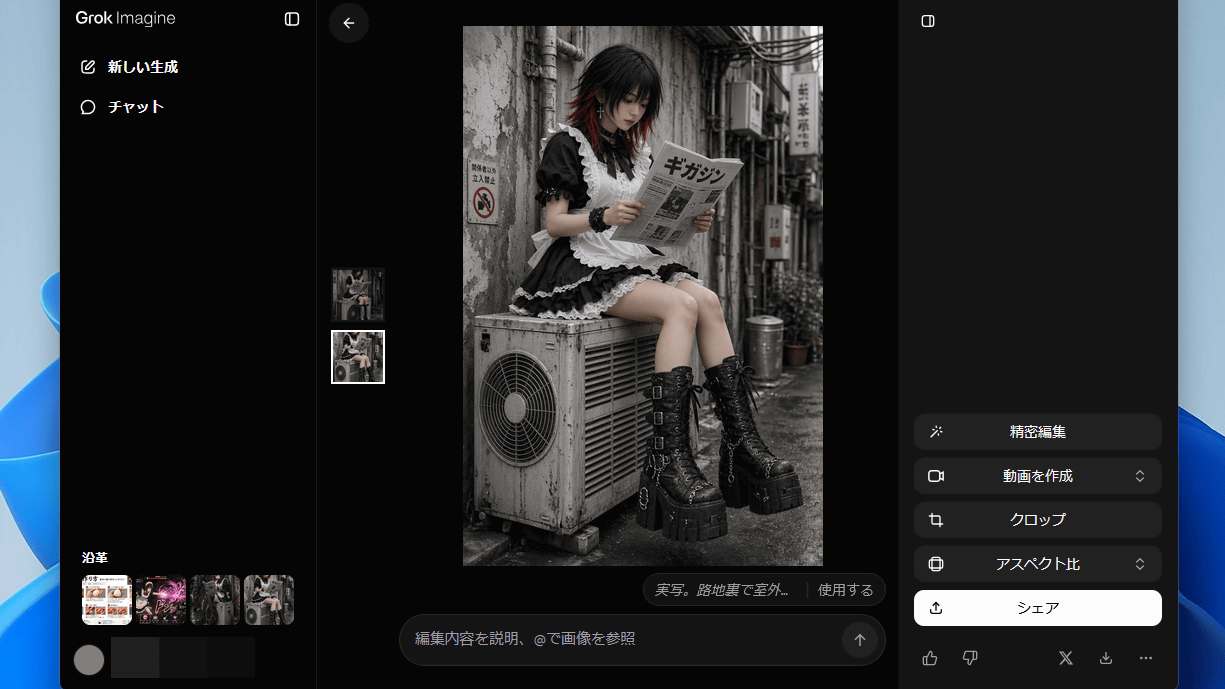
The generated result is shown below. All instructions are accurately depicted, and the word 'Gigazine' is even included in the newspaper. Note that the example images in the article have been reduced to 800 pixels on the longest side; clicking on each image will show the original image before reduction.
Here's another one.
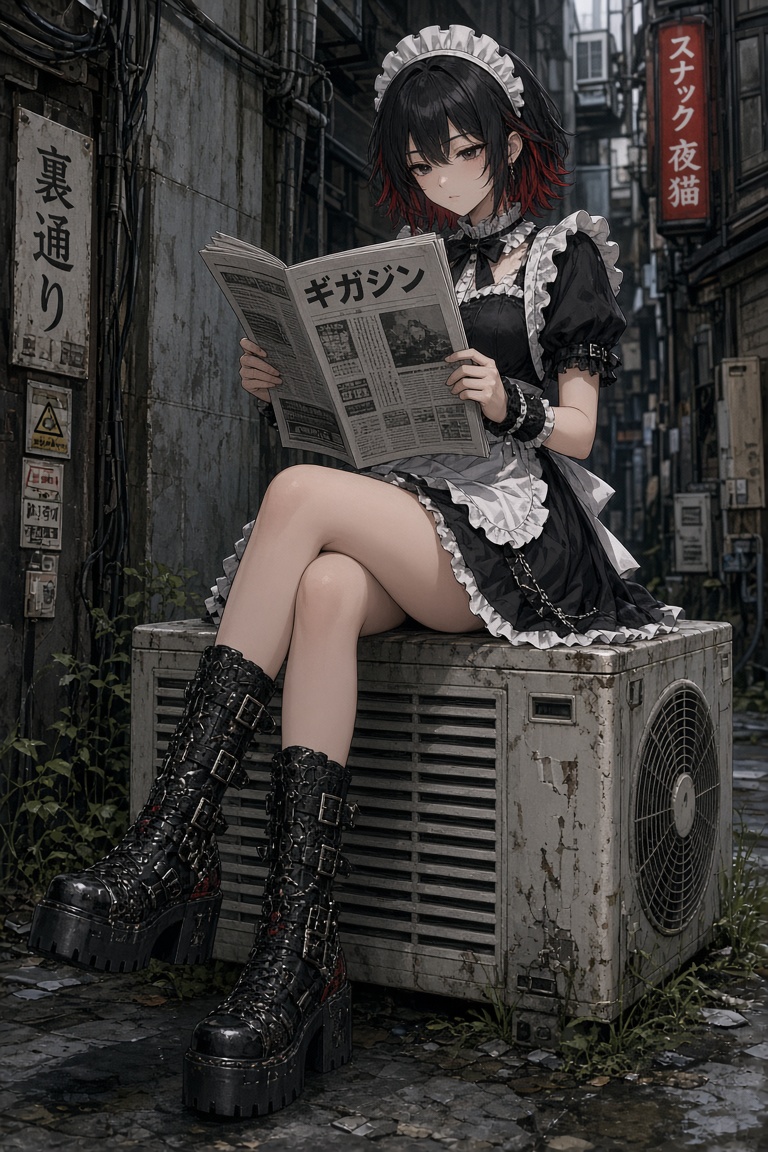
The following image was generated with the prompt: 'A cel-shaded 3DCG game-like art style. A maid sitting on top of an air conditioner unit in an alley, reading a newspaper. Black wolf cut hair with red highlights. Miniskirt, gaudy boots. The newspaper reads 'Gigazine'. '
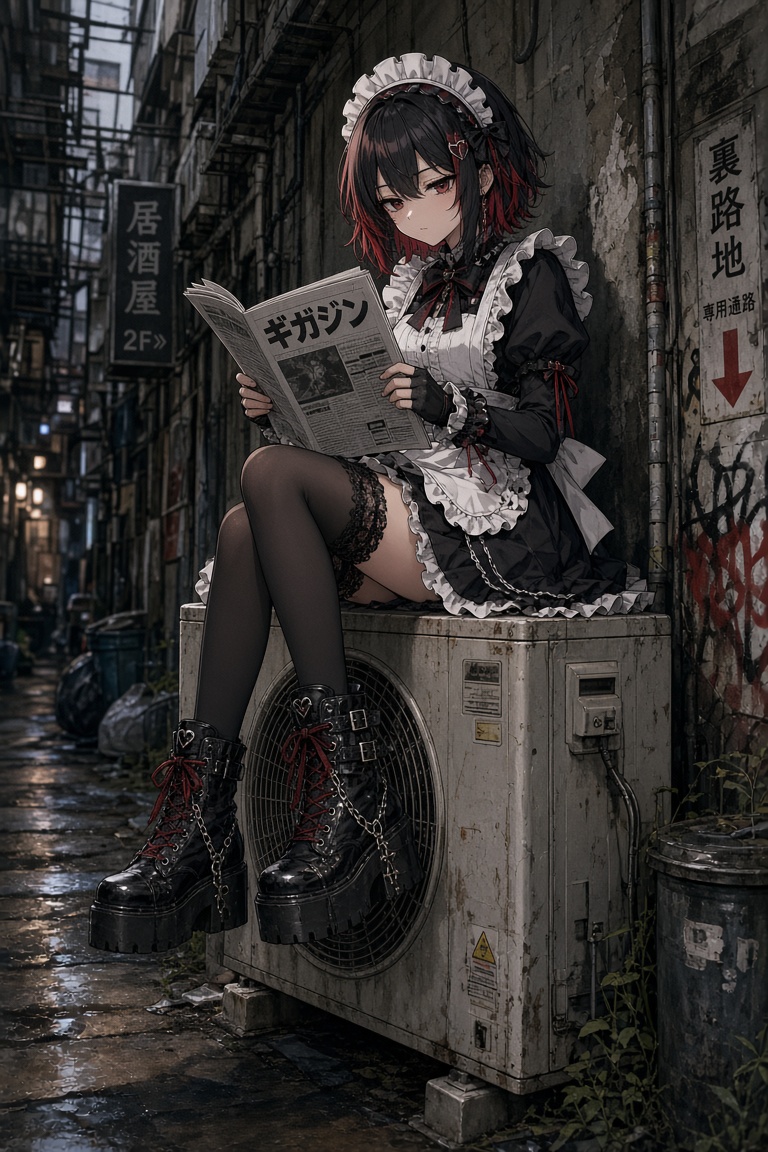
Here's another picture. The shape and placement of the outdoor unit are strange.
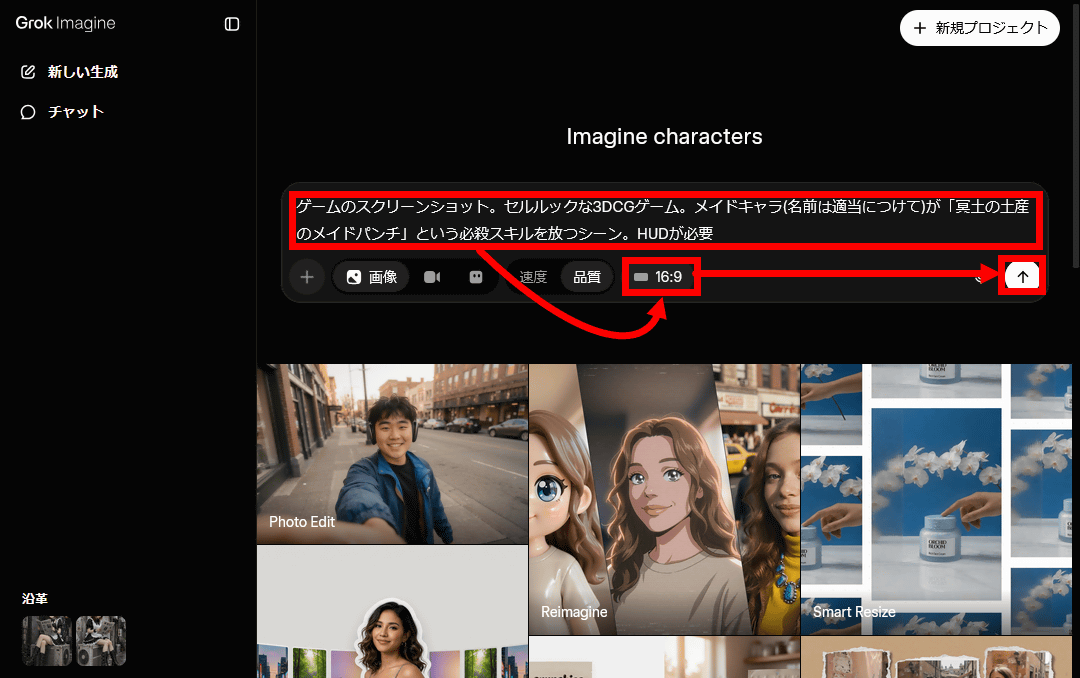
It's also possible to specify the aspect ratio. I generated it by entering ' A screenshot from a game. A cel-shaded 3DCG game. A scene where a maid character (I made up a name for her) unleashes a special skill called 'Maid Punch, a Souvenir for the Underworld.' A HUD is required ' and setting the aspect ratio to 16:9.
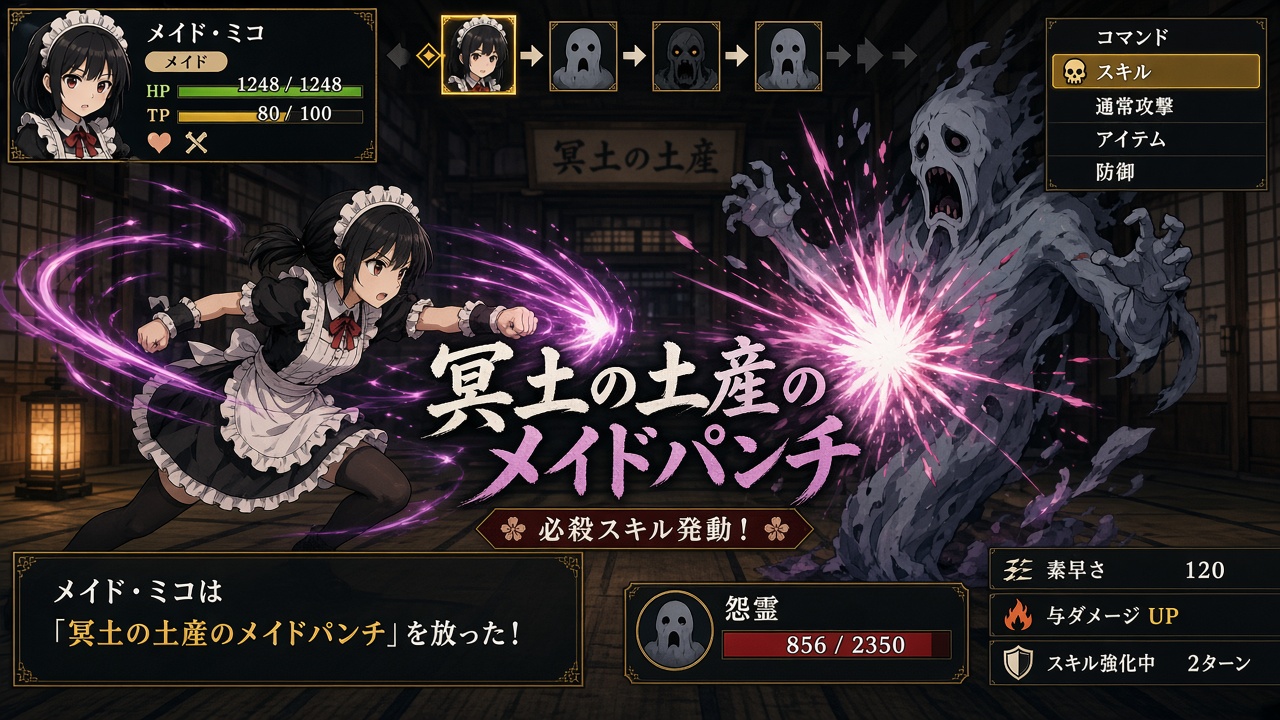
The generated result is shown below. It looks like a screenshot from a turn-based game. It contains a lot of text, but every character is clearly legible as Japanese.
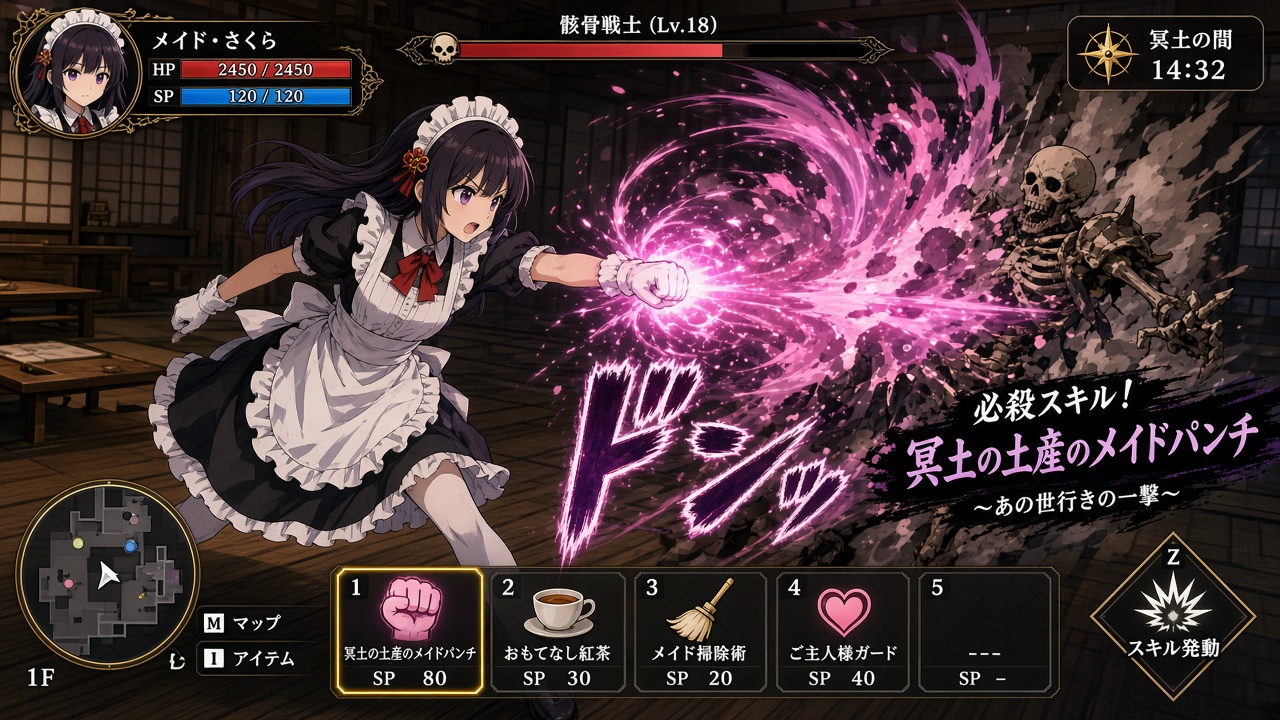
Here's another one. They've also come up with other techniques such as 'Hospitality Tea,' 'Maid Cleaning Techniques,' and 'Master Guard.'
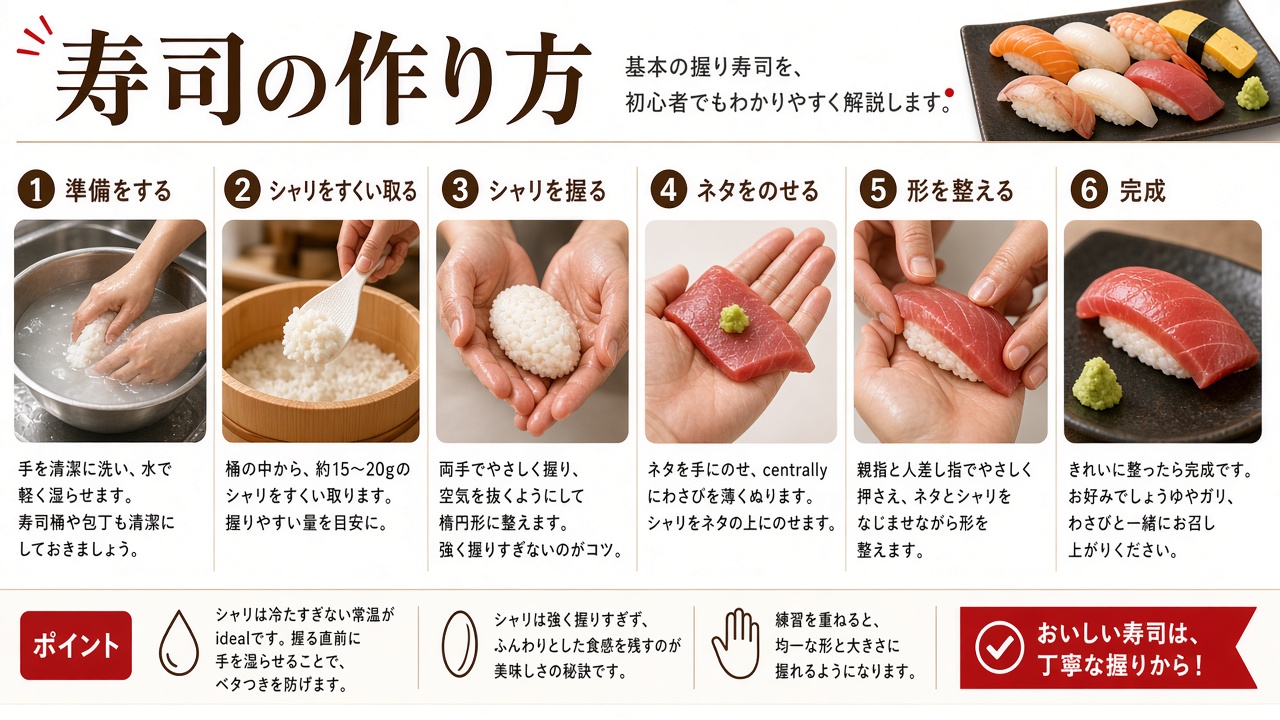
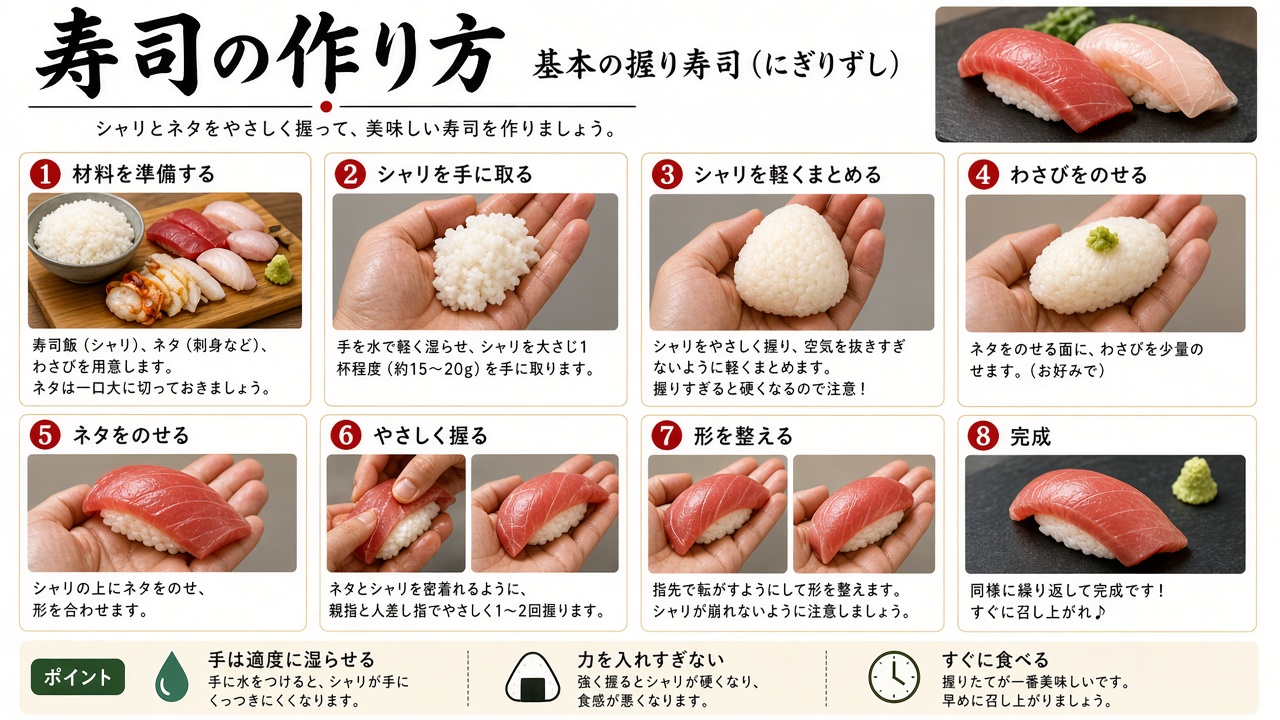
The image below was generated in response to the short prompt, ' An image explaining how to make sushi .' While there are some issues, such as 'the rice being soaked in water in step 1' and 'the inclusion of English words in the text,' the overall explanation is quite thorough.
The second one looks like this.
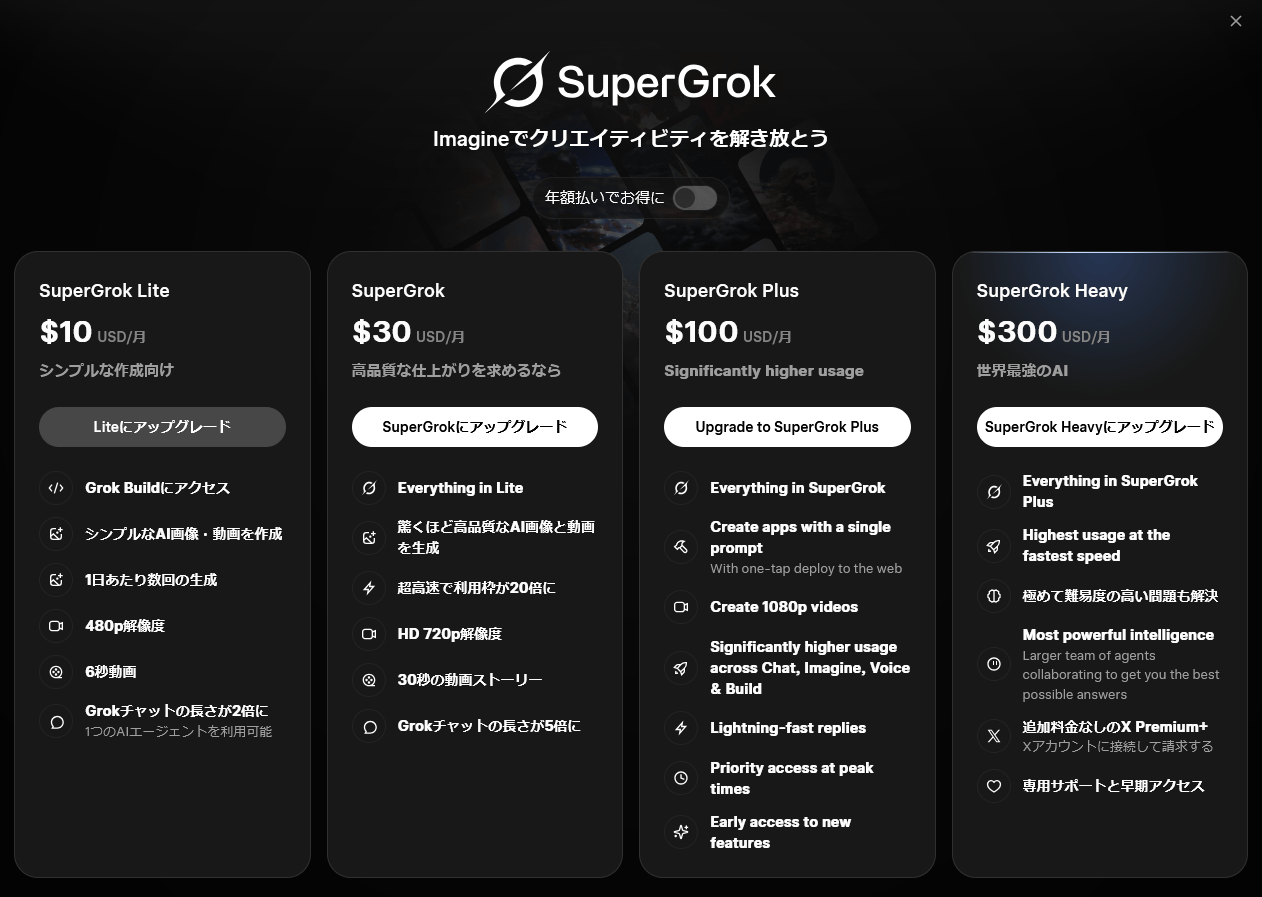
When I tried it as a free user, I was prompted to upgrade to a paid plan after entering the fifth prompt.
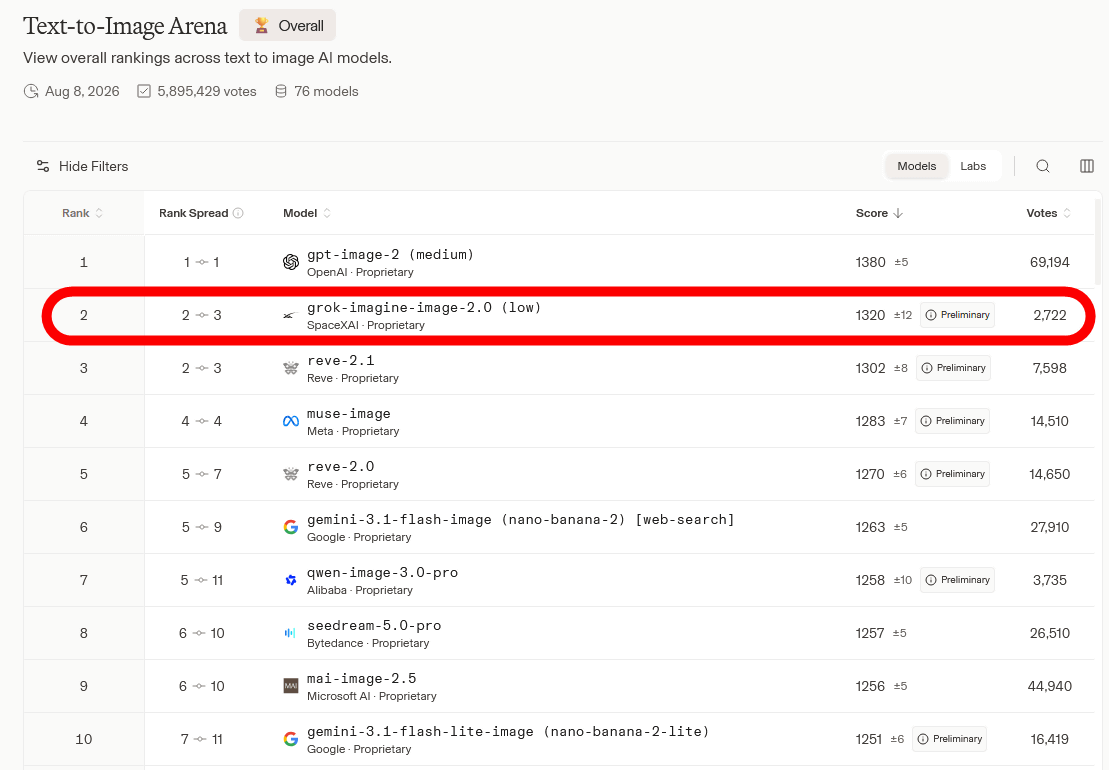
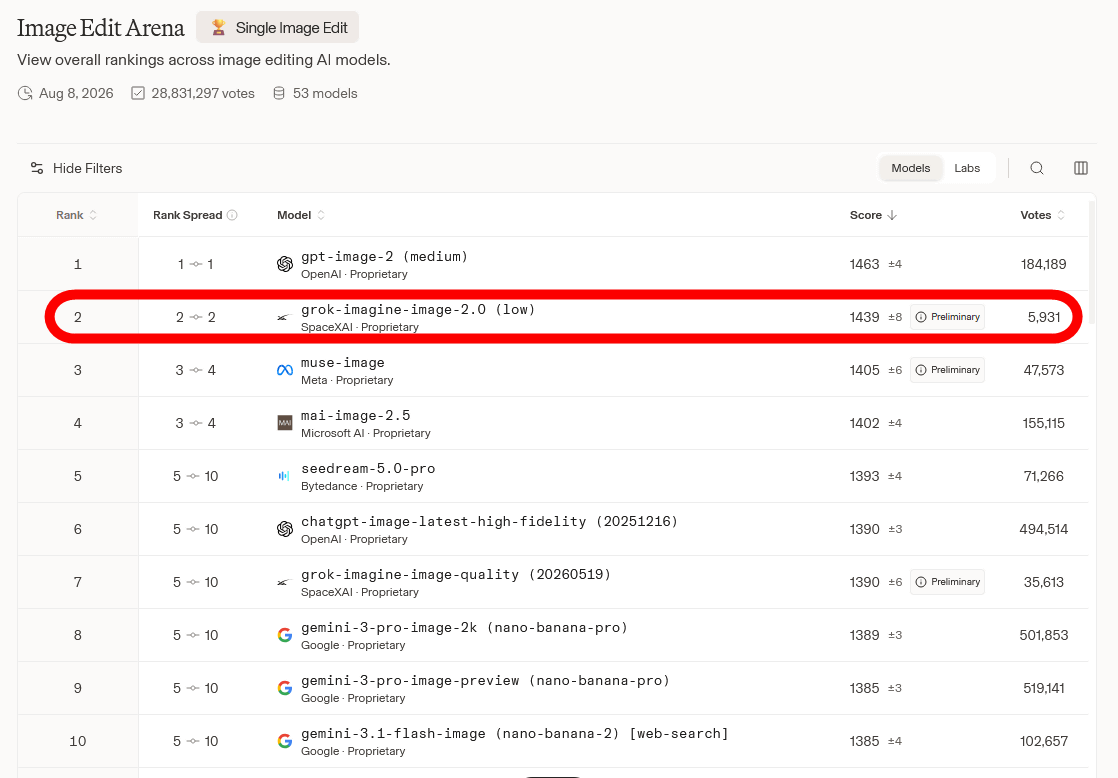
Imagine Image 2.0 has also received high marks in tests conducted by third-party organizations. The results of Arena's test, which involved 'generating images without revealing the AI's name and having humans compare their quality,' are shown below. In the task of '
It also ranked second in the task of '
As mentioned above, Imagine Image 2.0 is available as an image generation function for Grok, and will soon be available via API.
Related Posts: