'Safari MCP server' has been released, which uses an AI agent to automate Safari operations for testing and debugging.
Safari Technology Preview 247 , a developer preview version of the web browser Safari, was released on July 1, 2026. The ' Safari MCP server ,' which allows AI agents to automate Safari operations, is now available.
Introducing the Safari MCP server for web developers | WebKit
https://webkit.org/blog/18136/introducing-the-safari-mcp-server-for-web-developers/
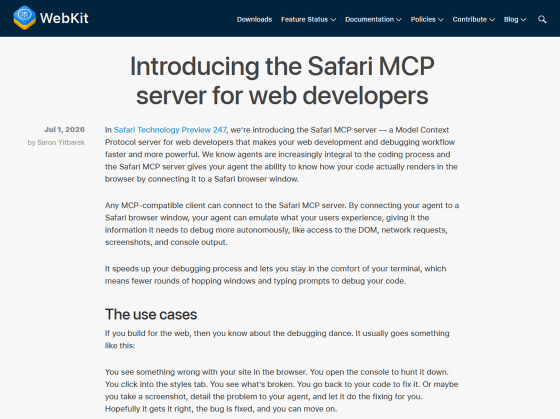
The Model Context Protocol (MCP) is a protocol proposed by Anthropic in November 2024 that allows AI to access various services and data. Numerous MCP servers have already been released, such as 'MCP servers that allow access to documents accumulated within an organization' and 'MCP servers that can access the functions of web services.' By registering MCP servers with AI agents such as Claude Code and Codex, agents can be given the ability to perform various tasks.
Safari MCP server is an MCP server for web developers that allows you to automate tasks such as debugging by registering it with an AI agent. Without an MCP server, you would need to investigate where the problem lies, inform the AI agent of the issue, and if the fix is unsuccessful, investigate again and inform the AI agent again. However, with Safari MCP server, you can have the AI agent automatically investigate 'Safari's behavior' and automate the fixing process.
The following tools are included with the Safari MCP server:
Browser_console_messages: Returns the buffered console log for the current or specified tab.
browser_dialogs: Displays a list of browser dialogs and responds to them (accepting, rejecting, and inputting JavaScript prompts).
close_tab: Close the tab
create_tab: Creates a tab and loads URLs as needed.
evaluate_javascript: Executes JavaScript code on the page and returns the result.
get_network_request: Retrieves the headers, body, and timing of a network request.
get_page_content: Extracts text from the page in formats such as Markdown, HTML, and JSON.
list_network_requests: Gets an overview of current network requests.
list_tabs: Displays a list of the handle names and URLs of the open tabs.
navigate_to_url: Navigates to the specified URL and returns the page content.
page_info: Retrieves the URL, title, and loading status of the currently open page.
page_interactions: Executes DOM operations such as clicks, input, scrolling, hovering, and key input.
screenshot: Save a screenshot of the page in PNG format
set_emulated_media: Emulates CSS media types to test responsive design.
set_viewport_size: Sets the browser's viewport size in CSS pixels.
switch_tab: Switch tabs
wait_for_navigation: Waits for the page to finish loading and returns the final URL and title.
The development team is hopeful that the Safari MCP server will make testing and debugging in Safari easier.
Related Posts: