Codex adds 'business improvement plugins useful for non-programmers,' and its weekly active users exceed 5 million.

It has been revealed that
Codex is becoming a productivity tool for everyone | OpenAI
https://openai.com/index/codex-for-knowledge-work/
Codex now has more than 5M weekly active users.
— OpenAI Newsroom (@OpenAINewsroom) June 2, 2026
But the bigger story is what people are using it for: not just writing code, but getting more work done across research, analysis, content, and operations.
Our new report on how Codex is becoming a productivity tool for knowledge… pic.twitter.com/zxCZKQRrgR
OpenAI has revealed that since the release of the Codex desktop app in February 2026, the number of weekly active users has increased more than sixfold, exceeding 5 million.
According to OpenAI, Codex helps people in all professions automate tasks, increase efficiency, and overcome bottlenecks in modern knowledge work. While developers remain the largest user base, knowledge workers now account for about 20% of users, and their growth rate is more than three times that of developers.
Knowledge workers primarily use Codex to create reports, spreadsheets, presentations, contracts, and other work deliverables. Furthermore, Codex is increasingly being used for research, data analysis, workflow automation, and building lightweight tools that previously required engineering support.
The areas where Codex is being increasingly used by knowledge workers are data analysis, research, and the creation of knowledge products. Users are increasingly performing multiple tasks in parallel on Codex, allowing them to research data, create documents, and automate workflows simultaneously. OpenAI points out that this increase in processing speed could significantly change the long-term impact of AI on work. 'Codex has the potential to help people work on more ambitious projects, leading to expanded scope of work and accelerated career advancement,' they explained.
For such Codex users, OpenAI has announced previews of 'plugins that extend Codex to suit different roles and tools,' 'annotation features that allow you to adjust deliverables in Sites,' and 'features that allow you to create interactive websites and apps that can be shared within the workspace via URL.'
Codex for every role, tool, and workflow | OpenAI
https://openai.com/index/codex-for-every-role-tool-workflow/
Role-specific plugins in Codex are built around the work teams actually do.
— OpenAI Developers (@OpenAIDevs) June 2, 2026
Plugins for Data Analytics, Creative Production, and Product Design give Codex the tools and context to create reports, creative directions, and prototypes.
Built and used by OpenAI teams. pic.twitter.com/U0c3qfWJxK
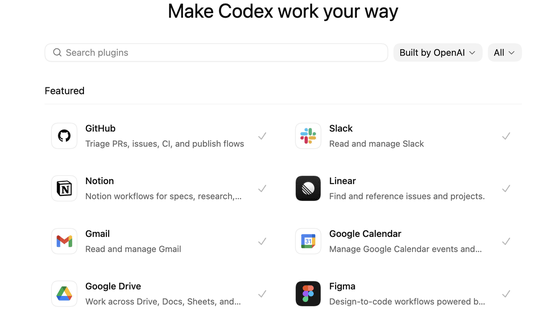
- Plugins that can extend the Codex to suit different roles and tools.
Each plugin contains the necessary applications, skills, instructions, and workflows for that specific task.
For example, data analysis plugins help analysts and business teams leverage data to answer questions. Using tools like Snowflake, Databricks Genie, Hex, and Tableau, you can explore product and business data, explain why key metrics have changed, and create reports and dashboards.
Creative production plugins help marketing and creative teams transform briefs into deliverables for review. Using tools like Figma, Canva, Shutterstock, Picsart, and Fal, you can create campaign boards, develop and refine display ad variations, and produce lifestyle photos for products and ready-to-use image sets for e-commerce sites.
Sales plugins help sales teams leverage customer information to advance deals. Using tools like Salesforce, HubSpot, Slack, Outreach, Clay, Rox, and Actively, they identify high-priority accounts and critical signals, and help with tasks such as preparing for customer meetings, following up, updating customer information, creating closing plans, and reviewing high-risk opportunities.
The product design plugin is designed to transform initial ideas into prototypes that can be reviewed by the team. Teams can explore product direction, validate user flows, create prototypes based on actual URLs, and transform static screenshots into interactive experiences. Work can also be handed over to tools like Figma and Canva.
The listed stock investment plugin helps investors understand market and company information. It utilizes data from Moody's, Daloopa, Datasite, FactSet, LSEG, S&P, PitchBook, and Hebbia to help investors review earnings reports, compare companies, track signals, and assess whether there is increasing evidence to support their investment hypotheses.
The investment banking plugin helps you compile research and due diligence results into client-facing materials. Leveraging reliable data, you can create pitch materials, analyze similar companies and transactions, and incorporate due diligence findings into your proposals.
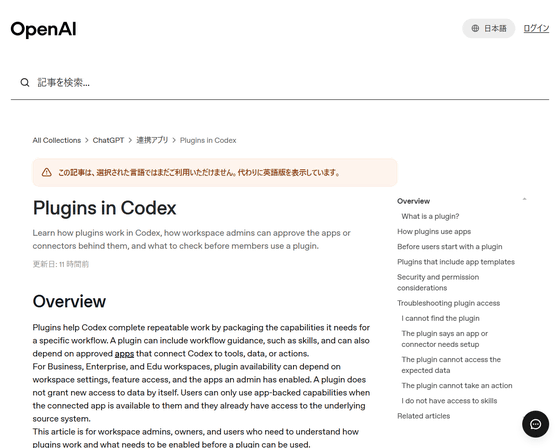
You can install the Codex plugin from the following link.
Plugins in Codex | OpenAI Help Center
https://help.openai.com/ja-jp/articles/20001256-plugins-in-codex
- The ability to create interactive websites and apps that can be shared within the workspace via a URL.
Sites' annotation feature, which allows you to refine deliverables, enables you to create and share interactive, hosted websites and apps on the Codex. It will be available as a preview for Business and Enterprise users.
At the time of writing, Sites can be shared with anyone in the workspace via URL. However, teams need to review work, share ideas, track progress, and make decisions in one place. The annotation feature in the new Sites allows you to tailor deliverables, and you can request Codex to generate an interactive webpage summarizing account-related product updates, outstanding issues, usage trends, and next steps. You can also create scenario planners based on financial models, or request launch-related materials to be transformed into an information hub where the team can share the latest messaging, milestones, assignees, and decisions.
Teams can create Sites tailored to their specific needs, rather than having to adapt their work to the constraints of a single tool or file. Sites aren't just static pages; they can be used to manage the progress of large projects, serve as guides for customer service representatives, or as a central hub for team creative briefs.
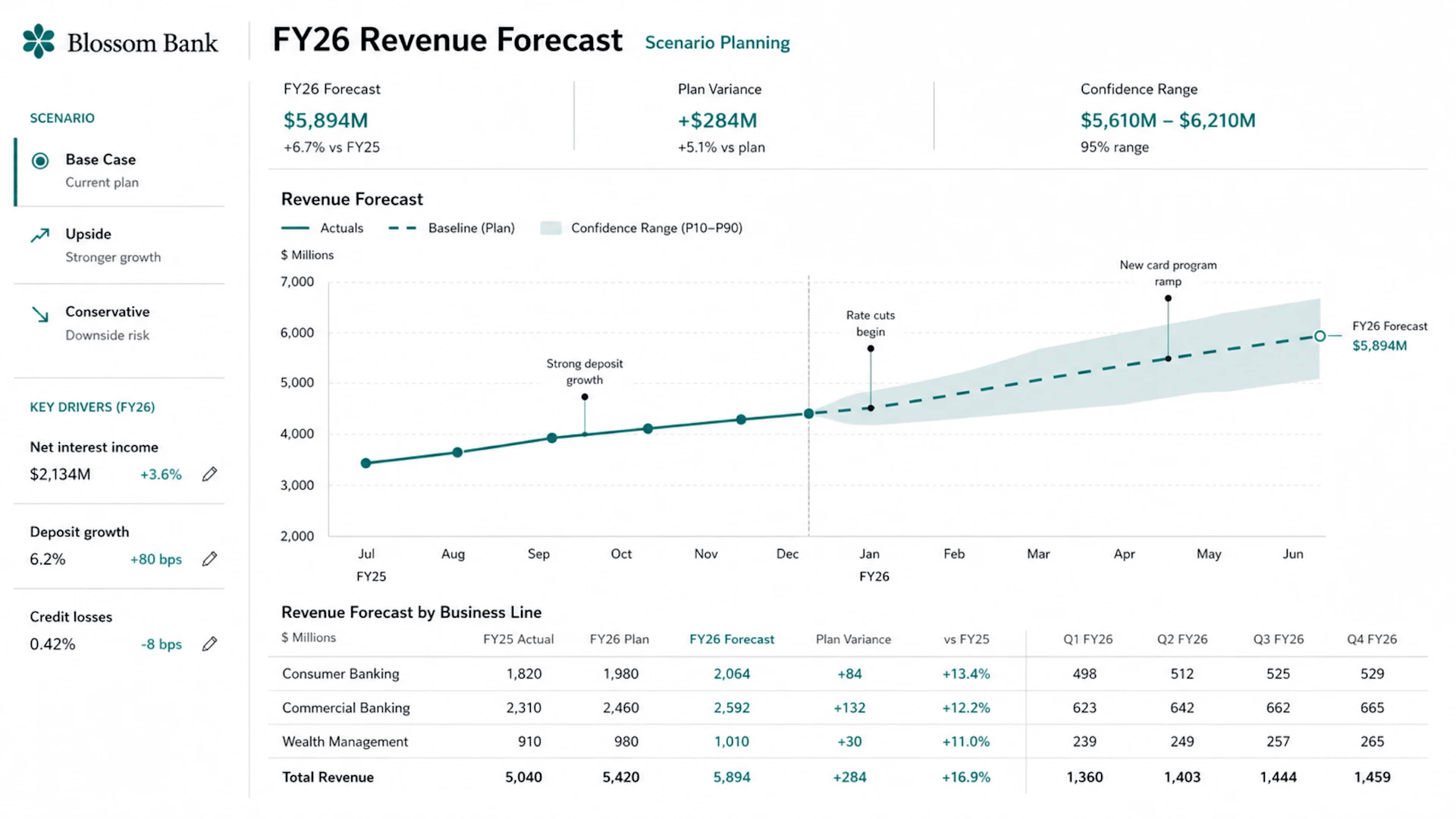
- Annotation feature that allows you to adjust deliverables in Sites
Sites isn't just generated and finished; you can customize it by requesting changes from the Codex. For example, you can have the Codex perform operations such as 'changing fonts,' 'extracting important sections and verifying their rationale,' and 'changing graph labels.' Because the Codex focuses the corrections on the selected areas, you can improve the deliverable without having to start over from scratch or correct parts you're already satisfied with. Annotations allow you to use the Codex more effectively in subsequent stages, such as the initial draft, where you make decisions, receive feedback, and make improvements.
Related Posts:






in AI, Posted by logu_ii