Google Workspace CLI releases, allowing you to manage Google Drive, Gmail, Google Sheets, Google Docs, and more with a single command-line tool, with AI agent skills
Google Workspace CLI (gws), a new command line tool that allows comprehensive management of major Google Workspace services, was released on March 6, 2026. This tool allows you to operate a wide range of applications, including Google Drive, Gmail, Google Calendar, Google Sheets, Google Docs, Google Chat, and even the Admin Console, all from a single command line.
googleworkspace/cli: Google Workspace CLI — one command-line tool for Drive, Gmail, Calendar, Sheets, Docs, Chat, Admin, and more. Dynamically built from Google Discovery Service. Includes AI agent skills.
https://github.com/googleworkspace/cli
You Need to Rewrite Your CLI for AI Agents
https://justin.poehnelt.com/posts/rewrite-your-cli-for-ai-agents/
The Google Workspace CLI is dynamically built using the Google Discovery Service, allowing it to automatically incorporate API updates. It also comes with over 100 specialized skills designed for use by both humans and AI agents.
The greatest feature of the gws command is that it loads the Google Discovery Service at runtime and dynamically builds a command system based on the latest API definitions at any given time, making it possible to automatically respond when new API endpoints are added to Google Workspace.
The development of Google Workspace CLI was driven by a design philosophy advocated by Justin Poehnelt, Senior Developer Relations Engineer at Google, who believed that 'CLIs needed to be rewritten for AI agents.' While traditional CLIs have emphasized discoverability and tolerance for humans, Google Workspace CLI was designed with the highest priority on ensuring that AI agents can operate safely and reliably without hallucinating.
Just launched the Google Workspace CLI, optimized for AI agents! ????
— Justin Poehnelt (@JPoehnelt) March 4, 2026
My #openclaw agent installed it, went full #devrel (filed issues/PRs + wrote a friction log), and emailed me a summary via Gmail.
Written in Rust
😉️ 50+ skills & recipes
???? Covers EVERY Google Workspace API… pic.twitter.com/VSs2x3iWAU
To ensure that AI can accurately handle the API structure, the Google Workspace CLI accepts raw JSON payloads that directly correspond to the API schema, rather than convenient flags for humans. The CLI also has a self-describing feature that outputs the latest schema information at runtime, preventing AI from externally searching for documents and consuming tokens.
The design also takes into account the unique behavior of AI agents in terms of security and operational safety. To prevent AI hallucinations, the Google Workspace CLI has input restrictions that strictly verify invalid path specifications, the inclusion of control characters, and invalid parameters embedded in resource IDs. Furthermore, it includes a dry-run function that allows users to verify requests without actually hitting the API before performing important operations such as deleting or updating data, and a function that works with Google Cloud Model Armor to sanitize malicious prompts included in API responses.
In terms of authentication, Google Workspace CLI supports a variety of workflows, including interactive login, service accounts suitable for CI/CD environments and server-to-server communication, and the use of existing access tokens.It can also operate as a Model Context Protocol (MCP) server, allowing you to call APIs directly from MCP-compatible clients such as Claude Desktop and Gemini CLI as a structured tool.
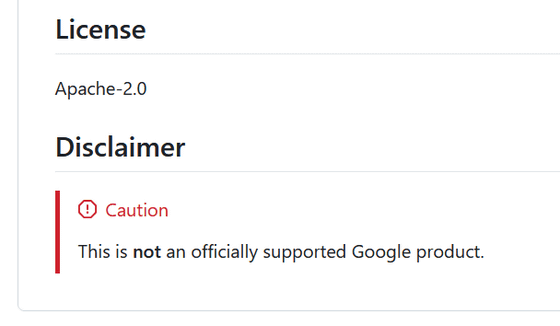
As a disclaimer, although Google Workspace CLI is available on a GitHub organization bearing Google's name, it is not a product that Google officially guarantees support for. In communities such as Hacker News , it has been pointed out that it is a hobby-oriented project run by certain employees. There is no official support desk for corporate customers, and it is positioned as an experimental reference implementation exploring new interfaces for the age of AI agents, so use is at your own risk.
Related Posts:






in AI, Web Service, Posted by log1i_yk