Firefox 143 officially released, adds support for Web Apps on Windows
The official version of the web browser Firefox 143 has been released. The Windows version now supports the 'Web App' feature, which allows you to run websites like desktop apps. It also adds a number of new features, including tab pinning, enhanced fingerprinting protection, and improved color-specific HTML elements.
Firefox 143.0, See All New Features, Updates and Fixes
Added support for running websites as web apps
The Windows version now supports 'web apps,' which allow websites to run like desktop apps. This allows users to open their favorite websites in a separate window and pin them to the taskbar or Start menu. Web apps work offline and also have some native features, such as notifications and file access, making web services more convenient to use. Another benefit is that you can continue to use familiar add-ons.
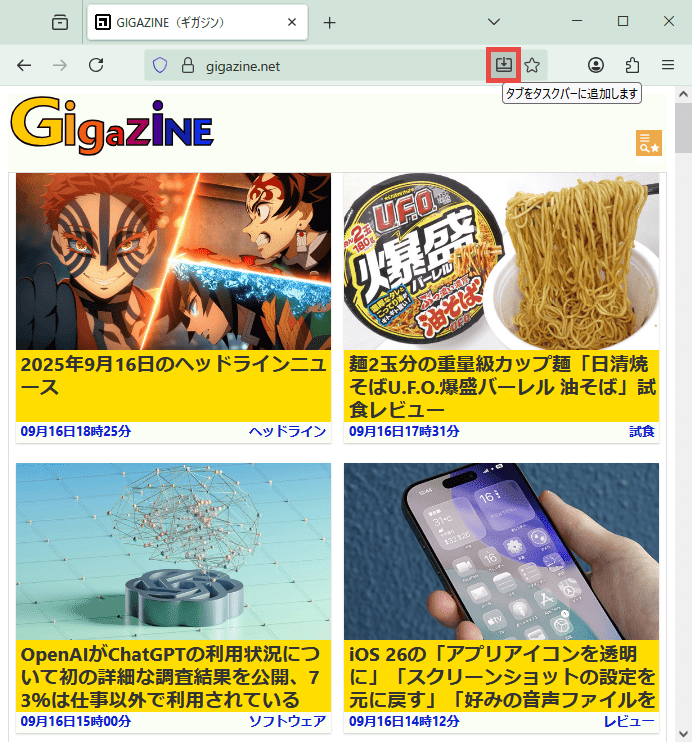
To install a website as a web app, click the 'Add tab to taskbar' button (circled in red) on the right side of the address bar while viewing the website.
An icon for the site will then appear on your taskbar.

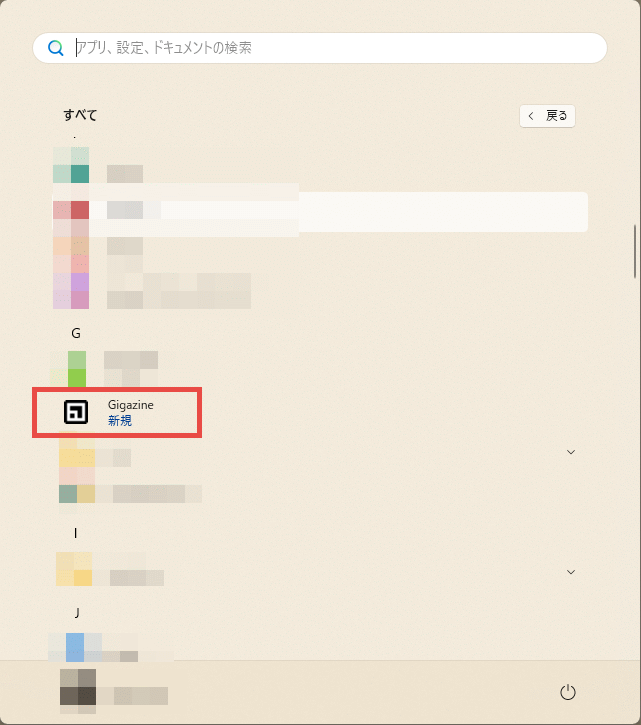
Also, when you open the Start menu in Windows 11, the icons for the sites that have been turned into web apps will be displayed. In Windows 10, a folder called 'Firefox Web Apps' will be created, and the icons for the sites that have been turned into web apps will be stored under that folder.
By clicking the icon on the taskbar or Start menu, you can open the web app site in a separate window. Unlike the normal display, the title bar is not displayed. However, the address bar and extension buttons are still displayed, and you can use translation add-ons, cookie management add-ons, etc. as they are.
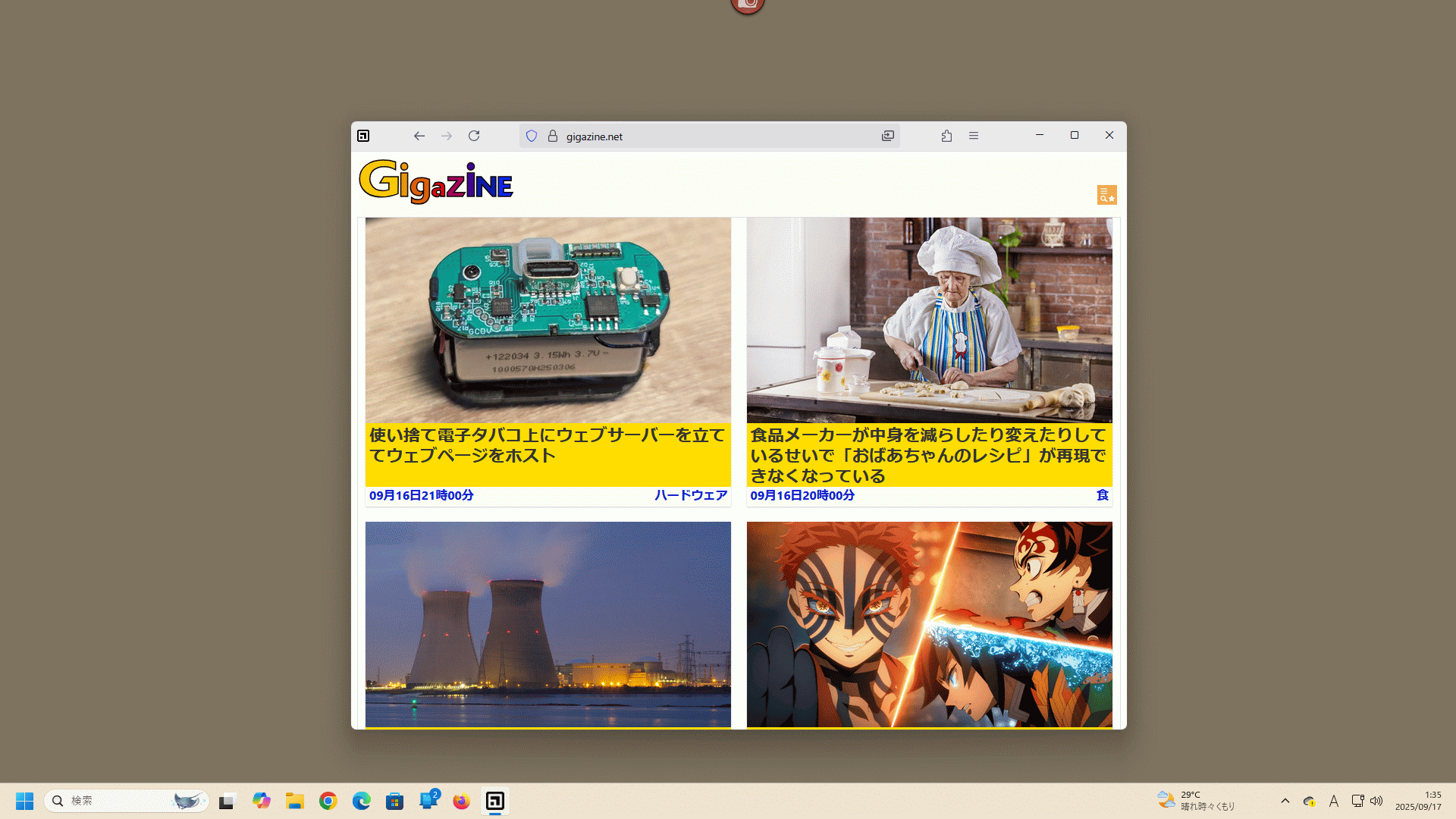
Clicking the 'Remove tab from taskbar' button located to the right of the address bar will uninstall the web app and remove its icon from the taskbar and Start menu.

At the time of writing, the web app function is not available in Firefox installed through the Microsoft Store.
◆ Pinning tabs
You can now pin a tab by dragging it to the beginning of the tab strip.
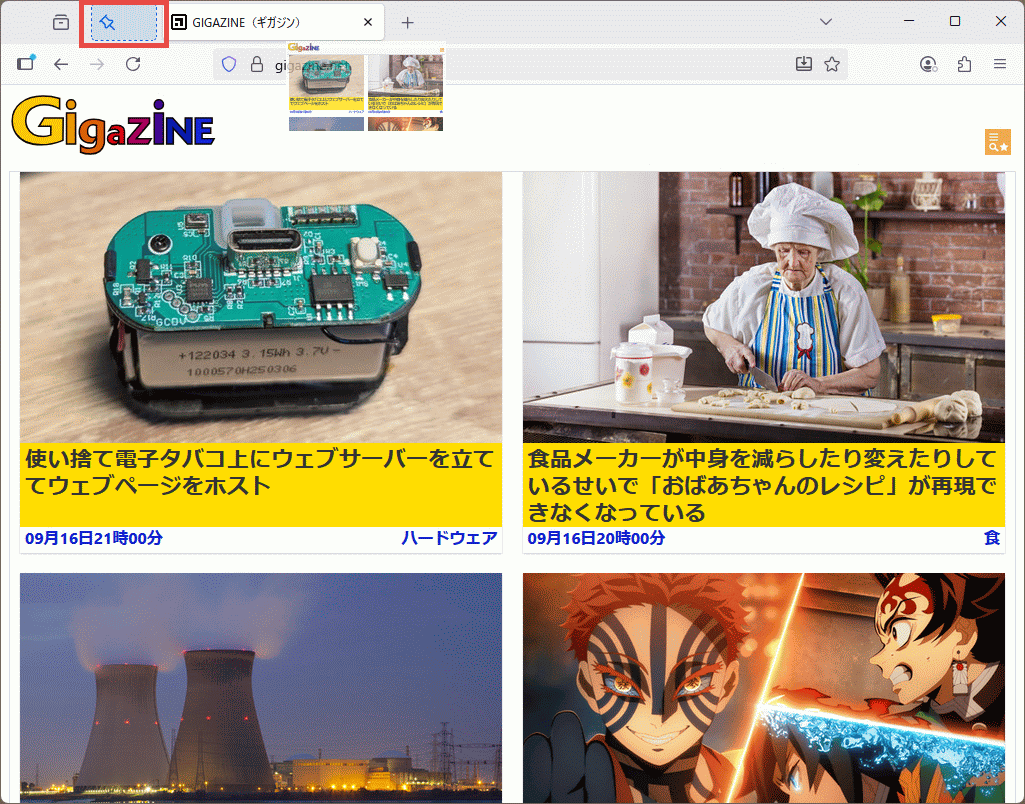
This allows for easy access to frequently visited sites.

◆Extended fingerprinting protection function
As browsers become more sophisticated, the operating system, applications, and hardware that are used by the browser affect its behavior more, leading to increased abuse of 'fingerprinting' techniques that make it easier to identify users. In light of these security risks, this update expands protections to prevent fingerprinting and strengthens user privacy.
Firefox's protection against fingerprinting | Firefox Help
Anti-fingerprinting is enabled when Enhanced Tracking Protection is set to 'Strict' or optionally enabled as 'Custom.' When set to 'Strict,' known fingerprinters are blocked during normal browsing, and known and suspicious fingerprinters are blocked during private browsing.
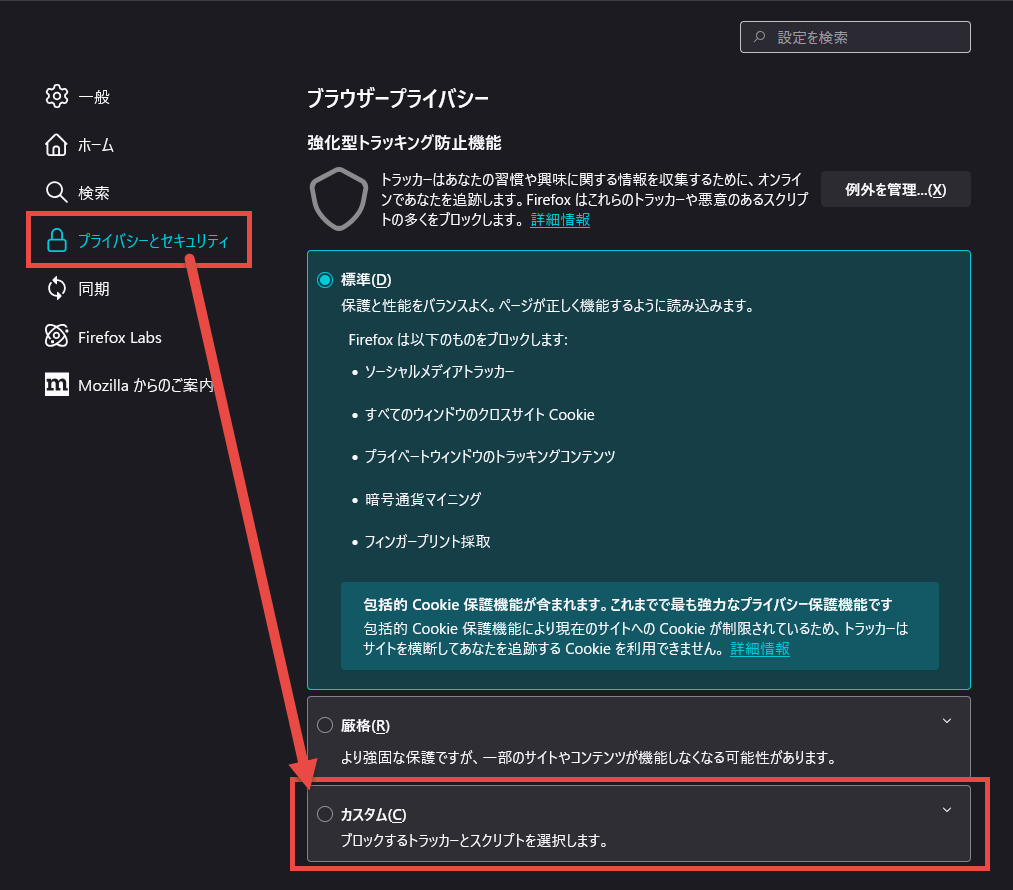
The setup procedure for 'Custom' is as follows: First, open the Settings screen, and select 'Custom' in the 'Enhanced Tracking Protection' section of the 'Privacy & Security' tab.
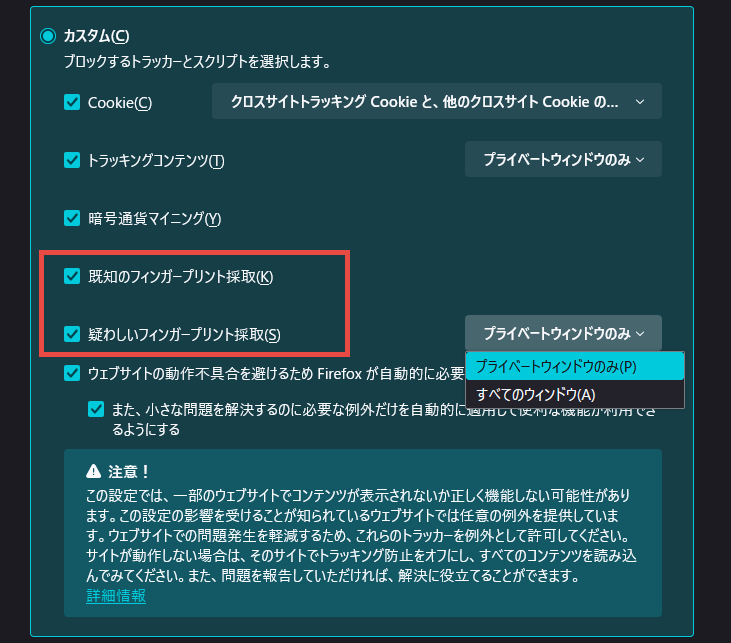
Custom options allow you to turn 'Known Fingerprinters' and 'Suspicious Fingerprinters' on or off, and for 'Suspicious Fingerprinters,' you can choose whether to run them in private windows only or in all windows.
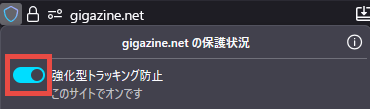
If fingerprinting protection is preventing a site from working properly, you can disable protection for that site only by clicking the shield icon in the address bar and turning off the 'Enhanced Tracking Protection' switch in the panel that appears.
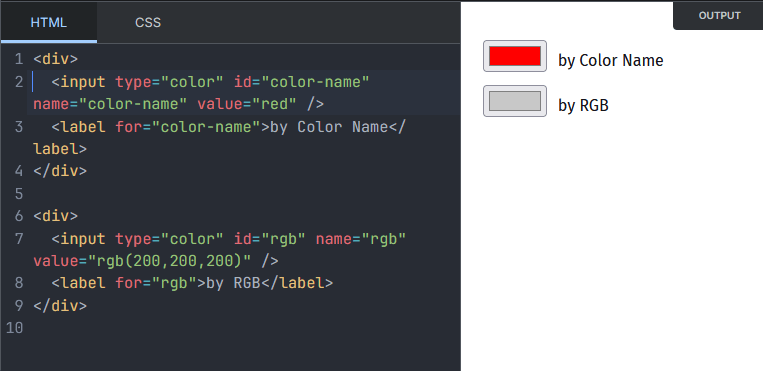
◆ Enhanced functionality for color-specific user interface elements
In addition to the hexadecimal color format that was previously available, the value of the
◆Other updates
Microsoft Copilot now available as a chatbot
- When a site requests camera access, you can now preview it in the permission dialog.
- Important dates and events are now displayed in the address bar (for the US, UK, Germany, France, and Italy)
On Android, tapping on a persistent notification when the browser is closed or restarted now correctly opens the associated web page.
- Files downloaded in private browsing mode will now ask you whether to keep or delete them at the end of the session (can be disabled in settings)
- Supports Windows UI Automation
- Supports xHE-AAC audio playback on Windows 11 22H2+, macOS, and Android 9+
- Updated CSS Grid sizing algorithm
The ::details-content CSS pseudo-element allows you to style the collapsed content of the <details> element.
Firefox 143 also includes two security bug fixes .
The next major version, Firefox 144, is scheduled to be released on Tuesday, October 14, 2025 local time.
Related Posts:




in Software, Posted by log1c_sh